Keeping Your Team & Clients Connected and Aligned
Create channels for teams and clients, send direct messages, and collaborate with AI-powered replies and voice messages. All your communication in one organized place.


Trusted by 1000+ Agency Owners And Professionals Worldwide





How It Works
From Chaos to Clarity In 4 Simple Steps
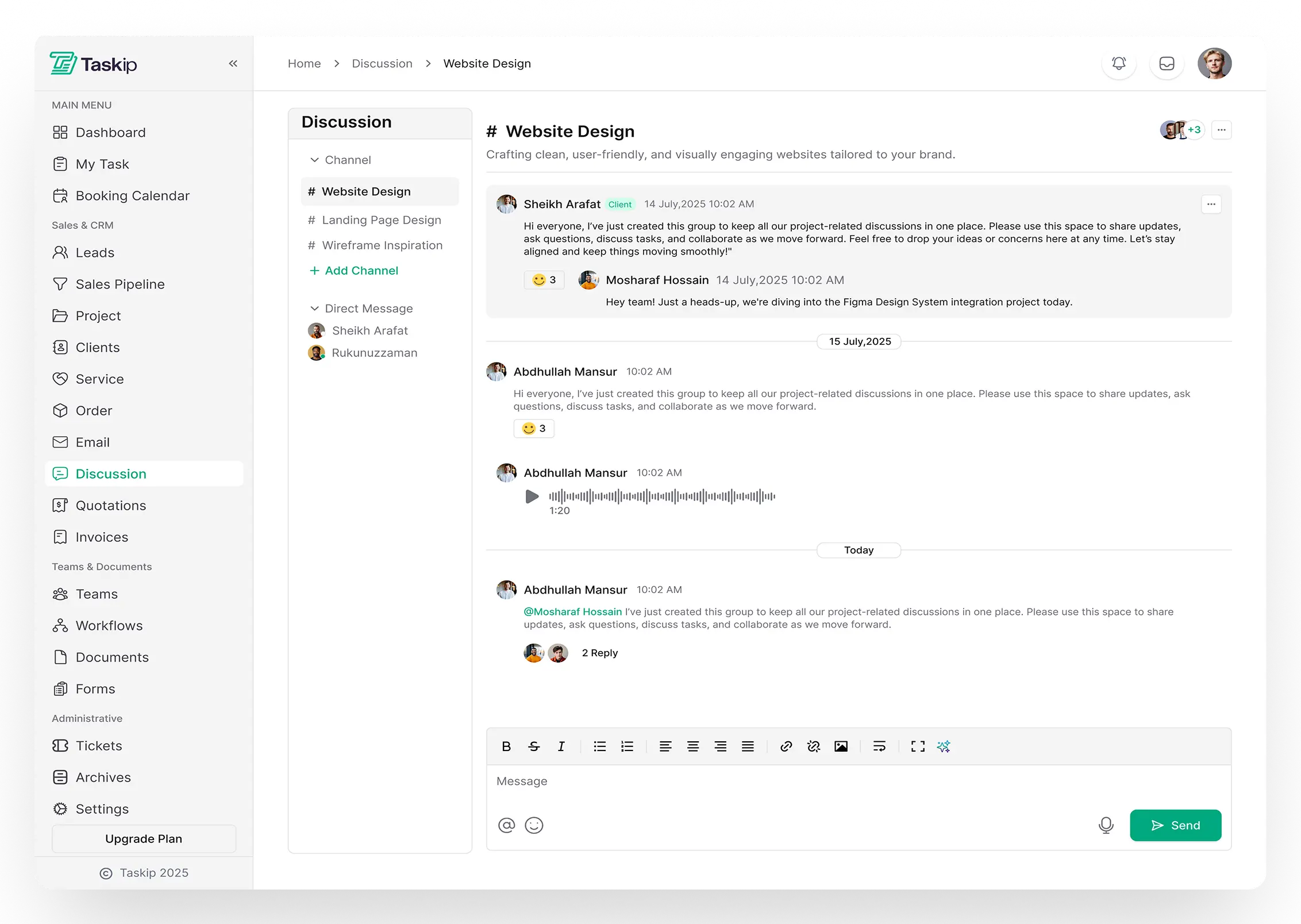
Taskip organizes your team and client communication so everyone stays aligned.
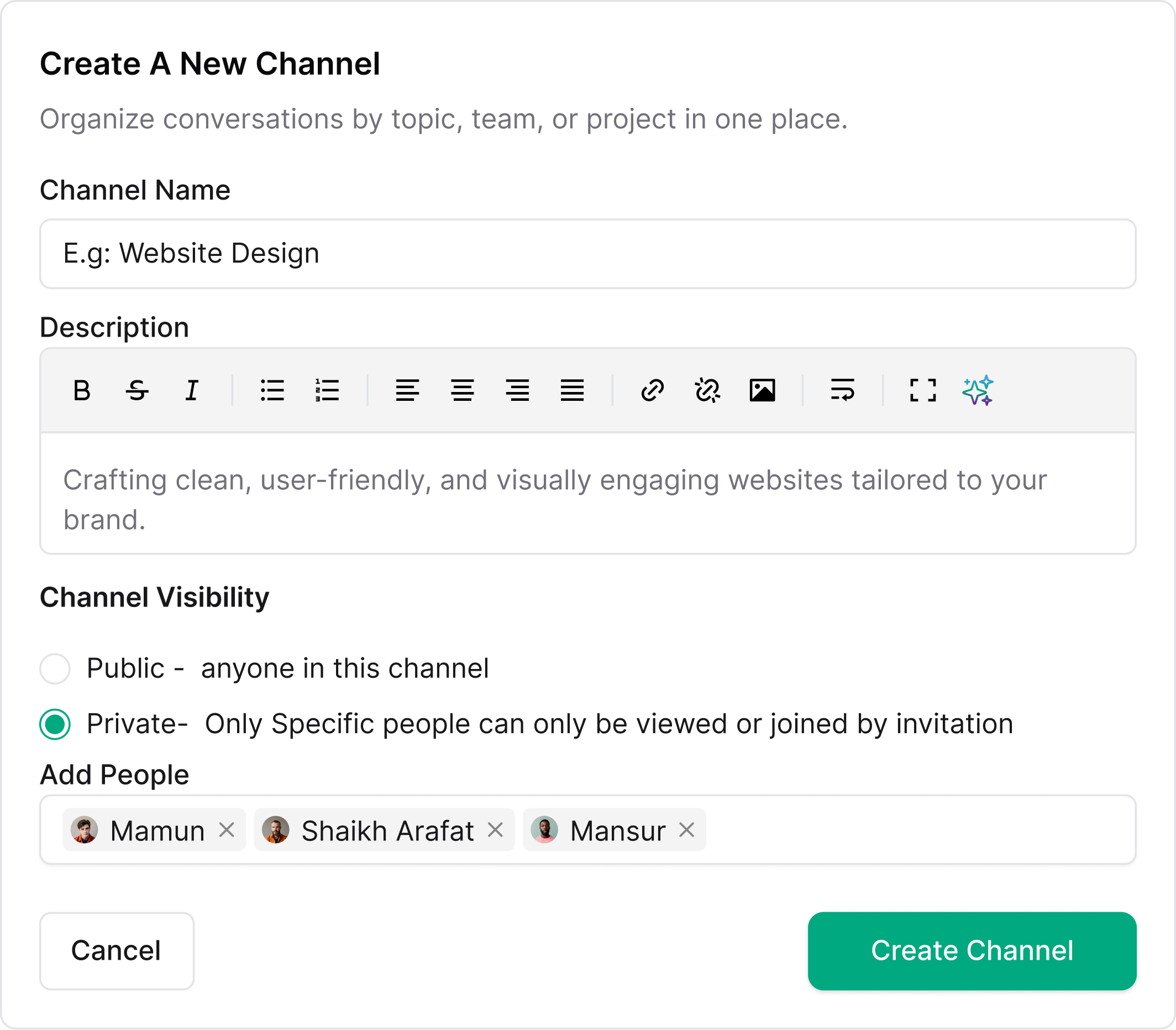
Create Channel
Click “New Channel” and fill in the name, description, and visibility settings.
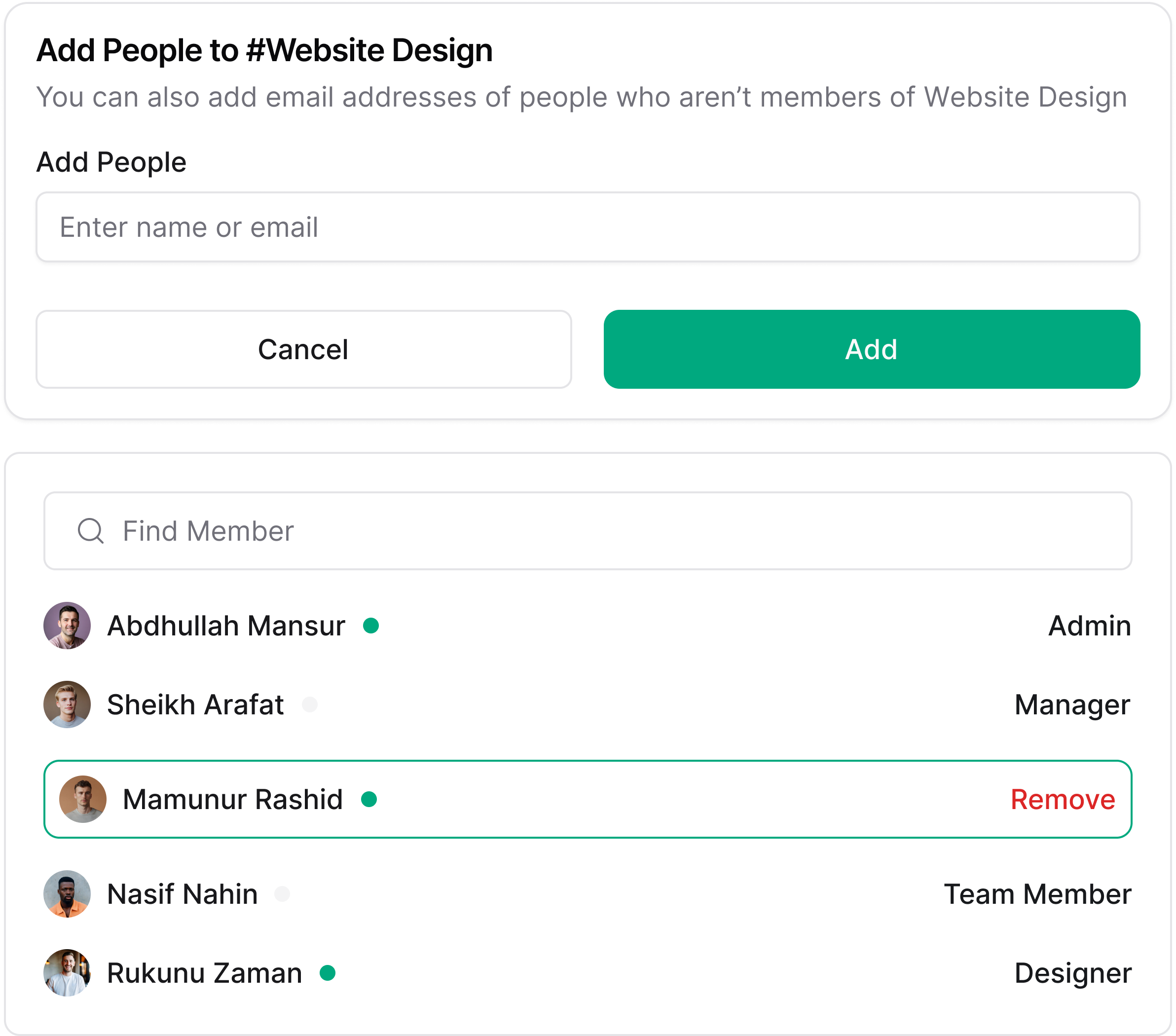
Add People
Invite team members and clients by name or email. Set who can access.
Start Messaging
Send messages, share links, attach files. Use AI for smart replies.
Stay Organized
Manage channels, edit settings, and track members. Everything in one place.
Features
Organized Team & Client Communication in One Workspace
Create dedicated channels for teams and clients, keep conversations organized, control access easily, and collaborate with clarity across every project.
Create Channels for Teams & Clients
Organize conversations by team, project, or client. Keep internal discussions separate from client communications with dedicated channel types.
- Team channels for internal collaboration
- Client channels for external communication
- Public or private visibility controls
- Add team members and clients easily
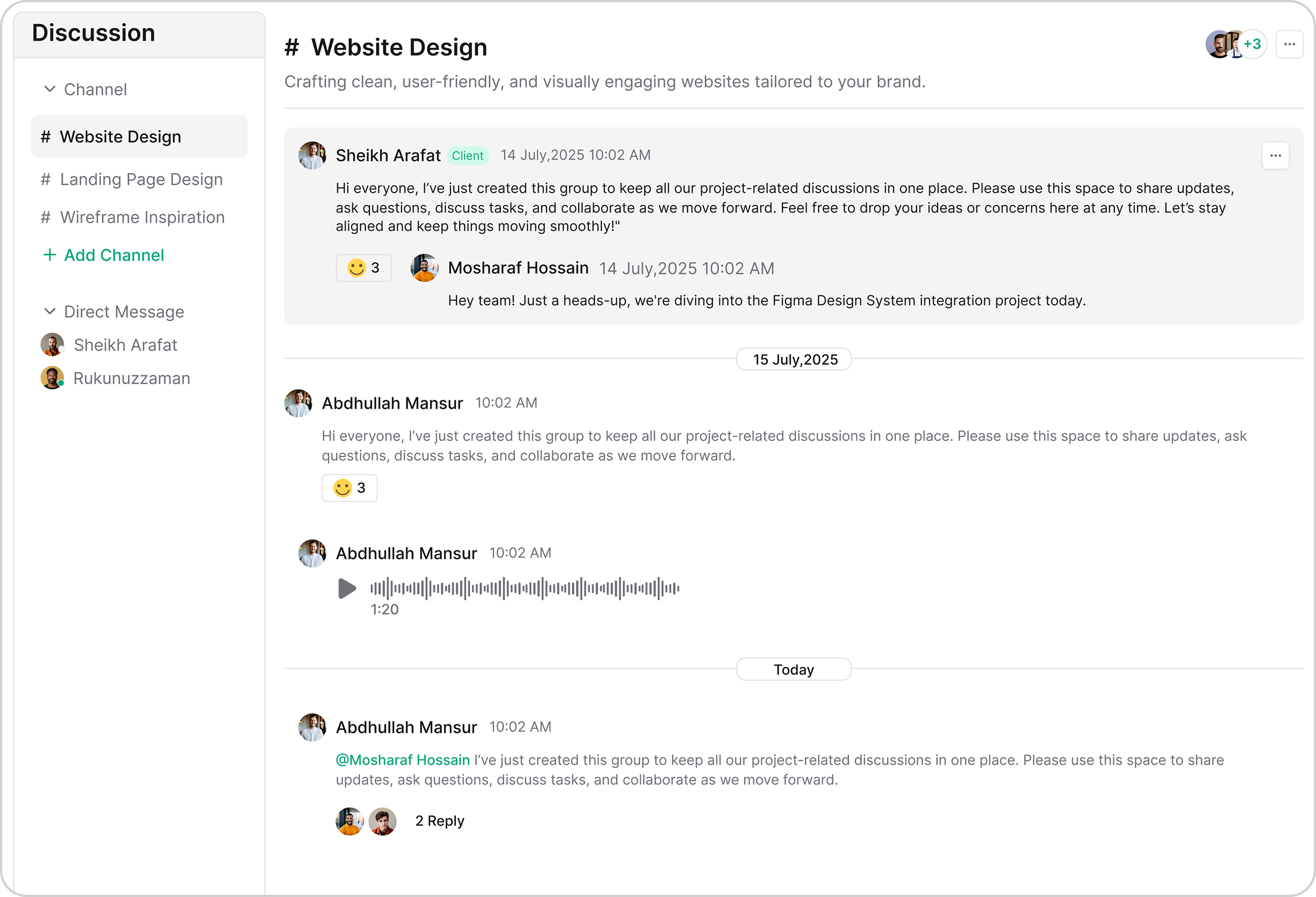
Team & Client Messaging
Communicate with your team in internal channels or collaborate with clients in dedicated client channels. Keep everyone aligned with organized conversations.
- Separate team and client discussions
- Private direct messages
- File sharing and attachments
- Message reactions and replies
Add Team Members & Clients
Invite team members and clients to specific channels. Control who has access to what conversations with simple member management.
- Invite team members by email
- Add clients to client channels
- Set roles and permissions
- Manage access anytime
More Features
Powerful Features for Team Communication
Everything you need to keep your team connected and productive.
Get Free Trial Now
Team Channels
Internal channels for team collaboration.

Client Channels
Dedicated channels for client communication.

Direct Messages
Private 1-on-1 conversations.

AI Assistance
Smart reply suggestions powered by AI.

Link Sharing
Share links and URLs in conversations.

File Attachments
Attach and share files in chat.

Privacy Controls
Public and private channel options.

Channel Management
Edit, manage members, and delete channels.
Perfect for
Every Type of Service Business
Whether you’re a solo consultant or an agency team, Taskip scales with you

Digital Marketing Agencies
Collaborate with your team and clients in real time through Taskip discussions.

Advertising Agencies
Use Taskip to communicate with teams and clients for project updates efficiently.

Creative Agencies
Share ideas, feedback, and project updates instantly with Taskip discussion threads.

Design Agencies
Collaborate on design projects, share feedback, and track conversations using Taskip.

Software & Technology
Use Taskip to discuss tasks, report issues, and coordinate with your team in real time.

Professional Services
Communicate with clients and team members instantly using Taskip discussion threads.

Consulting Firms
Share updates, clarify tasks, and discuss client projects seamlessly through Taskip.

Freelancers
Use Taskip to communicate with clients and track project conversations efficiently.
The impact of professional service catalogs
Results From Service Business
Taskip completely changed how we deliver services. Clear packages, instant bookings, and zero back-and-forth emails—our clients love the simplicity.
Since using Taskip, clients understand exactly what they’re getting before they book. It’s cut proposal time to almost zero and boosted our close rate.
The tiered service packages in Taskip make upselling effortless. Clients naturally choose higher-value options without us having to push.
Taskip helped us look more professional overnight. Clear pricing, defined deliverables, and automated booking—everything just works.
Frequently Asked Questions (FAQs)
Taskip Discussion is a communication hub for teams and clients. You can create channels, send messages, share links, and collaborate using AI powered assistance, all in one organized place.