top-plutio-alternatives

Top 12 Plutio Alternatives (2025) for Agencies & Freelancers

Every freelancer or agency owner has that moment — when you open five tabs just to check client updates, invoices, and project progress, and think, “There has to be a better way.”

That’s where tools like Plutio came in — promising to bring order to the chaos with one unified workspace. And for many, it worked. But as your projects grow and your team expands, Plutio can start to feel like it’s missing a few key pieces — deeper automation, smoother collaboration, and modern scalability.

That’s why 2025 is the year of smarter systems. In this guide, we’ll explore the 12 best Plutio alternatives, starting with Taskip, the all-in-one platform helping freelancers and agencies finally work without friction.

Key Takeaways

Plutio in a Nutshell

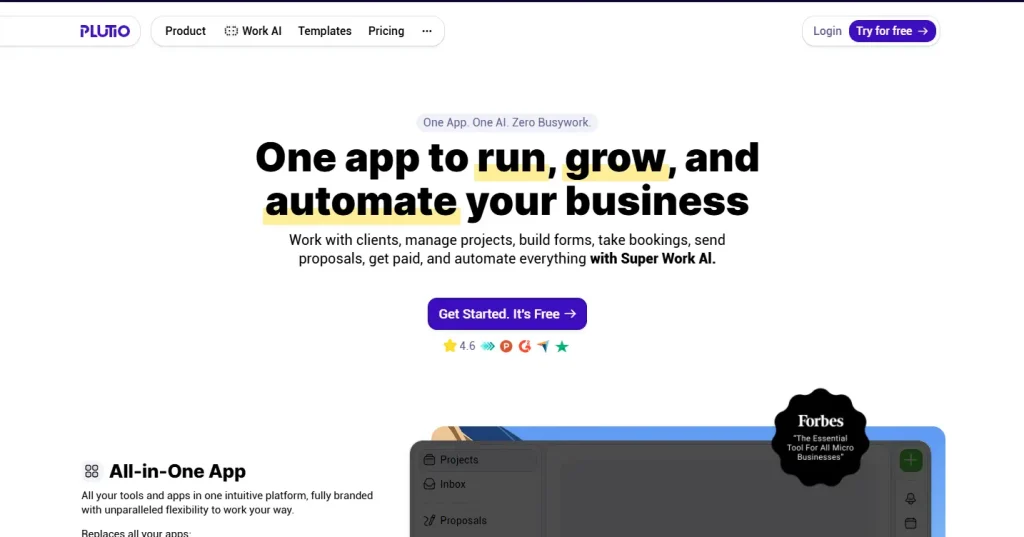
Plutio was built with freelancers, solopreneurs, and small agencies in mind — people tired of switching between ten different apps to stay on top of projects, clients, and payments. It brings everything together under one roof: CRM, project management, proposals, invoicing, and client portals.

For many, it’s a breath of fresh air — clean, affordable, and easy to use. It helps you manage proposals, track time, send invoices, and keep clients in the loop without hopping between tools.

Why Look Beyond Plutio?

Even with its strengths, many teams start exploring Plutio alternatives once their workflow becomes more complex. The need for growth often reveals the platform’s limitations:

  • Limited automation options that make scaling harder.
  • Fewer advanced project management tools, like Gantt charts or workload planning.
  • Basic integrations that don’t connect well with larger tech stacks.
  • Reporting that’s good — but not great for decision-making.
  • Interface performance can lag when handling multiple clients or larger data sets.

In short, Plutio is fantastic for starting strong, but when you’re ready to scale smarter, you might need more power, flexibility, and automation.

Top Plutio Alternatives in 2025

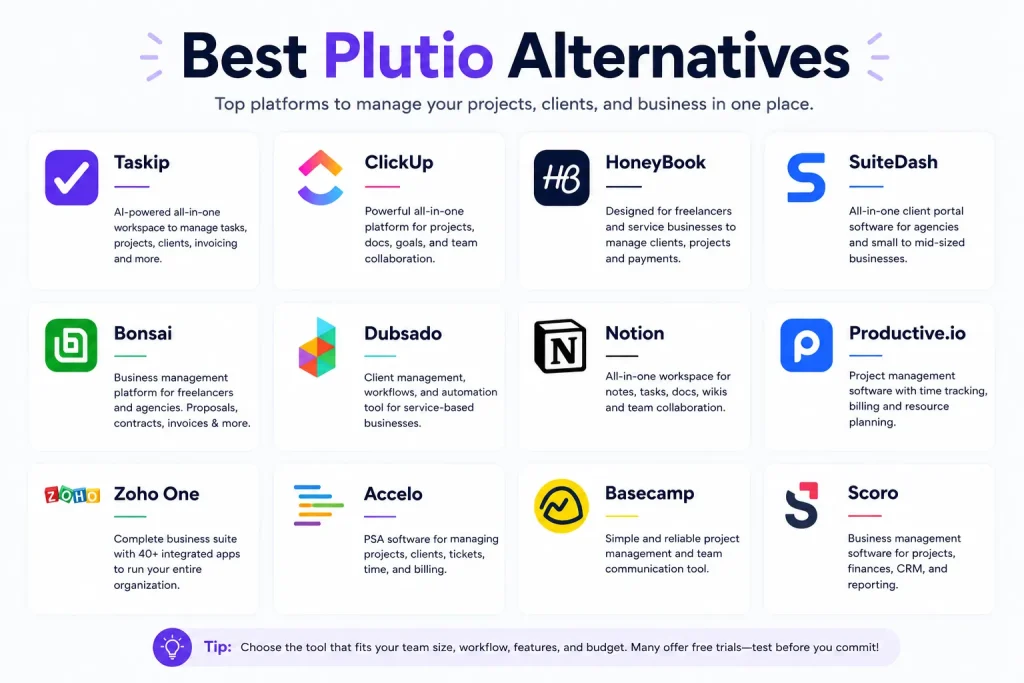
Here are the tools we’ll explore — each offering a different way to simplify client work and grow your business:

  1. Taskip – Best all-in-one alternative for freelancers & agencies.
  2. ClickUp – Advanced task management and workflow automation.
  3. HoneyBook – Clientflow platform built for creatives and service pros.
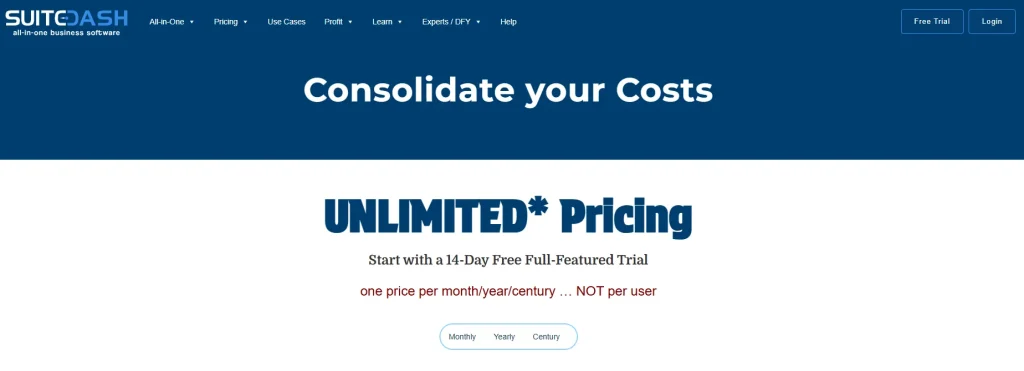
  4. SuiteDash – White-label CRM and client portal system.
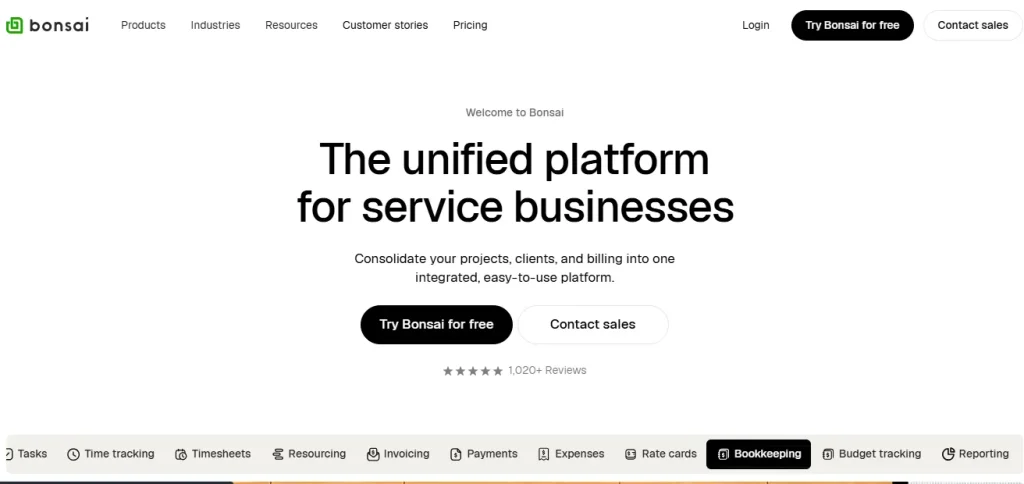
  5. Bonsai – Freelancer business suite with tax and billing tools.
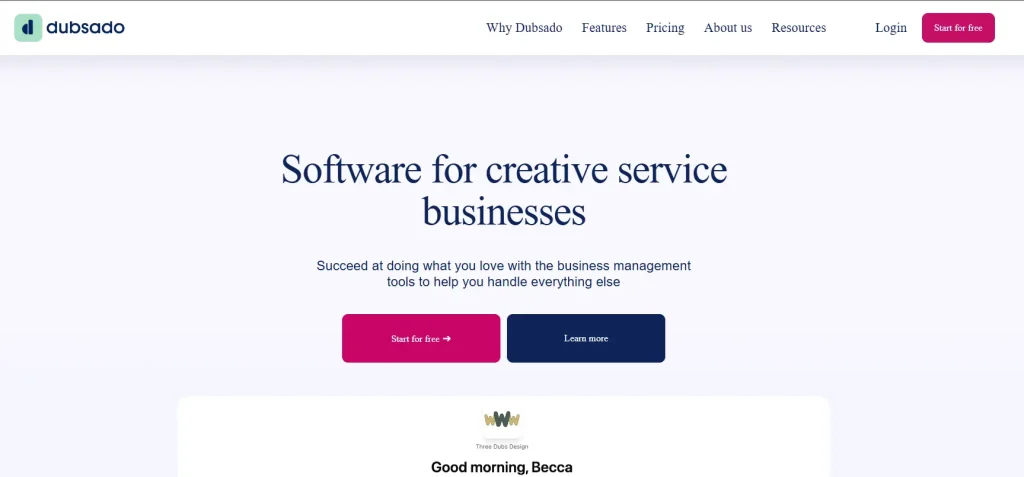
  6. Dubsado – Workflow automation for consultants and coaches.
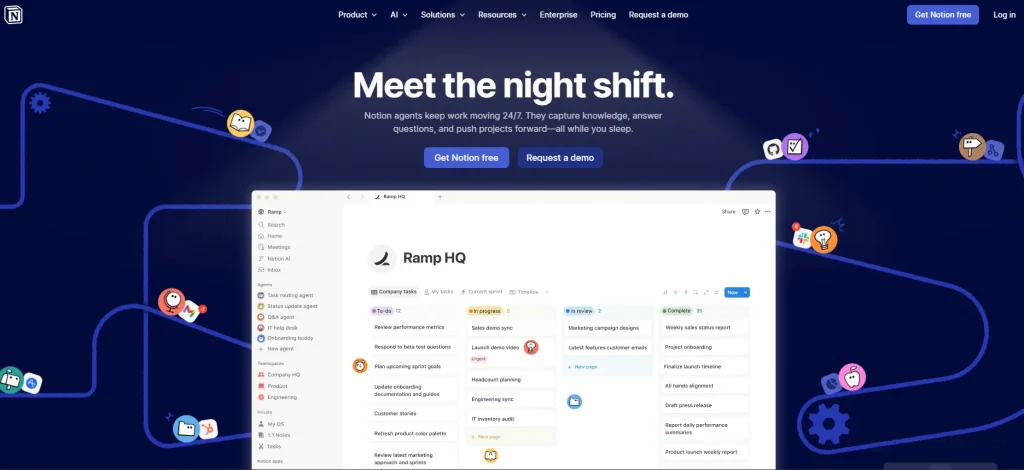
  7. Notion – Customizable workspace for teams and creators.
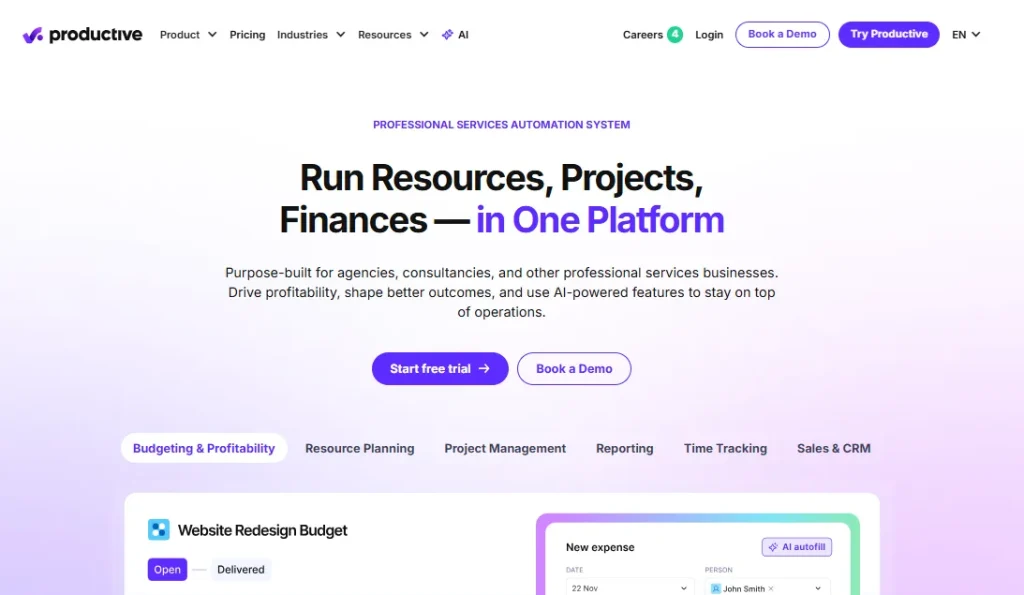
  8. Productive.io – Project and financial management for agencies.
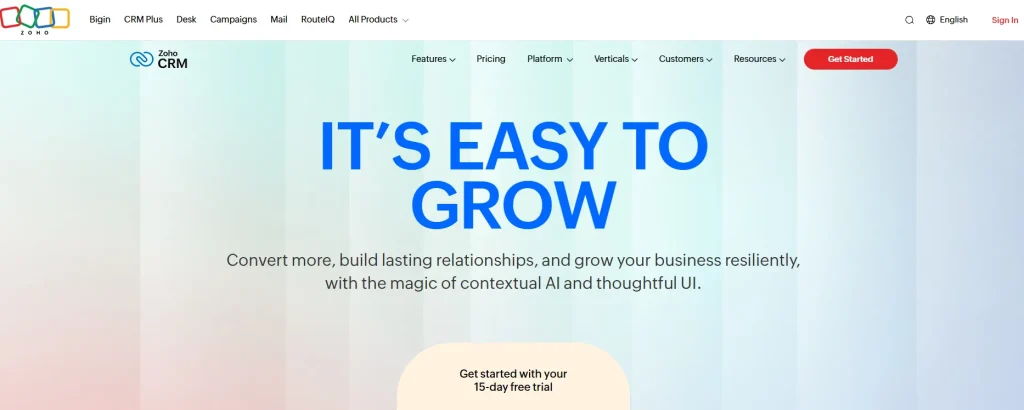
  9. Zoho One – Affordable, modular suite for growing teams.
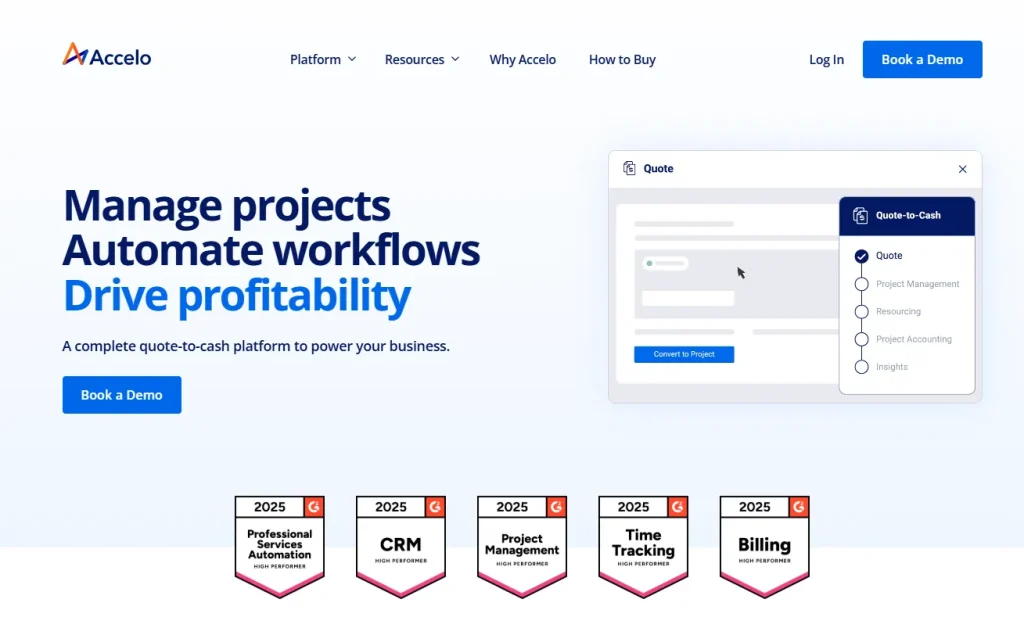
  10. Accelo – Operations platform with advanced resource management.
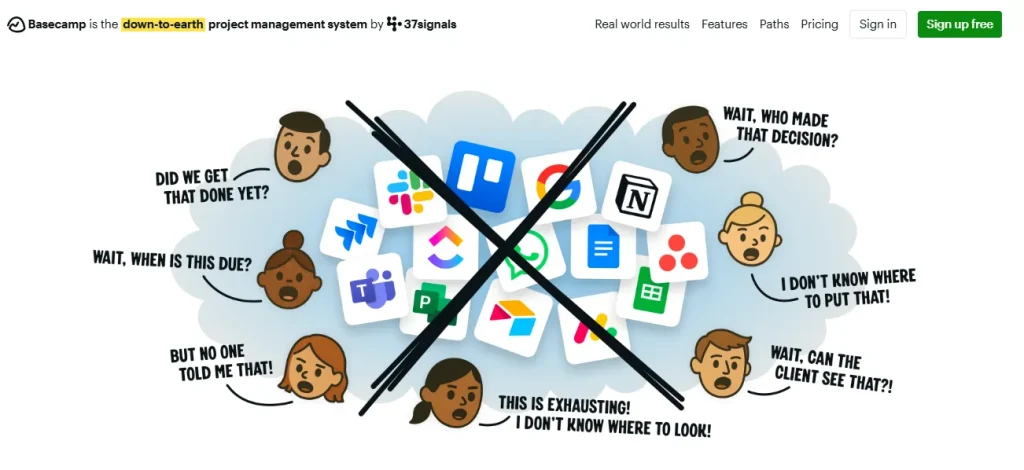
  11. Basecamp – Simplified communication and project hub.
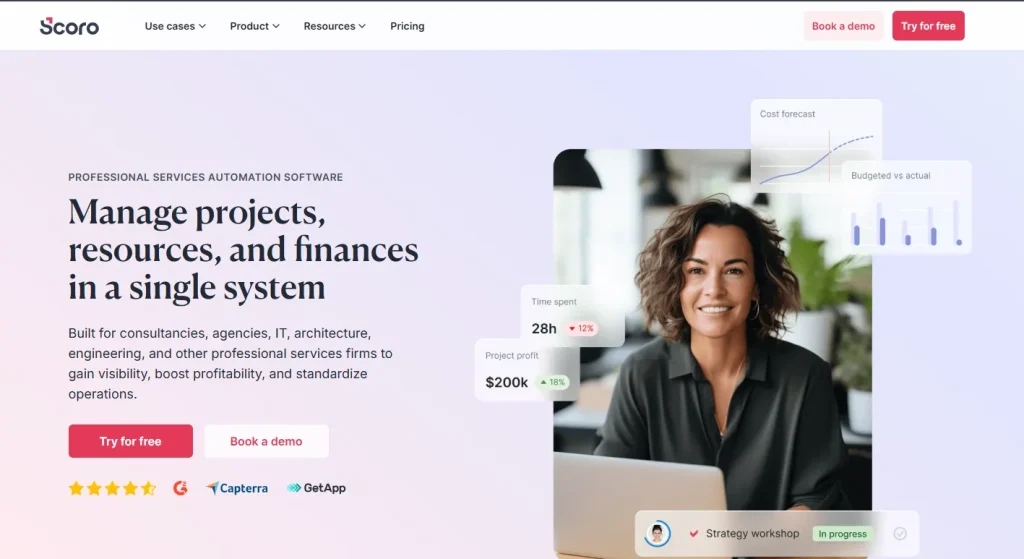
  12. Scoro – Enterprise-grade CRM, finance, and project control.

What Is Plutio?

For freelancers and small agency owners, juggling clients, projects, invoices, and proposals can feel like a never-ending game of digital ping-pong. Plutio stepped in to fix that — promising one clean platform where you can manage it all.

Launched as an all-in-one business management tool, Plutio brings together project management, CRM, invoicing, proposals, time tracking, and client portals into a single workspace. It’s designed to replace the clutter of multiple apps and subscriptions, helping small teams and solopreneurs organize everything from client onboarding to project delivery in one place.

The platform quickly gained popularity among freelancers, creative studios, and consultants who needed something more robust than spreadsheets but less complicated than enterprise-level CRMs. With its customizable dashboards, white-label options, and affordable pricing, Plutio positioned itself as the “control center” for small service businesses.

Core Features

Plutio offers a versatile mix of tools meant to simplify every part of client work. You can create projects, assign tasks, send proposals, build contracts, and issue invoices — all without switching tabs. Its client portal is another standout, giving clients a branded space to review updates, share files, and make payments securely.

It also supports multi-language and multi-currency use, making it practical for global freelancers and agencies. Add in time tracking, recurring billing, and integrations with tools like Stripe, PayPal, and Google Workspace, and it becomes easy to see why so many professionals choose Plutio as their first serious productivity upgrade.

Another highlight is Plutio’s white-labeling option. Agencies can add their logo, custom domain, and colors to create a branded experience — a feature often reserved for more expensive platforms.

Strengths of Plutio

Where Plutio really shines is in its balance between affordability and functionality. It’s not a bloated enterprise system — it’s built for people who want control and simplicity at the same time.

  • All-in-One Convenience: One login gives you access to projects, invoices, CRM, and communication. It replaces at least four or five other tools, saving both time and cost.
  • Customization & Branding: You can adjust dashboards, rename modules, and present the platform under your brand domain.
  • User-Friendly Design: Once you get past the setup stage, the interface is intuitive and organized. Everything from proposals to invoices flows logically.
  • Proposal-to-Invoice Flow: One of its best features — you can send a proposal, get it approved with an e-signature, and automatically turn it into an invoice.
  • Global Accessibility: With multilingual and multi-currency support, it’s ideal for freelancers and agencies working across regions.

Essentially, Plutio helps you run your entire business from one app — a dream setup for freelancers tired of jumping between tabs.

Limitations of Plutio

But as with any tool, Plutio isn’t perfect — especially when you start to scale. While it’s a great platform for getting organized, some users hit roadblocks once their workload expands.

Here’s where Plutio often falls short:

  • Limited Automation: The automation system is basic. While it supports recurring tasks and invoices, more advanced workflows still rely on external tools like Zapier.
  • Performance Issues: Users occasionally report slow load times or lag, especially with large projects or multiple team members.
  • Basic Reporting: Its analytics are decent for freelancers but lack the depth agencies need for forecasting and profitability tracking.
  • Learning Curve: The setup process can feel overwhelming at first. Because it’s so flexible, there’s a lot to customize before it feels “yours.”
  • Scalability Constraints: Plutio was built for small teams. As agencies grow, they often need stronger resource planning, automation, and reporting than it provides.
  • Support Gaps: While responsive overall, support can sometimes be slow or surface-level — not ideal during high-pressure project periods.

So while Plutio checks nearly every box for freelancers, it can start to show its limits once your client base and team size expand.

Who Uses Plutio?

Plutio’s sweet spot lies between simplicity and sophistication. It’s loved by:

  • Freelancers & Solopreneurs: People who handle everything themselves — from proposals to invoicing — and need one place to keep it all together.
  • Small Creative Teams: Designers, developers, and marketing agencies that manage recurring projects with clients.
  • Consultants & Coaches: Professionals who depend on clear proposals, contracts, and client communication.
  • Remote Teams: Distributed businesses that need collaborative tools and client access portals in one space.

In short, Plutio works best for small-scale teams that want an affordable, all-in-one foundation for managing their business.

Is Plutio Still Relevant in 2025?

Definitely — but with an asterisk.

Plutio remains a solid option for small teams and solo professionals who want affordability and control. Its ability to unify proposals, invoices, and projects is still unmatched in its price range. However, as the digital workspace landscape evolves, newer tools now offer smarter automation, better scalability, and deeper analytics — areas where Plutio struggles to keep up.

At the top of that list is Taskip, a next-generation all-in-one business management platform that feels like Plutio’s natural evolution — built to help freelancers, consultants, and growing agencies scale without friction.

Features to Look for in a Plutio Alternative

Finding a replacement for Plutio isn’t about jumping ship — it’s about finding a platform that grows with you.
When you first start freelancing or building a small agency, simplicity is gold. You want something that gets the job done without needing a manual. But as your client base expands, so does the complexity — more proposals, more deadlines, more invoices, more back-and-forth.

That’s when you realize: your tools shouldn’t just help you manage work — they should help you scale it.

So before choosing your next platform, here are the core features to look for in a Plutio alternative that’s ready for 2025 and beyond.

A Smarter CRM & Client Pipeline

A good Plutio alternative should go beyond storing contact info — it should actually help you build and manage relationships.

Look for a CRM that lets you:

  • Track where each client is in your sales or onboarding pipeline.
  • Automate follow-ups, reminders, and deal updates.
  • Store proposals, contracts, and payment history all under one profile.
  • Forecast revenue based on upcoming projects or retainers.

The goal? A CRM that not only organizes your client data but also helps you close deals faster and nurture long-term relationships.

(Taskip, for instance, offers an intuitive CRM that keeps leads, contracts, invoices, and project notes all in one place — no more hopping between tools.)

Robust Project & Task Management

While Plutio offers task lists and project boards, many users outgrow its simplicity when managing multiple teams or clients.

When evaluating alternatives, prioritize tools that include:

  • Task dependencies (so you can visualize what must be done first).
  • Workload planning to balance your team’s capacity.
  • Gantt charts and Kanban boards for flexible project views.
  • Time tracking is built directly into tasks.
  • File sharing, comments, and real-time collaboration.

The best platforms make it easy to switch between a big-picture timeline and day-to-day details — so you’re always in control, whether you’re managing two projects or twenty.

Proposals, Contracts & E-Signatures

Freelancers and agencies spend hours sending proposals and waiting on approvals.
Your next tool should make that process effortless and automated.

Key things to look for:

  • Pre-built templates with your branding.
  • Integrated e-signature functionality.
  • Automatic conversion of accepted proposals into live projects.
  • Built-in payment options (so clients can approve and pay instantly).

This single feature can save hours of manual work each week — and helps close deals faster with a more polished client experience.

Invoicing, Payments & Accounting Integration

Let’s be honest — no one loves invoicing, but it’s where your hard work turns into income.
An ideal Plutio alternative should streamline the entire billing process.

Prioritize features like:

  • Recurring invoices for retainer clients.
  • Automated reminders for late payments.
  • Multi-currency support for international clients.
  • One-click payment gateways like Stripe, PayPal, or Wise.
  • Tax calculation and expense tracking integration.

If your business has outgrown basic invoicing, choose a tool that connects seamlessly with QuickBooks, Xero, or even your bank for real-time financial visibility.

Branded Client Portals

This is where you truly impress clients.

Plutio’s client portals are solid, but if you’re running a growing agency, you might want more customization and branding control.

Your next platform should let you:

  • Fully white-label your portal with your logo and domain.
  • Give clients one login for all projects, invoices, and documents.
  • Share progress updates and reports in real time.
  • Add chat, feedback, and file approvals within the same space.

Platforms like SuiteDash and Taskip take this a step further by letting you create a branded environment where clients feel like they’re logging into your company’s software, not someone else’s tool.

Workflow Automation

Automation is where modern business management tools truly shine.
It’s what separates good platforms from great ones.

Look for software that can automate repetitive steps like:

  • Sending a welcome email after contract signing.
  • Generate invoices automatically once milestones are complete.
  • Updating task stages when dependencies are finished.
  • Sending reminders before deadlines or renewal dates.

Tools like Dubsado, HoneyBook, and Taskip are known for robust automation capabilities that reduce manual work and let you focus on what matters — your clients.

Reporting, Analytics & Insights

If you can’t measure it, you can’t improve it.

A strong Plutio alternative should give you visibility into:

  • Time spent vs. budget allocated.
  • Revenue per client or project.
  • Profitability tracking across months or teams.
  • Lead conversion rates and overdue invoices.

Advanced tools like Productive.io and Scoro go even deeper — offering agency-level analytics that help you identify your most profitable clients, optimize resources, and plan growth with confidence.

Integrations That Actually Connect Your Workflow

No tool can do it all — but it should play well with the rest of your stack.
The best Plutio alternatives integrate with:

  • Accounting tools (QuickBooks, Xero).
  • Communication apps (Slack, Teams).
  • Calendars (Google, Outlook).
  • Automation tools (Zapier, Make).
  • Cloud storage (Google Drive, Dropbox).

This creates a seamless digital ecosystem that keeps your operations connected and efficient.

Scalability & Pricing Flexibility

One of the biggest reasons businesses move away from Plutio is scalability.
When you start small, paying a few dollars a month feels perfect — but as your team grows, per-user pricing or limited features can become a bottleneck.

Look for platforms that offer:

  • Tiered pricing that grows with your business.
  • Unlimited clients or projects at higher tiers.
  • Team collaboration features without hidden add-ons.
  • Transparent costs and fair upgrade options.

Taskip, for instance, was designed with growth in mind — offering flexible tiers that serve both solo professionals and multi-person teams without overcharging as you scale.

Customer Support & Community

Last but not least — support matters.
When deadlines are tight and systems act up, you want a platform that actually helps.

Choose tools that offer:

  • 24/7 live chat or fast email responses.
  • Knowledge bases, tutorials, and video walkthroughs.
  • Active communities or user groups.

A platform with great support can save hours of stress — and shows that the company stands behind its product.

At the end of the day, the best Plutio alternative isn’t just about having more features — it’s about finding a system that fits your rhythm.
Whether that means smarter automation, better financial visibility, or stronger collaboration tools, your software should feel like a teammate, not just another tab.

And in that sense, Taskip leads the pack — designed for modern freelancers and agencies who want all the structure without the struggle.

12 Best Plutio Alternatives in 2025

Plutio gave freelancers and small teams a solid start — but 2025 demands tools that do more without adding complexity. The best alternatives combine automation, collaboration, and scalability in smarter ways. Whether you’re a solo freelancer or a growing agency, the right platform should simplify work, not slow it down. Here are the 12 best Plutio alternatives worth exploring — starting with Taskip, the all-in-one solution redefining how professionals manage clients.

1. Taskip — The Best All-in-One Alternative to Plutio

If you’ve ever felt like managing your clients meant juggling too many tools — one for projects, one for invoices, another for proposals — then Taskip is the breath of fresh air you’ve been waiting for.

Built for freelancers, consultants, and growing agencies, Taskip takes everything Plutio does well and enhances it — with better automation, cleaner collaboration, and a modern interface that makes daily work feel effortless.

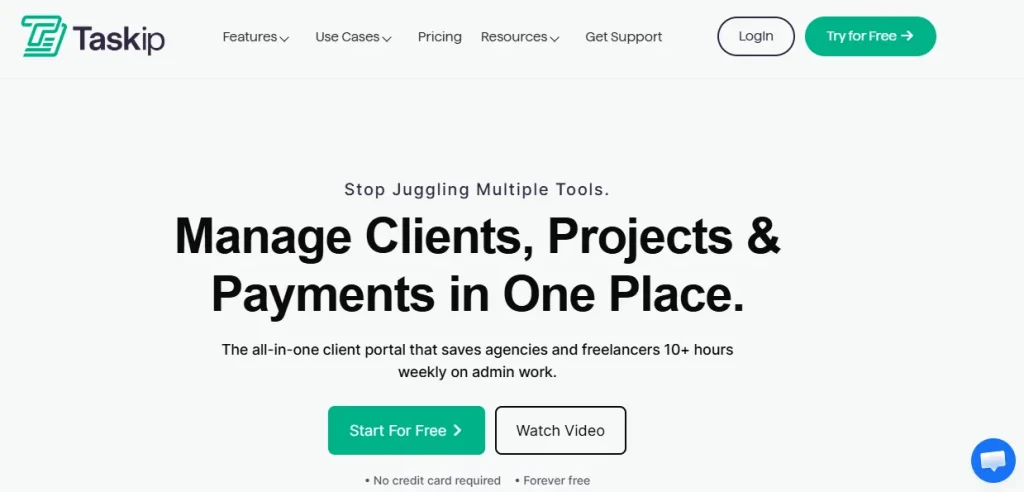
Taskip is an all-in-one business management platform designed to simplify client work from start to finish. It brings together CRM, proposals, contracts, invoicing, automation, and project tracking — all under one roof. Instead of switching between apps, you can handle everything in a single, beautifully organized workspace.

Where many tools focus on one piece of the puzzle, Taskip focuses on the full client lifecycle — helping you onboard clients, manage tasks, and get paid faster without missing a beat.

Key Features

  • CRM & Client Management: Keep track of leads, conversations, and deal progress in one intuitive dashboard.
  • Proposals & Contracts: Create branded, professional proposals and convert them into contracts with e-signature support.
  • Invoicing & Payments: Send invoices instantly, automate recurring payments, and connect gateways like Stripe or PayPal.
  • Client Portals: Offer clients a personalized, branded space to access files, updates, and invoices anytime.
  • Project Management: Organize your work using lists, Kanban boards, or calendar views — complete with progress tracking and team assignments.
  • Automation: Build smart workflows to handle repetitive admin tasks like follow-ups or invoice reminders.
  • Team Collaboration: Assign roles, track productivity, and manage workloads across multiple clients or projects.

Why Professionals Choose Taskip

Taskip is designed for real-world professionals — people who wear multiple hats every day. It feels simple when you need focus, but powerful when you need depth.

You can automate time-consuming processes like proposals, approvals, and billing, while keeping client interactions personal and polished. And with its modern, lightning-fast interface, you won’t waste time figuring things out — everything just works.

Freelancers love how affordable yet feature-rich it is, while agencies appreciate the scalability and branded portals that let them deliver a premium client experience.

Why Choose Taskip Over Plutio

While Plutio is great for getting started, Taskip is built for what comes next — growth. It offers smoother automation, faster performance, and deeper flexibility as your client base expands.

With Plutio, you can manage the basics. With Taskip, you can run your entire business with confidence.
It’s not about adding complexity — it’s about removing friction so your work flows naturally.

Taskip isn’t just another business management tool — it’s the upgrade freelancers and agencies have been waiting for. It keeps everything you loved about Plutio but adds the power, speed, and automation today’s professionals need.

If you want to simplify your workflow, impress clients, and scale your business with ease, Taskip is the best Plutio alternative in 2025 — hands down.

Try Taskip today and experience how effortless client management can truly be.

CTA:
Taskip brings CRM, projects, billing, and automation into one rhythm — so you can stop managing chaos and start managing success.

2. ClickUp — Best for Task & Workflow Management

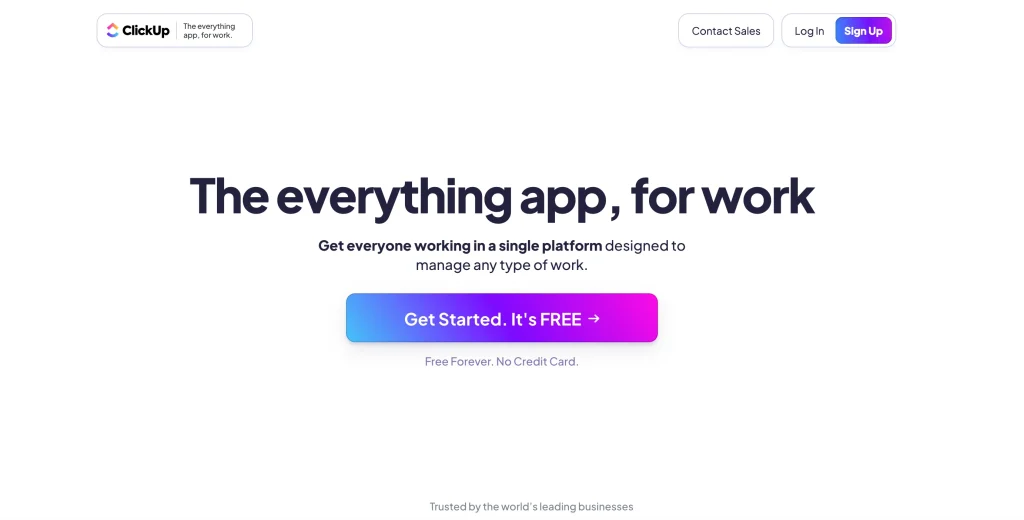
If your day revolves around managing tasks, deadlines, and team collaboration, then ClickUp might be the perfect Plutio alternative for you. While Plutio blends client management and billing, ClickUp shines as a powerful task and workflow system built for teams that thrive on structure, visibility, and automation. ClickUp is an all-in-one productivity platform designed to help teams plan, organize, and execute projects efficiently. It’s widely used by agencies, marketing teams, and freelancers who manage multiple projects simultaneously and need advanced task management without losing flexibility.

Where Plutio focuses on simplicity and client handling, ClickUp focuses on granular control — offering task dependencies, goal tracking, and workflow automation that fits any work style.

Key Features

  • Task Management: Create tasks, subtasks, and checklists with custom fields, dependencies, and time tracking.
  • Multiple Views: Switch between List, Kanban, Gantt, Calendar, or Table view depending on your project type.
  • Goal Tracking: Set measurable goals and link them directly to projects or clients.
  • Docs & Collaboration: Build internal docs, SOPs, or briefs right within the workspace.
  • Automation: Streamline repetitive steps — from status changes to notifications — with hundreds of automation rules.
  • Integrations: Connect with tools like Slack, Google Drive, Zoom, and more to keep everything in sync.
  • Reporting: Get detailed insights into workloads, project timelines, and team performance.

Why Professionals Choose ClickUp

ClickUp is built for teams that love structure. It gives you the control to plan every detail — from client deliverables to internal goals — without getting lost in the clutter.

Freelancers enjoy how flexible it is, while agencies appreciate its scalable hierarchy system, which makes managing multiple clients or departments feel seamless.

The platform’s visual workflows, combined with deep customization, make it a dream for managers who love clarity — everything is measurable, visible, and actionable.

Why Choose ClickUp Over Plutio

While Plutio aims to cover everything, ClickUp specializes in project execution — it’s where your tasks actually get done.

Choose ClickUp if you want:

  • Deeper project visibility with custom dashboards.
  • Advanced automations for task scheduling and reminders.
  • Goal alignment across multiple team members or departments.
  • Better collaboration through comments, chat, and built-in docs.

Plutio works best for client management, while ClickUp excels in team productivity and workflow design.

3. HoneyBook — Best for Creatives and Service Professionals

If your business thrives on client relationships — proposals, bookings, and payments — HoneyBook is a Plutio alternative that makes everything feel seamless and beautifully simple.

Built with creatives, freelancers, and service-based professionals in mind, HoneyBook focuses on making your client journey smooth from the very first inquiry to the final payment.

What Is HoneyBook?

HoneyBook is an all-in-one clientflow platform that combines CRM, scheduling, contracts, invoicing, and automation into a single, easy-to-use interface.
Where Plutio aims to give you control over projects and tasks, HoneyBook prioritizes client experience and conversion flow — making it especially popular among photographers, designers, event planners, and coaches.

It’s the kind of platform that lets you manage your business and make it look good while doing it.

Key Features

  • Client Management: Keep track of inquiries, messages, and projects in one clean dashboard.
  • Proposals & Contracts: Send branded proposals and contracts with built-in e-signature support.
  • Invoicing & Payments: Create invoices, set payment schedules, and accept online payments with ease.
  • Automation: Automate client follow-ups, reminders, and onboarding workflows.
  • Scheduling: Integrate your calendar and let clients book directly without endless back-and-forth.
  • Templates: Build reusable templates for proposals, emails, and invoices to save time.
  • Collaboration: Keep communication centralized — no more chasing clients through emails or DMs.

Why Professionals Choose HoneyBook

HoneyBook is loved for its user-friendly interface and client-first approach. Everything — from proposals to payments — looks clean, polished, and professional.

For service-based entrepreneurs who care about presentation, HoneyBook’s design gives them an instant edge. It turns tedious admin tasks into a visually pleasant workflow that keeps clients engaged and impressed.

And since it automates routine steps like follow-ups and confirmations, you get to spend more time doing what you love — and less time managing what you don’t.

Why Choose HoneyBook Over Plutio

While Plutio is designed for freelancers who want flexibility and control, HoneyBook focuses on experience and flow — it makes every step of the client journey feel effortless.

You should choose HoneyBook if you want:

  • A beautiful, modern interface your clients will actually enjoy using.
  • Built-in scheduling and automation for smooth client onboarding.
  • A streamlined proposal-to-payment process with zero friction.
  • A tool that focuses on the client relationship, not just task tracking.

Plutio does many things well, but HoneyBook excels in keeping your business looking professional while reducing your workload.

4. SuiteDash — Best for White-Label Client Portals and Branding

If you’ve ever wanted your clients to log into a dashboard that looks and feels like your company — not a third-party platform — then SuiteDash might be exactly what you’re looking for.

This Plutio alternative gives agencies and consultants the ability to fully white-label their CRM, portals, and workflows, creating a seamless, professional experience under their own domain.

SuiteDash is an all-in-one business management and client portal software built for service providers who want complete control over their branding and client interactions.
It blends CRM, project management, invoicing, file sharing, and automation into one system — but its biggest strength lies in its ability to be fully branded.

Where Plutio offers basic customization, SuiteDash allows you to completely transform the platform into your own — from login page to dashboard visuals — so clients feel like they’re interacting with your business software, not someone else’s.

Key Features

  • White-Label CRM: Replace the SuiteDash logo and domain with your own branding.
  • Client Portals: Give each client a private, password-protected space to view progress, files, and invoices.
  • Proposals & Contracts: Create, send, and get digital signatures directly from within the platform.
  • Project Management: Assign tasks, track milestones, and manage files in collaborative workspaces.
  • Automation & Workflows: Automate onboarding sequences, reminders, and follow-ups.
  • Billing & Subscriptions: Manage recurring invoices, payment plans, and online payments.
  • Learning Management System (LMS): Deliver training courses or client education programs directly inside the platform.

Why Professionals Choose SuiteDash

For agencies, consultants, and coaches who want to elevate their brand presence, SuiteDash offers a level of customization rarely seen in its price range.

It’s not just about functionality — it’s about perception. When clients log in and see your logo, colors, and messaging everywhere, it builds trust and reinforces professionalism.

Plus, its flat-rate pricing (no per-user fees) makes it an affordable choice for growing teams who want scalability without skyrocketing costs.

Why Choose SuiteDash Over Plutio

While Plutio gives you flexibility, SuiteDash gives you ownership.
It’s the better choice if you want:

  • Complete white-label control — from login screens to URLs.
  • Client portals that look truly branded.
  • Integrated automations for onboarding, billing, and workflows.
  • Flat pricing that supports unlimited users.

Plutio focuses on all-in-one simplicity; SuiteDash focuses on all-in-one branding power.

5. Bonsai — Best for Freelancers and Solo Professionals

If you’re a freelancer or independent consultant who wants to keep business management simple, sleek, and stress-free, Bonsai is one of the best Plutio alternatives you can find.

Where Plutio tries to cater to both individuals and teams, Bonsai focuses on freelancers — offering everything you need to manage clients, contracts, invoices, and even taxes, all in one elegant platform.

Bonsai is an all-in-one business suite built specifically for freelancers and small business owners.
From proposals and contracts to invoices, payments, and expense tracking — Bonsai helps you handle the business side of freelancing so you can focus on your actual work.

It’s known for its clean design, built-in legal templates, and automation tools that make client work easier and faster.

Key Features

  • Proposals & Contracts: Professionally designed templates with e-signature support.
  • Invoicing & Payments: Create invoices in seconds, set up recurring billing, and get paid online.
  • Time Tracking: Track billable hours directly within the app.
  • Expense & Tax Management: Categorize expenses, calculate write-offs, and generate tax reports.
  • CRM: Manage clients, store contracts, and track project history in one place.
  • Automation: Set reminders, automate invoice generation, and streamline workflows.
  • Financial Dashboard: Monitor income, expenses, and profit margins easily.

Why Professionals Choose Bonsai

Freelancers love Bonsai because it removes the friction from running a one-person business.
It’s simple, efficient, and reliable — every tool you need is already built in, so you don’t waste time integrating third-party apps.

Bonsai’s pre-built contract and proposal templates are another major win. They’re designed with freelancers in mind — legally sound, client-friendly, and easy to send. Plus, its expense and tax features make financial tracking painless, especially for independent professionals who don’t have an accountant on call.

Why Choose Bonsai Over Plutio

While Plutio works for small teams and agencies, Bonsai is tailor-made for solo professionals.
It focuses on the essentials — getting clients, managing projects, and getting paid — without overcomplicating the experience.

You should choose Bonsai if you want:

  • Freelancer-friendly tools that don’t overwhelm you with features.
  • Built-in legal templates for contracts and proposals.
  • Integrated invoicing and tax management.
  • A clean, intuitive interface that saves time every day.

Plutio is versatile but can feel heavy for one-person businesses. Bonsai, by contrast, feels like a tool built just for you.

6. Dubsado — Best for Workflow Automation and Client Onboarding

If your business runs on repeatable workflows — proposals, approvals, payments, and project updates — Dubsado is a Plutio alternative designed to take the busywork off your plate.

It’s especially popular among consultants, coaches, and service-based agencies who value structure and want to automate client processes without losing the personal touch.

Dubsado is a client management and workflow automation platform that helps service-based professionals handle everything from lead capture to project completion.

While Plutio focuses on all-in-one versatility, Dubsado focuses on automation and client experience — letting you build custom forms, send automated follow-ups, and guide clients through structured, hands-free processes.

It’s like having a digital assistant that never forgets to send reminders, invoices, or thank-you emails.

Key Features

  • Lead Capture & CRM: Collect client inquiries and track them from prospect to payment.
  • Proposals & Contracts: Create personalized proposals and automate approval workflows.
  • Invoicing & Payments: Send invoices, accept online payments, and automate payment schedules.
  • Automation Workflows: Trigger actions like emails, tasks, or status changes automatically.
  • Custom Forms & Questionnaires: Collect client details with branded forms that fit your process.
  • Scheduling: Integrate calendars to streamline client appointments and bookings.
  • Client Portals: Offer a private hub where clients can view their documents and project progress.

Why Professionals Choose Dubsado

Dubsado is a lifesaver for professionals who depend on structured onboarding and consistent follow-ups.
Its automation engine lets you create smart workflows that keep projects moving even when you’re not online.

For example:
A lead fills out your inquiry form → they receive an automated thank-you email → your proposal is sent automatically → the contract and invoice follow instantly upon approval.

This level of automation not only saves time but also creates a polished, professional experience for clients.

Why Choose Dubsado Over Plutio

While Plutio gives you flexibility and control, Dubsado gives you effortless automation.
It’s ideal if your business relies heavily on repeatable client processes and you want to spend less time managing and more time delivering.

You should choose Dubsado if you want:

  • Deeper automation for onboarding and project workflows.
  • Custom forms and questionnaires for client intake.
  • Better control over email sequences and triggers.
  • A system that enhances client experience through consistency.

Plutio helps you manage tasks — Dubsado helps you automate the entire client journey.

7. Notion — Best for Customization and Knowledge Management

If you’ve ever wanted a workspace that bends to your style instead of boxing you in, Notion is that dream come true.

Unlike traditional project management tools, Notion isn’t rigid — it’s a fully customizable workspace where you can organize projects, documents, clients, and ideas exactly how you like. That freedom makes it one of the most adaptable Plutio alternatives, especially for teams that value creativity and control.

Notion is a powerful all-in-one workspace for notes, databases, task tracking, documentation, and collaboration.
It’s not just a project management tool — it’s a digital ecosystem where your team can write, plan, and build systems tailored to their workflow.

While Plutio gives you structure out of the box, Notion gives you the building blocks to create your own — whether you’re managing client projects, creating content calendars, or running your entire agency operations.

Key Features

  • Customizable Databases: Build task lists, client directories, or CRM-style boards.
  • Project & Task Management: Use Kanban, table, or timeline views to track progress.
  • Documentation & Wikis: Store SOPs, brand guides, and onboarding docs in one space.
  • Templates: Access thousands of community templates or create your own systems.
  • Collaboration: Share pages with your team or clients, add comments, and track edits.
  • Integrations: Connect with tools like Slack, Google Drive, Figma, and more.
  • AI Features: Use Notion AI for summarizing, drafting, or brainstorming content.

Why Professionals Choose Notion

Professionals love Notion for one key reason: it adapts to them.

Designers use it as a creative hub, writers use it for editorial calendars, and agencies use it to manage projects, client assets, and deliverables — all under one roof.

It’s especially powerful for teams that value visual organization and transparency. You can literally design your own project management system, which makes it feel deeply personal and efficient.

Plus, Notion’s flexibility allows you to start simple and expand as your business grows — something freelancers transitioning into agency life really appreciate.

Why Choose Notion Over Plutio

While Plutio provides an all-in-one experience with fixed tools, Notion gives you the freedom to create your own.

You should choose Notion if you want:

  • Total flexibility to design your own CRM or project system.
  • A content-friendly environment for collaboration and documentation.
  • Unlimited customization with templates, databases, and automation.
  • An affordable workspace that grows with your team.

Plutio helps you manage. Notion helps you build.

8. Productive.io — Best for Agency Project and Financial Management

If you run an agency, you already know that managing client projects is only half the job — tracking time, expenses, profitability, and performance is the other half. That’s exactly where Productive.io stands out.

While Plutio is great for freelancers and small teams, Productive.io is built for agencies that need deeper financial visibility alongside strong project management and collaboration tools.

Productive.io is an end-to-end agency management platform that helps you manage everything from project planning and budgeting to time tracking and reporting.

It’s designed for digital agencies, creative teams, and consultancies that want to go beyond simple task tracking and gain insights into how their projects impact revenue, workload, and growth.

Unlike Plutio, which focuses on versatility, Productive.io focuses on profitability and data-driven decision-making, making it ideal for scaling agencies.

Key Features

  • Project Management: Create and manage projects with clear timelines, deliverables, and milestones.
  • Time Tracking: Track billable and non-billable hours to understand real productivity.
  • Resource Planning: Manage team capacity and schedule efficiently to prevent burnout.
  • Budgeting & Profitability Tracking: Get real-time insights into project margins and profitability.
  • Invoicing & Financial Management: Generate invoices directly from project data and track payments.
  • CRM & Sales Pipeline: Track leads, deals, and client relationships within the same ecosystem.
  • Reports & Analytics: Build visual dashboards to monitor team, client, and financial performance.

Why Professionals Choose Productive.io

Productive.io is designed for agencies that want clarity and control — not just over their projects, but over their entire business.

It gives project managers full visibility into time, cost, and performance, allowing them to make data-driven decisions in real time.
Instead of juggling spreadsheets and financial tools, you can manage everything inside Productive — from a project’s kickoff to its profit analysis.

Agencies love it because it eliminates guesswork — you can see exactly which clients and projects are driving profit, and which ones aren’t.

Why Choose Productive.io Over Plutio

While Plutio focuses on flexibility for freelancers and small teams, Productive.io is purpose-built for agencies that track growth and profitability.

You should choose Productive.io if you want:

  • Advanced budgeting and financial insights for client projects.
  • Accurate time tracking and utilization reports.
  • Integrated invoicing and project data in one place.
  • A scalable solution for medium to large agencies.

Plutio helps you stay organized; Productive.io helps you grow strategically.

9. Zoho One — Best for All-in-One Business Suite & Scalability

If Plutio feels too limited for your growing business, and you’re ready for something that handles everything — from CRM and invoicing to HR and analytics — Zoho One might be your next big move.

Think of it as an entire ecosystem for running your business, not just managing clients. It’s built for agencies, small businesses, and teams that want all their operations under one powerful, connected roof.

Zoho One is a comprehensive suite of 45+ integrated business apps that cover everything from sales and marketing to finance, HR, and operations.

While Plutio offers an all-in-one setup for freelancers and smaller teams, Zoho One scales that idea to the next level — giving you enterprise-level features without enterprise-level costs.

It’s perfect for businesses that have outgrown lightweight tools and want a centralized platform that grows with them.

Key Features

  • CRM & Sales: Manage leads, track deals, and automate client communication with Zoho CRM.
  • Projects & Tasks: Plan, assign, and monitor projects with Gantt charts, milestones, and time tracking.
  • Finance Suite: Handle invoicing, accounting, and expense management through Zoho Books.
  • HR & Team Management: Manage hiring, onboarding, and employee records with Zoho People.
  • Marketing Automation: Run campaigns, capture leads, and analyze performance via Zoho Campaigns.
  • Customer Support: Use Zoho Desk to manage tickets, feedback, and client communication.
  • Reporting & Analytics: Get deep insights across your entire business with Zoho Analytics.

Why Professionals Choose Zoho One

Zoho One is loved by business owners who want control, visibility, and integration. Instead of juggling 10 different tools, you can manage your whole operation in one tightly connected system.

Agencies use it to connect sales, client projects, and billing. Startups use it for HR and finance. Consultants use it for CRM and communication.
No matter your niche, Zoho’s ecosystem adapts to your workflow.

Plus, every Zoho app is deeply integrated — meaning your CRM talks to your finance tool, your projects sync with your invoices, and your analytics show the big picture.

Why Choose Zoho One Over Plutio

While Plutio focuses on managing client work, Zoho One focuses on managing the entire business lifecycle — from lead generation to payroll.

You should choose Zoho One if you want:

  • Enterprise-level scalability with affordable pricing.
  • A unified ecosystem that connects sales, projects, and finance.
  • Advanced analytics and automation for smarter decision-making.
  • Strong cross-team collaboration under one suite.

Plutio is excellent for freelancers and small teams; Zoho One is perfect for businesses ready to expand and standardize operations.

10. Accelo — Best for Service Operations and Resource Management

Running a service-based business isn’t just about managing projects — it’s about managing people, resources, time, and profit margins all at once. Accelo is built exactly for that.

If you’ve ever wished Plutio had deeper project automation, team scheduling, or built-in profitability tracking, Accelo is one of the strongest alternatives to consider in 2025.

Accelo is a cloud-based service operations platform designed for professional service providers — like marketing agencies, IT firms, consultancies, and creative studios.

It goes beyond standard project management by combining CRM, project planning, resource scheduling, billing, and analytics into one system that’s built for scaling operations.

Where Plutio focuses on helping small teams stay organized, Accelo focuses on helping teams perform efficiently and profitably.

Key Features

  • Project Management: Plan, assign, and monitor projects with full visibility of tasks, timelines, and deliverables.
  • Resource Scheduling: Allocate team capacity intelligently based on availability and workload.
  • CRM & Sales: Track leads, proposals, and opportunities in one integrated system.
  • Automation: Build automated workflows for onboarding, approvals, or billing tasks.
  • Time Tracking & Billing: Log billable hours automatically and generate invoices directly from project data.
  • Retainer Management: Manage recurring client agreements and track usage effortlessly.
  • Performance Analytics: Get real-time insights into revenue, workload, and team efficiency.

Why Professionals Choose Accelo

Service businesses choose Accelo because it’s built for real operational control. It doesn’t just organize tasks — it connects the dots between sales, delivery, and revenue.

Managers can see what every team member is working on, track progress in real time, and forecast capacity weeks in advance.
It’s like having a command center for your agency’s entire workflow — from prospect to payment.

Agencies love it for its data-driven clarity — knowing exactly where time goes, which clients are most profitable, and how to scale sustainably.

Why Choose Accelo Over Plutio

While Plutio works well for managing smaller projects, Accelo is built for operations at scale. It helps businesses that deal with multiple clients, retainers, and complex workloads manage everything with precision.

You should choose Accelo if you want:

  • Deeper visibility into resource allocation and project profitability.
  • End-to-end automation connecting sales, service, and billing.
  • Strong analytics for performance and utilization tracking.
  • Support for recurring retainers and client service agreements.

Plutio helps you manage client work — Accelo helps you run your service business like an enterprise.

11. Basecamp — Best for Simple Project Communication & Collaboration

If your team craves simplicity — not another complicated system filled with dashboards and reports — then Basecamp might be exactly what you need.

While Plutio tries to combine everything into one workspace, Basecamp focuses on communication and coordination — helping teams and clients stay aligned without the noise.

Basecamp is a project management and communication tool built around clarity and simplicity. It’s designed for teams that want to collaborate efficiently without getting bogged down in overly technical software.

Unlike most project management tools that focus heavily on metrics and tracking, Basecamp prioritizes people, conversations, and organization — making it perfect for agencies and remote teams that thrive on transparent communication.

Key Features

  • Message Boards: Keep project discussions organized by topic.
  • To-Do Lists: Assign and track tasks with simple checklists.
  • File Sharing: Upload, store, and organize important project files in one place.
  • Group Chat (Campfire): Real-time team communication that replaces Slack-style back-and-forths.
  • Automatic Check-Ins: Schedule recurring team updates without needing meetings.
  • Client Access: Invite clients to collaborate on projects in a controlled, private environment.
  • Docs & Notes: Store documentation, SOPs, and creative briefs in one accessible space.

Why Professionals Choose Basecamp

Basecamp stands out because it’s refreshingly simple. No steep learning curves. No complex setup. Just a clean, organized space where everyone knows what’s happening.

For freelancers, small teams, and agencies who value clarity and calm, Basecamp provides the essentials — communication, task management, and file sharing — all in a distraction-free interface.

It’s especially loved by remote teams because it replaces endless meetings and chaotic email threads with structured, asynchronous updates.

Why Choose Basecamp Over Plutio

While Plutio is designed for all-in-one business management, Basecamp focuses on team communication and project clarity.

You should choose Basecamp if you want:

  • A simple workspace that your team and clients can learn instantly.
  • Centralized communication instead of scattered Slack messages and emails.
  • Transparent collaboration with clients in shared project spaces.
  • No bloat or overwhelm, just essentials that help you stay focused.

Plutio helps you manage business operations; Basecamp helps you keep projects human, focused, and stress-free.

12. Scoro — Best for Enterprise-Level Project & Financial Management

If your business has outgrown basic project management tools and you need something that brings together projects, clients, finances, and reporting under one powerful system, Scoro is worth your attention.

While Plutio caters to freelancers and smaller teams, Scoro is built for established agencies, consultancies, and enterprises that want full control over their operations — from sales pipelines to profit tracking.

Scoro is an end-to-end work management software that combines project planning, billing, CRM, and financial analytics in one place.

It’s not just about managing tasks — it’s about connecting every part of your business so you can measure performance, efficiency, and profitability with precision.

For growing agencies and large service teams, Scoro acts as both a project manager and business intelligence system, helping decision-makers see the complete picture.

Key Features

  • Project & Task Management: Create, assign, and track tasks across multiple teams and clients.
  • Budgeting & Cost Tracking: Track budgets in real time and compare actual vs. planned costs.
  • CRM & Sales Pipelines: Manage leads, deals, and client interactions in one integrated view.
  • Billing & Invoicing: Automate recurring billing, manage retainers, and track payments.
  • Time Tracking: Record billable hours and connect them directly to invoices.
  • Advanced Reporting: Get in-depth analytics on profitability, utilization, and financial health.
  • Integrations: Connect with tools like Xero, QuickBooks, Zapier, and Google Workspace.

Why Professionals Choose Scoro

Scoro is for teams that need more than project management — they need strategic oversight.

It’s particularly popular with agencies, consulting firms, and large creative teams because it helps leaders see how every hour, project, and resource affects the bottom line.
By integrating finance, sales, and delivery, Scoro eliminates blind spots and brings total operational clarity.

It’s also praised for its robust reporting and dashboards, which give you deep insights into performance, revenue, and efficiency — something Plutio doesn’t match at scale.

Why Choose Scoro Over Plutio

While Plutio is excellent for freelancers and smaller teams, Scoro caters to agencies and enterprises managing multiple departments or high-value clients.

You should choose Scoro if you want:

  • Comprehensive financial and project visibility in one system.
  • Advanced dashboards for analyzing performance and profitability.
  • Integrated CRM and billing workflows for end-to-end tracking.
  • Enterprise-level scalability and automation.

Plutio helps you manage your work; Scoro helps you optimize your business performance.

Conclusion: Choosing the Right Plutio Alternative in 2025

Finding the right Plutio alternative isn’t just about switching tools — it’s about choosing a system that fits how you actually work.

For freelancers, that might mean simplicity and automation. For agencies, it’s scalability and reporting. And for growing businesses, it’s about having everything — from client management to finance — working together seamlessly.

Start with Taskip today — and experience smoother client management from proposal to payment.

Newsletter

Mishaa

Content Writer at Taskip Mishaa is a dedicated content writer at Taskip, focused on creating insightful content around task management, client collaboration, and business automation. She transforms complex SaaS topics into clear, practical guidance that helps teams work smarter. Her writing combines SEO strategy with real-world value, making each article a helpful resource for growing businesses.

Ready to Transform How You Manage Clients?

Join 400+ agencies and freelancers saving 10+ hours weekly

  • ✓ No credit card required
  • ✓ Cancel anytime
  • ✓ Free migration help