15 Best Project Management Tools with Kanban Boards
Projects don’t fail because of hard work — they fail because of disorder. That’s where Kanban project management tools change everything. Imagine your entire workflow visualized on one clean board — tasks moving from To-Do to Done with effortless clarity. No cluttered sheets, no lost messages, just focus and flow. From creative agencies to tech teams, Kanban has become the go-to system for tracking progress and building accountability in real time. It’s fast, visual, and surprisingly simple to master. In this blog, we’ll walk you through the best Kanban project management tools trusted by modern teams — and introduce Taskip, a tool that takes Kanban further with automation, time tracking, and collaboration built right in.
Why Use a Kanban Project Management Tool?
Modern work moves fast — deadlines overlap, priorities shift, and teams are constantly adapting. Somewhere between spreadsheets, endless Slack messages, and color-coded notes, productivity starts to slip. That’s where Kanban project management tools step in — turning your messy workflow into something visual, fluid, and easy to control.
The Shift from Chaos to Clarity
Imagine replacing dozens of task lists with one clean board where every task has its place. That’s the magic of Kanban. Each project unfolds visually — from “To-Do” to “In Progress” to “Done.” Instead of wondering who’s handling what, you can see it all at a glance. This simple layout reduces confusion, builds accountability, and keeps everyone aligned without constant follow-ups.
Traditional tools can feel rigid and overwhelming — they’re built for documentation, not flow. Kanban flips that approach. It focuses on movement, not management. When you drag a card forward, you’re not just updating a task — you’re showing progress. It’s instant clarity for everyone involved.
Why Kanban Tools Work So Well?
A great kanban project management tool helps teams feel their progress. It’s intuitive and visual, allowing anyone — even non-technical users — to collaborate easily. Here’s why modern teams swear by Kanban:
- Clear visibility: See every stage of every task, right on one board.
- Flexibility: Adjust priorities instantly without breaking your workflow.
- Balanced workload: Visual cues help prevent burnout and task pile-ups.
- Transparency: Everyone knows what’s happening — no need for status chases.
- Speed: Real-time updates mean no lag between planning and action.
Whether you’re running marketing campaigns, client projects, or development sprints, Kanban adapts to your rhythm.
Who Benefits the Most?
Kanban’s beauty lies in its versatility.
- Startups use it to keep product roadmaps dynamic.
- Agencies track deliverables and feedback loops visually.
- Freelancers organize clients and timelines without complicated software.
- Remote teams love it for syncing across time zones — no meetings required.
The system fits any workflow — big or small — and makes collaboration almost effortless.
More Than Task Tracking
The best kanban project management software goes beyond cards and columns. It gives teams insights and automation that enable them to work smarter, not harder. With built-in time tracking, progress analytics, and integrations, teams can see where projects slow down and what’s improving. These insights turn everyday boards into performance dashboards that evolve with your business.
The Smart Way Forward
Today’s hybrid teams need tools that balance structure with flexibility. Kanban’s visual simplicity makes it timeless, but its digital evolution makes it powerful.
That’s where platforms like Taskip stand out. Taskip combines the clarity of Kanban with modern must-haves — automation, time tracking, team collaboration, and invoicing — all in one place. Whether you’re a freelancer managing clients or a growing team scaling fast, Taskip keeps your workflow flowing — smooth, visual, and perfectly in sync with how real teams get things done.
The 15 Best Kanban Project Management Tools
Kanban has transformed the way modern teams work — replacing cluttered spreadsheets with visual boards that make collaboration simple, fast, and effective. Today, there are dozens of platforms that help you plan, track, and execute projects using Kanban. But not every tool fits every team. Whether you’re a freelancer managing clients, a startup scaling fast, or an enterprise running multiple departments, choosing the right kanban project management tool can make or break your workflow.
Below, we’ve listed 15 of the best Kanban project management tools — from industry favorites to emerging platforms — to help you find the perfect fit for your team.
1. Taskip – The Modern Kanban Project Management Tool for Real Teams
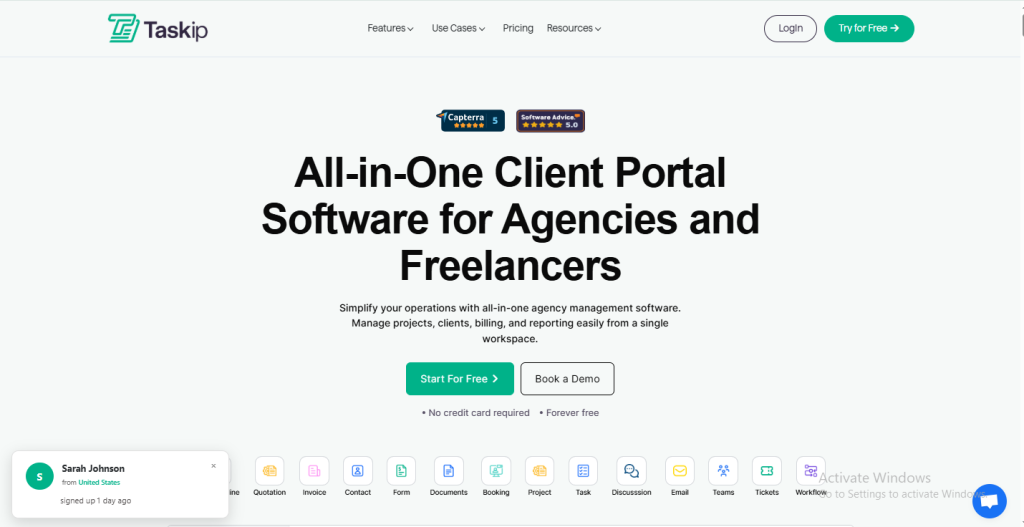
In the crowded space of project management platforms, Taskip stands out by doing one thing exceptionally well — keeping work simple, visual, and connected. It’s not built for corporations buried in layers of dashboards; it’s built for teams who actually do the work. Whether you’re managing client deliverables, agency projects, or creative sprints, Taskip brings clarity to chaos through its clean Kanban project management system that anyone can master within minutes.
A Kanban Experience That Feels Effortless
At its core, Taskip revolves around a beautifully fluid Kanban board. You can create columns like “To-Do,” “In Progress,” and “Completed” — or customize your own stages to match how your team works. Tasks appear as visual cards you can drag, drop, and prioritize in seconds. This simple, visual rhythm makes collaboration intuitive — no steep learning curve, no cluttered menus.
Every card can hold detailed descriptions, subtasks, attachments, due dates, and comments. You can even assign multiple collaborators to a single card, ensuring the whole team stays aligned. And with real-time updates, everyone sees changes instantly, reducing the need for endless status check-ins.
Smart Automation That Saves Time
Taskip understands that manual updates slow teams down. It’s built-in workflow automation takes care of repetitive work — moving cards between stages, updating deadlines, or sending reminders automatically. This means your team can focus on execution while Taskip handles the maintenance in the background.
You can also set custom triggers (like “when completed, send a summary to Slack”) — perfect for teams who value hands-free organization.
Time Tracking, Reporting & Accountability
Where most Kanban tools stop at visualization, Taskip goes further. It integrates time tracking directly into your boards. Team members can start timers on individual cards or log hours manually, helping you understand exactly where effort is going.
With built-in analytics and reporting, you can measure project progress, task completion rates, and productivity trends — all without needing a separate dashboard tool. For agencies or freelancers, these reports can double as performance summaries or client-facing progress snapshots.
Flexible Views for Every Workflow
Not everyone thinks visually 100% of the time — and Taskip gets that. You can easily switch between:
- Kanban View: For visual progress tracking.
- List View: For detail-oriented planning.
- Calendar View: For deadline-focused scheduling.
- Timeline View (Beta): For teams managing overlapping projects.
This flexibility lets every team member work in the style they prefer while keeping everything connected.
Built-In Client & Team Collaboration Tools
Beyond project management, Taskip is designed for collaboration that feels natural. Built-in chat threads, @mentions, and file sharing eliminate the need for switching between messaging apps and your workspace.
If you work with clients, Taskip’s Client Dashboard gives them limited, controlled access to view progress or leave comments — keeping communication transparent and professional.
Integrations That Connect Your Ecosystem
Taskip integrates seamlessly with the tools modern teams already use —
- Slack for real-time updates
- Google Drive and Notion for document sharing
- Google Calendar for synced scheduling
- Zapier for automating multi-app workflows
These integrations ensure that your Kanban boards aren’t isolated — they’re part of your complete productivity system.
Pricing That Grows with You
Taskip’s pricing structure is built for inclusivity, not exclusivity.
- Free Plan: Ideal for freelancers or small teams who need essential Kanban features, time tracking, and collaboration tools.
- Pro Plan: Unlocks automation, advanced reporting, and integrations — perfect for growing teams.
- Agency Plan: Adds client dashboards, invoicing, and unlimited workspaces.
Unlike many competitors that gate key features behind enterprise tiers, Taskip keeps productivity accessible from day one.
Why Teams Choose Taskip?
- Simplicity without sacrifice: Easy enough for individuals, powerful enough for teams.
- Automation-first mindset: Cuts manual work by 30–40%.
- Transparency at every level: From task ownership to delivery timelines.
- Perfect for hybrid workflows: Works just as well for in-office teams as for remote setups.
- All-in-one productivity: Kanban + Time Tracking + Automation + Client Management = One workspace.
Verdict: A Kanban Tool That Works the Way You Do
Taskip isn’t just another kanban project management software — it’s the evolution of what digital project tools should be. It blends simplicity, automation, and collaboration into one streamlined platform that actually feels human to use.
2. Trello – The Classic Kanban Project Management Tool That Started It All
Best For: Individuals, startups, and small teams that prefer a simple, visual way to manage work.
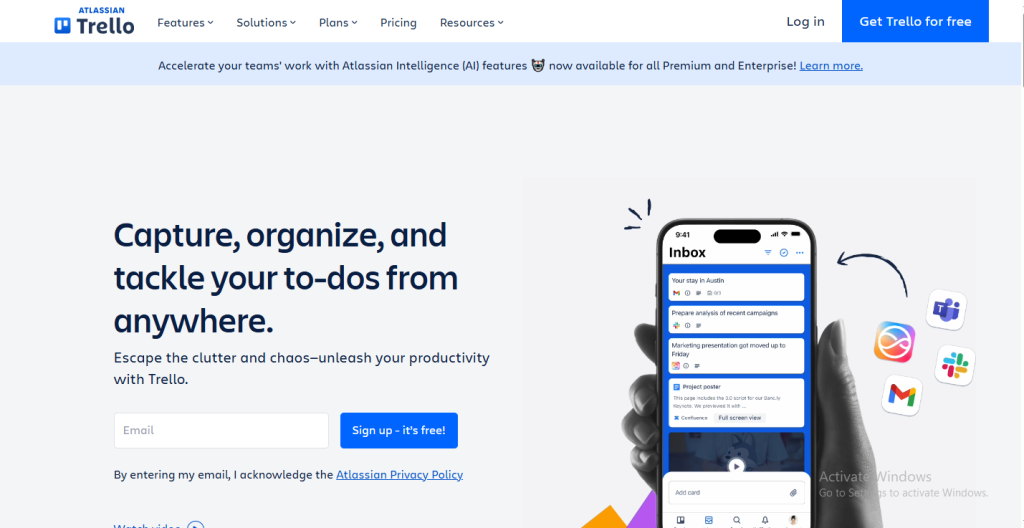
When it comes to Kanban project management tools, Trello is the name that defined the category. Known for its intuitive drag-and-drop interface, Trello helps teams stay organized through visual boards that make collaboration effortless. Each project is broken down into boards, lists, and cards, allowing teams to see tasks move fluidly from one stage to another — no confusion, no missed updates.
Trello makes project tracking visual and human — a digital version of the classic sticky-note wall, but smarter, faster, and more connected.
Core Kanban Experience
Trello’s Kanban layout is built on three simple layers:
- Boards: Represent a project or workspace.
- Lists: Show task stages such as “To-Do,” “Doing,” and “Done.”
- Cards: Represent individual tasks that move between lists as progress is made.
Each card can hold checklists, attachments, deadlines, comments, and assignees. This visual setup makes project status clear at a glance, helping teams stay on top of priorities without endless check-ins.
Key Features
- Butler Automation: Automatically move cards, assign tasks, or set reminders without manual effort.
- Power-Ups & Integrations: Connect with tools like Slack, Google Drive, Notion, and Jira.
- Custom Fields: Add details such as priority levels, budgets, or project types.
- Checklists and Labels: Break down complex tasks and group them for easier tracking.
- Activity Log: Keeps every team member updated on card movements and edits.
Why Teams Love Trello?
Trello’s biggest advantage is how quickly anyone can start using it. There’s no complicated setup — teams simply create a board, name a few lists, and start adding cards. It’s flexible enough for almost any type of work:
- Startups use it to plan product roadmaps.
- Marketing teams organize content calendars.
- Freelancers track client tasks and deadlines.
- Individuals manage personal goals and to-do lists.
Its clean interface and real-time updates make it perfect for teams that want visibility without technical complexity.
Limitations
Trello excels at simplicity but has limits when it comes to deeper functionality. It doesn’t offer native time tracking, reporting dashboards, or resource planning — features often needed by larger or fast-growing teams. For users managing multiple clients or projects simultaneously, it may feel basic compared to advanced tools like Taskip or ClickUp.
Verdict
Trello remains one of the most accessible project management tools with Kanban boards, ideal for small teams and individuals who want structure without overwhelm. It’s the perfect starting point for teams exploring visual workflows.
3. Asana – The Structured Kanban Tool for Organized, Scalable Teams
Best For: Medium to large teams that need structure, task dependencies, and flexible project views.
Asana is one of the most powerful kanban project management tools designed to keep fast-moving teams organized and aligned. It offers the best of both worlds — the visual simplicity of Kanban and the structured control of advanced project planning.
From product roadmaps to marketing campaigns, Asana helps teams break complex goals into smaller, trackable tasks. Its interface combines clarity and depth, giving every project a clear direction without feeling overwhelming. Whether you prefer Kanban boards, lists, or timelines, Asana adapts to the way your team works.
Core Kanban Experience
Asana’s Kanban board turns big projects into visual workflows where progress is easy to see and manage.
- Boards: Represent overall projects or departments.
- Columns: Define stages such as “Ideas,” “In Progress,” “Review,” and “Complete.”
- Cards (Tasks): Hold subtasks, attachments, comments, and deadlines.
You can drag and drop tasks between columns, assign teammates, set due dates, and track priorities — all in real time.
Key Features
- Multiple Views: Instantly switch between Kanban, List, Timeline, and Calendar views.
- Task Dependencies: Set relationships between tasks to avoid overlaps or bottlenecks.
- Automation Rules: Create triggers to assign tasks, move cards, or update statuses automatically.
- Goals and Milestones: Track company objectives directly within projects.
- Collaboration Tools: Add comments, mentions, and attachments for real-time discussions.
- Integrations: Connect with Slack, Google Workspace, Zoom, Notion, and hundreds more.
Why Teams Love Asana?
Asana strikes the perfect balance between structure and flexibility. It’s a project management tool with Kanban boards that helps teams visualize workflows while keeping long-term goals intact.
- Project Managers love its task dependencies and workload balancing features.
- Marketing Teams use boards to manage campaign timelines and deliverables.
- Tech Teams track sprints and bug fixes visually while maintaining documentation in parallel.
Its clean UI, strong collaboration tools, and reporting dashboards make it a reliable system for organizations that want accountability and visibility across departments.
Limitations
Asana’s rich feature set can feel overwhelming for beginners or smaller teams. The interface has a learning curve if you’re only looking for simple task tracking. It’s also heavier on structure — great for organized teams, but less ideal for freelancers or creative users who prefer minimalism.
Verdict
Asana remains one of the most well-rounded kanban project management software options available today. It helps growing teams manage complexity without losing clarity, offering flexibility for both visual thinkers and analytical planners.
4. ClickUp – The All-in-One Kanban Project Management Powerhouse
Best For: Data-driven teams, startups, and businesses that need deep customization and multi-view project control.
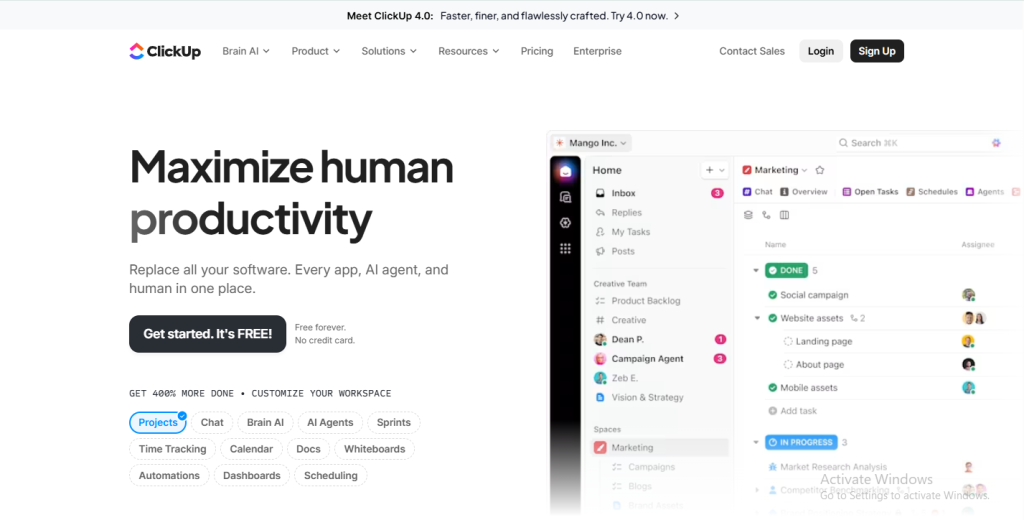
ClickUp is one of the most versatile kanban project management tools available today — built for teams that love data, flexibility, and control. It goes far beyond a simple Kanban board, combining task management, documentation, time tracking, goal setting, and reporting in a single platform.
Whether you’re managing sprints, content calendars, or client deliverables, ClickUp allows you to tailor every aspect of your workspace. It’s a favorite among agile teams and growing startups who want one centralized place for all work — from strategy to execution.
Core Kanban Experience
ClickUp’s Kanban board is designed for clarity and customization. You can set up columns for each stage of your workflow — from Planning to Execution to Review — and move tasks with a simple drag-and-drop.
Each task card supports subtasks, tags, comments, priorities, and dependencies, allowing teams to see not only what’s being done but also how it connects to the bigger picture.
You can also switch from Kanban view to List, Gantt, or Calendar views instantly — giving you multiple perspectives on the same project.
Key Features
- Multiple Views: Kanban, List, Timeline, Gantt, and Calendar modes.
- Custom Fields: Add data points like status, client name, or task value.
- Automations: Auto-assign tasks, update statuses, or send notifications.
- Dashboards & Reporting: Visualize project metrics, workloads, and progress.
- Docs & Whiteboards: Create wikis, SOPs, and brainstorming boards right inside ClickUp.
- Integrations: Works seamlessly with Slack, Zoom, GitHub, Google Drive, and 1,000+ apps.
Why Teams Love ClickUp?
ClickUp shines in flexibility — everything is customizable. Teams can create personalized workflows, templates, and dashboards based on their exact processes.
- Agile teams use it to plan sprints and measure velocity.
- Marketing teams track content production and campaign launches.
- Managers get detailed performance insights with built-in reporting.
The platform also offers time tracking, goals, and OKR monitoring, making it ideal for teams that want one tool to handle everything from planning to performance.
Limitations
ClickUp’s power can also be its challenge — new users may find it overwhelming due to the sheer number of features and customization options. It takes a bit of setup to get the most out of it, making it less ideal for teams seeking a quick, plug-and-play Kanban solution.
Verdict
ClickUp is one of the most advanced kanban project management software tools for teams that love data and flexibility. It combines project management, documentation, and performance tracking in one integrated ecosystem — giving managers and teams full visibility over every detail.
5. Monday.com – The Visually-Rich Kanban Tool for Modern Teams
Best For: Cross-functional teams, enterprises, and creative departments managing complex workflows.
Monday.com is one of the most vibrant and customizable kanban project management tools available today. It’s built for teams that want structure, automation, and color-coded visibility — all in one visually stunning interface.
From marketing agencies and product teams to HR and operations, Monday.com helps users visualize every step of a project, track responsibilities, and stay aligned through flexible boards. Its signature feature is how it turns data into living visuals — helping teams see their workflow at a glance and make faster, smarter decisions.
Core Kanban Experience
Monday.com offers an intuitive Kanban view where each project becomes a customizable board. Teams can create columns for stages like Backlog, In Progress, Under Review, and Done, assigning owners and due dates effortlessly.
Each card can include files, comments, timelines, dependencies, and progress bars, while updates happen in real-time — ensuring every team member stays in sync. It’s ideal for teams that value transparency and fast collaboration.
Key Features
- Multiple Views: Switch between Kanban, Gantt, Calendar, or Dashboard views anytime.
- Automations: Set rules for recurring actions like status changes, reminders, or assignments.
- Custom Dashboards: Track KPIs, workload distribution, and project timelines visually.
- Team Collaboration: Add comments, share files, and tag teammates directly on tasks.
- Integrations: Works seamlessly with Slack, Excel, Google Drive, Zoom, and CRMs.
- Templates: Pre-built project templates for marketing, software, HR, and more.
Why Teams Love Monday.com?
Monday.com excels at creating visual harmony in busy work environments. It’s especially useful for teams that need both structure and creativity:
- Marketing Teams: Plan and track campaigns visually.
- Product Teams: Manage development cycles and feedback loops.
- HR & Admin: Oversee onboarding, hiring, or internal processes.
The platform’s drag-and-drop functionality makes it easy to update workflows, while color-coded columns keep tasks instantly recognizable. Teams also appreciate the automation features — small actions that save hours every week.
Limitations
While Monday.com is visually powerful, it can feel heavy for smaller teams or freelancers who don’t need advanced dashboards or reporting. It also requires time to set up and fine-tune workflows for complex projects.
Verdict
Monday.com is a top-tier project management tool with Kanban boards that brings color, clarity, and collaboration together. It’s best for teams that handle multiple projects, departments, or campaigns simultaneously and want data-driven visibility across them.
6. Notion – The Minimalist Kanban Tool for Creative and Flexible Teams
Best For: Startups, freelancers, and creative teams who want an all-in-one workspace for notes, docs, and Kanban boards.
Notion is more than just a productivity app — it’s a customizable digital workspace that lets you organize everything in one place. It blends documents, databases, and task boards into a single, flexible system. Among its many features, Notion’s Kanban project management tool stands out for its simplicity and adaptability, giving users full creative control over how they organize projects.
Whether you’re planning a content calendar, managing clients, or brainstorming product ideas, Notion allows you to design workflows that truly fit your style — without feeling like traditional “software.”
Core Kanban Experience
Notion’s Kanban board is sleek, visual, and deeply customizable. You can create columns like Ideas, In Progress, and Completed, and fill them with cards that hold tasks, files, deadlines, and notes. Each card acts like a small page — expandable with comments, subtasks, or attachments.
You can also switch between multiple views (Table, List, Calendar, or Gallery) using the same data. This flexibility makes Notion ideal for teams that handle both creative brainstorming and structured task management.
Key Features
- Custom Databases: Turn projects into structured systems with fields, filters, and tags.
- Multiple Views: Move between Kanban, Table, or Calendar with one click.
- Collaborative Pages: Teams can co-edit docs and boards in real-time.
- Templates: Ready-made setups for project tracking, editorial calendars, and personal planning.
- Integrations: Syncs with tools like Slack, Figma, and Google Drive via third-party connections.
- Notes + Tasks Together: Keep meeting notes, SOPs, and tasks in one unified workspace.
Why Teams Love Notion?
Notion is adored for its balance of structure and creativity. It feels less like software and more like a blank canvas where you can build your ideal workflow.
- Freelancers use it to manage clients, contracts, and deliverables.
- Startups build entire project hubs combining tasks, documents, and goals.
- Marketing and content teams plan campaigns while storing assets and feedback on the same page.
It’s also visually calm — with a minimalist design that keeps focus on the work, not the tool.
Limitations
Notion’s Kanban features, while flexible, aren’t as advanced as those in dedicated kanban project management software like Taskip or ClickUp. It lacks automation, time tracking, and robust reporting. For teams managing multiple complex projects, it can feel lightweight — better suited for creative or documentation-heavy workflows than enterprise operations.
Verdict
Notion is the perfect choice for individuals or teams that want a clean, flexible, and unified workspace. Its Kanban boards make visual task management easy, while its document-based design keeps everything connected in one ecosystem.
7. Jira – The Advanced Kanban Project Management Tool for Agile Teams
Best For: Software development teams, IT departments, and engineering teams managing sprints and complex workflows.
When it comes to managing technical projects, Jira is the gold standard. Developed by Atlassian, it’s a powerful kanban project management tool built specifically for agile and DevOps environments. Jira helps teams plan, track, and release software efficiently while maintaining complete visibility over tasks, bugs, and progress.
Unlike simpler tools, Jira’s strength lies in its structure. It allows you to connect high-level goals with day-to-day execution — from sprint planning to final deployment. It’s designed for precision, collaboration, and data-driven delivery.
Core Kanban Experience
Jira’s Kanban boards are fully customizable to match any software or product development workflow.
- Boards: Represent entire projects or teams (e.g., “Web App Development”).
- Columns: Reflect workflow stages like Backlog, In Progress, Testing, and Done.
- Cards (Issues): Contain detailed information such as bug reports, user stories, subtasks, and deadlines.
Each card links to other project elements — dependencies, code commits, or test cases — allowing technical teams to see the full context behind every task.
The live Kanban view automatically updates as team members complete issues or change statuses, making it ideal for daily stand-ups and sprint reviews.
Key Features
- Agile Boards: Use Kanban or Scrum boards to manage continuous delivery.
- Advanced Reporting: View real-time metrics like cycle time, lead time, and velocity.
- Custom Workflows: Design workflows tailored to your team’s exact development process.
- Automation: Automatically assign issues, update statuses, or transition tickets.
- Integrations: Connect with GitHub, Bitbucket, Confluence, Slack, and CI/CD tools.
- Roadmaps: Visualize long-term product development goals alongside daily tasks.
Why Teams Love Jira?
Jira is built for teams that live and breathe agile. Its boards are not just visual — they’re deeply analytical.
- Developers use it to track sprints, code issues, and deployment readiness.
- Project managers rely on its analytics to measure velocity and predict delivery.
- QA testers love the integration between bugs, issues, and test results.
Every workflow in Jira is measurable. With performance dashboards and automation, teams can identify bottlenecks early, maintain delivery speed, and ensure quality doesn’t slip.
Limitations
Jira’s power comes with complexity. It’s not ideal for beginners or non-technical teams who need simple Kanban boards. The setup can be time-consuming, and smaller teams may find it overwhelming for basic task tracking.
It also has a more rigid feel compared to lightweight tools like Taskip, which focus on usability and visual flow for non-technical users.
Verdict
Jira is the definitive kanban project management software for agile and engineering teams. It’s robust, data-rich, and built for precision. From tracking issues to visualizing team performance, Jira helps teams deliver faster while maintaining quality and accountability.
8. Airtable – The Data-Driven Kanban Project Management Tool
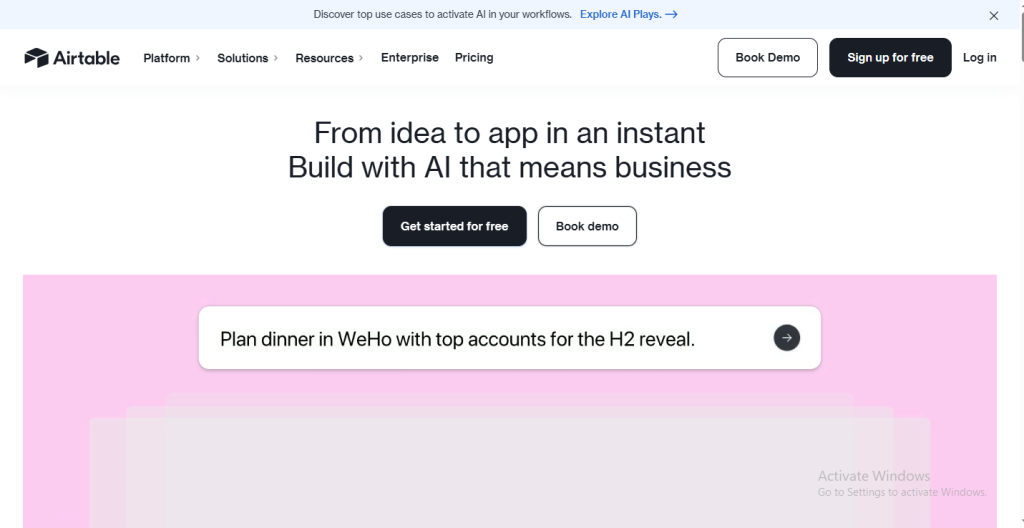
Best For: Marketing teams, data-oriented organizations, and creative agencies that want spreadsheet power with Kanban simplicity.
Airtable is a unique blend of spreadsheet functionality and kanban project management software, giving teams both structure and flexibility. It’s built for those who love the organization of Excel but want the visual clarity of a Kanban board. Each project in Airtable is a dynamic database — where you can store, sort, and visualize everything from campaign assets to task deadlines, all in one clean workspace.
For marketers, designers, and content teams managing hundreds of moving pieces, Airtable offers the perfect balance between creativity and analytics.
Core Kanban Experience
Airtable’s Kanban view transforms data-filled spreadsheets into interactive task boards.
- Columns: Represent project stages like Ideas, Production, Editing, and Published.
- Cards: Display tasks or records, including fields for assignees, due dates, links, and attachments.
- Filters & Grouping: Organize tasks by team member, priority, or client effortlessly.
You can switch between Kanban, Grid, Gallery, or Calendar views instantly — keeping the same data, just displayed differently. This makes Airtable especially powerful for teams that work visually but still rely on detailed data tracking.
Key Features
- Multi-View Support: Switch between Kanban, Grid, Calendar, and Form views anytime.
- Rich Field Types: Add attachments, long text, checkboxes, links, and drop-downs to any record.
- Collaboration Tools: Comment, mention teammates, and share real-time updates.
- Automations: Trigger notifications, move records, or integrate actions across apps.
- Integrations: Works with Slack, Google Drive, Miro, Notion, and more.
- Templates: Pre-built boards for marketing campaigns, product roadmaps, and content planning.
Why Teams Love Airtable?
Airtable is loved because it brings data and design together. It’s highly flexible — you can start with a simple Kanban board and evolve it into a full CRM, asset tracker, or content workflow system.
- Marketing teams track campaign status, design assets, and publication timelines.
- Product teams manage feedback, feature lists, and launch milestones.
- Creative studios organize clients, deliverables, and revisions visually.
Its ability to merge structure and creativity makes it a top choice for teams who want deeper control without losing the visual flow Kanban offers.
Limitations
While Airtable is powerful, it’s not always beginner-friendly. The abundance of customization options can feel complex at first. It also lacks built-in time tracking and may require integrations for advanced automation — areas where tools like Taskip simplify things out of the box.
Verdict
Airtable bridges the gap between spreadsheets and Kanban boards — a true hybrid of analytics and visual management. It’s ideal for teams that love organizing data but want to see their work progress in a clear, interactive flow.
9. Wrike – The Enterprise-Grade Kanban Project Management Tool
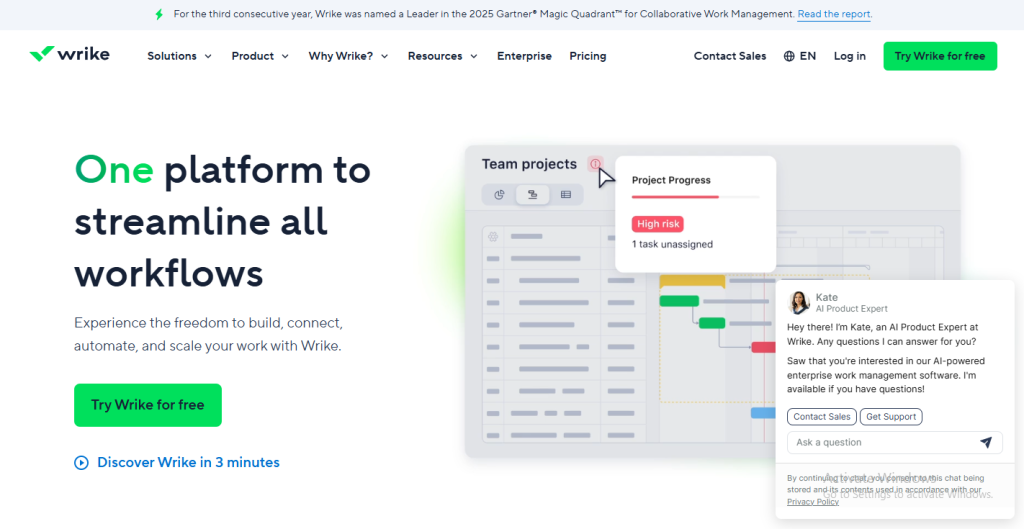
Best For: Large organizations, agencies, and cross-departmental teams that need scalability, security, and advanced reporting.
Wrike is a robust, enterprise-ready kanban project management tool designed to streamline complex workflows across multiple teams. It brings together task management, collaboration, time tracking, and analytics in one unified system.
Used by global organizations and marketing agencies, Wrike shines when it comes to managing large-scale projects that require visibility, accountability, and control. It’s not just a Kanban board — it’s a complete project ecosystem where strategy meets execution.
Core Kanban Experience
Wrike’s Kanban boards are intuitive yet powerful, allowing teams to visualize tasks and track progress across departments.
- Columns: Represent workflow stages such as Backlog, In Progress, Review, and Completed.
- Cards (Tasks): Contain assignees, priorities, dependencies, attachments, and comments.
- Custom Workflows: Each team (e.g., design, marketing, dev) can have its own stages and approval paths.
These boards update in real-time, helping managers see bottlenecks immediately and reassign work as needed — a huge advantage for teams managing dozens of parallel projects.
Key Features
- Advanced Reporting & Dashboards: Real-time insights into productivity, workloads, and project health.
- Custom Workflows: Tailor stages for different departments or project types.
- Automations: Automate repetitive actions like assigning tasks or sending status updates.
- Resource Management: Balance workloads across large teams.
- Proofing & Approvals: Review and approve creative assets directly on the platform.
- Integrations: Works with Microsoft Teams, Google Workspace, Salesforce, and 400+ tools.
- Enterprise Security: Offers advanced permissions, role controls, and compliance tools.
Why Teams Love Wrike?
Wrike is built for scale. It provides every team — from marketing to IT — with a shared workspace while keeping data and reporting centralized.
- Marketing teams manage campaign approvals and creative reviews efficiently.
- Product teams use it to coordinate roadmaps and sprints.
- Executives rely on Wrike’s analytics dashboards for big-picture visibility.
The platform’s automation and analytics tools save hours of manual updates each week, while the visual Kanban view ensures transparency across departments.
Limitations
Wrike’s rich features make it ideal for enterprises but potentially overwhelming for smaller teams or freelancers. The setup process can be time-consuming, and the interface takes some getting used to. It’s best suited for structured teams with dedicated project managers.
Verdict
Wrike is one of the most powerful kanban project management software solutions for large-scale teams that demand control, visibility, and precision. Its combination of visual Kanban workflows, analytics, and automation makes it a serious contender in enterprise project management.
10. Basecamp – The Simple Kanban Project Management Tool for Small Teams
Best For: Small businesses, startups, and creative teams that want a lightweight, all-in-one collaboration tool without the clutter.
Basecamp is one of the pioneers in team collaboration software and continues to stand strong as a simple yet effective kanban project management tool. Instead of overwhelming users with dozens of dashboards or views, Basecamp focuses on what really matters — keeping communication, tasks, and files together in one straightforward workspace.
It’s ideal for teams that don’t need enterprise-level reporting but want a clean, easy-to-manage system for projects, client coordination, and internal updates.
Core Kanban Experience
While Basecamp doesn’t rely heavily on traditional Kanban boards, its To-Do Lists and Card Table feature replicate a Kanban-style flow — allowing teams to visually track tasks from start to finish.
- Projects: Act as containers for related tasks, documents, and discussions.
- Card Tables: Let teams create columns such as To-Do, Doing, and Done for a visual workflow.
- Tasks: Include assignees, due dates, and attached files for context.
Each task can have a conversation thread, so teams can keep all communication tied to the work itself — reducing email chains and confusion.
Key Features
- Card Table (Kanban View): Visualizes task progress clearly.
- To-Do Lists: Track smaller subtasks within each project.
- Message Boards: Replace cluttered chat threads with organized discussions.
- Campfire (Team Chat): Quick real-time messaging within each project.
- Automatic Check-Ins: Ask recurring questions like “What did you work on today?”
- File Storage: Upload project files, briefs, or references in one place.
Why Teams Love Basecamp?
Basecamp is built for simplicity. Teams love how it brings everything — communication, planning, and task tracking — under one roof without the complexity of traditional project management systems.
- Small teams use it to stay organized without needing technical know-how.
- Agencies appreciate its clean client communication setup.
- Startups love how it cuts back on meetings and email clutter.
Its interface encourages asynchronous communication — meaning teams can collaborate effectively without constant check-ins or micromanagement.
Limitations
Basecamp’s strength in simplicity can also be a limitation. It lacks advanced Kanban customization, time tracking, and automation tools found in more modern Kanban project management software like Taskip or ClickUp. For teams managing multiple complex projects or requiring analytics, it may feel too minimal.
Verdict
Basecamp remains a beloved choice for teams that prioritize clarity and communication over complexity. It’s perfect for small organizations or agencies that want to manage projects visually, keep conversations organized, and collaborate in real time — all within one easy-to-use tool.
11. MeisterTask – The Sleek and Intuitive Kanban Project Management Tool
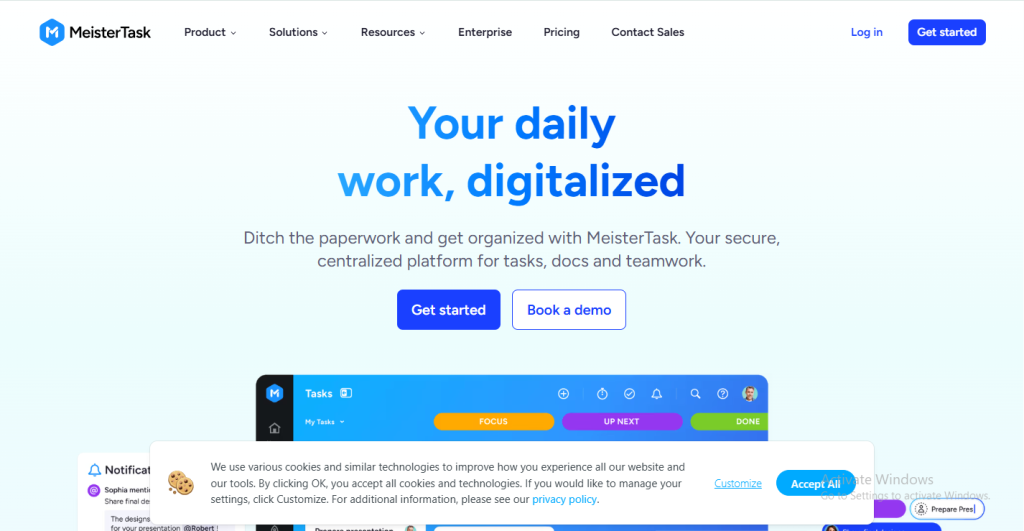
Best For: Creative teams, designers, and small businesses that value clean design, real-time collaboration, and visual organization.
MeisterTask is one of the most visually appealing kanban project management tools available today. Built with simplicity and elegance in mind, it helps teams manage projects through intuitive boards, automation, and smooth collaboration.
It’s designed for teams that want a lightweight yet powerful Kanban experience — perfect for marketing, design, and agile project workflows. With its crisp interface, quick setup, and real-time updates, MeisterTask makes organizing work feel effortless.
Core Kanban Experience
At the heart of MeisterTask lies its Kanban board, built for speed and clarity.
- Columns: Represent workflow stages such as To-Do, In Progress, Review, and Done.
- Cards: Contain task details like checklists, attachments, comments, and due dates.
- Workflow Customization: Each project board can be uniquely configured to match your process.
Drag-and-drop movement makes task tracking intuitive, while automation rules handle repetitive updates like changing status or notifying teammates.
Key Features
- Customizable Kanban Boards: Tailor stages and workflows for each project.
- Automations: Set triggers for recurring actions such as assignments, tags, or status updates.
- Time Tracking: Built-in timer for logging hours spent on each task.
- Collaboration Tools: Comment threads, mentions, and file sharing for seamless teamwork.
- Integrations: Connects with Slack, Google Drive, Microsoft Teams, GitHub, and more.
- Reports & Dashboards: View progress and performance metrics at a glance.
Why Teams Love MeisterTask?
MeisterTask combines aesthetics with functionality. It’s known for being one of the easiest Kanban tools to learn — perfect for teams that want to focus on doing, not managing.
- Designers love the clean, colorful visuals.
- Agile teams use it for sprint tracking and iteration cycles.
- Freelancers rely on it for client work, thanks to its lightweight structure.
Its integration with MindMeister, a mind-mapping tool, allows teams to brainstorm ideas and turn them directly into actionable tasks — a feature few other tools offer.
Limitations
While MeisterTask excels at simplicity and design, it lacks advanced analytics, resource management, and deep reporting found in enterprise tools. Larger organizations with complex workflows may find it limiting compared to Taskip or ClickUp.
Verdict
MeisterTask is a beautiful, intuitive kanban project management software for teams that appreciate visual clarity and speed. It keeps project tracking straightforward and engaging, without unnecessary complexity.
12. Zoho Projects – The Budget-Friendly Kanban Project Management Tool for Growing Teams
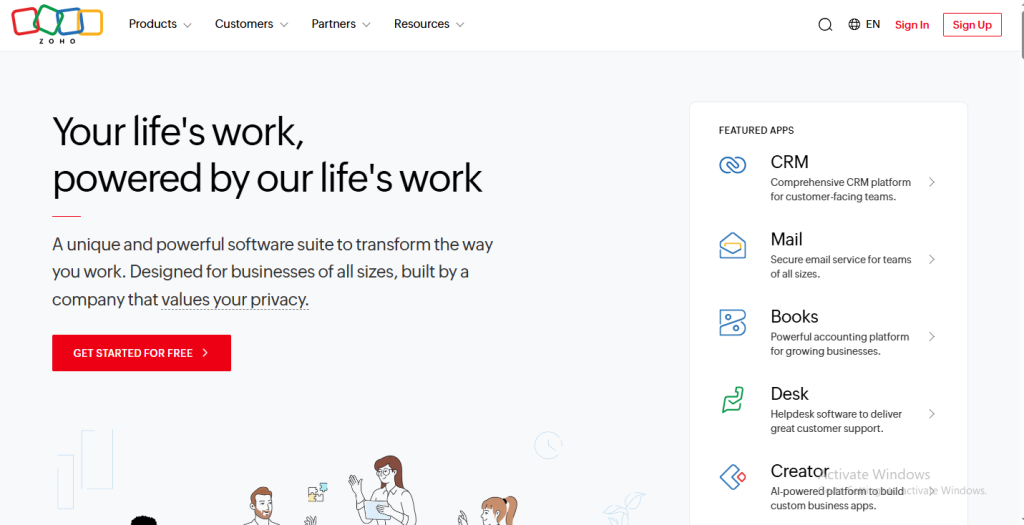
Best For: Small to medium-sized teams, startups, and businesses looking for a cost-effective yet feature-rich project management platform.
Zoho Projects is part of the larger Zoho ecosystem and stands out as one of the most practical kanban project management tools for teams that want structure, collaboration, and value for money. It brings together task management, time tracking, reporting, and automation under one roof — making it ideal for teams that need more than just a visual board.
With Zoho Projects, you can plan tasks, track milestones, collaborate in real-time, and analyze performance — all from a single, user-friendly interface.
Core Kanban Experience
Zoho Projects offers a Kanban board view that makes tracking project progress simple and transparent.
- Columns: Represent stages like Open, In Progress, In Review, and Completed.
- Cards (Tasks): Show key details such as assignees, deadlines, task owners, and dependencies.
- Drag-and-Drop Interface: Move tasks between columns with ease as progress is made.
The board gives every team member a clear snapshot of where work stands, reducing confusion and keeping collaboration fluid.
Key Features
- Kanban and Classic Views: Switch between traditional task lists and visual Kanban boards.
- Time Tracking: Record hours directly on tasks for accurate billing or reporting.
- Automation: Set workflow rules to move tasks, update statuses, or send notifications.
- Issue Tracking: Identify, assign, and resolve bugs or blockers within the same workspace.
- Collaboration Tools: Includes chat, forums, and document sharing.
- Integrations: Works seamlessly with other Zoho apps, Google Workspace, Slack, GitHub, and Zapier.
Why Teams Love Zoho Projects?
Zoho Projects offers everything a small team needs to scale — without high costs or technical complexity.
- Startups use it for structured project planning and time-based billing.
- Marketing teams love the simple task tracking and progress visibility.
- Tech teams benefit from its issue tracking and dependency mapping features.
Because it integrates easily with the Zoho ecosystem (CRM, Books, Desk), teams can manage their entire workflow — from client acquisition to project delivery — inside one connected system.
Limitations
While Zoho Projects is highly capable, it’s not as visually sleek as tools like Monday.com or Taskip. The interface can feel a little dated, and setup may take time for new users. Advanced automation and design flexibility are also somewhat limited compared to newer kanban project management software.
Verdict
Zoho Projects is a reliable, affordable solution for teams that need structured project management with the visual power of Kanban. It offers all the essentials — task tracking, collaboration, reporting, and automation — without overcomplicating the process.
13. Nifty – The All-in-One Kanban Project Management Tool for Agencies and Cross-Functional Teams
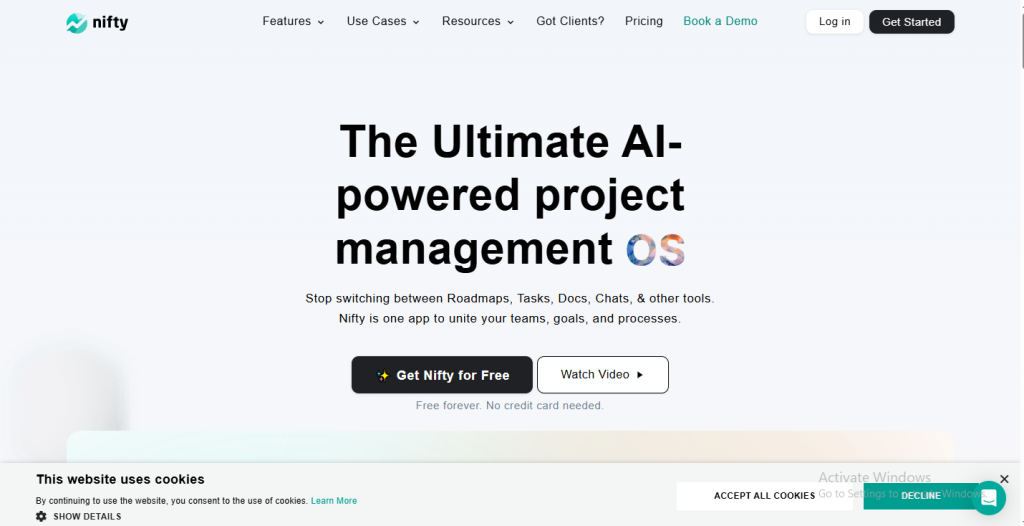
Best For: Agencies, startups, and collaborative teams that need Kanban boards, milestones, and team communication in one streamlined workspace.
Nifty is one of the most balanced and modern kanban project management tools, built to replace the need for multiple disconnected apps. It combines task management, team chat, document sharing, and project planning into a single, unified platform.
Designed for growing teams that juggle multiple clients or departments, Nifty brings structure, visibility, and collaboration together in one place — eliminating the chaos of switching between tools for tracking, chatting, and reporting.
Core Kanban Experience
Nifty’s Kanban board offers a fluid, intuitive interface where tasks move seamlessly across project stages.
- Columns: Represent customizable stages such as Backlog, In Progress, Under Review, and Completed.
- Tasks (Cards): Include assignees, deadlines, comments, attachments, and subtasks.
- Custom Workflows: Each project can have its own tailored Kanban setup.
You can easily drag and drop tasks, update progress, and track milestones — all with live updates. The board integrates directly with discussions and milestones, keeping communication and execution side-by-side.
Key Features
- Kanban, List, and Timeline Views: Switch between visual and structured layouts anytime.
- Milestones: Group related tasks under key deliverables or campaign phases.
- Built-In Chat & Discussions: Collaborate directly within each project, without external messaging tools.
- File Sharing: Upload assets, documents, or visuals directly onto tasks.
- Automations: Automate repetitive steps like assigning tasks or updating progress.
- Integrations: Works with Google Drive, Slack, GitHub, and Zoom.
- Progress Reports: Track productivity and workload distribution through analytics.
Why Teams Love Nifty?
Nifty is built for real collaboration — not just task tracking. Its blend of Kanban project management tools and built-in communication tools makes teamwork effortless.
- Agencies manage clients, campaigns, and approvals in one workspace.
- Product teams plan releases and monitor deadlines through milestones.
- Remote teams use chat and Kanban boards to stay connected across time zones.
It’s the kind of tool that gives both managers and creators what they need — visibility for leadership, and simplicity for doers.
Limitations
Nifty’s deep functionality can take a bit of time to explore fully. While it’s powerful, smaller teams or solo users may find they don’t use every feature. Its automation options are also less advanced than platforms like ClickUp or Taskip.
Verdict
Nifty strikes a perfect middle ground between collaboration and control. It’s ideal for teams that want to manage projects visually, communicate internally, and track results — all within a single platform.
For growing agencies or startups looking to simplify their workflow, Nifty is an impressive choice.
14. Paymo – The Kanban Project Management Tool for Service-Based Teams and Freelancers
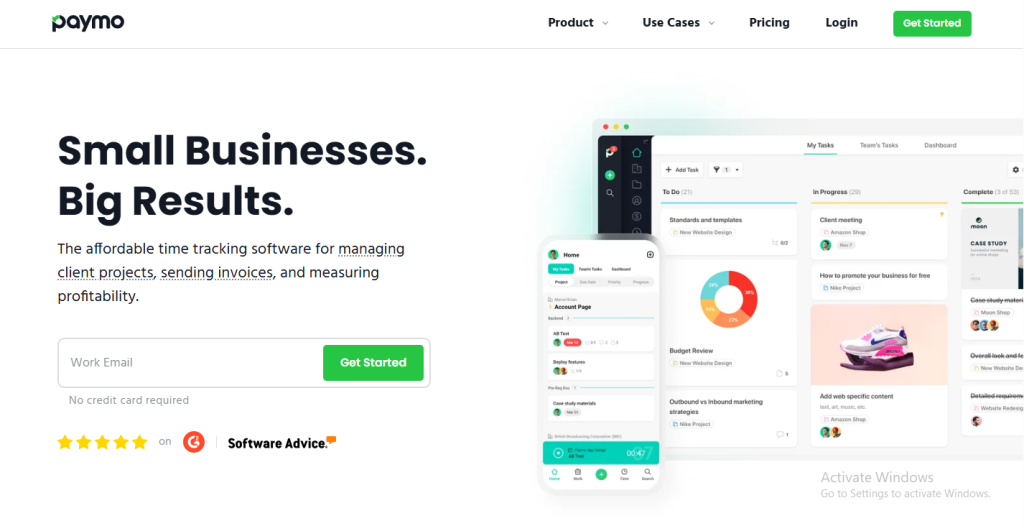
Best For: Agencies, freelancers, and small service-based businesses that want project tracking, time logging, and invoicing in one place.
Paymo is an all-in-one kanban project management tool designed to help teams and independent professionals manage projects from start to finish. It combines task management, time tracking, budgeting, and billing — making it especially useful for service providers, design studios, and agencies that work with multiple clients.
Unlike traditional Kanban platforms, Paymo focuses on turning project progress into measurable, billable outcomes. It bridges the gap between visual workflow organization and business operations, ensuring every minute spent on a project is both trackable and profitable.
Core Kanban Experience
Paymo’s Kanban board offers a streamlined, intuitive layout where users can easily plan and manage work.
- Columns: Represent stages like To-Do, Doing, In Review, and Done.
- Cards: Contain subtasks, file attachments, estimated time, and real-time progress.
- Time Logging: Tasks on the board can be directly tracked with built-in timers.
This makes Paymo ideal for teams who need both visibility and accountability — it doesn’t just show you where a task stands, but also how long it’s taking.
Key Features
- Integrated Kanban Boards: Visual task tracking with drag-and-drop simplicity.
- Built-In Time Tracking: Start timers directly from cards or log time manually.
- Invoicing & Billing: Convert tracked hours into invoices instantly.
- Expense Tracking: Monitor budgets and project costs effortlessly.
- Team Collaboration: Comment threads, mentions, and shared notes on tasks.
- Detailed Reports: Generate visual reports on time, budgets, and productivity.
- Integrations: Works with Slack, Google Calendar, QuickBooks, and Zapier.
Why Teams Love Paymo?
Paymo simplifies the project-to-payment process. Teams love it because it eliminates the need for multiple tools — combining planning, execution, and billing in one interface.
- Agencies use it to track client work and generate invoices automatically.
- Freelancers rely on it to manage multiple clients and track time seamlessly.
- Small teams appreciate how it keeps projects transparent while controlling costs.
Its blend of project management and financial tracking makes it uniquely practical for teams that measure productivity in both hours and outcomes.
Limitations
Paymo is more focused on business and billing than pure project visualization, so teams looking for deep automation or creative collaboration features (like discussions or mind maps) might find it basic compared to tools like Nifty or Taskip. The interface, while functional, can feel data-heavy for creative users.
Verdict
Paymo is a smart, well-rounded kanban project management software for anyone who works on billable projects. It unifies task tracking, time management, and invoicing — turning your Kanban board into a complete business control center.
15. ProofHub – The All-in-One Kanban Project Management Tool for Client-Focused Teams
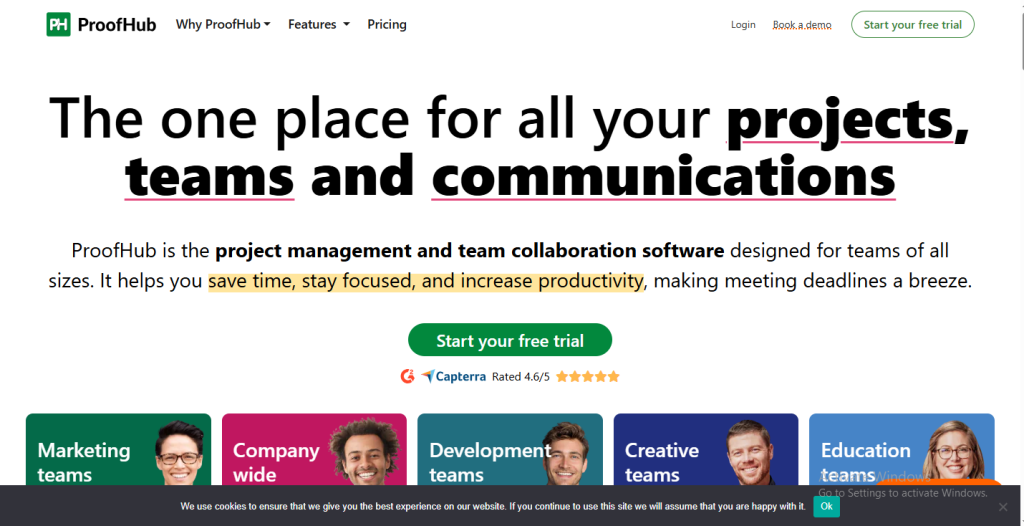
Best For: Agencies, marketing teams, and enterprises that need collaborative project management with built-in client access and approval workflows.
ProofHub is a comprehensive kanban project management tool designed to bring teams and clients together under one virtual roof. It focuses on improving visibility, communication, and collaboration across multiple projects while simplifying feedback loops.
Instead of juggling multiple apps for task tracking, messaging, file sharing, and approvals, ProofHub centralizes everything. It’s perfect for client-based businesses that need organization, accountability, and transparency — without depending on complex integrations or third-party tools.
Core Kanban Experience
ProofHub’s Kanban boards allow teams to visualize workflows and monitor progress at every stage.
- Columns: Represent different task stages like To-Do, In Progress, Under Review, and Completed.
- Cards: Include assignees, labels, deadlines, attachments, and time estimates.
- Progress View: Tracks how close each task is to completion, ensuring deadlines stay on track.
You can create multiple boards across projects, customize workflows, and use drag-and-drop functionality for real-time updates.
Key Features
- Customizable Kanban Boards: Adapt workflows to suit your team’s process.
- Time Tracking: Built-in timers and timesheets to monitor hours per task.
- Proofing & Approvals: Review, comment, and approve creative assets directly on the platform.
- Discussions & Chat: Keep team communication centralized within each project.
- Reports & Analytics: Visual performance metrics for tasks, deadlines, and users.
- Integrations: Works with Google Drive, OneDrive, Dropbox, and Outlook.
- Fixed Pricing: No per-user cost, making it budget-friendly for growing teams.
Why Teams Love ProofHub?
ProofHub is loved by teams that want more control and less confusion. Its client-facing features make it ideal for agencies managing multiple stakeholders or projects that require frequent approvals.
- Design teams use their proofing tools to get faster creative feedback.
- Agencies appreciate the ability to share progress transparently with clients.
- Managers enjoy the visual dashboards for tracking workload and deadlines.
It’s a complete workspace where project tracking, collaboration, and feedback flow together effortlessly.
Limitations
While ProofHub excels at bringing everything under one roof, it may not suit teams that rely heavily on deep integrations or advanced automation. The interface is simple but less customizable than newer tools like Taskip or ClickUp.
Verdict
ProofHub is a reliable, well-rounded kanban project management software that balances visual task management with powerful collaboration tools. Its focus on client communication and proofing makes it perfect for creative agencies and businesses that depend on feedback-driven workflows.
Conclusion
As workplaces become more distributed and dynamic, the way teams manage work is evolving — and Kanban project management tools are leading that change. From visual clarity to real-time collaboration, these tools transform how teams plan, execute, and deliver.
Whether you’re part of a growing startup, an agency handling multiple clients, or a remote team juggling time zones, the right kanban project management software brings structure, focus, and transparency to every task.
Each platform in this list offers something unique:
- Trello and MeisterTask shine for simplicity and creativity.
- Asana, ClickUp, and Monday.com deliver scalability for complex projects.
- Jira and Wrike offer depth and precision for enterprise and agile teams.
- Nifty, Paymo, and ProofHub combine collaboration with execution.
But if you’re looking for something that’s visual, intuitive, and built for real teams, Taskip brings everything together — Kanban boards, automation, time tracking, collaboration, and client management — in one seamless experience. It’s not just another tool; it’s the workspace where productivity feels effortless and organized.
In the end, the best tool isn’t the one with the most features — it’s the one your team actually enjoys using.
Frequently Asked Questions
1. What are Kanban project management tools?
A Kanban project management tool helps teams visualize workflows using columns and cards that represent stages of progress. It’s a visual way to organize, prioritize, and track tasks from start to finish — improving clarity and productivity.
2. Why is Kanban effective for teams?
Kanban works because it’s visual and flexible. Teams can instantly see what’s in progress, who’s working on what, and where tasks are stuck — reducing confusion and helping manage workload more efficiently.
3. Which is the best Kanban project management software for small teams?
For small teams or freelancers, Taskip, Trello, or MeisterTask are excellent choices. They’re simple, visual, and easy to use without overwhelming features.
4. Which Kanban tool is ideal for larger organizations?
Enterprise-level teams often choose Jira, Wrike, or Monday.com because they offer advanced reporting, automation, and integrations for complex, cross-departmental projects.
5. Can Kanban tools be used for non-technical teams?
Absolutely. Kanban tools are perfect for marketing teams, HR departments, content creators, educators, and even event planners. The system works anywhere you need to track work visually.


Get Summary On: