5+ Best CRM Software for Advertising Agencies: Complete Guide 2026
Choosing the best CRM software can be the difference between an advertising agency and one that’s drowning in scattered client data, missed follow-ups, and disorganized pipelines. In 2026, the CRM landscape has evolved dramatically; gone are the days when one-size-fits-all solutions could serve agencies of all sizes and types.
Advertising agencies operate differently from traditional B2B or B2C companies. You need to manage complex client relationships, track multiple projects simultaneously, coordinate with internal teams and external stakeholders, and maintain transparent communication throughout the client lifecycle. A standard CRM simply won’t cut it.
This comprehensive guide explores the 10 best CRM platforms for advertising agencies, breaking down their features, advantages, disadvantages, pricing, and ideal use cases. Whether you’re a boutique creative agency with five team members or a full-service digital marketing agency with 50+ employees, you’ll find solutions tailored to your needs.
Complete Best CRM Software Comparison for Advertising Agencies
| CRM Platform | Best For | Starting Price | Free Plan | Key Strength |
| Taskip | All-in-one agency management | Custom pricing | Yes | Client portal + project integration |
| HubSpot CRM | Marketing lead generation | $18/month | Yes | Workflow automation & inbound marketing |
| Zoho CRM | Omnichannel automation | $14/month | Yes (3 users) | AI-powered insights & integrations |
| Pipedrive | Sales pipeline management | $19/month | 14-day trial | Visual drag-drop pipeline |
| ActiveCampaign | Marketing automation | $15/month | 30-day trial | Advanced email workflows |
| Insightly | Project-based agencies | $29/month | Limited | Integrated project management |
| Agile CRM | Budget-conscious agencies | $8.99/month | Yes | All-in-one affordability |
| NetHunt CRM | Digital/creative agencies | $24/month | Limited | Unified workspace |
| Salesforce | Enterprise agencies | Custom pricing | Limited trial | Enterprise scalability |
| Freshsales | AI-driven lead prioritization | $9/month | Yes | AI lead scoring & prioritization |
What Makes a Great CRM for Advertising Agencies?
Before we dive into individual platforms, let’s understand what separates exceptional agency CRMs from mediocre ones:
- Project Management Integration – Tracks both client relationships AND deliverables
- Sales Pipeline Visibility – Clear view of deal progression and revenue forecasting
- Client Collaboration Tools – Portals, real-time communication, file sharing
- Team Collaboration Features – Task assignment, real-time discussions, approval workflows
- Marketing Automation – Email campaigns, lead nurturing, automated follow-ups
- Reporting & Analytics – Performance insights, revenue forecasting, team productivity
- Integration Ecosystem – Connects with your existing tools (Google Workspace, Slack, calendar apps)
- Affordability at Scale – Reasonable per-user pricing that grows with your team
- Easy Implementation – Quick setup without requiring technical expertise
- Mobile Access – Manage client relationships on the go
1. Taskip — All-in-One Agency Management Platform
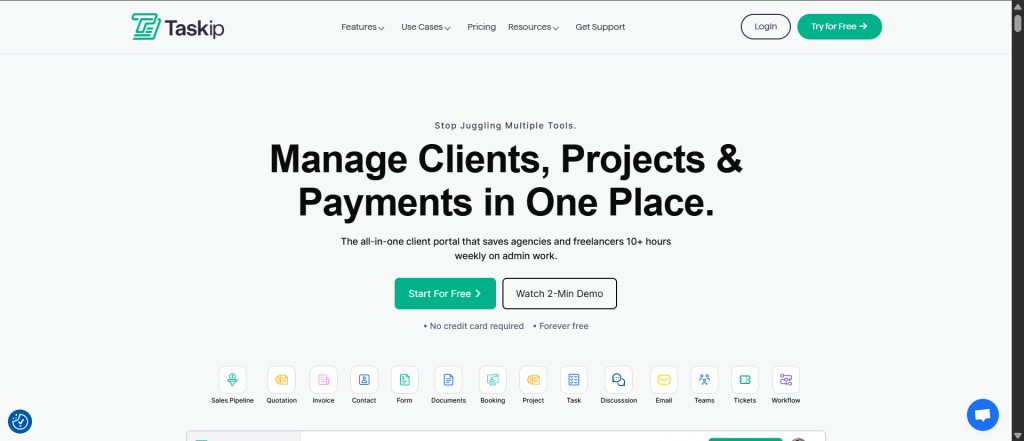
Taskip is a purpose-built platform for agencies and freelancers that combines CRM, project management, client portals, invoicing, and team collaboration into a single, integrated workspace. Unlike traditional CRMs that require you to bolt on project management tools, Taskip was designed from the ground up with agency workflows in mind.
Key Features
- All-in-One Client Portal – Unified space for clients to view updates, access files, provide feedback
- Quick Quote Creation – Generate professional quotes and automatically convert to invoices
- Proposal Management – Create, send, and collect digital signatures on proposals
- Contact Management – Organize client contacts and streamline team collaboration
- Ticket Management System – Real-time support ticket management with client communication
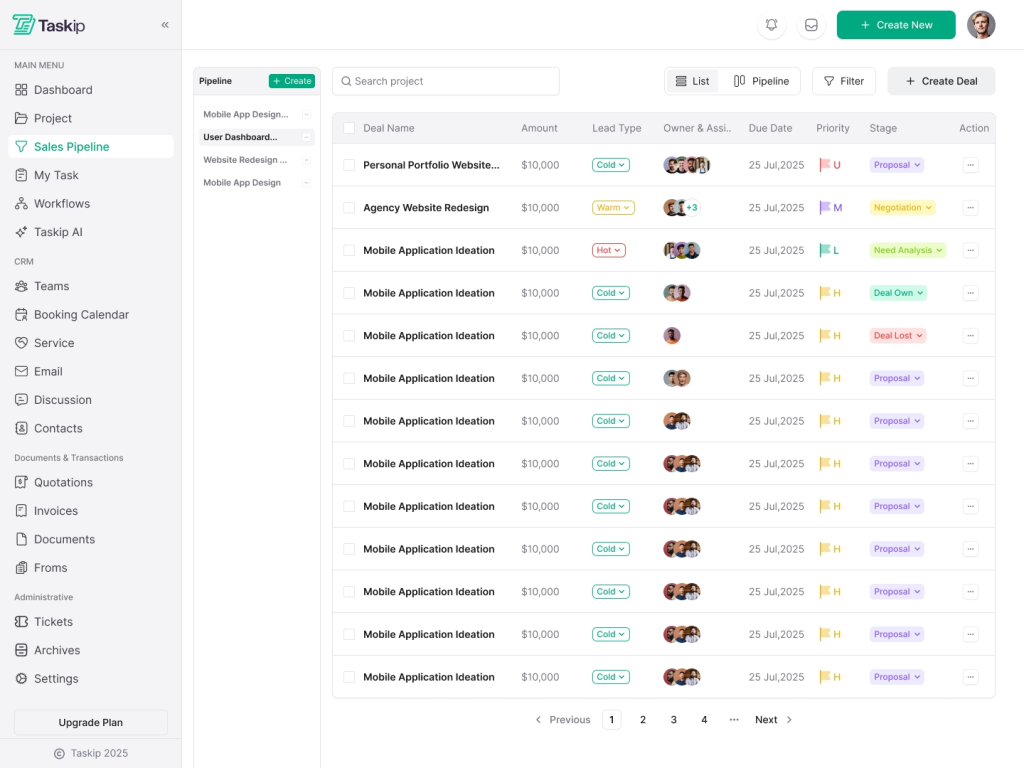
- Sales Pipeline Tracking – Integrated deal tracking with tasks, events, and calls
- Document Collaboration – Keep all documents organized and accessible to authorized parties
- Custom Form Builder – Create personalized forms with conditional logic and styling
- Workflow Automation – Automate repetitive tasks like email-to-contact conversion
- Team Management – Manage team members with role-based permissions (up to 30 users)
Pros & Cons
Pros
- True All-in-One Solution – Eliminates the need for 8+ separate tools, reducing software costs and reducing context switching. Your entire agency operates from one unified platform.
- Purpose-Built for Agencies – Every feature is designed with agency workflows in mind, from quote-to-invoice automation to project tracking integrated with CRM.
- Seamless Client Communication – White-labeled client portal provides transparency while maintaining professional boundaries. Clients can view progress, submit feedback, and access deliverables without accessing your internal systems.
- Integrated Proposal & Invoicing – Move from proposal to contract to invoice in minutes, with digital signature collection built-in. Reduces administrative overhead significantly.
- Affordable Team Scaling – With support for up to 30 team members and role-based permissions, Taskip scales with your agency without exponential cost increases.
Cons
- Mobile App Not Yet Launched – While the platform is fully web-based and mobile-responsive, the native mobile app (coming soon) isn’t available yet, which could be limiting for field-based teams.
Pricing & Plans
Taskip offers transparent, per-user pricing that scales with your team:
- Starter Plan: Perfect for freelancers and tiny teams launching their first project management workflow
- Growing Team Plan: Ideal for agencies with 3-10 team members managing multiple client projects
- Enterprise Plan: Custom pricing for larger agencies with advanced requirements
Taskip offers a free trial without requiring a credit card, letting you fully explore features before committing. Annual billing provides significant discounts compared to monthly subscriptions.
Why Taskip Stands Out for Advertising Agencies
Taskip is an all-in-one client portal software that combines CRM capabilities with project management, invoicing, and team collaboration. Here’s why agencies are switching to Taskip:
- Unified Client Portal – Connect, collaborate, and deliver all in one space
- Quick Quote & Proposal Creation – Generate quotes and automatically convert them to invoices
- Seamless Collaboration – Real-time discussions, document collaboration, and file sharing
- Ticket Management System – Manage support tickets with real-time client communication
- Sales Pipeline Integration – Track deals, tasks, events, and calls for revenue growth
- Custom Forms & Automation – Create personalized forms with conditional fields and workflow automation
- One Platform, Unlimited Tools – Replace 8+ tools (Trello, Zoho CRM, Front, HelpCrunch, Calendly, Typeform, DocuSign, Invoice Ninja) with a single, integrated solution
Best For: Agencies seeking a comprehensive, integrated platform that combines CRM with project management and client communication without the complexity of managing multiple tools.
2. HubSpot CRM — Marketing-Focused Agency Powerhouse
HubSpot has become synonymous with inbound marketing and customer relationship management. For advertising agencies focused on digital marketing, lead generation, and sales pipeline management, HubSpot offers one of the most robust free CRM platforms available, with powerful paid upgrades for marketing automation and advanced sales tools.
Key Features
- Free CRM Foundation – Unlimited contacts, basic deal tracking, contact management, and task scheduling
- Workflow Automation – Drag-and-drop automation builder with no coding required
- Email Tracking & Templates – Track email opens/clicks, create templated sequences
- Meeting Scheduling – Built-in calendar integration and meeting scheduler
- Lead Scoring – AI-powered lead prioritization based on engagement
- Sales Pipeline Management – Visual deal tracking with customizable stages
- Marketing Hub Integration – Email campaigns, landing pages, forms, and social media management
- Mobile App – Full CRM access from iOS/Android devices
- Extensive Integrations – 1,000+ apps available through HubSpot’s marketplace
Pros & Cons
Pros
- Exceptional Free Plan – HubSpot’s free tier is incredibly robust, offering core CRM functionality that many paid competitors struggle to match. Ideal for agencies bootstrapping or testing before committing.
- Inbound Marketing Excellence – Built on the inbound marketing methodology, perfect for agencies creating content-driven campaigns. Integrated email, landing pages, forms, and social tools work seamlessly together.
- Minimal Learning Curve – HubSpot’s interface is intuitively designed. New users can be productive within hours, and training takes days instead of weeks compared to complex enterprise solutions.
- Powerful Automation Without Code – The workflow automation builder is sophisticated enough for advanced use cases while remaining accessible to non-technical users. Perfect for scaling agency operations.
- World-Class Documentation & Support – HubSpot Academy offers free certifications, extensive knowledge base articles, community forums, and responsive support. You’ll never feel stranded when implementing features.
Cons
- Premium Features Add Up Quickly – While the free plan is generous, marketing automation, advanced workflows, and full-suite functionality require paid upgrades. A fully loaded HubSpot setup for a growing agency can cost $500+ monthly.
- Limited Project Management Capabilities – HubSpot is CRM + marketing focused. It lacks robust project management features, requiring agencies to integrate third-party tools like Asana or Monday.com for task/project tracking.
- Data Field Limitations at Lower Tiers – Free and basic paid plans restrict custom properties and data fields, potentially limiting sophisticated tracking needs for complex agency operations.
Pricing & Plans
- Free Plan: Unlimited users, basic CRM, contact management, task scheduling
- Starter: $18-50/month (basic marketing automation)
- Professional: $800+/month (advanced workflows, landing pages, custom reporting)
- Enterprise: Custom pricing (dedicated support, advanced customization)
Best For
- Digital marketing agencies focused on lead generation and nurturing
- Agencies seeking robust marketing automation capabilities
- Teams wanting to start with a powerful free tier and scale systematically
- Agencies already using HubSpot for marketing looking to integrate sales and service
Rating & Reviews
- G2: 4.4/5 stars (40,000+ reviews)
- Capterra: 4.5/5 stars
- User Sentiment: “Incredibly easy to get started and provides immense value, even on the free plan, for managing our marketing and sales efforts.”
3. Zoho CRM — Highly Customizable Enterprise Toolkit
Zoho CRM stands out as the most affordable enterprise-grade CRM available. With deep customization capabilities, AI-powered features (Zia), and seamless integration with Zoho’s broader business suite, it’s an excellent choice for advertising agencies wanting sophisticated functionality without the Salesforce price tag.
Key Features
- Omnichannel Communication – Email, SMS, social media, live chat, and phone all integrated
- Zia AI Assistant – Predictive sales analytics, churn prediction, sales forecasting, custom model building
- Advanced Customization – Blueprint automation, Canvas UI builder, custom modules, and fields
- Territory Management – Assign leads/accounts based on geography, product line, or other criteria
- Sales Forecasting – AI-driven revenue predictions and pipeline analysis
- Zoho Suite Integration – Seamless connection to Zoho Projects, Zoho Books, Zoho Campaigns, and 100+ apps
- Mobile App – Full CRM functionality on iOS/Android with offline capabilities
- Workflow Automation – Complex business process automation without coding
Pros & Cons
Pros
- Enterprise Features at Mid-Market Pricing – Zoho delivers functionality comparable to Salesforce (often 40-60% of Salesforce’s cost). Agencies get sophisticated features without enterprise-level expense.
- Unmatched Customization & Flexibility – Zoho’s customization tools (Blueprint, Canvas, Workflows) allow you to build a CRM that exactly matches your agency’s unique processes without technical expertise.
- Comprehensive AI Capabilities – Zia AI goes beyond simple lead scoring. It can predict customer churn, forecast sales, detect anomalies, recommend products, and even identify competitive threats across your pipeline.
- Integrated Business Suite – Unlike standalone CRMs, Zoho connects seamlessly with Projects, Books (accounting), Campaigns (email marketing), Desk (customer support), and 100+ other apps. One ecosystem eliminates integration headaches.
- Affordable at Scale – Per-user pricing ($14-40/month) scales predictably. Adding 10 new team members costs significantly less than comparable solutions, making growth manageable.
Cons
- Steep Learning Curve – While powerful, Zoho’s breadth of features and customization options can overwhelm new users. Implementation often requires consulting or significant internal training to unlock full potential.
- Premium AI Features Require Higher Tiers – Zia AI, custom field predictions, and advanced analytics aren’t available until the Enterprise plan ($40+/user/month), limiting budget-conscious agencies from accessing AI advantages.
- Interface Complexity – The abundance of customization options and features can make the interface feel cluttered compared to sleeker, simpler CRMs. It’s powerful but not minimalist.
Pricing & Plans
- Free Plan: Basic CRM for up to 3 users (limited features)
- Standard: $14/user/month (core CRM, workflows, mobile app)
- Professional: $23/user/month (advanced customization, additional integrations)
- Enterprise: $40/user/month (Zia AI, custom AI models, advanced analytics, custom modules)
Best For
- Advertising agencies needing sophisticated customization
- Teams wanting AI-driven sales insights and forecasting
- Agencies using multiple Zoho products (accounting, projects, email marketing)
- Growing agencies wanting affordable scaling without feature limitations
- Tech-savvy teams comfortable with configuration and setup
Rating & Reviews
- G2: 4.0/5 stars (4,600+ reviews)
- Capterra: 4.2/5 stars (2,500+ reviews)
- User Sentiment: “Best value for advanced CRM features at an affordable price point. Customization is unmatched at this price tier.”
4. Pipedrive — Visual Sales Pipeline Master
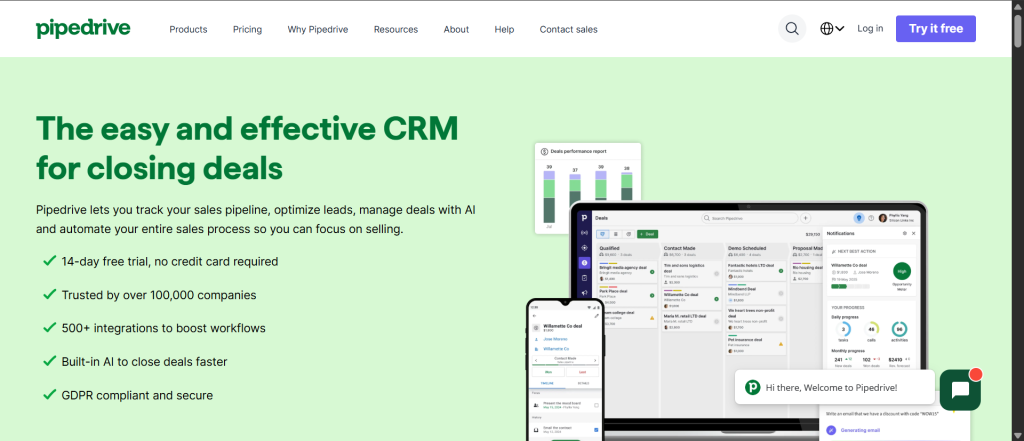
Pipedrive is built for sales teams that live and breathe their pipeline. With its intuitive visual interface, powerful deal tracking, and sales-focused feature set, Pipedrive excels at helping agencies manage their sales process from first prospect interaction to closed deal.
Key Features
- Visual Drag-Drop Pipeline – Move deals visually across stages with one click
- Deal Management – Track deal value, timeline, probability, and associated activities
- Activity Management – Log calls, emails, meetings, and tasks tied to specific deals
- Sales Automation – Automate deal advancement, task assignment, and follow-up reminders
- Email Integration – Email sync, tracking, and templates built directly into deals
- AI Sales Assistant – Predictive deal scoring, activity suggestions, next-best-action recommendations
- Sales Reports & Forecasting – Visual pipeline reports, revenue forecasts, and team performance metrics
- Mobile-First Design – Fully functional mobile app for managing deals on the go
- Integrations – 400+ apps including Zapier, Google Workspace, Slack, and more
Pros & Cons
Pros
- Exceptional Visual Pipeline Interface – Pipedrive’s drag-drop pipeline is unmatched in simplicity and usability. Sales teams immediately understand their prospects’ journey, driving faster deal progression.
- Sales Team Adoption – Because the interface is so intuitive and focused on salespeople’s needs, adoption rates are exceptionally high. Teams love using it, which drives consistent data entry and pipeline accuracy.
- Powerful Sales Automation – Advanced automation features allow agencies to automatically advance deals, assign tasks, trigger follow-ups, and send notifications without manual intervention.
- Affordable Pricing with Strong Growth Plan – Unlike platforms that charge per-user, Pipedrive’s pricing scales reasonably. The Growth plan ($49/user/month) includes most features agencies need without enterprise-level costs.
- AI-Powered Deal Insights – Pipedrive’s AI analyzes your deals and activities to suggest which deals to focus on, when to follow up, and what actions might accelerate closure.
Cons
- Limited Project Management Capabilities – Pipedrive is sales-pipeline focused. It lacks robust project/task management needed for agencies handling multiple client deliverables beyond just deals.
- Marketing Automation Lightweight – While email integration is strong, Pipedrive lacks sophisticated marketing automation features found in HubSpot or ActiveCampaign. It’s a sales tool, not a marketing platform.
- Contact Management Less Flexible – Compared to HubSpot or Zoho, Pipedrive’s contact management feels basic. Customization options are more limited, and bulk contact operations require workarounds.
Pricing & Plans
- Essentials: $19/user/month (basic pipeline, activity tracking)
- Advanced: $39/user/month (automation, forecasting, templates)
- Professional: $59/user/month (advanced customization, webhooks, timeline view)
- Power: $99/user/month (advanced analytics, custom fields, priority support)
Best For
- Sales-focused advertising agencies selling services/contracts
- Teams prioritizing visual pipeline management and deal tracking
- Agencies needing strong deal automation and activity logging
- Organizations with aggressive sales teams that demand intuitive interfaces
- Growing agencies scaling their sales operations
Rating & Reviews
- G2: 4.2/5 stars (1,900+ reviews)
- Capterra: 4.5/5 stars (1,200+ reviews)
- User Sentiment: “Best CRM for sales teams. Visual pipeline is intuitive, and automation saves us hours daily.”
5. ActiveCampaign — Advanced Marketing Automation Leader
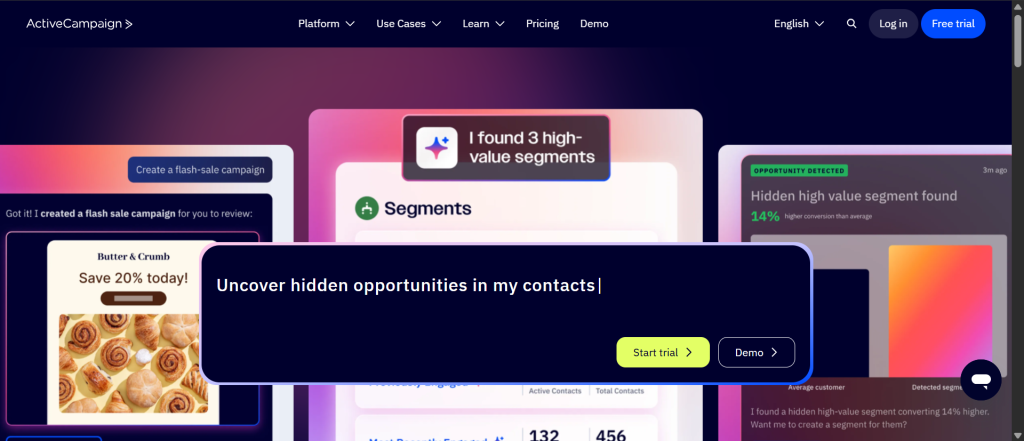
ActiveCampaign has evolved from email marketing software into a comprehensive sales and marketing automation platform. For advertising agencies running sophisticated client campaigns with complex nurture sequences, ActiveCampaign offers unparalleled email marketing and workflow automation capabilities.
Key Features
- Advanced Email Marketing – 900+ customizable workflow templates, A/B testing, dynamic content
- Conditional Automation – Build complex workflows with if/then logic, branching paths, and triggers
- Lead Scoring & Qualification – Automatic lead scoring based on engagement, website behavior, and demographics
- Email Tracking – Open/click tracking, link tracking, tracking pixels for website behavior
- Sales CRM – Basic deal tracking, contact management, pipeline visibility
- SMS & Messaging – Multi-channel messaging beyond email
- Landing Pages & Forms – Drag-drop page builder and form creation
- Segmentation – Advanced audience segmentation based on behavior, attributes, and engagement
- Integrations – 1,000+ apps available including Slack, Google Workspace, Zapier, and specialized tools
- Custom Field Builder – Create custom contact properties and capture relevant data
Pros & Cons
Pros
- Unmatched Email Automation Sophistication – ActiveCampaign’s workflow automation is the gold standard. The drag-drop builder supports complex logic, multiple triggers, and conditional branching that rivals custom development solutions.
- Exceptional Customization Without Code – 900+ templates serve as starting points, but you can customize every aspect of workflows, emails, and automation logic without technical expertise.
- Powerful Lead Scoring & Qualification – Automatically identify and prioritize high-value leads based on engagement patterns, company attributes, and behavior. Sales teams focus on the most promising opportunities.
- Unified Sales & Marketing Platform – Bridges the traditional gap between marketing and sales teams. Marketing automation leads to qualified opportunities; sales CRM closes them. Full visibility between teams.
- Exceptional Training & Resources – ActiveCampaign Academy offers free courses, the community is active, and support is responsive. Learning the platform is a breeze compared to enterprise solutions.
Cons
- Pricing Escalates Quickly – While starting at $15/month, ActiveCampaign’s pricing jumps significantly as you add users and features. A fully loaded instance for a 10-person agency can exceed $400/month.
- Limited Project Management – Like Pipedrive, ActiveCampaign is marketing/sales focused. It lacks project management capabilities agencies need for client deliverable tracking.
- Basic CRM Features – While the marketing automation is world-class, the CRM component feels basic compared to HubSpot or Zoho. It’s designed to be the automation engine, not the complete CRM.
Pricing & Plans
- Lite: $15/month (basic automation, email, landing pages)
- Plus: $65/month (advanced automation, lead scoring, custom objects)
- Professional: $149/month (custom deal pipelines, advanced segmentation)
- Enterprise: Custom pricing (dedicated support, advanced customization, SSO)
Best For
- Digital/marketing agencies running sophisticated nurture campaigns
- Teams needing powerful email marketing and lead nurturing automation
- Agencies selling marketing services to clients and wanting to demonstrate practices
- Organizations valuing advanced workflow customization
- Teams prioritizing marketing automation over sales pipeline management
Rating & Reviews
- G2: 4.5/5 stars (1,500+ reviews)
- Capterra: 4.6/5 stars (2,300+ reviews)
- User Sentiment: “Best marketing automation platform we’ve ever used. Workflows are powerful and flexible.”
6. Insightly — CRM Built for Project-Based Agencies
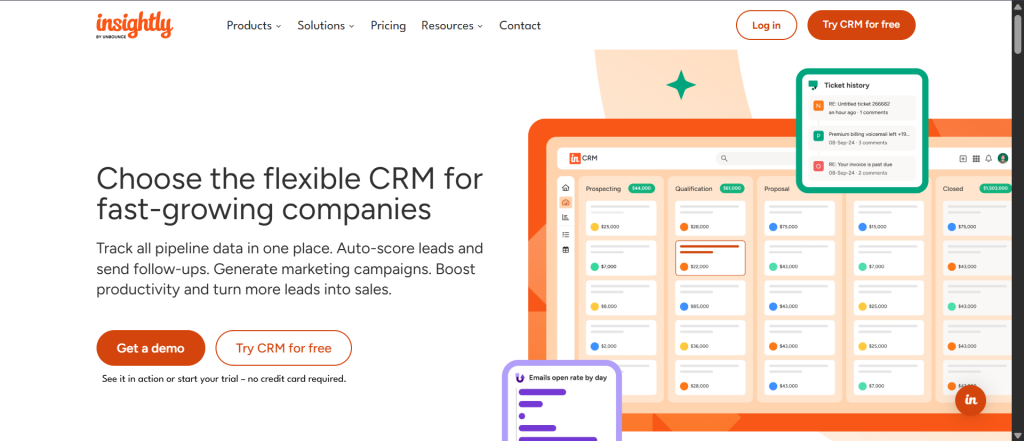
Insightly uniquely bridges the gap between customer relationship management and project management. Unlike traditional CRMs that treat projects as an afterthought, Insightly integrates project tracking directly into client management, making it ideal for service-based advertising agencies.
Key Features
- Integrated Project Management – Link projects directly to client relationships and opportunities
- Opportunity Management – Track deals from prospect to close, with linked project tracking
- Project Tracking – Milestones, tasks, team assignments, and progress tracking
- Service Desk – Support ticket management with client-facing portal
- Marketing Automation – Built-in email campaigns and landing page builder
- Contact Management – Comprehensive customer profiles with full activity history
- Workflow Automation – Automate complex business processes across CRM and projects
- 1,200+ Integrations – Via AppConnect, connect to virtually any business tool
- Mobile Apps – iOS and Android apps for on-the-go management
- Advanced Reporting – Customizable dashboards and reports
Pros & Cons
Pros
- Seamless CRM-to-Project Integration – Insightly uniquely allows you to link client relationships directly to projects. As you close a deal, the project automatically inherits client information and team assignments. Rare and valuable.
- Service Desk Integration – Most CRMs treat support as separate. Insightly integrates support tickets with client relationships, ensuring support issues are never siloed from account management.
- Sophisticated Workflow Automation – Insightly’s automation can span CRM and projects. Create workflows where closing a deal triggers project creation, which triggers client notification, which triggers task assignments — all automatically.
- Highly Customizable – With custom fields, custom objects, and workflow builder, you can tailor Insightly to match your exact agency processes without limitation.
- Professional Services Focus – Unlike generic CRMs, Insightly was designed with service-based businesses in mind. The feature set assumes you manage both client relationships AND client deliverables.
Cons
- Steeper Learning Curve – While powerful, Insightly’s breadth requires time to master. Implementation often involves consulting to optimize workflows and customizations.
- No Public Pricing Available – Insightly requires custom quote requests, making budget comparison difficult. You won’t know final cost until late in the evaluation process.
- Smaller Community & Marketplace – Compared to HubSpot or Zoho, Insightly has a smaller user community and third-party app marketplace, limiting resource availability and integration options.
Pricing & Plans
- Starter: Starting at $29/month (basic CRM, projects)
- Plus: Mid-tier plan with additional features
- Professional: Advanced customization and integrations
- Enterprise: Full white-labeling and dedicated support
- Custom quotes required for all plans
Best For
- Service-based advertising agencies managing client projects
- Agencies needing integrated CRM and project management
- Teams valuing customization and workflow automation
- Organizations managing both sales pipelines and project delivery
- Agencies with service desk/support functions
Rating & Reviews
- G2: 4.2/5 stars (920+ reviews)
- Capterra: 4.0/5 stars (660+ reviews)
- User Sentiment: “Best CRM for project-based services. The integration of projects with client relationships is invaluable.”
7. Agile CRM — Budget-Friendly All-in-One Solution
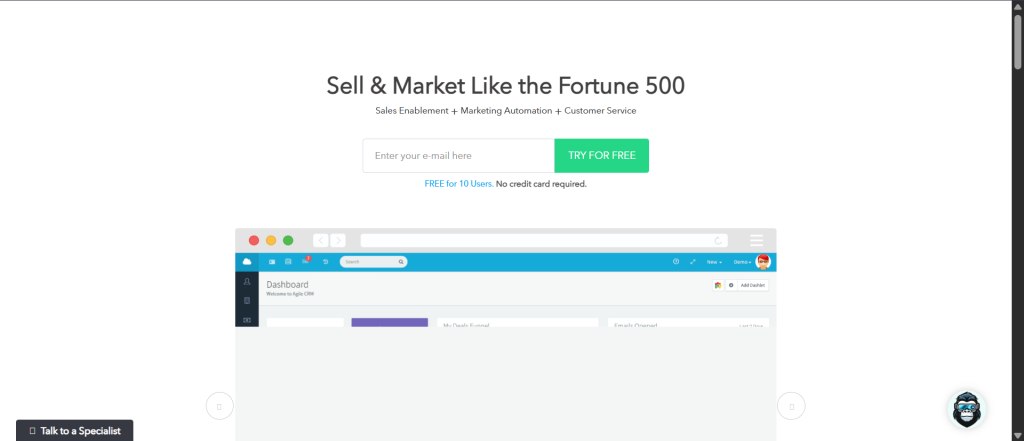
Agile CRM proves that comprehensive CRM functionality doesn’t require enterprise-level pricing. With a surprisingly robust feature set at budget-friendly rates, Agile CRM is ideal for bootstrapped agencies or those running lean operations seeking maximum functionality per dollar.
Key Features
- Contact Management – Centralized contact database with custom fields and organization
- Sales Pipeline – Visual deal tracking with customizable stages and probability
- Task & Activity Management – Task scheduling, reminders, and activity logging
- Email Marketing – Campaign builder with templates and automation
- Social Media Integration – Social listening and posting directly from CRM
- Web Tracking – Visitor identification and behavior tracking
- Telephone Integration – VoIP capabilities built directly into CRM
- Appointment Scheduling – Calendar integration and booking links
- Forms & Landing Pages – Drag-drop form builder for lead capture
- Free Plan with Real Features – Free tier includes 10 users and genuine functionality (not just 30-day trial)
Pros & Cons
Pros
- Exceptional Free Plan – Agile’s free plan includes 10 users with real functionality: contact management, sales pipeline, email campaigns, automation, and more. Most “free” CRMs are just time-limited trials; this is genuinely free.
- Unbeatable Entry-Level Pricing – At $8.99/month for the first paid tier, Agile is significantly cheaper than competitors while maintaining professional-grade features.
- All-in-One Out of the Box – Unlike platforms that require additional purchases for email marketing or automation, Agile includes everything in base plans. No surprise add-on costs.
- Simple, Intuitive Interface – Agile prioritizes simplicity. It’s not feature-poor; it just doesn’t overwhelm users with unnecessary complexity. Teams become productive quickly.
- No Seat Minimums – You can start with one user and scale to large teams without forced minimum user purchases or plan changes.
Cons
- Limited Enterprise Customization – Agile lacks the deep customization available in Zoho or Salesforce. If your agency needs highly specialized workflows, you may outgrow it.
- Smaller Ecosystem & Integrations – With fewer third-party integrations available compared to HubSpot or Zoho, you may need workarounds for specialized tools.
- Basic Project Management – While Agile includes task management, it’s not a project management system. Agencies managing complex, multi-phase client projects need external tools for sophisticated project tracking.
Pricing & Plans
- Free: Up to 10 users (genuine free features, not trial)
- Starter: $8.99/user/month (enhanced features, priority support)
- Growth: $19/user/month (advanced automation, custom reports)
- Scale: $44/user/month (advanced customization, API access)
Best For
- Early-stage and bootstrapped advertising agencies
- Small teams (under 20 people) with straightforward CRM needs
- Agencies on tight budgets wanting professional CRM functionality
- Organizations prioritizing simplicity and quick onboarding
- Teams unwilling to pay for enterprise features they don’t need
Rating & Reviews
- G2: 4.0/5 stars (1,800+ reviews)
- Capterra: 4.1/5 stars (800+ reviews)
- User Sentiment: “Fantastic value. You get professional CRM features without the premium price tag.”
8. NetHunt CRM — Unified Workspace for Digital Agencies
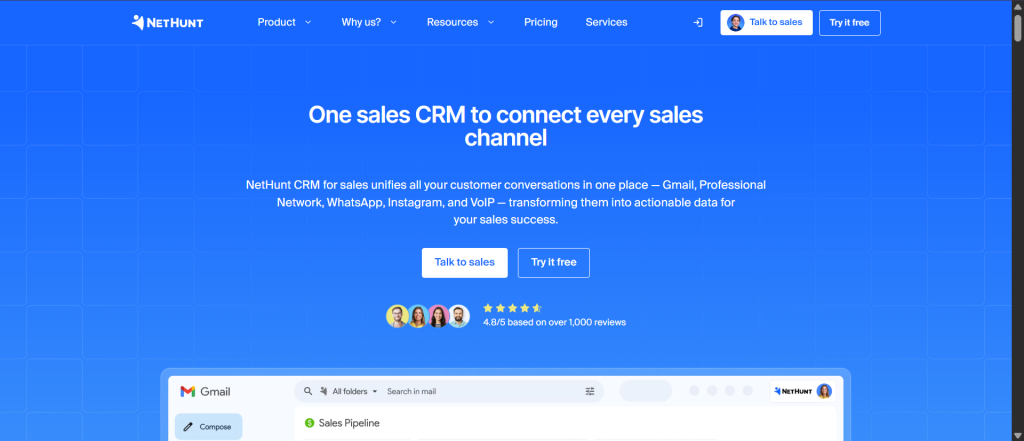
NetHunt CRM is purpose-built for digital and creative agencies seeking a unified workspace combining CRM, email marketing, workflow automation, and project management. Operating directly within Gmail, NetHunt brings CRM functionality where your team already communicates.
Key Features
- Gmail-Native CRM – CRM functionality embedded directly in Gmail interface (no context switching)
- Contact & Company Management – Comprehensive profiles with custom fields and activities
- Sales Pipeline Tracking – Visual deal tracking with customizable stages
- Email Automation – Automated sequences, follow-up reminders, and templates
- Project Management – Task creation, assignment, and deadline tracking
- Team Collaboration – Comments, @mentions, and real-time team communication
- Smart List & Reporting – Customizable views and advanced reporting
- Mobile App – Full functionality on iOS/Android devices
- Google Workspace Integration – Seamless Gmail, Google Calendar, Google Drive integration
Pros & Cons
Pros
- Gmail-Native = Zero Context Switching – Unlike CRMs requiring separate tabs/tools, NetHunt integrates directly into Gmail where your team lives. Productivity multiplier.
- Purpose-Built for Digital Agencies – Every feature is designed with digital and creative agency workflows in mind — from pipeline tracking to project management to client collaboration.
- Unified Workspace – Instead of bouncing between email, CRM, project management, and communication tools, everything lives in one Gmail-centric environment.
- Strong Automation Capabilities – Email sequences, workflow automation, and task automation are all sophisticated without requiring external tools.
- Reasonable Pricing for Feature Set – At $24/user/month, you get a comprehensive platform with CRM, automation, and projects — more affordable than comparable bundled solutions.
Cons
- Gmail-Dependent Limitation – If your agency uses Outlook or Apple Mail instead of Gmail, NetHunt’s native integration advantage disappears. Requires Google Workspace adoption.
- Project Management Not as Sophisticated – While project features exist, they’re lighter than dedicated project management tools like Asana or Monday.com. Agencies with complex project needs may feel limited.
- Smaller Community & Resources – With a smaller user base than HubSpot or Zoho, community forums and third-party resources are more limited.
Pricing & Plans
- Professional: $24/user/month (annual billing)
- Includes all features, integrations, unlimited contacts, no setup fees
Best For
- Digital and creative agencies using Google Workspace
- Teams wanting CRM without leaving Gmail
- Agencies seeking unified email + CRM + automation + projects environment
- Organizations valuing Gmail integration and simplicity
- Teams with straightforward (not overly complex) project needs
Rating & Reviews
- G2: 4.5/5 stars (estimated based on agency-focused reviews)
- User Sentiment: “Amazing that CRM can live in Gmail. Our team loves not having to switch tools.”
9. Salesforce — Enterprise-Grade CRM Powerhouse
Salesforce is the gold standard enterprise CRM, powering some of the world’s largest organizations. For advertising agencies with complex needs, multiple departments, sophisticated automation requirements, and significant budgets, Salesforce offers unmatched customization, scalability, and power.
Key Features
- Unlimited Customization – Build virtually anything with declarative tools (no code required) or Apex programming
- Multi-Cloud Ecosystem – Sales Cloud, Service Cloud, Marketing Cloud, Commerce Cloud, Einstein Analytics, and more
- Einstein AI – Predictive analytics, lead scoring, opportunity insights, automated recommendations
- Advanced Workflow Automation – Flow builder for complex business process automation
- Extensive Integration Ecosystem – AppExchange contains 7,000+ pre-built integrations and extensions
- Custom Objects & Fields – Unlimited customization to model your exact data structure
- Advanced Reporting & Analytics – Sophisticated dashboarding and forecasting
- Enterprise Security – Advanced permission models, audit trails, and compliance features
- Industry Solutions – Pre-built solutions for specific industries (media, tech, professional services, etc.)
Pros & Cons
Pros
- Unlimited Customization Potential – If you can imagine a feature, Salesforce can build it (with enough budget and expertise). No limits imposed by the platform.
- Scales to Enterprise Size – Built for organizations with hundreds or thousands of users across multiple departments, geographies, and business units. Scaling is frictionless.
- Best-in-Class AI & Intelligence – Salesforce Einstein provides AI capabilities unmatched by competitors: predictive lead scoring, opportunity insights, sales forecasting, automated recommendations.
- Comprehensive Ecosystem – Sales, Service, Marketing, Commerce, Analytics, and more — Salesforce provides an entire business platform, not just a CRM. Everything integrates seamlessly.
- Proven Track Record – Fortune 500 companies trust Salesforce. Implementation methodology, support, and community resources are unmatched.
Cons
- Extremely High Cost – Salesforce is expensive. Per-user pricing ($165-330/month) plus implementation costs ($50k-$500k+) make it budget-prohibitive for most agencies until they reach significant scale.
- Steep Learning Curve & Implementation Time – Salesforce requires experienced implementation partners (Deloitte, Accenture, Salesforce direct). Implementation typically takes months and requires significant internal resource investment.
- Overkill for Simple Needs – If your agency needs basic contact management, sales pipeline tracking, and email automation, Salesforce is excessive. Smaller platforms provide 80% of the functionality at 20% of the cost and complexity.
Pricing & Plans
- Sales Cloud Essentials: $165/user/month (basic sales CRM)
- Sales Cloud Professional: $165/user/month (enhanced features)
- Sales Cloud Enterprise: $330/user/month (advanced customization, API calls)
- Sales Cloud Unlimited: $660/user/month (maximum customization)
- Implementation costs: $50,000-$500,000+ depending on scope
Best For
- Large advertising agencies (100+ employees) with complex operations
- Organizations needing deep customization and advanced features
- Enterprises with multi-department structures requiring sophisticated permission models
- Agencies with budgets to support implementation consulting and ongoing optimization
- Teams requiring best-in-class enterprise support and resources
Rating & Reviews
- G2: 4.3/5 stars (17,000+ reviews)
- Capterra: 4.4/5 stars (3,600+ reviews)
- User Sentiment: “Powerful and infinitely customizable, but complex and expensive. Worth it for enterprises.”
10. Freshsales — AI-Driven Lead Prioritization
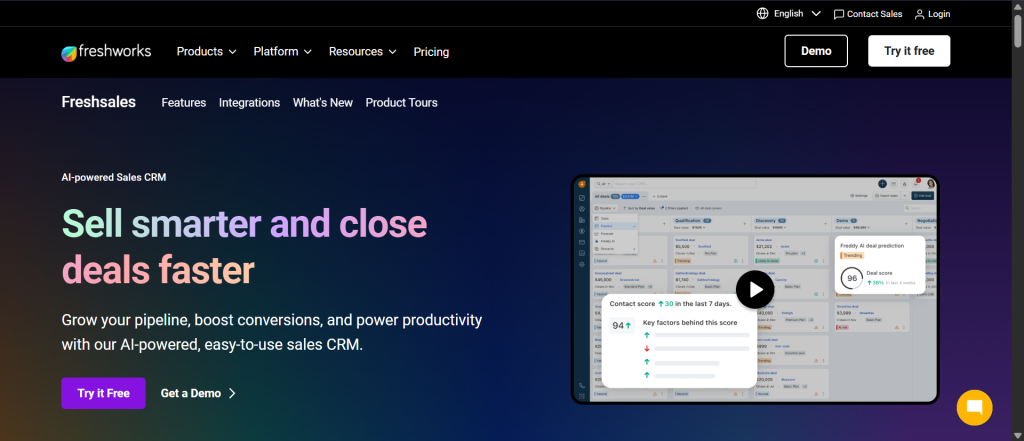
Freshsales combines a clean, intuitive CRM interface with AI-driven lead scoring and prioritization. For advertising agencies focused on sales efficiency and lead qualification, Freshsales offers a modern, affordable alternative to Salesforce or HubSpot with increasingly sophisticated AI features.
Key Features
- AI Lead Scoring – Automatically prioritize leads based on engagement and firmographic data
- Contact & Account Management – Comprehensive profiles with activity timeline
- Deal Pipeline Management – Visual pipeline with customizable stages and probability
- Email Tracking – Open/click tracking and templates
- Meeting Scheduler – Calendar integration and scheduling links
- SMS Integration – Communicate via SMS directly from CRM
- Workflow Automation – Basic to intermediate automation for common tasks
- Mobile App – Full CRM functionality on iOS/Android
- Sales Insights – AI recommendations on next actions and deal momentum
- Integrations – 100+ apps including Slack, Google Workspace, Zapier
Pros & Cons
Pros
- Exceptional AI Lead Scoring – Freshsales’ AI engine automatically identifies and prioritizes high-probability leads, helping sales teams focus on the most promising opportunities without manual analysis.
- Clean, Modern Interface – Unlike some CRMs that feel bloated, Freshsales prioritizes simplicity. The interface is intuitive, and users become productive quickly.
- Affordable Enterprise Features – Freshsales offers sophisticated features (AI scoring, automation, integrations) at affordable pricing comparable to Agile or Pipedrive, not Salesforce or HubSpot.
- Strong Mobile Experience – The mobile app is fully featured, allowing complete CRM access on the go. Field-based teams can manage deals, log activities, and access insights anywhere.
- Growing Freshworks Ecosystem – Freshsales is part of the Freshworks suite (Freshdesk for support, Freshchat for messaging, etc.). Integrating with other Freshworks tools is seamless.
Cons
- AI Features Evolving – While Freshsales’ AI is good, it’s not as mature as Salesforce Einstein or Zoho Zia. The AI feature set continues expanding, but some advanced capabilities aren’t available yet.
- Limited Marketing Automation – Unlike HubSpot or ActiveCampaign, Freshsales’ marketing automation is basic. Agencies needing sophisticated email campaigns and nurture sequences need external tools.
- Project Management Not Available – Freshsales is purely CRM-focused. Agencies needing integrated project tracking need separate tools like Asana or Monday.com.
Pricing & Plans
- Growth: $9/user/month (basic CRM, lead scoring, automation)
- Pro: $35/user/month (advanced automation, custom workflows, reporting)
- Enterprise: Custom pricing (dedicated support, advanced customization)
Best For
- Sales-focused advertising agencies prioritizing lead qualification
- Teams seeking AI-driven insights at affordable pricing
- Organizations valuing simplicity and quick implementation
- Agencies using other Freshworks products (support, messaging)
- Growing teams transitioning from basic CRM to sophisticated platform
- Companies seeking modern interface without enterprise complexity
Rating & Reviews
- G2: 4.4/5 stars (2,100+ reviews)
- Capterra: 4.3/5 stars (1,200+ reviews)
- User Sentiment: “Great value with impressive AI features. Interface is clean and modern compared to competitors.”
Detailed Pros & Cons Comparison Table
| CRM | Pros | Cons |
| Taskip | 1. All-in-one solution (CRM + projects + invoicing) 2. Purpose-built for agencies 3. Client portal transparency 4. Integrated proposal-to-invoice 5. Affordable team scaling | 1. Feature depth less than specialized tools 2. Smaller integration ecosystem 3. Mobile app launching soon |
| HubSpot | 1. Exceptional free plan 2. Inbound marketing excellence 3. Minimal learning curve 4. No-code automation 5. World-class support | 1. Premium features expensive 2. Limited project management 3. Restricted data fields at lower tiers |
| Zoho | 1. Enterprise features at mid-market pricing 2. Unmatched customization 3. Comprehensive AI (Zia) 4. Integrated business suite 5. Affordable scaling | 1. Steep learning curve 2. Premium AI at higher tiers only 3. Complex interface |
| Pipedrive | 1. Exceptional visual pipeline 2. High sales team adoption 3. Powerful sales automation 4. Reasonable growth pricing 5. AI deal insights | 1. Limited project management 2. Lightweight marketing automation 3. Basic contact management |
| ActiveCampaign | 1. Unmatched email automation 2. Advanced customization 3. Powerful lead scoring 4. Unified sales & marketing 5. Excellent training | 1. Pricing escalates quickly 2. Limited project management 3. Basic CRM features |
| Insightly | 1. CRM-project integration 2. Service desk included 3. Sophisticated workflows 4. Highly customizable 5. Professional services focus | 1. Steeper learning curve 2. No public pricing 3. Smaller community |
| Agile | 1. Exceptional free plan 2. Unbeatable entry pricing 3. All-in-one out of box 4. Simple intuitive interface 5. No seat minimums | 1. Limited enterprise customization 2. Smaller ecosystem 3. Basic project management |
| NetHunt | 1. Gmail-native (zero switching) 2. Purpose-built for agencies 3. Unified workspace 4. Strong automation 5. Reasonable pricing | 1. Gmail-dependent 2. Project management lighter 3. Smaller community |
| Salesforce | 1. Unlimited customization 2. Enterprise scalability 3. Best-in-class AI 4. Comprehensive ecosystem 5. Proven track record | 1. Extremely high cost 2. Steep implementation 3. Overkill for simple needs |
| Freshsales | 1. Exceptional AI lead scoring 2. Clean modern interface 3. Affordable enterprise features 4. Strong mobile experience 5. Growing Freshworks ecosystem | 1. AI features still evolving 2. Limited marketing automation 3. No project management |
Decision Matrix – Which CRM is Right for Your Agency?
CRM Recommendations by Agency Size
| Agency Size | First Choice | Alternative |
|---|---|---|
| Micro (1-5 team members) | Agile CRM (free or $8.99/month) | Freshsales ($9/month) or HubSpot Free |
| Small (5-20 team members) | Taskip (all-in-one) or NetHunt ($24/month) | Pipedrive ($19/month) or Zoho CRM ($14/month) |
| Mid-Size (20-50 team members) | Taskip (scaled) or HubSpot Professional | Zoho CRM ($23-40/month) or Insightly |
| Enterprise (50+ team members) | Salesforce or Zoho Enterprise | HubSpot Enterprise or Insightly Enterprise |
CRM Recommendations by Primary Need
| Primary Need | Best | Alternative |
|---|---|---|
| CRM + Project Management | Taskip or Insightly | Monday.com CRM |
| Sales Pipeline & Deal Tracking | Pipedrive or Salesforce | Zoho CRM or Freshsales |
| Marketing Automation & Lead Nurturing | HubSpot or ActiveCampaign | Zoho CRM or NetHunt |
| Client Communication & Transparency | Taskip (purpose-built client portal) | HubSpot Service Hub |
| Budget-Conscious with Features | Agile CRM (free) or NetHunt ($24/month) | Freshsales ($9/month) |
| Maximum Customization | Zoho CRM or Salesforce | Insightly |
Implementation Timeline & Success Factors
Quick Implementation (1-4 weeks)
- Best platforms: Agile CRM, Freshsales, Pipedrive, HubSpot
- Why: Simple setup, intuitive interfaces, minimal customization needed
- Success factors: Clear data migration plan, team buy-in, dedicated implementation lead
Medium Implementation (1-3 months)
- Best platforms: Taskip, NetHunt CRM, Zoho CRM
- Why: Some customization, process mapping needed, team training required
- Success factors: Detailed process documentation, role-based training, ongoing optimization
Extended Implementation (3-6+ months)
- Best platforms: Salesforce, Insightly (if highly customized)
- Why: Deep customization, complex workflows, large team rollout
- Success factors: Experienced implementation partner, change management, executive sponsorship
Final Recommendation
The “best” CRM for your advertising agency depends on three factors:
- Your primary business need — Sales pipeline? Client projects? Marketing automation? Support tickets?
- Your team size and budget — Micro-budget solutions vs. enterprise investments
- Your technical appetite — Simple and intuitive vs. powerful and customizable
If we had to choose ONE platform for the average advertising agency, we’d recommend Taskip for its purpose-built focus on agency workflows, integration of projects with CRM, and client portal transparency — while acknowledging that HubSpot excels for marketing-focused agencies and Pipedrive dominates for sales-driven teams.
Conclusion
The advertising agency CRM landscape in 2026 offers exceptional options across all budget levels and use cases. Whether you’re a 5-person creative boutique or a 100-person full-service powerhouse, you’ll find a CRM that scales with your business and supports your unique workflows.
The key is choosing a platform aligned with your primary business needs, implementing it thoroughly, and committing to consistent data entry and process optimization. The CRM is only as valuable as the data within it and the discipline your team brings to using it daily.
Next Steps:
- Identify your top 2-3 pain points (pipeline management? client communication? project tracking?)
- Create a shortlist of 3-4 platforms from this guide
- Sign up for free trials (most offer 14-30 days)
- Run a structured pilot with your core team
- Make a data-informed decision based on actual usage, not marketing claims
The right CRM will transform how your agency manages client relationships, tracks revenue, and scales operations. Don’t settle for one that makes you compromise on critical needs.
FAQ on Best CRM Software for Advertising Agency
What is the best CRM for small advertising agencies?
Taskip or NetHunt CRM, as they offer all-in-one features like client portals and project integration at affordable prices starting from custom or $24/month.
Is there a completely free CRM option for agencies?
Yes, HubSpot CRM and Agile CRM provide robust free plans with unlimited contacts, basic pipeline management, and email automation for up to 10 users.
How does Taskip stand out for advertising agencies?
Taskip is purpose-built for agencies with integrated CRM, project management, client portals, invoicing, and automation, eliminating the need for multiple tools.
Which CRM is ideal for marketing automation in agencies?
ActiveCampaign or HubSpot, featuring advanced email workflows, lead scoring, and nurture campaigns starting at $15/month or free for basic use.

Get Summary On: