Design Tracking & Analytics Setup Scope of Work Template
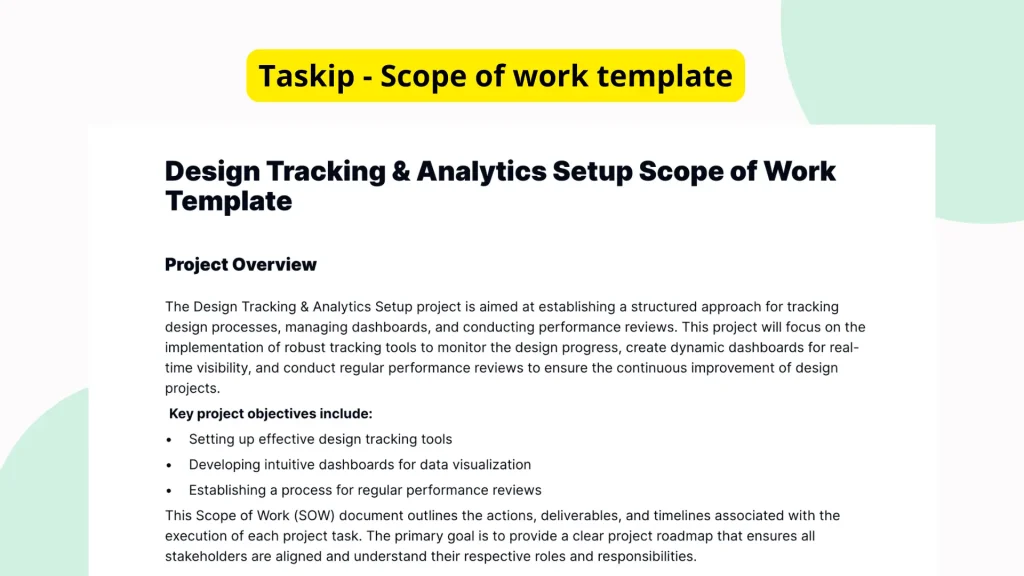
When setting up tracking and analytics for design projects, clearly defining the scope of work is crucial. Doing so ensures alignment across teams, smooth onboarding of stakeholders, and measurable success metrics. The Design Tracking & Analytics Setup Scope of Work Template by Taskip helps you structure your planning clearly and efficiently however, it currently lacks important content and organization, limiting its value unless properly customized.
What is the Design Tracking & Analytics Setup Scope of Work Template?
The Design Tracking & Analytics Setup Scope of Work Template is intended to serve as a planning and alignment tool for teams undertaking projects that require design-related tracking and analytics implementation. The goal of this document is to outline key tasks, define objectives, and establish tracking goals and measurement parameters at the start of any analytics-related design project. At its core, this template helps teams break down the scope of work into clear sections for better execution and shared understanding.
Why You Should Use This Design Tracking & Analytics Setup Scope of Work Template
Without a structured scope of work, teams risk project delays, miscommunication, and data inconsistencies. By using this template, you gain the ability to clearly define responsibilities, data tracking goals, and expected milestones upfront. Although the current version is mostly empty, its intended purpose is to accelerate project alignment by offering a consistent format to outline every major component of a design tracking project. This avoids the chaos of starting from a blank page and encourages thorough planning from day one.
Who Should Use This Template
This template is ideal for professionals involved in setting up tracking and analytics for design-centric applications or websites. This includes:
- Project Managers who need to assign and monitor work ownership in analytics-driven design implementations.
- Freelancers and Consultants working on analytics integration or digital design who want to define deliverables up front.
- Internal Marketing and Design Teams managing UX, UI, or conversion-related tracking implementations.
- Data Analysts responsible for ensuring that user interaction data is captured correctly from the beginning.
Anyone who needs to define and communicate the steps involved in setting up design tracking and analytics will benefit from this document.
What’s Inside the Template
Although the existing template is currently incomplete, its structure suggests the framework of a scope of work document. Here’s what appears to be its outline:
- Headings for Each Project Phase: These repeated headings were likely meant to organize the deliverables and tasks of each project stage, such as Initial Planning, Implementation, and Final QA.
- Placeholder Lists: Empty bullet lists may have been intended for specific responsibilities, tracking parameters, or tools to be listed under each heading.
- Objective Sections: Sections likely intended to capture the overall purpose of the analytics setup, such as user behavior insights or UX optimization.
The lack of actual content makes it crucial for users to customize this template according to their specific tracking goals, platforms, and stakeholder needs.
Real-Life Example of Use Case
A UX design team for an e-commerce website needs to implement advanced interaction tracking to better understand how users navigate their product pages. They use this template to define the scope of work: outlining what tools will be used, the events to track (such as button clicks or scrolls), and responsibilities divided between designers, developers, and analysts. Though the original template is sparse, it serves as a jumping-off point, helping the team structure the project into clear, actionable sections.
Benefits of Using This Template with Taskip
While the template in its current form lacks content, using it within Taskip unlocks its real value. Taskip’s digital document workflow makes it easier to:
- Edit in real time: Fill in missing content directly within the platform.
- Customize and save versions: Tailor the template to fit different projects and reuse them easily.
- Collaborate effortlessly: Invite team members to contribute or review via simple sharing settings.
- Digitally sign the scope: Secure agreements with built-in e-signature support.
These capabilities enhance both efficiency and clarity when preparing complex analytics setup scopes of work.
Why This Template Stands Out
Even though it’s not fully populated, this template provides a structured way to begin defining the intricacies of any tracking and analytics setup tied to design. Rather than drafting a scope of work from scratch or repurposing ill-fitting templates, this document presents a focused framework specifically aimed at analytics implementation planning. Its targeted purpose makes it more valuable than a general project template.
How to Use This Template
- Go to the Taskip Templates section
- Click on “Use Template”
- Add or edit the template fields as needed
- Customize and send it to your client or team
By following these simple steps, you can transform the empty structure into a robust, actionable scope of work document tailored to your project.
Start Your Design Tracking & Analytics Setup Scope of Work Template Project the Right Way
Launching a tracking and analytics initiative doesn’t have to be chaotic. With this template and Taskip, you can ensure your team’s goals, metrics, and tasks are fully aligned before any implementation begins. Save time, minimize revisions, and gain organizational clarity from the start, get your scope documented the right way with Taskip’s easy-to-use platform.
FAQ
Is this template ready to use?
Currently, the template lacks content and must be customized to include the specific goals, tasks, and tracking plans for your project.
What kind of projects is this template suited for?
Projects involved in design tracking and analytics setup. such as implementing user behavior tracking on websites or apps.
Can this template be shared with clients?
Yes. Once customized on Taskip, the template document can be shared digitally with clients for feedback and signatures.
How do I customize a missing section in the template?
You can edit any part of the document using Taskip’s intuitive text editor to fill in tasks, tools, objectives, and assignments.
Why should I use Taskip for this template instead of another platform?
Taskip offers a streamlined way to manage documents, collaborate with teams, and make revisions, perfect for scope of work documents like this one.