SaaS Tracking & Analytics Setup Scope of Work Template
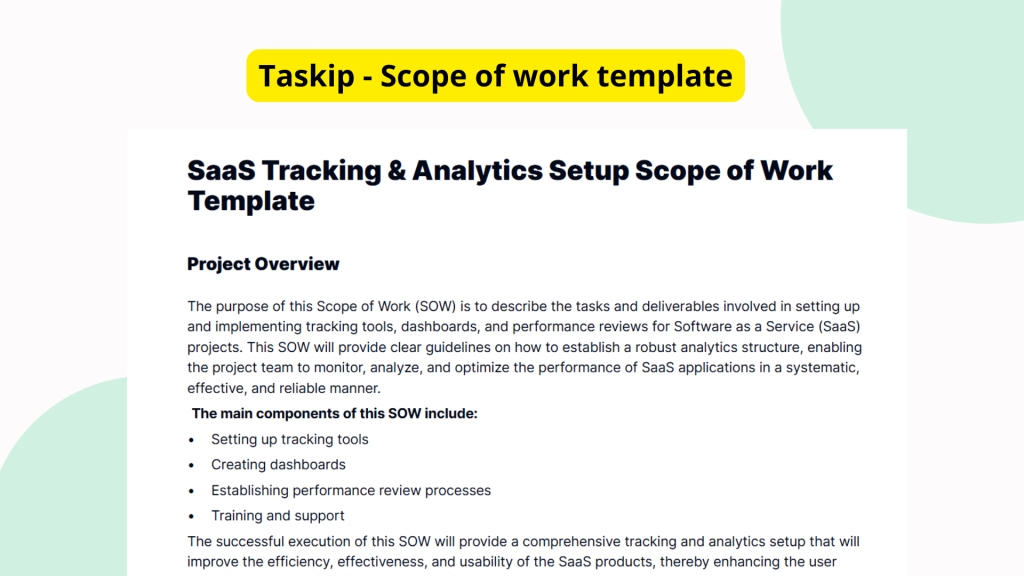
Setting up tracking and analytics correctly is vital for any SaaS business that wants insights into user behavior, product performance, and strategic metrics. Without a clear scope of work SOW these implementations can become chaotic, inconsistent, or incomplete. The SaaS Tracking & Analytics Setup Scope of Work Template provides a starting point for SaaS companies to outline, define, and manage this technical setup effectively.
What is the SaaS Tracking & Analytics Setup Scope of Work Template?
The SaaS Tracking & Analytics Setup Scope of Work Template is a document designed to help SaaS companies detail their data tracking and analytics setup. While the current version of the template may be sparse in content, it is intended as a foundational structure to define what should be implemented, how it should be done, and who is responsible. This scope of work helps align stakeholders and technical teams on the requirements, timeline, and deliverables for analytics implementation.
Why You Should Use This SaaS Tracking & Analytics Setup Scope of Work Template Template
Using this template ensures that the often-complex setup of analytics tools in SaaS environments is clearly defined and consistently executed. When implementing tracking configurations, integration points, or performance monitoring tools, loose documentation can lead to missteps and time-consuming corrections. This scope of work document offers a starting template to solidify tracking goals, assign responsibilities, and avoid overlooked metrics. It brings clarity and professionalism to your planning process, even as it’s intended for further customization.
Who Should Use This Template
This template is well-suited for a range of users in the SaaS ecosystem:
- Freelance Analysts or Developers – to outline deliverables when hired to implement analytics.
- In-House Teams – to plan internal tracking system upgrades or new implementations.
- Digital Agencies – to standardize their scoping with SaaS clients.
- Project Managers – to align cross-functional stakeholders on tracking milestones.
What’s Inside the Template
While the provided version of this template currently lacks in-depth content, its structure is designed to accommodate essential components of a tracking and analytics setup scope. These may include:
- Project Overview – space to describe the purpose and goals.
- Key Metrics to Track – intended to list vital KPIs and behavioral events.
- Analytics Tools and Services – placeholders for tool selection (e.g., GA, Mixpanel).
- Implementation Tasks – structured fields to include activities like code deployment and QA.
- Responsibilities – define who handles what part of the setup.
- Timeline and Milestones – to help manage delivery expectations.
This skeletal but strategic outline supports customization based on the specific SaaS product and data ecosystem involved.
Real-Life Example of Use Case
Imagine a mid-stage SaaS company planning to integrate advanced user behavior tracking to improve onboarding. The head of product hires a freelance analytics consultant to lead the implementation. Before starting, the consultant uses the SaaS Tracking & Analytics Setup Scope of Work Template to establish project boundaries. They list the KPIs to measure onboarding success, select tools like Segment and GA4, break down work into tasks like tagging, QA, and dashboarding, and clearly define who from the in-house team will provide access credentials. With this document, both teams align expectations, timelines, and success definitions, all before a single line of code is written.
Benefits of Using This Template with Taskip
When you access this scope of work template via the Taskip platform, several features help you accelerate your workflow and maintain consistency:
- Quick Editing – fill in or update fields instantly using an intuitive editor.
- Template Reuse – save variations for future analytics projects with similar scope.
- Digital Signatures – get sign-offs for scope approval directly within Taskip.
- Collaboration – share drafts with clients or teammates for real-time feedback.
With Taskip, your placeholder template becomes a working document faster, and you create repeatable processes for future tracking setups.
Why This Template Stands Out
Starting an analytics setup from scratch can be overwhelming. Generic scope documents might lack relevance for SaaS-specific needs like product metrics or in-app user flows. This template is different, it recognizes the need for flexible structure tailored to SaaS data. Even in its current minimal form, it focuses your attention on relevant planning layers such as tool choices, tracking goals, and implementation ownership. That makes it easier to scale with new projects and customize as needed, rather than reinventing the wheel every time.
How to Use This Template
- Go to the Taskip Templates section
- Click on “Use Template”
- Add or edit the template fields as needed
- Customize and send it to your client or team
Start Your SaaS Tracking & Analytics Setup Scope of Work Template Project the Right Way
Don’t let your analytics implementation take off without a defined scope. Use this template in Taskip to kickstart your tracking projects with greater confidence and fewer delays. Get your entire team, or your client, on the same page with structured planning, faster execution, and transparent ownership. The sooner your scope is clear, the smoother your insights pipeline will be.
FAQ
Is the template fully pre-filled?
No, the SaaS Tracking & Analytics Setup Scope of Work Template is primarily a structural outline and is intended for user customization.
Can this template be used for any SaaS product?
Yes, the template is a flexible starting point suitable for any type of SaaS platform and can be tailored accordingly.
What if I don’t know what metrics to track yet?
The template provides a section to define this collaboratively with stakeholders or analysts as part of the planning process.
Does Taskip come with analytics integration tools?
The template does not include technical tools, but within Taskip, the scope can be documented, shared, and approved conveniently.
How do I get started on editing this template?
Simply go to the Taskip Template section, choose this template, and begin customizing fields to match your project.