
Top 5 Productivity Tools for a Freelancer (2026 Edition)
Looking for the best productivity tools for a freelancer? You’re in the right place. Freelancing can be both freeing and overwhelming. The right tools can help you balance client work, deadlines, and time tracking all without losing your mind. One essential category often overlooked? Client management systems built specifically for freelancers keep your client communication, projects, and workflow organized in one place. Here’s why a client management system is essential for freelancers.
Here’s a guide to the top 5 productivity tools for freelancers, packed with examples and tips to simplify your workflow.
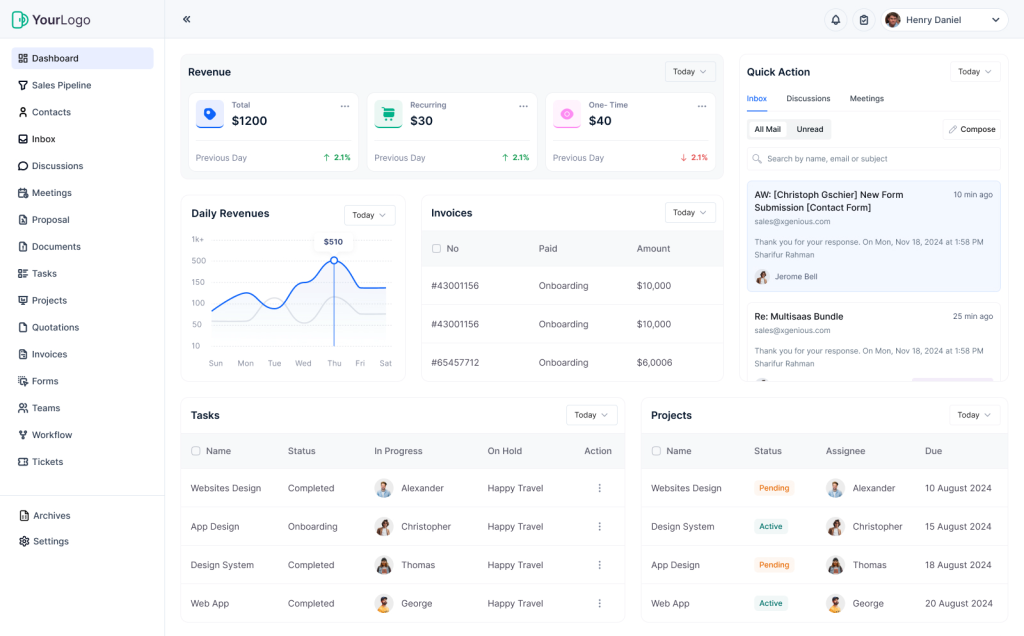
1. Taskip – Your Freelance Command Center
✅ Pros:
- Centralized dashboard for all client activities
- Built-in invoicing and task tracking
- Easy to use with no learning curve
❌ Cons:
- Still growing with limited third-party integrations
- Team features may be more than solo freelancers need
Pricing:

Why Taskip Tops the List of Productivity Tools
Taskip is purpose-built to be the best productivity tool for a freelancer. From onboarding to task management, proposals to invoicing, it keeps everything in one place.
Key Features
- Proposal & Onboarding Automation
- Task Management
- Built-in Time Tracking
- Client Communication Threads
- One-Click Invoicing
If you’re a freelancer wondering how a CRM can really work for your business, check out our guide on how freelancers use Taskip to stay organized.
Ideal For:
Freelancers who want to centralize everything in one place and save time by cutting down on tool-switching.
Sample Workflow:
- Book a meeting with the client (via Calendly or Taskip)
- Create Proposal in Taskip
- Create Project , Set tasks and deadlines
- Track time and generate invoice
- Store Loom video or feedback in task thread
2. Notion – Flexible Workspace for Freelancers

Create project spaces, client pages, and checklists tailored to your needs.
✅ Pros:
- Fully customizable for notes, projects, and planning
- Great collaboration and sharing features
- Free for personal use
❌ Cons:
- No built-in invoicing or task automation
- Can be overwhelming to set up
💰 Pricing:

Why Use Notion
- Custom templates for projects
- Client database
- Collaborative editing
Taskip Tip: Link your Notion documents in related Taskip tasks.
If you’re still deciding between a general-purpose tool like Notion and a dedicated CRM, we recommend reading How to Choose the Right Client Management Tool.
3. Calendly – Simplify Scheduling with Clients
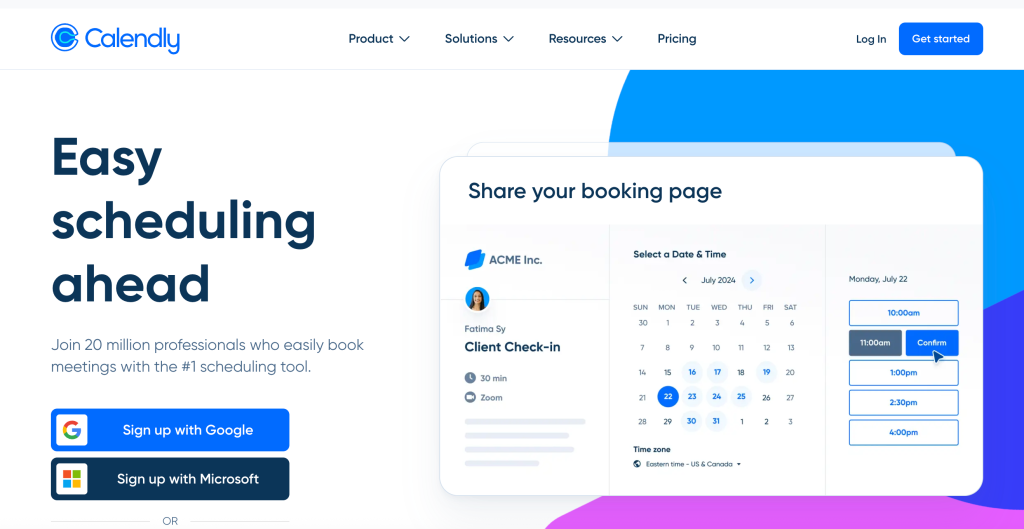
Let clients book meetings based on your real availability. No more back-and-forth emails.
✅ Pros:
- Simple, automated meeting scheduling
- Integrates with Google/Outlook calendars
- Customizable meeting types and reminders
❌ Cons:
- Limited features on free plan
- No built-in billing or CRM
💰 Pricing:

Benefits:
- Personalized booking links
- Calendar sync
- Automatic confirmations and reminders
4. Toggl – Time Tracking That’s Actually Useful
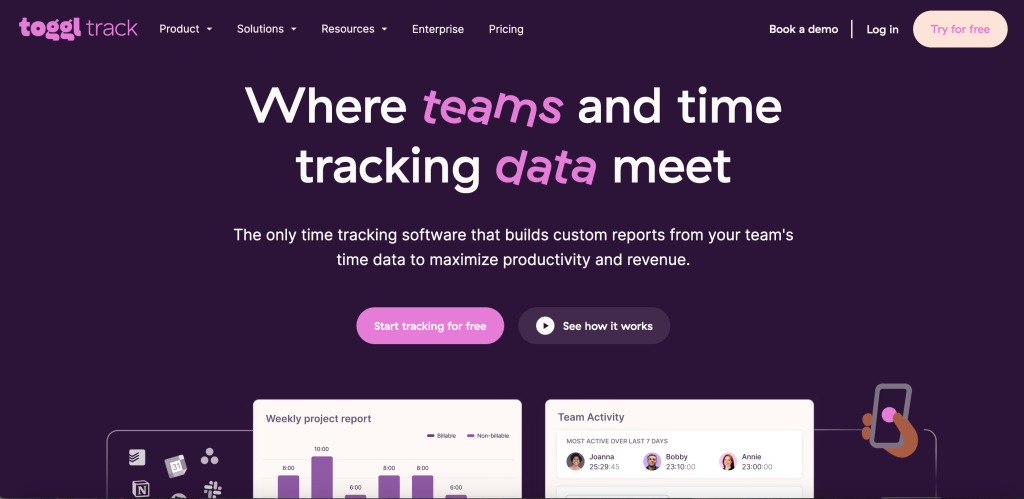
Track hours, analyze project performance, and ensure accurate billing.
✅ Pros:
- Simple interface for quick tracking
- Great visual reports and breakdowns
- Multiple platforms and extensions
❌ Cons:
- Free plan lacks advanced reporting
- No invoicing or direct billing
💰 Pricing:

Why It Helps:
- Clean interface
- Project breakdowns
- Exportable reports
5. Loom – Clear Video Communication

Record screen walkthroughs or updates for clients without needing meetings.
✅ Pros:
- Fast screen and camera recording
- Shareable links with instant playback
- Lightweight, browser-based tool
❌ Cons:
- Free plan has video limits
- Needs good internet connection for uploads
💰 Pricing:

Best Use Cases:
- Project updates
- Design feedback
- Quick instructions
Taskip Tip: Drop Loom links directly into Taskip discussions.
Bonus: Grammarly – Clean, Confident Writing

Improve your emails, proposals, and blogs with real-time grammar help.
Why It Matters:
- Professional tone
- Fewer errors
- Improved readability
Use Grammarly when crafting proposals or project briefs inside Taskip.
Comparison of the Best Productivity Tools for Freelancers
| Tool | Main Purpose | Taskip Integration | Price Range |
|---|---|---|---|
| Taskip | All-in-one freelance ops | Native core platform | Free + Affordable plans |
| Notion | Project documentation | Embed & link into tasks | Free + Paid |
| Calendly | Scheduling | Auto-create follow-ups | Free + Premium |
| Toggl | Time tracking | Import tracked time | Free + Paid |
| Loom | Async video communication | Share links in discussions | Free + Pro plans |
| Grammarly | Writing assistant | Clean up proposals | Free + Premium |
Client Case Study: Sarah, Graphic Designer
“Before Taskip, I was all over the place Notion, Google Sheets, Gmail, Toggl, and still missing deadlines. Now everything’s in one spot. I send proposals, track time, and get paid without chasing anything.”
- Saved 5+ hours a week on client follow-up
- Reduced overdue invoices by 90%
- Project completion rate increased by 25%
Final Thoughts
Freelancing shouldn’t feel scattered. These tools help you stay focused, organized, and professional. While each has its place, Taskip stands out as the central hub that brings it all together.
If you’re looking for a broader CRM setup for your small business, you may also enjoy:
– Top 7 CRM Solutions for Small Businesses
– Best CRM Software for Small Businesses
– Best Small Business CRM: Full Comparison
– CRM Alternatives to HubSpot and Zoho – explore powerful yet affordable options beyond the usual names
Want to learn how to automate your workflow even further? Read our blogs.
FAQs
Can I use Taskip with my current tools?
Yes! Taskip is built to work alongside tools like Notion, Loom, Calendly, and Toggl.
Is Taskip beginner-friendly?
Absolutely. Most freelancers are up and running in under 20 minutes.
Can I send proposals and invoices with Taskip?
Yes. Taskip has built-in proposal templates and invoicing with time tracking support.
Is this setup suitable for all freelancers?
Yes. Whether you’re a designer, writer, developer, or coach—this toolkit can work for you.
What is the best productivity tool for freelancers?
We believe Taskip is the most complete option, with task management, proposals, and invoicing built-in.
How do I use Taskip with Calendly, Notion, or Loom?
You can embed links, automate tasks post-meeting, and add reference docs to each task in Taskip.



Get Summary On: