The best Proposify alternatives include Taskip, Pandadoc, Nusii, and Better Proposals. Among these, if you need a complete client management solution, Taskip is the best option. And if a proposal is the only feature you are concerned about, Pandadoc is a great software.
In this guide, I list the top 10 Proposify alternatives that allow proposal, quotation, and invoicing creation. You will also get advanced features in these tools that Proposify lacks.
| Tool | CRM | Invoicing | Proposal Builder | E-signature | Tracking & Analytics | Free Plan | Starting Price |
|---|---|---|---|---|---|---|---|
| Proposify | ❌ | ❌ | ✅ | ✅ | ✅ | ❌ (14-day trial) | $19/user/mo billed annually |
| Taskip | ✅ | ✅ | ✅ | ✅ | ✅ | ✅ | $12/mo |
| PandaDoc | ❌ | ❌ | ✅ | ✅ | ✅ | ✅ (Limited — 5 docs/mo) | $19/user/mo |
| Nusii | ❌ | ❌ | ✅ | ✅ | ✅ | ❌ | $29/mo |
| Better Proposals | ❌ | ❌ | ✅ | ✅ | ✅ | ❌ | $19/mo monthly ($13/mo billed annually) |
| Qwilr | ❌ | ❌ | ✅ | ✅ | ✅ | ❌ | $35/user/mo billed annually ($49 monthly, not $39) |
| Conga Composer | ❌ | ❌ | ✅ | ❌ (only via Conga Sign, a separate paid product) | Limited | ❌ | Custom |
| GetAccept | ❌ | ❌ | ✅ | ✅ | ✅ | ❌ | $25/user/mo |
| DocuSign | ❌ | ❌ | ❌ | ✅ | Limited | ❌ (free trial) | ~$10/user/mo |
| Oneflow | ❌ | ❌ | ✅ | ✅ | ✅ | ✅ (Limited — free forever plan for static PDF contracts | $17/user/mo |
| Loopio | ❌ | ❌ | ❌ | ❌ | Limited | ❌ | From $20,000/year |
Table of Contents
What is Proposify?
Proposify is a proposal and sales document-focused software that is built for businesses to streamline the documentation workflow process. It involves creating, sending, and tracking proposals, quotations, contracts, and agreements.
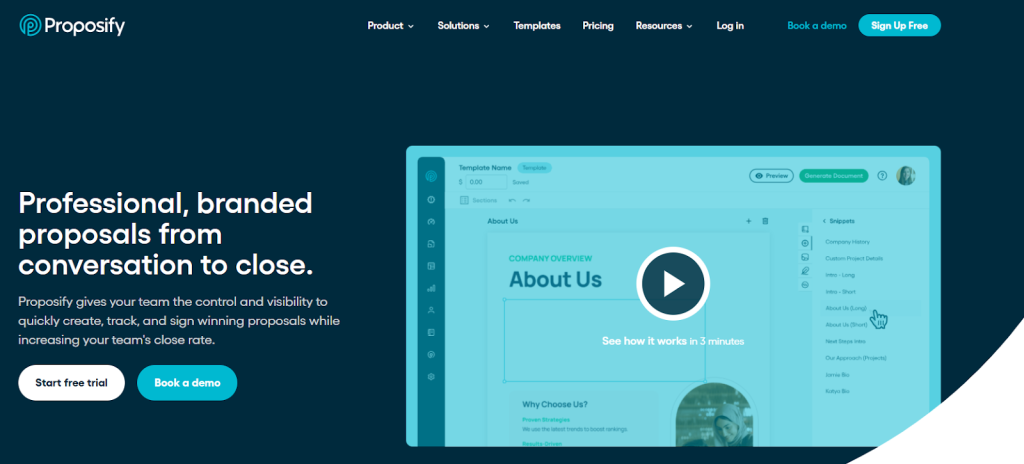
Using this software, you can eradicate the boring and time-consuming manual proposal creation and getting signatures from high authorities. Proposify has customizable templates that you can tailor as per your branding.
Besides, it stores reusable sections, pricing tables, images, and other content in one place. Therefore, teams don’t need to start from scratch each time.
Why Look For Proposify Alternatives?
Editing Difficulties
Proposify’s editor is built to mimic InDesign-style layout flexibility. That gives you granular design control, but it also means a real learning curve; pasting content from Word or Google Docs frequently breaks formatting, and getting a proposal “pixel perfect” can take longer than writing it in the first place.
The editing functionality is can be glitchy and sometimes isn’t a smooth process compared to using other services like Google Docs, Microsoft Word etc…
Limited Customization
Templates are functional but generic — there’s minimal deep design control and no niche-specific templates for specific industries, so most teams end up rebuilding sections from scratch anyway.
Lacks Built-in Invoicing and Accounting Tools
Proposify has no native invoicing, recurring billing, or accounting features. You’ll need a separate tool (or a third-party integration) to go from “proposal signed” to “invoice sent.”
Limited Team Collaboration
Proposify’s highest tier supports a maximum of five collaborator seats — well below what larger sales teams or agencies with multiple people touching a single proposal typically need.
Cost Adds Up Fast
Proposify’s Basic plan starts at $29/month but caps you at 5 document sends per month, with overage fees once you exceed that. The Salesforce integration is Business-tier only, at an extra $9/user/month. What looks like an entry-level price often isn’t, once you scale sends or need CRM sync. Compare that to Taskip, which starts at $12/month with no send caps.
Best 10 Proposify Alternatives: Analysis of Features, Drawbacks, and Price
1. Taskip — Best for All-in-One CRM, Proposals, Invoicing, and Client Management
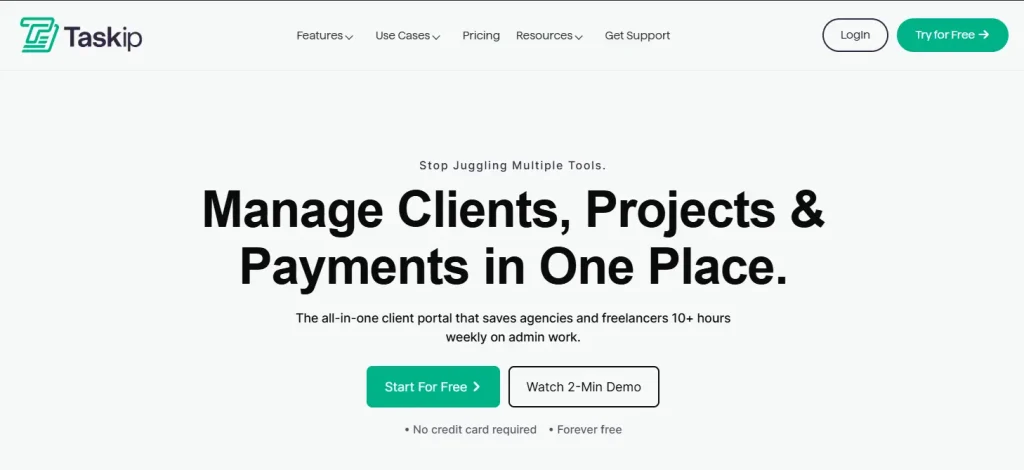
Taskip is an all-in-one client management software, much more than just a simple proposal tool like Proposify. With Taskip, you can generate quotations, proposals, and invoices in minutes with its pre-built templates.
What stands out about Taskip over Proposify is extended features at minimal pricing. Besides, it has a client portal where clients can track their projects and share files within the platform.
It is an excellent CRM where you can centralize the whole procedure of your business from capturing leads, sharing quotations and proposals, tracking workflows, and billing. Thus, Taskip is absolutely the best Proposify alternative, which will serve you as an all-in-one business solution.
Taskip Best Feature
- CRM (Client Relationship Management)
Taskip is a CRM software that has all the essential features required for client management. It has an intuitive client portal where clients have their own branded profile and can track their work progress. Moreover, you can generate and manage leads and convert them into clients.
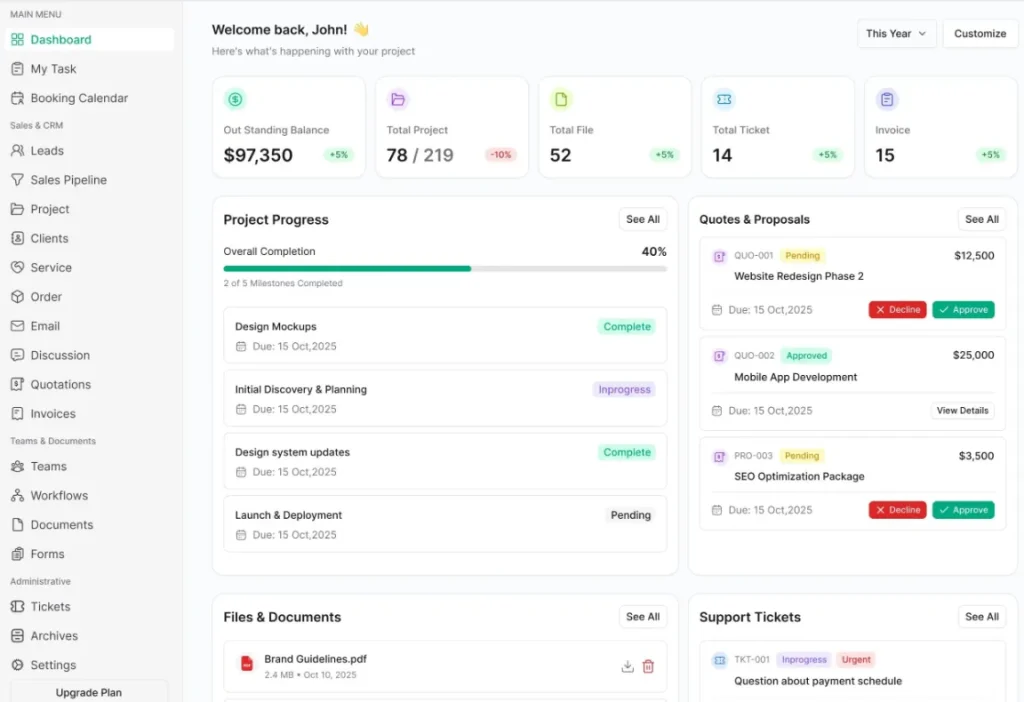
Image: Taskip client portal
- Proposal
Taskip allows you to tailor each proposal to reflect your business identity by customizing fields such as company name, address, and issue date. You will get a variety of templates to pick the ideal one for your company. Moreover, it also offers you a feature to integrate your invoices into your proposals.
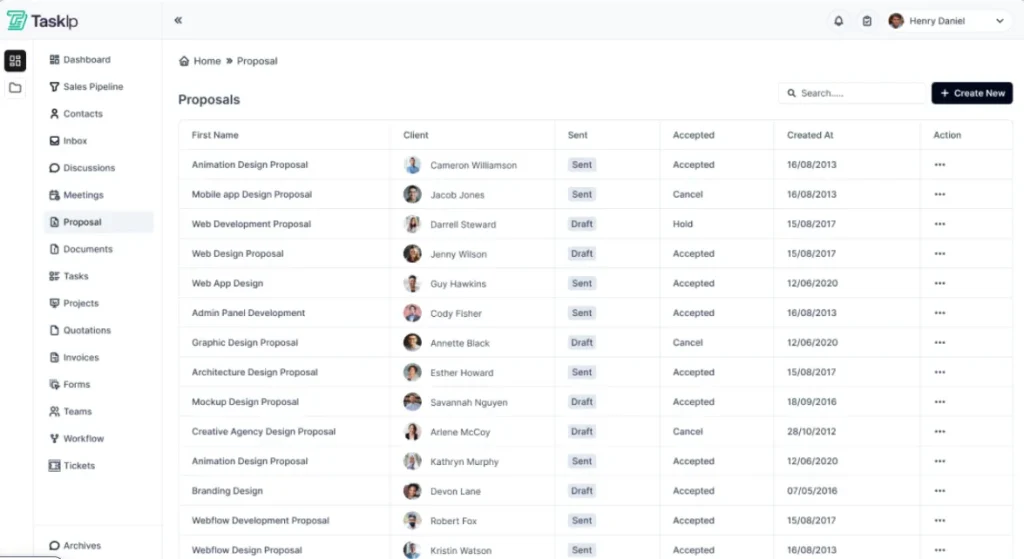
Image: Taskip proposal builder
- Quotation
You can quickly generate a quotation simply by adding a subject line, pricing, choosing the currency, and setting an expiration date. Besides, it offers you comprehensive insights and real-time status updates. You can see draft, sent, accepted, rejected, or closed, and thus remain up-to-date on the progress of your deals.
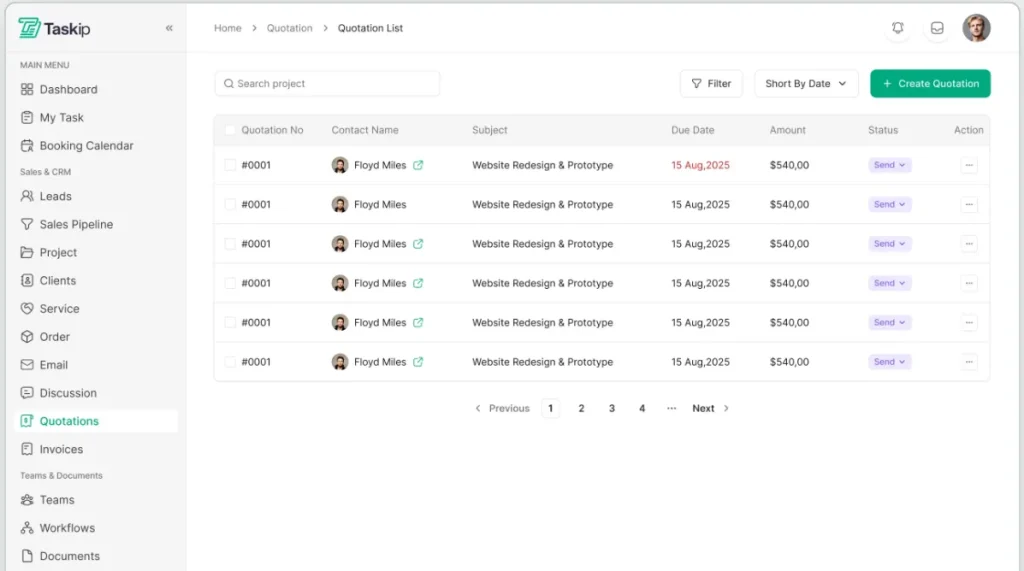
Image: Taskip quotation
- Invoicing
As a better Proposify alternative, Taskip has invoicing features that Proposify lacks. You can easily generate and send invoices just by following the same process as a quotation. Besides, the client invoicing SOP template that Taskip provides reduces errors, ensuring payment consistency.
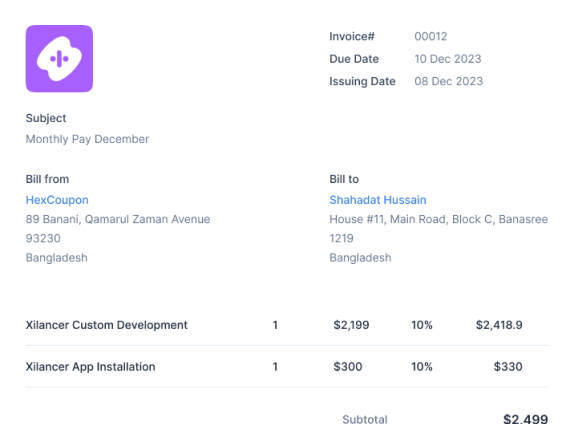
Image: Taskip Invoicing
- E-signature
Taskip features secure and legally binding e-signatures. Adding a signature is super easy. It offer syou three options to add your signature. These are as follows:
- Upload file (under 20MB and 200px*200px)
- Draw
- Type
You can save your signature and use it anytime in your documents.
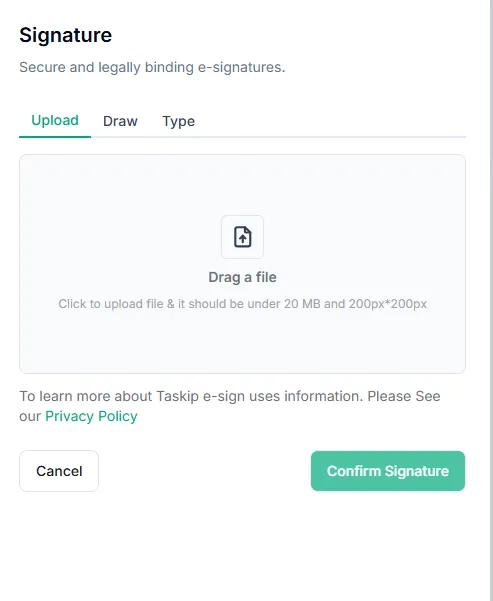
Image: Taskip E-signature
- Documentation Sharing
Creating and sharing documents in PDFs is possible with Taskip. Moreover, you can decide who gets access. Here, you get options to add headings, bullet points, numbered lists, images, tables, and code blocks, which make your content more interactive.
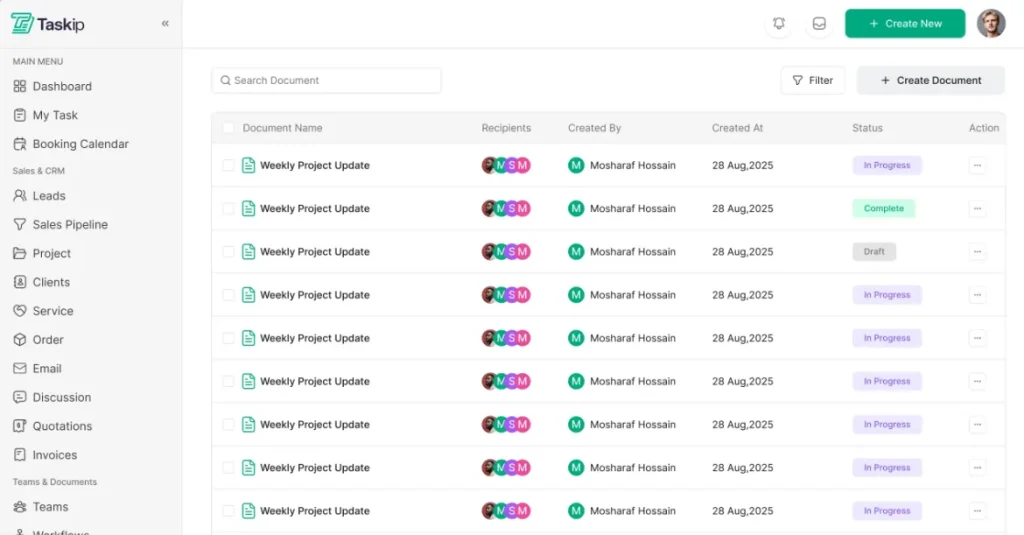
Image: Taskip Documents
- Workflow Automation
By setting custom triggers, you can automate your workflows with ease. From auto-replies to task management, streamlining processes is much more convenient with Taskip.
Furthermore, you can apply custom Conditions for advanced workflow automation. For instance, precise ‘If-Then’ conditions trigger your events with accuracy. Besides, Taskip also allows you to execute multiple actions in a single workflow.
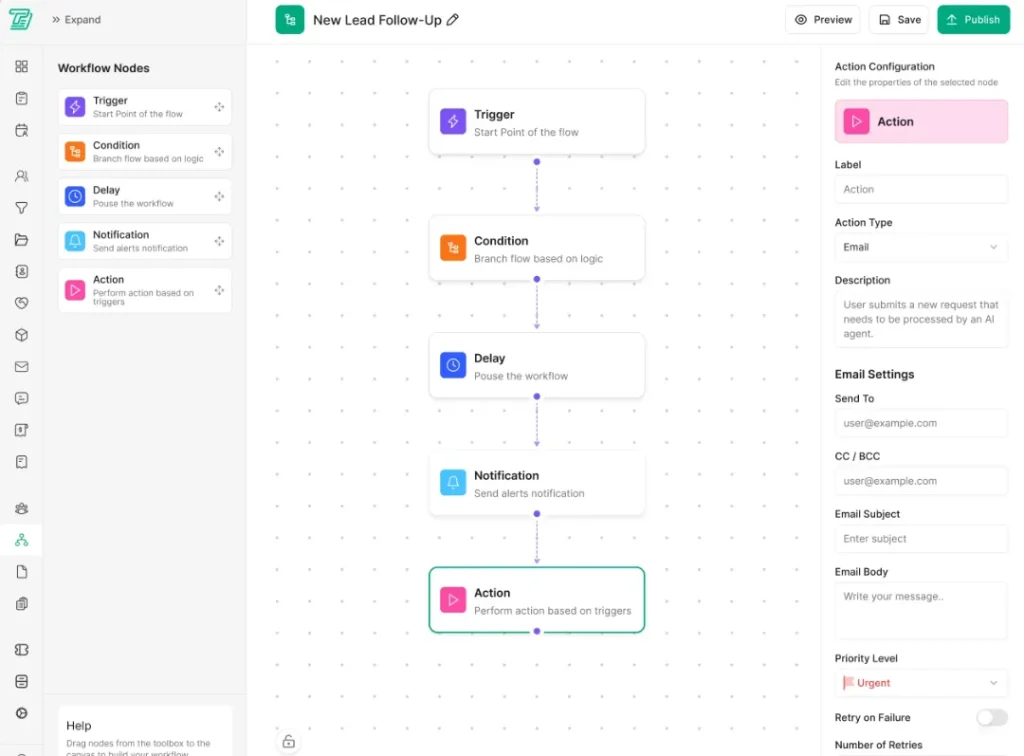
Image: Taskip Workflow automation
- Billing & Payments
Taskip integrates with payment processors like Stripe, PayPal, Mollie, Xendit, Razorpay, etc., and it doesn’t charges and transaction fees. You will get multiple currency support in Taskip. It additionally gives access to VAT and Tax management features to all its paid plans.
Taskip Pros
- Proposal, quotation, invoicing- all in a single platform
- Offers a complete CRM solution
- E-signure
- Extended team collaboration; the highest tier supports unlimited users
- Advanced conditional-based workflow automation
- Extensive third-party integration
- Affordable and transparent pricing
Taskip Pricing
Taskip offers four paid plans along with its free Starter plan, which comes $0 forever.
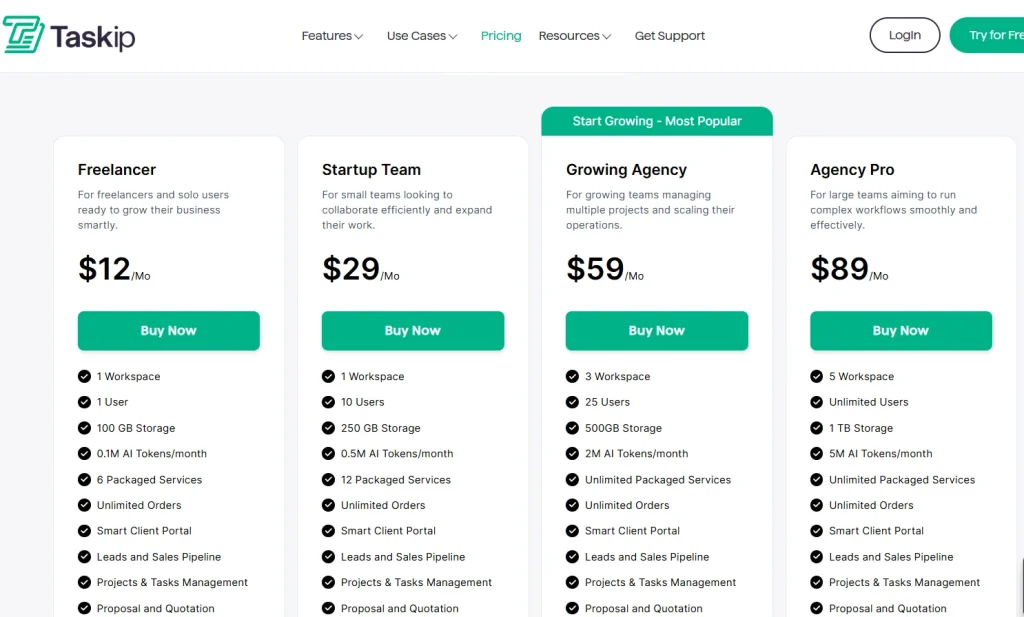
Image: Taskip Pricing
Ratings & Reviews
| Platform | Rating | User Feedback |
| G2 | 4.3/5 | “As a freelance web developer, my day used to be a constant juggle between deep coding sessions and urgent client updates. Taskip has been a game-changer, streamlining my entire workflow. Now, monitoring project progress is effortless, allowing me to focus on what I do best without missing a beat. It truly feels like I’ve gained an extra set of hands to manage the administrative side of my business!” SUBRATA S. |
| Trustpilot | 3.7/5 | “Fantastic, I’m using this software last 8 month and this is awesome. Specially its invoicing system and from builder. I also like Project Management part. I love this and thanks.” – Nurul Amin |
2. PandaDoc — Best for All-in-One Document Automation and eSignatures
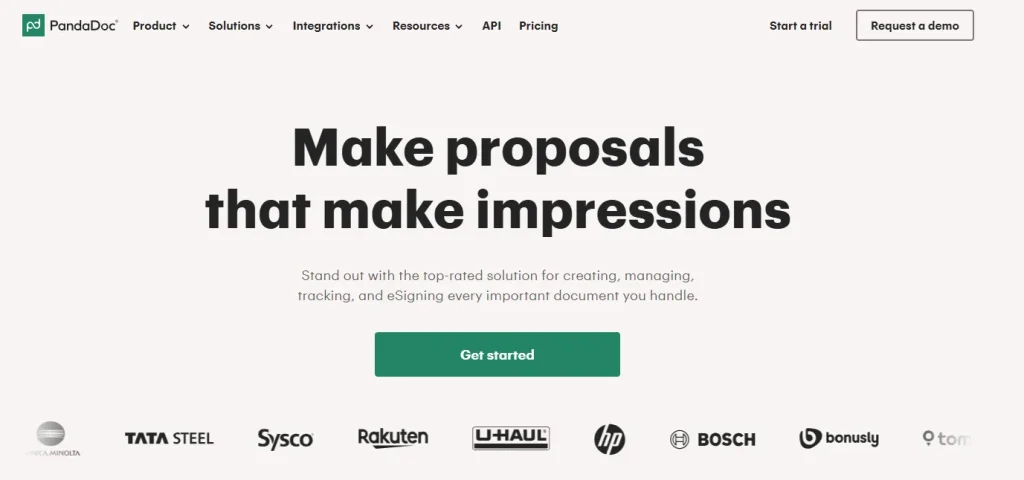
PandaDoc centralizes the sales and client-facing documents by combining document creation, proposal building, electronic signature, and payment processing.
Here you can build proposals from content library templates, collect signatures on quotes and contracts, and process payments directly from signed documents. This way, creating and managing documents is easy with PandaDoc.
PandaDoc Best Feature
- Automatic document generation
- Streamline workflow
- Tracking and analytics
- Drag-and-drop editor
- Legally binding eSignatures:
- Multiple team members
PandaDoc Limitations
- Performance Issues with Large Documents
- No built-in comment/chat negotiation
- Expensive pricing
To learn more about PandaDoc limitations and alternatives, read this: Top 13 Best PandaDoc Alternatives to Streamline Documents Faster
PandaDoc Pricing
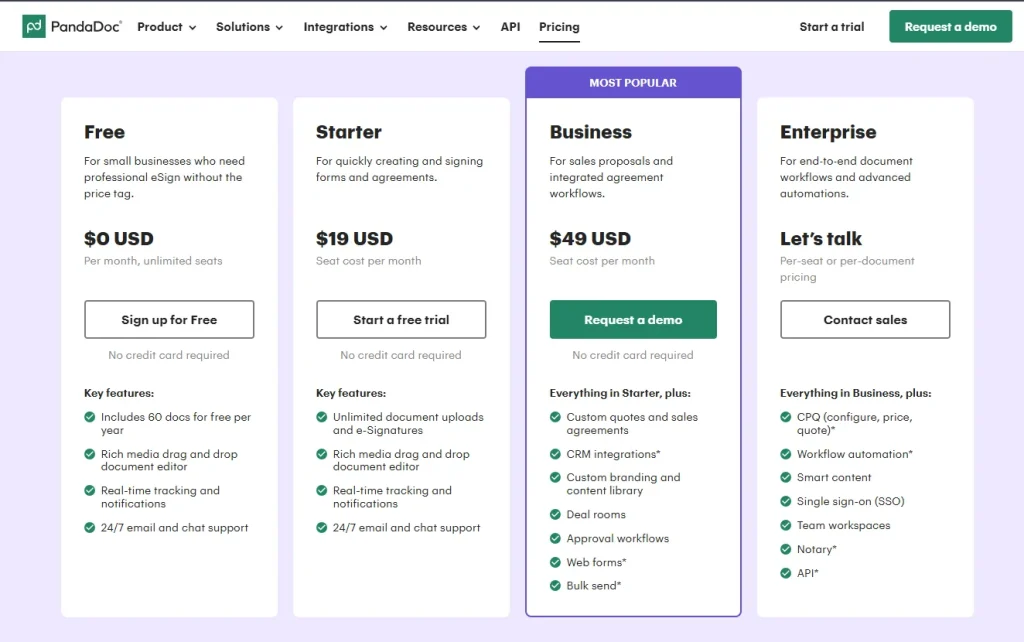
Image: PandaDoc Pricing
Ratings & Reviews
| Platform | Rating | User Feedback |
| G2 | 4.7/5 | “As a small company with 21 employees, we can’t afford to waste time learning overly complex software or paying for features we’ll never use. PandaDoc’s balance of usability and functionality fits us perfectly. Anytime we’ve run into questions—whether about templates, integrations, or billing—the PandaDoc support team has been responsive, knowledgeable, and genuinely committed to helping us succeed” Jamie B. |
| Trustpilot | 3.0/5 | “We have only been using PandaDoc for a few months now and it has completely made the way we do thing better and more professional. But it has also made our customers journey 100% better as well.” Bethany Velosa |
3. Nusii — Best for Creative Agencies and Freelancers
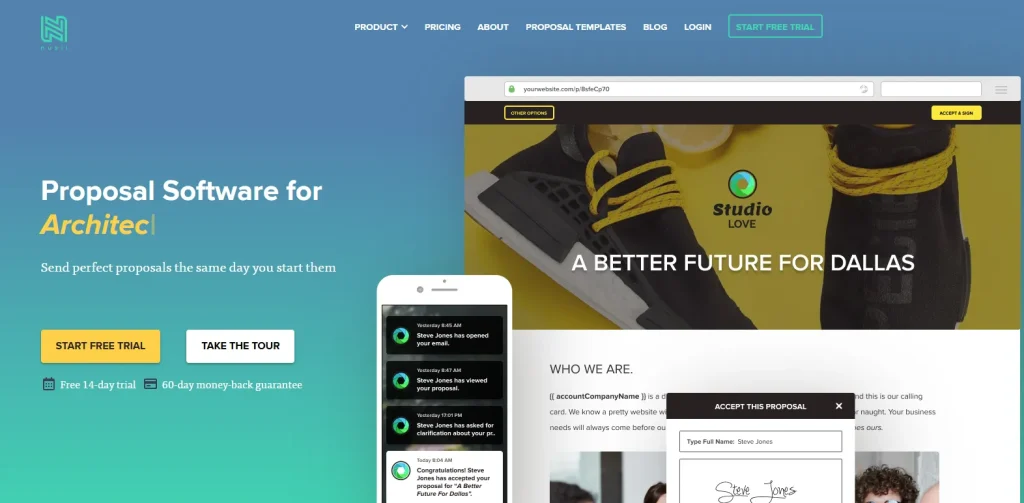
If your only focus is on the proposal feature, Nusii is the right Proposify alternative you can switch to. This tool helps you create, send, track, and get proposals signed online. As a result, you don’t need complex CRM or enterprise sales tools to manage documentation.
With Nusii, you can create professional proposals, add pricing tables, track when clients open proposals, and collect electronic signatures. This way, Nusii streamlines the entire proposal creation, sending, and confirmation.
Nusii Best Feature
- Clean and user-friendly interference
- Interactive pricing tables
- Customizable templates
- Built‑In E‑Signatures
- Client tracking & notifications
- Insight tracking
- On‑brand customization
Nusii Limitations
- Limits to proposals only; no quotation or invoicing
- No automatic exchange rate or multi-currency bulk quoting
- Basic workflow; not advanced
Nusii Pricing
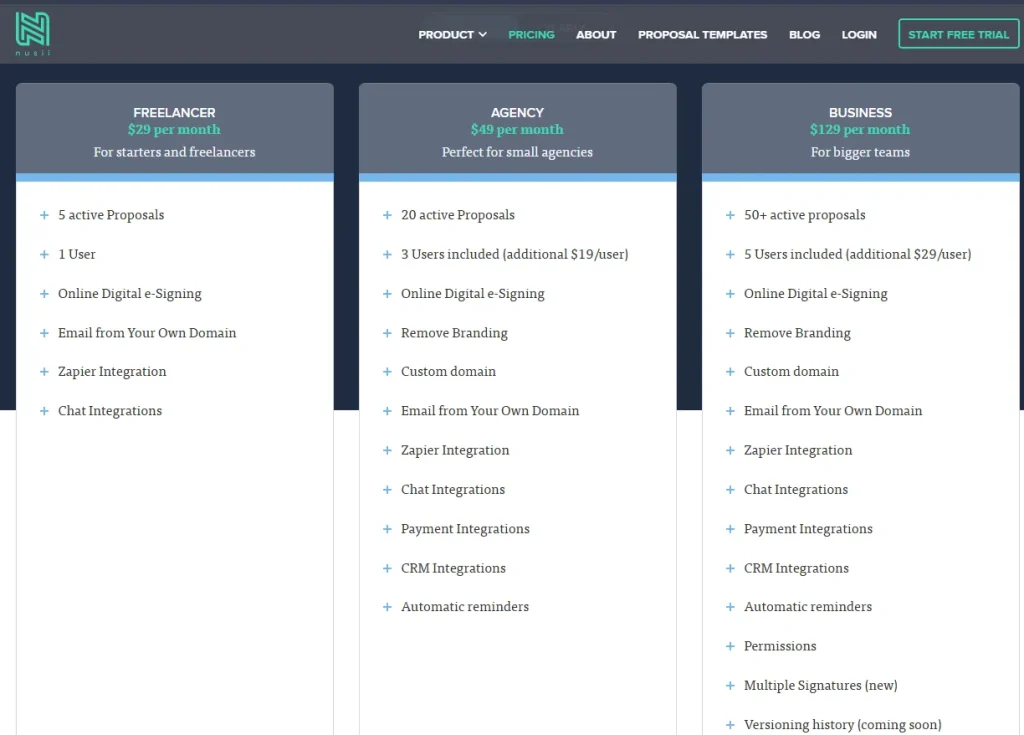
Image: Nusii Pricing
Ratings & Reviews
| Platform | Rating | User Feedback |
| G2 | 4.5/5 | “Nusii has made a big difference to our business. In the rush to get orders, we previously didn’t always have a signed formal proposal – not good. Nusii has made it easy for us to always have at least a standard proposal ready to send. The saved templates and copy last proposal remove any excuse for not sending a proposal quickly. And the central place to list them, see if they are opened and track them really helps too.”Michael G. |
| GetApp | 4.8/5 | “Most importantly, our clients are giving us great feedback on the look of our proposals and we’re closing deals with ease. We’re very happy to have found Nusii and look forward to growing with it.” Trevor S. |
4. Better Proposals — Best for Freelancers and Small Service Businesses
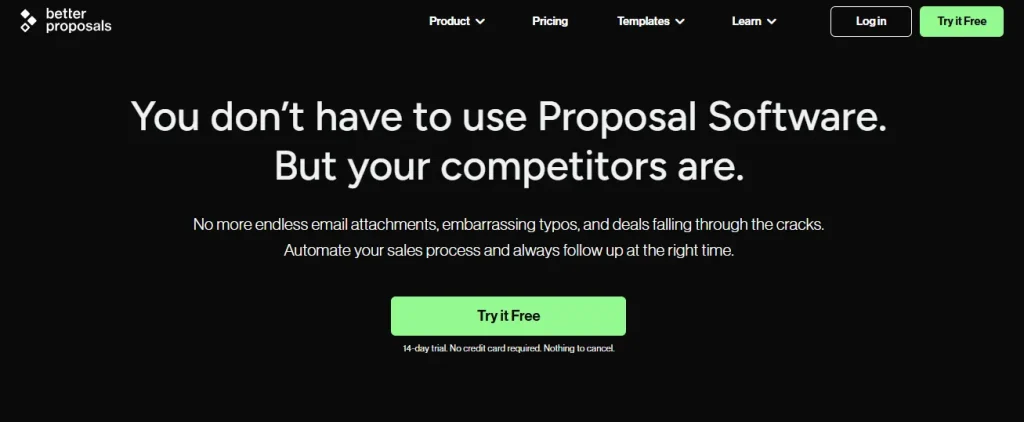
Better Proposals removes the hassle of creating proposals in Word, downloading them as PDFs, and sharing them as old-school attachments. Instead, you will get beautiful templates, where you can customize the design, color, and font to match your brand. And then send proposals to clients as a web link.
Moreover, you will get a notification when the client opens it and see exactly what sections they’ve read, in what order, and for how long.
The best feature of Better Proposals, however, is live chat. Your clients can add on options or ask you questions via live chat, and you can even make changes in real time!
Better Proposals Best Feature
- Live chat within the proposal
- Legally binding
- 100% customizable
- Control and manage proposal access
Better Proposals Limitations
- No invoicing
- Supports only one signature per proposal
Better Proposals Pricing
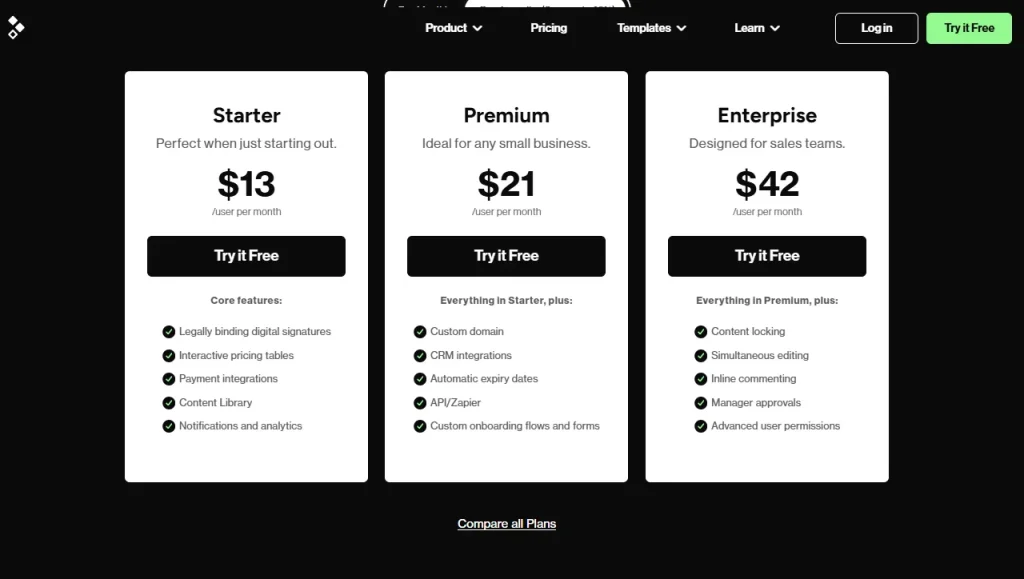
Image: Better Proposals
Ratings & Reviews
| Platfrom | Rating | Real Review |
| G2 | 4.3/5 | “It’s such an easy system to use. It’s great value for money and has completely changed the game for my business. It’s easily integrated with other softwares so has allowed me to automate a lot more than I could before. Highly recommend. It was so easy to create beautiful templates and start using right away!”Rebekah S. |
| Capterra | 4.6/5 | “I was lucky enough to purchase a lifetime license for Nusii so it was definitely worth the investment. Overall I love how easy it is to customize and create templates. Clients love how responsive they are on mobile devices and the ability to pay immediately.” – Anonymous User |
5. Qwilr — Best for Interactive, Web-Based Proposals
Qwilr is a widely used tool for proposals and quotations. You can track proposals, quotes, and contracts at every stage.
The analytics and notification features of Qwilr let you know when a buyer views, signs, pays, becomes engaged, or loses interest. Thus, you can keep a real-time update of your progress. Moreover, with QwilrPay, you can directly collect payments within your proposals and quotations.
Qwilr Best Features
- 140+ professional proposal templates
- Automated proposal generation
- Supports third-party integrations
- E-signs and agreements
- Instant editing
- Real-Time Analytics
Qwilr Limitations
- Limited language support
- No built-in CRM
- Limited offline access
Qwilr Pricing
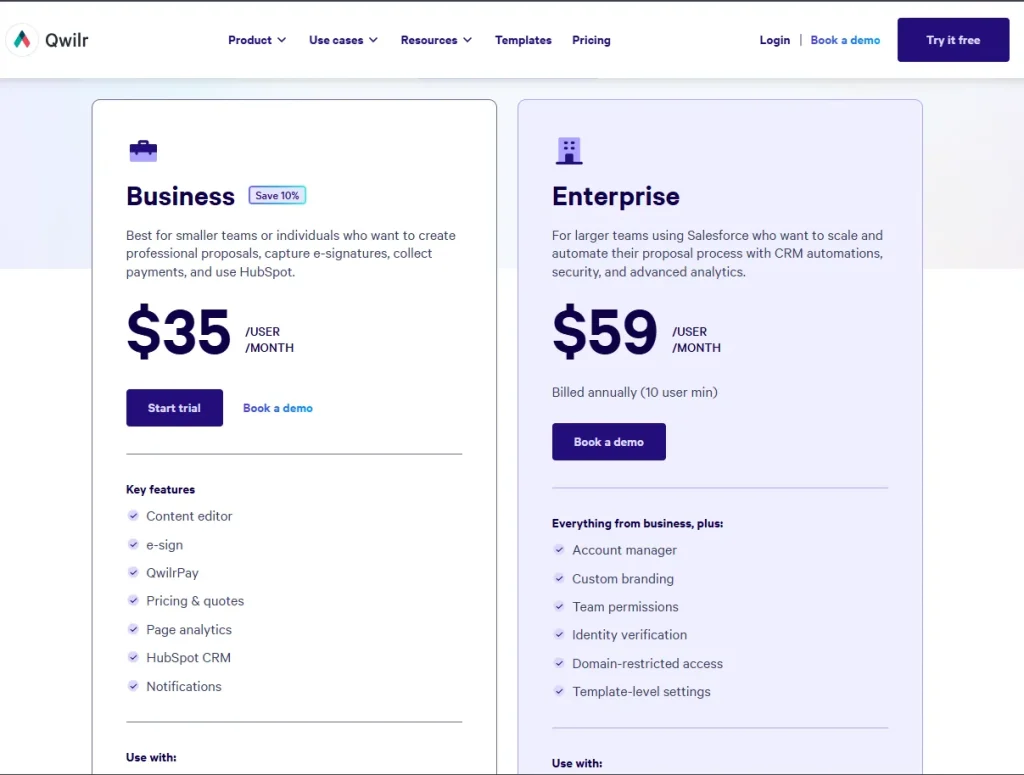
Image: Qwilr pricing
Ratings & Reviews
| Platfrom | Rating | Real Review |
| G2 | 4.6/5 | “I really like how fast and easy it is to build polished, professional-looking pages. The interactive blocks make everything feel modern and engaging, and clients find it intuitive to navigate and sign. Being able to turn complex documents into clean, consistent templates saves me a huge amount of time and makes our whole process feel more high-trust and streamlined.” Regan H. |
| Capterra | 4.6/5 | “I like that Qwilr creates engaging and flexible documents to fit my proposal needs. The program is very user-friendly and blends with my brand’s vision well.”- Benjamin S. |
6. Conga Composer — Best for Salesforce-Heavy Enterprise Document Generation
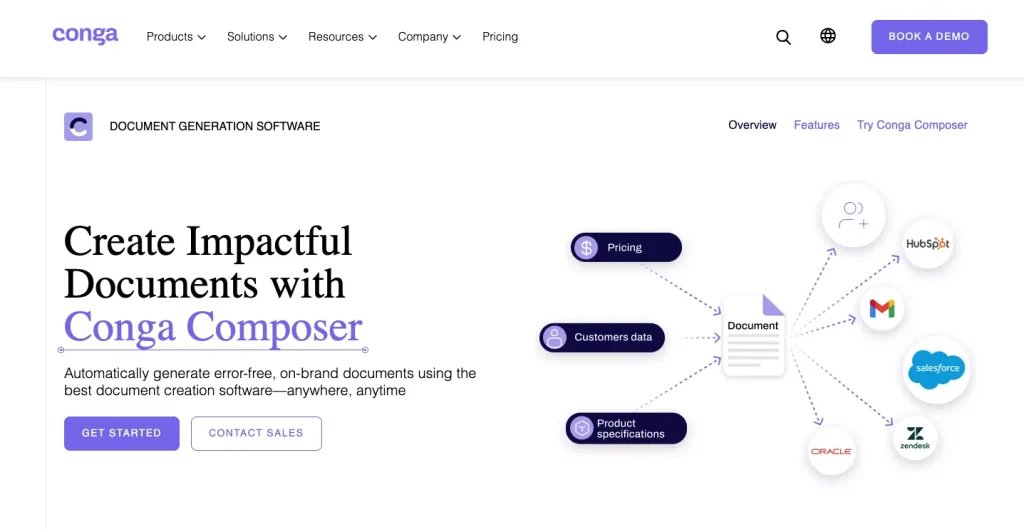
If you are looking for a robust Proposify alternative that is not limited to proposal creation but covers much broader aspects of revenue operations, Conga Composer is a strong option to consider.
It lets you automatically generate polished, branded proposal documents by merging data from your CRM or CPQ quotes. You can include pricing, product details, terms, visuals, and company branding to make the proposal ready to share with clients.
Essentially, you use CPQ to generate accurate quotes, then Composer to turn those quotes into full proposals!
Conga Composer Best Feature
- Share documents as secure web links
- Create customizable professional-level documents
- Extensive template library
- Automated billing
- Analytical reporting and scheduling
- Data merging from CRM or ERP systems
- Workflow automation and approval routing
- Multi-format output: PDF, Word, Excel, PowerPoint
Conga Composer Limitations
- Salesforce-dependent for full functionality
- Pricing is not publicly published
- Steep learning curve
- Limited format and file size
Conga Composer Pricing
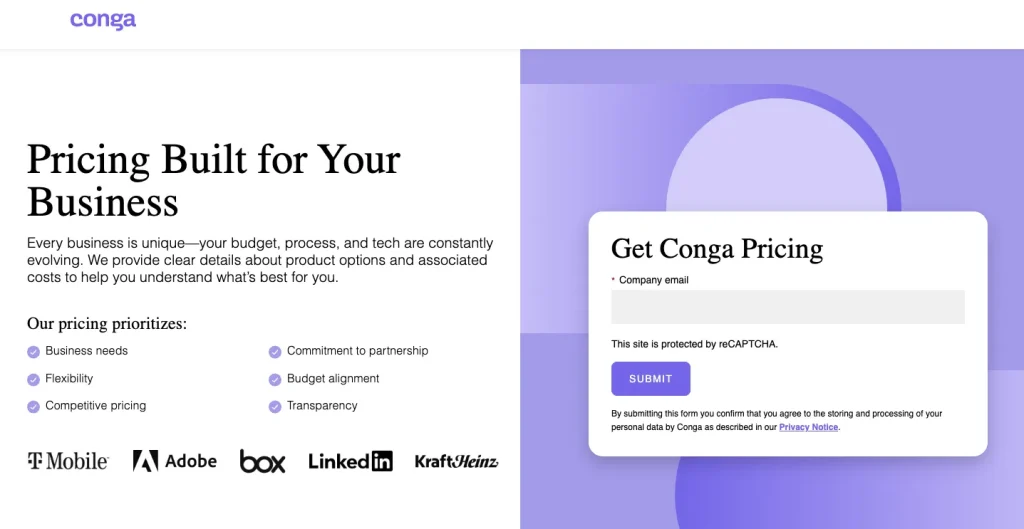
Image: conga pricing
Ratings & Reviews
| Platfrom | Rating | Real Review |
| G2 | 4.4/5 | “I use Conga Composer for creating customized letters and documents in our Salesforce instance using merge fields. Composer makes it easy for users to send customized documents without having to type them up, which is a fantastic use of automation. Once it is set up, it is very easy for the user, and updating the templates is easy for the admin. Also, the technical assistance from their team has been wonderful.”Maureen C. |
| Capterra | 4.4/5 | “It satisfied our requirement for combining multiple documents into a single PDF.”- Tim C |
7. GetAccept — Best for Sales Teams and Digital Sales Rooms
GetAccept is an all‑in‑one sales engagement and digital sales room platform that streamlines the proposal‑to‑close process. With this tool, you can create proposals that include multimedia, pricing, and real‑time engagement tools for buyers.
Here, you will also get a tracking and analytical feature that gives you an overview tab that provides key metrics about your room engagement. Thus, you can quickly identify your most and least engaged stakeholders, helping you focus your follow-up efforts effectively.
GetAccept Best Feature
- Interactive proposals & digital sales rooms
- Real-time engagement tracking
- Built-in e-signatures
- CRM integration
- Automated follow-ups & reminders
- Personalized sales content
- Analytics & reporting
- Secure digital sales rooms
GetAccept Limitations
- Dependence on CRM integration
- Learning curve for advanced features
- Pricing can be expensive for small teams
- Limited template customization
GetAccept Pricing
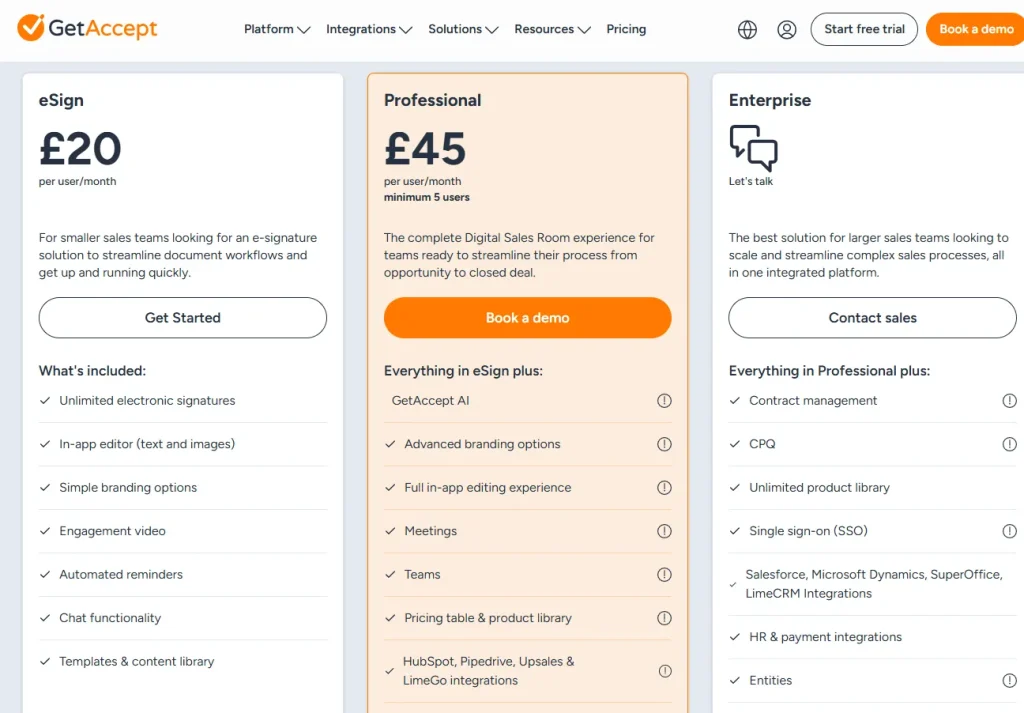
Image: GetAccept
Ratings & Reviews
| Platfrom | Rating | Real Review |
| G2 | 4.6/5 | “I really appreciate having a dedicated support rep to help me get everything up and running. They were even able to help me to build the integration and automations with our CRM, making it easy to maintain accurate data. The software us super easy to use and I am able to figure much of it out on my own. Other products we reviewed seemed way too complicated to manage on our own.” Catie C. |
| Capterra | 4.6/5 | “Overall, we have been able to complete our jobs so much more successfully since the implementation of GetAccept. We are able to get documents from families in real time and get signatures immediately even though we are still working remotely. It has been so helpful that we are trying to determine how we can still utilize it when we go back to the “real world.” Liz F. |
8. DocuSign — Best for E-Signature-First, Compliance-Heavy Organizations
DocuSign is the industry-standard e-signature platform, with basic proposal and contract capabilities layered on top. It’s built for organizations where legal compliance and signature security matter more than proposal design.
DocuSign Best Feature
- Industry-leading e-signature security and compliance
- Deep integration with major CRMs (Salesforce, HubSpot, Microsoft Dynamics)
- Mobile-first signing experience
- Broad audit trail and legal admissibility standards
DocuSign Limitations
- Proposal creation and design tools are basic compared to dedicated proposal software
- No built-in proposal analytics (view time, engagement by section)
- Pricing scales quickly once you need advanced document workflows
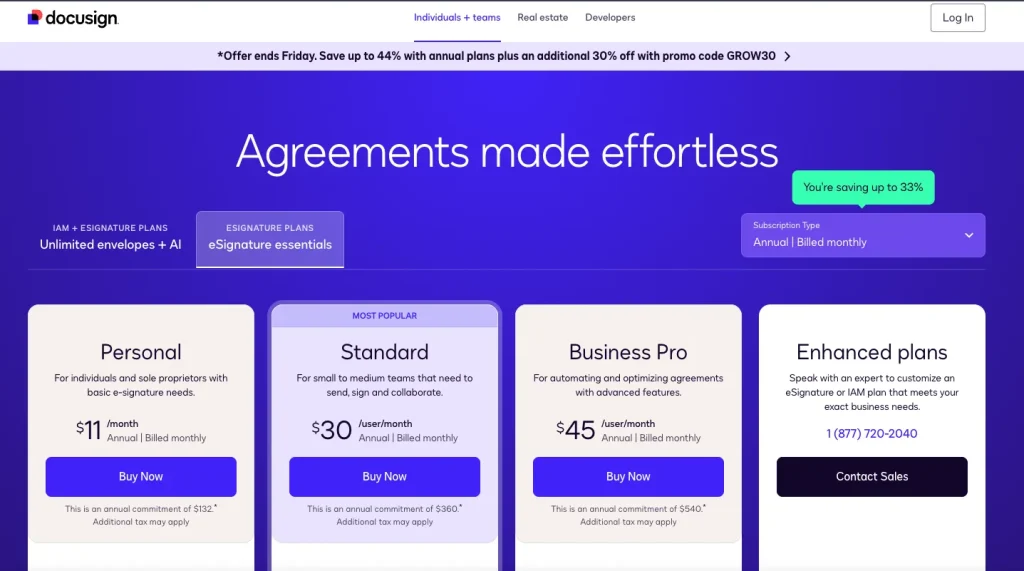
DocuSign Pricing
Plans start around $10/user/month for a Personal plan, scaling to roughly $40/user/month for Business Pro.
9. Oneflow — Best for Real-Time Collaborative Contract Editing
Oneflow manages the full contract lifecycle — not just proposal creation, but real-time collaborative editing, negotiation, e-signature, and post-signature analysis, in a single thread with your prospect.
Oneflow Best Feature
- Real-time collaborative contract editing (like a Google Doc, but for contracts)
- Built-in negotiation and inline commenting between rep and prospect
- Post-signature analytics and AI-assisted contract review
- Useful beyond sales — HR, procurement, and legal teams can use it too
Oneflow Limitations
- Custom/opaque pricing — no published rate card
- Proposal editor is less mature than Proposify’s for pure proposal design
- Overkill if you only need simple proposal generation, not full contract management
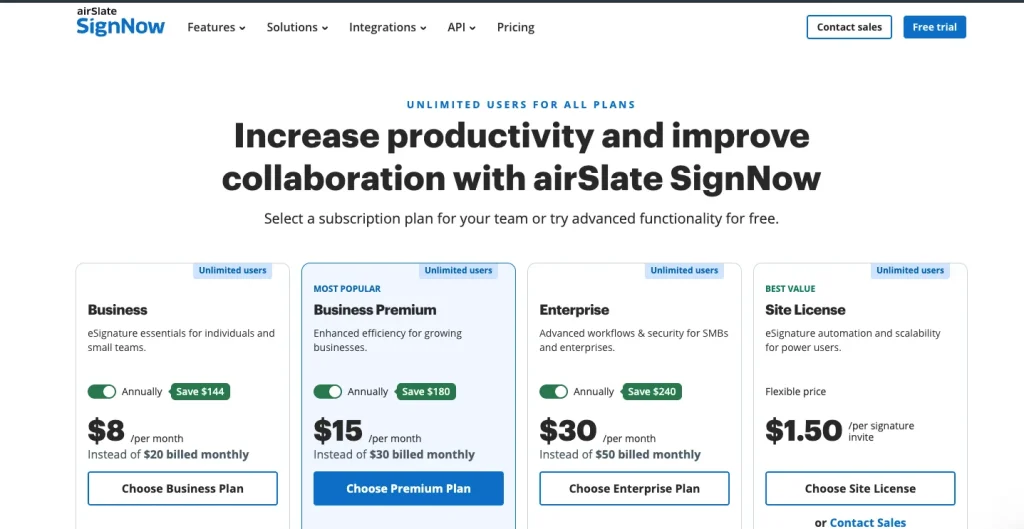
Oneflow Pricing
Business and Enterprise plans, both custom-quoted.
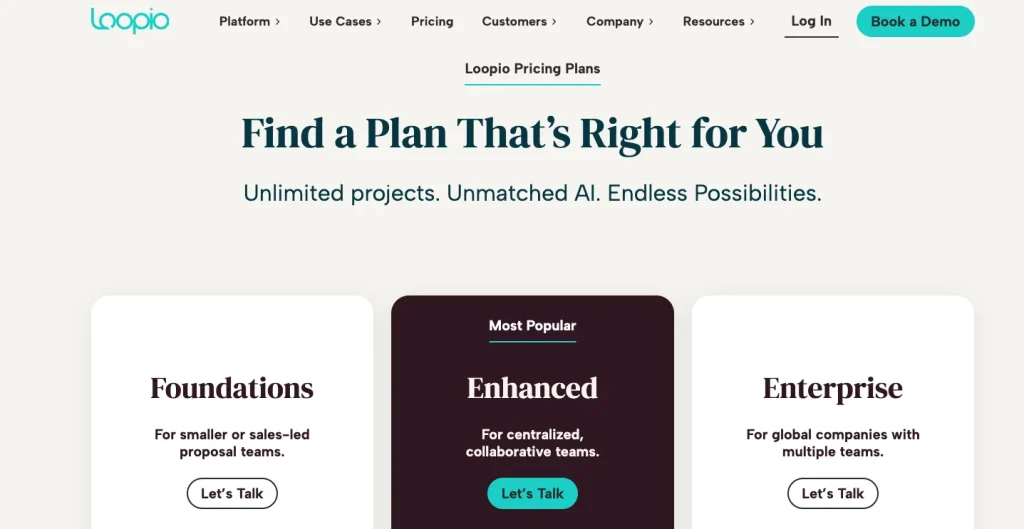
10. Loopio — Best for Enterprise RFP Response at Scale
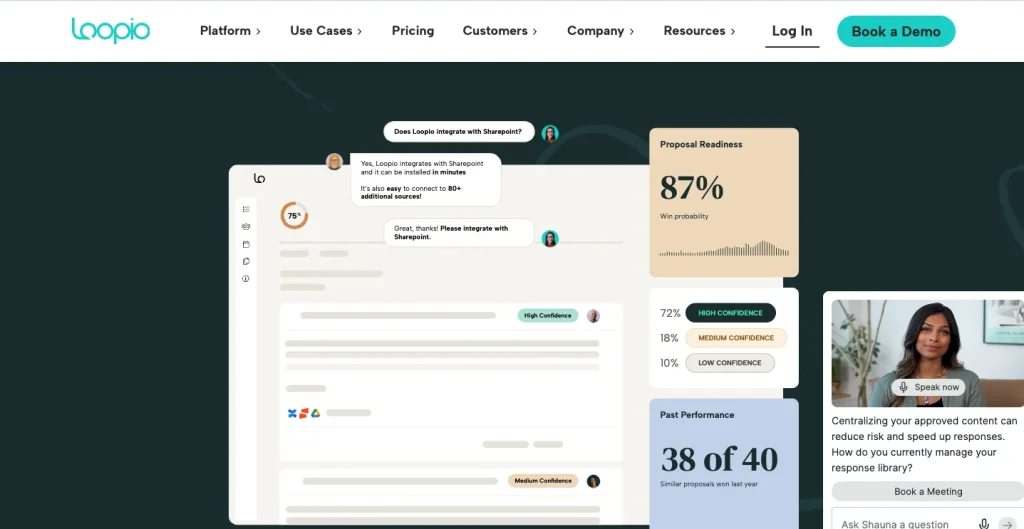
Loopio is a purpose-built enterprise RFP (request for proposal) response platform — built for teams that respond to complex, technical proposals and security questionnaires at volume, not simple one-off sales proposals.
Loopio Best Feature
- Centralized content library with pre-approved, reusable answers
- AI-assisted drafting for RFPs, DDQs, and security questionnaires
- Handles highly technical, compliance-heavy proposal requirements
- Built for teams managing dozens of RFP responses per month
Loopio Limitations
- Expensive — plans start around $20,000/year
- No e-signature or proposal-tracking analytics (it’s a drafting tool, not a full sales-closing platform)
- Steep setup and content-library curation required before it pays off
Loopio Pricing
Foundations plan starts at $20,000/year; Enhanced and Enterprise tiers are custom-quoted.
How to Choose the Right Proposify Alternative
- If you want proposals, quotes, and invoicing in one place: Taskip covers all three plus a CRM, starting at $12/month with a free plan.
- If you need the deepest proposal analytics available: Proposify itself, or PandaDoc, track page-level engagement and time-per-section.
- If visual impact matters most: Qwilr’s interactive, web-based proposals include embedded video and live pricing calculators.
- If you’re a freelancer or solo consultant on a budget: Better Proposals or Nusii are the cheapest dedicated proposal tools here.
- If your team lives in Salesforce: Conga Composer generates proposals directly from your CRM/CPQ data.
- If you’re managing a full sales cycle, not just proposals: GetAccept centralizes video, e-signature, and stakeholder tracking in one deal room.
- If e-signature compliance is the top priority: DocuSign is the industry standard for legally defensible signatures.
- If contracts need real-time back-and-forth editing: Oneflow lets both sides edit collaboratively before signing.
- If you respond to formal RFPs at volume: Loopio’s content library and AI drafting are built specifically for that workflow.
Proposify vs. Taskip: Why Taskip is Better than Proposify?
| Feature | Proposify | Taskip |
|---|---|---|
| Best for | Sales teams that need advanced proposal management and detailed proposal analytics | Agencies, consultants, and freelancers wanting CRM, proposals, invoicing, and client management in one platform |
| Starting price | $29/user/month | $12/month |
| Free plan | No (14-day free trial) | Yes (Free Forever) |
| Document sending | Limited on entry-level plan; unlimited on higher tiers | Unlimited |
| Proposal builder | ✅ Advanced | ✅ Built in |
| Quotation builder | ✅ | ✅ |
| Invoicing | ❌ Not available | ✅ Built in |
| CRM & lead management | ❌ | ✅ Built in |
| Client portal | ❌ | ✅ Built in |
| E-signatures | ✅ Legally binding | ✅ Legally binding |
| Proposal analytics | ✅ Advanced engagement analytics, views, time spent, and completion tracking | ✅ Proposal status tracking (Draft, Sent, Viewed, Accepted, Rejected) |
| Workflow automation | Limited | ✅ Built-in CRM workflows and automations |
| Project management | ❌ | ✅ Built-in |
| Ideal choice | Businesses focused primarily on proposal creation, tracking, and sales enablement | Businesses looking to replace multiple tools with a single platform for proposals, CRM, invoicing, and client management |
Closure: Which Proposify Alternative Is Best For You?
The best Proposify alternative depends on your needs. If you want advanced features like quotes, automation, and workflows, tools like Taskip, Conga, or GetAccept are great. And for simplicity and affordability, choose a platform that covers core proposal features without complexity. In this case, Taskip stands out.
Taskip allows you to create proposals, quotations, and invoices from pre-built templates. You can customize them to your branding and share with your clients from a single dashboard. Thus, besides tracking projects’ progress, you can also handle all documentation in a centralized way with Taskip.
FAQs on Proposify Alternatives
What should I look for in a Proposify alternative?
In a Proposify alternative, consider features like proposal and quote creation, e‑signatures, templates, automation, integrations, and pricing that fit your business size.
Can Proposify alternatives handle invoicing too?
Yes, many alternatives like Taskip, GetAccept, and Conga offer invoicing and billing features along with proposals and quotes.
Do these Proposify alternatives work with CRM systems?
Most good ones, like Taskip, integrate with CRMs like Salesforce, HubSpot, or Zoho to keep your sales process connected.
How does Proposify handle electronic signature and proposal tracking?
Proposify includes built-in, legally binding e-signatures on every plan, along with notifications and metrics that tell you when a prospect opens, views, or signs a document. Its Business tier adds exportable reports for tracking documents across a whole team. Taskip includes the same e-signature and status-tracking capability (draft, sent, accepted, rejected, closed), plus invoicing and a client portal that Proposify doesn’t offer.
GetAccept vs Proposify: which is better?
GetAccept is built around a “digital sales room” that centralizes proposals, video messaging, and e-signatures for longer, multi-stakeholder deals — a better fit for complex B2B sales cycles. Proposify is more focused purely on proposal creation and tracking, with simpler month-to-month billing and no long-term contract, versus GetAccept’s typical annual commitment.
What are the best Proposify competitors for small teams?
For small teams and freelancers, Taskip, Better Proposals, and Nusii are the most affordable Proposify competitors, all starting well under Proposify’s $29/month entry price. Taskip is the only one of the three that also includes invoicing and a client portal at that price point.
Does Proposify have a free plan?
No. Proposify offers a 14-day free trial but no permanent free plan. Taskip and GetAccept both offer limited free plans if a free option is a requirement.