The best AI tools for agencies in 2026 depend on your bottleneck: Gumloop for no-code AI agents, ClickUp Brain for AI project management, Claude for long-form writing, Databox for automated client reporting, and Taskip for teams that want client work, invoicing, and reporting in one workspace. We tested 14 AI tools for agencies across client work, reporting, and creative production, and ranked them by how much time they actually save, not how much they promise.
Whether you’re searching for content agency workflow automation tools or AI scheduling tools for marketing agencies, the picks below cover both: Notion AI and ClickUp Brain for workflow and SOPs, and Zapier Central for scheduling and triggers.
One agency owner who ran a 10-person marketing team described it well after testing six AI tools for three months:
“The biggest wins weren’t “better copy. They were the boring operational loops — reporting, meeting notes, and moving data between systems. ”
That is exactly what this guide is about, not the AI writing assistants you already know, but the workflow systems that handle the invisible work that eats your week.
| Need | Tool | Starting Price | Free Plan |
|---|---|---|---|
| All-in-one client work, invoicing, reporting, and AI | Taskip | $12/month | Yes |
| AI agent automation, no code | Gumloop | $37/month | Yes |
| Long-form writing & strategy | Claude | $20/month | Yes |
| Client reporting & ROI dashboards | Databox | $47/month | Yes |
| Creative concepting & visuals | Midjourney | $10/month | No |
Taskip is the top all-around pick for agencies that want to manage client work, invoicing, reporting, and AI workflows in one platform. The full breakdown of all 13 tools, pricing, features, and estimated time saved per week is below.
Table of Contents
What Are AI Tools for Agencies?
AI tools for agency workflows are software platforms that use artificial intelligence to automate, organize, and improve repetitive agency tasks like project management, content creation, reporting, client communication, scheduling, and internal operations.
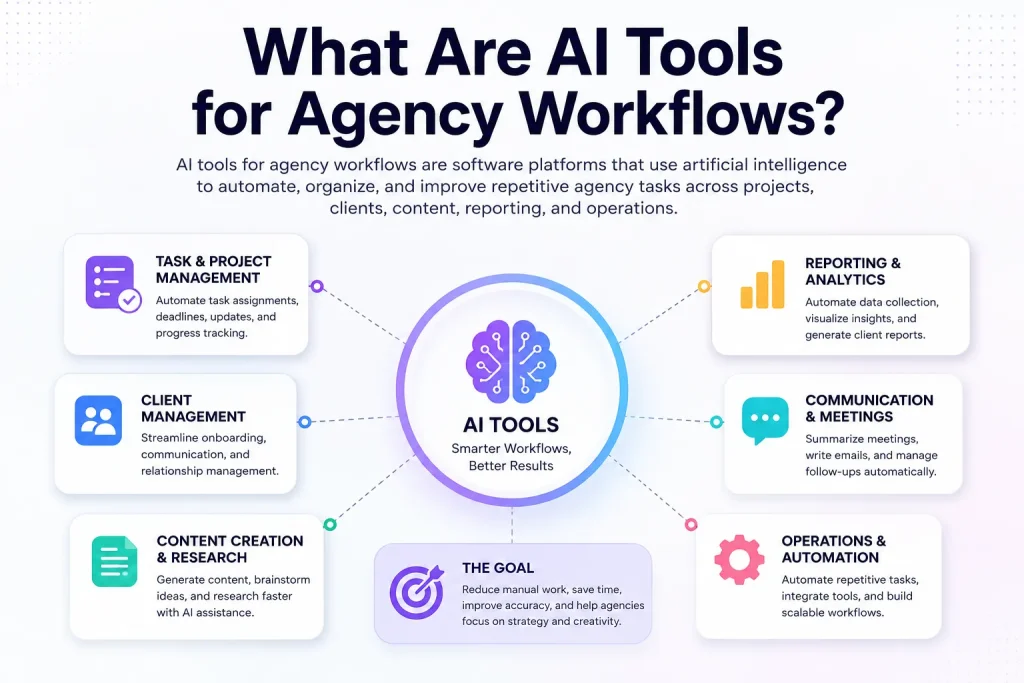
Instead of manually handling every step, agencies use AI tools made by top generative AI companies to speed up workflows, reduce admin work, and help teams focus on strategy and creative execution.
For example, an agency might use AI to:
- generate content briefs
- summarize meetings
- automate client onboarding
- create reports
- assign tasks automatically
- manage emails and follow-ups
- build SOPs from recorded workflows
In 2026, the biggest shift is moving from basic AI writing tools to AI-powered workflow systems and agents that can connect multiple apps, make decisions, and complete multi-step tasks with minimal human input.
AI Content Tools vs. AI Workflow Tools
Many agencies confuse AI content tools with AI workflow tools, but they solve very different problems.
AI content tools like ChatGPT focus on creating outputs like blog posts, ad copy, social captions, images, or videos. AI workflow tools focus on automating the process around that work: tasks, approvals, reporting, onboarding, communication, and operations.
| Type | What It Does | Example |
| AI Content Tool | Generates text, images, or video | Claude, Midjourney, Synthesia |
| AI Workflow Tool | Automates multi-step processes | Gumloop, Zapier Central, Lindy.ai |
| AI Agent | Reasons, decides, and acts autonomously | Gumloop Agents, Zapier Central |
| All-in-One Platform | Combines workspace, CRM, and automation | Taskip |
Agencies that only use content tools hit a ceiling fast. The real leverage comes from automating the operational layer underneath the creative work.
Why Agencies Are Investing in AI in 2026
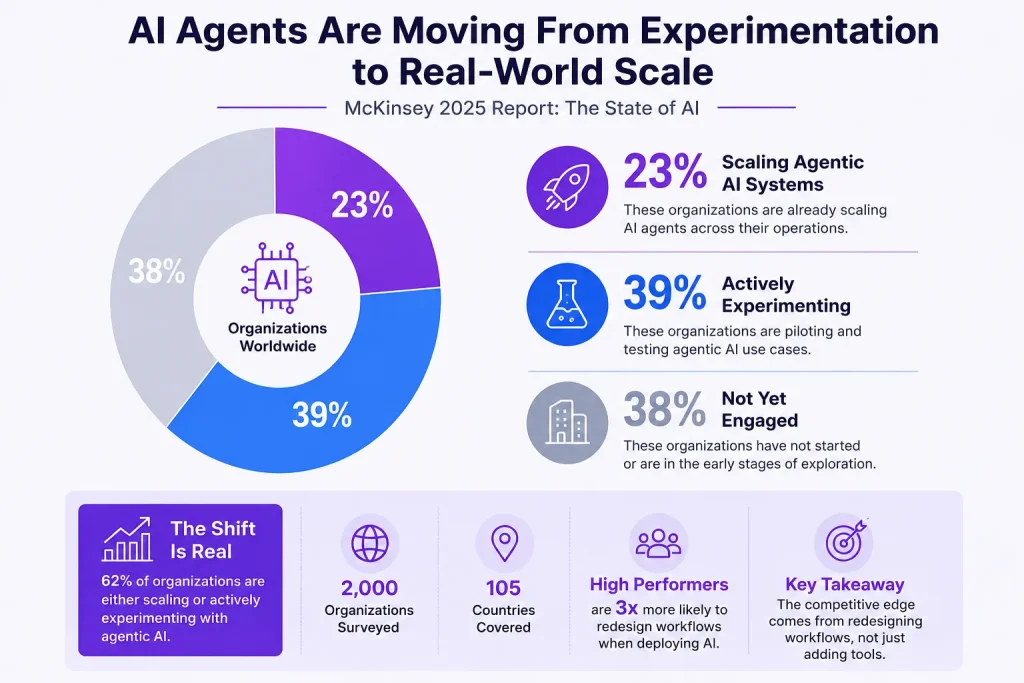
McKinsey’s 2025 State of AI report surveyed nearly 2,000 organizations across 105 countries. The finding that matters most for agencies: high performers are nearly three times as likely as others to fundamentally redesign their workflows when deploying AI. Not just add tools. Redesign how work moves through the business.
That is the gap separating agencies that are genuinely saving time from those still paying for subscriptions they barely use. Other drivers pushing agencies toward AI in 2026:
- Lean team structures with no room for low-value busywork
- Clients expecting more output at the same or lower cost
- Async work across time zones requires systems, not just people
- ChatGPT is reaching ~900 million weekly active users, making AI a client discovery channel, not just a productivity tool
- Generative Engine Optimization (GEO) is emerging as a new client service category that agencies are expected to understand
What Makes a Good AI Agency Workflow Tool?
Before buying anything, run every tool through these eight criteria:
- Automation depth – Multi-step processes or just single tasks?
- Integration breadth – Does it connect with what you already use?
- AI agent capability – Can it reason and act, or just respond to prompts?
- Team collaboration – Can multiple people use it cleanly?
- Reporting and analytics – Can you prove ROI to clients using it?
- Client management support – Does it handle the client-facing side?
- Task orchestration – Can it coordinate work across tools automatically?
- Data governance – Is client data actually safe inside this platform?
At a Glance: Best AI Tools for Agencies in 2026
| Tool | Best For | Primary Use Case | Free Plan | Starting Price | Estimated Time Saved/Week |
| Taskip | All agencies and freelancers | Project management, CRM, client portal, workflow automation | Yes | $12/month | 3–5 hrs |
| Gumloop | Non-technical agency owners | Building AI agents without code | Yes | $37/month | 4–6 hrs |
| Lindy.ai | Solo operators and small agencies | Admin, scheduling, email, CRM updates | Yes | $49.99/month | 3–4 hrs |
| Zapier Central | Agencies already using Zapier | Cross-platform AI automation | Yes | $29.99/month + add-ons | 2–4 hrs |
| ClickUp Brain | ClickUp users | AI project summaries and status updates | No | $7/member/month add-on | 2–3 hrs |
| Akool | Agencies producing localized or multilingual video | AI video generation, talking avatars, face swap, video translation | Yes | $12/month | 3–5 hrs/video |
| Notion AI | Content and knowledge-heavy agencies | SOPs, briefs, onboarding docs | No | $10/member/month add-on | 2–3 hrs |
| Claude | All agency types | Long-form writing, strategy, client docs | Yes | $20/month | 3–5 hrs |
| Perplexity | Strategy and content teams | Research with citations | Yes | $20/month | 2–3 hrs |
| Midjourney | Creative agencies | Visual concepting and moodboards | No | $10/month | 2–4 hrs |
| Synthesia | Agencies offering video services | Script-to-video production | No | $29/month | 4–6 hrs/video |
| Databox | Performance marketing agencies | Automated client reporting | Yes | $47/month | 3–5 hrs |
| Fathom / Fireflies.ai | Client-facing agencies | Meeting transcription and action items | Yes | Free / $18/month | 2–3 hrs |
| Higgsfield AI | Creative agencies | AI image, video, and voice generation | Yes | $9/month | 3–5 hrs |
These are weekly estimates based on consistent use across real agency workflows, not best-case scenarios. Individual results vary depending on how many clients you manage and how well the tool is integrated into your existing process.
Best AI Tools for Agency Workflows in 2026
1. Taskip – Best All-in-One AI Workspace for Agencies
Most agencies waste hours every week on repetitive admin work, updating CRMs, sending follow-ups, routing tickets, creating invoices, and notifying clients. None of it is difficult, but it constantly eats into productive time.
Taskip solves this with a built-in Workflow Automation engine. You can visually build automations using triggers, conditions, delays, notifications, and actions — no coding, no external automation tools, and no disconnected systems.
What makes it powerful is that everything runs inside the same workspace where your projects, CRM, invoices, and support tickets already live. A workflow can automatically qualify a lead, send follow-ups, create tasks, and update records without moving data between multiple apps.
This makes Taskip a complete marketing operations automation framework for managing live client tasks and deliverables, keeping every active project, approval, and update in one system instead of scattered across tools.
Taskip also includes Taspi, an AI assistant currently in beta. Instead of manually navigating the platform, you can use natural language commands like creating invoices, summarizing leads, or managing tasks directly from one connected workspace.
Key features:
- Workflow Automation: Visual drag-and-drop builder with triggers, conditions, delays, auto-notifications, and actions- no code needed
- Execution Timeline: Full log of every workflow run so you can track, audit, and debug with clarity
- Taspi (built-in AI assistant): Natural language commands for managing projects, invoices, CRM, tickets, and reports
- White-label client portal: Branded client access to deliverables, invoices, and project updates
- CRM and Sales Pipeline: Lead capture, deal tracking, and quotation management built in
- Invoicing: Create, send, and track invoices in seconds; auto-generate from approved quotes
- Meeting Scheduler, Support Tickets, Discussions with Notes: All the client-facing operational tools in one workspace
Time saved: 3 to 5 hours/week from reduced tool switching and manual client update cycles.
Pricing: Starts at $12/month. See full pricing
Pros & Cons
| Pros | Cons |
| Built specifically for agencies, not repurposed from a generic PM tool | Newer platform, so third-party integrations are still expanding |
| Replaces multiple subscriptions, reducing total monthly cost significantly | Some advanced automation features are still being rolled out |
| White-label client portal gives a professional, branded experience | |
| Mobile app available on iOS and Android |
Ideal for: Freelancers, boutique agencies, and growing service teams who want everything in one place without enterprise-level pricing.
As connected AI stacks become the norm, having a single operational hub that ties together your projects, clients, communication, and automations is more valuable than a collection of best-in-class tools that do not talk to each other. Taskip is built for that exact reality.
Related read: 5 + Best Digital Marketing Agency Management Software in 2026: A Comprehensive Guide
2. Gumloop – Best for Building AI Agents Without Code
Gumloop is an AI agent and workflow automation platform that lets you build custom agents using plain language. You describe what you want the agent to do, and it figures out the steps, connects to your tools, and runs the workflow without you managing it.
Unlike traditional automation tools that break the moment something unexpected happens, Gumloop agents can reason through problems and adapt. Connect it to your Slack, CMS, or CRM, and it runs quietly in the background while your team focuses on client work.
Key features:
- Natural language agent building with no code required
- Multi-step workflow automation with built-in decision-making
- MCP server integrations
- Built-in access to premium LLMs, including Claude and GPT-4
- Slack-native agent access for on-the-go triggering
Time saved: 4 to 6 hours/week on operations, research, and repetitive admin tasks.
Pricing: Free plan available. Solo plan at $37/month.
Pros & Cons
| Pros | Cons |
| Genuinely beginner-friendly for building agents | The template library is still growing compared to older platforms |
| No separate API keys needed for LLM access | Multi-workspace setup has a small learning curve initially |
| Scales from simple automations to complex multi-agent systems |
Ideal for: Marketing agencies, content studios, and operations-heavy service businesses.
The shift from AI prompting to agentic AI is real and accelerating.McKinsey reports that 62% of organizations are already experimenting with AI agents. Gumloop is one of the few no-code platforms that makes that shift accessible without a technical co-founder.
3. Lindy.ai – Best AI Executive Assistant for Agencies
Most AI tools ignore the part of agency work that quietly destroys margins: the administrative layer. Scheduling calls, chasing invoices, updating the CRM, and sending follow-ups. These tasks take 3 to 4 hours a week from almost every agency owner. Nobody talks about them because they feel too small to fix. But they add up to 150+ hours a year of work that produces nothing billable.
Lindy.ai is built to handle exactly that. It is not a calendar app. It is closer to an operations manager that runs in the background: handling email follow-ups, coordinating meetings across time zones, drafting contracts, and keeping your CRM current without you touching it.
The setup takes time to get right. But once it is running, the administrative drag most agency owners carry just disappears from their week.
Time saved: 3 to 4 hours/week on admin operations.
Pricing: Free plan available. Paid plans from $49.99/month.
Pros & Cons
| Pros | Cons |
| Removes repetitive admin work that quietly drains agency time | Setup takes time to optimize properly |
| Handles scheduling, follow-ups, and CRM updates automatically | More operations-focused than creative workflow-focused |
| Runs quietly in the background like an AI operations assistant | Higher starting price compared to lightweight productivity tools |
Ideal for: Solo consultants, freelancers, and small agency owners still doing their own admin.
Lindy.ai is one of the few AI tools focused on the operational work that agencies usually ignore until it becomes overwhelming. If your biggest bottleneck is admin rather than delivery, it can quietly recover hours every week by automating scheduling, follow-ups, and CRM upkeep behind the scenes.
4. Zapier Central – Best for Cross-Platform AI Automation
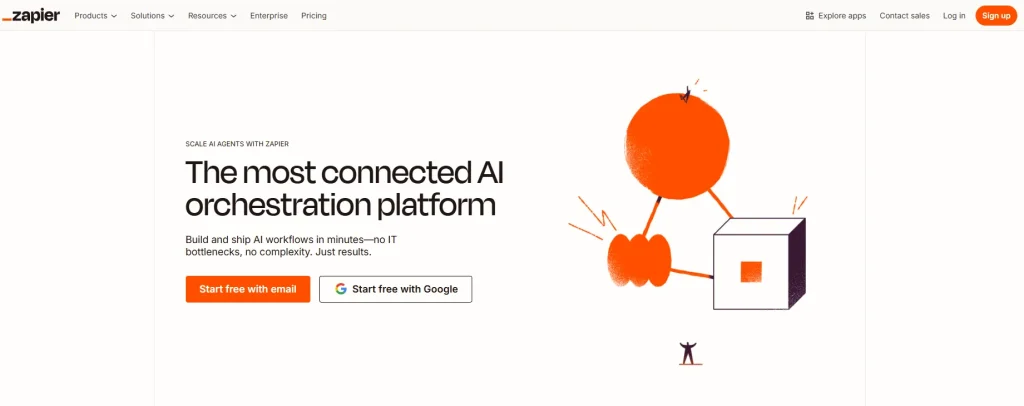
Most agencies already use Zapier for basic automation. Zapier Central is what happens when you add a reasoning layer on top. It connects to your entire stack (Slack, HubSpot, Gmail, and 8,000+ other apps) and makes decisions before acting.
Standard Zapier says: if this, then that. Zapier Central says: here is what happened, here is what it means, here is what I did about it. A high-value lead interacts with your site, and Central can independently research the company, draft a briefing, and notify your sales team before anyone on your team opens their laptop.
It is not a replacement for Gumloop or Make for complex agent workflows. It is the smartest upgrade for agencies already inside the Zapier ecosystem.
Time saved: 2 to 4 hours/week on repetitive cross-platform tasks.
Pricing: Core automation from $29.99/month. Agents add-on from $50/month.
Pros & Cons
| Pros | Cons |
| Connects intelligently with 8,000+ apps agencies already use | Agent add-ons increase overall platform cost |
| Adds reasoning and decision-making to traditional automation | Not intended for highly advanced agent workflows |
| Excellent upgrade for agencies already inside the Zapier ecosystem | Complex workflows can become difficult to troubleshoot |
Ideal for: Agencies with an established tool stack that needs a smarter connection layer.
Zapier Central makes the most sense for agencies already deep inside the Zapier ecosystem. Instead of replacing your existing stack, it adds an AI reasoning layer on top of it, making automations smarter and reducing the amount of manual coordination required between tools.
5. ClickUp Brain – Best AI Project Management Tool
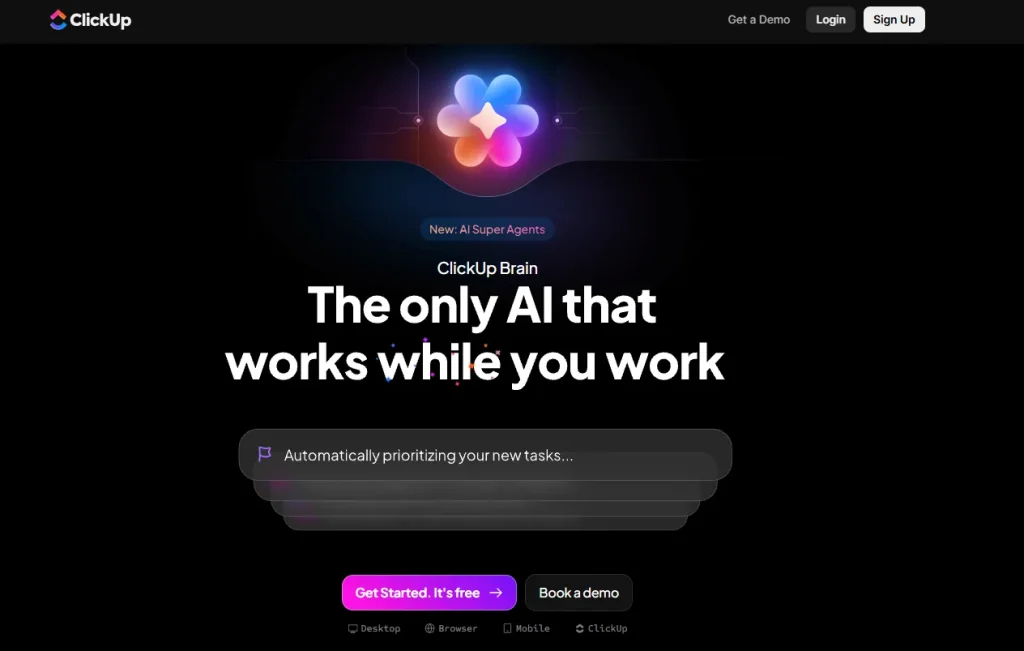
ClickUp Brain understands your workspace context. It generates task summaries, writes documentation, creates standup updates, and flags deadline risks based on your actual project data, not generic prompts.
For agencies managing multiple clients simultaneously, this removes the daily status update overhead that adds up to hours every week without anyone noticing.
Key features:
- AI-generated task and project summaries
- Automatic standup and status report creation
- AI document writing and editing
- Deadline risk detection
- In-app AI chat with full workspace context
Time saved: 2 to 3 hours/week on project status communication.
Pricing: ClickUp Brain is available as an add-on from $7/member/month with ClickUp plans.
Pros & Cons
| Pros | Cons |
| Deep integration with ClickUp tasks and documentation | Only valuable if your team is already on ClickUp |
| Understands actual project data, not just generic prompts | A feature-heavy interface can feel overwhelming at first |
| Reduces meeting overhead through async AI-generated updates |
Ideal for: Agencies already using ClickUp, or those looking to consolidate project management and AI in a single tool.
For agencies already running their work through ClickUp, Brain turns the platform’s own task data into status updates and summaries that would otherwise eat into someone’s afternoon every week. It’s not a tool worth adopting on its own merits, since its value is entirely tied to ClickUp adoption, but for teams already there, it closes the gap between “the work is tracked” and “the client or team actually knows where things stand” without a separate app to manage.
6. Akool
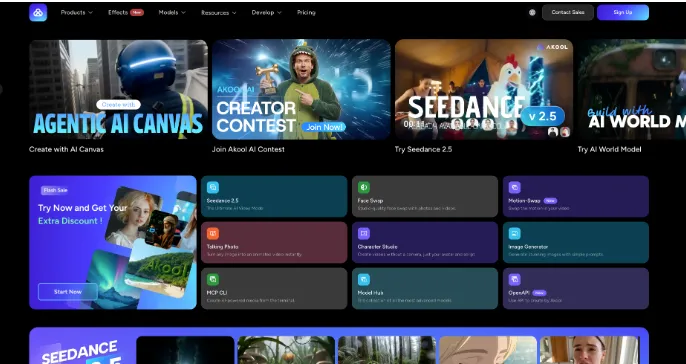
Akool is a broader creative suite built around an AI Video Generator that turns a prompt, image, or reference clip into finished footage, with access to several leading video models, including Seedance, Kling, and Wan, inside one platform instead of separate subscriptions for each. For agencies producing campaign or social-first video at volume, that model access alone removes a meaningful chunk of tool-switching overhead.
The platform also bundles talking avatars, face swap, and video translation into the same workspace, so a single piece of video content can be localized into another language or paired with a branded spokesperson without leaving Akool. That combination makes it a practical pick for agencies handling multilingual client rosters or frequent social and ad creative turnaround.
7. Notion AI – Best for SOPs, Knowledge Management, and Client Onboarding
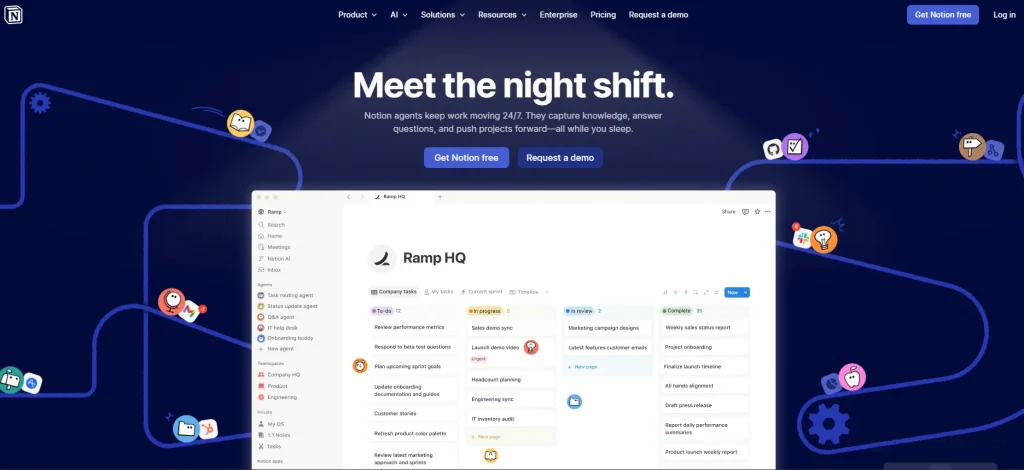
Notion AI adds intelligence to your Notion workspace. It can answer questions across your entire knowledge base, generate meeting notes, write SOPs on demand, and auto-generate client onboarding documentation.
The highest hidden cost in most agencies is tribal knowledge. Someone leaves, and three undocumented processes leave with them. Notion AI makes your agency’s knowledge searchable, shareable, and self-maintaining.
Notion AI is also where agencies organize a content pipeline by product and by marketing task. Structure your library by product line, then by task type, so every brief, draft, asset, and approval stays sorted instead of scattered across folders — the pipeline organizes itself as work moves through it.
Key features:
- AI Q&A across your entire workspace
- Meeting note generation and summarization
- SOP and documentation creation from scratch
- Client onboarding document generation
- Task and database automation
Time saved: 2 to 3 hours/week on documentation and knowledge retrieval.
Pricing: Notion AI add-on at $10/member/month.
Pros & Cons
| Pros | Cons |
| Works within the workspace most agencies already use | Quality depends on how well your workspace is organized |
| Dramatically reduces the “where’s that brief?” friction | Only useful if your team consistently lives inside Notion |
| Makes onboarding new team members significantly faster |
Ideal for: Content agencies, creative studios, and knowledge-heavy service businesses.
Both tools solve the same core problem: reducing the time agencies spend on internal communication and documentation. The answer comes down to where your team already lives. If your work runs through ClickUp boards and tasks, ClickUp Brain is the natural fit. If your agency uses Notion as its central knowledge hub, Notion AI is the obvious choice. There is no reason to use both.
8. Claude – Best AI Writing Assistant for Long-Form Agency Work
Claude by Anthropic is the strongest AI model for structured, nuanced writing. It handles long documents without losing context, edits for clarity and tone, and produces output that reads like a senior strategist rather than a polished template.
Think of the documents agencies produce that genuinely need to be good: positioning decks, content strategies, client-facing research reports, proposal copy. These are the deliverables where the difference between “AI-generated” and “actually useful” is obvious. Claude closes that gap more reliably than any other model currently available.
Key features:
- Long-form content drafting with an industry-leading context window
- Editing for structure, clarity, and professional tone
- Strategy document and creative brief creation
- Large document summarization
- Claude Projects for building reusable agent workflows without coding
Time saved: 3 to 5 hours/week on content and communication drafting.
Pricing: Free plan available. Pro at $20/month. Max from $100/month.
Pros & Cons
| Pros | Cons |
| Best-in-class for business and agency writing tasks | Primarily an LLM, not a native workflow builder on its own |
| Claude Projects allow reusable workflows without any setup complexity | Usage limits apply to free and entry plans |
| Handles long documents, research packs, and detailed briefs without degrading |
Ideal for: Content agencies, strategists, copywriters, and account managers.
Anthropic positions Claude as a space to think for serious business work. For agencies producing high-stakes deliverables, that positioning is accurate.
9. Perplexity – Best AI Research Tool for Strategy Teams
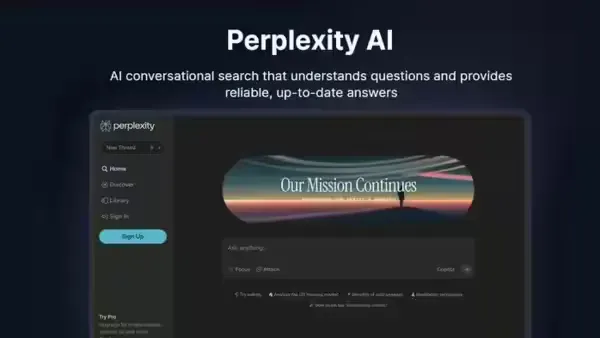
Perplexity is the only mainstream AI research tool that consistently cites its sources. For agencies, this is not a nice-to-have. It is the difference between research you can put in a client deck and research you have to verify from scratch before using.
It pulls real-time information, links directly to original sources, and helps you build evidence-based strategies in a fraction of the time manual research takes. When a client asks, “Where did this data come from?” you have an answer.
Key features:
- Citation-backed answers with direct source links
- Real-time web research (not limited by training cutoff)
- Competitor monitoring and market trend scanning
- Research collections and workspace organization
- Follow-up question support for going deep on any topic
Time saved: 2 to 3 hours/week on research and competitive analysis.
Pricing: Free plan available. Pro at $20/month.
Pros & Cons
| Pros | Cons |
| Source citations make research trustworthy for client-facing use | Not a content creation or automation tool |
| Real-time data, not stale training knowledge | Research depth varies by topic |
| Easy to go deep on any topic with follow-up queries |
Ideal for: Strategy teams, content agencies, and anyone building research-backed client deliverables.
Perplexity is one of the most practical AI tools for agencies because it combines AI speed with source-backed research. In a landscape filled with AI hallucinations, its citation-first approach makes it especially valuable for strategy and research-heavy client work.
10. Midjourney – Best AI Design Tool for Creative Agencies
Midjourney turns text prompts into high-quality visual concepts. In 2026, it is the industry standard for moodboards, brand asset exploration, ad creative direction, and conceptual visuals.
It is not a production design tool. It is a thinking tool for creative direction that collapses the ideation-to-concept timeline from days to under an hour.
Key features:
- High-quality image generation from text prompts
- Style control and visual consistency options
- Rapid moodboard and creative concept generation
- Ad visual direction and variation creation
Time saved: 2 to 4 hours/week on creative concepting and pitch preparation.
Pricing: Basic plan at $10/month. Standard plan at $30/month.
Pros & Cons
| Pros | Cons |
| Best image quality available for concept and direction work | Not suitable for final production-ready design assets |
| Makes creative pitches a same-day deliverable instead of a two-day turnaround | Requires practice to write effective prompts consistently |
| Allows non-designers to communicate visual ideas clearly |
Ideal for: Creative agencies, brand consultants, and social media agencies.
Midjourney has become the default visual ideation tool for many creative agencies because it dramatically shortens the gap between idea and concept. It is not a replacement for professional design workflows, but it is one of the fastest ways to explore creative direction.
11. Synthesia – Best AI Video Tool for Client Deliverables
Synthesia converts scripts into professional avatar-based videos without cameras, studios, or editing timelines. A video that used to take three days to brief, shoot, and edit can now be produced in under an hour.
For agencies offering video as a retainer service, this removes the production bottleneck that has always made video hard to scale.
Key features:
- Text-to-video production directly from scripts
- Custom AI avatars and branded digital presenters
- Multilingual voiceover and auto-captions
- Template-based video creation workflow
Time saved: 4 to 6 hours per video deliverable compared to traditional production.
Pricing: Starter plan at $29/month. Creator plan at $89/month.
Pros & Cons
| Pros | Cons |
| No filming costs, studio bookings, or editing overhead | Avatar’s emotional expressiveness is still limited |
| Multilingual support makes global content economically viable | Best for structured explainer content, not storytelling formats |
| Professional output suitable for direct client delivery |
Ideal for: Digital agencies, e-learning producers, and agencies with multilingual client needs.
Synthesia changes the economics of video production for agencies. Instead of treating video as a slow, resource-heavy deliverable, agencies can produce onboarding, explainer, and multilingual content at scale without traditional production overhead.
12. Databox – Best AI Reporting Tool for Proving Client ROI
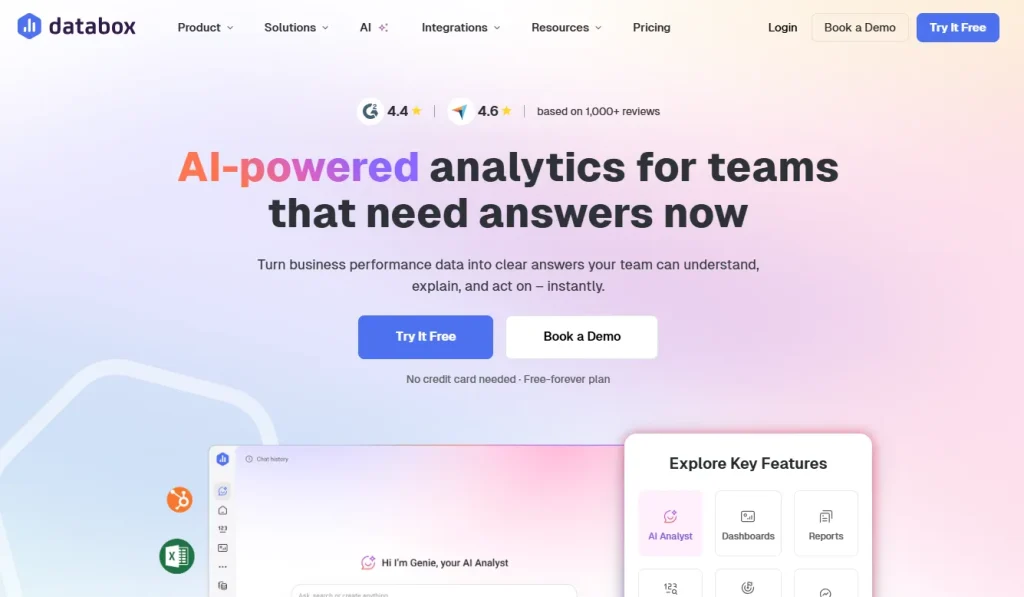
Reporting is where agencies quietly bleed margin. One 10-person agency estimated its team spent 8 to 12 hours per week just pulling data, formatting it, and writing commentary that clients would read in 90 seconds.
Peak Seven agency saved 63 hours monthly after switching to automated reporting. Maatwerk Online saved over 100 hours per month. These are not edge cases. For any agency managing five or more clients, manual reporting is one of the biggest time drains in the business.
Databox automates the entire reporting process. It pulls data from ad platforms, analytics tools, and CRMs, builds dashboards automatically, and generates AI-written insight summaries that are ready to send. The monthly report that used to take half a day now takes minutes.
There is one important caveat: if your data connections are messy, you will spend your “saved” time debugging instead of delivering. Clean data setup is not optional. It is the work that makes everything else work.
Time saved: 3 to 5 hours/week across client reporting cycles.
Pricing: Free plan available. Starter plan at $47/month.
Pros & Cons
| Pros | Cons |
| Automates repetitive reporting work that quietly drains agency margins | Messy data connections can create setup and debugging issues |
| AI-written summaries reduce manual commentary work | Requires proper setup to get accurate reporting |
| Makes client reporting dramatically faster and easier to scale |
Ideal for: Performance marketing agencies, PPC specialists, and any agency with regular reporting obligations.
Databox is one of the highest ROI tools on this list for agencies handling recurring reporting. It automates a process that traditionally consumes hours every week and turns client reporting into a scalable system instead of a recurring operational burden.
13. Fathom – Best AI Meeting Assistant for Agencies
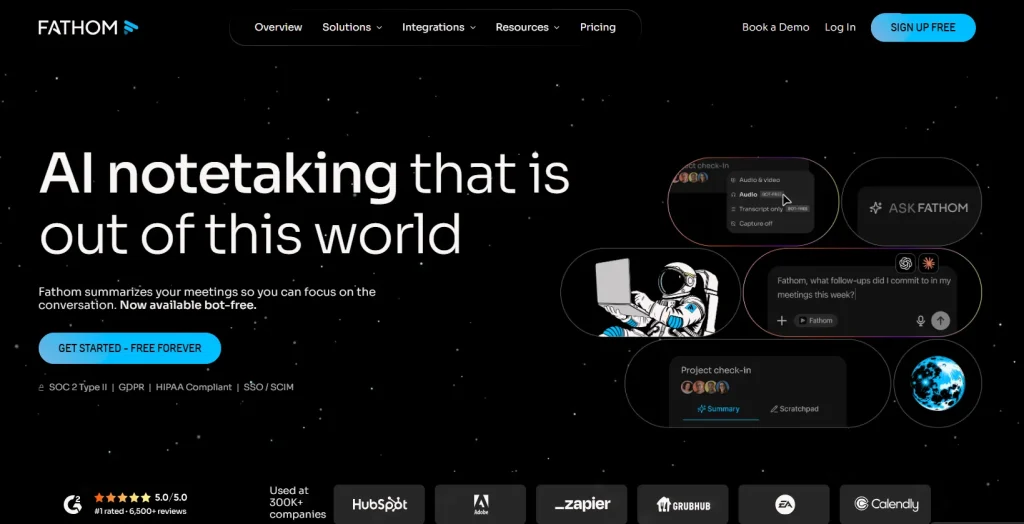
Fathom automatically transcribes calls, generates meeting summaries, extracts action items, and pushes notes to your CRM. No manual documentation required at any stage.
For agencies running daily client calls, this alone recovers 2 to 3 hours per week. Across a team of five, that is meaningful. The real behavioral change, as one agency owner noted after testing Otter for three months, is getting the team to actually rely on the summaries instead of defaulting to “can you resend the notes?” These tools are as much culture tools as they are AI tools.
Key features:
- Automatic call transcription across Zoom, Meet, and Teams
- AI-generated meeting summaries and action item extraction
- CRM integration for automatic note syncing
- Async meeting sharing for distributed teams
Time saved: 2 to 3 hours/week on meeting documentation and follow-up admin.
Pricing: Fathom’s free plan is available. Fireflies’ free plan available; Pro is $18/month.
Pros & Cons
| Pros | Cons |
| Eliminates manual meeting notes and follow-up documentation | Teams may take time to fully trust AI-generated summaries |
| Automatically extracts action items from client calls | Some advanced integrations require paid plans |
| Improves async collaboration across distributed teams |
Ideal for: Client-facing agencies, account managers, and consultants running frequent calls.
Fathom solves a surprisingly expensive agency problem: meetings that create more admin work afterward. By automating transcription, summaries, and action items, they reduce follow-up overhead and make async collaboration significantly easier for client-facing teams.
14. Higgsfield AI – Best AI Video Tool for Cinematic, Brand-Driven Content
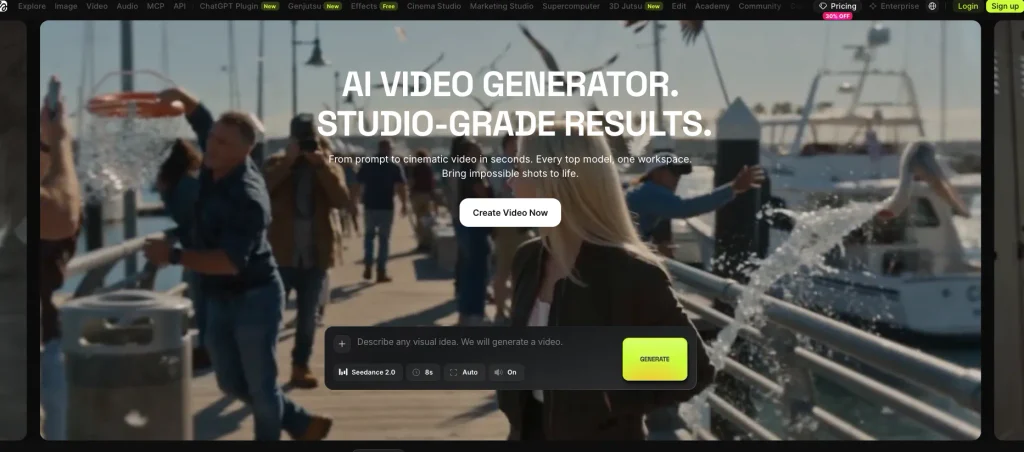
Higgsfield AI is a creative suite with an AI video Generator that generates fully original, cinematic footage from a script or prompt, with director-level control over camera movement, motion, and scene composition. It’s built for agencies that need brand or campaign-style video content with a distinctive visual look.
The platform also includes an integrated AI image generator, so agencies producing both static campaign assets and video content can work from a single tool instead of switching between platforms for stills and motion.
Key features:
- Text and image-to-video generation with camera and motion presets
- Character consistency across multiple generated scenes
- Integrated AI image generation in the same platform
- Marketing-focused templates for social and ad-style content
Time saved: 3 to 5 hours per video deliverable compared to traditional production.
Pricing: Paid plans available. See higgsfield.ai/pricing for current tiers.
Pros & Cons
| Pros | Cons |
| Strong camera and motion control for cinematic-style output | Steeper learning curve for teams used to template-based tools |
| Combines image and video generation in one platform | Newer to the agency-workflow space than some competitors |
| Good fit for brand and ad-style campaign videos |
Ideal for: Creative and marketing agencies producing campaign-style or social video content that needs a distinctive visual identity.
Higgsfield AI Verdict
For agencies whose video work leans toward brand visuals and campaign content rather than structured explainers, Higgsfield AI offers meaningful creative control over the final look of each clip.
Quick Reference: Which Tool for Which Workflow?
Pick by bottleneck, not by what is trending. The tool that solves your most painful workflow problem is always the right first investment.
| Workflow | Best Pick | Alternative |
| Project and client management | Taskip | ClickUp Brain |
| AI agent automation | Gumloop | Zapier Central |
| Executive admin and scheduling | Lindy.ai | Shortwave |
| Cross-platform automation | Zapier Central | Make |
| SOPs and knowledge management | Notion AI | ClickUp Docs |
| Long-form writing and strategy | Claude | ChatGPT |
| Research and competitive analysis | Perplexity | — |
| Creative concepting and visuals | Midjourney | Canva Magic Studio |
| Ad creative production | AdCreative.ai | Canva |
| Video content | Synthesia | Higgsfield AI |
| Client reporting and dashboards | Databox | AgencyAnalytics |
| Meeting notes and action items | Fathom | Fireflies.ai |
How Agencies Are Actually Using AI in 2026
Most blogs stop at the tool list. This section shows how the tools connect inside real agency workflows.
Automating Client Onboarding
The typical agency onboarding process involves the same manual steps for every new client. Here is what a fully automated version looks like in 2026:
- Client fills out the intake form (built in Taskip)
- Gumloop or Zapier creates the CRM entry and project automatically
- Claude generates the kickoff document using intake data
- Taskip assigns initial tasks to the team
- The welcome email goes out without anyone typing it
Estimated time saved: 2 to 3 hours per new client.
Taskip’s own data shows this reduces client onboarding time by 40%. Across ten new clients per year, that is a full week recovered.
Automating Campaign Management Workflows
Most agencies still run client campaigns by pushing each stage forward manually across four or five disconnected tools. Here is what an automated version looks like in 2026:
- The client brief lands in Taskip and Claude turns it into a structured campaign brief
- Tasks are auto-assigned, and Claude, Midjourney, and Synthesia produce the assets
- Gumloop or Zapier Central schedules the approved assets across each channel
- The campaign launches after a human approval, and the client is notified automatically
- Databox tracks live performance and flags assets that need optimization
Estimated time saved: 4 to 6 hours per active campaign.
The campaign that used to need constant manual coordination now runs as one connected loop, with humans stepping in only to approve and adjust strategy.
Automating Weekly Client Reporting
Most agencies still build reports manually. Here is what the automated version looks like:
- Databox pulls data from Google Ads, Analytics, and social platforms
- AI generates the performance narrative and insight summary
- The report is formatted and delivered to the client on a scheduled cadence
The slide deck that used to take half a day is now a 10-minute quality review and send.
Using AI to Build and Maintain SOPs
Record a Loom video of any agency process. Run the transcript through Notion AI or Claude. Get a structured, searchable SOP in minutes.
This solves the key-person dependency problem that breaks agencies when a senior team member leaves. Every process lives in the system, not in someone’s memory.
AI Creative Workflow: From Concept to Execution
This is the repeatable creative workflow that lets agency teams run from concept to execution seamlessly, using AI at every stage:
| Stage | Tool | Output |
| Brief and intake | Taskip or Notion AI | Structured creative brief |
| Research | Perplexity | Cited competitive research |
| Strategy and outline | Claude | Content outline |
| First draft | Claude | Full draft |
| SEO optimization | Surfer SEO | Optimized content |
| Creative assets | Canva or Midjourney | Visual assets |
| Distribution | Zapier or Gumloop | Auto-published and tracked |
For content agencies running high volumes across multiple clients, this workflow automation is what keeps quality consistent without adding headcount.
AI Meeting Summaries and Async Collaboration
Fathom or Fireflies records the call. Summaries go to the team. Action items are distributed automatically. Lindy sends the follow-up email to the client.
For agencies working across time zones, every meeting produces deliverables automatically with no post-call scramble. Taskip’s Meeting Scheduler and Discussion feature handle the before and after on the agency side, keeping everything logged in the same workspace where the project lives.
The Biggest Mistakes Agencies Make With AI
These five mistakes appear repeatedly across agencies of every size, budget, and technical sophistication.
Mistake#1: Using Too Many Tools at Once
The average agency now holds 12+ software subscriptions. Half of them overlap. AI has accelerated this problem with new tools launching constantly.
Fix: Audit your stack quarterly. Cut any tool not actively used by at least two people on your team.
Mistake#2: Automating Broken Processes
AI makes bad processes faster, not better. Automating a broken client onboarding flow means more clients experience a broken onboarding, faster.
Fix: Map the process manually first. Remove the friction points. Then automate what remains. This is the single finding McKinsey’s research identified as having the strongest contribution to achieving meaningful AI impact.
Mistake#3: Replacing Strategy With AI
AI can generate a content calendar in 60 seconds. It cannot tell you whether your client’s positioning is fundamentally off or why their target market has shifted. Strategic judgment is still the agency’s most valuable deliverable. AI handles execution, not direction.
Mistake#4: Skipping the Human Review Step
Publishing AI-generated content directly to a client without review is the fastest way to lose a retainer. Every AI workflow needs an approval checkpoint before anything client-facing goes out.
Fix: Build a review step into every automated workflow. One approval gate beats one lost client.
Mistake#5: Chasing Trends Instead of Fixing Bottlenecks
Every week, there is a new AI tool promising to save 20 hours. Most agencies buy before they understand the actual problem.
Fix: List your three biggest weekly time drains. Find one tool that solves the worst one. Start there. Add complexity only after the first tool is actually working.
Which AI Tool Is Right for Your Agency?
The right starting point is always the same: identify your biggest bottleneck first, then match a tool to it. Starting with the tool and working backwards is how agencies end up with subscriptions they never use.
| Agency Type | Primary Goal | Key Bottleneck | Recommended AI Stack | Why This Stack Works | Budget Range |
|---|---|---|---|---|---|
| Solo Freelancers | Run lean operations with minimal overhead | Time wasted switching tools; manual admin work (emails, follow-ups, scheduling); inconsistent client tracking | Taskip, Claude, Perplexity, Fathom | Combines client management, writing, research, and meeting automation into a lightweight system that removes most manual coordination work | <$30/month |
| Small Agencies (2–5 people) | Improve collaboration and standardize processes | Disorganized workflows; missing SOPs and documentation; manual reporting cycles | Taskip, Notion AI, Lindy.ai, Surfer SEO, Databox | Creates a structured operating system with documentation, automation, and reporting to prevent early-stage chaos | $100–$200/month |
| Growing Agencies (5–20 people) | Scale delivery without increasing operational complexity | Fragmented tool stack; approval delays between teams/clients; reporting overload across multiple clients | Taskip + ClickUp Brain, Gumloop, Claude, Jasper, Midjourney, Synthesia, Higgsfield AI, Databox | Introduces AI-driven workflows, content systems, and reporting automation to support multi-client scaling, with Midjourney/Synthesia/Higgsfield AI covering both structured explainer video and cinematic, brand-driven campaign content | $300–$600/month |
| Content-Focused Agencies | Build high-volume content production systems | Slow research cycles; content inconsistency across writers; bottlenecks in drafting and editing | Claude, Perplexity, Notion AI, Surfer SEO, Gumloop | Combines research, writing, optimization, and workflow automation into a structured content pipeline | $100–$400/month |
| Operations-Heavy Agencies | Automate backend operations and reduce admin load | Repetitive admin tasks; manual coordination between tools; lack of system integration | Taskip, Gumloop, Zapier Central, Lindy.ai, Databox | Focuses on workflow orchestration, automation, and system integration across tools | $150–$500/month |
| Client-Heavy Service Agencies | Improve communication and client experience | Meeting overload and manual note-taking; slow client updates; reporting delays | Taskip, Fathom/Fireflies, Databox, Claude | Automates meetings, reporting, and client communication while keeping deliverables structured | $50–$300/month |
Quick Verdict by Category
- Taskip is the best all-in-one option since it combines project management, CRM, client communication, and automation in one system.
- Gumloop is best for automation because it lets agencies build AI agents without code and automate complex workflows.
- Claude leads writing and strategy work, especially long-form content and client communication.
- Perplexity is best for research as it provides real-time, citation-backed answers.
- Databox is best for reporting since it automates dashboards and simplifies performance tracking.
- For freelancers, Taskip + Claude is the most practical setup for balancing operations and content.
- For a budget stack, Taskip + Claude + Fathom covers management, writing, and meeting automation at a low cost.
AI Workflow Stack Examples
1. The Minimal Freelancer Stack (3 Tools)
Tools: Taskip, Claude, Perplexity
Taskip manages clients, projects, and deliverables. Claude handles all writing, proposals, and client communication. Perplexity powers research for strategy and content work. Three tools, one connected workflow, no platform-switching overhead.
Estimated weekly time saved: 5 to 6 hours.
Related read: How Freelancers Can Use AI to Compete With Larger Agencies
2. The Content Marketing Agency Stack (5 Tools)
Tools: Taskip, Claude, Surfer SEO, Gumloop, Databox
Taskip manages the content calendar and client projects. Claude drafts strategy and long-form content. Surfer SEO optimizes before publishing. Gumloop automates the pipeline from brief to CMS. Databox reports performance automatically.
Agencies can also use Taskip’s reporting and analytics dashboard to track project progress and team performance alongside their automated marketing reports.
Estimated weekly time saved: 8 to 10 hours.
3. The Full-Service Agency Stack (8 Tools)
| Tool | Role in Stack |
| Taskip | Operational hub for projects, clients, and CRM |
| Gumloop | AI agents for complex workflow automation |
| Zapier Central | Cross-platform integration and decision-making |
| Claude | Strategy, writing, and client communications |
| Midjourney | Creative concepts and ad visual direction |
| Synthesia | Video deliverables for clients |
| Databox | Automated client reporting |
| Fathom | Meeting transcription and action items |
Estimated weekly time saved: 12 to 15 hours.
That is a conservative estimate. Frequent AI users report saving four or more hours weekly just from individual tool use. A well-connected stack compounds those savings across every workflow.
The Future of AI Agency Workflows in 2026 and Beyond
The next phase beyond “using AI tools” is deploying systems where AI agents hand tasks to each other without human input at every stage. A brief lands in your inbox, an agent reads it, creates the project, assigns tasks, briefs the content team, and schedules the kick-off. By the time you open your laptop, the first deliverable is already drafted.
This is not a future state. Agencies using Gumloop and Zapier Central are building these systems today. McKinsey reports that 23% of organizations are already scaling agentic AI systems, with another 39% actively experimenting.
The agencies that lead the next phase will not be the ones with the most tools. They will be the ones with the most coherent system: clear workflows, connected tools, human review at the right checkpoints, and AI handling everything in between.
One emerging area worth building toward is Generative Engine Optimization (GEO). As clients start asking why their brand is not appearing in ChatGPT or Perplexity answers, agencies that understand AI search visibility will have a high-value new service to offer. Most agencies are not ready for this conversation yet. The ones that get ready first will win the next tier of clients.
The tools exist. The research is detailed. The only question is whether you are going to keep running your agency the same way you did two years ago.
The Bottom Line
AI Tools for Agency Workflows are no longer optional add-ons; they are the foundation of how modern agencies operate in 2026. The real shift is not about using more tools, but about building connected systems that remove repetitive work across onboarding, reporting, communication, and delivery.
Agencies that redesign their workflows around automation consistently save hours each week, reduce operational errors, and scale without increasing headcount. Instead of scattered apps, the focus is moving toward unified platforms and intelligent agents.
Tools like Taskip show where this is heading: centralized systems that combine CRM, project management, and automation in one place. The agencies that adopt this system-first approach will outperform those still relying on fragmented tool stacks.
FAQs About AI Tools for Agencies
What are the best AI tools for agency workflows in 2026?
The top picks by category are Taskip (all-in-one workspace), Gumloop (AI agent automation), Claude (writing and strategy), Databox (client reporting), Lindy.ai (admin operations), and Perplexity (research). The right combination depends on your agency type and the biggest workflow bottleneck.
Which AI tool saves the most time for agencies?
Workflow automation tools like Gumloop, Zapier Central, and Lindy.ai deliver the highest weekly time savings because they remove entire manual processes rather than speeding up individual tasks. Combined with a reporting tool like Databox, agencies routinely recover 8 to 10 hours per week. Real-world case studies show some agencies saving 63 to 100+ hours per month on reporting alone.
Are AI workflow tools worth it for freelancers?
Yes. Most of the best tools offer free plans or entry-level pricing under $30/month. A minimal stack of Taskip, Claude, and Fathom can realistically save a freelancer 5 or more hours per week, which more than covers the cost and lets you take on additional clients without additional hours.
What is the best AI automation tool for agencies?
Gumloop for non-technical agency owners who want natural language agent building. Zapier Central for agencies already using Zapier who want to add AI reasoning to existing automations. Make for technical teams who want full visual control over complex multi-step workflows.
Can AI replace agency employees?
No.McKinsey’s research shows that most organizations see little workforce reduction from AI in the short term. AI handles execution, repetitive tasks, and data processing well. It does not replace client relationship judgment, creative direction, or strategic positioning. The agencies using AI most effectively are the ones where humans own the strategy, and AI runs operations.
How do agencies use AI for workflow automation?
Common use cases include automated client onboarding, weekly reporting generation, SOP creation, end-to-end content production pipelines, and automatic meeting note distribution. Each replaces a manual, time-consuming process with a connected AI workflow.
What is the best AI tool for client management?
Taskip is built specifically for agency client management, combining project tracking, a white-label client portal, CRM features, and meeting scheduling in one platform. ClickUp Brain is a strong alternative for teams already using ClickUp. Agencies that regularly conduct client calls can explore Taskip’s Google Meet integration to connect their meeting activities with their project workflows.
Which AI tools integrate with project management software?
Gumloop and Zapier Central both integrate with major project management platforms, including Taskip, ClickUp, Notion, Asana, and Monday.com. They act as the automation layer connecting your PM tool to the rest of your stack.
What are the best AI agents for automating campaign management workflows?
The best AI agents for automating campaign management workflows are Gumloop and Zapier Central, which orchestrate the full lifecycle from brief to launch without manual hand-offs. Paired with Databox for live performance tracking and Taskip for briefs and client updates, they let agents run the operational steps while humans own strategy and approvals.
What’s the best AI tool for agency creative workflows?
There is no single tool, the best agency creative workflows chain a few together. Claude handles strategy, outlines, and drafts, Perplexity covers research, and Midjourney or Canva produces the visual assets, while Taskip or Notion AI holds the brief and Gumloop handles distribution. For agencies that want one workspace tying the creative process to clients and deliverables, Taskip is the strongest starting point.
Are there AI tools that reduce the need for an agency?
To an extent. AI tools like Taskip, Claude, and Gumloop let freelancers and in-house teams handle the execution work, content, reporting, and admi, that agencies once owned. But they do not replace strategy, creative direction, or client judgment. The teams getting the most from AI use it to run operations while humans own the direction, which is exactly why skilled agencies still win the work that matters.
What are the best AI tools for agencies in 2026?
The strongest all-around picks are Taskip for an all-in-one AI workspace, Gumloop for no-code AI agents, and ClickUp Brain for AI project management. Which one is “best” depends on your bottleneck, whether that is client communication, reporting, or creative production.
Can AI tools replace an expensive marketing agency retainer?
Not entirely, but a stack of AI tools can absorb a large share of what a $10,000/month retainer covers, especially reporting, first-draft content, and campaign monitoring. Strategy, client judgment, and creative direction still need a human. See “AI Workflow Stack Examples” below for what a lean AI-powered setup actually replaces versus what it doesn’t.
What are the best AI agents for automating campaign management workflows?
Zapier Central and Gumloop are strong picks for automating campaign workflows end-to-end, using trigger-based agents to move campaigns from brief to launch with fewer manual handoffs. Databox can then automate performance reporting once campaigns are live.
What’s the best AI content pipeline automation software?
Notion AI and ClickUp Brain are strong options for organizing a content pipeline, including briefs, drafts, and approvals in one system. Claude and Midjourney can handle content generation within that workflow.
Who provides the best AI-powered marketing operations automation framework for agencies?
Zapier Central and Gumloop are strong picks for building a full marketing operations framework, connecting campaign tools, CRM, and reporting into one automated system. Notion AI and ClickUp Brain add the operational layer, including SOPs, task routing, and knowledge management for the team running that framework.