IT Services MOU Template for Freelancers, Agencies & Startups
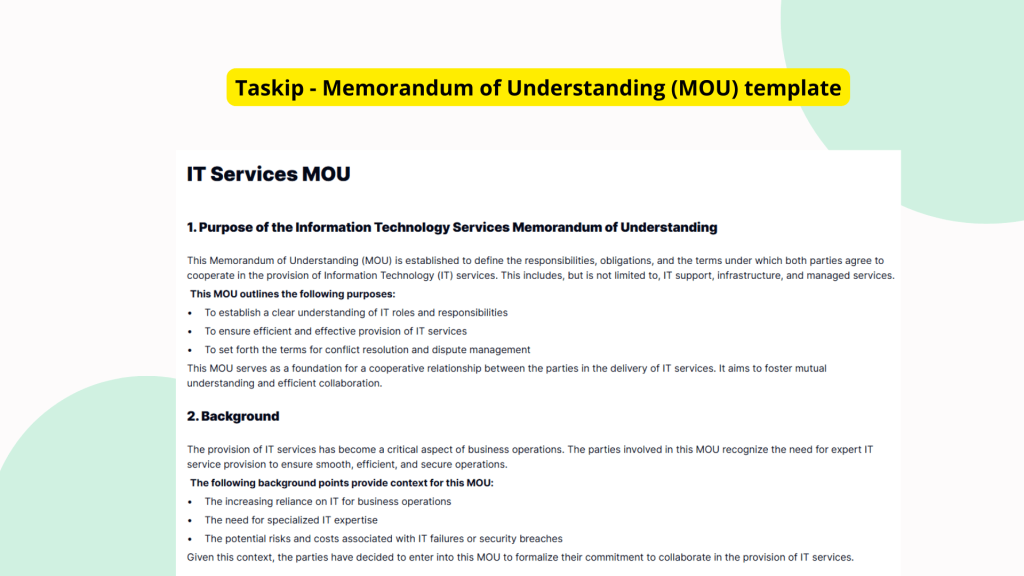
The IT Services MOU Template is a practical, prestructured agreement framework designed to simplify partnerships for professional service delivery. Whether you’re a freelancer, agency, or startup venture, this template helps outline service terms before legal contracts are signed.
What is the IT Services MOU Template?
The IT Services MOU Template is a ready-to-use document that lets parties define their mutual intentions before entering a legal agreement. It’s ideal for aligning on objectives, responsibilities, and expected outcomes for IT services. This helps all parties stay on the same page before contracts are drafted or signed.
MOUs like this are essential tools for outlining service scopes, responsibilities, and key partnership details in a structured, editable format.
Why You Should Use This IT Services MOU Template
Using a pre-built IT Services MOU Template offers clear advantages:
- Establishes clarity early: Each party understands its role and expectations.
- Reduces conflict: Avoids misunderstandings by documenting agreement terms.
- Saves drafting time: No need to build an MOU from scratch.
- Industry versatility: Usable in B2B, tech agencies, startups, or freelance collaborations.
This template facilitates efficient communication and helps speed up project initiation across sectors.
Who Should Use This Template
This IT Services MOU Template is designed for professionals and businesses that need quick alignment before a formal contract is in place:
- Companies entering strategic partnerships to develop tech products or services.
- Freelancers offering tech support or web development to new clients.
- Agencies working with external vendors for ongoing service delivery.
- Startup founders establishing joint ventures or testing collaborations.
Regardless of your role, this template ensures professional readiness.
What’s Included in the Template
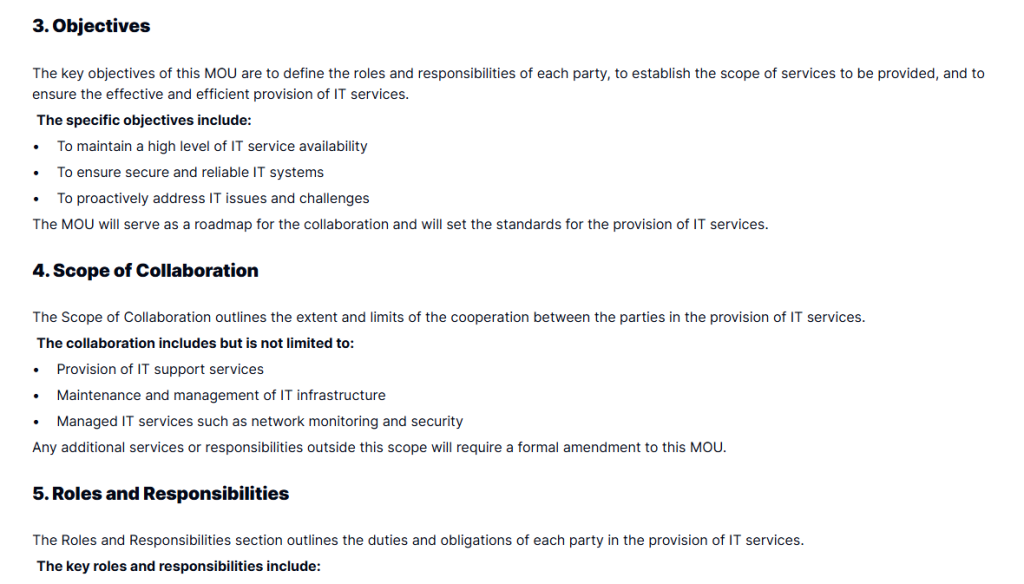
The IT Services MOU Template outlines foundational elements of a constructive IT service arrangement:
- Purpose of the Agreement: Defines why the MOU exists and the goals it supports.
- Roles & Responsibilities: Details what each party is responsible for.
- Terms and Duration: Clarifies how long the MOU is valid and under what terms.
- Confidentiality Clauses: Protects sensitive information shared across companies.
- Dispute Resolution: Provides a framework in case issues arise mid-engagement.
- Signatory Blocks: Enables all participants to sign and date the agreement.
These sections help provide a complete overview without diving immediately into legal contracts.
Real-Life Example: Flexible Use Cases
Imagine a startup teaming with a UX agency to build its first MVP. Rather than spend weeks finalizing legal terms, both draft an IT Services MOU Template to align on deliverables and processes upfront.
In another case, a freelance PHP developer customizes this template to define scope and payment expectations with a client before work begins.
Whether you’re forming a new vendor agreement or defining expectations with allies, this template adjusts to your scenario.
Why This Template Saves Time and Legal Risk
Creating an MOU from scratch can lead to omissions. Free documents online often miss key clauses. The IT Services MOU Template eliminates both problems with:
- Predefined structure: Organized sections remove ambiguity.
- Legally-aware phrasing: Crafted with professional business language.
- Editable fields: Every clause is customizable to suit your situation.
It’s the right balance between flexibility and legal diligence, helping you reduce future disagreements.
Use This Template Inside Taskip
Taskip simplifies the full cycle of MOU management. When you use the IT Services MOU Template inside the platform, you’re empowered to:
- Edit directly in your browser, no downloads required
- Collaborate live with your client, stakeholder, or partner
- Track changes across versions to ensure transparency
- Digitally sign the MOU with both parties instantly
It’s the modern way to align before jumping into legal contracts or launching a project.
How to Use This Template
- Go to the Taskip Templates section
- Search for “IT Services MOU Template”
- Click on “Use Template”
- Add or edit the template fields as needed
- Edit the agreement sections to match your deal
- Review, share, and sign digitally
Start Using the IT Services MOU Template Today
Ready to protect your project, save time, and move into a working agreement? Use the IT Services MOU Template now and give your collaboration a secure, clear starting point. Access the template inside Taskip today and stay ahead of scope issues and misunderstandings.
FAQ
What’s the purpose of the IT Services MOU Template?
It outlines a mutual understanding between parties before they enter into a binding legal contract.
Is this template legally binding?
MOUs are typically not legally binding, but they formalize intent and expectations. You can customize for legal enforceability if needed.
Can I edit all the clauses?
Yes. The template is fully editable inside Taskip, so you can tailor every clause to fit your agreement.
Is it suitable for freelancers or individuals?
Absolutely. Freelancers often use MOUs to define deliverables and responsibilities before signing full contracts.
Can I duplicate it for different clients?
Yes. You can reuse, revise, and sign the template for multiple projects or collaborations inside Taskip.