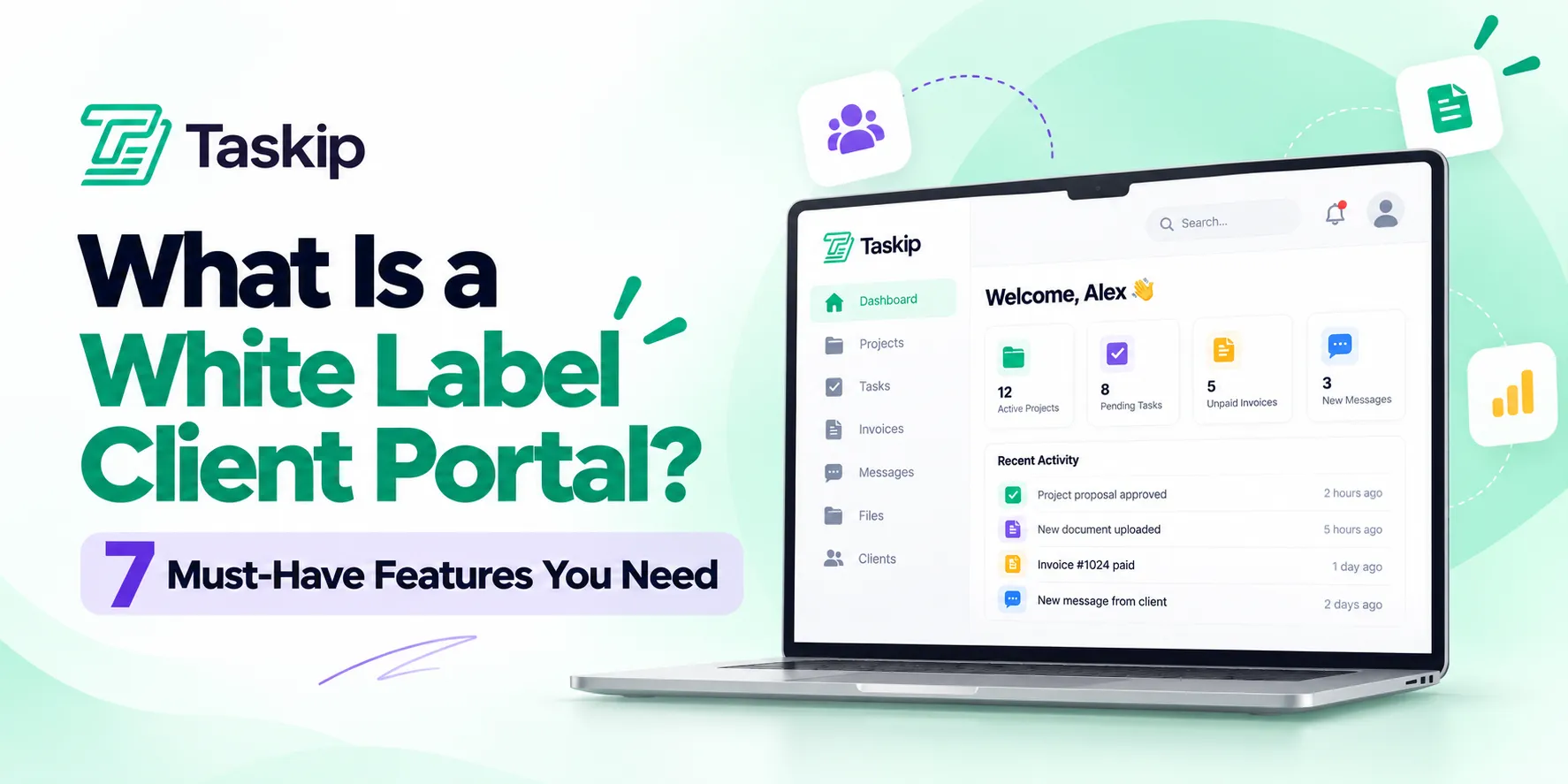
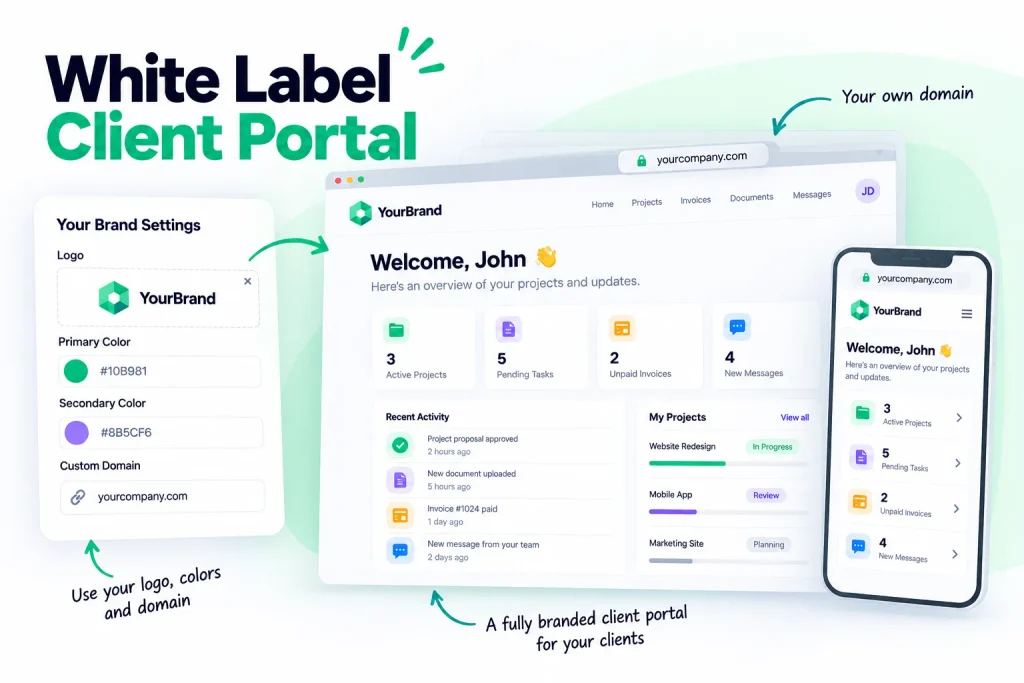
A white label client portal is a client workspace that carries your branding instead of the software vendor’s. Your logo, your colours, your domain, your email address. Clients sign in at a URL that belongs to you, find their files and invoices waiting in your brand, and never learn which platform is doing the work underneath.
That sounds cosmetic. It is not. A portal that looks like your system reads as infrastructure you built. A portal with someone else’s logo in the corner reads as a tool you rent, and a tool you rent is a tool your client could rent too.
The catch is that white label means different things to different vendors. Below are the seven must-haves that separate genuine white labelling from a logo upload, what the whole thing costs, and how to work out which one you are actually being sold.
Table of Contents
- A white label client portal removes every trace of the vendor, across the login page, the interface, the emails and the documents.
- Genuine white labelling has seven must-haves. Most platforms deliver three or four of them and still use the term.
- Expect $20 to $250 a month. Full white labelling usually sits one or two tiers above the entry plan.
- The most common and most expensive mistake is buying a plan that brands the dashboard but still emails clients from the vendor’s address.
- It earns its cost once you run more than about five ongoing client relationships, or when your deal sizes make buyers expect more than a shared folder.
What Is a White Label Client Portal?
A white label client portal is a secure online workspace where clients access their projects, files, invoices and messages, presented entirely under your brand rather than the software vendor’s.
Two halves to the term. The portal is the workspace: one place a client finds everything to do with working with you, instead of digging through email threads and shared drives. The white label part means the vendor disappears. No logo in the header, no vendor name in the URL, no platform footer on documents, no reply-to address ending in someone else’s domain.
Where that pays off is narrower than most articles suggest. Clients do not study your portal. They notice it at three moments: the invitation email, when they form a first impression. The login screen, which they see on every visit. And the invoice, when they are working out whether this felt worth the money.
Get those three right and the rest matters less than vendors would like you to think.
Taskip’s client portal is built on this model, with projects, files, approvals and billing behind a single branded login.
The 7 Must-Haves of a White Label Client Portal
Genuine white labelling touches seven surfaces. A platform that covers all seven is white label. A platform that covers three is a portal with your logo on it.
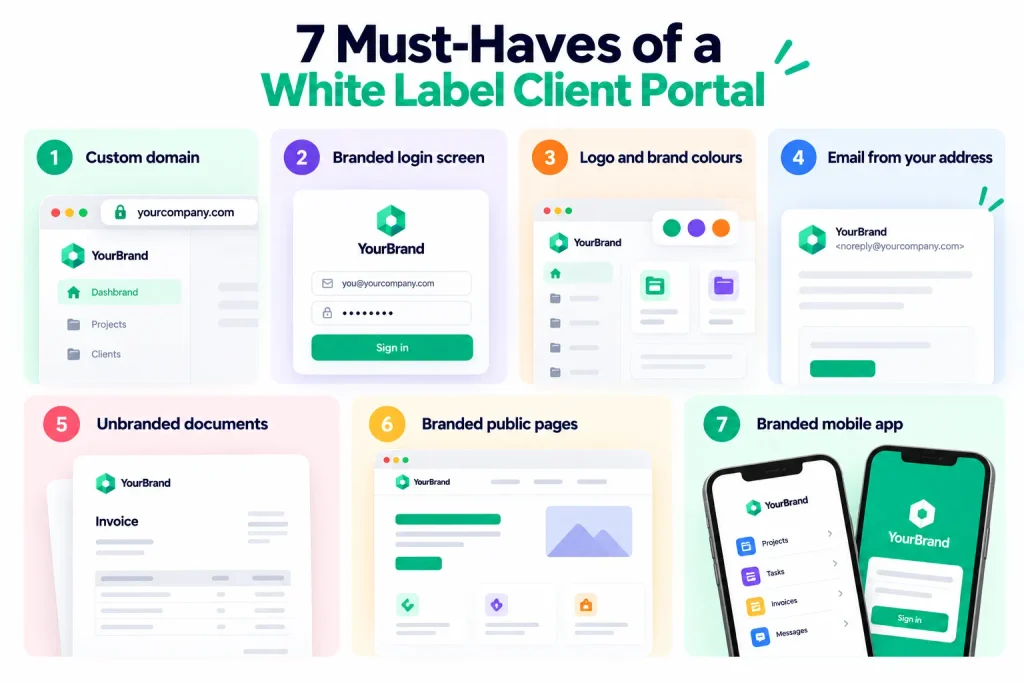
Here is the checklist, in the order clients encounter them.
| # | Must-have | What it looks like when done properly |
|---|---|---|
| 1 | Custom domain | Clients sign in at clients.youragency.com, not youragency.vendor.com |
| 2 | Branded login screen | Your logo and background, with no vendor sign-in page anywhere in the flow |
| 3 | Logo and brand colours | Your palette across the dashboard, buttons and navigation, not just a header logo |
| 4 | Email from your address | Invites, reminders and approvals send from you, using your template and signature |
| 5 | Unbranded documents | Invoices, proposals and contracts carry your brand with no vendor badge in the footer |
| 6 | Branded public pages | Forms, booking pages and help articles load on your domain with your styling |
| 7 | Branded mobile app | Your icon and branding in the app clients install, where the platform offers one |
1. A Custom Domain
The one clients see most often and the one most commonly sold short. Some platforms brand everything after sign-in but still authenticate on their own domain, which means the vendor’s name appears in the address bar on every visit.
Setting it up means pointing a subdomain at the vendor with a CNAME record in your DNS settings. A few minutes of work, up to 48 hours to propagate.
2. A Branded Login Screen
Your logo, your background, your welcome text. Check whether password resets and two-factor prompts are branded too, since those pages are often overlooked and land in front of clients at exactly the wrong moment.
3. Logo and Brand Colours Throughout
A header logo is the easy part. What separates a real implementation is whether your palette carries into buttons, navigation, status labels and empty states. Portals that only skin the header look borrowed, because they are.
4. Email From Your Own Address
The single most common gap. Clients read your notifications far more often than they study your dashboard, so a reminder arriving from notifications@vendorname.com undoes the rest of the work in one line of text.
Check the actual sender address rather than the template design. Many platforms put your logo inside an email they still send themselves.
5. Documents With No Vendor Badge
Invoices, proposals and contracts are the files clients download, keep and forward to their finance team. A vendor badge in the PDF footer travels everywhere the document goes.
6. Public Pages on Your Domain
Intake forms, booking pages and help articles are often the first thing a prospect touches, sometimes before they are a client at all. If those load on the vendor’s domain, your branding gap is sitting at the top of your funnel rather than inside your delivery.
7. A Branded Mobile App
The least important of the seven for most businesses, and the most expensive. It matters if your clients check in daily. If they log in monthly to approve something, skip it rather than paying for the top tier to get it.
If you are mapping out the wider branded stack beyond the portal, our guide to white label tools for agencies covers the other systems clients touch.
The Partial White Label Trap
Partial white labelling is a platform that covers two or three of the seven must-haves and still sells itself as white label. It is the most common complaint agencies have after buying a portal, and it is almost never discovered before the money is spent.
The reason is structural rather than dishonest. White label has no agreed definition, and the depth of it is one of the easiest things for a vendor to split across pricing tiers. The logo upload sits on the plan you were going to buy. The custom domain and the email sending sit on the plan above.
So the feature list says white label, the demo looks right, and the gap only shows up weeks later when a client forwards you a payment reminder from an address you have never seen before.
A demo will not surface this. A trial account will, if you use it the way a client would.
- Set up a test client with an email address you control. A personal address works. Do not use a colleague’s work inbox, because you want to see the raw email, not a forwarded summary of it.
- Trigger every automated email the platform sends. The invitation, a password reset, an invoice notification, a reminder. Look at the sender address on each one, not the design.
- Download a document. Open the PDF and check the footer, then check the payment page the invoice links to.
- Copy the login URL and read it. Then sign out and sign back in, which is where vendor-hosted authentication tends to reveal itself.
Fifteen minutes of this tells you more than an hour with a salesperson. If anything fails, ask which plan fixes it and price that plan, because that is the real cost of the product.
Why Does a White Label Client Portal Matter?
A white label client portal matters because it is the part of your service clients touch most often. They see a deliverable once a month. They see the portal every week. Five reasons it earns its cost.
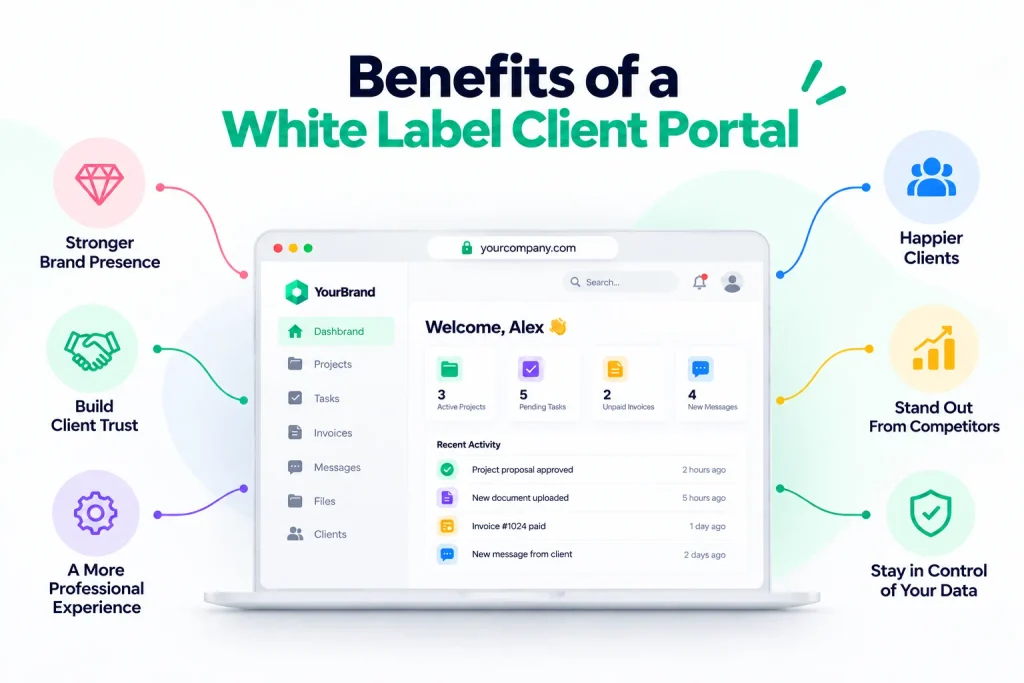
It makes your delivery look like a system, not a stack
Clients cannot see your process. They see the interface.
A branded portal suggests the process behind it was designed. A portal wearing a vendor’s logo suggests you assembled something out of parts, which invites the one question you do not want in a client’s head: could we just buy these tools ourselves?
It supports your pricing
Two agencies quote the same project.
The first sends a Drive link and a PDF. The second sends a login to a branded workspace holding the project plan, the approval history and the invoices in one place. The second quote survives a higher number, because the client can see where the money goes.
Nothing about the work changed. The visible apparatus around it did.
It keeps the relationship yours
Every vendor logo in your delivery chain is a company your client can look up.
Most never will. The ones who do tend to be your largest accounts, the ones with the budget and the headcount to bring work in-house. There is no reason to hand them a starting point.
It removes the admin that eats your margin
This is the practical benefit rather than the brand one, and for most agencies it is the bigger of the two.
A portal holding files, approvals, invoices and messages kills three emails: the status update, the where-is-that-file, and the chasing-an-invoice. Across twenty accounts that is hours every week, and it compounds once workflow automation handles the reminders you would otherwise send by hand.
It makes onboarding repeatable
Once the portal is configured, every new client gets the same branded experience without you rebuilding anything.
A client’s first impression stops depending on how busy you happened to be the week they signed, which is the sort of inconsistency that costs referrals without ever being mentioned.
What a white label portal will not do
Worth being straight about the limits, since almost everything written on this subject comes from a company selling portals.
It will not rescue a relationship that is going badly. It will not make late work look on time, and a client unhappy with the output does not become happy because the login screen matches your website.
It also will not get used unless you insist on it. Portals fail for one reason more than any other: the agency keeps answering questions over email, so clients keep emailing, and the portal becomes a filing cabinet nobody opens. The tool is not the hard part. Changing where your own team replies is.
White Label Client Portal vs Standard Client Portal
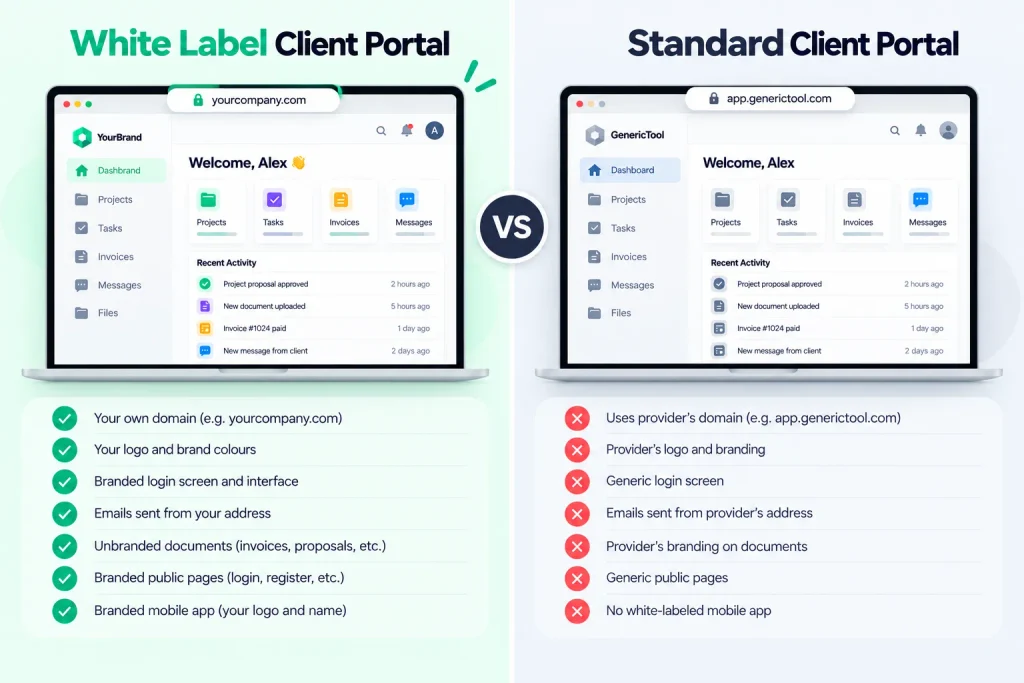
The difference between a white label and a standard client portal is whose brand the client sees, not what the portal does. The functions are usually identical, so the decision comes down to perception and price.
| Criteria | Standard client portal | White label client portal |
|---|---|---|
| Login URL | Vendor domain, or your name as a subdomain of theirs | Your own domain |
| Logo | Vendor’s, or yours displayed alongside theirs | Yours only |
| Colours | Limited or fixed theme | Your full brand palette |
| Email notifications | Sent from the vendor’s address | Sent from your address, using your template |
| Invoices and documents | Vendor badge in the footer | Fully yours |
| Mobile app | Vendor branded | Yours, usually at extra cost |
| Client perception | A tool the business uses | A system the business built |
| Typical cost | Included in most plans | A higher tier or a paid add-on |
| Setup effort | Minutes | A few hours, mostly DNS and templates |
One honest caveat. If your clients are small businesses who mainly care that the work gets done, a standard portal is fine and the upgrade is hard to justify. If you are pitching against larger agencies, or selling to enterprises whose procurement teams look at what you run on, the branded version pays for itself quickly.
There is also a middle option most people miss. Several platforms let you use a custom domain without full white labelling, or strip vendor branding without a custom domain. If budget is tight, buy the custom domain first. The login URL is the surface clients see on every single visit.
Platforms that combine a portal with CRM and delivery in one system are worth looking at here too, since a branded portal bolted onto a separate project tool recreates the fragmentation it was meant to solve. Our guide to project management software with CRM compares the main options.
What the Portal Needs Beyond Branding/White Labeling
The seven must-haves cover how the portal looks. They say nothing about whether clients will use it twice.
That comes down to what is inside, and the useful way to think about it is what each feature costs you when it is missing.
Essential
- Secure file sharing with version history, so clients stop asking which draft is the current one
- Project visibility showing the stage, what is moving and what is waiting on them
- Approvals and feedback captured in one place instead of scattered across an email thread with eleven replies
- Invoicing and payment viewable and payable inside the portal, not attached to a separate email
- Messaging attached to the project or document it concerns, so context travels with the conversation
- Per-client access control so every client sees their own records and nothing else
Useful
- E-signatures for contracts and scopes, removing a signing tool from the chain
- Support tickets so requests arrive as trackable items rather than messages you might lose
- Forms and quotations for onboarding questionnaires, briefs and pricing
- Booking pages on your domain for calls and review sessions
- A knowledge base answering the questions every client asks in their first fortnight
Optional
- Client-level analytics showing who logs in and what they open
- Multi-language support, if you work across regions
- Custom dashboards per client type
The ordering matters more than the list. A portal with flawless branding and no invoicing still leaves you emailing invoices, which puts your most commercial moment outside the branded experience and quietly undoes a good part of what you paid for.
Who Needs a White Label Client Portal?
Any business where clients need ongoing access to work in progress. The trigger point differs by business type, and it is usually a number of clients rather than a revenue figure.
Digital and marketing agencies: The clearest case. Multiple stakeholders per account, constant approvals, monthly reporting and recurring invoices. The trigger is roughly five active clients, the point at which status emails start consuming real hours. Our guide to the best client portal for agencies covers the options in detail.
Freelancers and consultants: A branded portal is the cheapest way to look established without pretending to be bigger than you are. The trigger here is not client count but deal size: once projects pass a few thousand dollars, buyers expect something more considered than a shared folder. See our roundup of client management systems for freelancers.
Creative studios: Heavy file delivery, multiple rounds of feedback and version confusion as the default state. A portal with version history solves a problem creative teams feel weekly. We cover the tooling in best CRM for creative agencies.
Accounting and bookkeeping firms: Clients send sensitive financial documents all year round, and email attachments are the weakest link in that chain. The IRS sets out expectations for protecting client data in Publication 4557, and a portal with access controls and an audit trail is considerably easier to defend than an inbox.
Law firms: Document sharing with access control, plus a record of what was shared and when. The ABA’s Formal Opinion 477R, issued in 2017, updated earlier guidance on unencrypted email and set out that lawyers must make reasonable efforts to prevent unauthorised access to client information, with stronger measures required when the information is particularly sensitive. Secure portals are one of the methods firms commonly adopt in response.
IT and managed service providers: Ticketing, asset lists and SLA reporting under your own brand. Clients comparing you against larger MSPs notice whose logo is on the system they log into.
Productized service businesses: Request intake, delivery and billing in one branded place is effectively the product. This is the one category where the portal is not supporting the service, it is the service.
If you have two clients and speak to both daily, a portal adds a step rather than removing one.
If your work is one-off rather than ongoing, clients will not log in twice, and the setup time is wasted.
And if you cannot yet afford the tier that includes real white labelling, a standard portal used consistently beats a branded one nobody opens.
How Much Does a White Label Client Portal Cost?
A white label client portal costs between roughly $20 and $250 a month. Entry plans with partial branding start around $20, and full white labelling with a custom domain and branded emails typically sits one or two tiers higher.
Three pricing models exist, and which one suits you depends on client count rather than team size.
| Model | How it works | Suits |
|---|---|---|
| Per user per month | You pay per team member; client logins are usually free | Small teams serving many clients |
| Flat monthly fee | One price, with unlimited or high client limits | Agencies with large client lists |
| Per client or per portal | Cost scales with the number of accounts | Businesses with a few high-value clients |
What tends to sit behind a higher tier, in rough order of how often it is gated: the custom domain, sending email from your own address, removing vendor branding from documents and payment pages, and the branded mobile app.
Check which of those your chosen plan actually includes before you commit. You can see how this is structured on Taskip’s pricing page as one reference point.
If you are testing the waters before paying for anything, free tools like a free invoice generator will handle billing while you decide, though they sit outside any portal.
White-label Client Portal: Should You Build or Buy?
Buy, in almost every case. Building your own client portal is worth considering only when your workflow genuinely does not fit anything on the market, which is rarer than it feels when you are frustrated with a demo.
The arithmetic is unforgiving. A custom portal needs authentication, file storage with permissions, notifications, a billing integration and a client-facing interface. That is months of developer time before launch.
Then the cost does not stop. Security patches, browser changes, payment provider API updates, mobile compatibility and every feature request your clients raise continue indefinitely. A platform at $50 a month would need to run for a very long time to match the cost of a build, and in the meantime you have become a software maintainer as well as an agency.
The sensible middle ground is buying a platform with enough branding and configuration depth that it feels custom, then spending the saved months on the service clients are actually paying for. If you want a sense of what that includes without building it, our breakdown of project management features covers the delivery side that sits behind the portal.
How to Set Up a White Label Client Portal?
Setting up a white label client portal takes most agencies a single working day. Six steps, in order.
Step 1: Pick the platform
Work through the seven must-haves against a trial account rather than the feature list. This is the only step that is expensive to get wrong, because migrating client data twice is miserable work nobody budgets for.
Step 2: Connect your domain
Choose a subdomain such as clients.youragency.com or portal.youragency.com, then add the CNAME record your platform specifies in your DNS settings.
Allow up to 48 hours for propagation, though it is usually live within the hour. Confirm the SSL certificate issues correctly afterwards. A browser security warning on your own branded login page is worse than having no branding at all.
Step 3: Apply your branding
Logo, favicon, brand colours, login background.
Then do the part most people skip: set the sender name and address on outbound email, and replace the platform’s default email templates with your own wording. This is must-have four, and it is where most setups quietly stop.
Step 4: Build your templates
Create a default project structure, a standard folder set, your invoice and proposal templates, and your onboarding form before the first client arrives.
Doing this once means every client after that takes minutes to set up instead of an hour.
Step 5: Test it as a client
Invite an email address you control and walk the whole journey: invitation email, login, finding a file, approving something, viewing an invoice.
Count the clicks from invitation to first file. More than three and adoption will suffer, regardless of how good the portal looks once they are inside.
Step 6: Invite clients in batches
Start with two or three easy clients. Gather feedback for a fortnight, adjust what confused them, then roll out to everyone.
A staged rollout surfaces the awkward parts while the number of confused people is still small enough to call personally.
How to Choose the Right Platform For White Label Client Portal?
To choose the right platform for white label client portal, ask four questions, in this order.
- Does it cover all seven branding surfaces on the plan you can afford? Not on the enterprise tier you will never buy. Test it on the plan you intend to pay for.
- Does it include invoicing and payments? A portal that cannot bill leaves your most commercial moment outside the branded experience, and in practice means clients still get invoices by email.
- How many clicks from invitation to viewing a file? Adoption is decided here. Every extra step, every forced password reset, every confirmation screen costs you clients who never return after the first login.
- What happens to your data if you leave? Confirm full export of files, client records and invoice history before you migrate anything in. A vendor that makes leaving difficult will make everything else difficult eventually.
If you want a side-by-side of specific platforms rather than a framework, our client portal comparison for agencies does that work.
Top 5 Client Portals With White Labelling
Five platforms that offer genuine white labelling, not just a logo upload.
| # | Tool | Best for | White labelling |
|---|---|---|---|
| 1 | Taskip | Portal plus CRM, projects and billing in one platform | Growing Agency plan, portal from $12/mo |
| 2 | SuiteDash | Deepest customisation on a flat fee | Included, around $19/mo flat |
| 3 | Clinked | Regulated industries needing compliance | Separate white label tier, around $479/mo |
| 4 | Copilot | Small agencies wanting a fast, polished setup | Varies by plan |
| 5 | Moxo | Structured, multi-step client workflows | Included, custom pricing |
Prices checked October 2026. Run each one through the seven must-haves before you buy, since white label depth differs by tier on all five.
Taskip’s White Label Client Portal
Taskip’s client portal runs on your own domain with Taskip branding removed. It covers all seven must-haves.
| # | Must-have | Taskip |
|---|---|---|
| 1 | Custom domain | Yes, a real subdomain, not a URL slug |
| 2 | Branded login | Yes |
| 3 | Logo and colours | Yes, plus custom favicon |
| 4 | Email from your address | Yes |
| 5 | Unbranded documents | Yes |
| 6 | Branded public pages | Yes, including site embeds |
| 7 | No powered-by badge | Yes, one toggle removes all Taskip branding |
Behind the login:
- Projects with live progress
- Invoicing with one-click payment
- E-signatures on approvals
- Support tickets and messaging
- Quotations and a service catalog
- Per-client permissions
The portal is included on every plan from $12 a month, with unlimited clients. Full white labelling starts on the Growing Agency plan, so price the plan you actually need rather than the entry one.
Compare it directly: Taskip vs SuiteDash and Taskip vs ManyRequests.
Common Mistakes to Avoid For White Label Client Portal
- Buying the tier below real white labelling: The most expensive mistake, because you discover it after migrating clients in. Confirm the branding depth on your actual plan before you move anything.
- Branding the dashboard but not the emails: Clients spend more time reading your notifications than looking at your dashboard. If reminders arrive from a vendor address, the branding work is half done.
- Launching without testing as a client: Your view as an admin shows nothing about what the client sees. Walk the whole journey from a separate email address first.
- Keeping email open as a parallel channel: This is the real reason portals fail. If your team answers questions by email, clients will email, and the portal becomes a filing cabinet nobody opens. Pick the portal and redirect everything to it, politely and consistently, for the first month.
- Nobody owning it: Someone has to configure it, onboard clients, and answer the questions that come up in week one. Without an owner the rollout stalls at whichever client first found it confusing.
Security and Compliance For White Labelling
Security depends on the platform, not on the branding. A white label portal is exactly as secure as the system underneath it, so evaluate that separately from how it looks.
What to check before you move client data in:
- Encryption in transit and at rest, so files are protected both while moving and while stored
- Role-based access control, so each client reaches only their own records and your team sees only what they need
- Two-factor authentication, ideally enforceable for your team rather than optional
- Audit logs recording who accessed which document and when, which matters for any regulated work
- Documented data export and deletion, both for your own exit and for client requests
For regulated sectors, independent certification is worth asking about. ISO/IEC 27001 is the international standard for information security management, and SOC 2 reports cover how a service organisation handles customer data. If you serve clients in the EU or UK, confirm how the platform handles personal data under the GDPR, particularly where its servers are located.
None of this is unique to white labelling. It is simply easier to forget when you are focused on getting the logo in the right place.
Conclusion: Is a White Label Client Portal Worth It?
For most agencies running ongoing client work, yes. The portal is where clients experience your business between deliverables, and branding it costs less than the admin time it removes.
Three things to take away:
- Check all seven must-haves on the plan you can afford, not the tier you will never buy. The gap between a logo upload and real white labelling is usually one price point.
- Test with a trial, not a demo. Fifteen minutes triggering real emails tells you more than an hour with a salesperson.
- Consistency beats branding. A plain portal everyone uses beats a beautiful one your team bypasses over email.
Taskip gives you a white labelled portal on your own domain, with projects, invoices, e-signatures and support behind one login, and unlimited clients on every plan. Start a free trial, no credit card needed.
Frequently Asked Questions
What is a white label client portal?
A white label client portal is a client-facing workspace branded entirely as your own, with your logo, colours, domain and email address, and no visible trace of the software vendor running it underneath.
What is the difference between a white label and a branded client portal?
Branded usually means a logo and colour change inside a vendor-owned interface. White label means the vendor disappears completely, including from the login URL, the notification emails and the document footers. Many vendors use the two terms interchangeably, so check what is actually included rather than relying on the label.
How much does a white label client portal cost?
Between roughly $20 and $250 a month. Entry plans with partial branding start around $20, and full white labelling with a custom domain and branded emails typically sits one or two tiers higher.
Can I use my own domain for a client portal?
Yes, on most platforms that offer white labelling. You point a subdomain such as clients.youragency.com at the vendor using a CNAME record in your DNS settings. Configuration takes a few minutes and propagation can take up to 48 hours.
Do clients know I am using third-party software?
With full white labelling, nothing in the interface, the URL, the emails or the documents identifies the vendor. With partial white labelling, the vendor usually stays visible in notification emails and the login URL, which is exactly where clients would notice.
Do I need a separate portal for every client?
No. You configure one portal and each client gets their own workspace inside it, seeing only their own files, projects and invoices. Setting up a new client is a matter of minutes once your templates exist.
Is a white label client portal secure?
Security depends on the platform rather than the branding. Look for encryption in transit and at rest, role-based access control, two-factor authentication and audit logs. For regulated work, ask whether the vendor holds ISO 27001 certification or a SOC 2 report.
How long does it take to set up white labeling?
Most agencies are running within a day. Branding and DNS take an hour or two, template setup takes a few hours, and the longest part is usually deciding what each client should be able to see.
Can I white label the mobile app?
On some platforms, usually as a paid add-on and often restricted to the top tier. If a branded app matters to you, confirm the cost before choosing a plan, because it is one of the most common hidden extras.
Will my clients actually use it?
They will if you stop answering questions elsewhere. Adoption depends almost entirely on whether your team routes everything through the portal, not on how good the portal is. Expect to redirect people politely for the first month.