Turn Manual Tasks Into
Automated WorkflowsCreate powerful automated workflows with triggers, conditions, delays, notifications, and actions. No coding needed, just drag and drop visually inside Taskip.


Trusted by 900+ Agencies and Service Professionals Worldwide





Tired of Repetitive Tasks And Missing Important Actions?
Repetitive tasks drain your time and energy. Without automation, you’re stuck in a cycle of busywork.
Repetitive Tasks
Same actions every day. Copy-paste, send emails, update statuses. It never ends.
Human Errors
Different people do things differently. No standard process means chaos.
Wasted Hours
Hours spent on tasks that could be automated. Time you’ll never get back.
Missed Opportunities
Slow follow-ups lose deals. Delayed notifications frustrate clients.
Lost Interaction History
Can’t remember what was discussed or promised in previous.
Overwhelmed Team
Your team is busy but not productive. Admin work drowns real work.
How It Works
From Manual to Automated in in 4 Steps
Taskip makes workflow automation simple so you can focus on what matters, not repetitive tasks.
Create
Click “Create Workflow” and enter a title. That’s all you need to get started.
Build
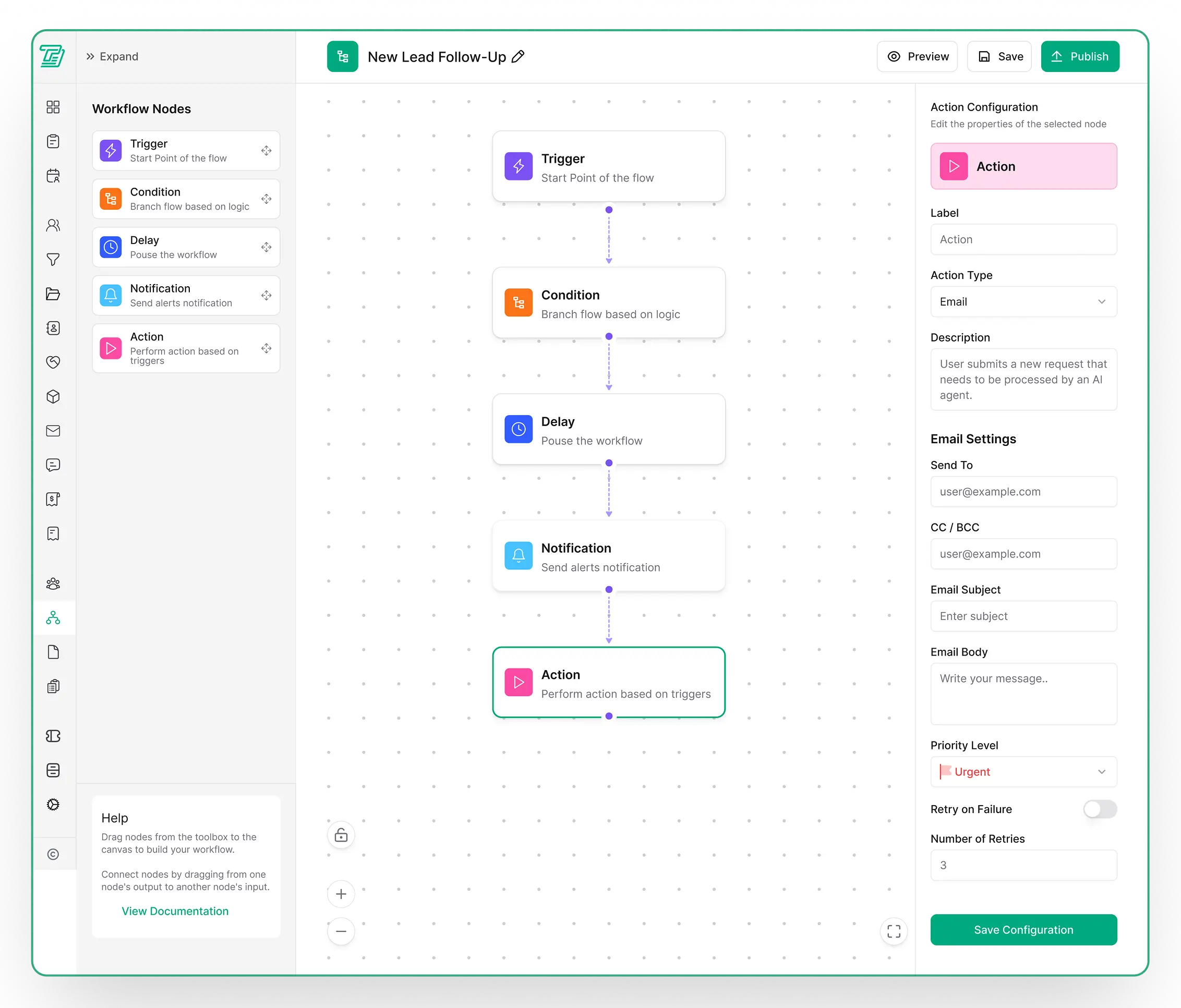
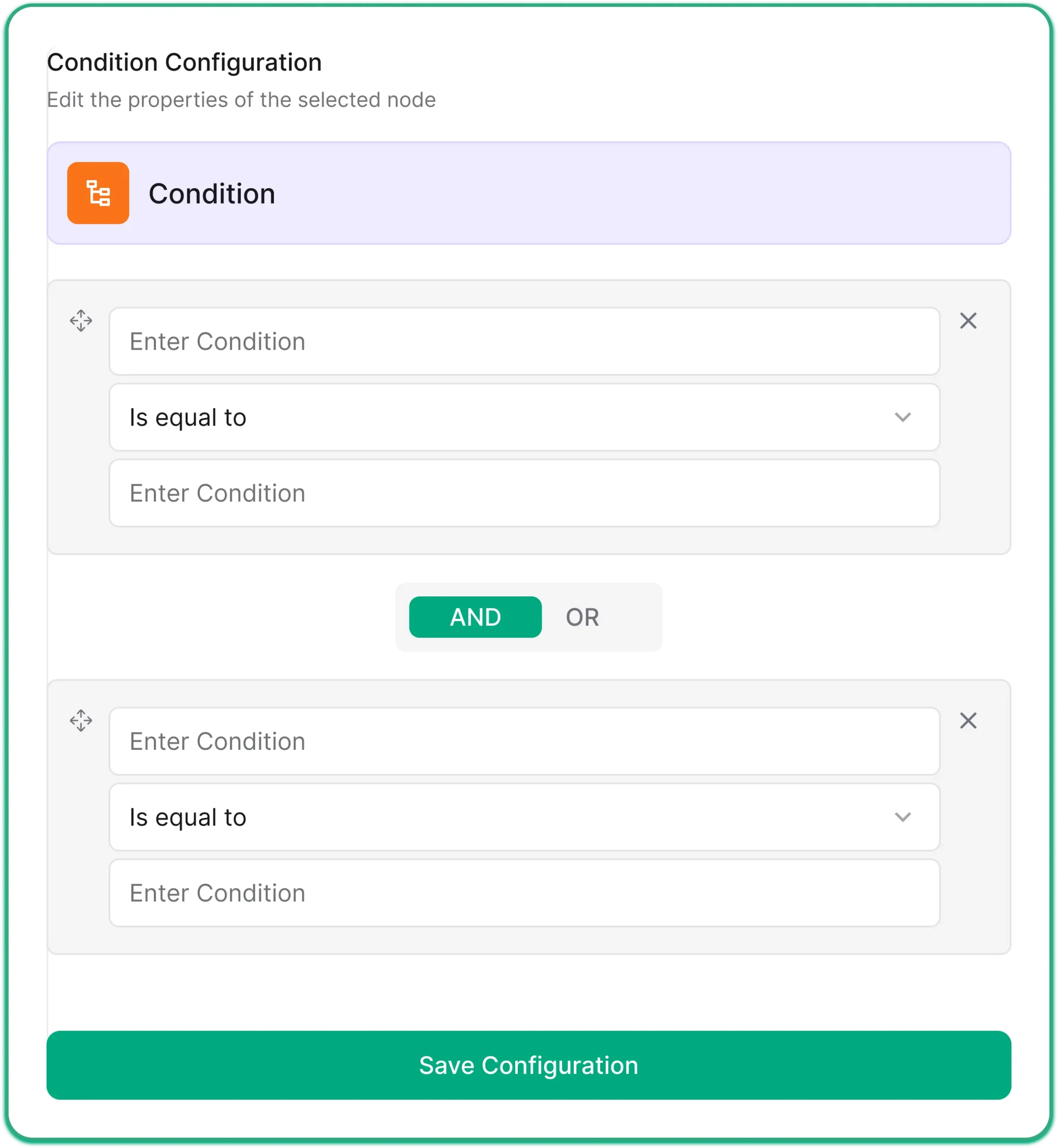
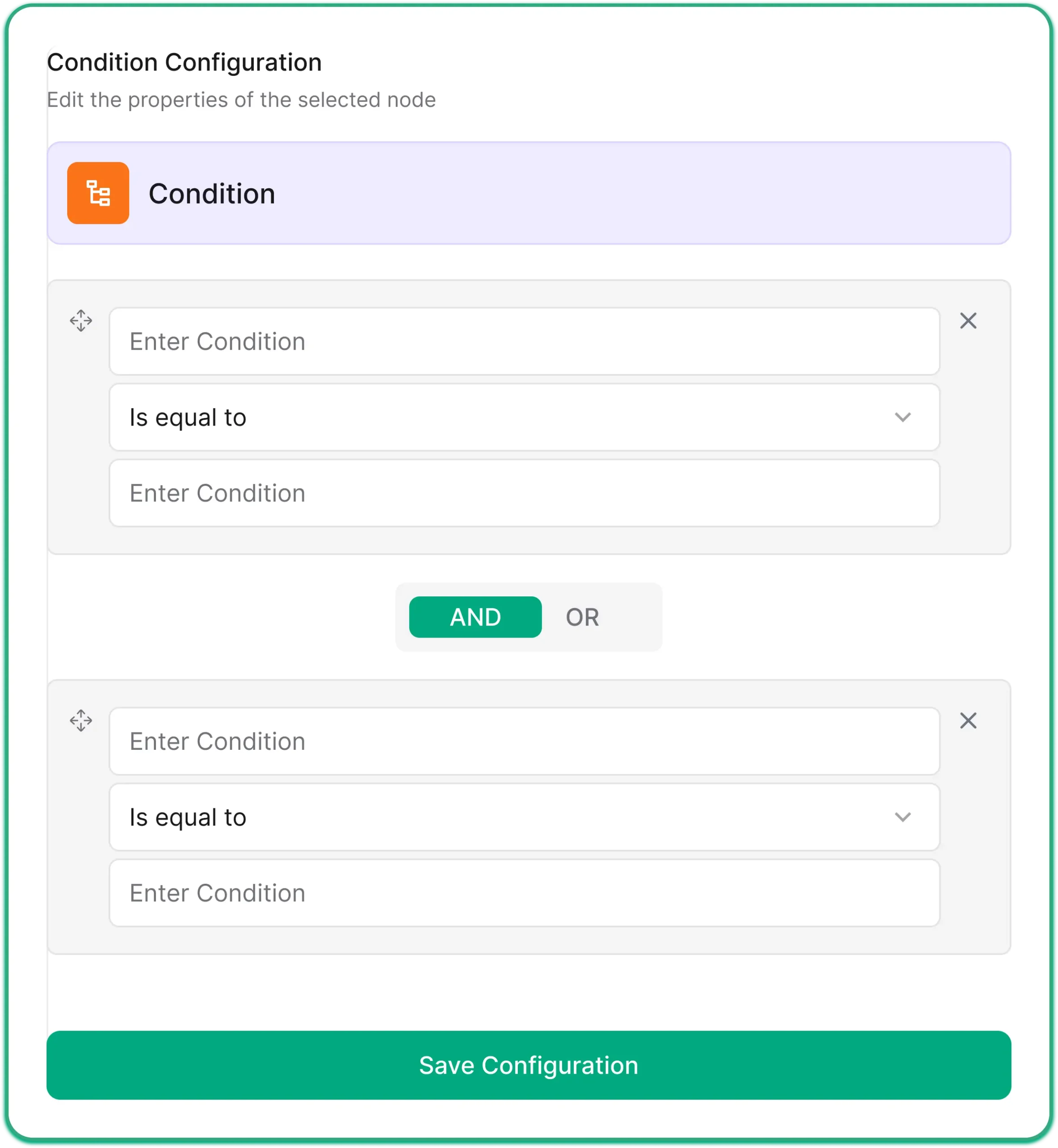
Add nodes such as triggers, conditions, delays, notifications, and actions. Connect them visually.”
Configure
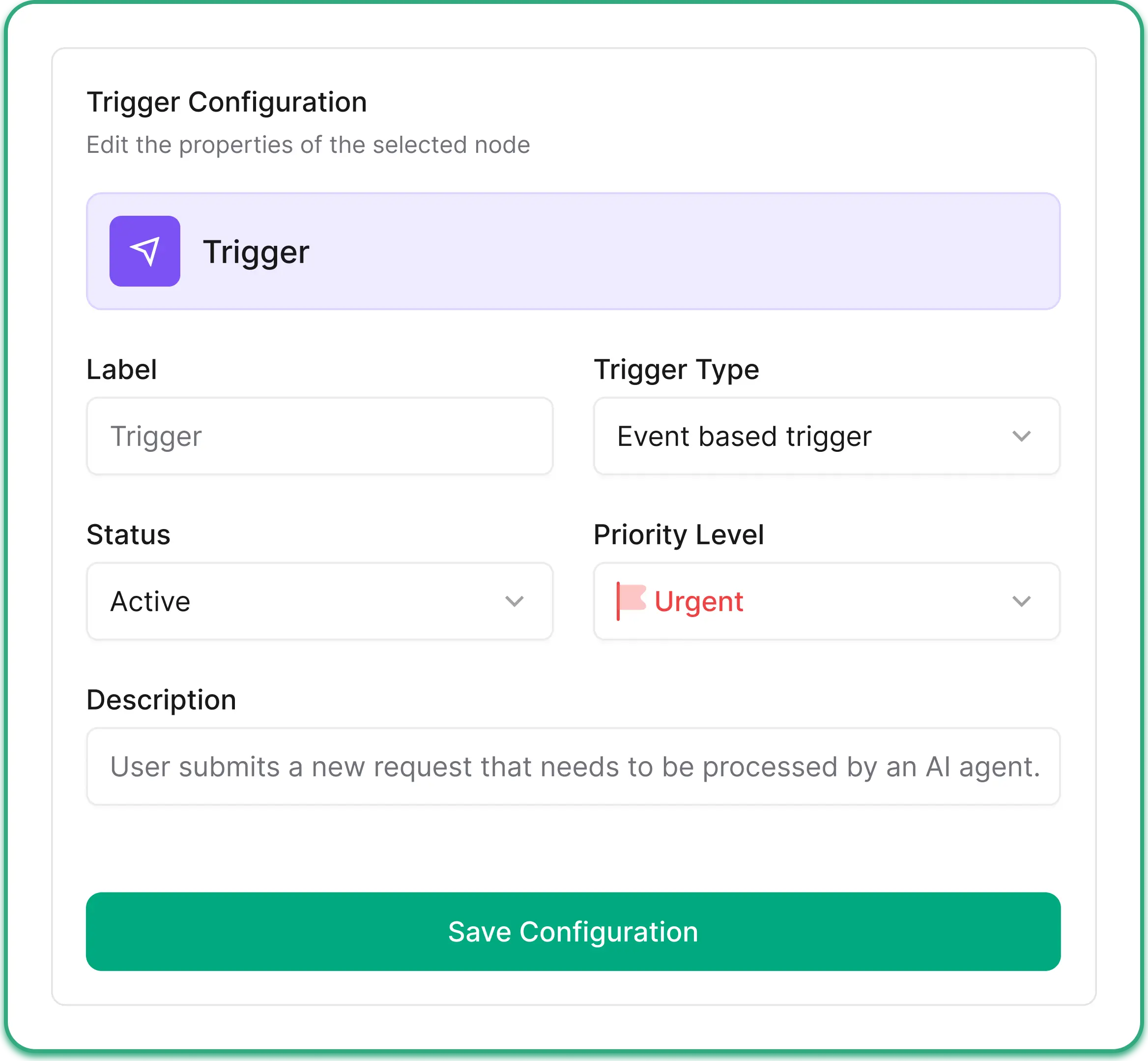
Set up each node with labels, types, email settings, priority levels, and retry options.
Activate
Turn on your workflow and watch it run automatically. Sit back and relax.
What You Can Do with Taskip
Automate more processes Save more time
Streamline workflows with smart automation and free up valuable time.
Build Workflows With Complete Information
Create workflows visually with all the details you need. Add triggers, conditions, delays, notifications, and actions, all with comprehensive settings.
- Complete workflow & node information Title, labels, descriptions, all settings in one place
- Custom fields for your process Add any fields your team needs for automation
- Node status tracking Know which nodes are active, inactive, or have errors
- Bulk import from templates Add pre-built workflows from our template library
Track Every Workflow in a Visual Timeline
Get a complete history of every workflow execution, including triggers fired, conditions checked, emails sent, and actions completed. Never wonder what happened or why.
- Complete execution timeline
- Visual status indicators
- Error tracking & debugging
- Filter by workflow type
Track Every Workflow in a Visual Timeline
Get a complete history of every workflow execution — triggers fired, conditions checked, emails sent, and actions completed. Never wonder what happened or why.
- Complete execution timeline
- Visual status indicators
- Error tracking & debugging
- Filter by workflow type
More Features
Everything You Need For Automation
Powerful features to automate any business process.
Get Free Trial Now
Workflow Builder
Visual drag & drop workflow creationworkflows as you need.

Execution Timeline
Visual history of all workflow runs

Conditional Logic
Branch workflows with if/then rules.

Timed Delays
Schedule actions for the perfect moment.

Auto Notifications
Send emails and alerts automatically.

Retry on Failure
Auto-retry failed actions for reliability.

Workflow Analytics
Track runs, success rates, and performance.

Webhooks & API
Connect to any external service.
Perfect for
Every Type of Service Business
Whether you’re a solo consultant or an agency team, Taskip scales with you

Digital Marketing Agencies
Showcase and manage all your marketing services in one organized space for easy client access.

Advertising Agencies
Showcase ad packages and media services for clients to browse easily.

Creative Agencies
Display creative packages and services in a structured, easy-to-navigate catalog.

Design Agencies
Showcase your design offerings in a professional and organized format.

Software & Development Companies
Showcase software solutions and tech services clearly for prospects.

Professional Services
Organize your offerings so clients can see all services clearly.

Consulting Firms
Showcase consulting packages and services clearly for potential clients.

Freelancers
Display freelance services and packages in a clean, organized way.
Results
Real Results from Real Teams
Taskip completely changed how we deliver services. Clear packages, instant bookings, and zero back-and-forth emails—our clients love the simplicity.
Since using Taskip, clients understand exactly what they’re getting before they book. It’s cut proposal time to almost zero and boosted our close rate.
The tiered service packages in Taskip make upselling effortless. Clients naturally choose higher-value options without us having to push.
Taskip helped us look more professional overnight. Clear pricing, defined deliverables, and automated booking—everything just works.
Frequently Asked Questions
Taskip Workflow Automation lets you build automated processes without coding. Create workflows with triggers, conditions, delays, notifications, and actions. Automate repetitive tasks, send emails, update records, and more.