5 Best Project Management Software With Client Portals (And Why Taskip Deserves Your Attention)
For agencies, studios, and service businesses, project management software with client portals is now a part of the business, not a tool. Clients expect transparency, real-time updates, and a smooth, branded experience that feels like an extension of your business, not a messy mix of email threads, scattered attachments, and “just checking in” messages.
In this blog, we will break down what makes great project management software with a client portal, how it transforms your operations and client relationships, and why Taskip stands out as a modern, client-centric solution designed for teams that care about both delivery and perception.
Why Client Portals Matter in Project Management Today
Client portals have gone from “nice extra” to “non‑negotiable” in modern project management. They provide clients with a single, secure platform to track progress, share files, offer feedback, and stay informed without the need for endless back-and-forth emails. In a world where agencies, SaaS teams, and service businesses juggle dozens of accounts at once, a portal is how you keep projects transparent, organized, and professional.
Communication that doesn’t drain your team
First, client portals dramatically improve communication. Instead of scattered messages across email, WhatsApp, Slack, and random spreadsheets, everything lives in one central hub connected to the actual project plan. Clients can log in and see what has been done, what’s in progress, and what’s coming next, without asking for a “quick update” This not only saves your team time, it also reduces misunderstandings, missed messages, and scope creep because expectations are visible in real time.
Transparency that builds trust
Second, portals build trust through transparency. When clients can see timelines, task statuses, deliverables, and even blockers, they feel like partners instead of outsiders. That level of visibility makes it easier to justify timelines, explain delays, and have honest conversations about priorities and change requests. For many businesses, this directly impacts client retention and upsell opportunities, because a client who feels informed is far more likely to stick with you long term.
Faster approvals and smoother delivery
Third, client portals streamline approvals and feedback. Instead of chasing sign‑offs in long email threads, clients can comment on specific tasks, files, or milestones right inside the portal. This cuts down revision cycles, keeps feedback connected to context, and creates a clear record of who approved what and when. For teams working on design, content, development, or ongoing retainers, that audit trail can save both time and money when there are disputes or confusion later.
Security and professionalism by default
Security is another big reason portals matter today. Many businesses handle sensitive information budgets, strategies, reports, contracts, or even client data. Sending that over email is risky and difficult to control. A well‑built client portal uses authentication, permissions, and encrypted connections to keep information safer and more controlled. That’s especially important if you’re working with larger companies that care about compliance, data handling, and access control.
Scalable Solution
Finally, client portals support scalability. As your agency or business grows, manually updating every client by email or meetings simply doesn’t work. A portal lets you standardize how clients experience your service—what they see, how they communicate, and how they access deliverables. This makes onboarding new clients smoother and makes your operations look more polished and mature, which is essential if you want to move upmarket and handle bigger accounts.
Core Features You Should Look For in Project Management Software With Client Portal
When you’re choosing project management software with a built-in client portal, you’re not just picking a task tracker. You’re choosing the hub where your team, your clients, your files, your invoices, and your conversations all live together in one place. The right feature set is what turns “just another tool” into a real agency operating system.
1. Truly Unified Client Portal
Look for a portal where clients can log in once and see everything related to them: projects, tasks, files, invoices, quotes, and support in one dashboard. This reduces back‑and‑forth emails, makes expectations crystal clear, and builds trust because clients can literally see progress, history, and outcomes any time they want.
Strong client portals also let you share updates, upload documents, and keep discussions tied to the right project instead of scattered across email threads. When you centralize all of that, both your team and your clients stay aligned without extra effort.
2. Strong Project & Task Management
A client portal is only as good as the project engine behind it. You want a flexible project setup: custom statuses, priorities, due dates, and the ability to assign both individual team members and entire teams to a project. Visual tools like Kanban boards make it easy to drag tasks through stages so everyone can see what’s in progress, blocked, or done at a glance.
Good task management should also support labels, categories, and clear project overviews that summarize status, deadlines, and ownership. This helps you scale from a few client projects to a full agency pipeline without losing control of who’s doing what and when.
3. Contact, CRM, and Sales Pipeline
Your project tool should double as a lightweight CRM so you’re not juggling separate systems just to manage leads and clients. That means contact management, deal tracking, and the ability to log activities like tasks, calls, and meetings in one timeline per client.
An integrated sales pipeline lets you move deals across stages and connect them directly to projects, quotes, and proposals once they convert. This closes the gap between “signed client” and “active project” and gives you a clearer view of revenue in motion.
4. Quotes, Proposals, Invoicing, and Payments
For agencies and freelancers, billing is part of project management—not an afterthought. Look for tools where you can create quotations/estimates, send them for e‑signature, and convert them to invoices in a single click when approved. That end‑to‑end flow cuts manual admin work and reduces errors across your sales and finance process.
Your software should also support professional proposals, recurring or one‑off invoices, and multiple payment gateways so clients can pay directly from the portal or a secure public link. The more seamless that experience is, the faster you get paid and the more “premium” your client experience feels.
5. Collaboration: Discussions, Documents, and Tickets
Real collaboration goes beyond assigning tasks. You need built‑in spaces for real‑time discussions on each project, so questions, feedback, and decisions are documented where the work happens. This keeps your team and your clients out of chaotic email chains and improves accountability.
On top of that, look for centralized document management and a structured support/ticket system. Clients should be able to access shared files, open tickets when issues arise, and see responses from your team in real time, all inside the same portal.
6. Meetings, Forms, and Automation
Modern client work is full of “micro‑workflows” like scheduling calls, collecting briefs, and following up after milestones. Your platform should include integrated meeting scheduling with customizable time slots and automatic email confirmations so clients can book you without a separate tool.
Custom form builders are another must‑have, letting you create onboarding forms, briefs, feedback forms, and more, then turn submissions directly into contacts, tasks, or deals. Layer automation on top—like converting quotes to invoices or turning emails into contacts or tickets—and you start reclaiming hours every week from repetitive admin tasks.
7. Multi‑Stakeholder Friendly Workspace
Finally, great project management software with a client portal must work for everyone: owners, project managers, team members, and clients. That means role‑based access, clear dashboards tailored to each role, and collaboration features that make sense whether someone is managing the business, running projects, doing the work, or reviewing deliverables.
When a single platform can give owners visibility, PMs control, team members clarity, and clients transparency, you move from “just managing projects” to running a more scalable, predictable business.
5 Best Project Management Software With Client Portals
Choosing the right project management portal depends heavily on a team’s specific needs, the complexity of its projects, and the desired client experience. Here is a curated analysis of some of the leading options available, each with its own unique strengths.
1. Taskip: A Modern Project Management Platform Built for Client Collaboration
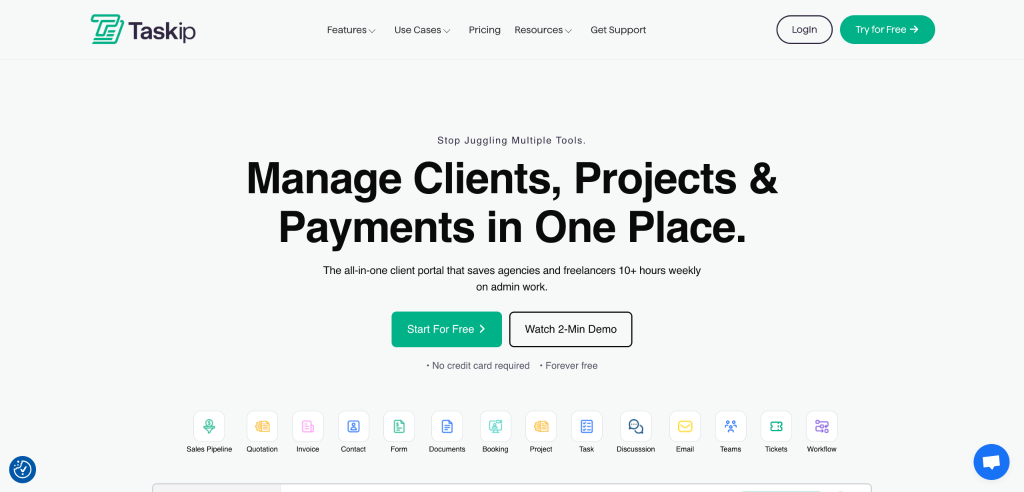
Taskip is built for agencies, freelancers, and growing teams that want one place to manage projects and collaborate with clients without juggling a dozen tools. Instead of forcing your clients into messy email threads and scattered links, Taskip gives them a clean, secure portal where they can see everything that matters—projects, tasks, files, invoices, tickets, and more in one view.
Best Features Of Taskip
a. All‑in‑One Client Portal Your Clients Actually Use
At the heart of Taskip is its all‑in‑one client portal, designed to make collaboration feel simple and intuitive for non‑technical clients. Clients can log in to a branded space to check project progress, review updates, download files, approve proposals, and share feedback without asking you “Can you resend that link?” every other day.
Because everything lives in one central hub—updates, documents, tickets, and even invoices—clients always know where to go, and your team spends less time chasing information. That transparency builds trust and positions your agency or service business as organized, professional, and easy to work with.
b. Built‑In Tools That Replace 8+ Subscriptions
Taskip doesn’t just add a portal on top of tasks; it bundles the core tools you normally pay for separately into one platform. Inside Taskip, you can manage projects and tasks, handle CRM and sales pipeline, create and send quotations, manage proposals with digital signatures, raise and resolve support tickets, schedule client meetings, design custom forms, organize documents, and automate workflows.
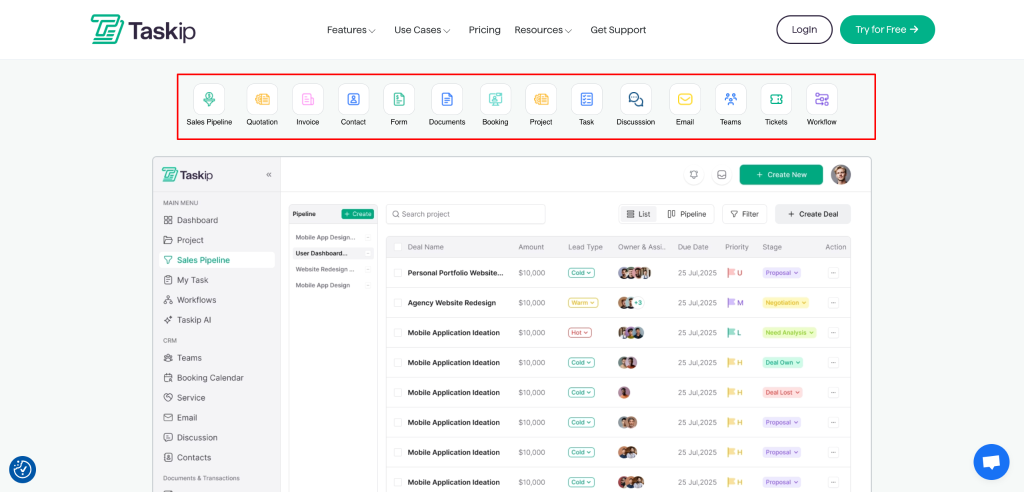
This means you can replace tools like Trello, Zoho CRM, Calendly, Typeform, DocuSign, and separate helpdesk or invoicing platforms, cutting both costs and complexity for your team. Everything connects smoothly—quotes can turn into invoices, forms into contacts or tickets, and conversations into actions—so your operations feel cohesive instead of stitched together.
c. Collaboration That Works for Every Stakeholder
Taskip is designed for everyone involved in a client project, not just project managers. Owners get the visibility they need across teams, revenue, and projects; project managers can plan, assign, and track work; team members see clear task lists and deadlines; and clients get an at‑a‑glance view of what’s happening without being overwhelmed.
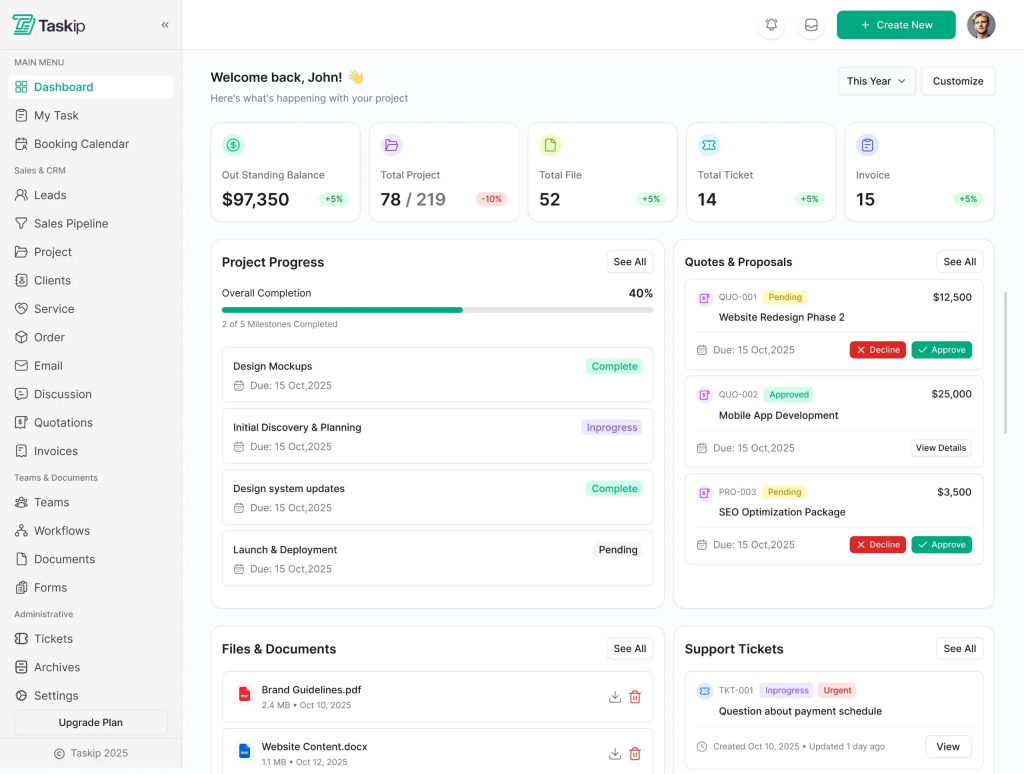
Features like real‑time discussions, contact management, ticketing, and document sharing make it easy to keep communication inside the platform rather than scattered across email, chat apps, and spreadsheets. The result is smoother collaboration, fewer misunderstandings, and a better overall experience for both your team and your clients.
d. Focus on Growth While Taskip Handles the Ops
Taskip’s biggest promise is simple: let your team focus on delivering great work and growing the business while the platform quietly handles the operational backbone. With automation, integrated billing flows, and structured client communication, you spend less time on manual follow‑ups and more time on strategy, creative work, and nurturing high‑value relationships.
Who Taskip Is For
Taskip is built for service‑based businesses that work with clients and need a shared portal to manage work, communication, and billing in one place. Typical users include:
- Freelancers and solo professionals who want a simple way to manage a few clients, send invoices/quotes, and use a basic client portal without paying upfront.
- Small teams and growing agencies that need multiple workspaces, more clients, stronger collaboration, and better control over projects and revenue.
- Established agencies that require unlimited users, higher storage, advanced collaboration, and full control over branding and client experience.
Taskip Pricing Plans (Overview)
Taskip pricing structure is organized into four main plans: Starter, Professional, Growing Team (or Team), and Agency/Agency Unlimited. Exact per‑month prices can vary by promo or listing, but the structure and “who it’s for” stay consistent.
- Starter (Free) – Best for freelancers or solo users just getting started who need 1 workspace, 1 team member, and up to 5 clients with a basic client portal, calendar, and form builder.
- Professional ($160/Lifetime ) Ideal for individuals or small teams who need more team members, more clients, and access to advanced features like proposals, support tickets, discussions, sales pipeline, and richer collaboration tools.
- Growing Team / Team Plan ($375/Lifetime) Built for growing agencies that manage more projects and team members across multiple workspaces, with higher storage limits and support for more complex workflows.
- Agency / Agency Unlimited ($790/Lifetime ) Designed for agencies needing unlimited users, multiple workspaces, maximum storage, advanced features, and full flexibility to scale without worrying about hard limits.
2. OneSuite
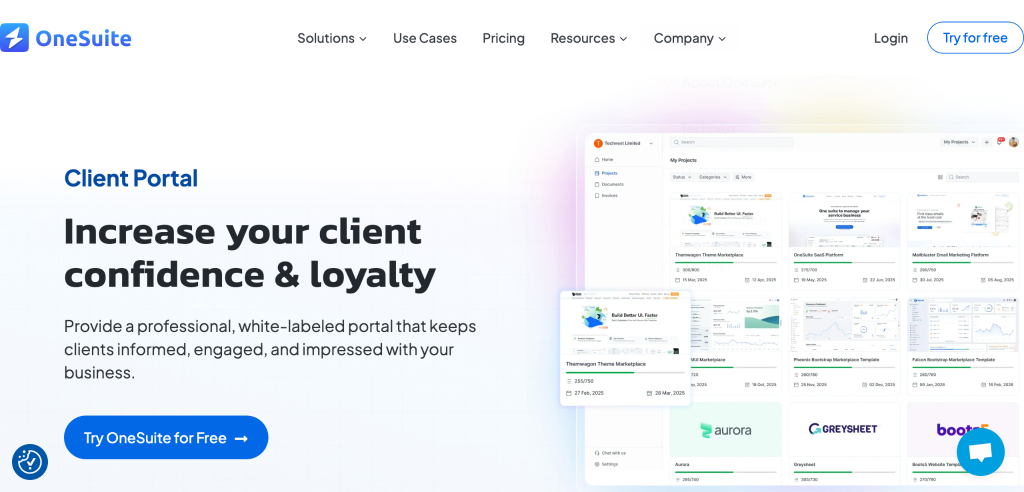
OneSuite is a client portal software built for agencies, combining project collaboration, onboarding, document signing, and invoicing in one interface.
Best OneSuite Features
- Project collaboration: Central boards for tasks, files, and updates per client.
- Onboarding: Structured client onboarding and management system.
- E‑sign & docs: Document signing and storage directly in the portal.
- Invoicing: View invoice history and payments in one place.
- Branded portal: Branded, shareable portal for each client relationship.
Ideal for:
Agencies and service providers who need a portal‑first experience focused on onboarding, documents, and ongoing collaboration.
Pricing (monthly):
- Freelancer: $29/month.
- Solopreneur: $59/month.
- Growing Agency: $149/month.
- Large Agency: $239/month.
3. ClickUp
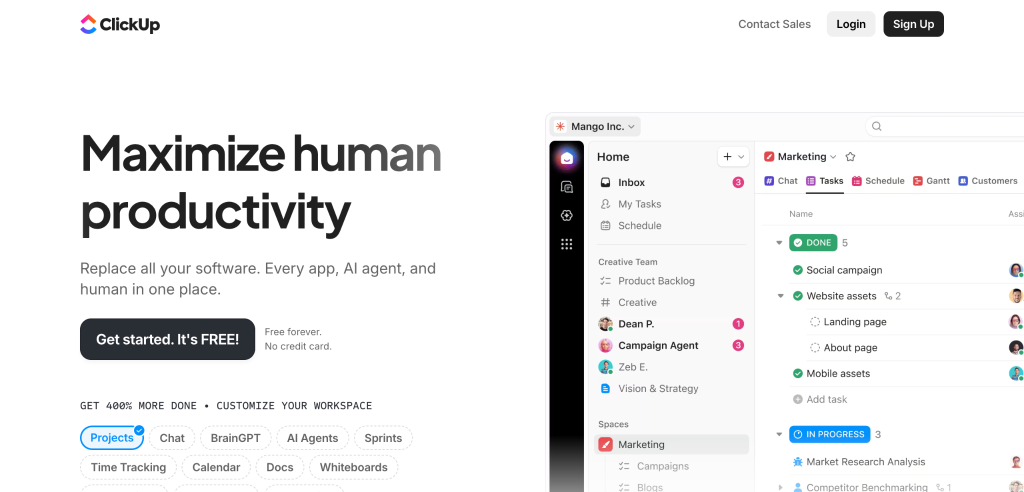
ClickUp is an all‑in‑one work management platform that supports projects, docs, goals, and client collaboration in one workspace, with guest access functioning as a flexible client portal.
Best ClickUp Features
- Custom views: Lists, boards, Gantt, dashboards for any workflow.
- Guest/portal access: Invite clients as guests with granular permissions.
- Time & workload: Native time tracking and workload view for capacity.
- Automation: Automations for status changes, assignments, and alerts.
- Docs & forms: Share docs and forms externally for requirements and briefs.
Ideal For
Agencies, consultancies, and SaaS teams that want a flexible PM tool plus a lightweight client portal without separate software.
Pricing (billed yearly):
- Free Forever: $0, unlimited members and tasks.
- Unlimited: From $7/user/month.
- Business: From $12/user/month.
- Enterprise: Custom quote.
4. SuiteDash
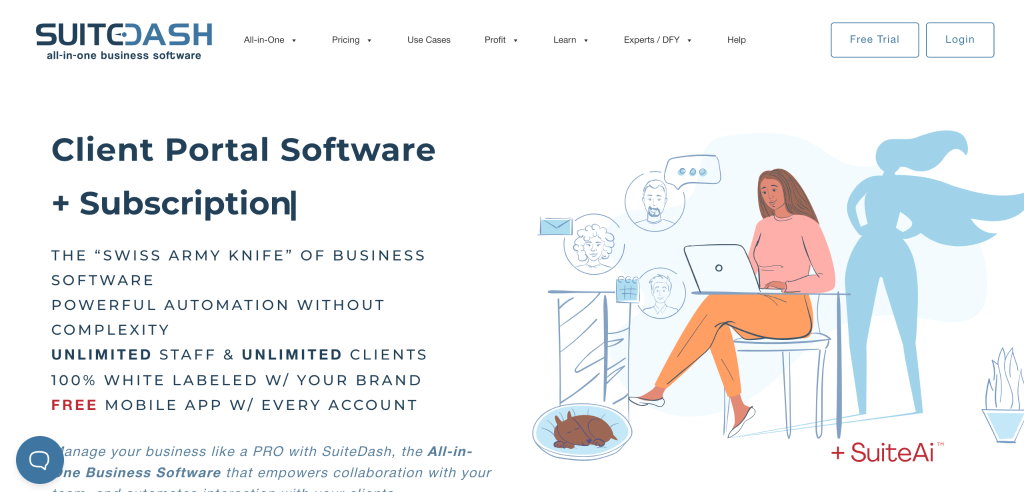
SuiteDash is a unified business platform that combines CRM, project management, invoicing, and a fully white‑label client portal in a single login.
Best SuiteDash Features
- White‑label portals: Custom domain, branding, and dashboards for clients.
- Project management: Tasks, timelines, and progress tracking per client.
- CRM + billing: Integrated CRM, estimates, invoicing, and subscriptions.
- Automation: Onboarding flows, follow‑ups, and task automations.
- File sharing: Secure file uploads and sharing inside the client portal.
Ideal for:
Service businesses and agencies that want an all‑in‑one client portal plus PM, CRM, and billing under one white‑labelled roof.
Pricing (high level):
SuiteDash offers multiple tiers (e.g., Start, Thrive, Pinnacle) with all‑in‑one feature access and white‑label options; plans are positioned for small firms up to larger agencies.
5. Plutio
Plutio is a business management suite for freelancers and small teams that merges projects, invoicing, time tracking, and client portals in a single app.
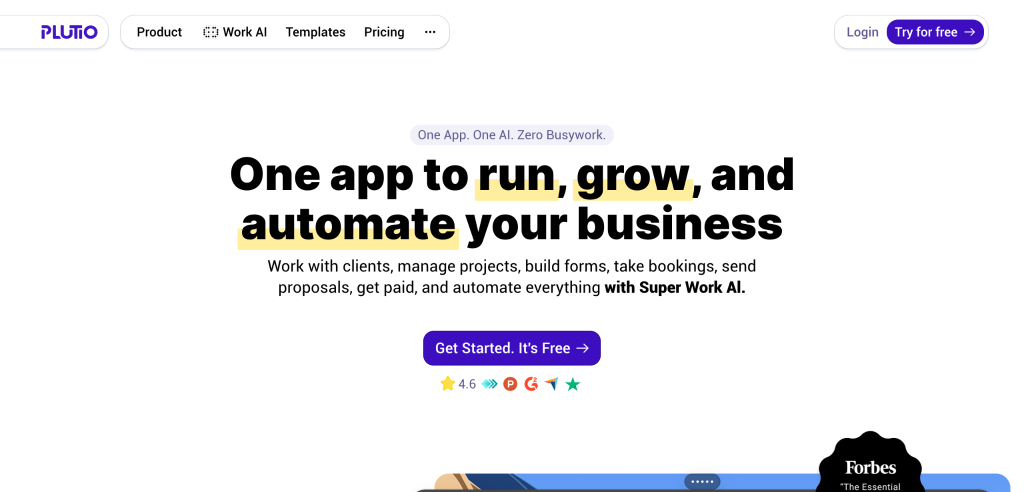
Best Plutio Features
- Client portal: Share projects, invoices, and messages in one portal.
- Projects & tasks: Kanban boards, task lists, and progress tracking.
- Billing: Invoices, subscriptions, and proposals integrated with projects.
- Automation: Workflows for recurring tasks and approvals.
- Templates: Reusable proposals, contracts, and project templates.
Ideal for:
Freelancers, studios, and lean agencies who want integrated PM, billing, and client collaboration without enterprise complexity.
Pricing (monthly, typical ranges):
- Solo: Around $19/month; all features, no contributors and limited client invites.
- Studio: Around $20–$30/month; unlock full client portal and more client invites.
- Team: Around $30+/month; add more contributors and scale collaboration.
How to Choose the Right Project Management Software with Client Portal?
Choosing the right project management software isn’t just about organizing tasks anymore. Today, your clients expect visibility, easy communication, and real-time updates, and that’s where having a client portal built into your project management tool makes all the difference.
A well-designed client portal turns your software into more than a task tracker, it becomes your client’s window into the progress, deliverables, and deadlines that matter most to them. But with so many tools out there, how do you know which one’s the right fit for your workflow, your clients, and your budget? Let’s break it down.
1. Understand What You and Your Clients Really Need
Start by mapping out how you currently manage projects, share updates, and collect feedback. Ask yourself, what’s slowing things down? Is it endless email threads? Confusion over document versions? Or time lost chasing client approvals?
The goal is to choose a tool that directly solves these issues while giving clients a clear, self-service portal to check progress without constantly asking for updates.
2. Prioritize Client Experience
A client portal should be intuitive and visually clean. Your clients aren’t using it every day like your internal team, so ease of use is critical.
Look for a tool that allows clients to:
- Log in securely
- Track project statuses in real-time
- View files, invoices, or timelines
- Leave comments or approve tasks without needing extra training
If your clients can easily find what they need, your communication becomes smoother — and your brand instantly feels more professional.
3. Focus on Collaboration and Transparency
Transparency builds trust. Choose a platform that allows seamless collaboration between your team and your clients. Features like discussion threads, time tracking, and task visibility help reduce misunderstandings and keep everyone accountable.
Bonus points if the software provides role-based access control, so you can decide exactly what your clients can see or edit.
4. Integration and Automation Matter
Your project management tool should connect effortlessly with the platforms you already use, like Google Drive, Slack, or invoicing tools.
Automations (like status updates or task reminders) also save time, freeing your team from repetitive admin work. This way, everyone stays focused on actual project delivery instead of chasing files or updating spreadsheets.
5. Scalability and Customization
As your business grows, your tool should grow with you. Look for software that allows you to customize your client portal — adding branding, unique workflows, or even custom domains. Scalability ensures you won’t have to switch platforms later, which can be time-consuming and disruptive.
6. Security and Data Privacy
Finally, make sure your chosen software takes security seriously. Client data is sensitive, so you’ll want encryption, two-factor authentication, and strong user permission settings. Having these in place not only protects information but also reassures clients that their data is handled securely.
Final Thoughts: Project Management + Client Portal Is the New Standard
The days of keeping clients at arm’s length from your project management system are ending. Modern service businesses operate transparently, and clients expect real-time visibility into the work they’re paying for. The combination of robust project management with integrated client portals isn’t a luxury feature anymore—it’s a baseline expectation.
What makes this shift powerful is how it reframes the client-agency relationship. Instead of the traditional dynamic where agencies guard information and clients chase updates, you create collaborative partnerships. Clients feel involved without being intrusive. Your team maintains control while demonstrating openness.
The operational efficiency gains compound over time. Every hour saved on status update emails is an hour reinvested into delivery quality. Every reduced approval cycle means faster project completion and higher client satisfaction. These improvements directly impact your bottom line through increased capacity and reduced operational friction.
For businesses positioning themselves as premium service providers, a sophisticated client portal becomes part of your competitive moat. It’s harder for clients to leave when they’ve built workflows around your collaboration platform. It’s harder for competitors to differentiate when your operational experience is genuinely superior.
As client expectations continue evolving, the question isn’t whether to adopt project management software with client portals—it’s whether you can afford not to. The businesses thriving in service industries aren’t necessarily delivering dramatically different outcomes than their competitors. They’re delivering those outcomes through dramatically better experiences.
Taskip represents this new standard: seamless project execution, transparent collaboration, and elevated client experience, unified in one platform. Whether you’re a three-person agency or a fifty-person operation, the principles remain consistent—better systems create better outcomes for everyone involved.
FAQ About Best Project Management Software With Client Portals
1. What makes Taskip different from other project management tools?
Taskip combines project management and client portal features in one platform, allowing both teams and clients to collaborate transparently without juggling multiple tools.
2. Can Taskip be used for agencies with multiple clients?
Absolutely. Each client gets a dedicated branded portal, keeping communications and deliverables organized while your team manages all projects from a unified dashboard.
3. How secure is client data within Taskip’s portals?
Taskip uses encrypted communication and permission-based access, ensuring clients only see what’s relevant to their project while keeping internal data safely restricted.
4. Does Taskip support real-time project updates for clients?
Yes. Clients can log into their portal anytime to view live progress, task status, and deliverables without needing manual updates from your team.
5. What’s the best time to switch to Taskip for my business?
The best time is when client communication becomes repetitive and scattered: Taskip helps you centralize updates, feedback, and file management seamlessly.

Get Summary On: