
15 Best Hello Bonsai Alternatives in 2026 — Cheaper & More Powerful
Looking for the Hello Bonsai official website? Visit hellobonsai.com. If you’re evaluating whether it’s the right tool, keep reading — we’ve tested 15 alternatives.
Hello Bonsai is a solid tool for freelancers starting out. But as your client list grows and projects become more complex, those once-helpful features start to feel limiting. Rigid workflows, basic client portals, and limited integrations often push growing agencies to look elsewhere. If you’re evaluating Hello Bonsai competitors or want to know how Bonsai’s pricing stacks up, you’re in the right place.
The good news? Whether you need a single Hello Bonsai alternative or want to compare the full market, there are powerful Bonsai alternatives designed for businesses ready to level up. In this comprehensive guide, we’ll break down the 15 best Hello Bonsai alternatives in 2026, comparing features, pricing, pros, and cons, so you can find the perfect fit for how you actually work. Let’s dive in:
EDITORIAL DISCLOSURE:
Taskip is our own product — ranked #1 in this article. We have reviewed every other tool through direct use or documented research. Our goal is to give you an honest recommendation; if Taskip is not right for you, we say so. Tools are ranked by overall value for freelancers and small agencies, not by affiliate revenue.
Table of Contents
What Is Hello Bonsai?
Hello Bonsai is an all-in-one freelance management platform launched in 2016. It bundles
contracts, proposals, invoices, time tracking, and a basic CRM into a single subscription aimed at
at solo freelancers.
It’s a solid starting point, but as your client roster grows, you’ll start bumping against its
limitations.
Hello Bonsai Pricing in 2026
Hello Bonsai offers four paid plans. There is no permanent free plan — only a free trial limited to 3 clients.
| Plan | Monthly | Annual |
| Basic | $15/user/month | $9/user/month |
| Essentials | $25/user/month | $19/user/month |
| Premium | $39/user/month | $29/user/month |
| Elite | $59/user/month | $49/user/month |
The per-seat pricing model is the biggest issue for growing teams — adding two team members can double your monthly bill. There’s also no lifetime deal option.
By comparison, Taskip starts at $12/month flat, includes a free plan forever, has no per-user pay system, and offers a lifetime deal. For a full breakdown, see the Hello Bonsai alternatives below.
Does Hello Bonsai Have a Good Client Portal?
Yes, Hello Bonsai includes a basic client portal. Clients can log in to view and approve proposals, sign contracts, pay invoices, and fill in forms. However, the portal has notable limitations:
- No white-labeling on lower plans — clients see Bonsai branding
- No real-time project tracking for clients
- No built-in messaging between you and clients inside the portal
- Limited customization — you can’t match it fully to your brand
If a polished, branded Hello Bonsai client portal alternative is your main reason for switching, Copilot and Taskip both offer significantly better client portal experiences. Taskip’s client portal includes real-time project visibility, built-in messaging, file sharing, and full white-labeling from the free plan.
5 Signs You’ve Outgrown Hello Bonsai
● You’re managing 5+ active clients, and the project view feels cramped
● You need team collaboration features, but hit the per-seat pricing wall
● Your clients want a branded portal, not a generic Bonsai-powered page
● Your accountant needs QuickBooks or Xero integration — Bonsai doesn’t offer it
● You want AI assistance in your workflow, and Bonsai hasn’t shipped it yet
How We Evaluated These Alternatives
Methodology: We signed up for free trials of all 15 tools, ran each through a standardised workflow (send a proposal, create a project, track time, send an invoice, receive payment), and scored on: feature completeness, ease of use, pricing fairness, and client experience quality. Where a free trial wasn’t available, we used documented pricing pages and verified G2/Capterra reviews.
| Criteria | Weight |
| Feature Set & Capability (vs. Industry Standards) | 25% |
| Pricing Structure & Value for Money | 25% |
| User Experience & Interface Intuition | 20% |
| Client-Facing Portal & Professionalism | 15% |
| Technical Documentation & Support Quality | 10% |
| Market Integration & Ecosystem | 5% |
Quick Comparison: All 15 Hello Bonsai Alternatives
| # | Tool | Best For | Starting Price | Free Plan | Client Portal |
|---|---|---|---|---|---|
| 1 | Taskip | All-in-one for freelancers & agencies | Free / $12/mo | Yes | Yes |
| 2 | Assembly | AI-powered team work management | Free / $10/seat | Yes | Yes |
| 3 | ActiveCollab | Agencies needing profitability tracking | $9.50/seat/mo | No | Yes |
| 4 | OneSuite | Agencies with recurring service billing | $29/mo | Trial only | Yes |
| 5 | Dubsado | Maximum workflow automation | $20/mo | Trial (3 clients) | Yes |
| 6 | HoneyBook | Creative entrepreneurs | $19/mo | Trial only | Yes |
| 7 | Copilot | Branded client portal experience | $29/mo | 14-day trial | Yes |
| 8 | ManyRequests | Productised / subscription services | $99/mo | No | Yes |
| 9 | Agiled | Full business OS with HR + finance | $15/mo | Yes | Yes |
| 10 | ClickUp | Project management power users | Free / $7/user | Yes | Limited |
| 11 | SuiteDash | White-label client portals | $19/mo | Trial only | Yes |
| 12 | Bloom | Visual creatives (photographers) | Free / $7/mo | Yes | Yes |
| 13 | FreshBooks | Accounting & invoicing first | $21/mo | Trial only | Limited |
| 14 | PandaDoc | Enterprise document & contract workflows | Free / $35/mo | Yes | No |
| 15 | Zendo | Service-based & subscription businesses | Free / $19/mo | Yes | Yes |
The 15 Best Hello Bonsai Alternatives — Full Reviews
1. Taskip – Best All-in-One Hello Bonsai Alternative
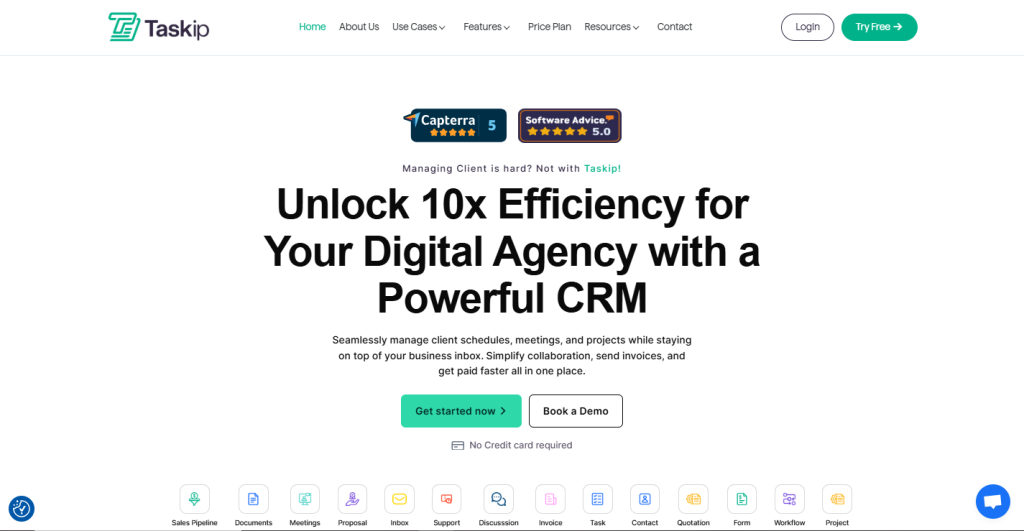
One Powerful Platform to Manage Clients, Projects & Payments
Disclosure: Taskip is our own product. We’ve ranked it #1 because we genuinely believe it delivers the best overall value for freelancers and small agencies, but we encourage you to read every review below and choose what’s right for your situation.
Taskip Taskip is a modern all-in-one client management platform built specifically for freelancers, consultants, and growing service teams. Instead of piecing together separate tools for proposals, projects, time tracking, and invoicing, Taskip puts everything under one clean dashboard, so you can stop managing software and start managing clients.
What sets Taskip apart from Bonsai is breadth at an accessible price point. The free plan is genuinely useful (not a 14-day bait-and-switch), the AI writing assistant is built in at no extra cost, and the client portal is branded from day one.
Learn More: Taskip vs Bonsai – Which One Helps You Work Smarter in 2025?
Key Features
- Complete CRM to manage leads, clients, and deals in a visual pipeline
- Project and task management with Kanban, list, and calendar views
- Proposal and contract builder with e-signatures and auto-follow-ups
- Professional invoicing with Stripe, PayPal, and Razorpay integration
- Branded client portal with real-time project visibility
- AI writing assistant for proposals, emails, and contracts
- Workflow automation to eliminate repetitive tasks
- Built-in meeting scheduler and support ticket system
- Time tracking with Pomodoro timer and idle detection
Pros
- Most generous free plan on this list, no credit card required
- Full platform: clients, projects, billing, proposals, all in one place
- AI features included in the base price (not an upsell)
- Affordable flat-rate pricing, no per-seat surprises
- Clean, fast UI with a responsive support team
Cons
- Smaller integration library compared to 10-year-old incumbents
- The mobile app is still in beta
- May offer more features than a pure solo freelancer needs
Pricing
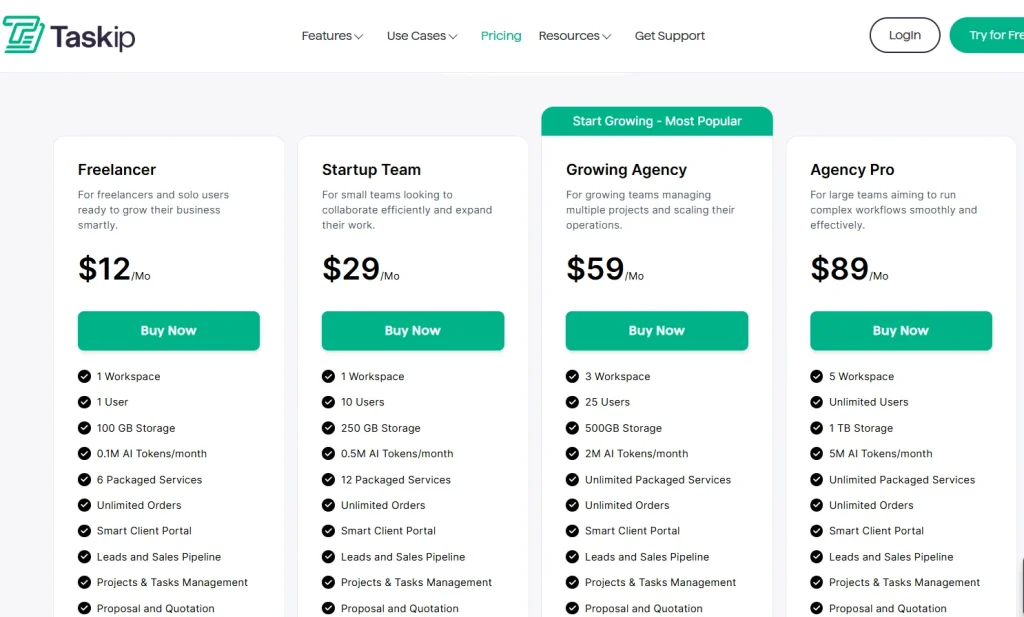
Best For: Freelancers and agencies wanting a complete business operating system that actually grows with them.
Verdict
Taskip earns the #1 spot by covering the most ground at the lowest price. The free plan is real, the AI tools are practical, and the client portal is polished from day one.
2. Assembly — Best for AI-Powered Team Workflows
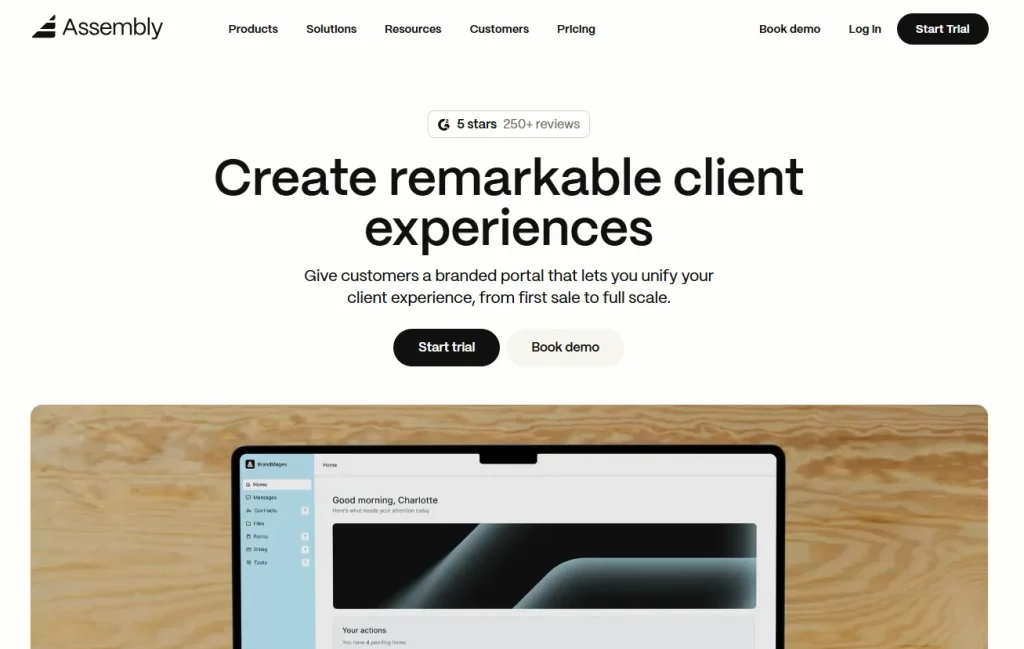
The AI-native work management platform is highlighted for team-level client work
Assembly is an AI-powered work management platform gaining significant traction among small-to-mid-size teams who want artificial intelligence baked into their daily workflow, not added on as an afterthought. It combines AI-generated project briefs, automated task summaries, customisable no-code workflows, and strong team collaboration features into one platform.
For teams that have outgrown Bonsai’s solo-centric design, Assembly provides the collaboration layer that Bonsai lacks, while the AI tools reduce the administrative overhead that normally falls on project managers.
Key Features
- AI-generated project briefs, task summaries, and status updates
- Customisable workflows with no-code automation builder
- Integrated docs, wikis, and goal tracking
- Time tracking and resource allocation
- Client-facing portals with controlled access
- 50+ native integrations including Slack, Google Workspace, and GitHub
- Real-time collaboration with threaded comments
Pros
- AI features are genuinely time-saving, not just cosmetic
- Highly customisable without needing IT support
- Strong team collaboration that Bonsai simply doesn’t offer
Cons
- Per-seat pricing adds up for growing teams
- Steeper learning curve than simpler solo tools
- Less suited for pure invoicing/accounting workflows
Pricing
- Free: Up to 10 members, limited AI features
- Pro ($10/seat/month): Full AI suite, unlimited projects
- Business ($16/seat/month): SSO, advanced permissions, dedicated support
Best For: Small-to-mid teams that want AI built into their day-to-day client work management.
Verdict
Assembly is the standout choice for teams who want AI to reduce their admin burden actively, not just summarise notes after the fact.
3. ActiveCollab — Best for Agencies Needing Profitability Tracking
Battle-tested agency project management with deep billing, capacity planning, and per-project profit visibility
ActiveCollab has been around since 2007, and it’s been through the product cycles that kill most competitors. The result is a mature, reliable platform used by thousands of agencies that need serious project management and financial tracking, not just invoicing. Where Bonsai gives you invoices and basic time tracking, ActiveCollab shows you whether each project actually made money.
Key Features
- Gantt charts, Kanban boards, and list views
- Budget and profitability tracking per project
- Team availability and workload capacity view
- Time tracking with manager approval workflow
- Invoicing is integrated directly with project time and budget data
- Client portal with controlled access levels
- QuickBooks and Xero integration
Pros
- Best per-project profitability visibility of any tool on this list
- Mature, reliable platform trusted by agencies for 15+ years
- Strong resource management and capacity planning
- Native accounting integrations (QuickBooks, Xero)
Cons
- UI feels dated compared to newer tools
- No free plan — 3-seat minimum required
- Steeper learning curve for non-technical users
Pricing
- Plus ($9.50/seat/month): Core PM + billing, 3-seat minimum
- Pro ($14/seat/month): Budget tracking, capacity planning
- Pro+Bundle ($24/seat/month): Everything + onboarding + storage
Best For: Established agencies with 5+ team members where project profitability is a measurable KPI.
Verdict
ActiveCollab is the agency veteran. If your team has grown past Bonsai’s solo-centric model and profitability visibility matters, this is the upgrade path.
4. OneSuite — Best Unified Platform for Recurring Service Businesses
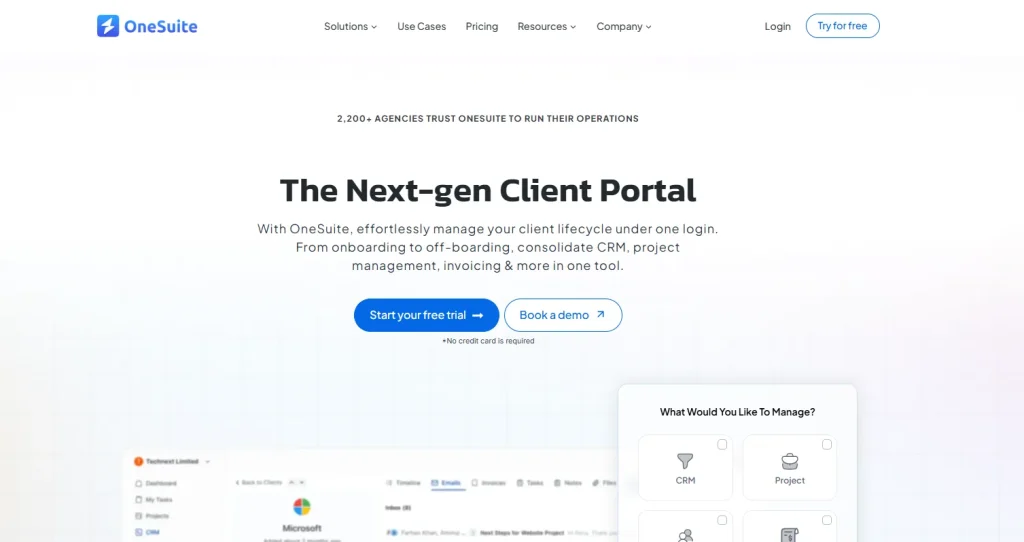
All‑In‑One CRM, Client & Project Management for Service Businesses
OneSuite is a unified business management solution designed for service providers, agencies, freelancers, and small teams. It combines CRM, project tracking, client portals, document management, invoicing, and lead pipeline tools into one platform, eliminating the need for multiple separate apps.
From capturing leads and tracking sales pipelines to managing projects and invoicing clients, OneSuite simplifies your workflow so you can focus more on delivering results and less on scattered tools.
Key Features
- CRM and lead pipeline with deal tracking
- Branded, secure client portal
- Project and task management with Kanban and list views
- Document hub with e-signatures for proposals, contracts, and NDAs
- Invoicing and online payments
- White-label branding with custom domain support
Pros
- Branded client portal with client ordering capability
- Reduces the need for multiple tools in one subscription
- Good for recurring and multi-client workflows
- Unified pipeline from lead capture through to invoice
Cons
- Lacks advanced automation and reporting depth
- No Gantt charts or advanced timeline views
- Pricing jumps significantly between tiers
Pricing
- Freelancer ($29/month): 5 team members, unlimited projects, clients, invoices, 10 GB storage
- Solopreneur ($59/month): 12 team members, 30 GB storage, up to 10,000 leads
- Growing Agency ($149/month): 35 team members, unlimited leads, 60 GB storage
Best For: Service providers with recurring client relationships who want a single pipeline from lead to payment.
5. Dubsado — Best for Workflow Automation
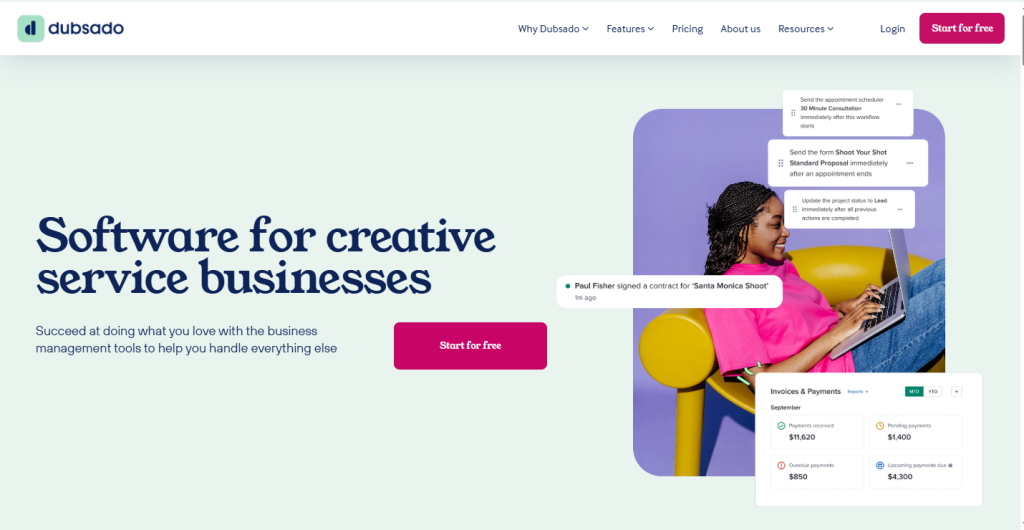
Workflows, Forms, and Automation Built for Service Providers
Dubsado is a client and business management solution built for service-based professionals—think photographers, designers, consultants, and coaches. It shines when it comes to automating repetitive admin work, onboarding new clients, and creating custom workflows that reflect how you do business.
From sending forms and contracts to scheduling meetings and triggering email sequences, Dubsado helps simplify the entire client journey—so you can spend less time in your inbox and more time getting paid.
If you’re weighing your options beyond Bonsai and want to explore more tools like this one, check out our complete guide to Dubsado alternatives for additional comparisons.
Key Features
- Visual workflow builder with conditional logic and multi-step automation
- Client onboarding with branded forms and embedded schedulers
- Proposals, contracts, and invoices in connected packages
- Lead capture forms embeddable on your website
- Payments via Stripe, PayPal, and Square
- Scheduler with availability settings and paid booking options
Pros
- Flat pricing with unlimited clients on all plans
- Most powerful automation builder for client workflows at this price
- Fully white-labelled client experience
- Active community with shared workflow templates
Cons
- Steep learning curve — not for people who want quick setup
- Mobile experience is limited
- Interface feels dated compared to newer tools
Pricing
Dubsado offers simple, flat-rate pricing with unlimited clients:
- Starter ($20/month): Invoicing, forms, contracts, client CRM — up to 3 clients free trial
- Premier ($40/month): Full automated workflows, public proposals, scheduling, integrations
Best For: Creative professionals and service businesses willing to invest setup time in exchange for powerful, hands-off automation.
6. HoneyBook — Best for Creative Entrepreneurs
Streamlined Client Booking, Invoicing, and Payments in One Place
HoneyBook is a popular choice for freelancers and creative entrepreneurs who want to simplify how they manage clients—from first inquiry to final payment. Whether you’re sending out a proposal, booking a session, or getting paid, HoneyBook makes every step feel easy and well-designed.
Its clean user interface, mobile app, and built-in automations help reduce back-and-forth emails, while its integrated payments and client communications keep everything in one place.
Key Features
- Proposals and contracts with e-signatures and auto-invoice generation
- Centralised client communication with email and project timeline
- Online payments via ACH, credit card, and recurring invoices
- Automation for reminders, onboarding emails, and follow-ups
- Integrated calendar scheduling
- Mobile app for on-the-go management
Pros
- Modern, intuitive interface — minimal training needed
- All-in-one for creatives: booking, contracts, payments, communication
- Strong community and educational resources
Cons
- Limited customisation for complex workflows
- Automation features feel basic for advanced users
- Not ideal if project management depth is a priority
Pricing
HoneyBook offers straightforward pricing with access to all features:
- Starter ($19/month): Proposals, contracts, invoicing, client comms, payments
- Essentials ($39/month): Scheduler, QuickBooks integration, automations, up to 2 team members
- Premium ($79/month): Unlimited team members, priority support, dedicated account manager
All plans come with a 7-day free trial and access to the full feature set.
If HoneyBook sounds promising but you’d like to compare it further, our guide to HoneyBook alternatives breaks down similar tools in detail.
Best For: Creative freelancers — photographers, event professionals, designers — who want a polished client journey without a steep learning curve.
7. Copilot — Best Branded Client Portal
A White-Labeled Client Portal Built for Modern Service Businesses
Copilot is a white-labeled platform designed for freelancers, consultants, and agencies who want to offer a seamless, branded experience to their clients. With built-in messaging, invoicing, file sharing, and forms, Copilot gives your clients a central place to collaborate and stay informed—without the clutter.
It’s especially useful for businesses that deliver services over time and need a clean, professional front-end to share progress, documents, and communication in one secure portal.
Key Features
- Fully white-labeled client portal with custom domain
- Secure in-app messaging
- Forms and intake workflows
- Invoicing and payments via Stripe
- File sharing and document organisation
- Third-party embeds: Calendly, Airtable, Notion, and more
Pros
- Best dedicated client portal experience on this list
- Very clean, professional aesthetic out of the box
- Easy to set up and scale
Cons
- Limited built-in task and project management
- Requires Stripe for all payment processing
- Can become expensive at higher tiers
Pricing
- Basic ($29/month): 100 client users, messaging, file sharing, invoicing, forms
- Professional ($69/month): Custom domain, branding, help desk, expanded automations
- Advanced ($149/month): SSO, client groups, analytics, larger teams
Best For: Consultants and agencies where brand impression and a polished client experience are the primary differentiators.
8. ManyRequests — Best for Productised Service Agencies
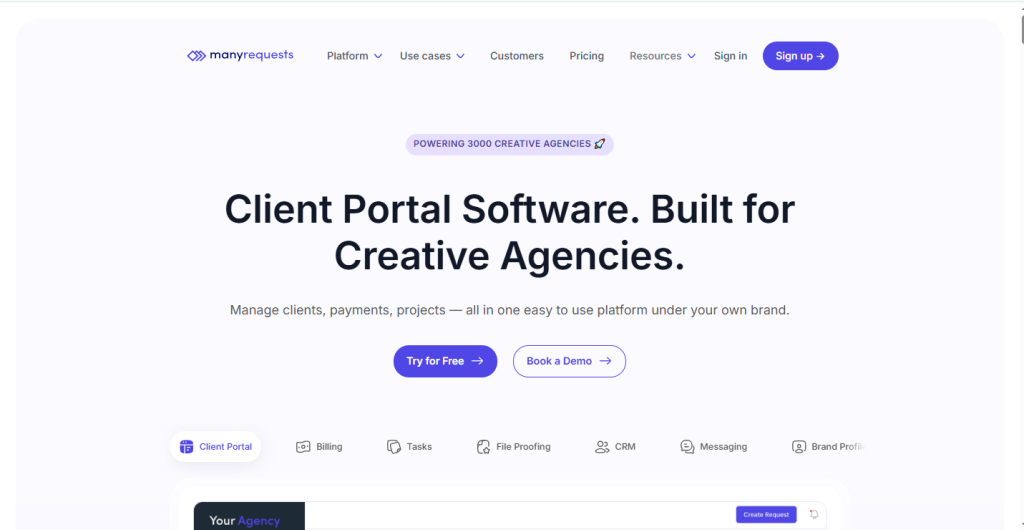
Client Request Portals Built for Service-Based Agencies
ManyRequests is a modern platform designed for agencies and service providers that manage recurring client deliverables—like design requests, development tickets, or ongoing marketing work. It centralizes service offerings, client communication, and payment processing into a single branded portal.
With features like custom intake forms, request queues, client dashboards, and embedded content blocks, ManyRequests is ideal for businesses offering productized services or subscription-based work.
Interested in similar request management tools? Explore our ManyRequests alternatives guide for more options.
Key Features
- Branded client portal with custom domain
- Service catalogue for one-time or recurring service packages
- Request queue with status tracking
- Custom intake forms with auto-assignment
- Team collaboration with role-based access
- Integrated payments via Stripe, PayPal, or Paddle
Pros
- Built specifically for productised and recurring services
- Clean client interface with real-time request updates
- Scales well for agencies managing multiple concurrent clients
Cons
- High starting price ($99/month) — less accessible for solo freelancers
- Limited project management depth beyond request tracking
- Not suited for single-project or one-off workflows
Price
ManyRequests has updated its pricing structure. They now offer plans based on team size, with all tiers including unlimited clients:
- Starter ($99/month): 2 team members, portal, request tracking, file sharing, custom domain
- Core ($149/month): 5 team members, time tracking, design annotation, Zapier
- Pro ($399/month): 10 team members, white-label branding, affiliate module
- Enterprise (Custom): 25+ team members, API access, dedicated manager
Best For: Design, development, or marketing agencies with a productised service model and recurring client subscriptions.
9. Agiled — Best Full Business Operating System
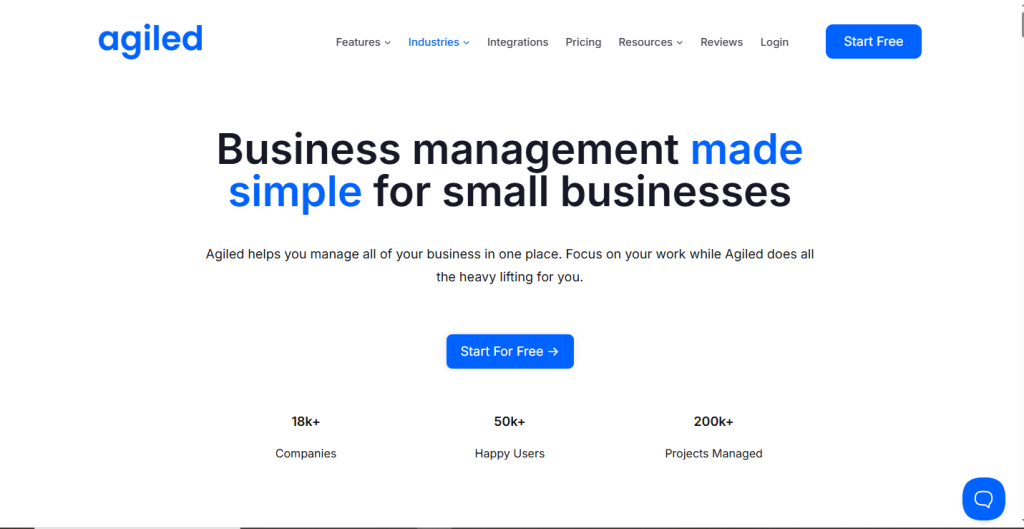
Complete Business Management Tool with Built-In CRM, Finance & Automation
Agiled is an all-in-one platform that unifies CRM, project management, finance, contracts, HRM, automation, and client portal access. It’s ideal for small businesses, growing agencies, or freelancers wanting to unify their workflows and tools into a single interface. Throughout 2025, users have praised its depth of features and affordable pricing compared to standalone tools
Key Features
- CRM with lead pipelines and deal tracking
- Project and task management with time logging and templates
- Finance: invoices, estimates, expense tracking, credit notes
- Custom forms, client portals, and automated workflows
- HR module: teams, attendance, leave management
- Subscription billing and contract management
Pros
- Replaces 5–7 standalone tools at an affordable price
- Generous free plan for small teams
- Strong depth across CRM, finance, and project management
Cons
- Feature breadth means some modules feel less polished
- It can feel overwhelming for solo freelancers who only need the basics
- Support response times can be inconsistent
Price
Agiled offers a free tier and several flat-rate paid plans (monthly or annual billing):
- Free Plan: Core features, limited team size
- Starter ($15/month): Expanded limits, automation, invoicing
- Premium ($45/month): Full feature access, priority support
Best For: Small businesses wanting to consolidate CRM, project management, HR, and finance without enterprise pricing.
For a deeper look at platforms offering similar functionality, see our Agiled alternatives comparison.
10. ClickUp — Best Hello Bonsai Alternative for Project Management
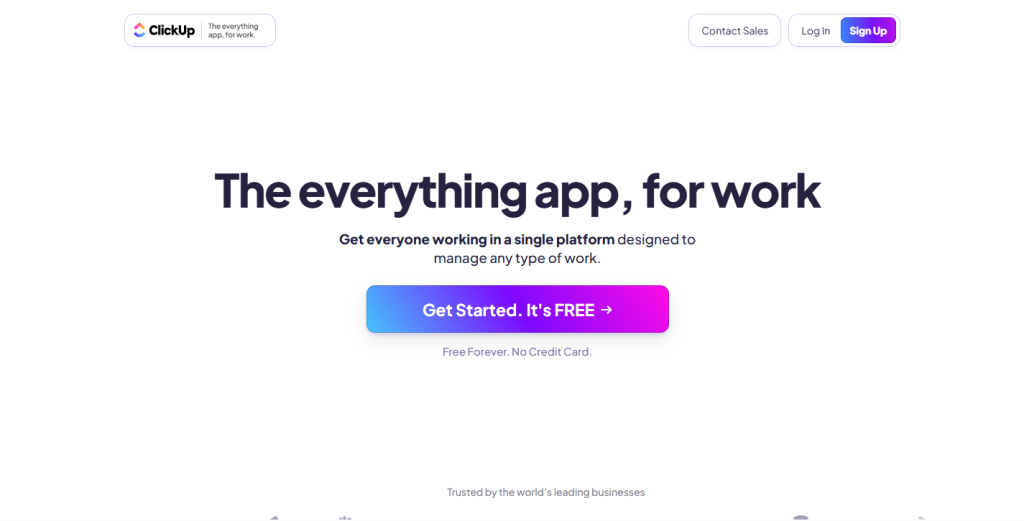
Highly Customizable Project Management for Teams of All Sizes
Wondering “what about ClickUp as a Hello Bonsai alternative?”- here’s the honest answer: ClickUp wins on task and project management but lacks native invoicing and a proper client portal, which Bonsai has. It’s the right switch if project management is your priority over client billing.
Its power lies in its customizability; users can tailor views, fields, and workflows to match how they like to work, making it a favorite for teams managing complex operations or scaling quickly.
Key Features
- Highly customisable views: list, board, Gantt, calendar, timeline
- Docs, wikis, and embedded whiteboards
- Time tracking and workload management
- AI writing assistant (ClickUp Brain)
- 1,000+ integrations via native and Zapier connections
- Custom fields, automations, and workflow templates
Pros
- Unmatched flexibility and customisation
- Generous free plan
- Strong documentation and workflow tooling
Cons
- No native invoicing, contracts, or client billing
- Feature overload — high learning curve for new users
- Limited dedicated client portal experience
Price
ClickUp offers both free and paid plans with scalable feature access:
- Free Forever: Core features, unlimited tasks
- Unlimited ($7/user/month): Unlimited storage, integrations, dashboards
- Business ($12/user/month): Advanced automations, timesheets, Google SSO
Best For: Agencies and teams that need best-in-class project management and are comfortable using a separate invoicing tool.
11. SuiteDash
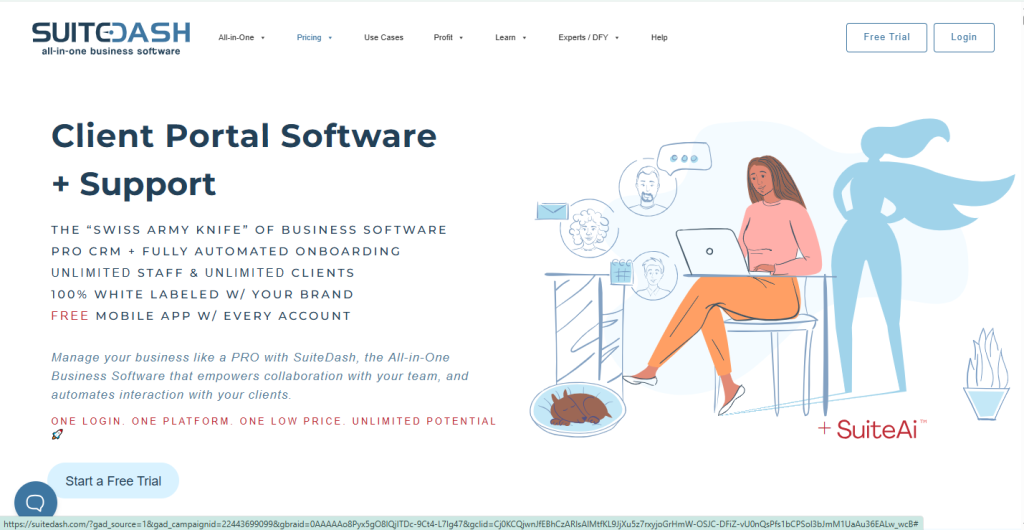
All-in-One Business Suite with Fully Branded Client Portals
SuiteDash is a comprehensive business management platform designed for agencies, consultants, and service-based businesses looking to consolidate operations and present a fully branded experience to clients.
Unlike tools that charge per seat, SuiteDash offers unlimited internal and external users at flat pricing—making it ideal for growing teams. From CRM and proposals to invoicing, file sharing, and even learning management, SuiteDash is built to reduce your software stack and boost professionalism.
If white-labeled client portals are a priority, our SuiteDash alternatives guide explores 10 similar platforms.
Key Features
- Full white-label customisation, including email, portal, and mobile app branding
- CRM with lead pipelines
- Project and task management with templates
- Invoicing, subscriptions, and payment processing
- Automated drip campaigns and email sequences
- Learning Management System (LMS) for client training
Pros
- Best white-label customisation of any tool reviewed
- Flat-rate pricing — no per-seat charges
- Massive feature set for the price
Cons
- The interface is complex with a steep learning curve
- Design feels dated compared to newer tools
- Some features feel half-built
Price
SuiteDash offers three pricing tiers with no per-user charges:
- Start ($19/month): Core features, unlimited clients, 1 staff member
- Thrive ($49/month): Unlimited staff, full white-label, automations
- Pinnacle ($99/month): LMS, advanced automation, priority support
- All plans include unlimited users and a 14-day free trial
Best For: Agencies needing maximum white-label control with flat-rate pricing that doesn’t penalise growth.
12. Bloom — Best for Visual Creatives
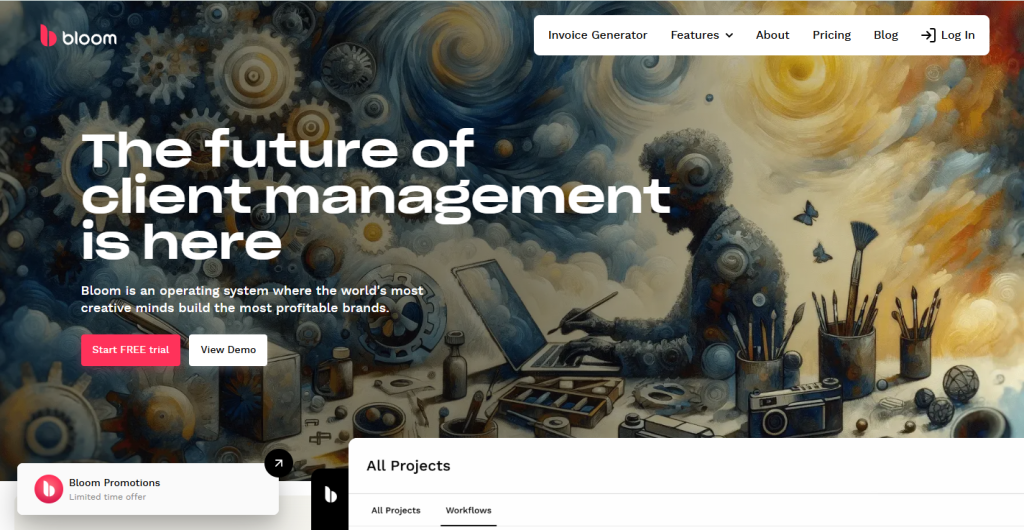
Client Management, Scheduling, and Payments for Creative Freelancers
Bloom is built for photographers, designers, coaches, and other creative freelancers who want a beautiful, all-in-one client management tool. It combines project tracking, scheduling, invoicing, forms, and client communication into one sleek platform—while keeping everything visually polished and easy to use.
Unlike bulkier tools, Bloom focuses on simplicity and design, making it ideal for solo professionals who care about delivering a smooth client experience with minimal setup.
Key Features
- Gallery delivery with client proofing and download control
- Booking and scheduling with calendar sync
- Contracts and invoices with payment processing
- Client questionnaires and onboarding forms
- Custom client portal
- Lead capture forms for social media and websites
Pros
- Best gallery delivery workflow for visual creatives
- Clean, modern design
- The free plan is genuinely useful
Cons
- Too photography-specific for non-visual service businesses
- Time tracking is basic
- Limited integrations
Price
Free: 3 projects, contracts, invoicing, basic features
Pro ($7/month): Unlimited projects, gallery delivery, questionnaires, priority support
Best For: Photographers, videographers, and visual creatives who need a purpose-built tool with gallery delivery.
13. FreshBooks

Accounting and Invoicing Software for Freelancers and Small Businesses
FreshBooks is a well-established platform focused on helping freelancers and small business owners manage finances with ease. With robust features for invoicing, expense tracking, time logging, and client billing, it’s ideal for service providers who want a clear view of their cash flow and financial performance.
Although it doesn’t have full-fledged project management tools, FreshBooks integrates with platforms like Asana, Trello, and ClickUp—making it a great complement for users who already use other project tools.
Key Features
- Professional invoicing with automated payment reminders
- Double-entry accounting and bank reconciliation
- Expense tracking with receipt scanning
- Project profitability reports
- Mileage tracking
- Team time tracking with approvals
- Tax preparation reports
Pros
- Best accounting feature set of any tool on this list
- Trusted by professional accountants
- Project profitability reporting is built in
Cons
- Project and task management is secondary — not its strength
- No client portal or CRM features
- More expensive than alternatives for what most freelancers actually need
Pricing
- Lite ($21/month): Up to 5 clients
- Plus ($38/month): Up to 50 clients, proposals
- Premium ($65/month): Unlimited clients, advanced reports
Notes: Annual billing saves ~10%. One user included; extra users cost ~$11/month. Add-ons like payroll and advanced payments are sold separately. Free 30-day trial available.
Best For: Freelancers whose accountant needs proper books, not just a payment record.
14. PandaDoc — Best for Document and Contract Workflows
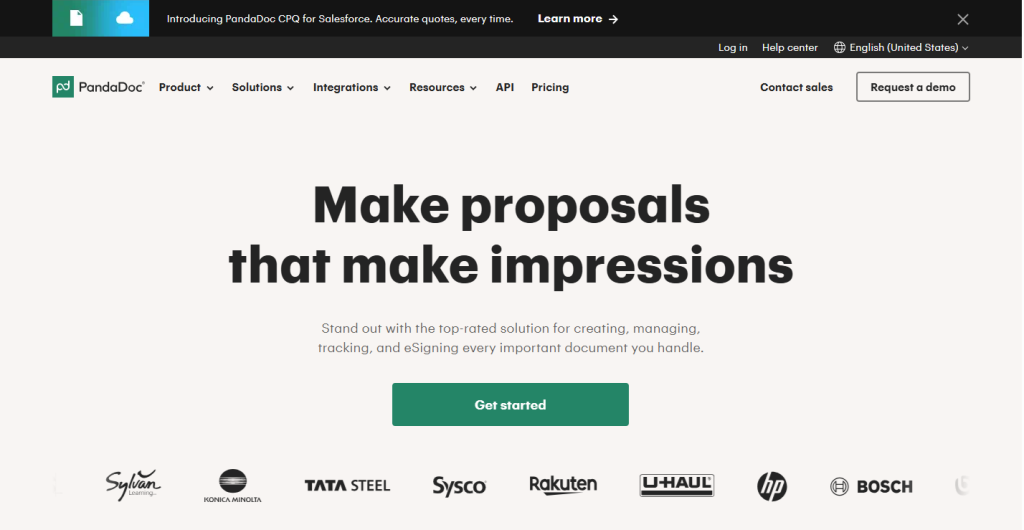
Document Automation and E-Signature Tool for Proposals, Contracts & Payments
PandaDoc is built for professionals and teams that rely heavily on documents—whether for proposals, contracts, quotes, or agreements. It combines drag-and-drop editing, e-signatures, analytics, and embedded payment features into one polished platform.
While it isn’t a full client/project management system, PandaDoc is frequently used alongside tools like CRMs or task managers to streamline document workflows and close deals faster.
Key Features
- Drag-and-drop document and proposal builder
- Legally binding e-signatures with full audit trail
- Document analytics: opens, views, time spent per section
- Template library with version control
- CRM integrations: Salesforce, HubSpot, Pipedrive
- Payment collection directly from documents
Pros
- Best-in-class proposal and contract creation experience
- Powerful analytics on document engagement
- Strong CRM and Zapier integrations
Cons
- No project management, time tracking, or client portal
- Primarily a document tool — needs companion apps for full workflow
- Can be expensive for simple use cases
Pricing
PandaDoc offers pricing based on user access and feature needs:
- Free: Basic doc creation and e-signatures, limited features
- Essentials ($35/user/month): Unlimited docs, templates, analytics
- Business ($65/user/month): CRM integrations, bulk sending, approval workflows
Best For: Businesses with complex proposals, high-value contracts, or long sales cycles.
15. Zendo
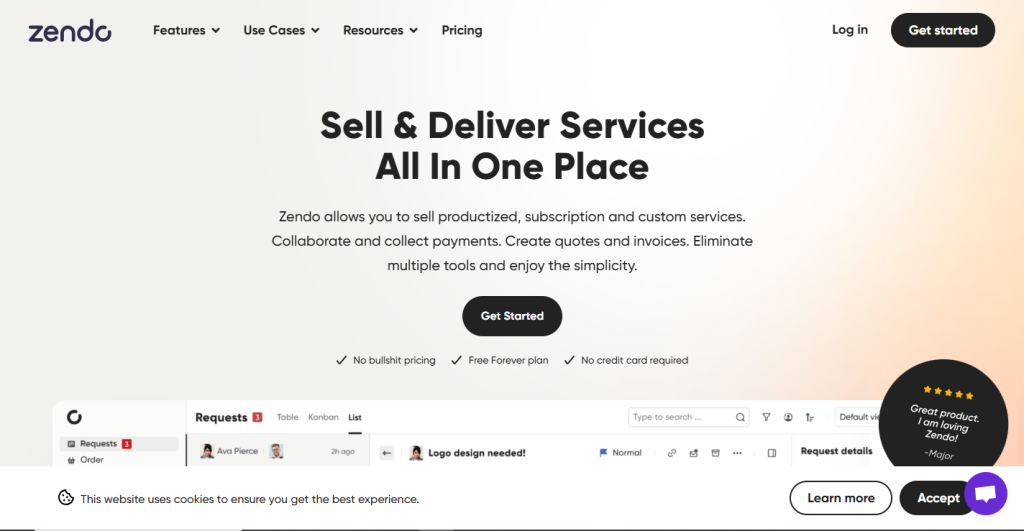
Client Collaboration Platform for Selling Productized Services
Zendo is designed for service providers selling fixed-price or subscription-based services. It centralizes client communication, request tracking, file delivery, and payments—all in a clean, chat-style interface that clients can easily use.
Its focus on productized services makes it ideal for design, copywriting, consulting, or development agencies that want to standardize delivery while maintaining a collaborative experience.
Key Features
- Service catalogue with one-time and subscription billing
- Chat-based client communication replacing email threads
- Service request management with status tracking
- Invoicing and payment processing
- Intake forms and onboarding flows
- Team member access with role control
Pros
- Best tool on this list for productised or retainer-based services
- Chat-first approach dramatically reduces email overhead
- Generous free plan covers core workflows
Cons
- Very new — limited integrations and a smaller user community
- Not suited for complex project-based work
- Few third-party integrations compared to established tools
Pricing
- Free: 3 clients, core service, and billing features
- Pro ($19/month): Unlimited clients, subscriptions, team access, custom branding
Best For: Freelancers and agencies pivoting to productised services, monthly retainers, or subscription-based offerings.
Best Hello Bonsai Alternatives by Use Case
Best Free Hello Bonsai Alternative
Taskip (most complete free plan), ClickUp (best free project management), Zendo (best free for subscription services), Agiled (best free all-in-one)
Best Hello Bonsai Alternative for Creative Freelancers
Bloom (photographers and visual creatives), HoneyBook (broader creative professionals), Dubsado (creatives who want deep automation)
Best Hello Bonsai Alternative for Growing Agencies
ActiveCollab (profitability-focused), Assembly (AI-powered team collaboration), SuiteDash (maximum white-label control)
Best Hello Bonsai Alternative for Workflow Automation
Dubsado (most powerful automation builder), HoneyBook (best automated client journey), Agiled (best for multi-department automation)
Best Hello Bonsai Alternative for Invoicing & Financial Clarity
FreshBooks (accounting-grade books), ActiveCollab (per-project profitability tracking)
Best for Productised / Subscription Services
Zendo (purpose-built), ManyRequests (agencies with recurring deliverables), Copilot (best portal layer for subscription clients)
How to Choose the Right Hello Bonsai Alternative?
The right choice depends on three questions: What’s your biggest current pain with Bonsai? What’s your team size? And how much setup time are you willing to invest?
| Your Situation | Best Match |
|---|---|
| Need a free plan that actually works | Taskip, Agiled, Zendo |
| Client portal is your top priority | Copilot, SuiteDash |
| Managing a team of 5+ | ActiveCollab, Assembly |
| Want maximum workflow automation | Dubsado, HoneyBook |
| Need proper accounting books | FreshBooks |
| You’re a photographer or visual creative | Bloom, HoneyBook |
| Selling productised or retainer services | Zendo, ManyRequests |
| Want AI built into your workflow | Taskip, Assembly, ClickUp |
| Complex proposals are your bottleneck | PandaDoc, Dubsado |
Know Your Priorities
Start by identifying where Bonsai falls short for you. Are you looking for better client collaboration? More control over contracts and billing? Deeper automation? Make a list of what matters most in your daily workflow.
Evaluate Based on Use Case
Each tool serves a different kind of user:
- Taskip, Dubsado, and HoneyBook are great for freelancers and service providers managing the full client journey.
- Copilot and SuiteDash are ideal for agencies needing a branded client portal.
- ClickUp and Agiled work better for teams managing tasks, documents, and operations in one place.
- PandaDoc and Zendo excel at document workflows and productized services.
Consider Pricing and Scalability
Do you prefer a flat monthly fee or user-based pricing? Some tools (like SuiteDash and Taskip) offer flat rates with unlimited users, while others (like ClickUp or PandaDoc) charge per seat. Think about how your needs—and team size—might grow.
Check Integration & Compatibility
Make sure the tool plays well with your existing stack (email, calendar, payment processors, CRMs, etc.). If you rely heavily on integrations, tools like ClickUp, Agiled, or PandaDoc may serve you better.
Test the Free Trial
Most platforms offer a free trial or a free-forever plan. Use this time to explore the interface, test your workflow, and gauge client experience from both ends.
Final Tip: Don’t settle for a tool that simply works—look for one that helps you work better. Whether you’re a solo creative or running a growing agency, the right platform should save you time, improve how you manage clients, and give you space to scale.
Built for Freelancers. Designed to Scale.
Whether you’re solo or growing a team, Taskip gives you the tools to work smarter, not harder. No fluff. Just results.
Final Thoughts
If you’ve made it this far, here’s the short version:
- Starting out or on a budget? Taskip (free plan) or Zendo (simple and affordable)
- Creative freelancer? HoneyBook or Bloom (photographers)
- Building an agency? ActiveCollab (best profitability tracking) or Assembly (best AI-powered team OS)
- Want maximum automation? Dubsado
- Need proper accounting? FreshBooks
- Selling productised services? Zendo or ManyRequests
- Is the client portal everything? Copilot or SuiteDash
The most important thing isn’t picking the perfect tool, it’s picking one and committing to it long enough to build your workflows. Tool-hopping is one of the biggest productivity drains for freelancers. Pick what fits 80% of your needs, get set up, and get back to doing the work.
We update this article every quarter. If you’ve used one of these tools and want to share your experience, reach out at Taskip. We read every email.
 Taskip
Tired of Outgrowing Your Tools?
Taskip was built to keep up with your business—not hold it back. See what an all-in-one platform should really feel like.
Sign Up for FREE!No credit card is required!
Frequently Asked Questions (FAQs)
What is Hello Bonsai used for?
Hello Bonsai is an all-in-one business management tool designed primarily for freelancers. It offers features like contracts, proposals, invoicing, time tracking, and basic task management to help solo professionals manage their client work.
Why should I look for Hello Bonsai alternatives?
Common reasons to explore Bonsai alternatives include:
– Limited customization for client portals
– Basic automation capabilities
– Lack of team collaboration features
– Restricted third-party integrations
– Pricing that increases with usage
-Lack of team collaboration features
– Restricted third-party integrations
– Pricing that increases with usage
What is the best free Hello Bonsai alternative?
Taskip offers a robust free Starter plan that includes invoicing, quotes, forms, documents, basic project management, and a client portal—making it one of the best free Hello Bonsai alternatives available.
Is Taskip better than Hello Bonsai?
For freelancers and growing agencies, Taskip offers significant advantages over Bonsai:
● More comprehensive feature set
● Better client portal experience
● Stronger workflow automation
● Scales from solo to team without limitations
● Transparent, flat-rate pricing
What features should I look for in a Bonsai alternative?
Key features to consider:
● Client relationship management (CRM)
● Project and task management
● Invoicing and payment processing
● Contract and proposal builder
● Client portal for collaboration
● Workflow automation
● Integrations with other tools
Can I migrate my data from Hello Bonsai?
Most Hello Bonsai alternatives support data migration. Taskip offers free migration assistance to help you transfer client information, contracts, and project data smoothly.
Which Hello Bonsai alternative is best for agencies?
For agencies, Taskip, ManyRequests, and SuiteDash are top choices. Taskip is particularly well-suited because it combines client management, project tracking, team collaboration, and billing in one platform with scalable pricing.
What is the most affordable Hello Bonsai alternative?
Bloom and Taskip both offer generous free plans. For paid features, Taskip’s Freelancer plan at $12/month provides exceptional value with full automation, proposals, and client portal features.
Do Hello Bonsai alternatives offer client portals?
Yes! Most modern alternatives include client portals. Taskip, Copilot, Dubsado, and SuiteDash all offer branded client portal experiences where clients can view projects, files, and invoices.
Dubsado vs Hello Bonsai — which is better?
Dubsado wins on workflow automation — it has the most powerful automation builder of any tool in this category, making it ideal for photographers, designers, and coaches who want client onboarding to run on autopilot. Hello Bonsai is simpler and faster to set up. If you need deep automation, choose Dubsado. If you want something lightweight with less setup, Bonsai is easier. For teams that need both automation and client management beyond just proposals, Taskip offers a middle ground at a lower price.
Hello Bonsai vs HoneyBook — which is better in 2026?
HoneyBook is better for creative professionals who prioritize polished proposals, automated payment reminders, and a smooth client booking experience. Bonsai is better for pure freelancers who want simplicity with contracts and invoicing. The main downside of HoneyBook in 2026 is its 89.5% price hike, the Starter plan now costs $36/month. Bonsai starts at $15/user/month. For the most value at the lowest price with equivalent features, Taskip starts at $12/month with a free plan included.
Is Hello Bonsai worth it in 2026?
Hello Bonsai is worth it for solo freelancers who mainly need contracts, proposals, and invoices in one place and don’t plan to scale. It becomes less worth it once you need a team, a branded client portal, deeper automation, or integrations beyond the basics. At $15/user/month, it’s also not the cheapest option anymore — several Hello Bonsai alternatives offer more features at a lower price.
What is the cheapest Hello Bonsai alternative with a free plan?
Taskip offers the most complete free plan — it includes invoicing, a client portal, project management, forms, and documents at no cost forever. Zendo and Agiled also have free plans. ClickUp is free for unlimited tasks and projects but has limited client-facing features. Among paid plans, Bloom starts at $7/month and is a strong pick specifically for photographers and visual creatives.
Does Hello Bonsai have an API?
Yes, Hello Bonsai offers an API, but it’s only available on the Business plan (their highest tier). The API allows you to connect Bonsai with other tools for syncing client data, invoices, and projects. If API access is important to your workflow and you want it at a lower price point, Taskip includes public API access on its paid plans starting at $12/month, significantly cheaper than Bonsai’s Business plan requirement.



Get Summary On: