If you have visited Accelo’s pricing page recently, you already know the frustration. There is no price list, no plan comparison, just a form asking you to book a demo. Accelo sells through sales calls, not self-serve checkout, which makes it hard to know if the platform even fits your budget before you talk to anyone.
This guide pulls together real user reports, published reviews, and the last publicly confirmed rates to give you an honest picture of what Accelo actually costs in 2026, including the onboarding and transaction fees most comparison pages leave out.
Accelo pricing in 2026 ranges from an estimated 20 dollars to 90 dollars per user per month across five tiers, but Accelo no longer publishes exact rates on its own site. You’ll always see “Request Pricing” because Accelo sells through a demo and consultation process, not a self-serve checkout.
Based on real user reviews, industry benchmarks, and the last publicly confirmed rates before Accelo pulled pricing from its site, here’s what to expect:
- Core at an estimated 20 dollars per user per month, 3-user minimum
- Professional at an estimated 50 dollars per user per month, 5-user minimum
- Business at an estimated 70 dollars per user per month, 5-user minimum
- Advanced at an estimated 90 dollars per user per month, 10-user minimum
- Elite at custom pricing, 20 or more user minimum
Accelo holds a 4.5 out of 5 rating on Capterra from 178 reviews. If you want predictable pricing without a sales call, Taskip, BigTime, and ClickUp are covered below as lower cost alternatives.
Table of Contents
What is Accelo? (And Why It Costs More Than Basic PM Tools)
Accelo is not just a project management (PM) tool; it’s a Professional Services Automation (PSA) platform built for agencies, consultants, IT services, and other client-based businesses.
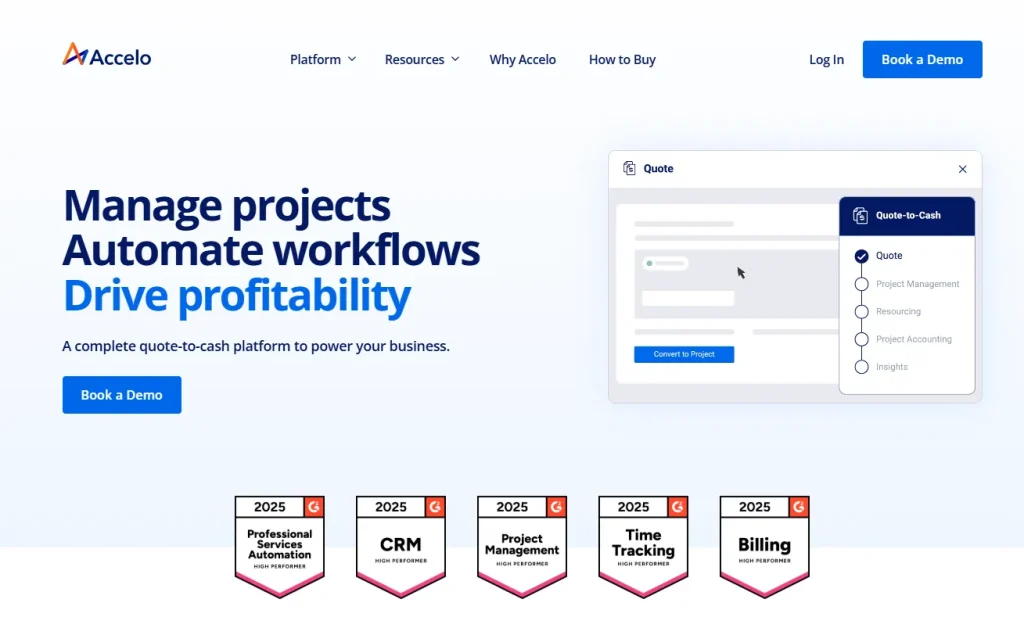
Instead of handling just tasks or projects, it manages the entire client lifecycle:
- CRM (leads, deals, contacts)
- Project management (delivery, timelines)
- Time tracking (billable hours)
- Invoicing & payments
- Retainers, tickets, and support
- Resource planning & forecasting
This is why it costs more than usual PM tools. However, you will get all these features by investing less and with transparent pricing in Taskip, an all-in-one CRM.
Accelo Pricing: How Much Does Accelo Cost?
One of the major limitations in Accelo pricing is its hidden policy; prices are offered upon request. Such non-transparent pricing makes the service unclear, and comparing prices to competitors also becomes difficult.
As of this update, Accelo no longer publishes any plan names or per-user prices on its own pricing page. Every visitor is routed to a custom quote request.
The tier names and prices below, Professional, Business, and Advanced, are the last publicly confirmed figures, sourced from third-party review platforms including Capterra and Research.com, and may no longer reflect current rates. Always confirm current pricing directly with Accelo before signing.
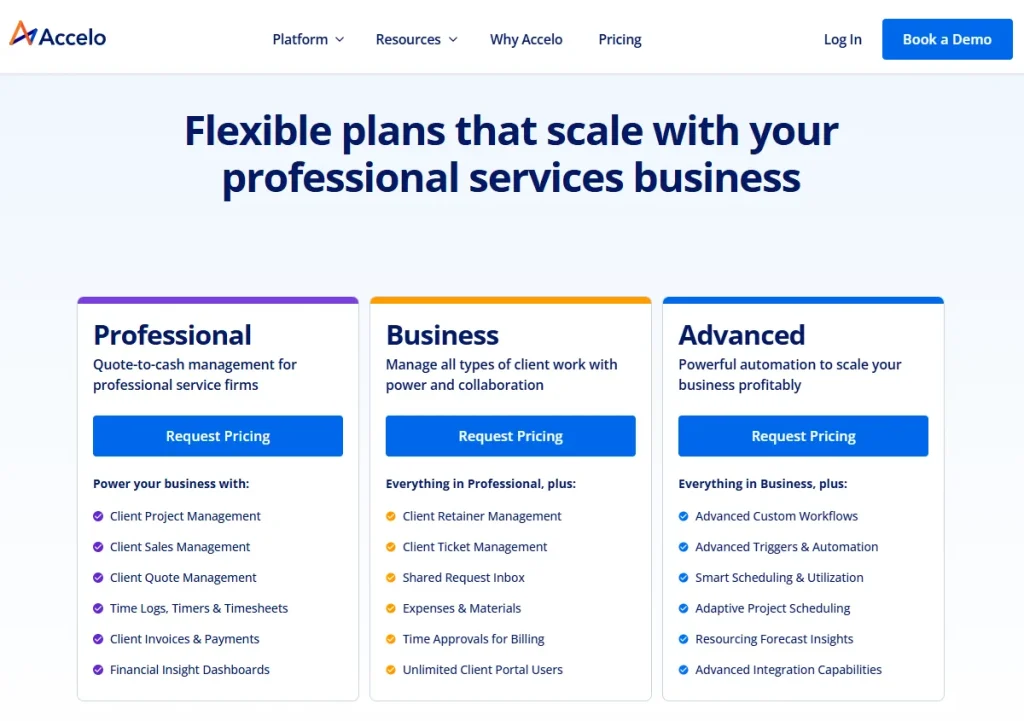
Image: Accelo Pricing
However, from available resources and reviews, I have compiled the Accelo pricing for you so that you can get an idea:
| Feature | Core | Professional | Business | Advanced | Elite |
|---|---|---|---|---|---|
| Est. Monthly Price | $20/user | $50/user | $70/user | $90/user | Custom quote |
| Minimum User | 3 | 5 | 5 | 10 | 20+ |
| Core PM & CRM | CRM, email sync, task management | ✅ | ✅ | ✅ | — |
| Invoicing & Payments | — | ✅ | ✅ | ✅ | — |
| Retainer Management | — | ❌ | ✅ | ✅ | — |
| Ticket Management | — | ❌ | ✅ | ✅ | — |
| Scheduling | — | ❌ | ❌ | ✅ | — |
| Advanced Automation | — | ❌ | ❌ | ✅ | — |
| SSO | — | — | — | — | ✅ |
| Dedicated Support | — | — | — | — | ✅ |
| Divisions Module | — | — | — | — | ✅ |
1. Professional at $50 Per User/Month
This plan is designed for quote-to-cash management for professional service firms.
The core features you get in this plan include:
- Client Project Management
- Client Sales Management
- Client Quote Management
- Time Logs, Timers & Timesheets
- Client Invoices & Payments
- Financial Insight Dashboards
However, with a $50/user/month price, the Professional plan comes with a condition of a minimum of 5 users.
2. Business at $70 Per User/Month
The Accelo Business plan comes at $70/user/month and requires at least 5 users. This plan allows you to manage all types of client work with power and collaboration.
The core features included in this plan include everything in the Professional plan, plus:
- Client Retainer Management
- Client Ticket Management
- Shared Request Inbox
- Expenses & Materials
- Time Approvals for Billing
- Unlimited Client Portal Users
3. Advanced at $90 per user/month
Accelo Advanced plan requires a minimum of 10 users and costs $90/user/month. In this plan, you will get powerful automation to scale your business profitably.
Apart from all the features in the Business plan, the Advanced plan includes the following:
- Advanced Custom Workflows
- Advanced Triggers & Automation
- Smart Scheduling & Utilization
- Adaptive Project Scheduling
- Resourcing Forecast Insights
- Advanced Integration Capabilities
Accelo Pros and Cons
Pros
- Centralizes client and project data in one system
- Strong automation for repetitive tasks
- High customer satisfaction with support response
Cons
- Pricing is not publicly listed and requires a sales call
- Minimum seat requirements can make it expensive for very small teams
- Time tracking and project setup can be labor-intensive to configure
Signs Your Firm Has Outgrown Accelo
You are paying for seats your team does not fully use because of the 5- or 10-user minimums. Your onboarding and implementation costs exceeded your first year of subscription fees. Your team needs clearer per-project profitability reporting than Accelo’s default dashboards provide. You are maintaining a second tool for time tracking or billing because Accelo’s workflow feels too rigid for your process.
Limitations: Why is Accelo Pricing so Confusing?
Accelo doesn’t offer a ‘click and buy’ model pricing. This makes the Accelo pricing too confusing for most of the users.
Unlike most PSA or CRM tools, Accelo keeps its pricing hidden behind “Request a Quote”. So, you must talk to the salesperson to get a price. This is not only a time-consuming process but also causes hassle for budgeting.
Moreover, there is no fixed pricing for the plan. According to your needs and demands, the pricing will vary for different cases.
It’s not unusual for you to be in shock at finding the price higher than similar alternatives like Taskip that come at a very affordable price.
The Real “Hidden Costs” in Accelo Pricing
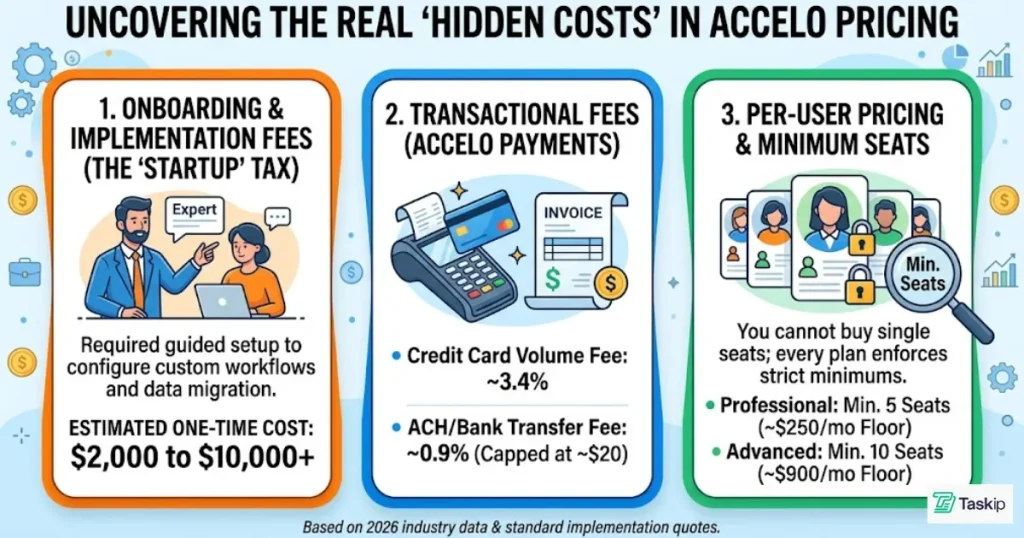
a. Onboarding Fees
As Accelo is a highly customizable tool, even tech-savvy teams require an entry-level guide for setup, which costs at least $2,000. This can go up to $10,000.
In contrast, Taksip offers you a ready-to-start platform, which you can set up in 2 hours and board your client instantly.
b. Transactional Fees (Accelo Payments)
Accelo Payments is the built-in payment processing system inside Accelo that allows businesses to collect client payments directly from invoices. Thus, you don’t need any separate billing tool.
However, Accelo Payments is not free. Here are the transaction costs you need to bear while using it:
| Fees | Rate |
| Card Transaction Fee | $0.20 |
| Card Sales Volume Fee | 3.4% |
| International Card Fee | 1.0% |
| ACH Sales Volume Fee | 0.9%, up to $20.00 |
| Payment Dispute Chargeback | $15.00 |
| Payment Dispute Retrieval | $15.00 |
| Payment Dispute Arbitration | $10.00 |
Source: Accelo Pricing & Fees
c. Per-User Based Pricing + Minimum Seats
Accelo has a user-based pricing model with a minimum seat requirement that makes the platform very expensive. For example, the Professional plan costs $50/user/month.
But the real cost will be more because, to use the plan, you must have at least 5 users. So the cost will come to ($50 x 5) = $250/month, and for more users, the cost will increase.
Whereas Taskip offers you up to 10 users at just $29/month in its Starter team. And the best part is that at this price, you are getting features like workflow automation. To get such features in Accelo, you need to switch to the Advanced plan, which is too expensive.
Does Accelo Offer a Free Plan or Trial?
No, there is no free Accelo plan. However, it offers a trial period for 7 days, and it requires no credit card to sign up for the trial.
Accelo Pricing by Team Size
A 20-person firm on Accelo’s Business plan at an estimated 70 dollars per user per month would pay roughly 1,400 dollars per month before onboarding fees. A 30-person firm on the same plan would pay roughly 2,100 dollars per month. A 75-person firm would likely move to the Advanced or Elite tier, where pricing is fully custom and typically requires a direct quote. Firms above 100 users are generally quoted individually based on modules needed.
Accelo vs. Competitors: How Does the Cost Compare?
Accelo’s closest competitors range from 7 dollars to 90 dollars per user per month, each suited to a different priority. Taskip is the most affordable full alternative for client and project management combined. ClickUp is the cheapest option for teams that mainly need task management and internal collaboration. BigTime is the strongest pick for firms that need accurate time tracking and billing without Accelo’s price tag.
Productive.io sits closest to Accelo in scope, covering project management, budgeting, and profitability tracking at a lower entry price. The comparisons below break down pricing, features, and who each tool is actually built for.
1. Taskip
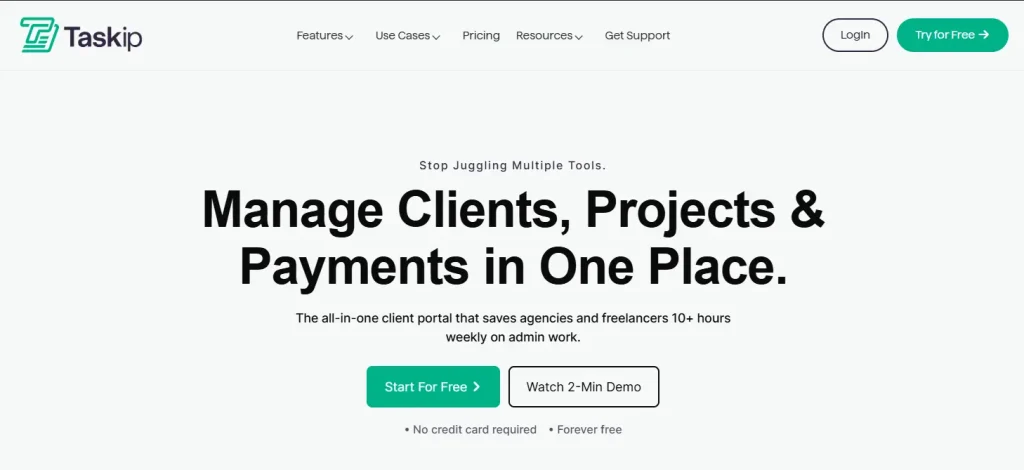
Taskip is an all-in-one CRM platform that offers you a centralized platform to handle everything from leads to payments.
Why is Taskip better than Accelo?
Taskip offers you transparent pricing for all its plans in contrast to the hidden Accelo price. You will have four paid plans with fixed costs based on a monthly, yearly, or lifetime basis. However, the best part about Taskip pricing is its transparency and affordability.
The starting tier, Freelancer, comes at only $12/month, and here you will get all the essential features a freelancer would need. In this budget, you will also get scheduling and automation options, which are only available in Accelo’s highest tier.
| Taskip Plan | Price | User | Core Features |
| Freelancer | $12/monthly | 1 User | CRM, Invoicing, Scheduling, & Basic Automation |
| Startup Team | $29/monthly | 10 Users | Unlimited Tasks, Client Portal, & Team Collaboration |
| Growing Agency | $59/monthly | 25 Users | Advanced Financial Reporting & Custom Workflows |
| Agency Pro | $89/monthly | Unlimited Users | White-labeling, Priority Support, & Full Agency Suite |
The “Cost” Difference: Taskip doesn’t have per-user pricing like Accelo. Therefore, you can use the account with multiple team members at the same price. Besides, the advanced features exclusive to the highest tier in Accelo are available in lower tiers of Taskip. Besides, you don’t need any upfront cost as you do in Accelo. Taskip is easy to use, and you can onboard your client within 2 hours.
2. Productive.io
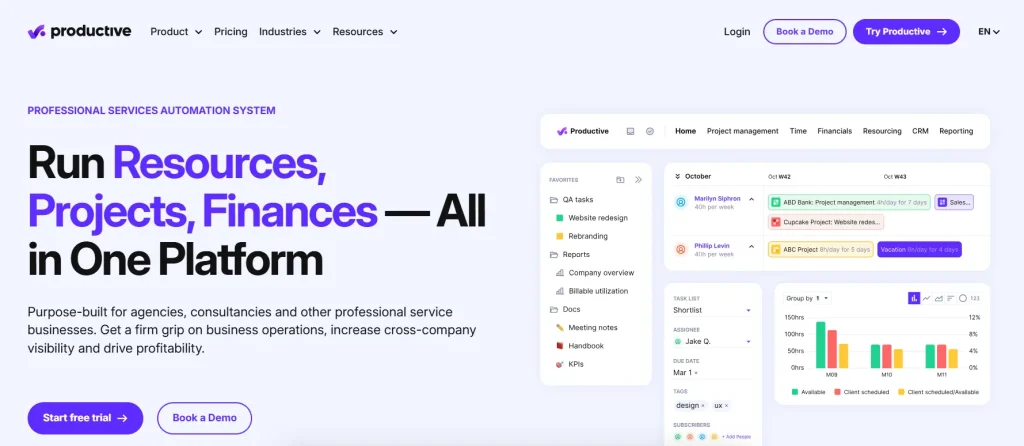
Productive.io is a great Accelo alternative as it offers advanced resource planning and more flexible project views.
Why is Productive.io a great Accelo alternative?
It offers much more flexible project views (List, Board, Calendar, and Gantt) and a simplified pricing structure. While it still uses per-user billing, the entry price is much lower, and the feature gating is more logical for growing teams.
- Essential: $10/user/month (Billed annually). Includes budgeting, time tracking, and task management.
- Professional: $25/user/month. Adds recurring budgets, custom fields, and billable time approvals.
- Ultimate: $33/user/month. Includes financial forecasting and advanced task workflows.
The “Cost” Difference: While Accelo often requires a $2,000+ onboarding fee, Productive.io is designed for faster, self-serve implementation, saving you thousands in upfront “startup” costs.
3. ClickUp
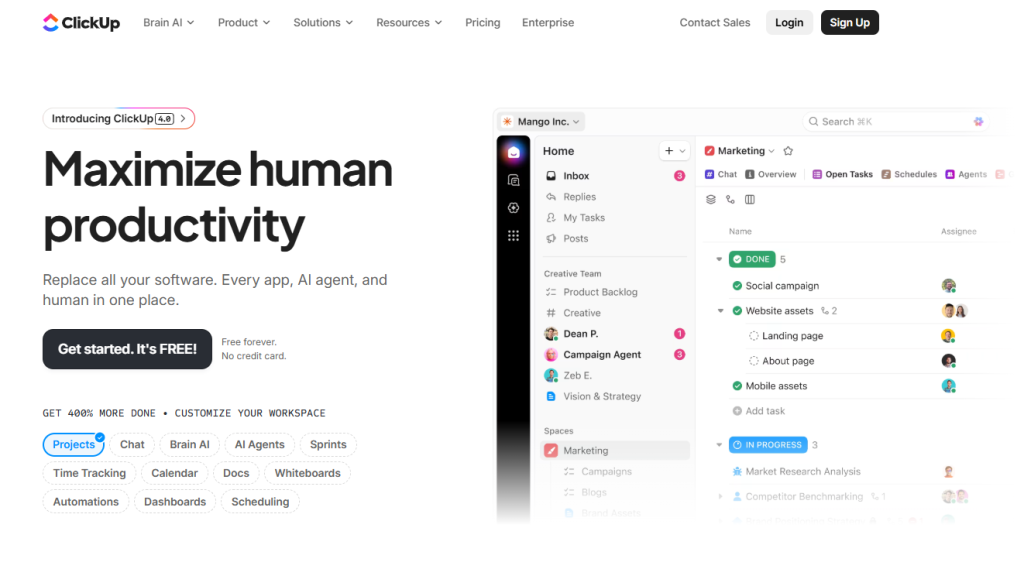
ClickUp is the most affordable alternative for teams that prioritize task management and internal collaboration.
Why choose ClickUp over Accelo?
ClickUp’s “Free Forever” plan is significantly more robust than any trial Accelo offers. For paid tiers, ClickUp’s Business plan ($12) offers many of the custom statuses and dashboard features that Accelo locks behind its Advanced ($90) tier.
- Unlimited: $7/user/month. Best for small teams needing unlimited storage and Gantt charts.
- Business: $12/user/month. Adds Google SSO, unlimited dashboards, and advanced resource management.
- Enterprise: Custom. Tailored for massive organizations needing top-tier security.
The Comparison: ClickUp is better for teams that want to build their own custom workflows. However, keep in mind that unlike Taskip or Accelo, ClickUp lacks “native” deep financial retainer management, so you may need to integrate it with an accounting tool like QuickBooks.
To learn why these alternatives are better than Accelo, read this: Top 6 Accelo Alternatives For Agencies & Team Collaboration.
4. BigTime
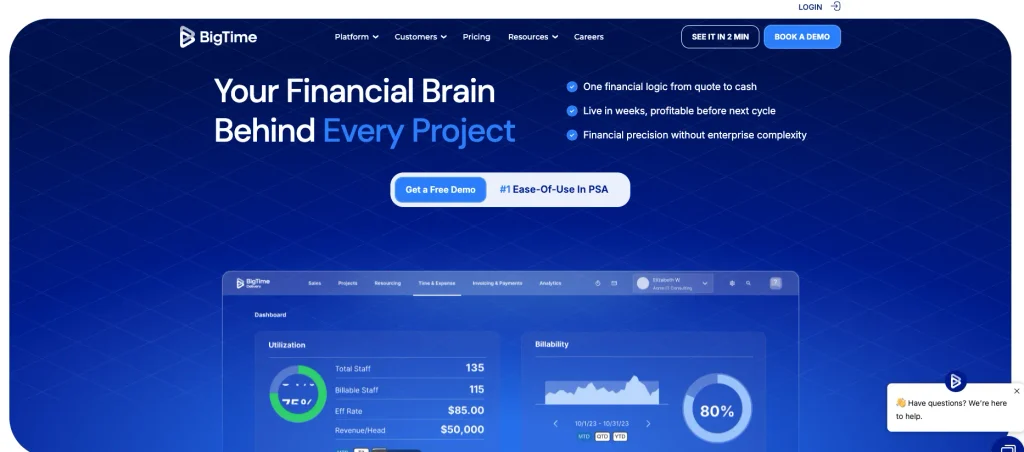
BigTime is the strongest alternative for firms that need deep time tracking and billing accuracy without Accelo’s price tag.
Why choose BigTime over Accelo?
BigTime’s Essentials plan starts at 20 dollars per user per month, less than half of Accelo’s Professional tier, and already includes an AI assistant, SSO, and QuickBooks integration that Accelo reserves for its higher tiers. For firms that live and die by billable hours, BigTime’s time and expense tools are purpose-built, whereas Accelo’s are part of a broader, more general toolset.
- Essentials: $20/user/month. Best for firms needing core time and expense tracking, billing, and QuickBooks integration.
- Advanced: Custom pricing. Adds multi-currency expenses, custom reporting, project templates, and a self-service client portal.
- Premier: Custom pricing. Adds multi-currency invoicing, custom cost and rate management, project budgeting, and multi-level approvals.
- Enterprise: Custom. Built for large, established organizations with complex billing and compliance needs.
The Comparison: BigTime is better for firms that want best-in-class time tracking and billing accuracy. However, keep in mind that unlike Accelo, BigTime is not a full project or client management platform, so teams still need it to handle broader workflow, CRM, or ticketing needs.
A few other platforms come up often in Accelo comparisons. Insightly is a lighter CRM with project management add-ons, a better fit for sales-heavy teams than full PSA workflows. Scoro combines project management, billing, and reporting similar to Accelo, with pricing that starts lower for small teams. ConnectWise is built specifically for IT service providers and managed service teams, a narrower focus than Accelo’s general professional services approach. Autotask, now part of Kaseya, also targets IT and managed service providers rather than general consulting or agency work. Klient PSA runs natively inside Salesforce, a strong fit only for teams already committed to the Salesforce ecosystem.
Verdict: Is Accelo Pricing Worth the Investment in 2026?
Accelo is worth the investment for mid-size and larger professional services firms that need one platform to run sales, projects, billing, and reporting together, and that have the budget to absorb its 5 to 20 person minimum seat requirements and onboarding fees. It is a harder sell for small teams and solo consultants, where the entry cost lands closer to 250 to 1,400 dollars a month once minimum seats are factored in, often before onboarding.
The bigger shift in 2026 is that Accelo has moved to fully custom, quote-only pricing. There is no tier name or price listed anywhere on its own site anymore, which means every buyer now has to go through a sales call just to learn what they would pay. That is not necessarily a red flag on its own, but it does mean you should walk into that call already knowing the estimated ranges in this guide, so you can push back if a quote comes in well above what similar firms report paying.
If predictable, published pricing matters more to you than Accelo’s breadth of features, Taskip, BigTime, and ClickUp are covered above as lower cost alternatives that publish their rates upfront.
Check Taskip Pricing & Start Your Free Trial Today!
FAQs on Accelo Pricing
How much does Accelo cost per month?
While Accelo has moved to a custom quote model, estimated rates start at $20/user for the Core plan, $50/user for Professional, and $90/user for the Advanced tier. However, keep in mind that these plans come with user minimums (typically 5–10 seats), meaning the actual starting cost for most agencies is roughly $250 to $900 per month.
Does Accelo have a free version?
No, Accelo does not offer a “Free Forever” plan. They do, however, provide a 14-day free trial that allows you to test the platform’s automation and project management features before committing to a paid plan.
What business types use Accelo?
Accelo is specifically designed for professional service businesses that bill for their time. Common users include digital marketing agencies, IT and software consultancies, accounting firms, engineering and architecture practices, and public relations agencies.
What are the core features of Accelo?
Accelo focuses on “Quote-to-Cash” automation. Core features include: Integrated CRM, Project Management, Time Tracking & Billing, Retainer Management, and Resource Planning.
What are the benefits of using Accelo?
Accelo helps service businesses manage their entire workflow, from sales to projects to invoicing, all in one platform. Its main benefits include saving time through automation, capturing more billable hours with accurate tracking, improving project visibility, and centralizing client communication.
Who is the CEO of Accelo?
Joe DiPaulo is the CEO of Accelo. He is an experienced SaaS executive based in Denver, Colorado.
Does Accelo have a free trial?
Accelo’s own pricing page does not confirm free trial availability, and third-party sources disagree; some list a free trial as available, others list it as unavailable. Confirm directly with Accelo before assuming a trial is included.
What is the cheapest Accelo plan?
The lowest publicly documented Accelo plan was the Core tier at 20 dollars per user per month with a 3-user minimum, though Accelo no longer lists this or any tier price on its own site as of this update.
How does Accelo pricing compare to BigTime?
BigTime starts lower, around 20 dollars per user per month, and focuses more narrowly on time tracking and billing, while Accelo covers a broader set of client and project management functions at a higher starting cost.
What rating does Accelo have on Capterra?
Accelo holds a 4.5 out of 5 rating on Capterra based on 178 reviews.