Quick answer:
Best WhatsApp CRM overall: Getgabs ($15/mo). Official WhatsApp Business API, unlimited automation flows and 0% markup on Meta’s message fees.
Best for agencies and freelancers: Taskip ($22/mo with the WhatsApp add-on). Client chat sits next to proposals, invoices and a client portal, with no Meta per-message fees.
Best free option: Freshsales Free. The only free CRM plan here that lists WhatsApp integration; HubSpot and Zoho keep WhatsApp on paid plans.
We connected all 14 tools to live WhatsApp numbers for four weeks (August 25 to September 22, 2026) and sent the same 200 test contacts through each one. Every price was checked on the vendor’s own pricing page.
The biggest difference between these tools is not features. It is how they connect to WhatsApp. Some use Meta’s official Cloud API. Others connect through a QR code like WhatsApp Web. That one choice decides your cost, your risk of a ban, and whether you can send broadcasts.
So we split the list into both groups and show the real monthly bill for each.
Table of Contents
| Tool | Type | Connection | Pricing Model | Entry Price | Free Plan | Chatbot | Best For |
|---|---|---|---|---|---|---|---|
| Getgabs | WhatsApp-first | Cloud API | Flat plus seats | $15/mo | No | Yes, unlimited flows | WhatsApp marketing and automation |
| Zoho CRM | Full CRM | Cloud API | Per user | $14/user/mo | Yes, 3 users | Via SalesIQ | Best overall CRM |
| Taskip | Full CRM | Linked device | Per workspace | $18/mo (($8 annual plan+ $10/m WhatsApp add-on)) | No, 7-day trial | Workflow builder | Agencies and freelancers |
| Kommo | Full CRM | Cloud API | Per user | $25/user/mo | No, 14-day trial | Advanced tier up | WhatsApp-led sales teams |
| Freshsales | Full CRM | Cloud API | Per user | $9/user/mo | Yes | Yes | Best value per seat |
| WATI | WhatsApp-first | Cloud API | Flat plus seats | $24/mo annual | No, 7-day trial | Yes, no-code | SMB chatbot automation |
| Respond.io | WhatsApp-first | Cloud API | Per active contact | $79/mo | No, 7-day trial | Yes | High inbound volume |
| Interakt | WhatsApp-first | Cloud API | Flat, unlimited agents | $44/mo annual | Instagram only | Yes, no-code | Indian D2C sellers |
| Zoko | WhatsApp-first | Cloud API | Flat plus conversations | $49.99/mo | No, 7-day trial | Yes, Flows | Shopify stores |
| Pipedrive | Full CRM | Cloud API | Per seat | $14/seat/mo | No, 14-day trial | Workflow automation | Pipeline-first sales |
| HubSpot | Full CRM | Cloud API | Per seat | $100/seat/mo for WhatsApp | Yes, 2 users | Yes | CRM of record |
| Trengo | WhatsApp-first | Cloud API | Flat plus conversations | €299/mo | No, 7-day trial | Yes | Multi-channel ecommerce |
| Salesforce | Full CRM | Cloud API | Per user | $25/user/mo plus add-on | Yes | Yes | Enterprise sales teams |
| WaliChat | WhatsApp-first | Both, see review | Per number | $33.25/mo annual | No, 7-day trial | Yes, AI agents | Developers and API access |
Entry price is not total cost: Every tool on the official Cloud API passes Meta’s per-message charges through on top of the licence. Getgabs claims zero markup on those charges. Taskip’s linked-device connection means no Meta per-message fees at all, which is a real cost advantage at low volume and a real capability limit at high volume.
Pricing model is the number that changes the answer. Flat and per-workspace tools hold their price as you add people. Per-seat tools multiply.
| Team Size | Getgabs (flat) | Taskip (workspace) | Freshsales ($9/user) | HubSpot Service Pro ($100/seat) |
|---|---|---|---|---|
| 1 person | $15/mo | Paid Add-on $5 intro, $10/mo or $19/qtr | $9/mo | $100/mo |
| 5 people | $21/mo | $28.85/mo | $45/mo | $500/mo |
| 10 people | $21/mo | $28.85/mo | $90/mo | $1,000/mo |
| 25 people | $59/mo | $48.45/mo | $225/mo | $2,500/mo |
Getgabs figures use the Plus plan at 10 users and Pro at 30. Taskip uses annual billing plus the $10 WhatsApp add-on. HubSpot excludes its mandatory $1,500 onboarding fee. None include Meta message charges.
What is a WhatsApp CRM Integration?
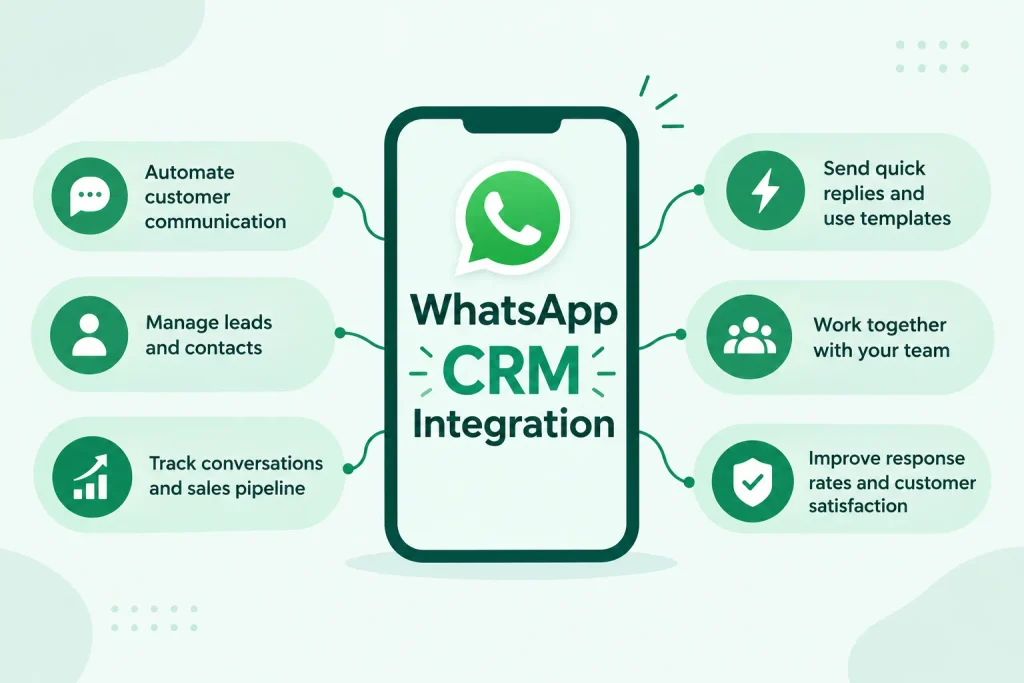
A WhatsApp CRM is a customer relationship management system connected to your WhatsApp Business number, so every chat syncs to a contact record and a whole team can reply from one number. In plain terms, WhatsApp CRM means your WhatsApp conversations become trackable leads, deals and support history instead of living on one person’s phone.
Without it, WhatsApp is a personal app. One phone, one person, no contact database, no handover, no reporting. When that person is away, the history is unreachable.
With it, three things change:
- Messages become records: An inbound message finds the right contact and attaches itself, or creates a new one.
- One number serves a team: Several agents answer from the same business number, with rules deciding who gets what.
- Conversations trigger work: A message can create a deal, start a follow-up sequence or open a support ticket. Use an online brochure maker to share interactive presentations and product showcases directly in customer chats.
How It Differs From Regular WhatsApp?
Regular WhatsApp and the free WhatsApp Business app are built for a single operator on a single phone. You get a business profile, quick replies, and labels. You do not get a contact database, team access, automation, or reporting.
| Capability | WhatsApp Business App | WhatsApp CRM |
|---|---|---|
| Users on one number | 1 primary device | Whole team |
| Contact database | Phone contacts only | Full CRM records |
| Conversation history | On the device | Synced to the contact record |
| Assignment and routing | None | Rules-based |
| Automation | Quick replies only | Triggers, sequences, chatbots |
| Broadcast campaigns | 256-contact lists | Approved templates at scale |
| Reporting | None | Response time, volume, conversion |
| Cost | Free | Licence plus Meta message charges |
Who Needs a WhatsApp CRM?
You need one when any of these is true:
- More than one person answers the same number: This is the most common trigger and the hardest thing to fix with a phone.
- You lose track of conversations: A lead messages, nobody follows up, and there is no record that it happened.
- You want messaging tied to revenue: Chats need to become deals, quotes, and invoices rather than sitting in a separate app.
- You run campaigns: Broadcasts to segmented lists need approved templates and the official API.
- You need continuity: When someone leaves or goes on holiday, their client conversations must stay reachable.
You probably do not need one if you are a single operator handling a handful of messages a week. The free WhatsApp Business app is enough until the volume or the team grows.
Official Cloud API vs Linked Device: The Difference That Decides Everything
Every tool here connects in one of two ways. Vendors rarely make this clear, so here it is plainly.
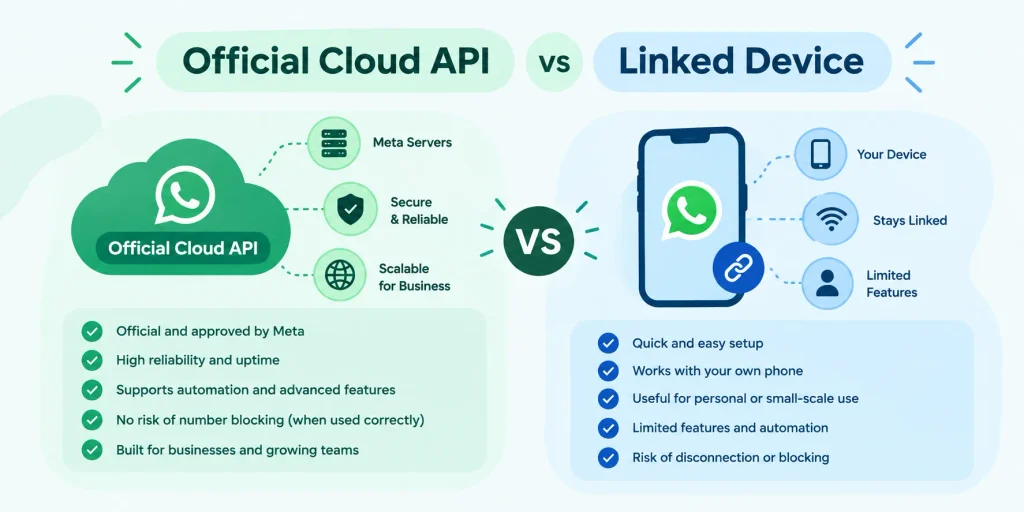
Official WhatsApp Business API (Cloud API)
Your number is registered with Meta through a Business Solution Provider. It stops working in the WhatsApp app on a phone because it now lives on Meta’s servers.
You get: approved message templates, broadcast campaigns, uptime with no phone dependency, high throughput, click-to-WhatsApp ads attribution, and a path Meta formally supports.
You pay: Meta charges per message delivered, and you need a Meta Business Account, business verification, and display name review before sending at scale. Meta publishes no committed timeline for that review.
Linked Device (WhatsApp Web Protocol)
You scan a QR code from Linked Devices in your WhatsApp app. The software mirrors that session, the same way WhatsApp Web does.
You get: setup in minutes with no Meta verification, no per-message charges from Meta, and the number stays usable on your phone.
You pay: your phone has to stay reachable to hold the link, there are no approved templates or broadcasts, throughput is limited, and this is not a path Meta formally supports for business software.
Which One Do You Need?
| Your Situation | Connection to Choose |
|---|---|
| Sending marketing broadcasts or campaigns | Official Cloud API. Linked device cannot do this. |
| Running click-to-WhatsApp ads | Official Cloud API. Attribution requires it. |
| 20 or more agents, high inbound volume | Official Cloud API. |
| Regulated industry needing an audit trail | Official Cloud API. |
| Small team, conversational client work, live today | Linked device is faster and cheaper to run. |
| You want to keep using the number on your phone | Linked device. |
Twelve of the fourteen tools below use the official Cloud API. Taskip uses a linked-device connection, and WaliChat’s own site describes both methods. Both are flagged in the comparison table and in their reviews.
Meta WhatsApp Business API Pricing After 1 October 2026: What Changed
Checked on 20 October 2026 against Meta’s official WhatsApp pricing documentation.
This is the most important thing on this page, and almost no published comparison has caught up with it.
Meta replaced conversation-based pricing with per-message pricing on 1 July 2025. Meta’s pricing documentation confirms it now charges per message, not per conversation. The 24-hour conversation billing unit is gone. Any article quoting a price “per conversation” is describing a system that stopped existing over a year ago.
Since 1 October 2026, two things that used to be free cost money:
- Service messages are billable again after the first 1,000 free service messages per business phone number each month. Unused free messages do not roll over, and service has its own published rate per market.
- Utility messages sent inside an open 24-hour customer service window are billable. These had been free since July 2025.
Separately, since 1 July 2026, Meta Business Agent messages are charged per token at $2.00 per million tokens, which Meta says works out to roughly 4 to 5 cents per message. They get no free allowance or volume discount, and are charged even inside a free entry point window.
What Is Still Free
- The first 1,000 service messages (plain text, images and documents sent inside an open customer service window) per business phone number each month
- Messages inside a free entry point window opened by a click-to-WhatsApp ad on Android or iOS, which Meta says can stay open for up to 7 days
- Service messages beyond the 1,000 for eligible government and non-profit accounts, until 31 December 2027
What This Means for Your Budget
If you run support on WhatsApp and send more than 1,000 service messages per number a month, your Meta bill from October will be higher than September’s at the same volume. Budget for it now.
Meta publishes current rates as per-currency downloads in 16 currencies, including USD, INR, BRL, IDR and AED. The current rate cards took effect on 1 October 2026, when about 40 market rates changed. Rates vary by market and category, and Meta charges on delivery, not on send. The only free allowance is 1,000 service messages per number per month. Volume discounts apply to utility and authentication messages but not to marketing.
One detail for readers outside Europe and North America: Meta applies a separate Authentication-International rate in 18 markets. The original nine are India, Indonesia, Egypt, Malaysia, Nigeria, Pakistan, Saudi Arabia, South Africa and the UAE; nine more were added on 1 October 2026: Bangladesh, Iraq, Kazakhstan, Kuwait, Morocco, Nepal, Oman, Sri Lanka and Ukraine. It applies once a business sends more than 750,000 qualifying messages in 30 days, and it is above the standard authentication rate.
 Taskip
Want WhatsApp without the free-tier limits?
Taskip’s base plan starts at $12/month, and the native WhatsApp inbox is a $10/month add-on — under $25/month total for a full client management platform with WhatsApp built in.
No third-party connectors, no complex BSP setup required.
No credit card is required!
How We Evaluated These Tools
We tested all 14 platforms on live WhatsApp numbers over four weeks, from August 25 to September 22, 2026, with 200 seeded contacts. Every price was re-verified from the vendor’s own pricing page on 20 October 2026. No vendor paid for placement and no vendor reviewed this article before publication.
Feature checklists are easy to write and nearly useless to read, because every tool here can send a message and assign a conversation. We scored what changes your day.
| Criterion | Weight | What We Measured |
|---|---|---|
| Connection method and setup time | 25% | Cloud API or linked device, and minutes from signup to first delivered message |
| Multi-agent handling | 25% | Assignment rules, collision detection, internal notes, handover with full history |
| Automation depth | 20% | Template triggers, routing logic, webhooks, API access |
| CRM data quality | 20% | Whether an inbound message resolves to the right contact with no manual matching |
| Total cost at 1,000 messages | 10% | Platform licence plus Meta per-message charges combined |
What We Did Not Test: Deployments above 50 agents, because we could not simulate that load honestly. Where a platform is built for that scale, the review says so rather than pretending we stress-tested it.
Disclosure: Taskip is our own product. It is scored on the same five criteria as everything else, its connection method is stated plainly, and every review names who should choose a competitor instead.
14 Best WhatsApp CRM Tools in 2026
1. Getgabs — Best for WhatsApp marketing, automation & customer engagement
Verdict: Getgabs is the best WhatsApp CRM for marketing, automation and customer engagement, combining official WhatsApp Business API access from $15 per month with unlimited automation flows and zero markup on Meta’s messaging charges.
Getgabs is an AI-powered WhatsApp CRM software that manages the sales workforce, leads, and customer dealings instantly within WhatsApp. It aims at brands, e-commerce stores, and digital teams that want to turn simple manual messaging into an elevated-performance sales and automation engine that is far better than handling the conversation manually.
Best Features
- Official Meta WhatsApp Business API access from the lowest entry price here
- Zero markup on Meta’s messaging costs, so you pay Meta’s rate and nothing on top
- Unlimited automation flows on every plan, with trigger counts scaling by tier
- Broadcast ceilings of 30,000, 500,000, and unlimited by plan
- Unlimited free incoming conversations within the 24-hour window
- No-code visual flow builder
- Unified inbox with conversation assignment and internal notes
- Shopify app available as an add-on
Pros
- Cheapest official-API entry point in this guide at $15 per month
- Zero markup is a genuine saving that compounds with volume
- Unlimited flows on every tier, unusual at this price
- Annual billing gives two months free
- Free setup and onboarding included
Cons
- May require training to set up automated workflows and build custom flows
Pricing
Basic $15/month (admin only), Plus $21/month, Pro $59/month. Annual: $149, $209 or $589 per year (2 months free) | Free tier: No | Free trial: No
Who Should Skip This Tool
Skip Getgabs if you need a full CRM with deal pipelines. This is a messaging-first tool, not a sales management system.
Getgabs Verdict: A great option for businesses that want an affordable WhatsApp CRM and marketing platform with automation, broadcasting, and multi-agent support built into one system.
2. Zoho CRM — Best Overall CRM With WhatsApp Integration
Verdict: Zoho CRM is the best overall CRM with WhatsApp integration, pairing a complete CRM with official WhatsApp Business API messaging at $14 per user per month, the lowest price of any full CRM here.
Zoho puts WhatsApp inside its Messages module, so conversations attach to the contact, lead, or deal they belong to. Setup follows the standard Cloud API path: a Facebook Business Manager account, a verified business, and a registered number.
The honest limitation is that this is record-centric messaging rather than a conversation-first shared inbox. You work outward from the CRM record. Teams who live in an inbox all day will find Kommo or Trengo more natural.
Best Features
- Official WhatsApp Business API built into the CRM with no third-party connector
- Conversations attach to the correct record automatically
- Workflow rules and cadences can include WhatsApp follow-ups
- 100+ currencies and deep localisation, useful outside the US and EU
- Meta charges handled through prepurchased Zoho credits with optional auto-recharge
Pros
- Lowest per-user price of any full CRM with official API messaging
- Free edition for 3 users and a 15-day trial with no card
- Enormous feature depth for the price
- Strong fit if you already run other Zoho products
Cons
- WhatsApp requires a paid edition; the free edition excludes it
- Record-centric rather than a true shared inbox
- The chatbot builder lives in SalesIQ, a separate product
- Ecommerce connects through Marketplace extensions rather than natively
Pricing (per user per month, billed annually / billed monthly)
Standard $14 / $20. Professional $23 / $35. Enterprise $40 / $50. Ultimate $52 / $65. Free edition for 3 users. 15-day trial, no card. Organisations comparing CRM platforms should review Zoho pricing carefully to account for user count and required feature set.
Who Should Skip This Tool
Skip Zoho if your team works out of a shared inbox rather than out of CRM records, because Kommo and Trengo are built the way you already work. Skip it too if you need a visual chatbot builder inside the CRM itself, since that means adding SalesIQ.
3. Taskip — Best for Agencies and Freelancers
Verdict: Taskip is the best WhatsApp CRM for agencies, freelancers and solo consultants, putting client chat alongside proposals, invoices and a client portal at a flat workspace price, live in minutes with no Meta verification.
Taskip is an agency operating system first. WhatsApp is one of 21 modules alongside pipeline, invoicing, quotations, e-signatures, project management, a client portal, and an AI agent. The company reports 1,600+ agencies and freelancers across 40+ countries.
On the connection method: Taskip connects by QR code through WhatsApp Linked Devices rather than Meta’s Cloud API. Taskip’s own documentation states it: “Your phone needs an internet connection from time to time to keep the link active, the same way WhatsApp Web or any Linked Device works.”
That is a real trade-off in both directions. You are live in minutes with no Meta business verification, no display name review, and no per-message charges from Meta. You do not get approved templates, broadcast campaigns, or click-to-WhatsApp ads attribution, and your phone needs to stay reachable.
For an agency answering client questions, booking calls, and chasing invoice approvals, that trade usually pays. For anyone running WhatsApp marketing campaigns, it does not, and Getgabs or another Cloud API tool from this list is the right call.
Best Features
- Shared inbox with Open, Pending and Closed states, conversation assignment and private internal notes
- One-click conversion of a chat into a CRM lead with full history preserved
- AI conversation summaries and reply drafting in your own tone
- WhatsApp sits next to invoices, quotations, e-signatures and the client portal in one workspace
- Flat per-workspace pricing, so adding team members does not change the bill
- MCP server for connecting Claude or another AI assistant directly to your workspace
- Unlimited clients on every plan
Pros
- Live in minutes with no Meta business verification or display name review
- No Meta per-message charges, including after the October 2026 change
- Unlimited messages and conversations on the add-on
- Flat pricing beats every per-seat tool here above roughly five users
- 7-day full-feature trial with no card, and a 30-day money-back guarantee
Cons
- Linked-device connection rather than the official Cloud API
- No approved message templates or broadcast campaigns
- No click-to-WhatsApp ads attribution
- Your phone must stay reachable to hold the session
- Public API and webhooks start on the Growing Agency plan
Pricing
Taskip has a free Starter plan, and paid plans start at $12 per month (Freelancer). WhatsApp Team Inbox is a paid add-on at $5 for the first payment, then $10 per month or $19 per quarter, with unlimited messages and conversations. The cheapest working setup is Freelancer plus the add-on, so $22 per month all in. 7-day trial, no card. 30-day refund, no questions asked.
Who Should Skip This Tool
Skip Taskip if you need WhatsApp marketing broadcasts, click-to-WhatsApp ads attribution, or an auditable official-API trail for a regulated industry. Those all require the Cloud API, and Getgabs at $15 per month or Zoho CRM at $14 per user will serve you better. Skip it too if you are not doing client service work, since half of what you would pay for is invoicing, proposals, and the client portal.
4. Kommo — Best for WhatsApp-Led Sales Teams
Verdict: Kommo is the best WhatsApp CRM Software for small sales teams whose pipeline runs on messaging, with official Cloud API access available on every plan from $25 per user per month.
Kommo is a messenger-first pipeline CRM and an official Meta Partner, running on Meta’s WhatsApp Cloud API. Unusually, the WhatsApp integration works on every plan, including the trial, so you do not upgrade just to connect a number.
Best Features
- Official Cloud API on every plan, including during the 14-day trial
- Unified inbox across WhatsApp, social channels and email
- Salesbot, a no-code visual bot builder
- Ecommerce coverage across Shopify, WooCommerce, Lazada, Nuvemshop and Mercado Libre
- Built-in payment collection through Stripe, PayPal and Mercado Pago
Pros
- Pipeline and inbox in one view, built for how messaging sales works
- WhatsApp works on the entry plan, unlike HubSpot or Zoho’s free tier
- Strong Latin America and Southeast Asia ecommerce integrations
- 14-day full-feature trial with no card
Cons
- No monthly billing at all; minimum commitment is six months prepaid
- No free plan
- Salesbot requires the Advanced plan; it is not on Base
- Base allows only one WhatsApp number
Pricing (per user per month, minimum six-month commitment)
Base $25, one WhatsApp number plus one per added user. Advanced $35, three numbers, adds no-code bots. Pro $45, unlimited numbers. Enterprise custom. 14-day trial, no card. No free plan.
Who Should Skip This Tool
Skip Kommo if you cannot prepay six months, because there is no monthly option at all. Skip it if you need a chatbot on the cheapest tier, since Salesbot starts at $35 per user. Interakt gives unlimited agents and a no-code bot for a flat $44 per month.
5. Freshsales — Best Value Per-Seat CRM
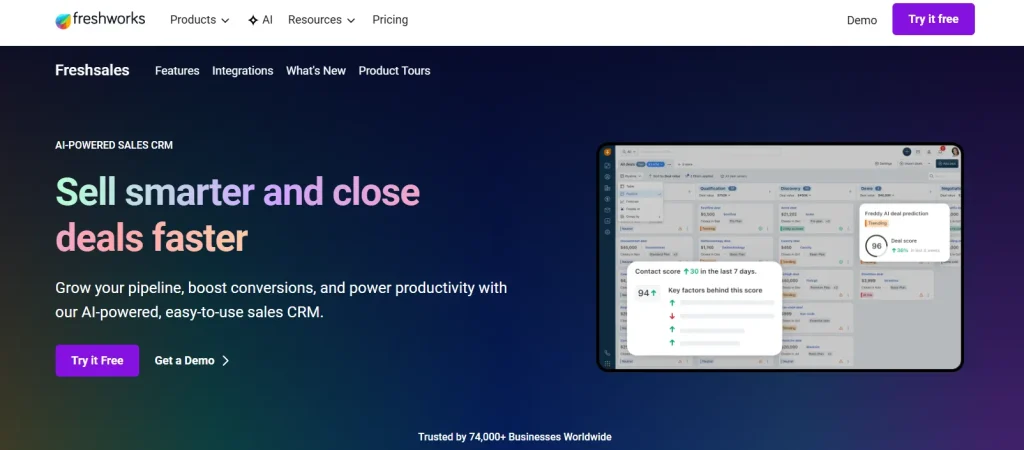
Verdict: Freshsales is the best value full CRM with WhatsApp integration at $9 per user per month, the lowest per-seat entry price in this guide.
Freshsales reaches WhatsApp through Freshchat, the messaging product in the same Freshworks family. Because both sit on one account, contacts resolve across channels without a connector in between.
Best Features
- Freddy AI scores leads from conversation content, not just form fields
- Built-in phone alongside WhatsApp, so voice and chat sit on one contact
- Visual workflow builder for routing and template sends
- 21-day trial, the longest here
Pros
- Lowest per-seat entry price of any full CRM in this guide
- One vendor for CRM, chat and phone
- Free tier available
- Clean mobile apps for field reps
Cons
- WhatsApp lives in the Freshchat layer, so you configure two products
- The plan combination needed for full WhatsApp functionality is not stated on the CRM pricing page
- Reporting is thinner than Salesforce or HubSpot at the same seat count
Pricing (per user per month, billed annually)
Growth $9. Pro $39. Enterprise $59. Free tier available. 21-day trial.
Who Should Skip This Tool
Skip Freshsales if you want WhatsApp configured in one place. The two-product structure works but adds a step every time you change a routing rule. Kommo and Zoho keep it in one system.
6. WATI — Best No-Code Chatbot for SMBs
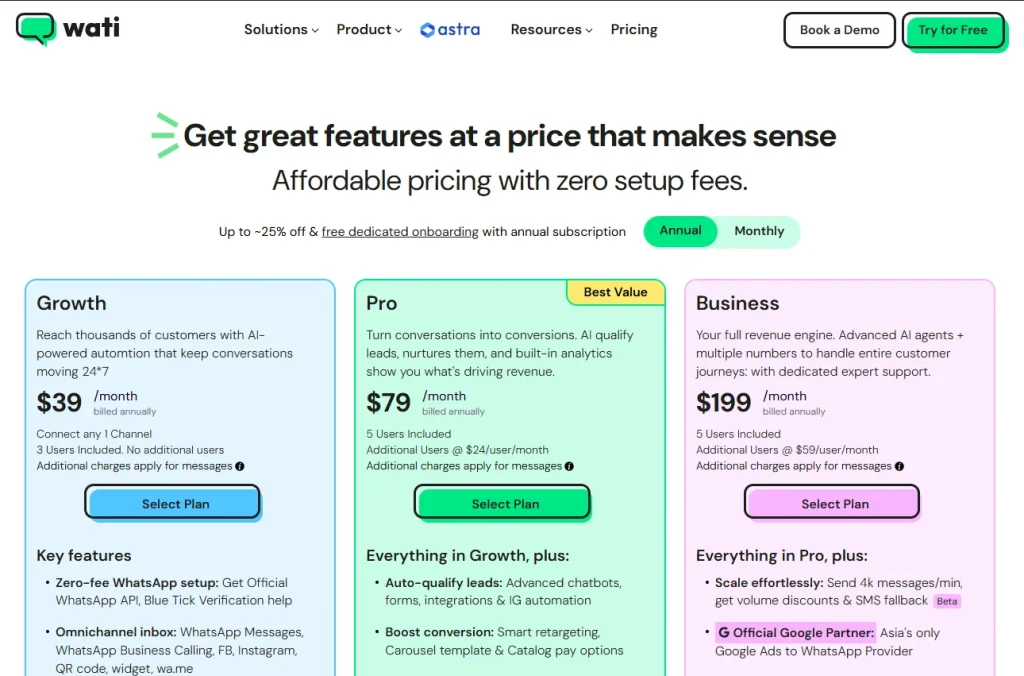
Verdict: WATI is the best WhatsApp platform for small businesses that want a mature no-code chatbot and broadcast tool without enterprise pricing.
WATI is an official BSP that handles template pre-approval, quality scoring, and opt-in management for you. The flow builder is the most approachable here.
Best Features
- No-code flow builder aimed at non-technical users
- Team Inbox with manager visibility across rep numbers
- Template pre-approval and quality scoring handled by WATI
- AI Co-pilot credits included on every tier
Pros
- Low official-API entry price among the established WhatsApp-first tools at $24 per month annually
- Mature product with wide support and documentation
- Predictable tiered pricing
Cons
- The Growth plan caps at 3 users, and you cannot buy extra seats at any price
- Automation triggers are metered on every tier
- Shopify integration is a $4.99 per month paid add-on
- Growth caps broadcasts at 15,000 per month
Pricing (billed monthly / billed annually)
Growth $29 / $24, 3 users, no extra seats available. Pro $99 / $82, 5 users, extra seats $24 each. Business $399 / $332, 5 users, extra seats $69 each. 7-day trial. No free plan. Shopify add-on $4.99 per month.
Who Should Skip This Tool
Skip WATI if you expect to pass three agents soon, because the Growth plan has a hard seat cap and the jump to Pro more than triples your bill. Getgabs and Interakt both handle growing teams more gracefully.
7. Respond.io — Best for High Message Volume
Verdict: Respond.io is the best WhatsApp platform for high-volume multichannel teams, holding routing performance across WhatsApp, Instagram, Messenger and TikTok in one inbox.
Respond.io prices by Monthly Active Contact rather than by seat, which suits teams with many agents and a defined contact base. It is an official Meta Business Partner.
Best Features
- One inbox across WhatsApp, Instagram, Messenger, TikTok, email and web chat
- Visual Workflow builder plus AI Agents, no code required
- Seats can be added without changing plan tier
- Contact-based pricing rather than per-seat
Pros
- Strongest omnichannel coverage in this guide
- Handles large agent counts without routing degrading
Cons
- Highest entry price of the WhatsApp-first group at $79 per month
- Growth and Advanced include only 1,000 monthly active contacts, with steep overages
- Shopify support is a web chat plugin rather than deep catalogue sync
- Seat allowances are not published on the pricing page
Pricing (per month)
Billed annually: Starter $79, Growth $159 and Advanced $279 per month. Billed monthly: $99, $199 and $349. Growth and Advanced include 1,000 monthly active contacts, with overage at $12 and $15 per 100. Enterprise custom. 7-day trial, no card. No free plan.
Who Should Skip This Tool
Skip Respond.io if WhatsApp is your only channel, because you are paying for omnichannel you will not use. WATI at $24 per month annual or Getgabs at $15 covers WhatsApp alone for far less.
8. Interakt — Best for Indian D2C Sellers
Verdict: Interakt is the best WhatsApp platform for Indian D2C and SMB sellers, offering unlimited agents at a flat rate with published INR message rates.
Interakt charges a flat fee with unlimited agents on every paid tier, which removes the per-seat penalty that makes most of these tools expensive as you grow. It publishes India message rates openly, which almost no competitor does.
Best Features
- Unlimited agents on all paid tiers
- Published INR conversation rates for the Indian market
- Catalogue sync via Shopify, WooCommerce or Excel
- No-code drag-and-drop chatbot builder
- 14-day trial, no card
Pros
- Flat pricing with no seat limit is strong value for growing teams
- Transparent India pricing
- Dedicated Shopify app
- Longest trial of the WhatsApp-first group
Cons
- The $12 Starter tier is Instagram only, with no WhatsApp
- Chat auto-assignment requires the Advanced tier
- Advanced chatbot flows are gated to Advanced
- AI agents are a separate $74.99 per month add-on
- Sales CRM is a separately priced product, not bundled
Pricing (monthly/yearly equivalent, plus tax)
Starter: $12, Instagram only. Growth: $55 (approximately $44 at the discounted rate). Advanced: $69 (approximately $55.20 at the discounted rate). Enterprise: pricing available on request. Sales CRM is sold separately at ₹2,499/month (approximately $29.57) for 5 agents. AI agents add-on: $74.99/month. A 14-day trial is available, with no credit card required.
Published India rates on Growth and Advanced: marketing ₹0.949–₹0.958 ($0.0113–$0.0114), authentication ₹0.127–₹0.128 ($0.0015), and utility ₹0.140–₹0.150 ($0.0017–$0.0018). Starter rates are slightly higher at ₹0.970 ($0.0115), ₹0.129 ($0.0015), and ₹0.160 ($0.0019), respectively.
Who Should Skip This Tool
Skip Interakt if you need auto-assignment or advanced chatbot flows on the cheaper plan, since both require the $69 Advanced tier. Skip it if you want WhatsApp on the cheapest tier, because the $12 Starter plan is Instagram only.
9. Zoko — Best for Shopify Stores
Verdict: Zoko is the best WhatsApp platform for Shopify merchants who want to sell and recover carts inside WhatsApp, not just answer questions.
Zoko is purpose-built for Shopify, with catalogue sync, in-chat selling, and order tracking. It reports 3,000+ merchants across 84 countries and is an official Meta Business Partner.
Best Features
- Catalogue sync and product selling inside WhatsApp
- Abandoned cart recovery and order tracking built in
- Zoko Flows, a no-code automation builder
- Specialised AI agents: Guru for FAQs, Wismo for order tracking, Sello for sales
Pros
- Deepest Shopify integration in this guide
- Unlimited agents on the Starter plan
- Conversation rates fall sharply at higher tiers
Cons
- Heavy à la carte unbundling, so real cost drifts well above list price
- Premium flows cost $5.99 per month each
- AI agents cost $24.99 per month each, and the Sello sales agent takes 3% of order value
- The Starter plan’s unlimited agents are offset by a $0.015 markup on every conversation
- Instagram is a $9.99 per month add-on
Pricing (per month)
Starter $49.99, unlimited agents, $0.015 markup per conversation. Plus $79.99, 5 agents, extra at $15 each, first 5,000 conversations with no markup, then $0.00199. Elite $139.99, 10 agents, extra at $12 each, first 100,000 with no markup, then $0.00099. Max $499.99, unlimited agents and unlimited conversations with no markup. 7-day trial, no card.
Who Should Skip This Tool
Skip Zoko if you are not on Shopify, because the product is built around it and you would pay for capability you cannot use. Skip the Starter plan at real volume, since the $0.015 per-conversation markup overtakes the savings quickly.
10. Pipedrive — Best for Pipeline-First Sales Teams
Verdict: Pipedrive is the best CRM with WhatsApp integration for outbound sales teams who want conversations attached to deals rather than sitting in a separate inbox.
Pipedrive’s entire interface is the pipeline, and WhatsApp follows that logic. A conversation is activity on a deal, not a standalone ticket. Messages sit on the deal card with the calls and emails, and moving the deal moves the conversation with it.
Best Features
- WhatsApp conversations sync onto the deal record with full history and attachments
- Pre-written quick replies cut repeat typing on qualification questions
- Workflow automation sends messages when a deal changes stage
- Messaging Inbox consolidates WhatsApp alongside email
Pros
- Fastest learning curve of any full CRM here
- Deal-centric model suits outbound B2B sales cycles
- Automation builder is usable without an admin
- 14-day trial, no card
Cons
- No free plan
- Better for outbound sales than for inbound support volume
- Marketplace connector quality varies, so choose a certified one
Pricing (per seat per month, billed annually)
Lite $14. Growth $39. Premium $59. Ultimate $79. 14-day trial, no card. No free plan.
Who Should Skip This Tool
Skip Pipedrive if your WhatsApp volume is mostly inbound support. Respond.io and Trengo are built around queues and agent workload rather than deals.
11. HubSpot — Best CRM of Record With WhatsApp
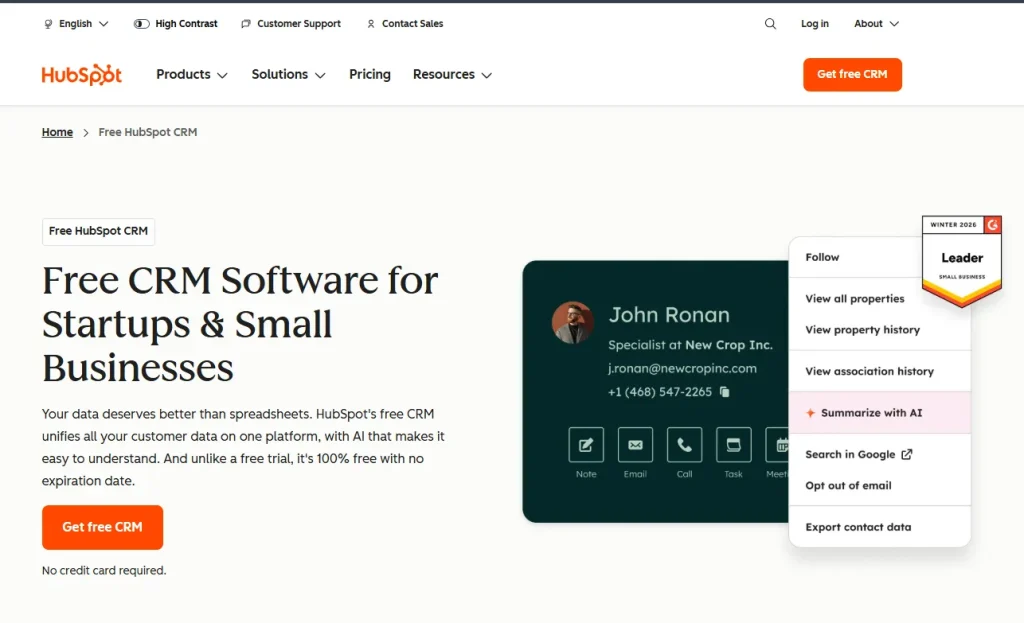
Verdict: HubSpot is the best CRM with WhatsApp integration for mid-market teams that need WhatsApp inside a full marketing, sales and service platform, provided the Professional-tier cost is acceptable.
HubSpot is the most complete general CRM in this list, with WhatsApp now available as a native channel inside its shared inbox. You get the full CRM, marketing automation, and service hub on top of WhatsApp messaging — making it a strong choice when WhatsApp is one of several channels you care about.
Best Features
- Native WhatsApp in the shared conversations inbox and help desk
- Replies sync with the WhatsApp Business app
- Workflows trigger WhatsApp messages from any record change
- Up to 25 phone numbers on one WhatsApp Business Account
- No charge for free entry point conversations
Pros
- WhatsApp inside the most complete CRM platform here
- Free CRM tier for 2 users lets you start before committing
- Strongest reporting and attribution in the group
- Very large app marketplace
Cons
- WhatsApp is locked behind Professional tiers
- Mandatory one-time onboarding fees from $1,500
- 1,000 WhatsApp messages per month limit shared across connected WhatsApp accounts
- By far the most expensive route to WhatsApp in this guide
Pricing
Free CRM: $0 for 2 users. Starter from $20 per seat per month. Sales Hub Professional $100 per seat per month plus $1,500 one-time onboarding. Service Hub Professional $100 per seat per month plus $1,500 onboarding. Marketing Hub Professional $890 per month with 3 seats, plus $3,000 onboarding. WhatsApp is included on Service Hub and Marketing Hub Professional and Enterprise.
Who Should Skip This Tool
Skip HubSpot if WhatsApp is your main reason for buying a CRM. A two-person team pays $200 per month plus $1,500 onboarding to reach a channel Kommo provides for $50. Choose HubSpot when you need the whole platform, and WhatsApp comes with it.
12. Trengo — Best for Multi-Channel Ecommerce Support
Verdict: Trengo is the best WhatsApp platform for ecommerce and D2C support teams selling across several storefronts, with the deepest store integrations in this guide.
Trengo is a true omnichannel shared inbox with the strongest ecommerce connector list here: Shopify, WooCommerce, Magento 2, BigCommerce, Lightspeed, Amazon, PrestaShop, Shopware, Wix and Picqer, plus CRM connectors for HubSpot, Salesforce, Pipedrive and Zoho.
Best Features
- Ten ecommerce platform integrations, more than anything else here
- AI Journeys for multi-step conversation automation on all tiers
- HelpMate AI agent on Boost and Pro
- Official Meta Business Partner
Pros
- Best in class for ecommerce support workflows
- Generous bundled user counts, 10 on Boost and 20 on Pro
- Genuine omnichannel rather than WhatsApp with extras attached
Cons
- Highest entry price in the whole guide at €299 per month
- It is an inbox, not a CRM, with no sales pipeline of its own
- Conversation quotas mean cost scales with volume
- AI-handled conversations carry a surcharge
- Prices published in EUR
Pricing (billed annually / billed monthly)
Boost €299 / €349, 10 users, 6,000 conversations per year. Pro €499 / €599, 20 users, 18,000 conversations per year. Enterprise custom. Extra conversations €15 to €18 per 100. Extra users €25 to €50. AI conversation surcharge €0.25 to €0.30. Free trial available.
Who Should Skip This Tool
Skip Trengo below about ten agents, because the €299 floor is hard to justify. Skip it if you need a sales pipeline, since Trengo expects you to connect a CRM for that.
13. Salesforce — Best for Enterprise Sales Teams
Verdict: Salesforce is the best CRM with WhatsApp integration for enterprise sales organisations already running Sales Cloud who need WhatsApp inside existing governance and reporting.
WhatsApp arrives through Messaging, part of the Digital Engagement layer, so conversations land as records against the same objects your reports already run on. Every message is auditable and routable through Omni-Channel.
Setup is a project, not an afternoon. This is the only tool here where connecting a number realistically needs an admin and a sandbox.
Best Features
- Conversations map to standard Salesforce objects, so nothing sits outside the CRM
- Omni-Channel routing by agent skill, availability, and queue depth
- Flow Builder triggers WhatsApp sends from any record change
- Full audit trail, which matters in regulated industries
Pros
- Deepest reporting of anything in this guide
- Scales past 100 agents without routing degrading
- Works with existing Salesforce automation rather than duplicating it
- Strong compliance and data residency options
Cons
- Setup takes days and generally needs an admin
- Digital Engagement is a paid add-on on top of the Sales Cloud licence
- Highest total cost here by a wide margin
- Overbuilt below roughly 15 agents
Pricing (per user per month, billed annually)
Free Suite $0. Starter Suite $25. Pro Suite $100. Enterprise Core $195. Advanced $395. Max $550. WhatsApp needs the Digital Channels add-on at $75 per user per month, billed annually, which includes 25 inbound conversations; WhatsApp usage is billed on top.
Who Should Skip This Tool
Skip Salesforce under 15 agents, without an in-house admin, or if you want WhatsApp running this week. A team of five gets the same daily outcome from Kommo or Zoho at a fraction of the cost.
14. WaliChat — Best for Developers and API Access
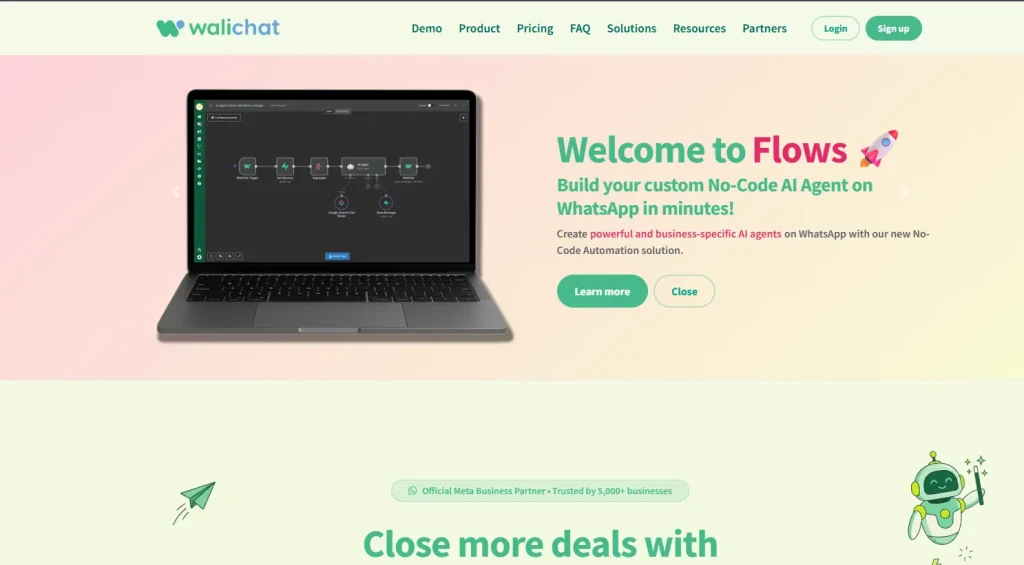
Verdict: WaliChat is the best WhatsApp platform for developers who want a strong REST API and predictable per-number pricing rather than per-seat billing.
WaliChat prices per WhatsApp number rather than per user, which suits teams running one busy number with several agents on it.
A note on the connection method. WaliChat’s homepage describes itself as an official WhatsApp Business API provider with Meta embedded signup. A separate page on the same site describes onboarding by scanning a QR code from Linked Devices in the WhatsApp Business app, which is the WhatsApp Web protocol rather than the Cloud API. The likeliest reading is that WaliChat offers both paths. Confirm which applies to your number before committing, because the capabilities differ substantially.
Best Features
- Full REST API with webhooks on every plan
- MCP server for connecting Claude or ChatGPT
- 500+ integrations via Zapier, Make, n8n and Integrately
- Per-number pricing with several agents included
Pros
- Strongest developer story in this guide
- Predictable flat per-number cost
- No-code AI agents and flows alongside the API
- 7-day trial, no card
Cons
- Priced per number, so multi-number setups multiply cost
- Hard message caps and throughput limits on lower tiers; 15 messages per minute on Professional is low for campaigns
- Agent seats capped per plan
- The official API question above is unresolved on their own site
Pricing (billed monthly / billed annually, per WhatsApp number)
Professional $39.90 / $33.25, 3 team members, 20,000 text messages, 15 per minute. Business $69.90 / $58.25, 6 members, 60,000 messages, 60 per minute. Enterprise $99.90 / $83.25, 9 members, unlimited messages, 150 per minute. 7-day trial, no card.
Who Should Skip This Tool
Skip WaliChat if you are not building against the API, because you would be paying for a developer platform to get a shared inbox that Getgabs or WATI provides more cheaply.
Best WhatsApp CRM by Industry
Industry matters less than three other things: how many people answer messages, what you can spend, and whether you send campaigns. Use these three cuts.
By Team Size
| Team Size | Recommended | Why |
|---|---|---|
| Solo operator | Taskip, $22/mo ($12 plan + $10 WhatsApp add-on) | Flat price, client portal and invoicing included, unlimited clients |
| 2 to 5 people | Getgabs Plus, $21/mo | 10 users at a flat rate, official API, unlimited flows |
| 5 to 15 people | Kommo, $25/user/mo | Pipeline plus inbox, official API on every plan |
| 15 to 30 people | Interakt, $44/mo annual | Unlimited agents on a flat rate |
| 30+ people | Respond.io from $79/mo | Routing holds at scale, contact-based pricing |
| Enterprise | Salesforce or HubSpot | Governance, audit trail and reporting depth |
By Budget
| Monthly Budget | Recommended | What You Get |
|---|---|---|
| Under $20 | Getgabs Basic, $15 | Official API, 30,000 broadcasts, unlimited flows, admin only |
| $20 to $30 | Getgabs Plus $21, or Taskip $22 | 10 users flat, or a full agency workspace |
| $30 to $60 | Zoho CRM $14/user, or Getgabs Pro $59 | Full CRM, or 30 users with unlimited broadcasts |
| $60 to $150 | Kommo, Interakt or Zoko | Pipeline CRM, unlimited agents, or Shopify selling |
| $150+ | Respond.io, Trengo or HubSpot | Scale routing, omnichannel, or full platform |
Remember that Meta’s per-message charges sit on top of all of these on the official API, and rose on 1 October 2026 for anyone sending more than 1,000 service messages per number a month.
By Use Case
| Use Case | Recommended | Why |
|---|---|---|
| Marketing campaigns and broadcasts | Getgabs | Unlimited flows, up to unlimited broadcasts, zero markup on Meta rates |
| Client service and billing | Taskip | Chat next to proposals, invoices and a client portal |
| Outbound sales pipeline | Pipedrive or Kommo | Conversations attached to deals and stages |
| Inbound support at volume | Respond.io or Trengo | Queue management, routing and agent workload reporting |
| Shopify selling | Zoko | Catalogue, cart recovery and order tracking in chat |
| Indian D2C | Interakt | Unlimited agents, published INR rates, local payment support |
| Developer-built workflows | WaliChat | REST API, webhooks, MCP server |
| Enterprise governance | Salesforce | Audit trail, Omni-Channel routing, compliance controls |
Which WhatsApp CRM Fits Your Situation?
Best WhatsApp CRM for Solo Consultants and Freelancers
Taskip at $22 per month all in ($12 plan + $10 WhatsApp add-on) is the best WhatsApp CRM for solo consultants and freelancers, because it puts client chat next to proposals, invoices, and a client portal at one flat price with unlimited clients. A solo operator needs WhatsApp attached to billing, not to a 40-seat routing engine. If the client portal matters more than chat, see our list of the best CRM with client portal.
Three things matter when you work alone. Chats need to sit against the right client. Quotes and invoices need to go out on the channel the client already answers on. And your cost needs to stay flat as you take on more clients.
If you also need broadcast campaigns, take Getgabs at $15 per month instead, since broadcasts require the official Cloud API.
Skip if you are solo: Salesforce, Respond.io, and Trengo, all priced and built for teams.
Best Affordable WhatsApp CRM With API Automation
Getgabs at $15 per month is the cheapest route onto the official WhatsApp Business API, with unlimited automation flows and zero markup on Meta’s charges. Zoho CRM at $14 per user per month is the cheapest full CRM with official API messaging included.
Affordable needs defining carefully, because WhatsApp has two cost layers. You pay the platform for software, and you pay Meta per message delivered. A low licence fee can still produce a high bill at volume, and after 1 October 2026 that Meta layer grows for anyone handling service conversations.
| Tool | Licence From | Meta Charges | Automation on Entry Plan |
|---|---|---|---|
| Zoho CRM | $14/user/mo | Via pre-purchased Zoho credits | Workflow rules |
| Getgabs | $15/mo | Passed through, zero markup claimed | Unlimited flows, 500 triggers |
| Taskip | $22/mo flat | None, linked device | Workflow builder |
| WATI | $24/mo annual | Passed through | Yes, 1,000 triggers |
Best WhatsApp CRM for Ecommerce and Shopify Stores
Zoko is the best WhatsApp CRM for Shopify stores, with catalogue sync, in-chat selling and order tracking built natively. Trengo is stronger if you sell across several platforms, with ten store integrations including WooCommerce, Magento, BigCommerce and Amazon. Getgabs offers a Shopify app as an add-on at a far lower entry price.
Four ecommerce use cases actually move revenue:
- Abandoned cart recovery: A message shortly after abandonment with a direct checkout link.
- Order status updates: Shipped, out for delivery, and delivered, triggered from the fulfilment event.
- Catalogue in chat: Customers browse and buy without leaving WhatsApp.
- Click-to-WhatsApp ads attribution: Ties ad spend to conversation to order, and opens a free entry point window of up to 7 days.
Zoko handles all four on Shopify. Interakt covers the same ground for Indian stores with INR billing. Point four requires the official Cloud API, so a linked-device tool cannot do it.
Best Multi-Agent WhatsApp CRM for Teams
Respond.io is the best multi-agent WhatsApp CRM for high message volume. Below about 20 agents, Kommo and Interakt deliver the same shared-inbox experience for less, and Getgabs Pro handles 30 users on a flat $59 per month.
One number serving a team is the problem all of these tools exist to solve. The features that separate them at scale:
- Assignment rules: Round-robin is the floor. Skill and language routing is what you need past 15 agents.
- Collision detection: A visible signal that a colleague is already typing in the thread. Without it, duplicate replies happen daily.
- Internal notes: Private comments the customer never sees.
- Handover with full history: Transferring should carry the thread, not a link to it.
- First response time per agent, not just per team.
Watch the seat maths. WATI’s Growth plan caps at three users with no option to add more. Kommo requires six months prepaid. Getgabs, Interakt and Taskip are the tools here that do not charge more per person as you grow.
Can WhatsApp Be Integrated With a CRM?
Yes, two ways: the official Cloud API or a linked device. The Cloud API registers your number with Meta and unlocks approved templates, broadcasts and click-to-WhatsApp ads. A linked device connects your existing WhatsApp by QR code in minutes, with no Meta verification and no per-message fees.
The official API path needs a Meta Business Account, a phone number not currently active on WhatsApp, business verification, and display name review. Meta publishes no committed timeline for that review. A new business portfolio starts limited to two phone numbers, rising to twenty once the business is verified.
The linked-device path needs only a QR code scan from your existing WhatsApp app and works in minutes. It cannot send approved templates or run broadcast campaigns.
Avoid anything else. Tools that scrape WhatsApp Web without a supported session risk getting your number banned, and Meta’s appeal process is slow.
How to Set Up a WhatsApp CRM: Step-by-Step Guide
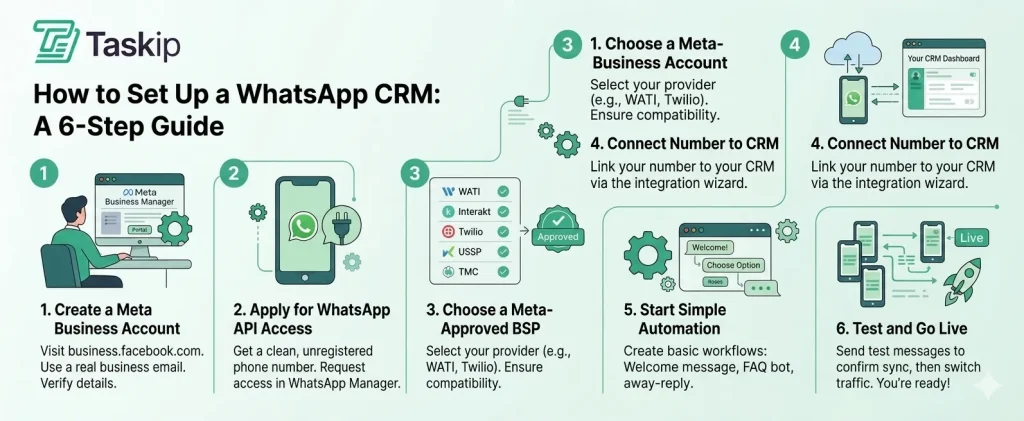
Official Cloud API Setup
- Create or open a Meta Business Account. You are prompted to create one during setup if you do not have one.
- Choose a phone number. It must be one you own, have a country and area code, and be able to receive a call or SMS. Short codes are not supported. A number already active on WhatsApp Messenger cannot be registered until that account is deleted.
- Connect through your CRM’s embedded signup. Most tools here use Meta’s Embedded Signup, which handles the handoff. Most of these CRMs are Meta Business Solution Providers themselves (WATI, Interakt, Zoko) or partner with one, such as Twilio or 360dialog.
- Submit your display name for review. Required. After a display name change is approved, you have 14 days to re-register the number, or you must resubmit. Display names can be changed 10 times per 30-day period.
- Complete business verification. Your portfolio starts capped at two numbers, rising to twenty once verified or once you reach a 2,000 messaging limit.
- Create and submit message templates. Anything sent outside an open 24-hour window must be an approved template.
Expect the review steps to take days rather than minutes. Meta does not publish a committed timeline.
Linked Device Setup
- Open WhatsApp or WhatsApp Business on your phone.
- Go to Linked Devices.
- Scan the QR code shown in your CRM.
- Keep the phone connected to the internet periodically to keep the session open.
That is the whole process, which is the point of it.
Set Up Your First Automation
Start small with one welcome message triggered when a new contact messages you. Add an away-hours auto-reply, a basic FAQ chatbot, or a lead qualification flow that tags contacts based on their first reply.
Avoid building a 50-step bot before you’ve tested a 3-step one with real customers. Almost every team that builds too much, too early ends up scrapping it.
Test and Go Live
Send test messages from a personal WhatsApp number to confirm two-way sync, template approval, and contact creation in your CRM. Check that messages appear against the right contact record, automations fire correctly, and team members receive their assignments.
Once tests pass, route your existing WhatsApp traffic to the new number and announce the migration to customers.
Free WhatsApp CRM: What You Actually Get for $0
A free WhatsApp CRM with full team messaging at $0 does not exist yet. Free CRM tiers do, but most keep WhatsApp on a paid plan, and on the official API Meta still bills per message after the first 1,000 free service messages per number each month.
Tool Free plan limits WhatsApp on the free plan? Checked Freshsales Free plan available; limits not published on the pricing page Listed for Freshsales Suite Free in Freshworks’ support docs 20 Oct 2026 Taskip Starter Free, $0 forever, no card No. WhatsApp Team Inbox is a paid add-on: $5 first payment, then $10/mo 20 Oct 2026 HubSpot Free CRM, up to 2 users No. WhatsApp is on Professional and Enterprise tiers 20 Oct 2026 Zoho CRM Free forever, up to 3 users No. WhatsApp is not in the free edition 20 Oct 2026 Salesforce Free Suite, $0 No. WhatsApp needs the Digital Channels add-on ($75/user/mo) 20 Oct 2026 Interakt No free plan; Starter is $12/mo No. Starter is Instagram only 20 Oct 2026 Getgabs, Kommo, WATI, Respond.io, Zoko, Trengo, WaliChat and Pipedrive have no free plan, only trials. If your budget is genuinely zero, the free WhatsApp Business app covers one person on one phone until the volume or the team grows.
WhatsApp CRM for Small Business and Lead Management
For a small business, the best WhatsApp CRM is the one that turns every inbound chat into a tracked lead without growing the bill per person. Under 10 people, Getgabs ($15/mo flat), Zoho CRM ($14/user/mo) and Taskip ($22/mo per workspace with the WhatsApp add-on) are the strongest fits.
A WhatsApp CRM system for a small team needs to do four jobs:
Capture: every new chat creates or matches a contact automatically.
Qualify: tags or a short bot question sort leads by need, budget or location.
Assign: rules route each lead to the right person, with internal notes.
Follow up: automation sends reminders and moves the lead to the next pipeline stage.
WhatsApp Lead Management Software
WhatsApp works as lead management software when each chat lands on a pipeline, not in a separate inbox. Pipedrive and Kommo attach the conversation to a deal. Taskip turns a chat into a lead in one click and keeps the history next to its sales pipeline, quotes and invoices.
App or Platform?
The free WhatsApp Business app is fine for one person: labels, quick replies, one primary phone. A WhatsApp CRM app adds what a team needs: shared access to one number, contact records and reporting. Move up when a second person starts answering, or when leads go unanswered.
WhatsApp CRM Automation to Set Up First
Start with three workflow automations: a welcome reply, an away-hours reply, and a follow-up reminder when a lead goes 24 hours without a response. On the official Cloud API, any message sent outside the 24-hour window must be an approved template and is billed by Meta.
How to Choose the Right WhatsApp CRM?
Work through these in order. The first two eliminate most of the list.
1. Do you need broadcasts, templates, or click-to-WhatsApp ads?
If yes, you need the official Cloud API, which rules out linked-device tools. Getgabs is the cheapest way in. If no, a linked-device tool is faster to deploy with no Meta message charges.
2. Full CRM or WhatsApp-first?
If WhatsApp is one channel among email, calls, and forms, choose a full CRM. If WhatsApp is most of how you talk to customers, choose a WhatsApp-first platform and connect a CRM if you need one.
3. How many people will use it, and how will that change?
Per-seat tools multiply; flat-rate tools do not. At five users, Freshsales costs $45, and Getgabs Plus costs $21. At twenty-five, Freshsales is $225, and Getgabs Pro is $59.
4. What is your monthly message volume?
Below a few hundred messages, licence cost dominates. Above a few thousand, Meta’s per-message charges dominate, and a platform with zero markup matters more than the subscription.
5. Rebuild the total for 1 October 2026.
Recalculate with service and in-window utility messages billed rather than free. For support-heavy operations, this is a meaningful increase.
Common Mistakes When Choosing a WhatsApp CRM
Most teams that regret their WhatsApp CRM choice didn’t select a bad platform; they selected the wrong platform for their needs. Here are the most common mistakes to avoid.
1. Choosing Based on Price Alone
The subscription fee is only part of the total cost. Every CRM on the official WhatsApp Business API passes on Meta’s per-message charges, which vary by country and message category. Since 1 October 2026, service messages past 1,000 a month per number are billed too.
A CRM that costs $15 per month could easily end up costing $150 or more once messaging volume is factored in. Before making a decision, calculate:
- Monthly software cost
- Expected WhatsApp API charges
- Any BSP (Business Solution Provider) fees
Always evaluate the total monthly cost, not just the advertised subscription price.
2. Prioritizing Advanced Automation Too Early
Many teams are attracted to AI chatbots and complex automation workflows. In reality, most businesses spend their first few months simply getting the basics right:
- Shared inbox setup
- Contact management
- Team collaboration
- Quick replies and message templates
Building sophisticated bots before these foundations are working smoothly often leads to wasted time and rework. Start with the inbox. Add automation once your processes are stable.
3. Skipping Meta Business Verification
Higher messaging limits on the WhatsApp Business API require Meta Business verification. Meta publishes no timeline for it, and delays are common when documents are incomplete or inconsistent.
Some businesses subscribe to a CRM before completing verification, only to spend days or weeks waiting for approval while paying for a tool they can’t fully use. Complete verification first, then move forward with your CRM setup.
4. Confusing the WhatsApp Business App with the WhatsApp Business API
These are two very different products. The free WhatsApp Business App supports up to four linked devices and offers limited collaboration features.
The WhatsApp Business API, which powers professional WhatsApp CRMs, supports:
- Multiple agents
- Automation
- Integrations
- Broadcast messaging
- Advanced reporting
If a vendor is unclear about which version they use, ask before committing.
5. Choosing a Tool Built for a Different Purpose
Not all WhatsApp platforms solve the same problem. For example, marketing-focused platforms such as Interakt or Getgabs are designed primarily for campaigns and broadcasts. Client-management platforms such as Taskip focus more on conversations, shared inboxes, and customer communication.
Selecting a marketing tool when your team mainly handles customer conversations or vice versa creates friction every day. Choose a platform that matches how your team actually uses WhatsApp.
6. Overlooking Data Ownership and Portability
Your conversation history and customer data are valuable assets. Before committing to any platform, ask:
- Can all conversations and contacts be exported?
- What happens to the data if you cancel your subscription?
- Who owns the WhatsApp number: you or the BSP?
- Are there any restrictions on data access?
The answers matter. Migrating away from a platform becomes much easier when your data remains under your control.
Conclusion: Which WhatsApp CRM Should You Choose?
The best WhatsApp CRM depends on your team size, budget, and how you actually use WhatsApp in daily operations. Choosing the right CRM with WhatsApp integration is less about features and more about long-term fit.
Solo operators on a zero budget can start with the free WhatsApp Business app, since HubSpot’s and Zoho’s free plans do not include WhatsApp. Small teams and agencies usually get the most value from Taskip, where WhatsApp is directly connected with invoicing, client management, and day-to-day workflows.
For growing businesses that need deeper automation, tools like WATI, Kommo, or Respond.io are stronger options. Meanwhile, enterprise teams running multi-channel support often rely on HubSpot, Trengo, or Respond.io with custom BSP setups.
No matter which tool you choose, focus on three essentials: the right WhatsApp connection for your use (the official API for broadcasts, a linked device for client chat), a clean shared inbox with multi-agent collaboration, and automation workflows that don’t require developer effort to maintain. Once those are in place, everything else becomes easier to optimize over time.
If you’re an agency or service team looking for a WhatsApp business CRM integration that goes beyond messaging and brings full client management together, Taskip is worth trying first.
Frequently Asked Questions
What Is a CRM With WhatsApp Integration?
A CRM with WhatsApp integration is a customer relationship management platform connected directly to your WhatsApp Business number, so chats, contacts, and deals sit in one shared system. Every message syncs to the right contact record automatically, and your whole team sees the conversation history instead of it living on one person’s phone.
Can WhatsApp Be Integrated With a CRM?
Yes, in two ways. The official WhatsApp Business API registers your number with Meta and supports templates, broadcasts, and ads attribution, but requires business verification. A linked-device connection mirrors your WhatsApp session by QR code and works in minutes, but cannot send templates or broadcasts.
How Much Does a WhatsApp CRM Cost in 2026?
Platform licences start at $9 per user per month for Freshsales, $14 per user per month for Zoho CRM, $15 per month for Getgabs, and $22 per month for a Taskip workspace with the WhatsApp add-on. On top of that, Meta charges per message delivered on the official API, with rates varying by country and category. Since 1 October 2026, in-window utility messages are billable, and so are service messages after the first 1,000 per number each month.
Is There a Free WhatsApp CRM?
There are free CRM tiers but no genuinely free WhatsApp CRM. HubSpot’s free CRM covers 2 users, but WhatsApp needs a Professional plan. Zoho’s free edition covers 3 users but excludes WhatsApp. Taskip has a free plan, but its WhatsApp inbox is a paid add-on, and Interakt has no free plan. Freshsales Free comes closest, with WhatsApp listed in Freshworks’ support docs. On the official API, Meta also bills per message after the first 1,000 free service messages per number each month.
Do I Need the WhatsApp Business API to Use a WhatsApp CRM?
Not always, but you do for anything at scale. The official API is required for message templates, broadcast campaigns, click-to-WhatsApp ads attribution, and high throughput. A linked-device connection works for conversational use by a small team and avoids Meta’s per-message charges, at the cost of those capabilities.
What Is the Difference Between WhatsApp Business and a WhatsApp CRM?
WhatsApp Business is a free app for one user on one phone, with a business profile, quick replies, and labels. A WhatsApp CRM connects that number to software so multiple agents answer from a shared inbox, conversations sync to contact records, and messages trigger automation. WhatsApp Business alone has no contact database, team access, or reporting.
Can Multiple Agents Use the Same WhatsApp Number?
Yes. Both the official API and linked-device connections support a shared inbox where several agents answer from one number, with assignment rules deciding who handles each conversation. The customer sees one consistent business number, whoever replies.
Which WhatsApp CRM Is Best for a Small Team?
Getgabs Plus at $21 per month covers 10 users on a flat rate with official API access. Zoho CRM at $14 per user per month is the best full CRM for small teams. Taskip at $22 per month suits agencies, since it charges per workspace, so adding people does not change the bill. Avoid WATI’s Growth plan if you might pass three users, because it has a hard seat cap.
Which WhatsApp CRM Is Best for Marketing and Broadcasts?
Getgabs is the strongest choice for WhatsApp marketing, automation, and customer engagement, with unlimited automation flows on every plan, broadcast ceilings from 30,000 up to unlimited, and zero markup on Meta’s messaging rates. Broadcasts require the official WhatsApp Business API, so linked-device tools cannot do this at all.
What Changed in WhatsApp Pricing in 2026?
Meta replaced conversation-based billing with per-message billing on 1 July 2025. Since 1 October 2026, utility messages sent inside an open 24-hour window are billable, and service messages are billable after the first 1,000 free per business phone number each month. Meta Business Agent messages have been charged per token since 1 July 2026, and nine more countries, including Bangladesh, moved to Authentication-International rates on 1 October 2026. Volume discounts apply to utility and authentication messages but not marketing.
How Long Does WhatsApp Business API Approval Take?
Meta publishes no committed timeline for business verification or display name review. The only fixed deadline Meta documents is that after a display name change is approved, you have 14 days to re-register the phone number or you must resubmit. Treat any vendor quoting a guaranteed approval time with caution.
Can I Keep Using WhatsApp on My Phone After Connecting a CRM?
It depends on the connection. With a linked-device connection, the number stays fully usable on your phone, which is how Taskip works. With the official Cloud API, the number moves to Meta’s servers and stops working in the WhatsApp app, so use a separate number if you need both.
Does a WhatsApp CRM Work for Ecommerce?
Yes, and it is one of the strongest use cases. Zoko is purpose-built for Shopify with catalogue sync, cart recovery, and order tracking in chat. Trengo connects to ten storefront platforms, including WooCommerce, Magento, and BigCommerce. Interakt covers Indian stores with INR billing. Getgabs offers a Shopify app as an add-on.
What Happens if My WhatsApp Number Gets Banned?
A banned number must go through Meta’s appeal process before it can be registered again, and Meta publishes no timeline for that either. The most common cause is using unofficial automation that scrapes WhatsApp Web without a supported session. Every tool in this guide uses either the official Cloud API or the supported Linked Devices protocol, which is why we excluded scraper-based tools entirely.