10+ Best Task Management Software for Small Business in 2026
Running a small business feels like spinning plates while juggling flaming torches—and somehow you’re expected to answer emails at the same time. Sound familiar? You’re not alone. The average small business owner switches between 13 different tools daily, leading to lost productivity, missed deadlines, and that nagging feeling that something important just slipped through the cracks.
Here’s the good news: the right small business task management software can transform that chaos into clarity. But with hundreds of options flooding the market, how do you choose?
In this guide, I’ll walk you through 10+ best task management software for small business that actually work—complete with honest pros, cons, pricing, and real-world use cases. Whether you’re a solopreneur managing client work or leading a growing team, you’ll find the perfect fit here.
Why Small Business Task Management Software Matters More Than Ever
Let’s talk numbers for a second. Research shows that 82% of small businesses are increasing their investment in automation and productivity tools—not as a luxury, but as a survival strategy. When you’re running lean, every hour counts.
The best task management software for small businesses does more than create to-do lists. It becomes your operational backbone:
- Eliminates context switching – Stop losing 40% of your productivity to app-hopping
- Prevents dropped balls – No more “I thought you were handling that” moments
- Scales with growth – Start with three people, grow to thirty without changing platforms
- Improves client relationships – Transparency builds trust (and repeat business)
- Frees mental bandwidth – Let software remember deadlines so your brain can solve bigger problems
But here’s what most articles won’t tell you: not all task management tools are created equal. Some are built for enterprise teams with IT departments. Others look sleek but crumble under real-world complexity. And many charge per-user pricing that punishes you for growing.
The best project management software for small businesses 2026 recognizes that you need power without complexity, affordability without compromise, and features that actually match how you work.
What to Look For in Task Management Software (The Non-Negotiables)
Before we dive into specific tools, let’s establish the must-haves. After analyzing feedback from thousands of small business users and testing platforms extensively, here are the features that separate winners from pretenders:
Core Features That Matter
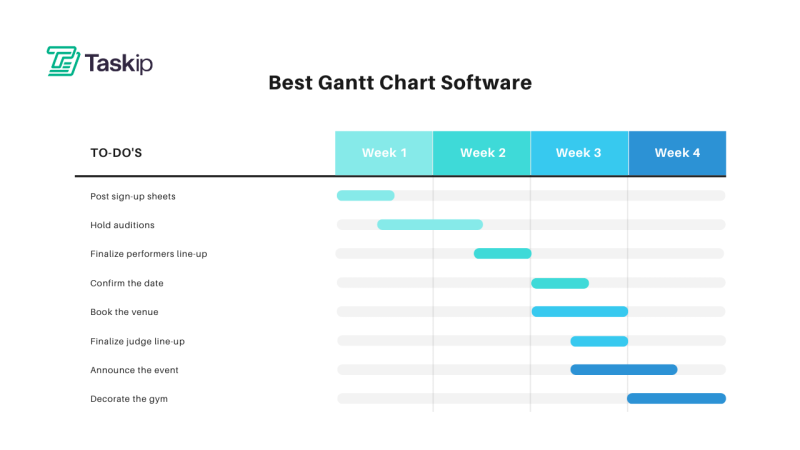
- Multiple project views – Not everyone thinks in Kanban boards. You need list view, calendar view, Gantt charts, and more to accommodate different work styles[3]
- Client collaboration tools – Built-in client portals eliminate endless email chains and improve transparency
- Automation capabilities – Turning emails into tasks, automatic follow-ups, and workflow triggers save hours weekly
- Integration ecosystem – Your task manager should play nice with the tools you already use
- Mobile accessibility – Real work happens on the go. Clunky mobile apps are deal-breakers
- Customization without complexity – Flexible enough to match your workflow, intuitive enough to onboard new team members in minutes
The Pricing Reality Check
Watch out for these common pricing traps:
Per-user models that get expensive fast as you grow
“Freemium” plans so limited they’re essentially demos
Hidden costs for features you absolutely need (like time tracking or client access)
Annual-only pricing that locks you in before you’re ready
The sweet spot? Pricing that scales gradually and unlocks meaningful features at each tier without forcing enterprise plans on small teams.
The 10+ Best Task Management Tools for Small Teams (Honest Reviews)
1. Taskip – Best All-in-One Client Portal for Agencies and Freelancers
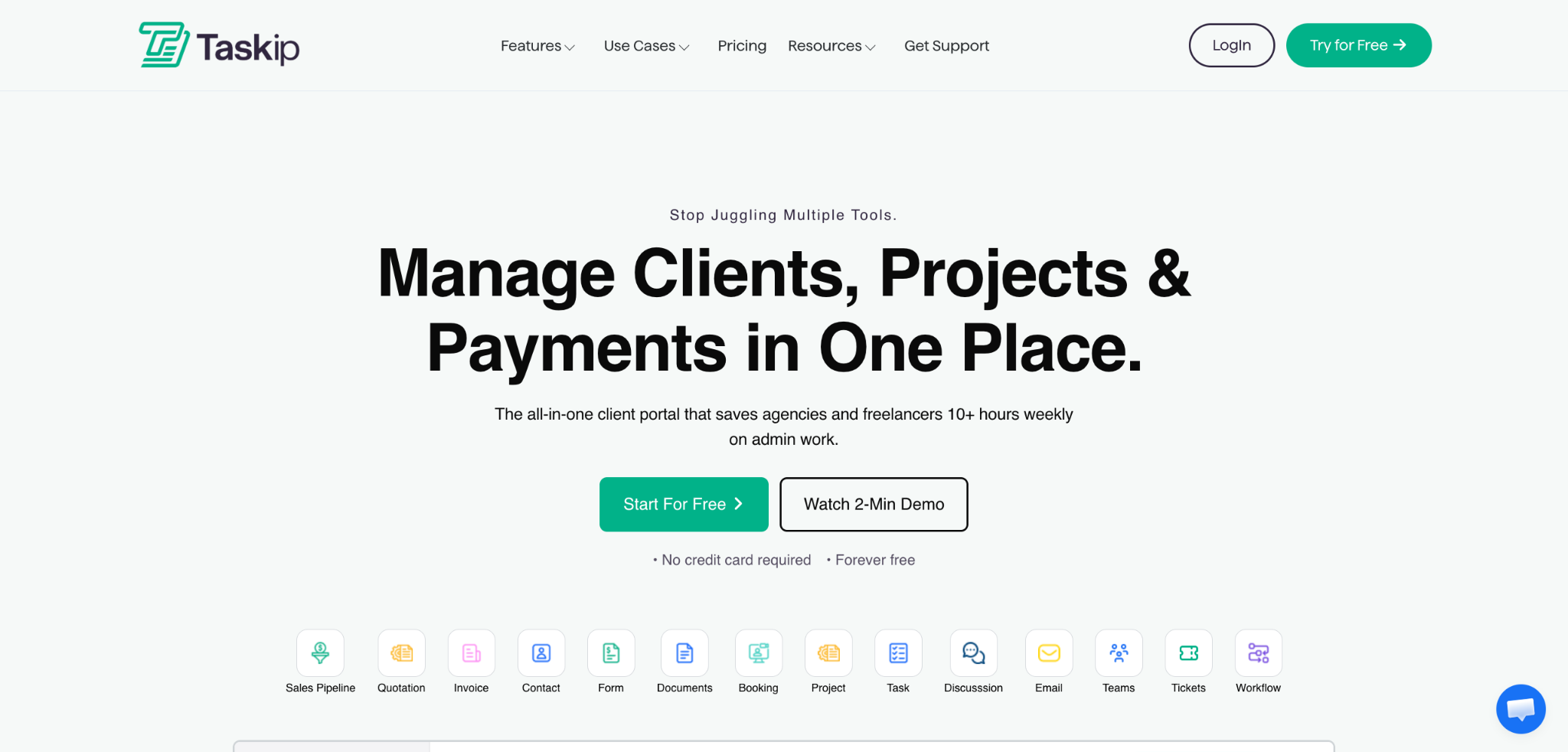
Let’s start with the best in the room—yes, this is our platform, but hear me out. Taskip is built specifically because existing tools failed at one critical thing: seamless client collaboration without sacrificing internal productivity.
What Makes Taskip Different
Taskip isn’t trying to be everything to everyone. It’s laser-focused on the people who need task management for small business plus client relationship management—agencies, consultancies, freelancers, and service-based businesses.
Key Features:
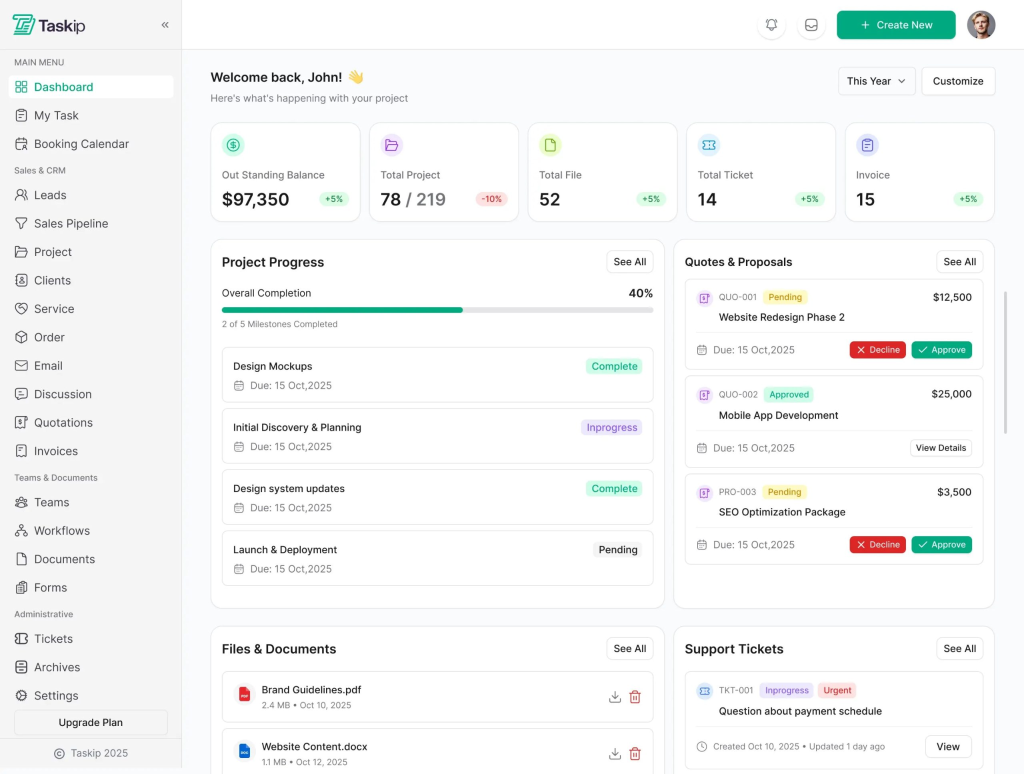
Client Portal
Turn scattered client communication into a single, organized home your clients actually enjoy using with the Client Portal. Clients get one secure place to access messages, files, invoices, meetings, and support, so nothing gets lost in email threads and your agency looks structured and professional.
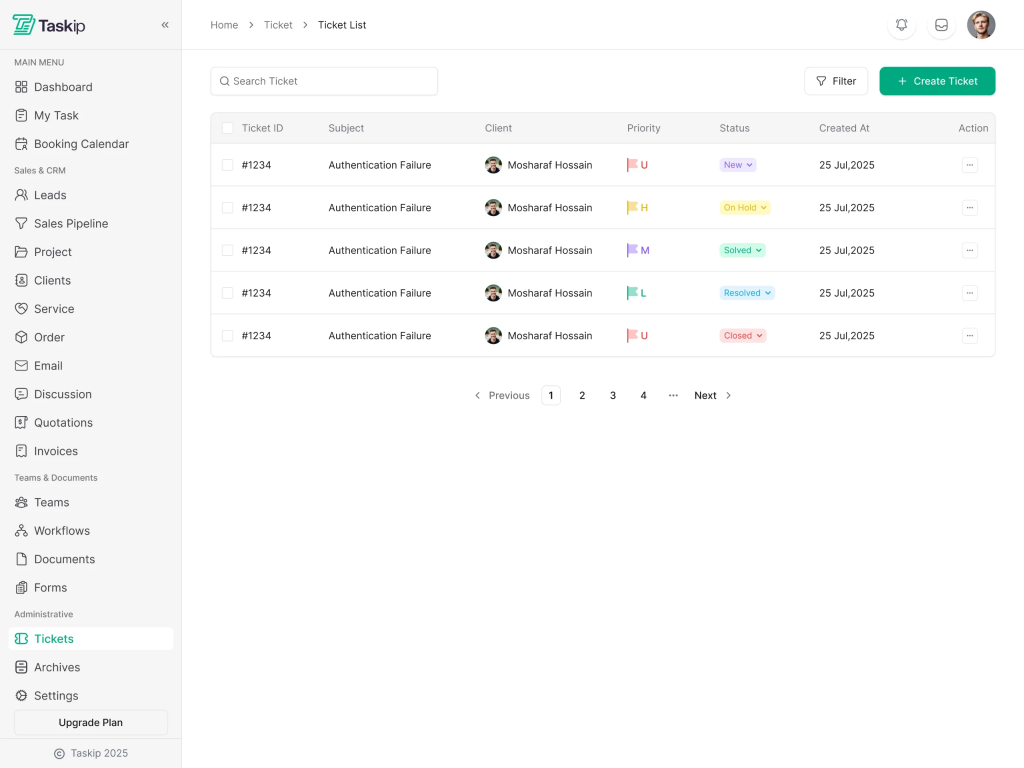
Support Tickets
If you rely on email or chat for support, issues slip through the cracks and clients get frustrated. The Support Tickets feature lets clients easily submit and track tickets from their portal, while your team manages priorities, statuses, files, and updates in one organized view for faster, more human support.
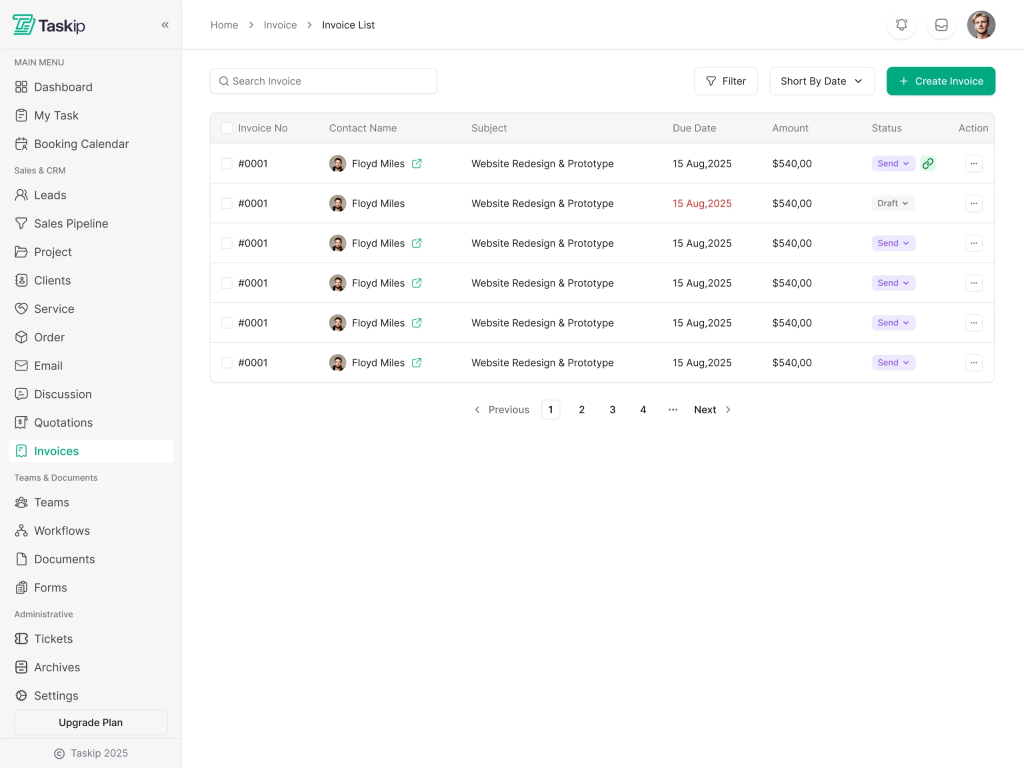
Invoices
Manual invoicing causes delays, confusion, and late payments. With Invoices you can create professional invoices in minutes, share via email, public URL, or client portal, and accept payments through popular gateways—so cash flow improves and admin work drops.
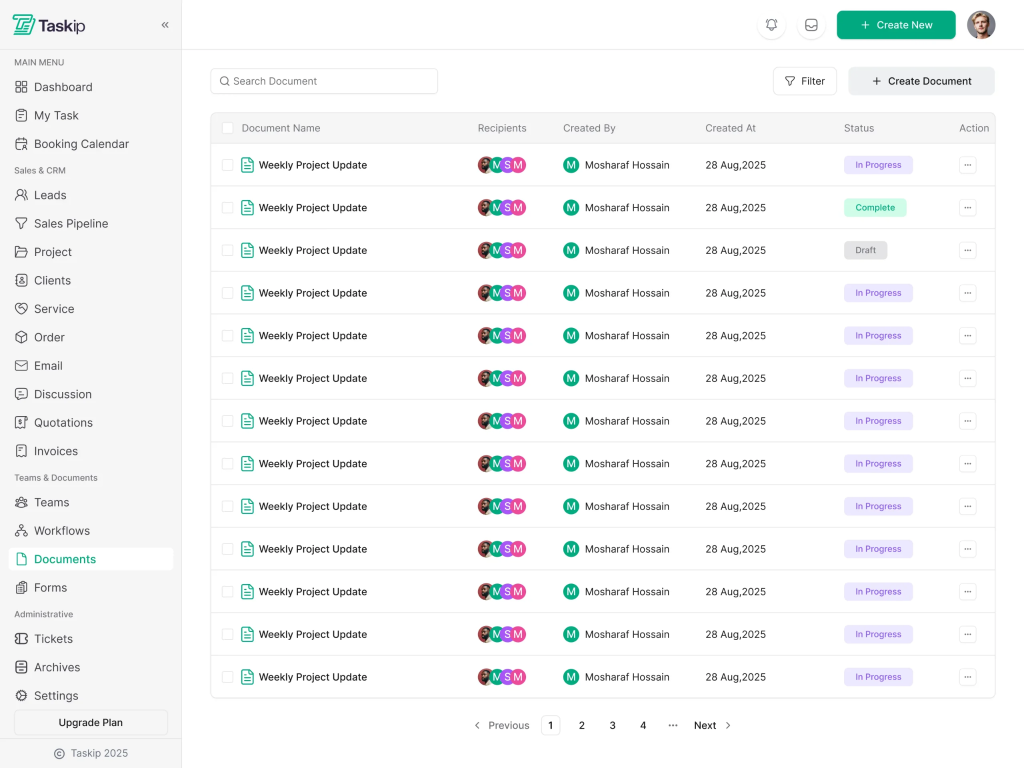
Documents
When project information lives in random docs and chats, teams slow down and clients stay confused. The Documents feature lets you create structured, media-rich documents, organize them into folders, and control access for teams and clients, turning your documentation into a live, collaborative knowledge hub.
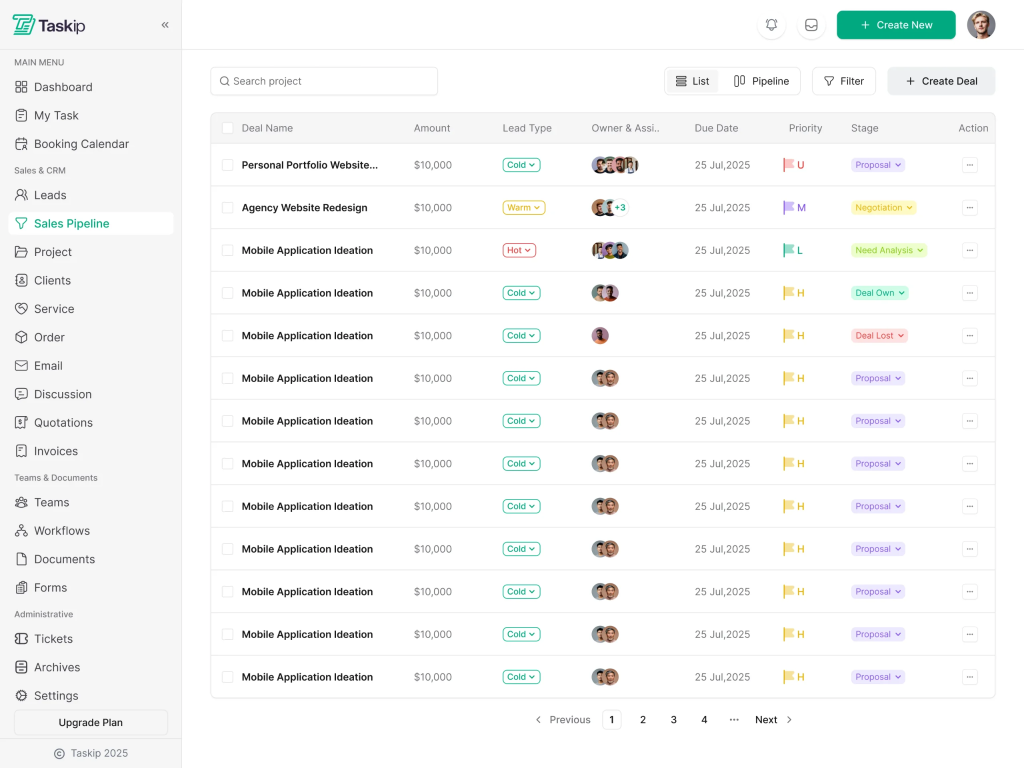
Sales Pipeline
Leads fall through the cracks when deals live in spreadsheets or inboxes. The Sales Pipeline gives you a clear, drag-and-drop pipeline with customizable stages, tasks, and automations so your team can follow up consistently, keep deals moving, and close more revenue with less guesswork.
Meetings
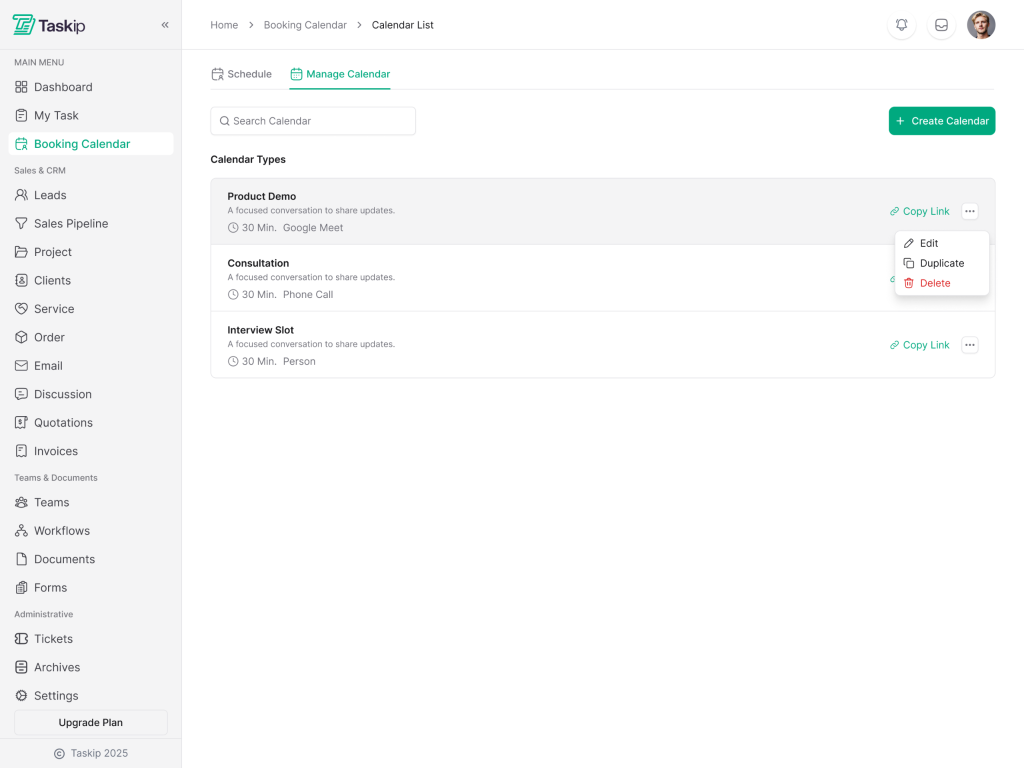
Back-and-forth scheduling wastes time and creates missed opportunities. The Meetings feature lets you share booking links, sync availability with your calendars, and automatically add video links, reminders, and confirmations—so every client and sales call is scheduled smoothly without juggling extra tools.
Workflow Automation
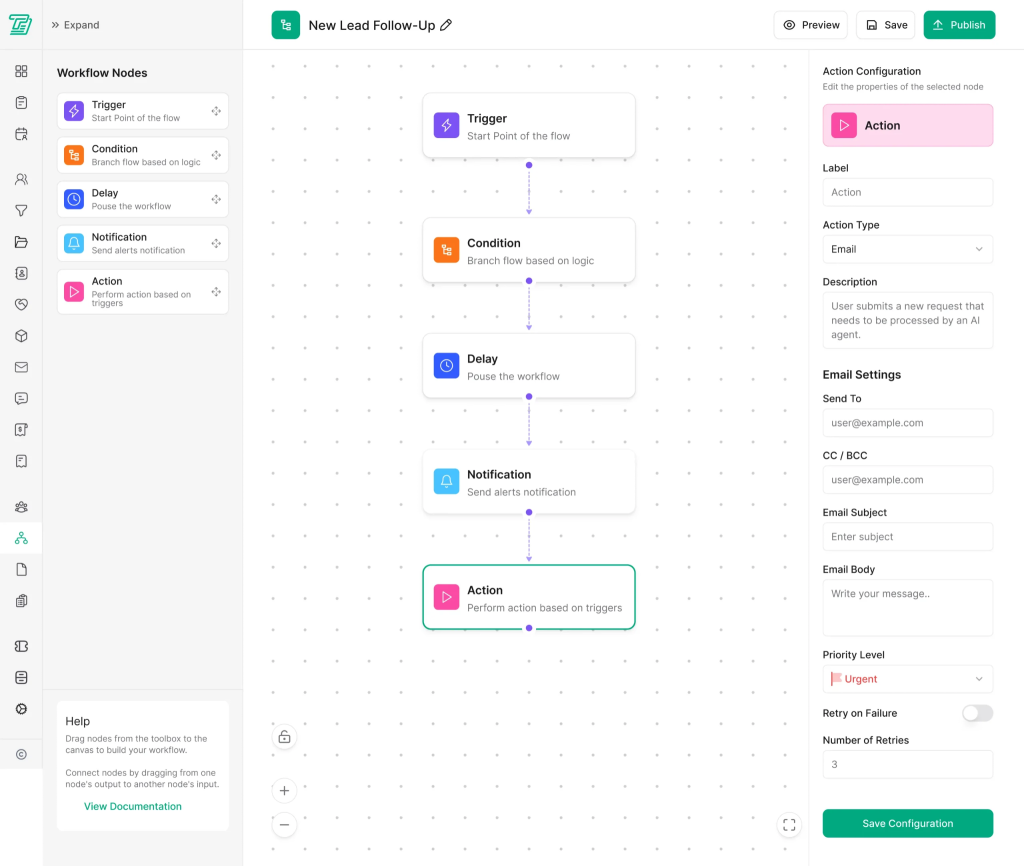
Repetitive admin work quietly drains focus and increases errors. With Workflow Automation you can build “if-this-then-that” flows that trigger emails, tasks, updates, and more, ensuring processes run consistently in the background while your team focuses on high-value client work.
Who Taskip Is Perfect For
Taskip shines brightest for:
- Digital agencies juggling multiple client projects
- Consulting firms that need professional client-facing portals
- Freelancers ready to scale beyond email and spreadsheets
- Service businesses that bill for time and need integrated invoicing
- Any team that’s tired of cobbling together 8+ separate tools
The Real-World Advantage
Here’s the thing most task management tools miss: your clients don’t want to learn your complex internal system. They want simplicity. Taskip gives your team the robust project management features you need while presenting clients with a clean, branded portal that makes collaboration effortless.
You’re not just managing tasks—you’re delivering a professional client experience that wins repeat business.
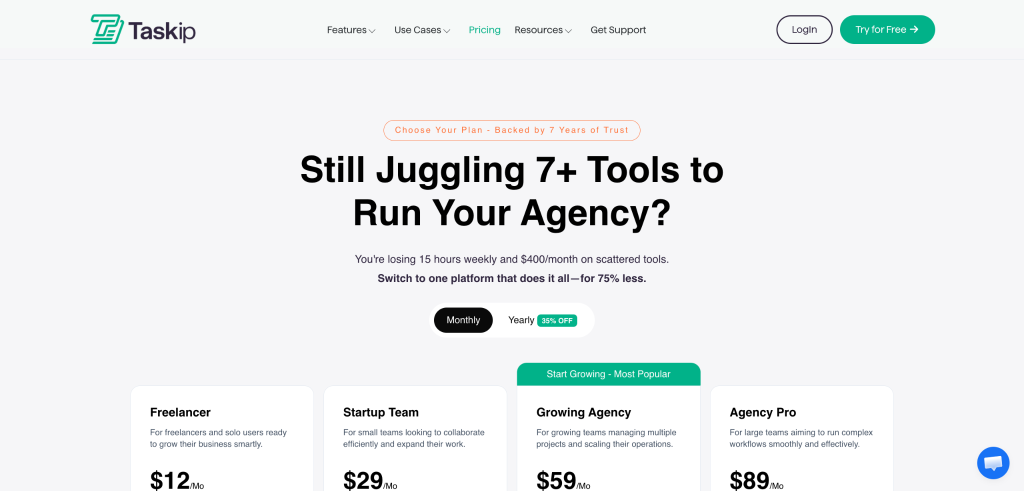
Pricing: For 3 users, Taskip costs significantly less than the combined price of Trello + Zoho CRM + HelpCrunch + Calendly + DocuSign + Invoice Ninja (which would run you $100+/month). Taskip replaces all of them.
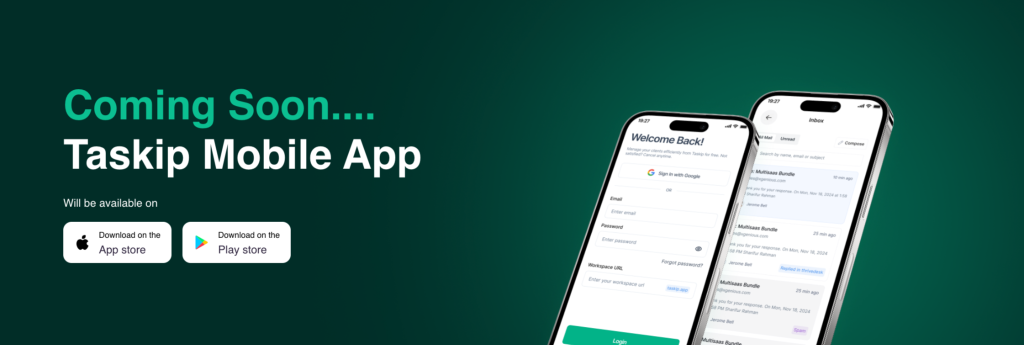
Coming Soon: Mobile apps for iOS and Android, making on-the-go management even smoother.
2. Asana – Best for Structured Workflow Management
Asana has earned its reputation as one of the best task management tools for small teams, particularly those who value visual project organization and powerful workflow automation[4].
Strengths:
- Intuitive workflow builder that non-technical users can master
- Excellent project views including list, board, timeline, calendar, and Gantt charts
- Strong automation capabilities for reducing repetitive work
- 200+ integrations with tools like Slack, Dropbox, and Google Workspace
- Generous free plan for teams up to 10 users
Limitations:
- Pricing jumps significantly once you need advanced features ($10.99/user/month on annual plan)
- Limited task assignment capabilities can frustrate complex workflows
- No built-in client portal—external stakeholders see the same interface as internal teams
- Time tracking requires third-party integrations
Best For: Small teams with structured processes who need powerful internal collaboration but don’t prioritize client-facing features.
Pricing: Free for up to 15 users (basic features), Premium at $10.99/user/month, Business at $24.99/user/month[5].
3. ClickUp – Best for Customization and Feature Depth
ClickUp positions itself as the “one app to replace them all,” and its feature set backs up that claim. It’s highly customizable, making it adaptable to almost any workflow—though that flexibility comes with a learning curve[6].
Strengths:
- Unlimited tasks and storage on the free plan
- Multiple project views (15+ options including Mind Maps and Whiteboards)
- AI-powered features for summaries, task generation, and automation
- Built-in docs, wikis, and goal tracking
- Native time tracking and detailed reporting
- Affordable paid plans starting at $7/user/month
Limitations:
- Overwhelming interface for new users—setup requires significant time investment
- Can feel cluttered compared to minimalist alternatives
- Performance issues reported with very large projects
- Mobile app less intuitive than desktop version
Best For: Tech-savvy teams willing to invest setup time for a highly tailored solution. Startups that need scalability without breaking the bank.
Pricing: Free forever plan available, Unlimited at $7/user/month, Business at $12/user/month[7].
4. Monday.com – Best for Visual Project Management
Monday.com stands out with its colorful, highly visual interface that makes project status instantly recognizable. It’s particularly strong for teams that think visually and need customizable dashboards[8].
Strengths:
- Intuitive color-coded boards that make status tracking effortless
- Extensive automation capabilities (up to 250,000 actions/month on Pro plan)
- Strong resource management and workload views
- Excellent for managing recurring processes and templates
- Good mobile experience
Limitations:
- Expensive—minimum 3 seats required, starting at $9/seat/month
- Free plan limited to 2 users (essentially just a trial)
- Advanced features locked behind higher-tier plans
- Storage limits can be restrictive for document-heavy projects
Best For: Teams that prioritize visual management and have budget for premium pricing. Marketing agencies and creative teams.
Pricing: Free for 2 users, Basic at $9/seat/month (3-seat minimum), Standard at $12/seat/month, Pro at $19/seat/month[9].
5. Trello – Best for Simple Kanban-Based Task Tracking
Trello pioneered the digital Kanban board, and it remains the go-to choice for teams wanting straightforward, visual task management without complexity[10].
Strengths:
- Incredibly intuitive drag-and-drop interface—zero learning curve
- Generous free plan with unlimited boards and cards
- 200+ Power-Ups (integrations) for extending functionality
- Lightweight and fast, even on mobile devices
- Perfect for basic project roadmaps and simple workflows
Limitations:
- Limited to Kanban view (list and calendar views require paid plans)
- Lacks native time tracking, reporting, and resource management
- Not ideal for complex projects with dependencies
- Automation features limited on free plan
Best For: Small teams with straightforward workflows, freelancers managing personal projects, or as a visual supplement to more robust systems.
Pricing: Free plan available, Standard at $5/user/month, Premium at $10/user/month, Enterprise at $17.50/user/month[11].
6. Notion – Best for Documentation-Heavy Teams
Notion blurs the line between task management, knowledge base, and database. It’s incredibly flexible but requires more setup than traditional project management tools[12].
Strengths:
- Combines tasks, documents, wikis, and databases in one workspace
- Highly customizable with relational databases and templates
- Excellent for building company knowledge bases alongside task management
- Affordable Plus plan with unlimited file uploads
- Strong collaboration features for real-time editing
Limitations:
- Steeper learning curve—requires building your own structure
- Not purpose-built for project management; lacks some PM-specific features
- Can become slow with very large databases
- Mobile app less powerful than desktop
Best For: Teams that need documentation and knowledge management alongside task tracking. Particularly popular with startups and tech companies.
Pricing: Free for individuals, Plus at $10/user/month, Business at $15/user/month[13].
7. Zoho Projects – Best for Budget-Conscious Teams
At just $4/user/month, Zoho Projects offers exceptional value. It’s part of the larger Zoho ecosystem, making it ideal for businesses already using Zoho CRM, Mail, or other Zoho products[14].
Strengths:
- Extremely affordable pricing (lowest on this list)
- Comprehensive feature set including Gantt charts, time tracking, and reporting
- Deep integration with entire Zoho ecosystem
- Unlimited projects on all plans
- Strong customization options for workflows
Limitations:
- Interface feels dated compared to modern competitors
- Weak free plan (only 2 users, 10MB storage)
- Learning curve for advanced features
- Less intuitive than visual-first alternatives
Best For: Budget-conscious teams managing complex projects, especially those already in the Zoho ecosystem.
Pricing: Free for 3 users (very limited), Premium at $4/user/month, Enterprise at $9/user/month[15].
8. Wrike – Best for Security-Conscious Teams
Wrike offers enterprise-grade security and robust features without requiring enterprise-level pricing. It’s particularly strong for creative teams needing proofing and approval workflows[16].
Strengths:
- Excellent security features and compliance certifications
- Strong Gantt chart functionality
- Built-in proofing and approval workflows for creative assets
- Custom request forms for intake management
- Good reporting and analytics
Limitations:
- Interface lacks visual appeal compared to competitors
- Limited customization on lower-tier plans
- Can be complex for simple use cases
- Weak free plan (maximum 5 users)
Best For: Creative agencies, marketing teams, and businesses with security or compliance requirements.
Pricing: Free for up to 5 users, Team plan at $10/user/month (3-25 users), Business at $24.80/user/month[17].
9. Todoist – Best for Personal Productivity and Simple Teams
Todoist excels at personal task management and extends gracefully to small teams. It’s perfect for those who want effectiveness without overwhelming features[18].
Strengths:
- Clean, distraction-free interface focused on getting things done
- Natural language input (“tomorrow at 3pm” automatically sets due date)
- Cross-platform with reliable sync (iOS, Android, web, desktop apps)
- Productivity tracking and visualization
- Affordable Business plan at $8/user/month
Limitations:
- Limited collaboration features compared to full project management tools
- No Gantt charts or advanced project views
- Basic reporting capabilities
- Not designed for complex workflows or client management
Best For: Solopreneurs, freelancers, and small teams (2-5 people) with straightforward task tracking needs.
Pricing: Free plan available, Pro at $4/month (individual), Business at $8/user/month[19].
10. Basecamp – Best for Remote Team Communication
Basecamp takes a different approach: instead of endless customization, it offers an opinionated structure designed to reduce chaos. It’s particularly beloved by remote teams[20].
Strengths:
- Flat pricing—unlimited users for one monthly fee (huge advantage as you grow)
- Built-in messaging, file storage, scheduling, and check-ins
- Automatic question feature for daily/weekly team check-ins
- Simple, uncluttered interface
- Excellent mobile apps
Limitations:
- Limited project views (no Gantt charts or advanced visualizations)
- Less flexible than customizable alternatives
- No time tracking or resource management
- Automation capabilities are minimal
Best For: Remote teams valuing simplicity over feature depth, businesses tired of per-user pricing models.
Pricing: Basecamp Personal (free, 1 project), Basecamp Business ($299/month for unlimited users)[21].
11. Airtable – Best for Database-Style Project Management
Airtable combines spreadsheet familiarity with database power, making it unique among task management tools. It’s incredibly flexible for teams that think in structured data[22].
Strengths:
- Spreadsheet-meets-database interface that’s simultaneously powerful and approachable
- Multiple views: Grid, Kanban, Calendar, Gallery, Gantt, and more
- Extensive automation and integration capabilities
- Rich field types (attachments, checkboxes, ratings, linked records)
- Excellent for managing inventories, content calendars, and CRM data
Limitations:
- Can be overwhelming for users expecting traditional project management
- Expensive as you scale (paid plans required for meaningful collaboration)
- Not optimized specifically for task management
- Learning curve for understanding relationships and formulas
Best For: Data-driven teams, content creators, and businesses needing flexible database + task management hybrid solutions.
Pricing: Free for individuals, Plus at $10/seat/month, Pro at $20/seat/month[23].
12. Microsoft To Do – Best for Microsoft Ecosystem Users
If your business runs on Microsoft 365, Microsoft To Do offers seamless integration and familiar interfaces at no additional cost[24].
Strengths:
- Completely free with a Microsoft account
- Deep integration with Outlook, Teams, and other Microsoft products
- Clean, simple interface
- “My Day” feature helps prioritize daily work
- Cross-platform sync
Limitations:
- Very basic collaboration features
- No project management views (Gantt, board, etc.)
- Limited customization options
- Not suitable for complex workflows
Best For: Individuals and very small teams already using Microsoft 365, particularly those wanting basic task tracking without additional tools.
Pricing: Free with a Microsoft account.
Task Management for Small Business: Making the Right Choice
Here’s the truth: there’s no single “best” task management software for every small business. Your perfect tool depends on your specific situation:
Decision Framework
| If You Need… | Consider… |
| Client portal + task management + invoicing | Taskip (all-in-one for agencies) |
| Maximum customization | ClickUp or Notion |
| Visual simplicity | Monday.com or Trello |
| Budget-friendly comprehensive features | Zoho Projects |
| Structured workflows | Asana |
| Flat pricing (growing team) | Basecamp |
| Creative team with proofing | Wrike |
| Personal productivity focus | Todoist |
| Database-style flexibility | Airtable |
| Microsoft ecosystem integration | Microsoft To Do |
The Hidden Cost of Wrong Choices
Switching task management systems is painful. You’re not just migrating data—you’re disrupting workflows, retraining teams, and risking lost information during transition.
That’s why it’s crucial to think beyond just features. Consider:
- Onboarding ease – How quickly can new team members become productive?
- Client experience – Will external stakeholders struggle with your system?
- Pricing scalability – What happens when you add 10 more people next year?
- Feature overlap – Are you paying for multiple tools that could be consolidated?
The All-in-One Advantage: Why Consolidation Wins
Let’s do some quick math. If you’re a small agency or service business, you probably need:
- Project management: ~$10/user/month
- CRM: ~$15/user/month
- Support ticketing: ~$25/user/month
- Meeting scheduler: ~$10/user/month
- E-signature tool: ~$20/month
- Invoicing software: ~$15/month
- Form builder: ~$10/month
Total monthly cost for 3 users: $145-170+
With Taskip, you replace all of these with one platform designed specifically for client-focused businesses—at a fraction of the combined cost.
But the real savings aren’t financial. They’re about:
- Mental bandwidth – One login instead of eight
- Data continuity – Everything connected, no manual syncing
- Professional consistency – Clients interact with one branded portal
- Fewer failure points – No more “the integration broke” emergencies
Expert Insight: Most teams only use 20% of their task management software’s features—and that’s perfectly fine. Don’t get overwhelmed trying to implement everything. Master the core functionality first: task creation, assignment, due dates, and status updates. Everything else is a bonus.
Final Thoughts: Your Next Step
The best task management software for small business is the one you’ll actually use consistently. Not the one with the most features. Not the one everyone else is using. The one that fits your workflow, your budget, and your growth trajectory.
If you’re running an agency, consultancy, or service-based business where client relationships are everything, Taskip was built specifically for you. It’s task management that doesn’t forget about the “client” part of client work.
For teams with different needs, the other 10+ options in this guide offer excellent alternatives. What matters is that you stop tolerating the chaos and start implementing systems that scale.
Ready to replace 8+ tools with one unified platform? Try Taskip free and see how client portal software transforms not just your task management, but your entire client experience.
Because at the end of the day, task management for small businesses isn’t just about checking off boxes—it’s about building a business that runs smoothly even when you’re not looking over everyone’s shoulder. And that’s the kind of freedom every small business owner deserves.
Frequently Asked Questions about the Best Task Management Software for Small Businesses
1. How does a “Lifetime Deal” (like Taskip) compare to monthly subscriptions?
Monthly subscriptions (SaaS) typically charge per user, per month, which can scale quickly as your team grows—often costing thousands of dollars over a few years. A Lifetime Deal involves a one-time upfront payment for permanent access. For small businesses with 5–20 employees, a lifetime deal can offer a 90% cost saving over a three-year period, though it’s important to ensure the platform offers the long-term support and updates your business requires.
2. Can I switch from my current tool (like Trello or Asana) without losing data?
Yes. Most modern platforms, including ClickUp, Asana, and Taskip, offer “Import” features that allow you to upload CSV files or directly sync with your previous software. This ensures that your tasks, descriptions, and attachments remain intact. However, it is recommended to “clean house” by archiving completed projects before migrating to keep your new workspace organized.
3. Do I really need an “All-in-One” tool if I already use Slack and Gmail?
While Slack and Gmail are great for communication, they aren’t designed for accountability. Information buried in an email thread or a chat message is easily lost. An all-in-one tool like Taskip or Monday.com centralizes that communication inside the task itself. This eliminates “tool-switching fatigue”—the cognitive drain caused by jumping between 10+ apps daily—which is a primary cause of the 498 hours lost annually per employee.
4. Is AI in task management just a gimmick, or does it actually save time?
In 2026, AI has moved beyond simple chat. It now provides predictive analytics. For example, modern AI features can analyze your team’s historical speed to warn you if a deadline is mathematically impossible before you miss it. It also handles “low-value” work like summarizing long comment threads or automatically generating sub-tasks from a project description, which can reclaim several hours of administrative work each week.
5. How do I get my team to actually use a new task management system?
Low adoption is the #1 reason these tools fail. To ensure success:
Involve them early: Let team leads test the “Top 3” options.
The “If it’s not in the tool, it doesn’t exist” rule: Stop responding to task updates via DM or email; insist they be posted in the software.
Keep it simple: Don’t turn on every feature (like Gantt charts or complex Automations) on Day 1. Start with basic boards and scale up as the team gets comfortable.


Get Summary On: