


Professional services firms face unique project management challenges. You’re juggling multiple clients, complex deliverables, strict deadlines, and the need for transparency across teams and stakeholders. The right project management software can be the difference between delivering exceptional results and chaos.
But here’s the problem: most project management software is either too complex for small agencies or too simplistic for growing firms. They lack the specific features professional services organizations need—like integrated invoicing, client portals, time tracking for billable hours, and resource planning.
After researching dozens of platforms and analyzing real-world use cases, we’ve identified the 10 best project management software solutions specifically designed for professional services in 2026. Whether you’re a marketing agency, consulting firm, design studio, or freelance group, this guide will help you find the perfect fit.
Best Project Management Software TLDR Comparison
| Software | Best For | Pricing Range | Key Strength |
| Taskip | Agencies & freelancers | 3-user starter tier (affordable) | All-in-one platform replaces 8+ tools (CRM, invoicing, docs, portal) |
| Wrike | Enterprise & cross-functional teams | $9.80-$25/user/month | AI-powered risk prediction, advanced resource management |
| Asana | Flexible workflows & integrations | $10.99-$30.49/user/month | 400+ integrations, automation rules, multiple views |
| Monday.com | Visual workflows & templates | $10-$57/month (3 seats) | 1,000+ templates, intuitive visual interface |
| Zoho Projects | Budget-conscious teams | $4-$10/user/month | Ultra-affordable, seamless Zoho CRM integration |
| ClickUp | All-in-one workspace seekers | $7-$12/user/month | Extensive native features, flat pricing |
| Basecamp | Small teams wanting simplicity | $299/month (unlimited users) | Simple interface, flat-rate pricing, excellent client access |
| Smartsheet | Spreadsheet-style workflows | $9-$30/user/month | Excel familiarity, sophisticated automation for PMOs |
| Jira | Software development teams | $8.60-$16/user/month | Industry-standard for agile/scrum, dev tool integration |
| ProofHub | Creative agencies | $45-$89/month (3 seats) | Built-in creative proofing tools with markup/annotations |
1. Taskip – Best All-in-One Platform for Agencies and Freelancers
Best for: Agencies and freelancers seeking a unified platform to manage clients, projects, invoicing, and team collaboration without tool sprawl.
Overview
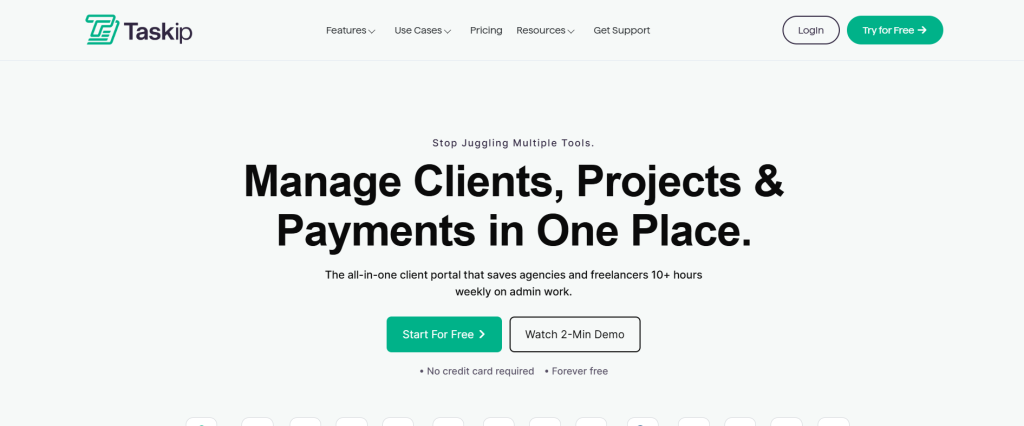
Taskip is a comprehensive client management and project collaboration platform designed specifically for professional service providers. Unlike scattered solutions, Taskip replaces 8+ separate tools by consolidating project management, CRM, invoicing, document signing, meeting scheduling, and client collaboration into one intuitive platform.
For agencies tired of toggling between Trello, Calendly, Zoho CRM, DocuSign, and invoice systems, Taskip offers genuine consolidation—not just another task manager.
Key Features
- All-in-One Client Portal – Clients view real-time project updates, access files, provide feedback, and stay informed without clutter
- Integrated Invoicing & Quotations – Create quotes, auto-generate invoices from estimates, and track payment status
- Document Signing & Proposals – Send branded proposals for digital signature directly to clients or teams
- Advanced Task Management – Organize work with kanban boards, Gantt charts, and flexible views
- Contact & CRM Integration – Manage client relationships, share invoices/tasks/tickets with specific contacts
- Real-Time Team Communication – Built-in discussions replace email chains and scattered Slack conversations
- Meeting Scheduler – Clients book available time slots; both parties receive confirmations
- Ticket Management – Support tickets with real-time team responses and client updates
- Sales Pipeline – Track deals, create tasks, log calls, and manage revenue opportunities
- Document Collaboration – Keep files organized and accessible to teams and clients
- Workflow Automation – Turn emails into contacts, automate ticket routing, auto-generate invoices
- Custom Forms – Design branded forms with conditional logic and public sharing options
Pros and Cons
| PROS | CONS |
| Replaces 8+ tools—massive cost and complexity savings | Smaller user base means fewer community resources/templates vs. market leaders |
| Client portal with real-time updates builds trust and reduces status update requests | Newer platform—might have fewer advanced integrations than legacy tools |
| Invoicing, quotations, and document signing all built-in—no third-party tool juggling | |
| Affordable for agencies (3-user starter tier) vs. per-seat pricing of competitors | |
| White-label options allow agencies to brand the platform for clients |
2. Wrike – Best for Cross-Functional Teams and Enterprise Workflows
Best for: Large agencies and enterprises managing complex, multi-team projects with sophisticated resource management and reporting needs.
Overview
Wrike is an enterprise-grade project management platform trusted by Fortune 500 companies. It excels at centralizing team communication, automating workflows, managing budgets, and keeping clients informed. With AI-powered risk prediction and real-time analytics, Wrike helps teams identify bottlenecks before they derail projects.
Ideal for organizations with 50+ team members managing concurrent, interdependent projects.
Key Features
- Work Intelligence & AI – AI-powered project risk prediction, sentiment analysis, and insights
- Gantt Charts & Dependencies – Visualize project timelines with task dependencies and milestones
- Resource Management – Allocate team capacity, balance workloads, forecast availability
- Real-Time Dashboards – Customizable portfolio-level KPIs and project health indicators
- Approval Workflows – Route approvals through defined workflows; track decision bottlenecks
- Proofing & Collaboration – Review creative work directly in Wrike with markup tools
- Integrated Time Tracking – Log hours directly against tasks for accurate billing
- Budget Management – Set budgets, track spend, and forecast costs across projects
- Advanced Reporting – 50+ pre-built reports plus custom report builder
- API & Integrations – Connects to 400+ tools via Zapier, webhooks, and native integrations
Pros and Cons
| PROS | CONS |
| AI-powered risk prediction catches problems early—saves time and prevents overruns | Higher price point ($9.80-$25/user/month) makes it expensive for small teams |
| Advanced resource planning prevents team burnout and improves capacity forecasting | Steep learning curve for smaller teams; requires dedicated administrator |
| Proofing tools reduce need for separate creative review platforms like Frame.io | Legacy interface feels dated compared to newer competitors like Monday.com |
| Enterprise-grade security and compliance (SOC 2, GDPR, HIPAA) for regulated industries | Feature overload for simple project tracking needs |
| 24/7 premium support with dedicated account managers on top tiers | Onboarding and training required—not a tool to adopt and use immediately |
3. Asana – Best for Flexible Workflows and Integration Ecosystem
Best for: Professional service teams seeking flexible, visually-organized workflows with deep automation and 400+ app integrations.
Overview
Asana is a versatile project management platform loved by marketing agencies, design firms, and consulting groups. It shines in flexibility—you can manage projects as lists, boards, timelines, or calendars. Automation rules let you build custom workflows without coding. Its integration ecosystem rivals any platform.
Perfect for teams managing diverse project types and needing adaptability across departments.
Key Features
- Multiple Project Views – Lists, kanban boards, Gantt timelines, calendar, and table views
- Automation Rules – Build custom workflows: auto-assign tasks, update statuses, send notifications
- Portfolios & Reporting – Roll up project data into executive dashboards and custom reports
- Dependencies & Milestones – Define task relationships and track progress toward key deliverables
- Custom Fields – Add domain-specific metadata (billable status, client name, etc.) to tasks
- Forms – Collect work requests via branded forms; convert to tasks automatically
- Templates – 1,000+ pre-built templates for common workflows and project types
- Integrations – Connects to Slack, Google Workspace, Microsoft Teams, Salesforce, Zapier, and more
- Work Management Hub – See all work across projects and teams in one view
- Mobile App – Full functionality on iOS and Android for field teams
Pros and Cons
| PROS | CONS |
| Flexible views (lists/boards/Gantt) suit diverse project types and team preferences | Can feel overwhelming with options—new teams may not know best approach |
| 400+ integrations and robust automation rules adapt to almost any workflow | Client access limited; basic portal lacks transparency features of dedicated platforms |
| Generous free plan ($0 for basic project management) lowers entry cost | Time tracking is basic; better with third-party tools like Harvest or Toggl |
| Beautiful, modern interface with excellent UX reduces adoption friction | Pricing scales quickly ($10.99-$30.49/user/month); gets expensive for large teams |
| Strong community and extensive documentation make onboarding smoother | Reporting requires learning custom features; not as visual as Monday.com |
4. Monday.com – Best for Visual Project Management and Use-Case Templates
Best for: Agencies and teams prioritizing visual workflows, rapid onboarding, and pre-built industry templates.
Overview
Monday.com is a no-code work management platform that shines in visual collaboration. Think Excel spreadsheet reimagined with modern design, automation, and collaboration. It offers 1,000+ industry-specific templates (marketing campaigns, product launches, client onboarding, etc.), making it easy for teams to get started in minutes rather than weeks.
Ideal for fast-growing agencies wanting speed over complexity.
Key Features
- Intuitive Board Interface – Customize columns, colors, and item types without code
- Templates & Automations – 1,000+ pre-built templates; drag-and-drop automation builder
- Status & Priority Tracking – Visual status updates with kanban-style movement
- Time Tracking – Log time directly on tasks for billable hour tracking
- Dashboards & Widgets – Real-time visibility into project health and team workload
- Integrations – Slack, Gmail, Zapier, HubSpot, Salesforce, and 100+ apps
- Docs & Notes – Built-in document collaboration alongside project management
- Mobile App – Full functionality on iOS and Android
- Guest & Workspace Permissions – Share specific boards with clients or external teams
- Gantt Charts – Available on higher-tier plans for timeline visualization
Pros and Cons
| PROS | CONS |
| 1,000+ templates get teams productive immediately—no blank canvas paralysis | Feature creep over time; older templates can become outdated |
| Visual, intuitive design reduces training time vs. complex alternatives | Pricing ($10-$57/month for 3 seats) adds up for teams adding multiple boards |
| Excellent mobile app makes remote team collaboration seamless | Limited client portal; not designed for heavy external stakeholder involvement |
| Pre-built automations (status changes, notifications) work out of box | Customization depth doesn’t match enterprise platforms for niche workflows |
| Strong community and frequent updates keep the platform current | Reporting is functional but not as sophisticated as Wrike or Asana |
5. Zoho Projects – Best for Cost-Effective, Integrated Project Management
Best for: Small to mid-sized professional services firms seeking budget-friendly solutions with strong CRM and ERP integration.
Overview
Zoho Projects is a cost-effective cloud-based project management platform from the Zoho ecosystem. It’s particularly powerful for service organizations using Zoho CRM—you can link projects directly to client accounts, track communication history, and avoid data silos. Features include time tracking for billable hours, invoicing, Gantt charts, and resource management.
Perfect for budget-conscious teams already in the Zoho ecosystem or new service businesses.
Key Features
- Time Tracking & Billable Hours – Log time directly against tasks; generate invoices based on tracked hours
- Gantt Charts & Roadmaps – Visual project timelines with dependencies and milestones
- Budget & Cost Tracking – Set project budgets and track spend in real-time
- Zoho CRM Integration – Link projects to client accounts, view communication history, manage sales pipeline
- Resource Planning – Allocate team capacity, view workload, and forecast availability
- Customizable Reports – 30+ pre-built reports plus custom report builder
- Timesheet Management – Approval workflows for employee timesheets
- Document Management – Store and organize project files with version control
- Portal for Clients – Clients view project progress and updates without full system access
- Integrations – Seamless integration with Zoho ecosystem (CRM, Books, Desk); Zapier support
- AI Assistant – Available on Enterprise tier; helps with project suggestions and insights
Pros and Cons
| PROS | CONS |
| Ultra-affordable ($4-10/user/month); fastest path to ROI for budget-conscious firms | Zoho ecosystem lock-in; requires additional Zoho purchases for full functionality |
| Seamless CRM integration eliminates data silos between projects and clients | User interface feels less modern than Monday.com or Asana; lower design polish |
| Time tracking and invoicing built-in—no need for separate tools | AI features only on Enterprise tier, making advanced automation expensive |
| White-labeling available for agencies reselling to clients | Documentation and community smaller than market leaders |
| Free plan available for single users or small teams to trial | Limited advanced automation compared to Wrike or Asana |
6. ClickUp – Best for All-in-One Workspace with Extensive Native Features
Best for: Teams seeking one platform for project management, documentation, time tracking, and team communication without extensive integrations.
Overview
ClickUp markets itself as “The one app to replace them all.” It combines project management, docs, time tracking, goal management, reporting, and team communication into one workspace. With 1,000+ customization options and multiple project views, ClickUp appeals to teams wanting everything in-house rather than stitching together tools.
Ideal for tech-savvy teams comfortable with feature-rich platforms.
Key Features
- Multiple Views – Lists, boards, timelines, calendar, and table views for project visualization
- ClickUp Docs – In-platform document collaboration with formatting and embeds
- Time Tracking – Native time tracking with project and task-level reporting
- Goals & OKRs – Align team objectives to project work and track progress
- Custom Fields & Automations – Build workflows and track domain-specific data
- Portfolios – Aggregate data from multiple projects into executive dashboards
- Reporting – 100+ pre-built reports plus custom report builder
- Integrations – 1,000+ apps via Zapier, plus native integrations with tools like Slack and GitHub
- Mobile App – Full functionality on iOS and Android
- API & Custom Development – Extend platform with API access and custom apps
- AI – Built-in AI for task summarization, writing assistance, and project insights
Pros and Cons
| PROS | CONS |
| Flat pricing ($7-12/user/month) makes it affordable even for large teams | Overwhelming number of features creates “paralysis by option” for new users |
| Extensive native features reduce need for integrations and third-party tools | Learning curve is steep; onboarding requires dedicated time investment |
| Time tracking and docs reduce tool switching between tasks and documentation | Client portal functionality limited; not designed for heavy external collaboration |
| Highly customizable with unlimited custom fields and views | Support quality inconsistent according to user reviews |
| Competitive pricing with no hidden per-feature costs | Performance can lag with very large projects (1,000+ tasks) |
7. Basecamp – Best for Simplified Project Collaboration and Small Teams
Best for: Small to mid-sized teams and agencies prioritizing simplicity, all-in-one approach, and flat-rate pricing.
Overview
Basecamp is the antidote to feature overload. It’s a deliberately simple project management tool combining project management, team messaging, document sharing, and client collaboration in one place. No complex workflows, automation rules, or Gantt charts—just straightforward project organization.
Perfect for small agencies tired of complexity and willing to trade advanced features for ease of use.
Key Features
- Project Overview & To-Do Lists – Centralized view of all project work and status
- Message Board – Threaded discussions kept organized within projects
- File Sharing & Library – Organized document storage with version control
- Schedule & Milestones – Timeline views for key dates and deliverables
- Automatic Check-Ins – Recurring questions prompt team status updates
- Client Access – Invite clients to projects; control access to specific areas
- Hill Charts – Visual representation of how much work remains on tasks
- Real-Time Updates – Automatic notifications keep teams in sync
- Mobile App – iOS and Android apps with full functionality
- Integrated Chat – Team chat without leaving Basecamp
- Flat-Rate Pricing – One price regardless of team size
Pros and Cons
| PROS | CONS |
| Simplicity reduces adoption friction; teams productive in days, not weeks | Lack of advanced features (no time tracking, invoicing, CRM) requires integrations |
| Flat-rate pricing ($299/month unlimited users) makes budgeting predictable | No Gantt charts or dependency management for complex projects |
| Excellent onboarding and customer support; feels like white-glove service | Minimal reporting or analytics; limited visibility into team productivity |
| Client access and collaboration features are excellent for communication-focused teams | No automation rules means more manual work as team grows |
| Beautiful, intentionally minimal interface encourages usage over abandonment | Time tracking integration requires third-party tools; no native invoicing |
8. Smartsheet – Best for Spreadsheet-Style Workflows and Automation
Best for: Technical teams, project management offices (PMOs), and enterprises comfortable with spreadsheet-style interfaces and complex automation.
Overview
Smartsheet brings the familiarity of Excel to project management with enterprise-grade capabilities. It’s ideal for organizations already trained on spreadsheets and needing sophisticated automation, workflows, and portfolio management. Built for enterprise teams managing high-volume, repeatable processes.
Perfect for organizations needing spreadsheet familiarity with project management power.
Key Features
- Spreadsheet-Like Interface – Columns, rows, and cells feel like familiar Excel but with project management power
- Gantt Charts & Roadmaps – Visual timelines with dependencies and milestones
- Workflow Automation – Pre-built and custom workflows (approvals, notifications, integrations)
- Portfolio Management – Aggregate data from multiple sheets for executive visibility
- Resource Management – Allocate team capacity and balance workload across projects
- Reports & Dashboards – 50+ pre-built reports plus custom dashboards
- Forms for Data Collection – Create branded forms to collect project requests or status updates
- Document Management – Attach files and maintain version control
- Integrations – Connects to 150+ tools via Zapier, native integrations with Slack, Microsoft Teams, Jira
- Governance & Compliance – Role-based access, audit trails, and data retention controls
- API & Custom Development – Extend platform capabilities with API access
Pros and Cons
| PROS | CONS |
| Spreadsheet familiarity shortens adoption time for Excel-trained teams | Higher price point ($9-30/user/month) makes it expensive for small teams |
| Automation capabilities rival or exceed Asana and Wrike for sophisticated workflows | Spreadsheet-style interface feels dated compared to modern platforms |
| Portfolio and resource management suited to PMOs managing multiple projects | Reporting requires technical skill; not as intuitive as Monday.com dashboards |
| Excellent for repeatable, high-volume project types (vendor management, request fulfillment) | Client collaboration features are limited; primarily team-focused |
| Strong governance and compliance features for regulated industries | Onboarding and customization require technical resources |
9. Jira – Best for Software Development and Agile Teams
Best for: Software development teams, engineering organizations, and enterprises using agile/scrum methodologies.
Overview
Jira is the market leader for software development project management. Built for agile and scrum teams, it excels in sprint planning, backlog management, issue tracking, and release management. While not designed for non-technical professional services, it’s indispensable for development teams.
Perfect for software organizations and tech-heavy service firms managing development work.
Key Features
- Sprint Planning & Tracking – Organize work into sprints, estimate effort, and track velocity
- Backlog Management – Prioritize work and manage product roadmaps
- Issue Tracking – Create, assign, and track bugs, features, and technical debt
- Agile Reporting – Velocity charts, burndown charts, and sprint health metrics
- Kanban Boards – Visualize workflow and manage work in progress limits
- Integration with Development Tools – Seamless connection to GitHub, GitLab, Bitbucket, and CI/CD pipelines
- Custom Workflows – Define approval and release processes specific to your team
- Advanced Search & Filtering – JQL (Jira Query Language) for powerful project insights
- Mobile App – iOS and Android apps for on-the-go issue management
- Advanced Roadmaps – Plan across multiple teams and products (requires separate license)
Pros and Cons
| PROS | CONS |
| Industry-standard for software development with massive community and integrations | Overkill for non-technical services; too specialized for general project management |
| Agile-specific features (sprints, velocity, burndown) are best-in-class | Steep learning curve; requires scrum/agile training for team adoption |
| Seamless integration with development tools (GitHub, CI/CD pipelines) creates single source of truth | Limited client access/portal; team-focused tool not designed for external collaboration |
| Advanced customization via Jira apps and workflow builder | Complex to configure; often requires dedicated Jira administrator |
| Free plan available for open-source projects and up to 10 users | Pricing ($8.60-16/user/month) adds up for large development teams |
10. ProofHub – Best for Project Collaboration, Proofing, and Client Communication
Best for: Creative agencies, marketing teams, and service firms prioritizing client communication, creative review, and all-in-one collaboration.
Overview
ProofHub is an all-in-one collaboration platform combining project management, file proofing, time tracking, and client access. It’s particularly strong for creative workflows—designers, marketers, and creative teams can manage projects while clients review and approve work directly in the platform using annotation tools.
Ideal for creative-heavy service firms needing collaborative review workflows.
Key Features
- Kanban Boards & Lists – Flexible task management with multiple project views
- Time Tracking – Log time against tasks; track billable hours for invoicing
- File Proofing Tools – Review creative work (images, videos, PDFs) with version history and markup
- Custom Roles & Permissions – Define what clients, team members, and admins can access
- Client Access Portal – Clients view project progress and provide feedback without full system access
- Comments & Annotations – Real-time discussions on specific tasks or files
- Gantt Charts & Roadmaps – Visual project timelines for planning and tracking
- Storage & File Organization – Centralized document management with version control
- Integrations – Slack, Gmail, Google Drive, Microsoft Teams, Zapier, and more
- Mobile App – iOS and Android apps with full functionality
- Automated Workflows – Streamline repeatable processes with automation rules
Pros and Cons
| PROS | CONS |
| Proofing tools specifically designed for creative workflows; built for markup and review | Less powerful than dedicated proofing tools like Frame.io for complex creative projects |
| Client access and communication features excellent for external collaboration | More expensive per user ($45-89/month for 3 seats) than general project tools |
| All-in-one platform (project + proofing + time tracking) reduces tool sprawl | Smaller user base means fewer integrations and community resources |
| Time tracking and invoicing capabilities built-in; no need for separate tools | Interface less polished than modern competitors like Monday.com |
| Affordable flat-rate plans make budgeting predictable regardless of team size | Limited reporting and analytics compared to enterprise platforms |
How to Choose the Right Project Management Software for Your Professional Services Firm
Selecting the ideal tool depends on your specific needs. Consider these factors:
1. Team Size & Structure
- Micro teams (1-5 people): Taskip, Basecamp, or Zoho Projects for simplicity and cost
- Growing teams (5-20): Monday.com, Asana, or ClickUp for flexibility without enterprise complexity
- Enterprise (20+): Wrike, Smartsheet, or Jira for advanced portfolio management and resource planning
2. Project Type & Complexity
- Client services with invoicing needs: Taskip, Zoho Projects, or ProofHub
- Creative workflows with reviews: ProofHub, Wrike (proofing), or Asana
- Repeatable, high-volume projects: Smartsheet or Zoho Projects
- Agile/software development: Jira (specialized) or ClickUp (general)
3. Client Involvement
- Heavy client collaboration & transparency: Taskip, Basecamp, ProofHub
- Minimal external visibility: Asana, ClickUp, Monday.com (client access limited)
4. Budget Constraints
- Minimal budget: Basecamp (flat $299/month unlimited users) or Zoho Projects ($4/user/month)
- Mid-range: Monday.com, Asana, ClickUp ($7-15/user/month)
- Enterprise budgets: Wrike, Smartsheet, Jira ($15-30+/user/month)
5. Integration Ecosystem
- Need deep integrations: Asana, ClickUp, Wrike (400+ apps each)
- Zoho ecosystem: Zoho Projects (seamless CRM/ERP integration)
- Microsoft ecosystem: Smartsheet or Microsoft Project
6. Ease of Use & Adoption
- Fastest to productive: Basecamp, Monday.com, Taskip (intuitive interfaces)
- Learning curve acceptable: Asana, ClickUp, ProofHub
- Steeper learning curve: Wrike, Smartsheet, Jira (advanced features)
Expert Verdict: Why Taskip Stands Out for Professional Services
While each platform excels in specific areas, Taskip uniquely solves the problem most professional services firms face: tool fragmentation.
The average agency uses 8-12 different tools:
- Trello or Monday (project management)
- Calendly (meeting scheduling)
- Zoho CRM (client relationships)
- Front or Gmail (client communication)
- DocuSign (contracts & proposals)
- Invoice Ninja or QuickBooks (invoicing)
- Slack or Teams (team chat)
- Google Drive or Dropbox (file storage)
Each tool creates a data silo. Clients are scattered across your CRM. Invoices live in separate systems. Meetings, projects, and communication never connect.
Taskip eliminates this fragmentation. You manage clients, projects, invoicing, proposals, schedules, documents, and team collaboration in one platform—with a client portal that provides transparency without overwhelming them.
For agencies tired of paying for 8+ subscriptions, struggling with data sync issues, and losing productivity switching between tools, Taskip is the answer.
Ideal for:
- Agencies & Freelancers – Small to mid-sized teams (2-50 people)
- Professional Service Providers – Consultants, designers, marketers, developers
- Client-Centric Firms – Organizations where client communication and transparency matter
- Cost-Conscious Organizations – Teams wanting to replace multiple tools with one affordable solution
Final Recommendations by Use Case
| Use Case | Best Choice | Runner-Up |
| Agencies wanting one platform to replace 8+ tools | Taskip | Basecamp (simplicity) or ClickUp (features) |
| Enterprise project management with AI & resource planning | Wrike | Smartsheet (spreadsheet familiarity) |
| Flexible, visual workflows with maximum integrations | Asana | Monday.com (slightly simpler) |
| Budget-friendly with built-in CRM integration | Zoho Projects | ClickUp (more features for same price) |
| Creative team collaboration with proofing tools | ProofHub | Wrike (more robust) |
| Software development & agile teams | Jira | ClickUp (broader use cases) |
| Simplicity & ease of use for small teams | Basecamp | Taskip (more features at same price) |
| No-code automation & templates | Monday.com | Asana (more powerful automation) |
| Enterprise portfolio management | Smartsheet | Wrike (more modern interface) |
Final Thoughts
The best project management software for professional services depends on your team’s size, budget, workflow complexity, and client collaboration needs. However, one trend is clear: the future of professional services is integrated platforms that replace tool sprawl.
Taskip leads this shift by offering everything agencies need without the learning curve or complexity of enterprise solutions. But whether you choose Taskip, Wrike, Asana, or any other platform, the investment in proper project management will pay dividends in improved productivity, client satisfaction, and profitability.
Ready to make the switch? Most platforms offer free trials. Test drive a few and see which becomes indispensable to your workflow. Your future self—and your clients—will thank you.
FAQ About Project Management Software for Professional Services
1. What’s the difference between regular project management software and tools built for professional services?
Professional services-specific software includes features that general PM tools often lack, such as integrated invoicing and quotations, billable hour tracking, client portals for transparency, CRM functionality for managing client relationships, and resource planning for multiple concurrent projects. Unlike basic task managers, these platforms handle the complete client lifecycle—from sales handoff through project delivery to billing—without requiring multiple disconnected tools.
2. How much should I budget for project management software for my agency?
Pricing varies significantly by team size and feature needs. Budget-friendly options like Zoho Projects start at $4-10 per user monthly, while mid-range solutions (Monday.com, Asana, ClickUp) cost $7-15 per user monthly. Enterprise platforms like Wrike and Smartsheet range from $15-30+ per user monthly. Alternatively, flat-rate options like Basecamp charge $299 monthly for unlimited users, making them cost-effective for larger teams. Consider all-in-one platforms like Taskip that replace 8+ separate subscriptions, potentially reducing total software spend.
3. What are the must-have features for professional services project management?
Essential features include task management with multiple views (kanban, Gantt, lists), time tracking for billable hours, resource allocation and workload management, client collaboration portals, budget tracking and invoicing, document management with version control, and customizable reporting dashboards. Professional services firms also benefit from workflow automation to reduce manual tasks, integration capabilities with existing tools like CRM systems, and real-time updates for distributed teams.
4. How do I choose between all-in-one platforms versus specialized point solutions?
All-in-one platforms like Taskip, ClickUp, or ProofHub consolidate project management, time tracking, invoicing, and client communication into a single system, reducing tool sprawl and data silos. They’re ideal for agencies wanting simplicity and cost savings. Specialized point solutions excel in specific areas—like Jira for software development or Wrike for enterprise resource management—but require integrations to cover the full project lifecycle. Choose all-in-one if you prioritize consolidation and ease of use; choose specialized tools if your workflows demand best-in-class functionality for specific processes.
5. Can project management software actually improve client satisfaction and profitability?
Yes, when properly implemented. Client portals provide transparency, reducing status update requests and building trust. Time tracking ensures accurate billing and identifies unprofitable projects. Resource management prevents team burnout and improves capacity forecasting. Automation eliminates manual tasks, freeing time for strategic work. Integrated invoicing accelerates payment cycles. Together, these features improve project delivery speed, reduce scope creep through clear documentation, and increase profitability by ensuring billable hours are captured and billed correctly.
