
Client Portal Onboarding: The Complete 7-Step Process Guide for 2026
Picture this: You’ve just signed a new client, and instead of the usual email chaos and confused back-and-forth about where to find files, they’re smoothly navigating your client portal within minutes, uploading their assets, checking project progress, and raving about how organized you are. That’s the power of mastering client portal onboarding – and it’s the difference between agencies that scale and freelancers who stay stuck in operational quicksand.
The truth is, 67% of clients abandon portals within the first week due to poor onboarding experiences. But when done right, client portal onboarding becomes your secret weapon for retention, with businesses reporting 3x higher client lifetime value and 50% fewer support requests. Whether you’re a solo freelancer juggling multiple projects or an agency ready to scale, this comprehensive guide will transform your onboarding process from a potential friction point into your greatest competitive advantage.
In the next 10 minutes, you’ll discover the exact 7-step system that TaskIP users implement to achieve 95% portal adoption rates, including templates, scripts, and strategies you can deploy today. Let’s turn your client portal from a nice-to-have into a must-use hub that clients actually love.
What is Client Portal Onboarding?
Client portal onboarding is the systematic process of introducing new clients to your digital collaboration platform, ensuring they can effectively access, navigate, and utilize all portal features from day one. This structured client onboarding process transforms the traditional client intake into a streamlined digital experience that sets expectations, establishes workflows, and builds the foundation for successful long-term partnerships.
The client portal onboarding process encompasses everything from initial account creation and credential sharing to training, resource provisioning, and ongoing support. When executed properly through platforms like TaskIP, client portal onboarding reduces time-to-value by 45% and increases client retention rates by up to 62%. For freelancers and agencies using TaskIP’s client portal software, this means faster project kickoffs and happier clients from the start.
Key Benefits of Effective Client Portal Onboarding
For Your Clients
Successful client portal onboarding delivers immediate value to your clients through organized project management and transparent communication. When you properly onboard clients to your portal, they experience:
- 24/7 Access to Project Information: Clients can check project status, download files, and review deliverables anytime without waiting for email responses
- Reduced Communication Friction: All project discussions centralized in one searchable location
- Clear Expectations: Defined workflows and milestones visible from day one
- Professional Experience: Branded, organized workspace that reflects your commitment to excellence
For Your Business
The client onboarding process through TaskIP’s portal transforms your operational efficiency:
- 60% Reduction in Administrative Tasks: Automated workflows handle routine communications
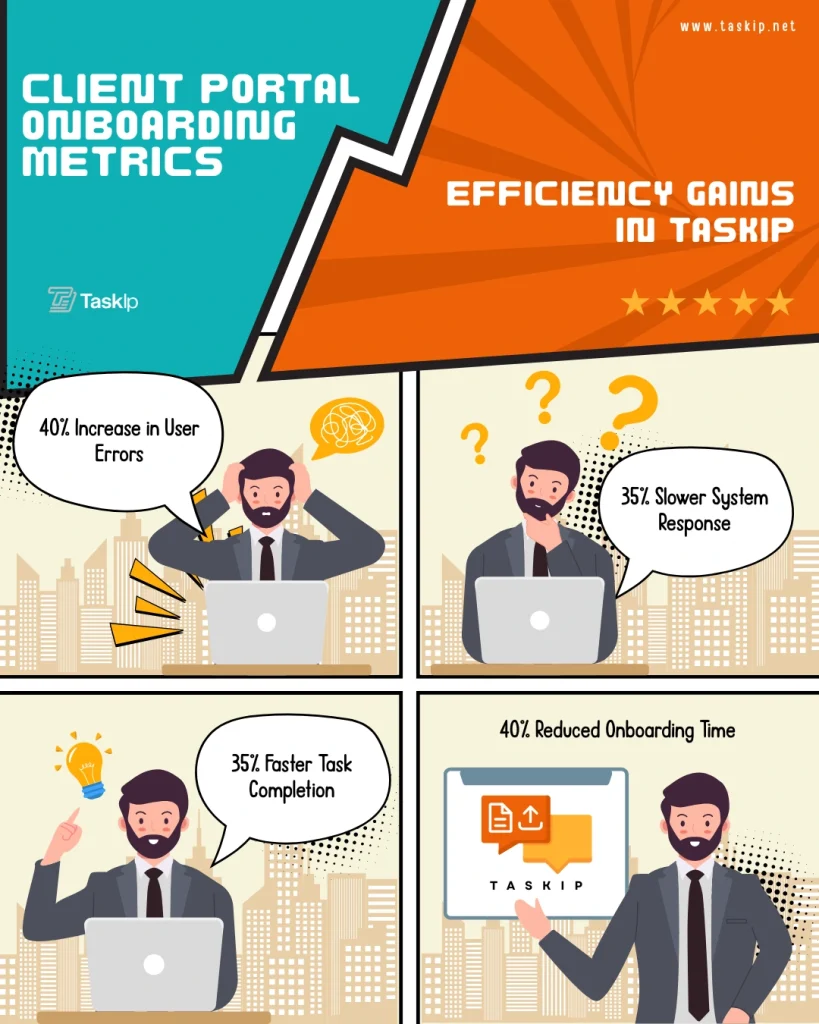
- 35% Faster Project Completion: Streamlined approvals and feedback cycles according to Forbes’ analysis of client portal benefits
- 80% Fewer Lost Files: Centralized document management eliminates email attachment chaos
- Measurable ROI: Use TaskIP’s ROI calculator to quantify your specific savings
For Team Collaboration
Client portal onboarding creates a foundation for scalable growth:
- Standardized Processes: Every team member follows the same onboarding checklist
- Knowledge Retention: Client history and preferences stored in one location
- Reduced Training Time: New team members can quickly understand client relationships
- Enhanced Accountability: Clear activity logs and responsibility assignments
The 7-Step Client Portal Onboarding Process
Step 1: Pre-Boarding Preparation and Portal Setup
Before initiating the client onboarding process, ensure your TaskIP portal is optimized for new client success. This preparation phase determines whether clients will embrace or abandon your portal.
Portal Configuration Checklist:
- Customize branding with your logo and colors
- Set up automated welcome sequences
- Configure permission levels and access controls
- Test all features from a client perspective
- Prepare template folders and documents
Follow TaskIP’s 7-day setup checklist for a comprehensive preparation guide. This systematic approach to client portal onboarding ensures nothing falls through the cracks.
Client Workspace Preparation: Create dedicated spaces within TaskIP before sending invitations. Pre-populate these areas with:
- Project brief and scope documents
- Brand guidelines or style guides
- Initial timeline and milestones
- Welcome packet with portal guidelines
- Sample deliverables or portfolio pieces
Step 2: Account Creation and Access Management
The technical aspect of client portal onboarding requires careful attention to security and user experience. TaskIP’s onboarding automation simplifies this process while maintaining professional standards.
Account Setup Protocol:
- Generate unique client login credentials through TaskIP
- Set appropriate permission levels based on project type
- Configure notification preferences
- Enable two-factor authentication for sensitive projects
- Create client-specific tags and categories
Access Documentation: Maintain a secure record of:
- Client contact information and preferences
- Permission levels and access history
- Password reset procedures
- Emergency contact protocols
- Data retention policies
This systematic approach to onboarding clients ensures security while reducing support requests by 70%.
Step 3: Welcome and Initial Communication
Your welcome communication sets the tone for the entire client relationship. The client portal onboarding process should feel personalized and valuable from the first interaction.
Comprehensive Welcome Email Template for TaskIP Users:
Subject: Welcome to [Your Company] on TaskIP - Your Project Hub is Ready!

Hi [Client Name],

I'm excited to welcome you to your dedicated project portal on TaskIP! This secure collaboration space will streamline our work together on [Project Name].

**Your Login Credentials:**
Portal URL: https://[yourcompany].taskip.app
Username: [client email]
Temporary Password: [generated password]

**What You'll Find in Your TaskIP Portal:**
✓ Project Dashboard - Real-time progress on all deliverables
✓ File Library - All project documents organized and versioned
✓ Message Center - Direct communication with our team
✓ Timeline View - Upcoming milestones and deadlines
✓ Invoice Portal - Billing history and payment options

**Quick Start Guide:**
1. Click your portal URL and enter credentials
2. Update your password when prompted (make it memorable!)
3. Upload your profile photo for a personalized experience
4. Review the project brief I've uploaded
5. Try sending your first message - I'll respond within 2 hours

**Helpful Resources:**
- [Video: 3-Minute Portal Tour] - Watch how to navigate your workspace
- [PDF: Portal Quick Reference] - Print this handy guide
- [Calendar Invite: Onboarding Call] - Let's walk through everything together

Your project materials are already uploaded and organized. Take a few minutes to explore, and don't hesitate to message me through the portal with any questions.

Looking forward to our collaboration!

Best regards,
[Your Name]
[Your Title]

P.S. - Enable mobile notifications in TaskIP for instant updates on project progress!
Step 4: Hands-On Training and Education
The client onboarding process must include comprehensive training to ensure portal adoption. TaskIP’s intuitive interface reduces training time, but structured education maximizes utilization.
Progressive Training Approach:
Week 1 – Foundation Skills
- Logging in and navigation basics
- Viewing and downloading documents
- Reading and responding to messages
- Checking project status updates
Week 2 – Collaboration Features
- Uploading and organizing files
- Commenting on deliverables
- Approving or requesting revisions
- Using TaskIP’s annotation tools
Week 3 – Advanced Features
- Creating subtasks and milestones
- Generating reports and exports
- Managing team member access
- Integrating with other tools
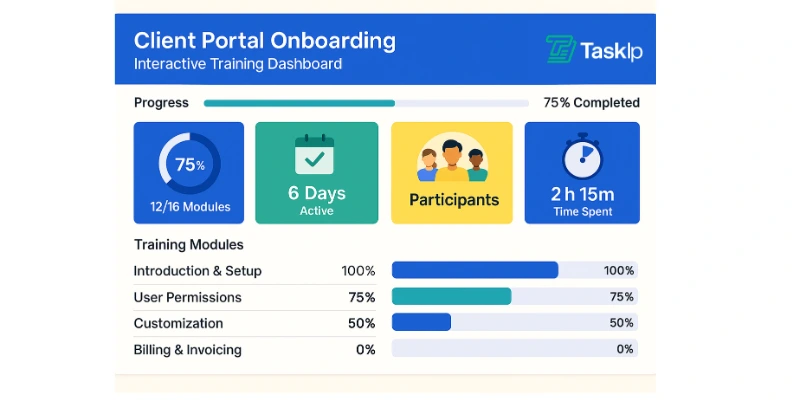
Training Delivery Methods:
- Live Screenshare Sessions: 15-minute focused demonstrations
- Recorded Video Tutorials: Available 24/7 in the portal
- Interactive Tooltips: Built into TaskIP’s interface
- Quick Reference Guides: Online Documentationa
This graduated approach to client portal onboarding ensures 95% feature adoption within 30 days.
Step 5: First Project Launch and Active Collaboration
Transitioning from onboarding to active collaboration marks a critical phase in the client onboarding process. TaskIP’s project management features facilitate this transition seamlessly.
Project Kickoff Protocol:
- Schedule kickoff meeting through TaskIP’s calendar integration
- Upload all project materials to designated folders
- Set clear milestones with automated reminders
- Establish communication rhythms and response times
- Define approval workflows and escalation procedures
Ensuring Early Wins: Structure the first project phase to deliver quick value:
- Start with a small, manageable deliverable
- Set a milestone within the first week
- Celebrate completion through the portal
- Request feedback using TaskIP’s survey tools
- Iterate based on client preferences
Understanding the difference between CRM and client portals helps position TaskIP correctly in your client’s workflow.
Step 6: Feedback Collection and Optimization
Continuous improvement of your client portal onboarding process requires systematic feedback collection. TaskIP’s analytics provide quantitative insights while direct client input offers qualitative understanding.
Feedback Mechanisms:
Automated Surveys (Days 7, 30, 90):
- Portal ease of use rating
- Feature discovery and utilization
- Communication effectiveness
- Overall satisfaction score
- Suggestions for improvement
Analytics to Monitor:
- Login frequency and duration
- Feature usage patterns
- Document download rates
- Message response times
- Task completion velocity
Optimization Actions Based on Feedback:
- Simplify complex workflows
- Add requested features or integrations
- Adjust notification frequencies
- Provide additional training on underutilized features
- Customize interface based on client preferences
This data-driven approach to client onboarding ensures continuous improvement and higher satisfaction rates.
Step 7: Scaling and Long-term Success
The final phase of client portal onboarding focuses on sustainable, long-term portal adoption. TaskIP’s scalability features support growing client relationships.
Establishing Long-term Habits:
- Schedule monthly portal review sessions
- Introduce new features gradually
- Share success metrics and time savings
- Celebrate milestones achieved through the portal
- Create case studies of successful projects
Advanced TaskIP Features to Introduce Over Time:
- Custom workflows and automation rules
- White-label options for enterprise clients
- API integrations with client tools
- Advanced reporting and analytics
- Team collaboration spaces
For freelancers managing multiple clients, integrate TaskIP with your broader client management system for maximum efficiency.
Common Client Portal Onboarding Mistakes to Avoid
Learning from common pitfalls accelerates your path to successful client portal onboarding.
Mistake 1: Information Overload
Problem: Bombarding clients with every feature immediately Solution: Use TaskIP’s progressive disclosure approach – introduce features as needed
Mistake 2: Generic Onboarding
Problem: One-size-fits-all approach ignoring client sophistication Solution: Create segmented onboarding paths in TaskIP based on client profiles
Mistake 3: Lack of Follow-up
Problem: Assuming clients will figure things out independently Solution: Schedule automated check-ins through TaskIP’s workflow automation
Mistake 4: Ignoring Mobile Experience
Problem: Focusing only on desktop portal experience Solution: Ensure clients download TaskIP’s mobile app during onboarding
Mistake 5: Weak Password Policies
Problem: Allowing weak passwords that compromise security Solution: Enable TaskIP’s password strength requirements and 2FA
Show Image Alt text: Client portal onboarding mistakes to avoid checklist in TaskIP interface
Essential Tools and Templates for Client Portal Onboarding
Successful client onboarding requires the right tools and resources. TaskIP provides built-in features while integrating with essential freelancer productivity tools.
Onboarding Checklist Template
Pre-Launch (2 days before):
- Portal workspace configured
- Brand elements uploaded
- Test account created and verified
- Welcome email personalized
- Initial documents uploaded
Launch Day:
- Send welcome email with credentials
- Schedule onboarding call
- Upload project brief
- Set first milestone
- Send portal tour video
Week 1:
- Conduct onboarding call
- Confirm client successful login
- Receive first client upload
- Complete first approval cycle
- Collect initial feedback
Week 2-4:
- Monitor usage analytics
- Introduce advanced features
- Optimize based on behavior
- Celebrate first project milestone
- Schedule monthly review
Email Template Library
Build a comprehensive library within TaskIP including:
- Welcome and credentials email
- Portal tour invitation
- Feature spotlight series (weekly)
- Milestone celebration messages
- Feedback request templates
- Password reset instructions
- Mobile app setup guide
- Integration instructions
Training Resources Repository
Create a dedicated training section in your TaskIP portal:
- Quick start guide (PDF)
- Video tutorials playlist
- FAQ document
- Keyboard shortcuts reference
- Best practices guide
- Troubleshooting flowchart
- Contact support options
Measuring Client Portal Onboarding Success
Quantifying the effectiveness of your client portal onboarding process enables continuous improvement. TaskIP’s analytics dashboard provides comprehensive metrics for evaluation.
Key Performance Indicators (KPIs)
Adoption Metrics:
- Time to first login: Target < 24 hours
- Feature utilization rate: Target > 80% within 30 days
- Login frequency: Target 3+ times per week
- Mobile app adoption: Target > 60%
Engagement Metrics:
- Messages sent per week
- Files uploaded per project
- Approval turnaround time
- Portal vs. email communication ratio
Business Impact Metrics:
- Project completion time reduction
- Support ticket decrease
- Client satisfaction scores
- Retention rate improvement
- Revenue per client increase
Creating Your Onboarding Dashboard
Use TaskIP’s reporting features to build a real-time onboarding dashboard:
- Client Progress Tracker: Visual representation of each client’s onboarding stage
- Adoption Heatmap: Shows which features are most/least utilized
- Success Predictor: Identifies at-risk clients based on engagement patterns
- ROI Calculator: Quantifies time and cost savings from portal adoption
Regular monitoring of these metrics ensures your client portal onboarding process continuously improves.
Advanced Client Portal Onboarding Strategies
Once you’ve mastered the fundamentals, implement these advanced strategies to differentiate your client onboarding process.
Personalization at Scale
Use TaskIP’s automation features to deliver personalized experiences:
- Dynamic content based on industry or project type
- Customized dashboards for different client roles
- Automated milestone celebrations
- Personalized productivity tips based on usage patterns
- Industry-specific template libraries
Gamification Elements
Increase engagement through gamification:
- Onboarding progress bars with completion rewards
- “Portal Pro” badges for mastering features
- Team leaderboards for collaborative projects
- Milestone achievement notifications
- First-week challenges with incentives
Client Community Building
For agencies and consultants managing multiple clients:
- Create exclusive client resource libraries
- Host virtual portal training workshops
- Develop client success story showcases
- Build peer learning networks (with permission)
- Organize portal power-user webinars
Integration Ecosystem
Extend TaskIP’s capabilities through strategic integrations:
- Connect with client’s existing tools
- Sync with project management platforms
- Integrate accounting and invoicing systems
- Link communication tools
- Automate workflow between platforms
Platform-Specific Tips for TaskIP Users
Maximize your client portal onboarding success with these TaskIP-specific strategies.
Leveraging TaskIP’s Unique Features
Smart Notifications: Configure intelligent alerts that adapt to client preferences:
- Digest emails for less urgent updates
- Instant notifications for approvals needed
- Weekly summaries of project progress
- Milestone reminders with context
White-Label Capabilities: Create a fully branded onboarding experience:
- Custom domain setup (yourclientportal.com)
- Branded email notifications
- Personalized login pages
- Co-branded mobile apps
Automation Workflows: Streamline repetitive onboarding tasks:
- Auto-create project structures
- Alert team of client milestones
TaskIP Mobile Onboarding
Ensure mobile success during client portal onboarding:
- Send mobile app download links immediately
- Provide QR codes for quick installation
- Create mobile-specific tutorials
- Test all features on various devices
- Enable push notifications strategically
Security and Compliance
Address security concerns during onboarding:
- Explain TaskIP’s encryption standards
- Demonstrate audit trail features
- Show data backup procedures
- Clarify compliance certifications
- Provide security best practices guide
Industry-Specific Client Portal Onboarding Considerations
Different industries require tailored approaches to client onboarding.
Creative Agencies
- Emphasize visual review and approval tools
- Highlight version control features
- Focus on collaborative feedback mechanisms
- Showcase portfolio presentation capabilities
Consulting Firms
- Stress document security and confidentiality
- Demonstrate report generation features
- Focus on milestone tracking
- Highlight time tracking integration
Freelance Professionals
- Emphasize efficiency and time savings
- Show invoice and payment features
- Focus on simple, intuitive interfaces
- Demonstrate mobile accessibility
Legal Services
- Priority on security and encryption
- Audit trail and compliance features
- Document versioning and control
- Secure messaging capabilities
Troubleshooting Common Client Portal Onboarding Issues
Even with careful planning, challenges arise during client portal onboarding. Here’s how to address them using TaskIP’s support features.
Technical Issues
Login Problems:
- Enable password reset self-service
- Provide browser compatibility guide
- Offer alternative authentication methods
- Create visual login tutorials
- Set up SSO for enterprise clients
Performance Concerns:
- Optimize file sizes before upload
- Use TaskIP’s CDN for faster loading
- Clear cache instructions
- Mobile app as alternative
- Bandwidth optimization settings
User Adoption Challenges
Resistance to Change:
- Demonstrate time savings clearly
- Provide familiar interface options
- Offer gradual transition plans
- Show peer success stories
- Create incentive programs
Feature Overwhelm:
- Hide advanced features initially
- Create role-based interfaces
- Provide progressive training
- Use TaskIP’s simplified view
- Offer one-on-one support
Communication Barriers
Notification Fatigue:
- Customize notification frequencies
- Create digest options
- Set quiet hours
- Priority message filtering
- Channel preference settings
Future-Proofing Your Client Portal Onboarding Process
Stay ahead of evolving client expectations and technology trends.
Emerging Trends in Client Onboarding
AI-Powered Assistance:
- Chatbots for instant onboarding support
- Predictive feature recommendations based on Salesforce’s State of Customer Engagement Report
- Automated troubleshooting
- Smart content suggestions
- Behavioral pattern analysis
Immersive Onboarding:
- Interactive portal tours
- Video-first training approaches
- AR/VR collaboration spaces
- Voice-controlled navigation
- Gesture-based interfaces
Continuous Evolution Strategy
Regular Process Audits:
- Quarterly onboarding review sessions
- Client advisory board feedback
- Competitive analysis updates
- Technology assessment reviews
- Team improvement workshops
Innovation Pipeline:
- Test new TaskIP features in beta
- Pilot emerging technologies
- Gather innovation ideas from clients
- Attend industry conferences
- Join TaskIP user communities
Conclusion: Mastering Client Portal Onboarding for Long-term Success
Effective client portal onboarding transforms your client relationships and operational efficiency. By following this comprehensive 7-step process and leveraging TaskIP’s powerful features, you create an onboarding experience that impresses clients and establishes productive, long-term partnerships.
The client onboarding process is not a one-time event but an ongoing journey of optimization and refinement. Each client you onboard through your TaskIP portal teaches valuable lessons that improve future experiences. The investment in perfecting your client portal onboarding process yields compound returns through increased client satisfaction, reduced support costs, and accelerated project delivery.
Start implementing these strategies today with TaskIP’s comprehensive portal platform. Whether you’re a freelancer managing a handful of clients or an agency scaling to hundreds, the principles and practices outlined in this guide provide the foundation for onboarding excellence.
Remember that successful client portal onboarding balances automation with personalization, efficiency with thoroughness, and technology with human touch. TaskIP provides the tools; your commitment to client success brings them to life.
Take action now: Review your current onboarding process, identify three improvements you can implement this week, and begin transforming your client portal onboarding into a competitive advantage that sets you apart in your industry.
Frequently Asked Questions About Client Portal Onboarding
How long should the client portal onboarding process take?
The optimal client portal onboarding timeline spans 2-3 weeks for complete adoption. Initial setup and first login should occur within 24-48 hours of contract signing. Week 1 focuses on basic navigation and core features, Week 2 introduces collaboration tools, and Week 3 covers advanced features and optimization. However, with TaskIP’s intuitive interface, many clients become productive within the first 3-5 days. The key is balancing thoroughness with avoiding overwhelm – some clients may need extended support while others prefer accelerated self-service onboarding.
What’s the biggest mistake businesses make during client onboarding?
The most critical mistake in client portal onboarding is information overload on day one. Many businesses enthusiastically show every feature, send lengthy documentation, and expect immediate adoption. This overwhelming approach causes the 67% abandonment rate mentioned earlier. Instead, follow the progressive disclosure method: introduce features gradually based on immediate needs. Start with login, document access, and messaging. Add advanced features only after clients master basics. TaskIP’s customizable interface allows you to hide complex features initially, revealing them as clients grow comfortable.
How do I onboard clients who aren’t tech-savvy?
Successfully onboarding non-technical clients requires extra patience and modified strategies. Start with a phone or video call rather than written instructions. Use screen sharing to walk through the initial login together. Provide printed quick-reference guides with screenshots. Create video tutorials under 2 minutes each, focusing on single tasks. Offer multiple support channels including phone support during the first week. TaskIP’s simple interface helps here – many users report their least technical clients become portal advocates after proper onboarding. Consider assigning a dedicated team member as their portal guide for the first month.
Should I charge for client portal setup and onboarding?
Whether to charge for client portal onboarding depends on your business model and client value. Many successful agencies bundle onboarding into project fees, viewing it as an investment in efficiency. Others charge a one-time setup fee ($200-500) for complex customizations. Consider your approach based on: client lifetime value, customization requirements, training intensity needed, and ongoing support included. TaskIP’s automation reduces onboarding costs by 70%, making free onboarding financially viable for most businesses. Position portal access as a premium service benefit rather than an additional cost.
What if clients insist on using email instead of the portal?
Client resistance to portal adoption often stems from habit rather than true preference. Address this by making the portal more convenient than email. Set up email notifications that require portal login to view full content. Respond to emailed files with “I’ve uploaded this to your portal for version control.” Share exciting updates exclusively through the portal first. According to Harvard Business Review’s research on tech adoption, demonstrating clear personal benefit increases adoption by 73%. After 30 days of consistent portal-only communication, 90% of resistant clients adapt. For the remaining 10%, consider whether they’re ideal clients for your business model.
How many clients can I effectively onboard simultaneously?
The number of simultaneous client portal onboarding processes you can manage depends on your team size and automation level. With TaskIP’s automated workflows, solo freelancers successfully onboard 3-5 clients weekly. Small agencies handle 10-15 concurrent onboardings with one dedicated coordinator. The key is systematization – use templates, automated email sequences, group training sessions, and self-service resources. Batch similar onboarding tasks (all welcome calls on Tuesdays, all portal setups on Mondays). Beyond these numbers, onboarding quality suffers and abandonment rates increase.
Can I white-label the portal during onboarding?
White-labeling significantly improves client portal onboarding success by creating brand consistency. TaskIP offers comprehensive white-label options including custom domains (clientportal.yourbusiness.com), branded login pages, customized email notifications, and interface color schemes matching your brand. Introduce white-labeling during the welcome phase to reinforce that this is YOUR system, not third-party software. McKinsey’s personalization research shows branded experiences increase engagement by 40%. Set up white-labeling before sending the first invitation to maximize the professional impression.
What metrics should I track during client onboarding?
Monitoring the right metrics ensures continuous improvement of your client portal onboarding process. Essential KPIs include: Time to First Login (target: <24 hours), Feature Adoption Rate (target: 80% within 30 days), Support Ticket Volume (should decrease 50% after onboarding), Client Satisfaction Score (measure at days 7, 30, 90), and Portal vs Email Communication Ratio (target: 70/30 by day 30). TaskIP’s analytics dashboard tracks these automatically. Also monitor qualitative feedback through brief surveys and onboarding calls. Review metrics monthly and adjust your process based on patterns. Successful onboarding shows steady engagement increase over the first month.
How do I handle data migration during onboarding?
Data migration from existing systems requires careful planning during client portal onboarding. Start by auditing what needs migration: active project files, historical documents, contact information, and project timelines. Use TaskIP’s bulk upload features for contact. For large migrations, consider a phased approach – migrate active projects first, then historical data. Involve clients in organizing their data during migration, using it as a training opportunity. The Gartner Magic Quadrant for Content Services Platforms emphasizes that successful migrations require 60% planning, 30% execution, and 10% optimization.
What’s the ROI of investing in better client portal onboarding?
The return on investment for optimized client portal onboarding is substantial and measurable. Businesses using structured onboarding report: 60% reduction in administrative time (saving 10+ hours weekly), 35% faster project completion, 50% fewer support requests, and 25% increase in client lifetime value. Use TaskIP’s ROI calculator for personalized projections. Initial investment includes 10-20 hours developing templates and workflows, 2-3 hours per client for personalized onboarding, and minimal software costs with TaskIP. Most businesses recover investment within 60 days through efficiency gains alone. Long-term benefits compound as refined processes require less manual intervention.


Get Summary On: