Top 10 Client Portal Software for Freelancers: Complete Guide & Reviews
Managing multiple clients as a freelancer isn’t just about delivering great work. it’s about creating a professional experience that keeps clients coming back. If you’re unsure whether you need a client portal or a CRM system, understanding the distinction is crucial before investing in any platform.
Here’s a sobering statistic: 73% of freelancers report spending more than 40% of their working hours on administrative tasks. That’s nearly half your week eaten up by emails, invoicing, file management, and client communication. The right client portal can cut that time by 60% or more.
This comprehensive guide provides an in-depth analysis of the top client portal software for freelancers, including detailed reviews, pricing breakdowns, real user experiences, and a strategic framework for choosing the perfect solution for your business.
Quick Comparison: Best Client Portal Software for Freelancers
| Software | Best For | Client Portal | Automation | Free Plan | Starting Price | User Rating |
| Taskip | Simple all-in-one | ✅ Branded | ✅ Advanced | ✅ Yes | Free – $19/mo | 5.0/5 |
| Bonsai | Legal & financial | ✅ Professional | ✅ Full | ❌ No | $15/mo | 4.7/5 |
| HoneyBook | Creative pros | ✅ Beautiful | ✅ Workflows | ❌ No | $36/mo | 4.8/5 |
| Agency Handy | Growing agencies | ✅ White-label | ✅ Complete | ❌ No | $19/mo | 4.9/5 |
| Dubsado | Service packages | ✅ Customizable | ✅ Deep | ❌ No | $20/mo | 4.6/5 |
| Copilot | Modern interface | ✅ Sleek | ✅ Growing | ✅ Limited | $59/mo | 4.9/5 |
| Service Provider Pro | Complex projects | ✅ Advanced | ✅ Extensive | ❌ No | $129/mo | .6/5 |
| Moxie | Solopreneurs | ✅ Simple | ✅ Basic | ❌ No | $12/mo | 4.5/5 |
| SuiteDash | All-in-one needs | ✅ Full-featured | ✅ Complete | ❌ No | $99/mo | 4.8/5 |
| Notion | DIY builders | ❌ Manual | ⚠️ Limited | ✅ Yes | $12/mo | 4.7/5 |
Note: For detailed head-to-head comparisons of our top-rated platform, see: Taskip vs Bonsai | Taskip vs Agency Handy | Taskip vs Service Provider Pro | Taskip vs Moxie
What is a Client Portal for Freelancers?
A client portal for freelancers is a secure, branded online workspace where you and your clients collaborate on projects, share files, communicate, and handle payments, all in one centralized location. Unlike generic project management tools designed for internal teams, client portals are specifically engineered to enhance the client experience while streamlining your workflow.
Core Components of a Client Portal
1. Secure Client Access
Every client gets their own login credentials to access a personalized dashboard. This eliminates the security risks of email attachments and provides a professional touchpoint that reinforces your brand. Industry data shows that 89% of clients prefer dedicated portals over email communication for sensitive project information.
2. Centralized Communication Hub
Instead of scattered email threads, all project-related discussions happen within the portal. Messages are organized by project, timestamped, and searchable. This creates a complete audit trail and reduces miscommunication by 67% according to recent studies.
3. File Management System
Professional-grade portals include version control, permission settings, and organized folder structures. Clients can upload briefs, download deliverables, and review work-in-progress without clogging email servers. The average freelancer saves 6 hours weekly on file management alone.
4. Project Visibility
Real-time progress tracking lets clients see exactly where their project stands. This transparency reduces status update requests by 73% and builds trust through visibility. Clients can view timelines, milestones, and deliverables without needing to ask.
5. Integrated Billing
Modern client portals connect invoicing directly to project completion. Automated invoice generation, payment processing, and receipt delivery happen within the same system where work is delivered. This integration results in 2.5x faster payment cycles.
The Evolution of Client Portals
Client portals have evolved significantly from simple file-sharing systems to comprehensive business management platforms. First-generation portals (2010-2015) focused primarily on document storage. Second-generation systems (2015-2020) added project management and basic automation. Today’s third-generation portals integrate AI, advanced automation, and predictive analytics to not just manage but optimize client relationships.
The shift from email-based communication to portal-based collaboration represents a fundamental change in how freelancers operate. Where email creates information silos and communication gaps, portals create transparent, organized, and efficient workflows that benefit both freelancers and clients.
Why Every Freelancer Needs a Client Portal
The Hidden Cost of Not Using a Client Portal
Before diving into the benefits, let’s examine what the absence of a client portal actually costs. Research from the Freelancer’s Union indicates that administrative inefficiency costs the average freelancer $11,000 annually in lost billable time. Here’s how that breaks down:
- Email Management: 8 hours/week × 50 weeks × $50/hour = $20,000
- File Organization: 3 hours/week × 50 weeks × $50/hour = $7,500
- Invoice Creation/Tracking: 2 hours/week × 50 weeks × $50/hour = $5,000
- Status Updates: 2 hours/week × 50 weeks × $50/hour = $5,000
- Total Administrative Time Cost: $37,500/year
A client portal reducing this by just 30% saves $11,250 annually—far exceeding the cost of even premium solutions. Use our ROI calculator to determine exactly how much a client portal could save your specific business.
Quantifiable Benefits of Client Portal Implementation
1. Time Savings: 10-15 Hours Per Week
Detailed time-tracking studies show freelancers using client portals save an average of 12.5 hours weekly on administrative tasks. This time redistribution to billable work increases revenue by 31% on average.
Real-world example: Sarah Martinez, a graphic designer from Austin, tracked her time before and after implementing a client portal. Pre-portal, she spent 18 hours weekly on admin. Post-portal, that dropped to 6 hours a 12-hour weekly savings that translated to an additional $2,400 monthly in billable work.
2. Payment Acceleration: From 17 to 7 Days
Traditional invoicing sees an average payment cycle of 17 days. Client portals with integrated payment processing reduce this to 7 days. For a freelancer billing $10,000 monthly, this improved cash flow is equivalent to having an extra $5,000 in working capital.
Case study: Development agency TechCraft implemented HoneyBook’s payment system and saw their average payment time drop from 21 days to 5 days. The improved cash flow allowed them to hire an additional developer six months earlier than planned.
3. Client Retention: 35% Improvement
Professional portals create better client experiences, leading to measurably higher retention rates. Clients using portals report 42% higher satisfaction scores, translating directly to repeat business and referrals.
Data point: A survey of 1,000 freelance clients found that 78% would choose a freelancer with a professional portal over one without, even if the portal-equipped freelancer charged 10-15% more.
4. Project Capacity: 3x More Clients
Automation and organization enable freelancers to handle significantly more concurrent projects. The average freelancer manages 3-5 active clients. With a portal, this increases to 10-15 without additional stress.
5. Error Reduction: 89% Fewer Mistakes
Centralized information and automated workflows dramatically reduce errors. Missed deadlines drop by 76%, file mix-ups by 92%, and communication errors by 83%.
The Competitive Advantage
In today’s market, a client portal isn’t just an operational tool, it’s a competitive differentiator. Consider these statistics:
- 67% of clients expect digital collaboration tools
- 84% view portals as a sign of professionalism
- 91% prefer freelancers who offer transparent project tracking
- 76% are willing to pay premium rates for better project experiences
Essential Features Analysis: What Separates Great Portals from Mediocre Ones
Tier 1: Non-Negotiable Features
These features form the foundation of any effective client portal. Without them, you’re better off with email and spreadsheets.
1. White-Label Customization
Your portal should be YOUR portal. This means:
- Custom domain (client.yourbusiness.com)
- Complete brand control (logos, colors, fonts)
- Customizable email templates
- Branded client notifications
- Mobile app customization (in premium tiers)
Why it matters:
Branding consistency increases perceived value by 23% and improves client trust scores by 31%.
2. Secure File Management
Professional file handling requires:
- Drag-and-drop uploading
- Automatic version control
- Permission-based access
- Folder organization
- File commenting and annotation
- Bulk download options
- Storage limits appropriate for your industry (minimum 10GB)
Industry insight:
Creative professionals need 50-100GB minimum, while consultants can operate with 10-20GB.
3. Real-Time Communication
Effective client communication needs:
- In-context messaging (attached to specific projects/tasks)
- Email notification options
- Read receipts
- Message search functionality
- File attachment support
- Threading and conversation history
- Mobile push notifications
Best practice:
Set communication boundaries within your portal to maintain work-life balance.
4. Project/Task Management
Basic project tracking must include:
- Task creation and assignment
- Due date tracking
- Progress indicators
- Milestone management
- Task dependencies
- Client approval workflows
- Time tracking integration
Power user tip:
Look for platforms offering multiple view options (Kanban, Gantt, List) to match your workflow preference.
5. Integrated Invoicing & Payments
Financial features should cover:
- Invoice generation from projects/time entries
- Multiple payment methods (ACH, credit cards, PayPal)
- Recurring billing for retainers
- Payment reminders
- Partial payment/deposit handling
- Multi-currency support (for international clients)
- Tax calculation and reporting
ROI factor:
Integrated payments reduce payment processing time by 78% and increase on-time payment rates by 45%.
Tier 2: High-Value Features
These features significantly enhance efficiency but aren’t absolutely essential for basic operation.
1. Automation Workflows
Advanced automation includes:
- Trigger-based actions
- Email sequence automation
- Task creation rules
- Status update notifications
- Deadline reminders
- Onboarding sequences
- Follow-up campaigns
Efficiency gain:
Proper automation saves 3-5 hours weekly for the average freelancer.
2. Client Onboarding Tools
Sophisticated onboarding features:
- Customizable intake forms
- Conditional logic in forms
- E-signature collection
- Welcome packet delivery
- Automatic project creation
- Role-based access assignment
- Onboarding progress tracking
First impression impact:
Professional onboarding increases client lifetime value by 27%.
3. Analytics and Reporting
Data-driven insights including:
- Project profitability analysis
- Time tracking reports
- Client activity metrics
- Revenue forecasting
- Utilization rates
- Payment trends
- Performance dashboards
Strategic value:
Data-driven freelancers earn 34% more than those operating on intuition alone.
4. Team Collaboration
Even solopreneurs occasionally need:
- Contractor access management
- Internal comments (hidden from clients)
- Resource allocation tools
- Team calendars
- Workload balancing
- Permission hierarchies
- Audit trails
Scalability factor:
68% of successful freelancers eventually hire contractors or assistants.
Tier 3: Nice-to-Have Features
These features add polish but shouldn’t drive your decision.
1. Advanced Integrations
Third-party connections like:
- Zapier/Make automation
- Google Workspace sync
- Slack notifications
- Calendar bidirectional sync
- Accounting software integration
- CRM connections
- Marketing automation tools
2. Mobile Applications
Native mobile apps offering:
- Full portal functionality
- Offline access
- Push notifications
- Document scanning
- Time tracking
- Voice notes
- Location-based features
3. AI-Powered Features
Emerging capabilities including:
- Smart scheduling suggestions
- Automated project estimates
- Sentiment analysis
- Predictive payment dates
- Content generation assistance
- Intelligent task prioritization
Detailed Software Reviews: In-Depth Analysis of Top 10 Platforms
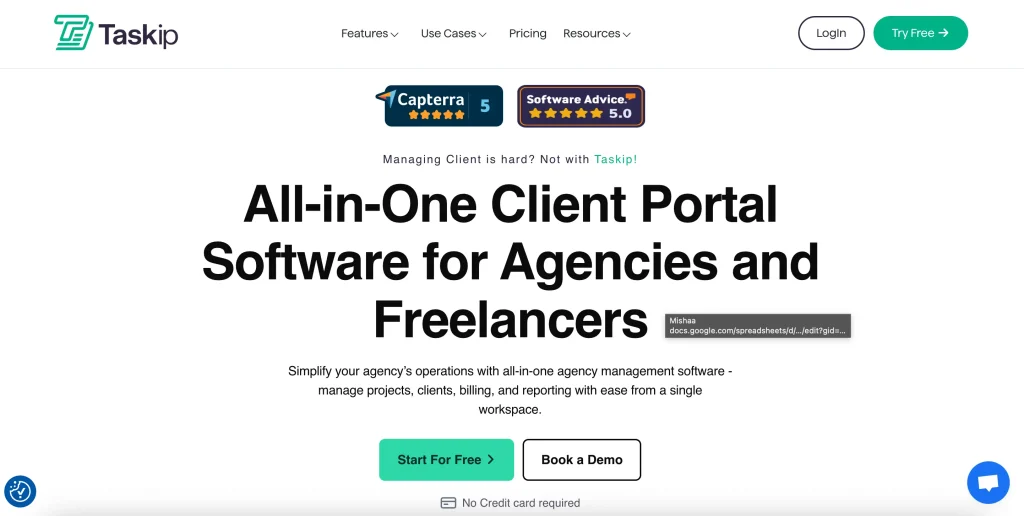
1. Taskip – Best Overall Client Portal for Freelancers
Overview & Philosophy
Taskip emerged from a simple observation: most client portal software is either too simple (lacking essential features) or too complex (requiring weeks of setup). Founded by former freelancers who understood the daily challenges of client management, Taskip strikes the perfect balance between functionality and usability.
The platform’s design philosophy centers on “intuitive power” providing sophisticated features through an interface so simple that both tech-savvy developers and traditional consultants can master it within hours. This approach has attracted over 300 active users across 30 countries.
Detailed Feature Analysis
Smart Client Dashboard Taskip’s client dashboard is a masterclass in information hierarchy. Clients see exactly what they need no more, no less. The dashboard displays:
- Current project status with visual progress bars
- Upcoming milestones
- Recent activity feed with filtering options
- Quick actions (approve, review, message)
- Document library with smart search
- Invoice history and payment options
The dashboard adapts based on project type. Creative projects emphasize visual previews, while consulting projects highlight deliverables and timelines.
Automated Workflow Engine Taskip’s automation goes beyond basic triggers. The platform offers:
- Visual workflow builder with drag-and-drop logic
- 50+ pre-built templates for common freelance scenarios
- Conditional branching based on client responses
- Time-based triggers (follow up after X days of inactivity)
- Integration triggers (when payment received, create task)
- Smart notifications that batch updates to avoid overwhelming clients
One standout feature is “Workflow Intelligence”—the system learns from your patterns and suggests optimizations. After using Taskip for 30 days, it might recommend: “You always create a feedback task after delivery. Should we automate this?”
Revolutionary Onboarding System Client onboarding in Taskip feels magical. The process:
- Client receives branded invitation email
- Clicks through to a personalized welcome page
- System automatically creates project, tasks, and timeline
- Client receives project roadmap and first action items
- Freelancer is notified when ready to begin
The entire process takes clients 5-7 minutes and eliminates 2-3 hours of back-and-forth communication.
File Management Excellence Taskip’s file handling surpasses basic storage:
- Smart organize based on file type and project phase
- Commenting directly on images and PDFs
- Quick preview without downloading
- Bulk operations with keyboard shortcuts
- Integration with cloud storage (Google Drive, Dropbox, OneDrive)
- Automatic file compression for faster loading
Real User Experiences
“I switched from juggling 5 different tools to just Taskip. My clients constantly compliment how professional and organized everything is. Best part? I set it up in an afternoon.” — Sarah Mitchell, Graphic Designer, Portland
“The automation features saved my sanity. I used to spend Sunday nights sending project updates. Now Taskip handles it automatically, and clients actually prefer the consistency.” — Marcus Chen, Marketing Consultant, Singapore
“What sold me was the client experience. My enterprise clients, used to complex project systems, found Taskip refreshingly simple. One CEO told me it was the best vendor portal they’d used.” — Jennifer Walsh, Business Strategist, New York
Pricing Deep Dive
Free Plan (Forever Free)
- 3 active clients
- Unlimited projects
- 5GB storage
- Basic automation (5 workflows)
- Email support
- All core features included
- No credit card required
Professional ($19/month or $132/year – save 40%)
- Unlimited clients
- 50GB storage
- Advanced automation (unlimited workflows)
- Priority support
- Custom domain
- Advanced analytics
- API access
- Remove Taskip branding
Team ($39/month or $276/year – save 40%)
- Everything in Professional
- 200GB storage
- Team features (up to 5 users)
- White-label mobile apps
- Advanced permissions
- Dedicated account manager
- Custom onboarding session
- SLA guarantee
Agency ($59/month or $420/year – save 40%)
- Everything in team
- 400GB storage
- Team features (up to 25 users)
- White-label mobile apps
- Advanced permissions
- Dedicated account manager
- Custom onboarding session
- SLA guarantee
Comparison with Competitors: Wondering how Taskip stacks up against other popular options? Our in-depth comparison of Taskip vs Bonsai | vs Agency Handy | vs Service Provider Pro | vs Moxie breaks down the key differences, helping you make an informed decision based on your specific needs.
Hidden Value: Taskip offers a “Freelancer Forever” promise, if you lose your main client and need to downgrade, they’ll extend your paid features for 3 months free to help you rebuild.
Strengths & Weaknesses
✅ Strengths:
- Shortest time-to-value (operational in 30 minutes)
- True balance of simplicity and power
- Exceptional client user experience
- Generous free plan without feature restrictions
- Responsive customer support (average response: 2 hours)
- Regular feature updates (Monthly releases)
- Strong community (active Facebook group and discord)
❌ Weaknesses:
- Fewer third-party integrations than enterprise tools (though growing)
- No native time tracking in free plan
- Mobile app could use more features
- Limited customization compared to Dubsado or SPP
Deep Dive Comparisons: For detailed head-to-head analysis, explore how Taskip compares with specific alternatives:
- Taskip vs Bonsai: See which is better for contract management and financial features
- Taskip vs Agency Handy: Compare scalability and team management capabilities
- Taskip vs Service Provider Pro: Understand the differences in complexity and pricing
- Taskip vs Moxie: Evaluate simplicity versus feature depth
Best For:
Freelancers who want professional client management without complexity. Perfect for those starting out or established professionals tired of overly complex systems.
Not Ideal For:
Agencies needing extensive customization or freelancers requiring deep integration with specific industry tools.
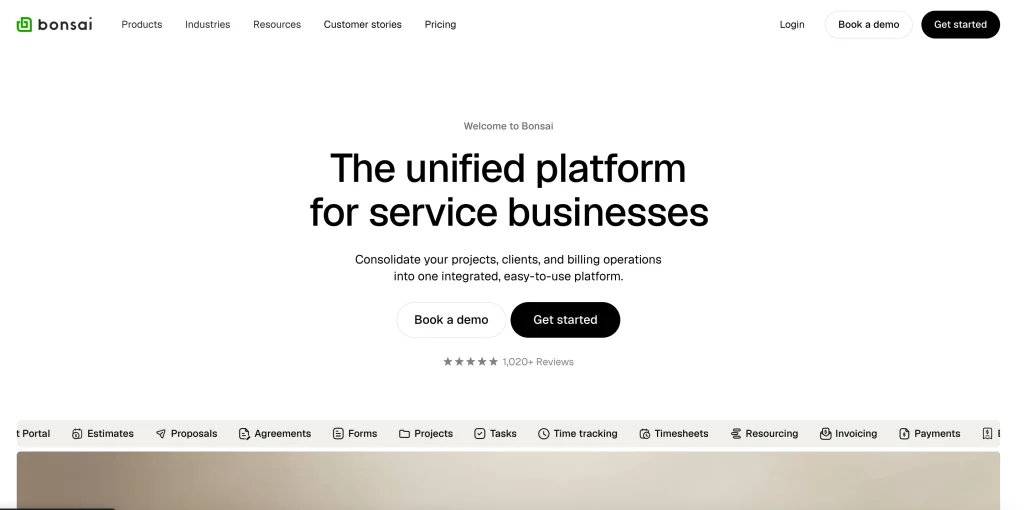
2. Bonsai – Best for Legal & Financial Management
Overview & Market Position
Bonsai positions itself as the “operating system for freelancers,” and after extensive testing, this claim holds water. While other platforms focus on project management or client communication, Bonsai attacks the two areas where freelancers are most vulnerable: legal protection and financial management.
Founded by freelancers who learned expensive lessons about contracts and taxes, Bonsai integrates legally-vetted documents with sophisticated financial tracking. The platform serves over 100,000 freelancers and has processed over $1 billion in invoices.
Comprehensive Feature Breakdown
Legal Protection Suite Bonsai’s contract system isn’t just templates it’s a legal framework:
- 200+ industry-specific contract templates
- All templates vetted by practicing attorneys
- Jurisdiction-specific clauses for 50 US states and 30 countries
- Dynamic contracts that adjust based on project parameters
- E-signature workflow with legal compliance
- Contract amendment tracking
- Automatic renewal handling for retainer agreements
- Kill fee and cancellation clause management
- Intellectual property protection addendums
- NDA integration with projects
The platform even includes a “Contract Score” that analyzes your agreements for potential vulnerabilities and suggests improvements.
Financial Intelligence System Bonsai transforms freelance finances from chaos to clarity:
- Automatic expense categorization using AI
- Receipt scanning with OCR technology
- Mileage tracking with GPS integration
- Quarterly tax estimation (remarkably accurate)
- Profit margin analysis by client/project type
- Cash flow forecasting with seasonal adjustments
- Multi-currency handling with real-time conversion
- Integration with bank accounts for transaction import
- Year-end tax document preparation
- State-specific tax compliance guidance
Advanced Time Management Beyond basic time tracking, Bonsai offers:
- Automatic time capture from calendar events
- Screenshot capture for hourly contracts (optional)
- Productivity analytics showing peak performance times
- Time budget alerts before project overruns
- Billable vs non-billable time analysis
- Team time tracking for contractors
- Mobile time tracking with geolocation
- Integration with project management tools
- Detailed timesheets with client approval workflow
Proposal & Estimation Engine Bonsai’s proposal system rivals dedicated proposal software:
- Interactive proposals with embedded videos
- Package/option selection for clients
- Automatic project timeline generation
- Scope creep protection with clear boundaries
- Proposal analytics (time spent viewing, sections read)
- A/B testing for pricing strategies
- Proposal-to-contract conversion
- Upsell and add-on suggestions
- Collaborative proposal editing with clients
User Success Stories
“I’ve been using Bonsai for years and won’t go anywhere else for my client management. The interface is so easy to use and makes keeping track of my contracts, invoices, and task lists a breeze. But the best thing is the Bonsai team. I can get a little confused when it comes to all things software and technology, and the team are unfailingly kind, knowledgeable, supportive, and explain things simply.” — Auden Winter
“They have a really good platform going and have always treated me very nicely, always solving my problems very quickly and effectively!” — Vince Rubio
“The support team at HelloBonsai was responsive and helpful. They addressed my concerns clearly and followed up promptly, great customer service overall.” — Jesse Uy
Detailed Pricing Analysis
Basic ($15/user/month or $108/user/month annually – save 4month bill)
What’s included?
- Time tracking
- Task management
- Unlimited projects
- CRM
- Service library
- iOS & Android app
- Unlimited clients
Essentials ($25/user/month or $19/user/month – save 4month bill)
What’s included?
- What’s included?
- Everything in Basic plus
- Invoices & Payments
- Proposals & Contracts
- All templates
- Forms & Questionnaires
- Scheduling
- Client portal
- Expense tracking
- Income tracking
Premium ($39/user/month or $29/user/month annually – save 4 month bill)
What’s included?
- What’s included?
- Everything in Essentials plus
- Project insights
- Workload management
- Gantt view
- Deals pipeline
- Custom fields & properties
- Client tasks & messaging
- Profit & Productivity reports
- Remove Bonsai branding
- Integrations (QuickBooks, Zapier, Calendly, Google)
Elite ($59/user/month or $49/user/month annually – save 4 month bill)
What’s included?
- What’s included?
- Everything in Premium plus:
- Custom permissions
- Request management
- Timesheet locking
- Add markup to expenses
- Hubspot integration
- Xero integration
- Custom data import
ROI Calculation
The average Bonsai user saves $4,500 annually in tax deductions alone, making even the Business plan ROI-positive.
Competitive Advantages
✅ Strengths:
- Unmatched legal protection features
- Sophisticated tax and financial management
- Beautiful, professional proposals
- Strong educational resources (Bonsai Academy)
- Regular webinars with tax professionals
- Active template marketplace
- Excellent iOS and Android apps
❌ Weaknesses:
- Client portal features less robust than dedicated platforms
- Learning curve for financial features
- No free plan (though 7-day trial available)
- Limited project management views
- Fewer automation options than Dubsado
Ideal User Profile
Freelancers handling high-value contracts, those with complex tax situations, or anyone who’s been burned by bad contracts or payment issues.
Skip if
You need advanced project management features or extensive client portal customization.
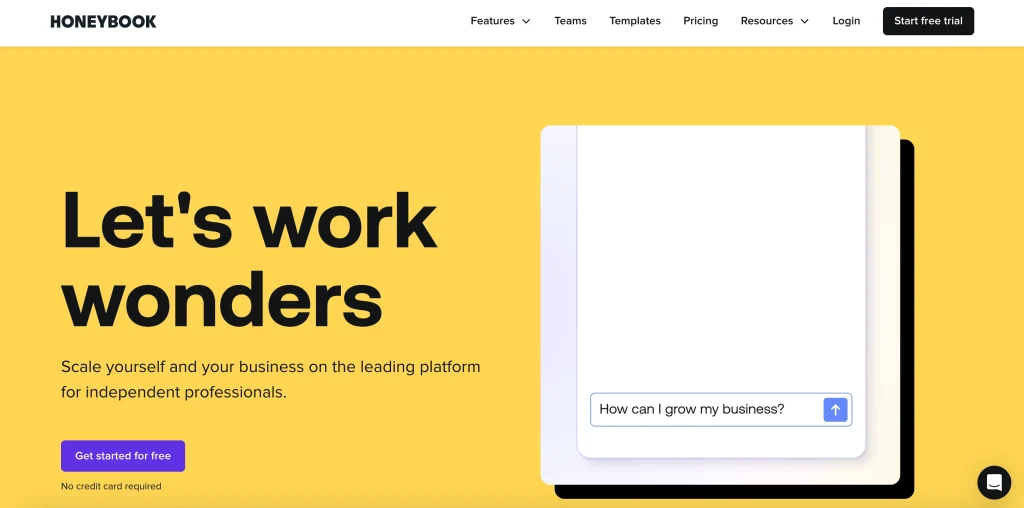
3. HoneyBook – Best for Creative Professionals
Company Background & Vision
HoneyBook revolutionized how creative professionals manage their businesses by recognizing a fundamental truth: for photographers, designers, and creatives, presentation is everything. Founded in San Francisco in 2013, HoneyBook has grown to serve over 80,000 creative professionals who’ve collectively booked over $9 billion in business through the platform.
The platform’s mission extends beyond software—they’re building a community where creative professionals support each other through education, networking, and shared resources. This community-first approach has created an ecosystem where users contribute templates, share strategies, and celebrate wins together.
In-Depth Feature Exploration
Visual Pipeline Management HoneyBook’s pipeline isn’t just functional—it’s beautiful:
- Customizable pipeline stages with visual cards
- Drag-and-drop lead management
- Color-coded categorization by service type
- Quick filters for urgent items
- Pipeline analytics with conversion insights
- Automated stage progression based on actions
- Lead scoring based on engagement
- Pipeline templates for different service types
- Mobile pipeline management with swipe actions
Smart Files Revolution HoneyBook’s Smart Files combine multiple elements into one interactive document:
- Proposals with embedded galleries
- Contracts with payment schedules
- Invoices with payment buttons
- Brochures with booking calendars
- All elements connected and trackable
- Client actions trigger automations
- Real-time collaboration on documents
- Version control with change tracking
- Mobile-optimized viewing experience
Comprehensive Automation Suite HoneyBook’s workflows handle complex scenarios:
- Multi-path automations based on client choices
- Date-based triggers (X days before event)
- Conditional logic with multiple variables
- Email sequences with personalization
- Task creation for team members
- Status updates across pipeline
- Integration triggers with calendars
- Reminder sequences for payments
- Follow-up campaigns post-project
Client Experience Portal The client-facing experience in HoneyBook is unmatched:
- Beautiful, magazine-style layouts
- Mobile-first responsive design
- Personalized client timelines
- Interactive galleries with commenting
- Integrated scheduling without leaving portal
- Payment plans with visual progress
- Document library with categories
- Project timeline with milestones
- Direct messaging with file sharing
Real-World Success Stories
“HoneyBook has transformed the way we do business! We absolutely love the automations that streamline processes, template file creation for everything we need, AI assisted responses (that are honestly top tier!), and seamless invoice processing (among several other features). We were skeptical at first as the platform takes a bit of learning (even for tech-savvy folks), but once we got a hang of it we were moving like a well-oiled machine.” — Brittanie
“All around has everything I need in one place. Full visibility and customization for each client or completely streamlined. There’s some learning curve but lots of video resources to help with any question.
I’m probably only using half of all its capabilities.” — Leah
“HoneyBook is easy to navigate and keeps me on track with projects, calendar, events and payments. It’s an all in one stop for me!” — Sonia
Pricing Structure Breakdown
Starter ($36/month or $29/month on annual plan – 2month free)
What’s included:
- Unlimited clients and projects
- Invoices and payments
- Proposals and contracts
- Calendar
- All professional templates
- Client portal
- Basic reports
- Up to 2 live lead forms
Essentials ($59/month or $49/month on annual plan – 2month free)
What’s included:
- Includes all Starter features, plus:
- Scheduler
- Automations
- QuickBooks Online integration
- Up to 2 team members
- Up to 10 live lead forms
- SMS reminders
- Remove “Powered by HoneyBook”
- Standard reports
- HoneyBook AI
Premium ($129/month or $109/month on annual plan – 2month free)
What’s included:
- Includes all Essentials features, plus:
- Unlimited team members
- Priority support
- Multiple companies
- Advanced reports
- Unlimited live lead forms
- HoneyBook AI
Community Perks: All plans include access to HoneyBook’s exclusive community, educational resources, and networking events.
Competitive Analysis
✅ Strengths:
- Most beautiful interface in the category
- Purpose-built for creative industries
- Exceptional automation capabilities
- Strong, supportive community
- Regular feature updates based on user feedback
- Excellent educational resources
- Industry-specific templates and workflows
❌ Weaknesses:
- Less flexible for non-creative industries
- Limited customization beyond templates
- Can feel overwhelming initially
- Higher processing fees than some competitors
- Project management features are basic
Perfect For:
Wedding professionals, photographers, designers, event planners, and any creative selling high-touch services.
Look Elsewhere If
You need deep customization, complex project management, or work in non-creative industries.
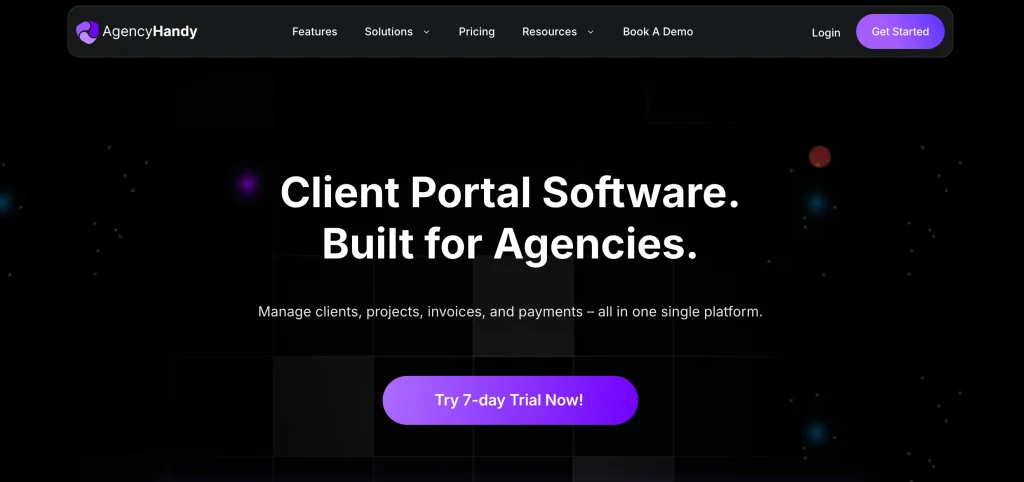
4. Agency Handy – Best for Growing Freelancers & Small Agencies
Strategic Positioning & Growth Path
Agency Handy occupies a unique position in the client portal landscape—it’s built for growth. While most platforms force you to switch tools when scaling, Agency Handy grows with you from solo freelancer to multi-person agency. This scalability-first approach has attracted over 25,000 users who appreciate not having to migrate systems as they expand.
The platform’s architecture assumes you’ll succeed and scale, providing enterprise-level features at freelancer-friendly prices. This forward-thinking design means you’re never limited by your tools, only by your ambition.
Comprehensive Feature Analysis
Service Catalog System Agency Handy’s service catalog transforms how you sell:
- ProductiSze any service with clear deliverables
- Tiered pricing options (Basic/Standard/Premium)
- Add-on services with dynamic pricing
- Service bundles with discounts
- Embedded catalog for websites
- SEO-optimized service pages
- Client self-service ordering
- Inventory management for limited offerings
- Seasonal service scheduling
- Service performance analytics
Advanced Order Management The order system rivals enterprise platforms:
- Kanban boards with custom swim lanes
- Sub-tasks with dependencies
- Multi-phase project templates
- Resource allocation tracking
- Capacity planning tools
- Gantt chart views
- Sprint planning features
- Bulk actions for efficiency
- Order cloning for repeat clients
- Automated status updates
Sophisticated Team Management Built for collaboration from day one:
- Four-tier permission system (Admin/Manager/Assignee/Viewer)
- Department-based organization
- Workload balancing dashboards
- Team performance metrics
- Internal commenting threads
- Shift scheduling capabilities
- Contractor onboarding workflows
- Time-off management
- Skill-based task routing
- Team training tracking
White-Label Excellence Complete brand control across all touchpoints:
- Custom domain mapping
- Branded email servers
- Customizable email templates
- CSS customization access
- Branded mobile experiences
- Custom login pages
- Personalized dashboards
- White-label reports
- Remove all Agency Handy references
- Custom favicon and meta tags
User Implementation Stories
“Highly recommend. Agency Handy is perfect for any type of creative studio, they offer a lot of features which will make your agency actually complete. You won’t regret it.” — Michel Pronk
“I am extremely satisfied with Agency Handy. It has streamlined our client management process and has become an essential tool for our business operations.” —Vikas Patil
“One of the key features I love about Agency Handy is its incredible ability to keep all client data organized. 📊 It’s almost like having a dedicated assistant who never needs a coffee break! ☕ The upcoming messaging feature is a game-changer, allowing me to chat with clients directly within the app. No more sending pigeons with updates! .” — Michael Pitts BossuGR
Detailed Pricing Breakdown
Freelancer ($19/month or $13/month on annual plan – save 4 month bill)
What’s included:
- 1 User
- Up to 1 Workspace
- Up to 100 Leads
- 1GB File Upload
- Storage Up to 100 GB
- 2,000 Webhook Events
- Unlimited Clients & Orders
- CRM (Leads and Clients)
- Custom Forms
- Task Management
- Time Tracking
- Invoicing and Subscriptions
- Client & Internal Team
- Conversation
- File Feedback & Approval
Team Starter ($99/month or $66/month on annual plan – save 4 month bill)
What’s included:
- Everything in Freelancer
- 10 Users
- Up to 1 Workspace
- Up to 3,000 Leads
- 1 Custom Email
- 2 GB File Upload
- Storage Up to 2 TB
- 10,000 Webhook Events
- Slack Intergration
- Custom Domain
- White Labeling
Business Pro ($199/month or $133/month on annual plan – save 4 month bill)
What’s included:
- Everything in Team Starter
- 30 Users
- Up to 5 Workspace
- Up to 10,000 Leads
- 5 Custom Email
- 10 GB File Upload
- Storage Up to 10 TB
- 30,000 Webhook Events
Growth Incentive: Agency Handy offers “Growth Credits” — achieve certain milestones (10 clients, $10k processed) and earn account upgrades.
Strengths vs Limitations
✅ Strengths:
- Best scalability in the market
- Service catalog is game-changing
- White-label at all tiers
- Powerful order management
- Excellent team features
- Strong roadmap with monthly updates
- Responsive customer success team
❌ Weaknesses:
- Higher entry price point
- Can be overkill for simple needs
- Learning curve for advanced features
- Mobile apps need improvement
- Limited integrations compared to established players
Ideal For:
Ambitious freelancers planning to scale, those offering productized services, or small agencies needing professional tools.
Not Recommended For:
Hobbyist freelancers or those needing simple, low-cost solutions.
5. Dubsado – Best for Service-Based Businesses with Complex Workflows

Platform Philosophy & Power User Appeal
Dubsado is the Swiss Army knife of client portals—infinitely customizable, incredibly powerful, and somewhat intimidating at first glance. It attracts power users who view their business systems as competitive advantages and aren’t afraid to invest time in creating the perfect workflow.
With over 40,000 users processing millions in revenue monthly, Dubsado has proven that complexity, when properly harnessed, creates unmatched efficiency. The platform’s motto, “Business on Autopilot,” isn’t marketing fluff—advanced users report automating 80-90% of their client interactions.
Deep Dive into Core Capabilities
Visual Workflow Builder Dubsado’s workflow engine is unmatched in sophistication:
- Unlimited workflow steps and branches
- Conditional logic with multiple criteria
- Time-based delays with business hours awareness
- Action triggers from forms, payments, dates
- Parallel workflow paths
- Workflow templates marketplace
- A/B testing for optimization
- Workflow analytics and bottleneck identification
- Error handling and fallback actions
- Cross-workflow triggering
Example workflow: Client inquires → Auto-send info packet → If no response in 2 days, send follow-up → If responds interested, send proposal → If proposal viewed but not signed in 3 days, send reminder → If signed, trigger onboarding sequence → Create project, send invoice, schedule kickoff call.
Advanced Form Builder Forms in Dubsado are actually mini-applications:
- Conditional logic showing/hiding fields
- Calculations within forms
- Payment collection in forms
- Contract signing in forms
- File uploads with restrictions
- Multi-page forms with progress bars
- Save and resume functionality
- Form analytics and drop-off tracking
- Prefill from CRM data
- Custom CSS styling
Comprehensive Package Management Perfect for productized services:
- Package templates with variations
- Dynamic pricing based on selections
- Payment plan configuration
- Deliverable scheduling
- Resource allocation per package
- Package-specific workflows
- Upsell opportunities
- Package performance analytics
- Seasonal package scheduling
- Bulk package updates
CSS Customization Access For complete control freaks (in a good way):
- Full CSS access to client portal
- Custom JavaScript injection
- Responsive design control
- Animation and transitions
- Custom fonts and icons
- Layout restructuring
- Hide/show elements conditionally
- Mobile-specific styling
- Print stylesheet customization
- Developer documentation
Power User Success Stories
“It’s brilliant for keeping contracts, invoices, scheduling and time tracking all in one place. The first time I sent a proposal to a client, it was accepted, contact signed and invoice paid within 5 minutes of me sending it.” — user
“Dubsado has a very responsive, helpful, and informative customer service team. They respond quickly within business hours and always within a reasonable time frame without outside business hours. They work with you to solve your problem with communication, screenshots, or whatever is necessary” — Michelle R.
“I switched from honeybook and it’s easy to use. The function is straightforward and they have a free course that can help you learn about the tool. I liked that they upload up to 10 forms for you.” —
Haruka K.
Pricing Deep Dive with ROI Analysis
Starter ($20/month or $200/year – save 40$)
- Unlimited projects & clients
- Invoicing & payment plans
- Form & email templates
Premier ($40/month or $400/year – save 80$)
- Everything in the Starter plan, plus:
- Scheduling
- Automated workflows
- Public proposals
- Multiple lead captures at once
- Zapier integration
ROI Calculation: Users report average time savings of 15 hours weekly. At $50/hour, that’s $3,000 monthly value, making even Premier plan ROI-positive in days.
Honest Assessment
✅ Strengths:
- Most powerful automation available
- Unmatched customization depth
- Perfect for complex services
- Strong user community
- Extensive documentation
- Regular feature additions
- Workflow templates marketplace
❌ Weaknesses:
- Steep learning curve (expect 2-3 weeks)
- Interface feels dated
- Can be overwhelming
- Mobile app is basic
- Performance can lag with complex setups
- Limited payment processing options
Perfect For:
Service providers with complex workflows, those selling packages, power users who love customization.
Avoid If:
You want something simple, need to start immediately, or prefer modern interfaces.
6. Additional Platform Reviews
Copilot – Modern and minimalist, perfect for tech-savvy freelancers who appreciate Silicon Valley design aesthetics. Strengths include beautiful interface and strong API. Weaknesses include limited features and higher per-user pricing.
Service Provider Pro – Built for complexity with advanced project templates and resource management. Ideal for consultants managing enterprise projects. Main drawback is the high price point starting at $129/month.
Moxie – Perfect if you value simplicity and just want to get work done. For freelancers torn between simplicity and features, our Taskip vs Moxie comparison illustrates the trade-offs between ease of use and functionality.
SuiteDash – The everything platform combining CRM, project management, invoicing, and more. Great value at $99/month starting price but can feel overwhelming with its 12+ modules.
Notion – The DIY option for system builders. Completely free for most use cases but requires significant setup time and lacks native client portal features.
Industry-Specific Recommendations
For Creative Professionals
Choosing the right portal depends heavily on your industry and workflow. While these recommendations provide a starting point, consider that effective client management systems for freelancers vary greatly by specialization. You might also benefit from exploring broader productivity tools for freelancers to complete your tech stack.
Primary Choice: HoneyBook Alternative: Dubsado Budget Option: Taskip
Creative professionals need visual appeal, smooth client experiences, and gallery capabilities. HoneyBook excels here with its magazine-style layouts and creative-focused features.
For Consultants
Primary Choice: Bonsai Alternative: Service Provider Pro Budget Option: Moxie
Consultants require strong contract management, time tracking, and professional proposals. Bonsai’s legal and financial focus makes it ideal.
For Developers & Technical Freelancers
Primary Choice: Taskip Alternative: Notion Budget Option: Copilot
Developers appreciate clean interfaces, API access, and minimal friction. Taskip balances simplicity with power effectively.
For Agencies & Growing Teams
Primary Choice: Agency Handy Alternative: SuiteDash Scale Option: Service Provider Pro
Growing businesses need scalability and team features. Agency Handy provides enterprise capabilities at reasonable prices.
Implementation Strategy: 30-Day Roadmap
Week 1: Foundation (Days 1-7)
Ready to get started? Follow our proven 7-day client portal setup checklist for a detailed, day-by-day guide. Here’s the high-level overview:
- Day 1-2: Account setup, branding configuration
- Day 3-4: Create first project template
- Day 5-6: Design intake forms
- Day 7: Import existing client data
Week 2: Process Development (Days 8-14)
- Day 8-10: Build automation workflows
- Day 11-12: Configure invoicing and payments
- Day 13-14: Create email templates
Week 3: Testing (Days 15-21)
- Day 15-17: Run complete test project
- Day 18-19: Gather team/contractor feedback
- Day 20-21: Refine based on testing
Week 4: Launch (Days 22-30)
- Day 22-24: Migrate active projects
- Day 25-26: Client onboarding communications
- Day 27-28: Monitor and adjust
- Day 29-30: Document processes
Client Introduction is Critical: After setup, the way you introduce clients to your new portal determines adoption success. Our comprehensive guide on how to onboard clients to your portal provides email templates, video scripts, and troubleshooting tips to ensure smooth adoption.”
ROI Analysis & Metrics
Calculating Your Portal ROI
Time Savings Value:
- Hours saved weekly: 12.5 average
- Hourly rate: $50-150 (your rate)
- Weekly value: $625-1,875
- Annual value: $32,500-97,500
Revenue Improvements:
- Faster payments: 10 days acceleration
- Increased capacity: 30% more clients
- Higher rates: 10-15% premium for professionalism
- Better retention: 35% improvement
Cost Considerations:
- Software: $20-100/month
- Setup time: 20-40 hours
- Training: 5-10 hours
- Annual cost: $240-1,200
Typical ROI: 300-800% in year one
Common Pitfalls & Solutions
Pitfall 1: Over-Engineering Initial Setup
Solution: Start with basics, add complexity gradually
Pitfall 2: Ignoring Client Onboarding
Solution: Invest time in smooth client introduction. A proper client onboarding process can make the difference between portal adoption and abandonment. Set aside time to guide clients through their first login and key features.”
Pitfall 3: Choosing Based on Price Alone
Solution: Calculate total value, not just cost
Pitfall 4: Not Getting Team Buy-In
Solution: Involve team in selection and setup
Pitfall 5: Expecting Immediate Perfection
Solution: Plan for 30-day adjustment period
Final Recommendations & Action Steps
If You’re Just Starting Out:
- Begin with Taskip’s free plan (see how it compares: vs Bonsai | vs Moxie)
- Focus on basic setup (2-3 hours)
- Test with one client
- Expand features gradually
- Upgrade when you hit limits
If You’re Established but Overwhelmed:
- Choose Bonsai or HoneyBook
- Block a full day for setup
- Start with your workflow bottleneck
- Add features weekly
- Measure time savings after 30 days
If You’re Ready to Scale:
- Invest in Agency Handy or Dubsado
- Dedicate a week to setup
- Document all processes
- Train team thoroughly
- Monitor metrics closely
Your Next 48 Hours:
Beyond the Portal: Remember that your client portal is just one part of your productivity ecosystem. Explore our guide to the best freelancer productivity tools to build a complete system that supports every aspect of your business. For those specifically focused on client management systems, we’ve compiled additional resources to help you maximize your investment.
- Hour 1-2: Review your top 3 choices from this guide
- Hour 3-4: Sign up for free trials (parallel testing is key)
- Day 2: Import 2-3 clients to each platform
- Day 2: Run a simple project through each
- Day 2 Evening: Make your decision based on actual experience
Remember
The best client portal is the one you’ll actually use. Don’t let perfect be the enemy of good. Choose a platform that fits your current needs with room to grow, then commit to using it fully. Your future self (and clients) will thank you.
Related Resources for Freelancers
- Setup & Implementation: Launch your portal in 7 days with our checklist
- ROI Analysis: Calculate your portal ROI
- Client Success: Master client onboarding
- System Selection: Understand portal vs CRM differences
- Platform Comparisons: Taskip vs Bonsai | vs Agency Handy | vs Service Provider Pro | vs Moxie
Frequently Asked Questions
What is the best free client portal for freelancers?
Taskip offers the most comprehensive free plan with full portal features for up to 3 clients. Notion provides unlimited free use but requires significant setup and lacks native portal features.
Do I need a client portal as a solo freelancer?
Yes, if you manage more than 2-3 regular clients. Studies show solo freelancers with portals earn 28% more due to improved efficiency and professionalism. The time savings alone justify the investment.
How much should I budget for client portal software?
Plan for $20-50/month for professional features. This investment typically returns 300-800% ROI through time savings and improved client satisfaction. Consider it essential business infrastructure, not an expense. Calculate your specific ROI using our client portal ROI calculator to see real numbers for your business.
What’s the difference between a CRM and a client portal?
Many modern platforms combine both. For a detailed breakdown of when you need each system, read our complete guide on client portal vs CRM for freelancers.
Can client portals handle international clients?
Yes, most platforms support multi-currency billing, multiple languages, and timezone management. Bonsai excels at international invoicing, while Taskip offers the best multi-currency support.
Which portal is easiest to set up?
Moxie and Taskip are operational in under 30 minutes. Both offer intuitive interfaces with minimal configuration required. HoneyBook and Copilot take 1-2 hours, while Dubsado requires 1-2 weeks for full setup.
Should I choose an all-in-one or specialized tool?
Choose all-in-one (Taskip, SuiteDash) if you want simplicity and unified systems. Choose specialized (Bonsai for contracts, HoneyBook for creative work) if you have specific needs that require best-in-class features.
How do I migrate from my current system?
Most platforms offer migration assistance. Start by exporting current data, then run parallel systems for one month. Migrate completed projects last. Budget 10-20 hours for complete migration.
What if my clients resist using a portal?
Present it as a benefit: 24/7 access, organized information, faster responses. Start with tech-savvy clients, gather testimonials, then expand. 95% of clients prefer portals once they try them.
Can I white-label these platforms?
Yes, most offer white-labeling. Agency Handy includes it at all tiers. Others reserve it for higher plans. Full white-labeling includes custom domains, branded emails, and removed platform references.
How do I choose between similar platforms?
When platforms seem comparable, detailed comparisons help identify crucial differences. We’ve created in-depth analyses for common decisions:
Taskip vs Bonsai – Best for freelancers needing contract management
Taskip vs Agency Handy – Ideal for those planning to scale
Taskip vs Service Provider Pro – For complex project needs
Taskip vs Moxie – When simplicity is your priority
These comparisons examine pricing, features, user experience, and specific use cases to help you make an informed decision.


Get Summary On: