8 Simple Steps on How to Create Website for Digital Marketing Agency
According to recent data, businesses with active blogs and optimized websites generate 67% more leads than those without, while content-rich sites can attract significantly higher organic traffic and backlinks. Your agency’s website isn’t just an online brochure; it’s your digital storefront, portfolio, and lead generation machine all in one.
This blog walks you through every step of creating a high-performing website for digital marketing agency. We’ll cover planning, platform selection, design, content, SEO optimization, and ongoing maintenance to help you build a site that showcases your expertise in SEO, PPC, social media, and more while attracting high-quality clients.
Whether you’re starting from scratch or revamping an existing site, following these best practices will position your agency for better visibility, credibility, and conversions.
Why a Website for Digital Marketing Agency Matters
Before diving into the creation process, it’s important to understand the role a website for digital marketing agency plays. For starting digital marketing agencies, the site acts as the central hub for all online activities. It demonstrates the agency’s skills in areas like SEO, content marketing, social media, and web design.

Potential clients often judge an agency’s capabilities based on its own website if it looks outdated or hard to navigate, they may look elsewhere. A good website for digital marketing agency can increase client inquiries by up to 50%, according to industry studies, by providing clear information on services, case studies, and contact options. It also helps with search engine rankings, making the agency easier to find online.
By following these steps onward, digital marketing agencies can build a site that not only looks great but also delivers real business results. Remember, the process is ongoing; regular updates keep it fresh and effective in a fast-changing digital landscape. For those starting out, patience and iteration are key to success.
Step 1: Define Goals and Target Audience
The first step in building a website for digital marketing agency is planning. Agencies should start by outlining clear goals. What does the site need to achieve? Common objectives include generating leads, showcasing a portfolio, educating visitors through a blog, or selling services directly. Next, identify the target audience.
Who are the ideal clients: small businesses, e-commerce stores, or large corporations? Understanding their needs helps tailor the site’s content and design. For example, if targeting startups, focus on affordable packages and quick results. Agencies can use tools like surveys and building teams for competitor analysis to gather insights. This planning phase ensures the website aligns with business strategies and avoids costly redesigns later.
Step 2: Choose a Domain Name and Hosting Provider
A domain name is the website’s address, like “youragency.com.” It should be simple, memorable, and reflective of the brand—include keywords like “marketing” or “digital” if possible for better SEO. Agencies can register domains through services like GoDaddy or Namecheap for around $10–20 per year. Avoid complex names with hyphens or numbers, as they can confuse users.
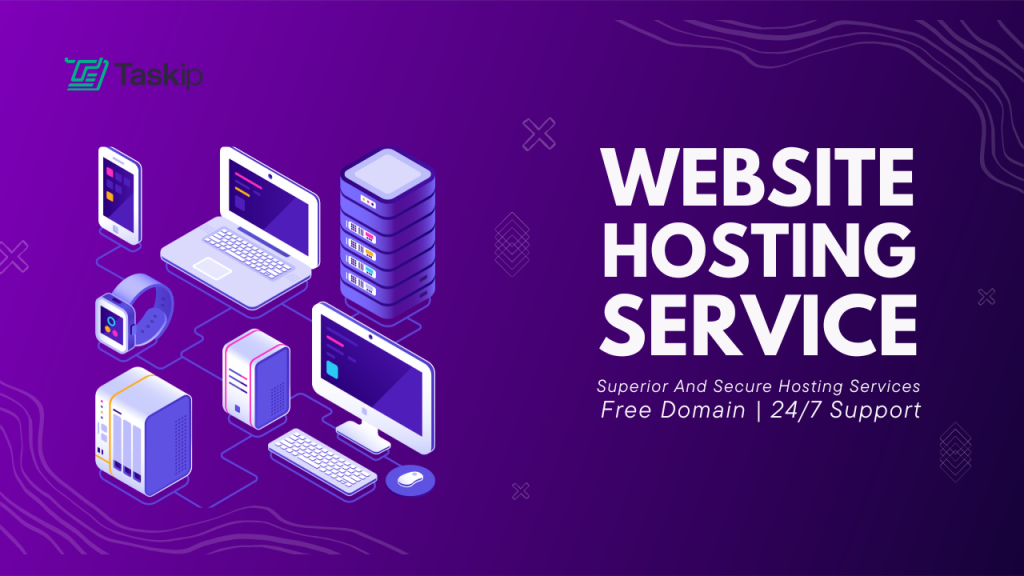
Hosting is where the website’s files live online. Reliable hosting ensures the site loads quickly and stays secure. Options include shared hosting (cheap but basic), VPS (more control), or managed WordPress hosting (user-friendly for beginners).
Providers like Bluehost, SiteGround, or HostGator offer plans starting at $3–10 per month. Look for features like SSL certificates for security, unlimited bandwidth, and 24/7 support. Agencies handling client data should prioritize hosts with strong uptime (99.9% or higher) to prevent downtime that could harm reputation.
Step 3: Select a Content Management System (CMS)
A CMS makes it easy to build and update the website for digital marketing agency without advanced coding skills. WordPress is the most popular choice for digital marketing agencies because it’s free, flexible, and has thousands of plugins for SEO, forms, and analytics. Over 40% of websites use it, including many top agencies.
Alternatives include Wix or Squarespace for drag-and-drop simplicity, though they may limit customization. For more advanced needs, Joomla or Drupal offer robust features but require more technical know-how.
Once selected, install the CMS on the hosting account. WordPress users can do this via one-click installs from most hosts. This step sets the foundation for adding pages, images, and functionality.
Step 4: Design the Website for Digital Marketing Agency Layout and Branding
Design is crucial. Visitors form opinions in seconds. Agencies should aim for a clean, modern look that reflects their brand colors, logo, and style. Use responsive design so the site works well on mobiles, as over half of web traffic comes from phones.
Start with a theme or template. WordPress offers free themes like Astra or paid ones from ThemeForest for $50–100. Customize it with the agency’s logo (created via tools like Canva if needed) and high-quality images. Key pages include:
- Home: A welcoming overview with a hero image, tagline, and call-to-action (CTA) like “Get a Free Consultation.”
- Services: Detail offerings such as SEO, PPC, social media management, and email marketing.
- Portfolio: Show case studies with before-and-after metrics to prove results.
- About Us: Introduce the team and agency story to build personal connections.
- Blog: Share tips on digital marketing to establish authority and improve SEO.
- Contact: Include forms, phone numbers, and maps for easy outreach.
Incorporate user-friendly navigation with a menu bar and search function. Test for speed using tools like Google PageSpeed Insights, aim for under 3 seconds load time by optimizing images and using caching plugins.
Step 5: Create High-Quality Content
Content is king in digital marketing, so agencies must lead by example. Write clear, engaging copy that speaks to client pain points and highlights benefits. For instance, instead of saying “We do SEO,” explain “We help your business rank higher on Google to attract more customers.”

Use keywords naturally, like “digital marketing services” or “best SEO agency,” to aid search visibility. Add visuals photos, infographics, or videos—to make pages more appealing. Tools like Unsplash provide free stock images, while Canva helps create custom graphics.
For the blog, post regularly (at least weekly) on topics like “Top SEO Trends in 2026” to drive traffic and position the agency as an expert. Ensure all content is original and error-free; use Grammarly for proofreading. It will help the website for digital marketing agency to create an authority on the industry topics.
Step 6: Optimize for Search Engines (SEO)
SEO ensures the website for digital marketing agency appears in search results when potential clients look for services. Agencies, being experts, should implement on-page SEO from the start. This includes:
- Title tags and meta descriptions: Short, keyword-rich summaries for each page.
- Header tags (H1, H2): Structure content for readability and search bots.
- Alt text for images: Describe visuals for accessibility and SEO.
- Internal and external links: Connect pages and reference credible sources.
- Mobile optimization: Google prioritizes mobile-friendly sites.
Install plugins like Yoast SEO for WordPress to guide optimizations. Also, submit the site to Google Search Console for indexing and monitoring performance. Off-page SEO, like building backlinks through guest posts, comes later but starts with a solid site foundation.
Step 7: Integrate Essential Tools and Features
To make the website for digital marketing agency functional, add integrations. Google Analytics tracks visitor behavior, helping agencies refine strategies. Contact forms via plugins like Contact Form 7 collect leads. For e-commerce elements, like selling courses, use WooCommerce.
Security is key, install firewalls and regular backups to protect the website for digital marketing agency. Email marketing tools like Mailchimp can integrate for newsletters. If the agency offers chat support, add live chat via tools like Intercom. These features turn the site into a lead-generation machine.
Step 8: Test, Launch, and Maintain the Website

Before going live, test thoroughly. Check for broken links, form functionality, and cross-browser compatibility using tools like BrowserStack. Get feedback from colleagues or beta testers. Launch by pointing the domain to the hosting and announcing on social media. Post-launch, monitor performance with analytics and update content regularly. to build a website for digital marketing agency should budget for maintenance about $100–500 per month for updates, security, and hosting.
FAQ on How to Create a Website for Your Digital Marketing Agency
What is the cost to build a digital marketing agency website?
Costs typically range from $5,000 to $50,000+, depending on complexity, custom features, and whether you use a freelancer, agency, or DIY tools like WordPress. Basic sites start lower; fully custom designs with integrations push toward the higher end. Ongoing maintenance adds $500–$2,000/year.
How long does it take to create an agency site?
Professional agency websites usually take 6–12 weeks for a standard build, including planning, design, development, and testing. Simple sites can be ready in 4–6 weeks; highly custom or complex ones may extend to 4–6 months.
What are the best SEO plugins for WordPress based Websites?
Top choices include Rank Math (feature-rich free version with schema and multi-keyword support), Yoast SEO (user-friendly with strong on-page guidance), and SEOPress (lightweight, ad-free, great for agencies with white-label options). Pair with a caching plugin like WP Rocket for speed.
How to make my digital marketing agency stand out from competitors?
Focus on interactive case studies with real metrics, unique thought leadership content, personalized UX, and strong visual storytelling. Highlight verifiable results, niche expertise, and tools like Taskip for seamless client management, showcasing efficiency that clients can experience. Clear USPs, fast loading, and bold CTAs seal the deal.




Get Summary On: