The Ultimate SuiteDash Alternatives: Top 10 Client Portal & CRM Tools in 2026
If you are among those who are looking for better SuiteDash alternatives, yes, you are just at the right place!
From now on, say no to service catalog limitations and complex client portal hassles of SuiteDash because we bought you ten better alternatives that will cover all these shortcomings that you are currently facing. Let’s dig in:
| 🔑 Key Takeaways: Top 10 SuiteDash Alternatives – SuiteDash has limitations such as a cluttered interface, a limited service catalog, and a steep learning curve. – Taskip stands out as the best alternative, offering CRM, project management, client portals, invoicing, and automation in one simple platform. – Many alternatives are not all-in-one, requiring extra tools or integrations to match SuiteDash features. Ease of use matters; platforms like Taskip provide faster onboarding and a simpler workflow compared to complex enterprise solutions. – The right SuiteDash alternative depends on your business needs, but Taskip offers the best balance of features, usability, and value. |
What Is Suitedash?
SuiteDash is a client portal software that is designed to offer a fully automated workflow for businesses and agencies. With this tool, you are getting 15+ tools for the price of one.
This platform is used by professionals of different fields, like digital agencies, marketing, legal, and financial advisors, bookkeeping, travel agencies, accounting/CPA, insurance, real estate, and many more.
It offers you CRM+ funnels. Secure billing, scheduling, task/project management, marketing option, and versatile features to streamline your business. The best feature of SuiteDash includes the following:
Key SuiteDash Features
- Automated CRM
- Easy onboarding
- Empower 24/7 client access
- Extreme white labeling
- Digital marketing
- Billing + packagaing
- Secure file sharing
- Automated LSM
Why Choose SuiteDash Alternatives? – Limitations
SuiteDash has some amazing features that stand out. But why look for an alternative? Our team has gone through several months of tests with this platform and found some limitations for which you should consider SuiteDash alternatives. The limitations we observed are as follows:
❌Limited Service Catalog
SuiteDash has limited service catalog features to showcase your services and pricing. You can use the catalog internally through invoices and proposals, but you cannot showcase it publicly. This is a crucial feature that SuiteDash lacks.
❌Cluttered Interface
SuiteDash is a one-size-fits-all platform and has versatile features. And these too many features somehow make the interference complex. For small agencies and growing businesses, these features may seem overwhelming, and thus, they face hassle in organizing their business.
❌No Built-in Real-Time Messaging
While running multiple projects, a unified messaging system is a must, just as Taskip has. This ensures you do not miss any text and keep in easy contact with the client.
Unfortunately, SuiteDash doesn’t have a dedicated messaging tool to facilitate convenient client communication. Though they have a messaging system like email, but not as effective as the messaging system of alternative platforms.
❌Email Delivery and Notification Issues
While testing SuiteDash, we noticed that sent emails often fall into clients’ spam folders. It’s not an issue to ignore. A missed email can slow down your work and result in client dissatisfaction.
❌Steep Learning Curve
Many new businesses and non-technical users often find Suitedash complex to use. It requires learning and time to go through all the delicate features. In contrast, apps like Taksip have a very basic and simple configuration that requires zero learning curve.
❌Slow, Complex White-Label Setup
SuiteDash has white-labeling features for branding; it includes a custom domain, too. But the problem is, customization is very time-consuming and doesn’t offer much flexibility. You may struggle to match the client portal to your branding.
❌Poor External Client Collaboration
SuiteDash is strong for internal operations, but external client communication and collaboration feel limited since the client portal is treated as a secondary feature.
| Why Trust Taskip’s Review on SuiteDash Alternative? Taskip is backed by a team of 20+ software experts serving 11,000+ customers worldwide. We test and evaluate available software in the market on a daily basis to understand its features and functionality. Our reviews are based on hands-on analysis of every tool we recommend, so you can confidently trust our insights and comparisons. |
Quick Comparison Table: Best 10 Suitedash Alternatives
| SL | Platforms | Best For | Client Portal | Service Catalog | White Labeling | Multi currency | Starting Pricing (Monthly) |
| 1 | Taskip | All-over client management | ✅ | ✅ | ✅ | ✅ | $12/Mo |
| 2 | Service Provider | Digital marketing & SEO agency | ✅ | ✅ | ✅ | ❌ | $129/Mo |
| 3 | ManyRequest | Service-based agencies & subscriptions | ✅ | ✅ | ✅ | ✅ | $29/m |
| 4 | Bitrix24 | Powerful AI-Integration | ✅ | ✅ | ✅ | ✅ | $ 61/m |
| 5 | HoneyBook | Freelancers & Small Service Biz | ✅ | ✅ | Partial | ✅ | $36/month |
| 6 | Accelo | Secure client collaboration | ✅ | ✅ | Partial | ✅ | Custom |
| 7 | Bonsai | Freelancers & small business ops | ✅ | ✅ | ✅ | ✅ | $15/user/month |
| 8 | Moxo | Client communication & collaboration | ✅ | ❌ | ✅ | ❌ | Custom pricing |
| 9 | Monday.com | Project Management & Teams | Partial | Partial | ❌ | ✅ | $14 seat /month |
| 10 | ClickUp | Work OS centralizing work & docs | ✅ | ❌ | ✅ | ✅ | $10 USD/month |
Top 10 SuiteDash Alternatives: Compare Features, Pricing, Pros & Cons
1. Taskip
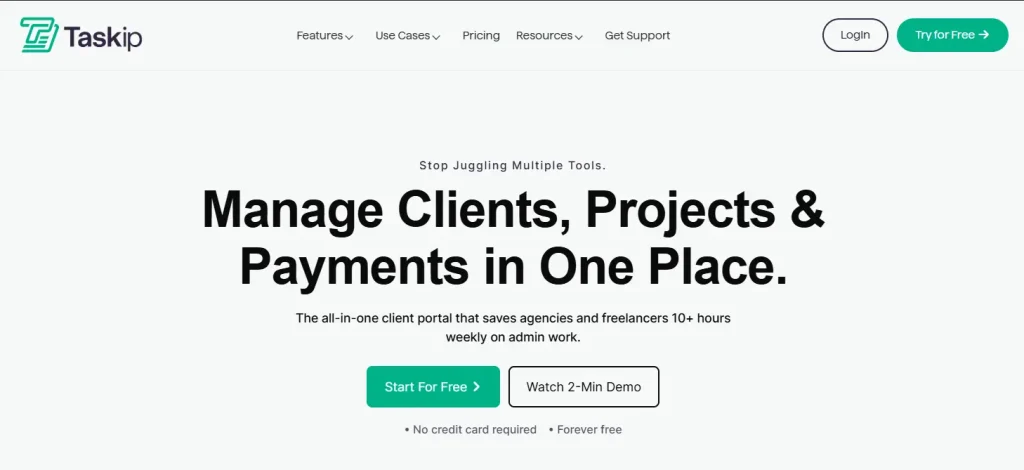
Taskip is the best SuiteDash alternative as it covers all the SuiteDash limitations. It has an easy-to-use dashboard, an extensive branding feature, a customizable client portal, and 100+ third-party integrations. These features of Taskip allow you to onboard a client 40% faster. Moreover, tracking workflow is easier with the real-time tracking feature.
The best part is that Taskip has a built-in communication system where you can get connected to your team and client within the platform. As a result, you do not need to go back and forth for a conversation. And with the enhanced third-party integration feature, you can connect your WhatsApp, Slack, and other essential tools to your Taskip.
Best Taskip Features
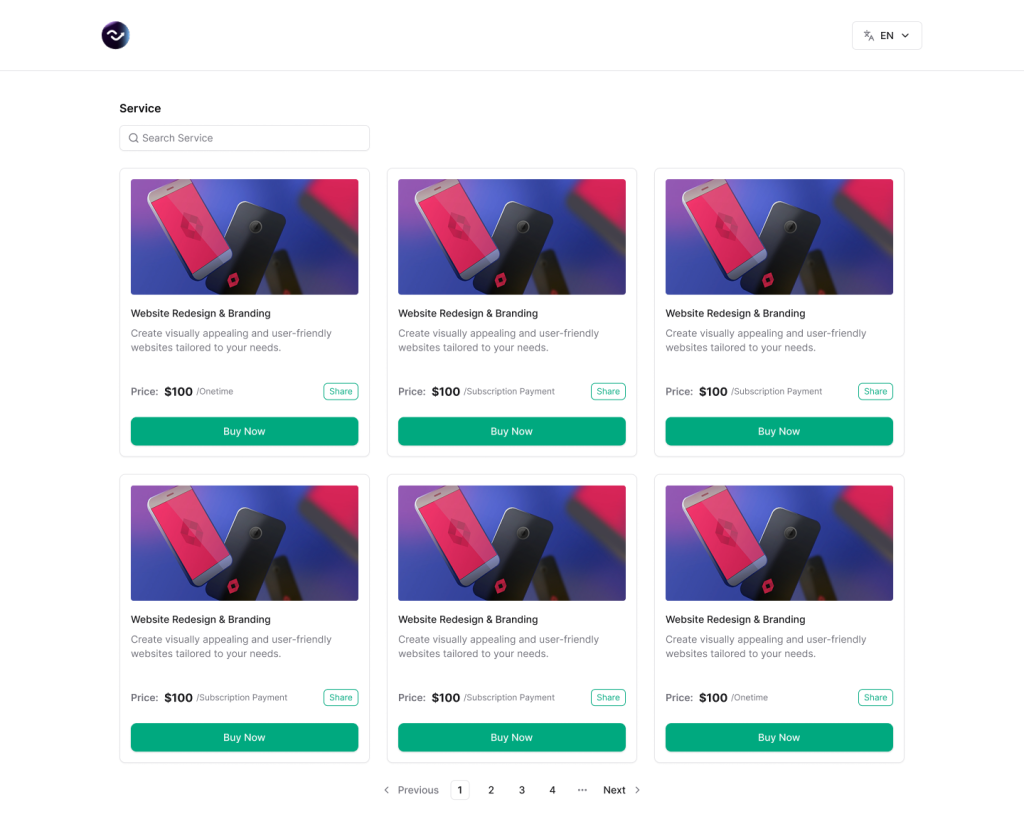
- Service Catalog: Taskip offers an exclusive service catalog creation feature. Using this, you can present your products/services in an organized and professional way, including all descriptions, pricing, and details. This feature itself stands, making Taskip a better SuiteDash alternative, as the latter lacks a service catalog.
- Lead Generation
You can quickly generate a lead to your dashboard and thus add a new potential client to your sales pipeline and start tracking their journey. Besides categorizing the leads allows you to organize clients and monitor them. To track your leads, you can add-
- Contact info of the lead
- Lead source
- Leads owner
- Last interaction
- Status
- Action
Wether you
- Extensive Client Portal
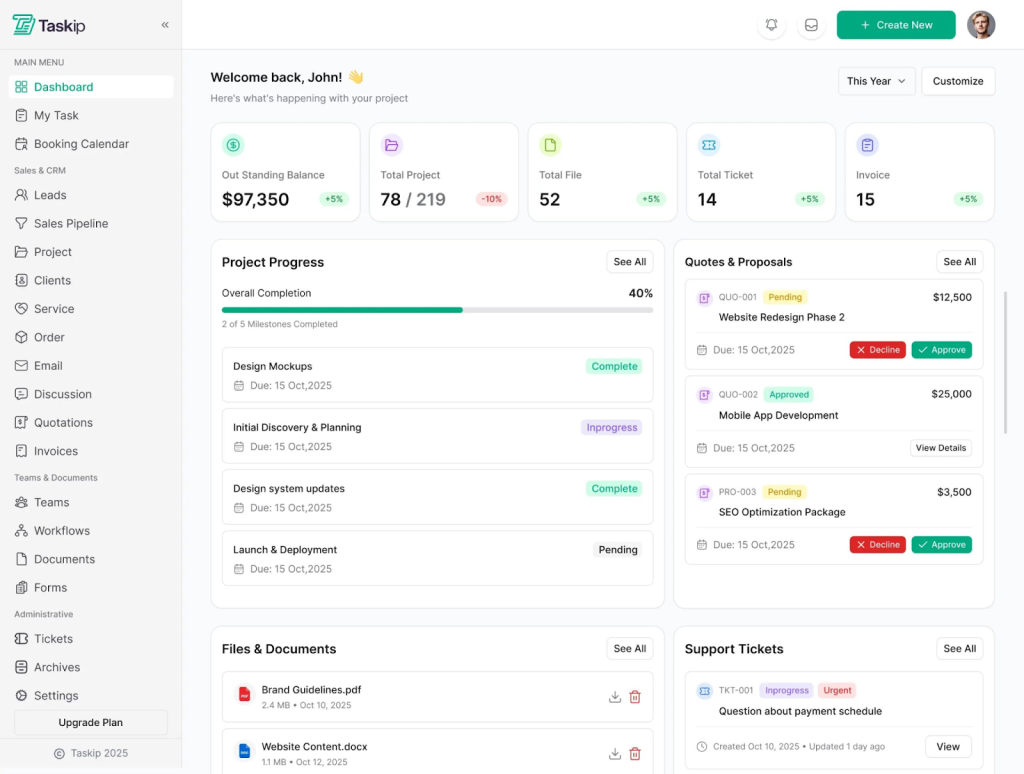
Taskip features an interactive client portal where every client will have a unique profile. This allows them to monitor the progress of their project, add comments, overview proposals, quotations, files, and documents, all in a single dashboard.
- Team Collaboration
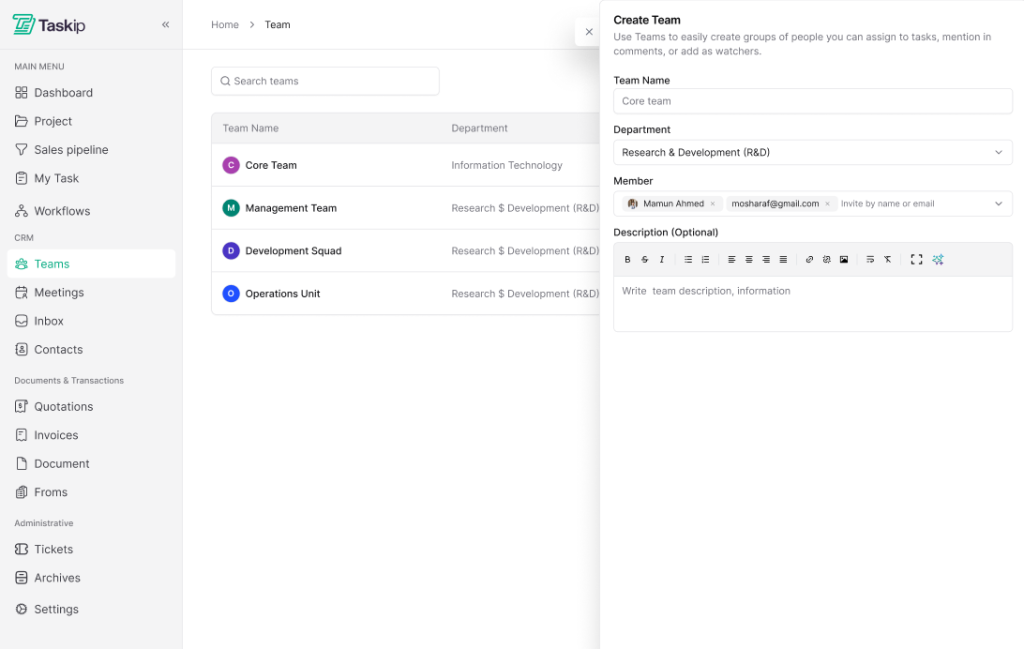
The CRM section of the menu has a sub-section ‘Team’ where you can create multiple teams, add members, assign tasks, and manage your team from the same platform. You can review which member is responsible for which task and thus sign the task accordingly. Moreover, the inbox feature allows you to conduct discussions with your team members directly from Taskip.
- Project Management & Tracking
Create a new project, add project details, set deadlines, and track its progress from the Taskip dashboard. Here you can add priority levels to your projects and tasks, and finish one by one depending on the urgency. The project flow section of Taskip offers you a view of the to-do list, in progress, review, and completed projects/tasks, all in a single page.
- Notofication
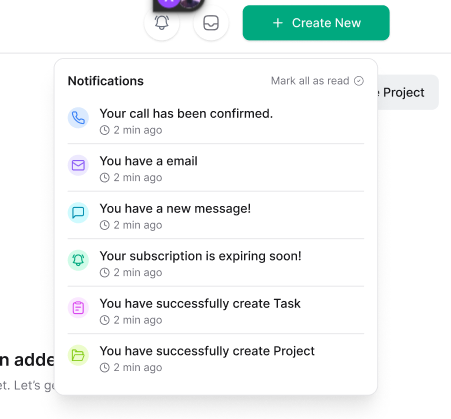
Never miss a beast with Taskip! Whether it’s a scheduled meeting, email, or a message from a client, Taskip notifies you right in the dashboard. This way, from a single platform, you can keep in touch with all your messages and schedules. Moreover, Taskip has a built-in scheduling and booking feature. This allows you to book a meeting online by adding a link to Zoom, Google Meet, or a similar platform and joining directly from the dashboard.
- Integration
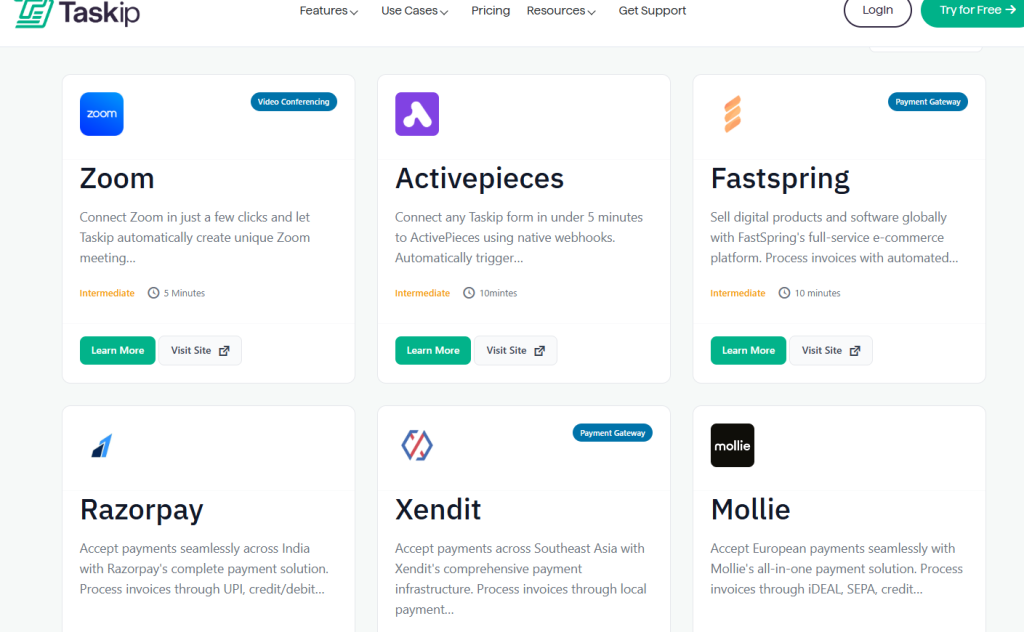
Surprisingly, Taskip supports 100+ third-party integrations! That is, you ned not worry about jumping from one tool to another while conducting any task. It brings you all the applications in a table. For example, it integrates with payment processing, you have Stripe, PayPal, Mollie, Xendit, and more. Simsilarty, you can integrate Taskip with versatile tools, including WhatsApp, Facebook, etc.
- Free Tools
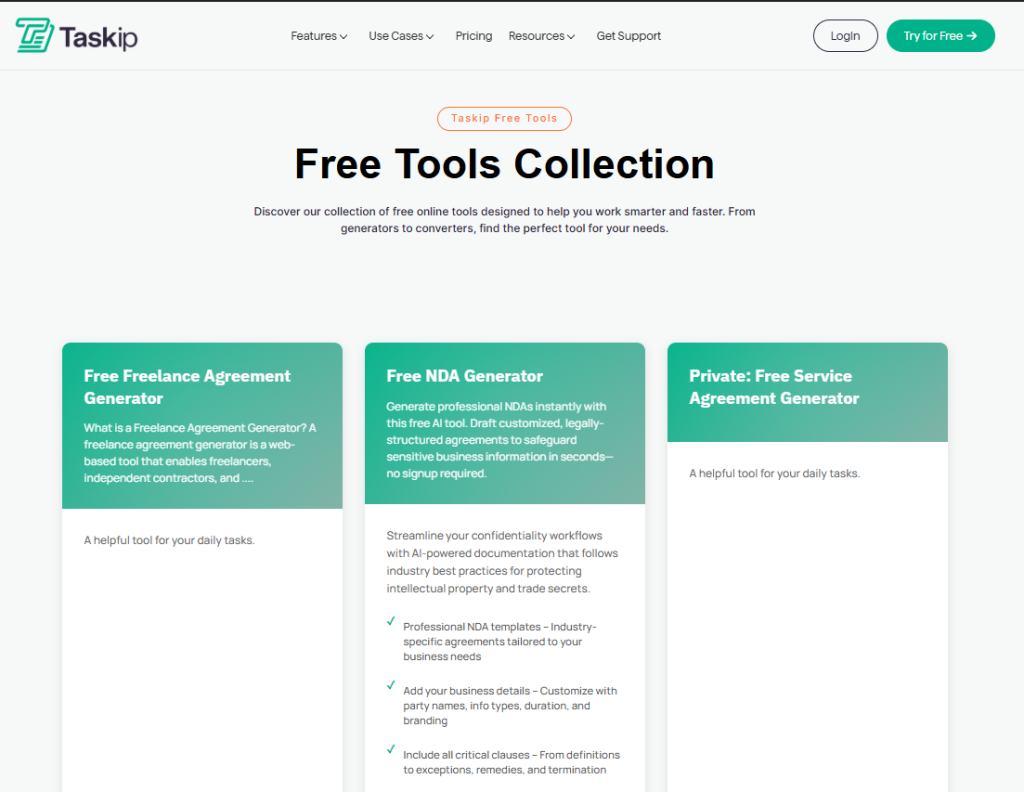
For smarter and faster working, Taskip has built-in free tools to help you out. The tools you are getting on this platform include:
- Free Freelance Agreement Generator
- Free NDA Generator
- Private: Free Service Agreement Generator
- Private: Project Change Request Template Generator
- Project Timeline & Milestone Generator
- Free Client Onboarding Checklist Generator
- Private: Freelance Rate Calculator & Justification Generator
- Private: Project Discovery Questionnaire Generator
- Free Scope of Work Generator
- Free Retainer Agreement Generator
- Free Proposal Generator
- Free Contract Generator
Pros & Cons of Taskip
| Pros | Cons |
| – Strong automation and workflow management – Built-in client portal – Service catalog – Minimal learning curve – 100+ integration Free tool – Easy setup & clean UI | – Limited offline functionality |
Taskip Pricing
Apart from the free plan, Taskip offers three paid plans. These are as follows:
| Sl. | Plan | Price | Best For |
| 1 | Professional | $12/month or $160/Lifetime | Freelancers and solo users are ready to grow their business smartly. |
| 2 | Growing Team | $29/Mo or $375/Lifetime | Built for small teams to collaborate, manage work, and scale faster. |
| 3 | Agency Unlimited | $59/Mo or $790/Lifetime | For agencies needing full control, flexibility, and advanced power. |
Why Choose Taskip as a SuiteDash Alternative?
If you want a complete project/client management solution for your agency or business, Taskip is a better SuiteDash alternative. Why? With taskip you get a customizable service catalog, which SuiteDash lacks. Besides, the internal communication is stronger in Taskip compared to SuiteDash.
The white-labeling, client portal, and integration facility of Taskip are worth praising. Moreover, if you look at the pricing, Taskip’s starter plan costs $12/month, whereas in SuiteDash it starts from $19/month, which is expensive.
Rating & User Feedback
| Platform | Rating | User Feedback |
| G2 | 4.3/5 | “As a freelance web developer, my day used to be a constant juggle between deep coding sessions and urgent client updates. Taskip has been a game-changer, streamlining my entire workflow. Now, monitoring project progress is effortless, allowing me to focus on what I do best without missing a beat. It truly feels like I’ve gained an extra set of hands to manage the administrative side of my business!” SUBRATA S. |
| Trustpilot | 3.7/5 | “Fantastic, I’m using this software last 8 month and this is awesome. Specially its invoicing system and from builder. I also like Project Management part. I love this and thanks.” – Nurul Amin |
2. Service Provider Pro
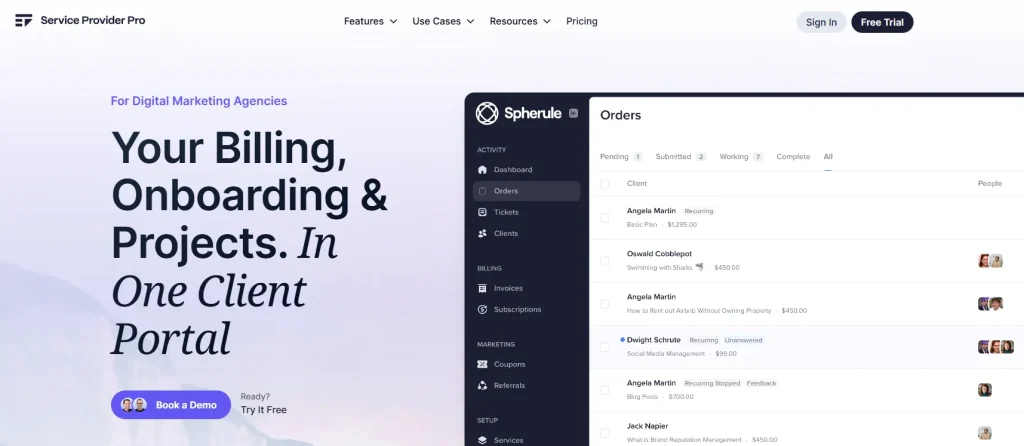
If you are running a digital agency and searching for a platform that will streamline your tasks and projects, Service Provider Pro is a better SuiteDash alternative. It has a few features that are focused on digital agency rather than focusing broder user cases as in SuiteDash. The preferred use cases of Service Provider Pro are as follows:
- SEO agency
- Content agency
- Link-building agency
- Video editing agency
- Local SEO agency
- SMM agency
Best Service Provider Pro Features
- Automated Client Portal
With Service Provider Pro, you can make a customized dashboard in minutes. From the client portal, clients can send emails directly to your inbox, check live performance update metrics, and more.
- Build Tasks and SOPs
This platform allows you to create a repeatable checklist for each service you offer, or add one-off tasks as needed.
You can add tasks that are due on a specific date or a certain time after the previous task is completed. This way, keeping updated with the task flow and automating repetitive tasks is made easier.
- Form Builder
Collecting information from customers is easy with the form builder feature of Service Provider Pro. Instead of generic forms, it provides you agency focus forms that contain dropdown, table (row/column) option, if/the option, and more.
This way, you can optimize the forms to your requirements, whether it’s an order form, onboarding form, contact form, or intake forms- Service Provider Pro covers it all.
- Analytics
With the built-in analytical tool of Service Provider Pro, you can get a report of your work progress and get real-time tracking. It covers – breaking down revenue by service, client, or coupon; tracking order completion by team member, checking teams’ response time, seeing the best client, and more.
- Referrals
Service Provider Pro has a built-in referral program that rewards clients for bringing you new business automatically. Clients get a referral link without requiring registration on another platform. And the best part is that everything is built in. You need no coding to create a referral.
Pros & Cons of Service Provider Pro
| Pros | Cons |
| – 14+ marketing tool integrations – Complete white-label branding – Mobile-optimized client access – Report analysis – Form builder | – The starter plan is too basic – No multi-currency feature – Expensive |
Service Provider Pro Pricing
| Sl. | Plan | Best For | Price | |
| Monthly | Annual | |||
| 1 | Basic | For small shops | $129per month | $99per month |
| 2 | Pro | For established agencies | $299per month | $249per month |
| 3 | Plus | For high-volume agencies | $1,500per month | $1,500per month |
Why Choose Service Provider Pro as a SuiteDash Alternative?
Service Provider Pro is built specifically for service-based businesses and agencies. It includes a clear service catalog, easy ordering system, and smooth payment setup, which SuiteDash lacks.
Moreover, its client portal and communication tools are easier to use than SuiteDash’s. This makes Service Provider Pro simpler for teams and clients to collaborate. Overall, it offers stronger service delivery features with less setup and complexity than SuiteDash.
Rating & User Feedback
| Platform | Rating | User Feedback |
| G2 | 4.4/5 | “Service Pro’s biggest strength is the ability to design an inspection based on your needs. Too many applications try to use canned inspections for multiple industries, sorry, an A/C inspectin and Generator inspection are two very different procedures. With Service Pro, I can survey my team, and we can all build an inspection that is a complete inspection.” – Chuck D. |
| Trustpilot | 4.8/5 | “The ease of use for the product and that it can be used to facilitate the complete customer lifecycle as well as ensure we don’t lose on any customer communications.” – Arzish Azam |
3. ManyRequest
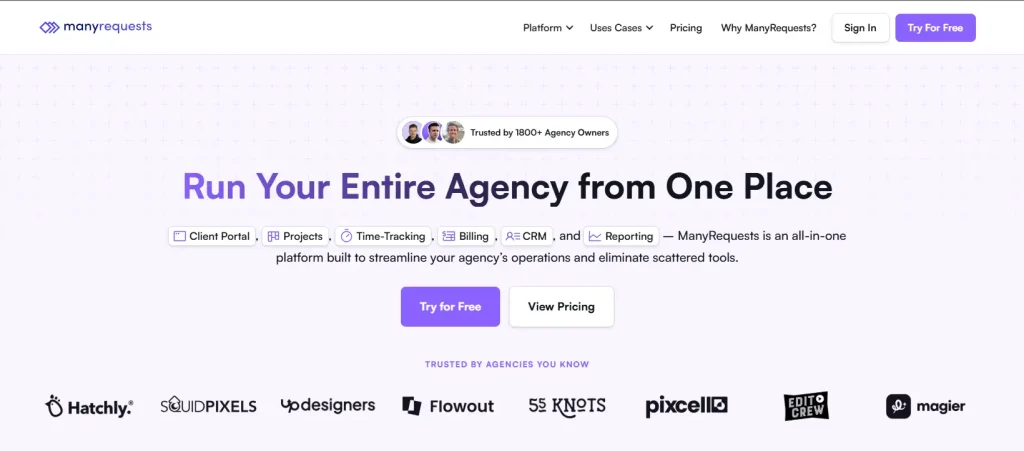
ManyRequest is a popular platform built to streamline your agency’s operations and eliminate scattered tools. It is trusted by 1800+ agencies to organize business workflows. Where SuiteDash is designed for all fields, ManyRequest is specialized in specific agency types; these are digital agencies, webflow agencies, video production agencies, and 3D design and architecture agencies.
Based on the targeted agency types, the feature of this platform focuses on selling services, onboarding clients, and managing recurring work. Compared to SuiteDash, you get clearer and more straightforward features in ManyRequest.
Best ManyRequest Features
- Time-Tracking
ManyRequest features real-time tracking. You can track time right at the working level. Besides, with real-time views of credits or hours used, you can be transparent to your clients.
- Client Portal
The client portal features a smooth client onboarding. It has branding and customization facilities; you can use your own domain, logo, and branding colors. The built-in messaging option is present right in the portal. Besides, you can share file documents right from here.
- Projects
ManyRequest allows planning, assigning, and delivering projects- all in one place. You can organize the project page to your preferred view style, like Kanban, queue, calendar, or list view. The automated features of this software make the task much easier.
- Billing
ManyRequest features automated recurring payments, branded invoices creation, and facilitates faster payments. You will get a service catalog here to present your products or services in an organized way. Moreover, it works perfectly with Stripe, facilitating quick payment processing.
- CRM
The robust CRM of ManyRequest connects to billing, time-tracking, requests, and reporting. In the client profile section, you can see projects, services, billing, messages, and notes at a glance. Here, you will also get the billing information- whether you paid the bills or not.
Pros & Cons of ManyRequest
| Pros | Cons |
| – Real-time reporting – Robust time-tracking – Integrated task management tools – Flexible Billing and Invoicing – Built-in CRM – Service catalog | – May not be ideal for complex internal workflows |
ManyRequest Pricing
| Sl. | Plan | Best For | Price | |
| Monthly | Annual | |||
| 1 | Starter | Ideal for agencies just getting started | $29/m | $19/m |
| 2 | Core | Perfect for established agencies looking to scale | $59/m | $39/m |
| 3 | Pro | Most comprehensive solution for a large business | $99/m | $79/m |
Why Choose ManyRequest as a SuiteDash Alternative?
ManyRequests is specifically built for service-based businesses, making it easier to sell, manage, and deliver services than SuiteDash’s more general platform.
It offers a clear service catalog, built-in CRM, and flexible billing and invoicing, all designed around agency workflows. Thus, the service-focused approach of ManyRequest delivers a more intuitive and purposeful experience than SuiteDash.
Rating & User Feedback
| Platform | Rating | User Feedback |
| G2 | 4.5/5 | “We have been using manyrequests for almost a year now for our client projects and its one of the best project management system and a client portal we have used so far, it has almost all the customization options we require, time tracking, checklists, ticketing and feedback from our clients, which helps us to combine everything in one place.” Sharon J. |
4. Bitrix24
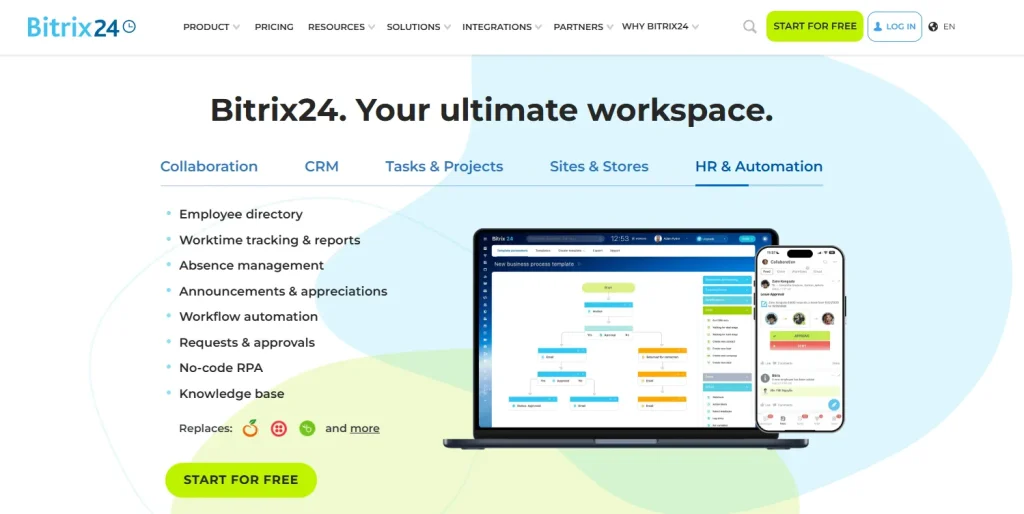
If you are looking for a SuiteDash alternative with stronger CRM, deeper project management, and a more scalable platform, go for Bitrix24. option. It claims to be 99% better than other solutions in the market. This software is used, loved, and trusted by 15,000,000+ users worldwide, and so is highly reliable.
With the full set of task and project management tools, Bitrix24 makes your business/agency run more smoothly.
Best Bitrix24 Features
- Robust CRM
The built-in CRM of Bitrix24 has automated features that send notifications to the clients via SMS or email. Besides, no matter how a client contacts you (web form, email, live chat, social media, messenger, telephony), their message will be processed in the Contact Center and automatically turned into a lead in your CRM.
The advantages the CRM brings you are as follows:
- Lead generation and turn leads into deals
- Payment receiving
- Inventory management
- Document e-signing
- Running marketing campaigns
- Increasing customer engagement
- Growing customer retention
- Tracking sales metrics and more.
- Collaboration
This platform offers you an online workspace where you can chat, use the activity feed, comment, react, attend online meetings, and share files/docs all in one place.
- Website Creation
Website building is super easy with Bitrix 24. They have free CMS, templates, housing, AI-generated images and texts, using which you can create amazing sites on your own. And the best part is that Bitrix24 is highly responsive with mobile phone allowing you to create user-friendly websites.
- HR & Automation
This feature allows you to manage employee profiles, track their performance with KPI, work reports, and supervisor reports. Besides, the Mobile HR feature allows you to chat, video call, and maintain good internal communication with your team.
- AI Assistance- CoPilot
The AI assistance turns call audio into text and creates a call summary. Besties its powerful AI Generates website copy, images, prompts, and translations on demand.
Pros & Cons of Bitrix24
| Pros | Cons |
| – Advanced task & project management – Strong automation and workflows – AI CoPilot across CRM, tasks, and communication – Strong automation and workflows – Generous free plan | – The interface can feel complex for new users. – Steeper learning curve |
Bitrix24 Pricing
Bitrix has four pricing plans to offer in monthly and annual packages. Purchasing annual-based plans can save you up to 35%!
| Sl. | Plan | Price | |
| Monthly | Annual | ||
| 1 | Basic | US$ 61/m | US$ 46/m |
| 2 | Standard | US$ 124/m | US$ 87/m |
| 3 | Professional | US$ 249/m | US$ 175/m |
| 4 | Enterprise | US$ 499/m | US$ 325/m |
Why Choose Bitrix24 as a SuiteDash Alternative?
With Bitrix24, you get a more advanced CRM and built-in communication system that includes chat, video call, audio call, and more. Besides, it has powerful AI integration, CoPilot that offers max automation, making your task easier.
Therefore, if you prefer better CRM and advanced communication features, Bitrix24 is undoubtedly a better SuiteDash alternative.
Rating & User Feedback
| Platform | Rating | User Feedback |
| G2 | 4.1/5 | “Everything I need is conveniently located in one place—CRM, tasks, chats, calls, and files are all accessible from a single platform. I no longer have to switch between different apps, which makes my work both faster and more organized. Additionally, the free plan offers a wide range of tools.” Adil K. |
| Trustpilot | 2.5/5 | “i tried many crm i think Bitrix24 is good for free or low budget all you need for a small business.” enes |
5. HoneyBook

HoneyBook is an all-in-one client management platform that handles the business end for you so you can focus on your creativity, craft, and living the life you earned. This software is built for events, marketing, home, real estate, design & creative, professional, and personal services.
Compared to SuiteDash, HoneyBook has stronger proposal & payment tools. You will find a featured template to create invoices, proposals, and contacts. Moreover, the extended resources of HoneyBook offer you greater learning to boost revenue and explore marketplaces with confidence.
Best HoneyBook Features
- Interactive CRM Tools
The CRM tool of HoneyBook allows you to create a seamless workspace where you can generate leads, connect with clients, craft proposals, and get data-driven insights. The best feature of HoneyBook includes the following:
- Create lead forms
- Prioritize leads with AI
- Send questionnaires
- Connect client-facing files
- Craft impressive proposals
- Get data-driven insights
- Proposal & Invoicing
You can create a personalized proposal, gather information, offer packages, and share your story from HoneyBook.
- Payment
Auto payment reminder is an excellent feature of HoneyBook. Besides, it makes time payment tracking possible with this software. To ensure secure payment, HoneyBook has built-in fund monitoring. So, all your transaction is montoired.
- HoneyBook AI
If you need any insight, just ask the built-in AI, and you will get all your answers. With the AI feature, you can enrich leads, gain follow-up suggestions, and createan AI-assisted file.
Pros & Cons of HoneyBook
| Pros | Cons |
| – Payment & scheduling too – Advanced AI-integration – Easy-to-use scheduling – Featured templates – Automated workflows | – May not be ideal for large teams |
HoneyBook Pricing
With an annual package, you can save up to 18%!
| Sl. | Plan | Price | |
| Monthly | Annual | ||
| 1 | Starter | $36/month | $29/month |
| 2 | Essentials | $59/month | $49/month |
| 3 | Premium | $129/month | $109/month |
Why Choose HoneyBook as a SuiteDash Alternative?
If you are looking for alternatives to SuiteDash, HoneyBook is a great option to go for. It has a simple interference that combines CRM, proposals, contracts, scheduling, and payments in one place without the complexity of a full business suite like SuiteDash.
Therefore, if you are a solopreneur, freelancer, or have a small team, HoneyBook can be the best SuiteDash alternative.
Rating & User Feedback
| Platform | Rating | User Feedback |
| G2 | 4.4/5 | “I like the ease of booking and integrating/implementing the forms into my website. Customer support I haven’t dealt with personal, but others have had great things to say. I use Honeybook DAILY to run my business and the features.” Brookelyn W. |
| Trustpilot | 3.4/5 | “Hits the spot, I’ve been looking for a crm solution for my business type for years and have always settling. Finally found the one, with confidence!” j.kitchka |
HoneyBook offers a streamlined experience for creative professionals and freelancers. See how it compares to other tools in our HoneyBook alternatives breakdown.
6. Accelo
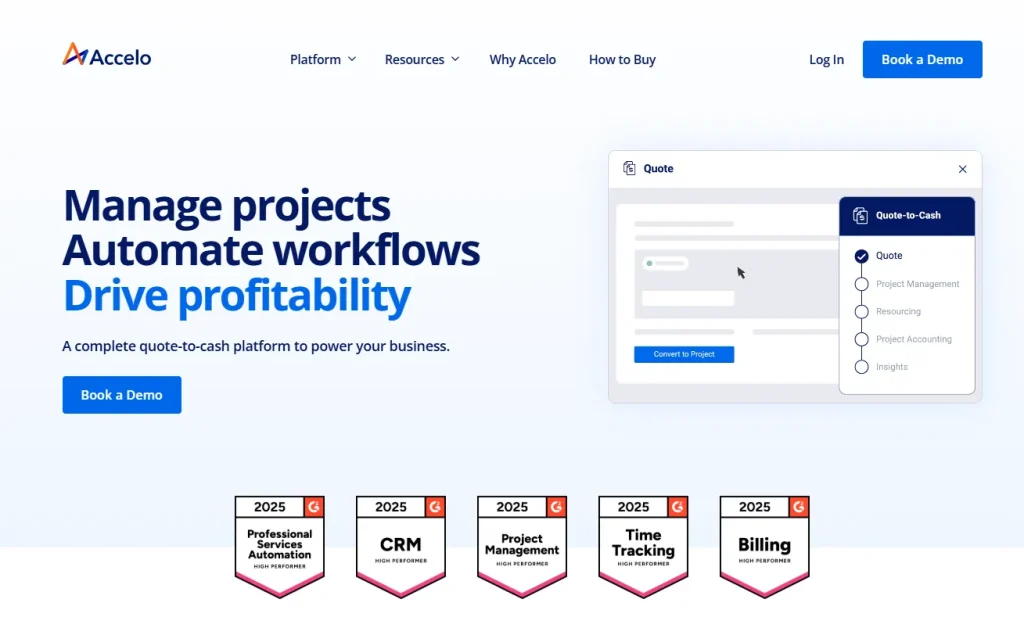
Compared to SuiteDash, Accelo offers stronger professional services automation (PSA). It has built-in time tracking, project delivery, billing, and client lifecycle management. Accelo focuses on maximizing efficiency and profit-boosting to run your business smoothly.
Best Accelo Features
- Organized Client Management
Client management is super convenient with Accelo as it offers a 360-degree view of client updates. You can get a real-time view of sales, projects, tickets, and client-level profitability with a CRM for professional services. Moreover, it automates the quote-to-project handover process seamlessly.
- Smarter Project Management
With Accelo, you can track your project and forecast outcomes. It has auto-sync project features and offers time tracking via timer, sheet, and Kanban board. This way, you can accelerate your process and focus more on service quality.
- Finance Handling
Identify time-based profitability trends with this application. Besides, optimizing invoices, billing, retainers, and payment processing is easy with Accelo.
- Flexible Resource Management
Allocating resources across projects is easy with this application. View a live heat map of team availability, adjust for tentative work, PTO, and utilization, optimize billable hours across your teams, and thus maximize productivity with balanced workloads with Accelo.
- Accessible Integration
You can connect your favorite tool with Accelo and streamline your work process. That is, you can sync your Gmail or Microsoft 365 email and calendar events effortlessly on the same page. And this way, this application keeps your team organized.
Pros & Cons of Accelo
| Pros | Cons |
| – User-friendly interface – Real-time project tracking – Automatic workflow – Smooth onboarding – Customizable | – Steep learning curve – No mobile apps |
Accelo Pricing
You are getting three plans with Accelo. However, the pricing is not mentioned publicly. You need to request a quote. The three plans are as follows:
- Professional
- Business
- Advanced
Why Choose Accelo as a SuiteDash Alternative?
Accelo is a better choice than SuiteDash because it’s built for end-to-end professional services automation. This platform offers stronger project delivery, time tracking, billing, and client lifecycle management. Therefore, choosing Accelo over SuiteDash would be a good alternative to switch to.
Rating & User Feedback
| Platform | Rating | User Feedback |
| G2 | 4.4/5 | “This tool is highly automated thus reduces time wastage in manual tasks doing repetitive tasks thus reducing time wastage and errors. It has great integration capabilities with other platforms hence promoting highly streamlined workflow that has seen great productivity in the company. The dashboard reporting and analytics in this tool is also on top notch.” Wang F. |
| Trustpilot | 2.9/5 | “Accelo simplified everything for our agency – since getting started, we’ve never looked back. It streamlines so much for our team, and gives us the insight we need to make good decisions.” Ryan Draving |
7. Bonsai
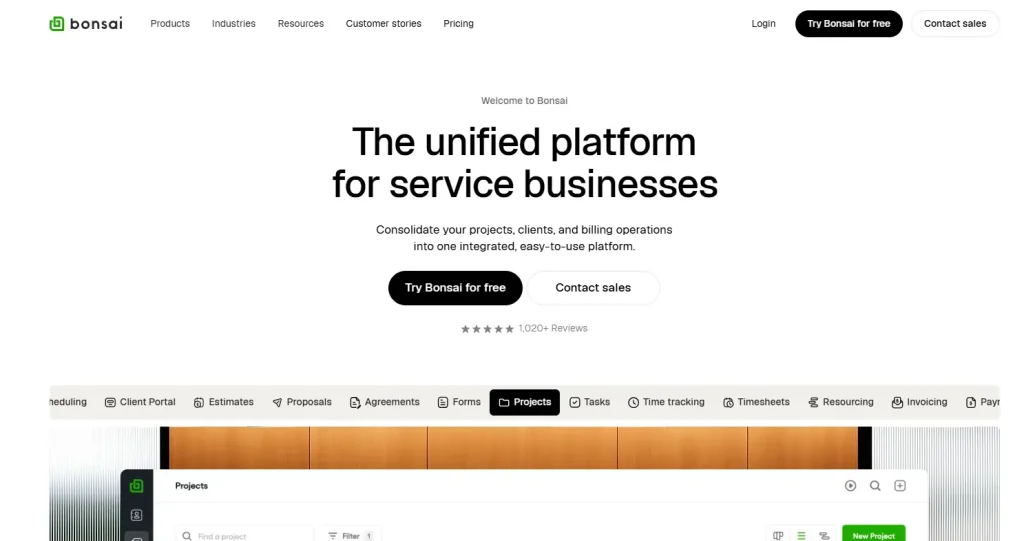
Bonsai is designed for small businesses and freelancers. It has a simple interface compared to SuiteDash, which has more complex features. The clear dashboard of Bonsai helps you to navigate from one option to another with ease. Moreover, the estimate option allows you to get a prediction of your business progress or financial status.
Best Bonsai Features
- Unified Client Managemnet
With Bonsai, you get the option to store all client and vendor information in one place. Moreover, there is an option to organize them with color-coded tags, custom fields, and quick filters.
- Sales Pipeline
This SuiteDash alternative offers you customizable deal stages; you can drag and drop deals that match your unique sales process.
- White Labeling
With Bonsai, you can customize your website by displaying your logo, brand colors, and custom domain on all scheduling pages. This feature allows you to maintain a consistent professional brand experience.
- Time-Tracking
For project management, Bonsai offers some advanced features to stand out. With time-tracking, you can start/stop timers for real-time tracking. Besides, you can measure the time you spend on an individual task.
Pros & Cons of Bonsai
| Pros | Cons |
| – Long-list features covering all aspects of project management – Built-in proposals, contracts & e-signatures – Easy invoicing and payment tracking – Time tracking tied to billing – Good for small teams and solopreneurs | – Less robust resource planning than Productive.io |
Bonsai Pricing
| Sl. | Plan | Price | |
| Monthly | Annual Package | ||
| 1 | Basic | $15/user/month | $9/user/month |
| 2 | Essentials | $25/user/month | $19/user/month |
| 3 | Premium | $39/user/month | $29/user/month |
| 4 | Elite | $59/user/month | $49/user/month |
Why Choose Bonsai as a SuiteDash Alternative?
Choose Bonsai because it’s designed specifically for freelancers and small service businesses, making proposals, contracts, time tracking, and invoicing simple and streamlined. Unlike SuiteDash, which can be more complex and less focused on these core service workflows.
Rating & User Feedback
| Platform | Rating | User Feedback |
| G2 | 4.3/5 | “It’s incredible to send contracts, proposals, invoices, and forms to clients all in the same platform. I love that Bonsai is a one-stop shop for freelancers and small businesses. I use Bonsai almost every day for my business. Their support team is very helpful and quick to respond to any issues I may have encountered.” Chelise B. |
| Trustpilot | 4.1/5 | “Timely response to my questions and went the extra distance to provide insight into future product enhancements.” Support Digital Clicks |
8. Moxo
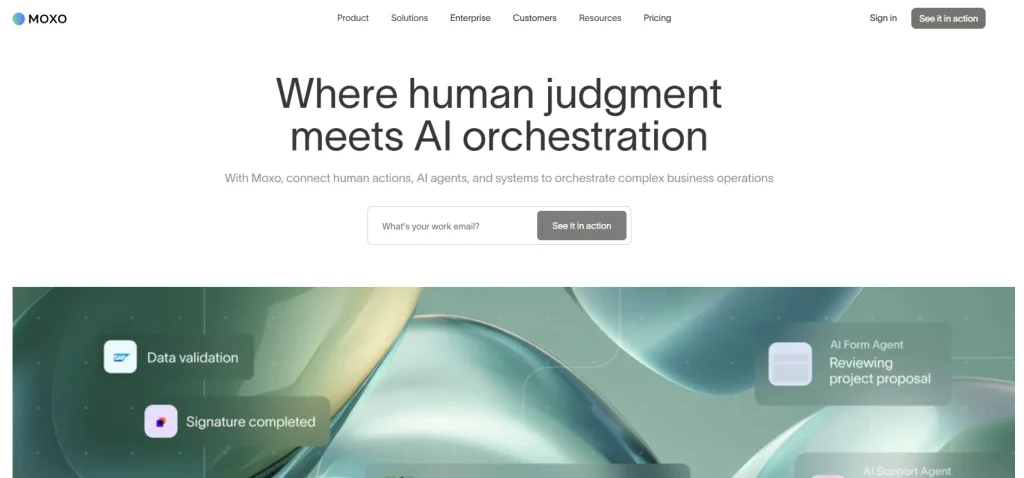
Moxo is built for a large company that deals with multiple clients and heavy workflow. It offers a strong client portal with real-time communication, task management, and secure file sharing.
If you have a large team to handle, Moxo comes with better support for client interaction and workflow tracking compared to SuiteDash.
Best Moxo Features
- Seamless Onboarding
Moxo offers branding for the client portal. It has a built-in drag-and-drop form builder feature where you can collect client information in minutes. Additional features like file requests, tasks, approvals, acknowledgements, and third-party objects make onboarding easier.
- Visual Workflow
Visual workflow of Moxo requires no coding. Based on user actions, system events, or time-based rules, workflows are created automatically. Besides, you can create a template and use it again and again for future use.
- Moxo AI
Moxo AI brings automation, assistance, and amplification all in a table. Such AI integration summarizes drafts, surfaces insights, assembles context, and provides real-time support, so every participant knows exactly what to do next.
- Integrations
Moxo supports seamless data sync with CRMs and other systems of record. You can trigger business actions and automations across third-party apps directly from Moxo workflows. For advanced needs, Moxo also offers custom integrations using APIs, webhooks, or tools like Zapier to push and pull data automatically.
- Document Collection
Moxo makes document collection simple and secure. Clients can upload required files directly through the client portal. Besides, teams can request, track, and manage documents in one place, which eliminates email follow-ups and scattered files.
Pros & Cons of Moxo
| Pros | Cons |
| – Strong client portal and collaboration – Seamless onboarding workflows – AI-powered workflow automation – Bank-grade security – Secure document collection | – Higher pricing for advanced features |
Moxo Pricing
Moxo has three plans:
- Business
- Business Pro
- Enterprise
Advanced features are added as you upgrade to high tiers. However, pricing of these plans is not provided on the website. You need to contact them to get a quote.
Why Choose Moxo as a SuiteDash Alternative?
Moxo has robust AI features that outstand SuiteDash. With Moxo AI assistance, you can keep your team excels, organized, and efficient. On the other hand, seamless onboarding and strong integration options of this platform ensure data flows smoothly between tools.
Therefore, compared to SuiteDash, Moxo offers a more intuitive experience for both teams and clients. This is what makes Moxo a great choice for service-focused businesses.
Rating & User Feedback
| Platform | Rating | User Feedback |
| G2 | 4.5/5 | “I appreciate the enhanced client experience and the user-friendly design. Being able to customize forms and notifications for our clients has been extremely valuable for our team. Additionally, the customer support team has been very responsive and a reliable resource whenever I need assistance.” Verified User in Food Production |
| Capterra | 4.1/5 | “Moxo has been so helpful in streamlining our client communications and correspondence. We love being able to communicate with them in one designated location (vs text message, WhatsApp, etc) and share files back and forth. It’s nice to have workspaces for each client as well. We are so grateful for the ongoing support we receive from [sensitive content hidden]. She has been invaluable in our success with the Moxo platform.” – Gabi K. |
9. Monday.com
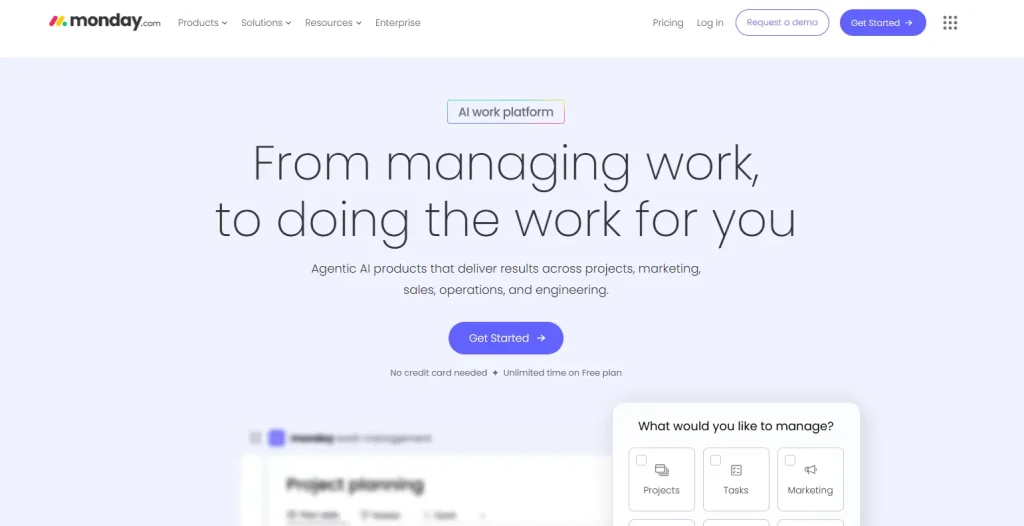
Monday.com stands out against SuiteDash for its flexible project management, custom workflows, and visual planning tools. This offers you high automation; you can automate the full customer journey with AI and drive projects and processes forward with AI insights.
Best Monday.com Features
- Extensive Feature List
Monday.com has five product categories to offer. These include-
- Monday work management
- Monday CRM
- Monday Dev
- Monday campaign
- Monday service
All these products cover all type of industries that requires a client or project management software.
- Project Management
With the Monday work management system, you get real-time insight into your work progress. Managing portfolio, resource, goal & strategy, request, and approval is easy with Monday.com.
- Integration
Monday.com supports over 200+ app integrations, including Slack, Gmail, Microsoft Teams, GitLab, Mailchimp, Excel, Outlook, and DocuSign.
- Automation
With monday.com, you get code-free automations. Sending notifications, date reminders, auto-assign tasks, task creation, etc., can be easily automated.
Pros & Cons of Monday.com
| Pros | Cons |
| – Gain real-time insights – High-level overviews – 50+ widgets & apps – Basic & advanced reporting – Real-time tracking | – Can feel complex for new users – Limited built-in client portal |
Monday.com Pricing
| Sl. | Plan | Price | |
| Monthly | Annual | ||
| 1 | Free | $0free forever | $0free forever |
| 2 | Standard | $14 seat /month | $12 seat /month |
| 3 | Pro | $24 seat /month | $19 seat /month |
| 4 | Enterprise | Ask For Price | Ask For Price |
Why Choose Monday.com as a SuiteDash Alternative?
While SuiteDash focuses on client portals and business automation, monday.com excels at organizing teams, tasks, and complex workflows. This makes it a stronger choice for teams that need collaboration, scalability, and customizable work hubs without sacrificing simplicity.
Rating & User Feedback
| Platform | Rating | User Feedback |
| G2 | 4.7/5 | “I love it’s ease of use. Once I was able to get everything set up and customized to my specific needs, being able to use it moving forward was extremely simple. I love using the software for a “brain dump”. When I have an idea, I no longer have to email myself notes or — goodness forbid — turn to sticky notes! Monday has become a major part of my business operations. Whenever I have needed support, Monday’s team has been quick to respond.” Jen S. |
| Trustpilot | 2.9/5 | “I have been using Monday for couple of months now. I started with the free trial and I have been happy with it ever since. The tools are super easy to use and mostly how smoothly my team integrate and work together. It is a bit expensive but hey, nothing comes close to Monday when it comes to managing projects. And they always keep on updating the features.” – Yosef |
10. ClickUp
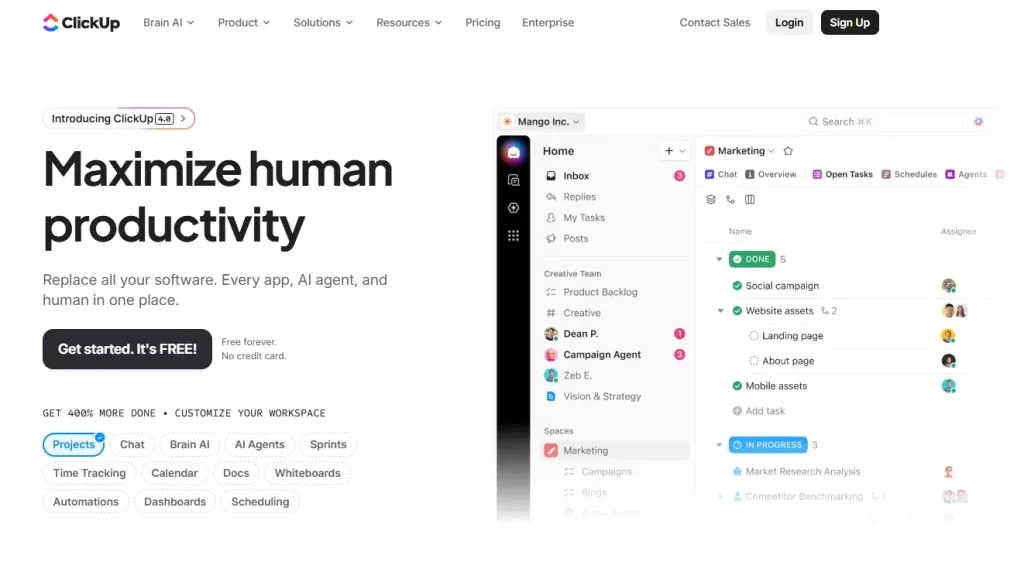
ClickUp has a proven record where organizations saved 92,400 hours by reducing manual work. Over three years, Clickup has delivered 384% ROI and is trusted by 10 million+ teams. If you want a reliable and better centralized project management solution, ClickUp is definitely a better alternative to SuiteDash.
Best ClickUp Features
- Easy Communication
From the dashboard, you can send a direct message to your client or teammate. And the best thing is, you can turn any comment or request into a task. It has voice and calling options, push notifications, activity feed, and a lot more.
- Forms and Doc Sharing
You don’t need to go back and forth to share documents or files. You can connect your docs to workflow, keep files organized with Docs hub, and securely share with everyone within the team or client.
- Sales/CRM
Boosting your sales process is possible with ClickUp’s Sales & CRM templates. Using these templates, you can track leads, nurture relationships, and close deals with tools designed for sales success. This way, it reduces manual labour and automates the process.
- Marketing
ClickUp brings all you need for your marketing team. Here you can generate campaign ideas, content briefs, blogs, case studies, emails, and more with expert-crafted AI tools. This makes your marketing effortless.
- Brain AI
ClickUp brings to you the AI platforms to make your tasks easier. AI features like- talk to text, notetaker, enterprise search, etc., save you time and automate tasks.
Pros & Cons of ClickUp
| Pros | Cons |
| – Customizable task/project views – Built-in time tracking and goal management – Wide range of integrations – Robust automation and workflow options | – The interface sometimes feels cluttered |
ClickUp Pricing
| Sl. | Plan | Price | |
| Monthly | Annual Package | ||
| 1 | Free Forever | Free | Free |
| 2 | Unlimited | $10 USD/month | $7 USD/month |
| 3 | Business | $19 USD/month | $12 USD/month |
| 4 | Enterprise | Flexible pricing | Flexible pricing |
Why Choose ClickUp as a SuiteDash Alternative?
ClickUp is a powerful all-in-one work management platform that offers advanced task and project tracking, customizable workflows, and robust team collaboration. Compared to SuiteDash, ClickUp is a great choice for businesses that need scalable work and project management alongside client engagement features.
Rating & User Feedback
| Platform | Rating | User Feedback |
| G2 | 4.7/5 | “The Dashboards and UI look modern, clean, and inviting to use. Once set up, it’s intuitive for Admins and regular users alike.” Jonathan C. |
| Trustpilot | 3.5/5 | “ClickUp keeps my projects dancing! It’s fast, flexible, and helps me turn chaos into clarity. Less stress, more productivity – love it!” Stanislav Lunák |
Features to Consider To Pick The Right Suitedash Alternatives
Extended Service Catalog Features: When finding a SuiteDash alternative, look for one that has extended service catalog facilities. This will allow you to share your product and pricing with clients externally, easing the communication and service provision.
Task Management & Project: The SuiteDash alternative you choose should have automated task and project management features. Look for ones that can create leads and have integrated AI to generate results faster.
White Labeling: This feature will allow branding, thus each client gets a customized branding. You can add your logo, brand color, and more.
App Integration: To centralize your tasks, app integration is a must. The more apps your SuiteDash alternative supports, the more apps you can handle from the dashboard.
Invoicing, Quotation, & Payment: Look for an alternative to SuiteDash that can create invoices, quotations, and proposals. This saves you a lot of time. Moreover, integration with payment processors like PayPal, Stripe, etc. Further streamlines your payment process.
Which SuiteDash Alternative is Right for You?
After analysing the top ten SuiteDash alternatives, we found Taskipto be the best solution for you. It covers all the shortcomings that you are dealing with using SuiteDash. But why Taskip over other alternatives?
- Service Provider Vs. Taskip: Taskip offers deeper project management, collaboration, and automation, not just basic service listings or client interfacing that the Service Provider does.
- Bitrix24 Vs. Taskip: This tool is powerful but complex and harder to navigate; Taskip keeps features simpler and more intuitive for service businesses without overwhelming setup.
- HoneyBook Vs. Taskip: It is great for creatives and contractors, but Taskip adds deeper project and team management alongside billing and automations.
- Monday.com Vs. Taskip: It excels at task boards, but needs extra integrations for CRM or billing. Taskip provides these core business tools built in.
- Accelo Vs. Taskip: Accelo targets larger service operations with more complex setups; Taskip offers a simpler, more cohesive workflow that’s easier to adopt for small teams/agencies.
- Bonsai Vs. Taskip: It is freelance-focused with contracts and finances, but Taskip adds real client collaboration, team task management, and automation beyond contracts/invoicing.
- ClickUp Vs. Taskip: This tool is a powerful project management tool, but lacks native client portals and invoicing. Taskip blends both internal productivity and client-facing features in one platform.
Closing: Best SuiteDash Alternative
Whether you are tired of a limited service catalog or need more practical internal/external communication within the platform, the above top ten SuiteDash alternatives will cover you. For instance, ClickUp is a greate for powerful task and project management, Bonsai for freelancers and solopreneurs, and Moxo for client communication.
However, if you want an overall better SuiteDash alternative, Taskip is undoubtedly your go-to choice. Besides automation, lead generation, and powerful CRM, it integrates with 100+ apps. From task/client management to payment processing, Taskip handles all for you. So why wait anymore? Get a Taskip plan right now to streamline your business or agency!
FAQs on Best SuiteDash Alternative
Why do businesses look for a SuiteDash alternative?
Many users find SuiteDash complex to set up, difficult to customize, or overwhelming for day-to-day use, especially for small teams and agencies.
Is Taskip a good replacement for SuiteDash?
Yes. Taskip offers the same core features as SuiteDash: client portals, CRM, project management, invoicing, and automation. However, it has a simpler interface and faster onboarding, making Taskip a better SuiteDash alternative.
How does Taskip compare to HoneyBook or Bonsai?
HoneyBook and Bonsai are strong for contracts and payments, but Taskip goes further by adding project management, client portals, CRM, and automation, making it more complete for service-based businesses.
Is Taskip affordable compared to other SuiteDash alternatives?
Yes, Taskip is quite affordable compared to other SuiteDash alternatives. Its starting price is only $12/month, whereas other SuiteDash alternatives’ pricing may range from from $19 to $129+ per month.


Get Summary On: