Design Strategy & Execution Scope of Work Template
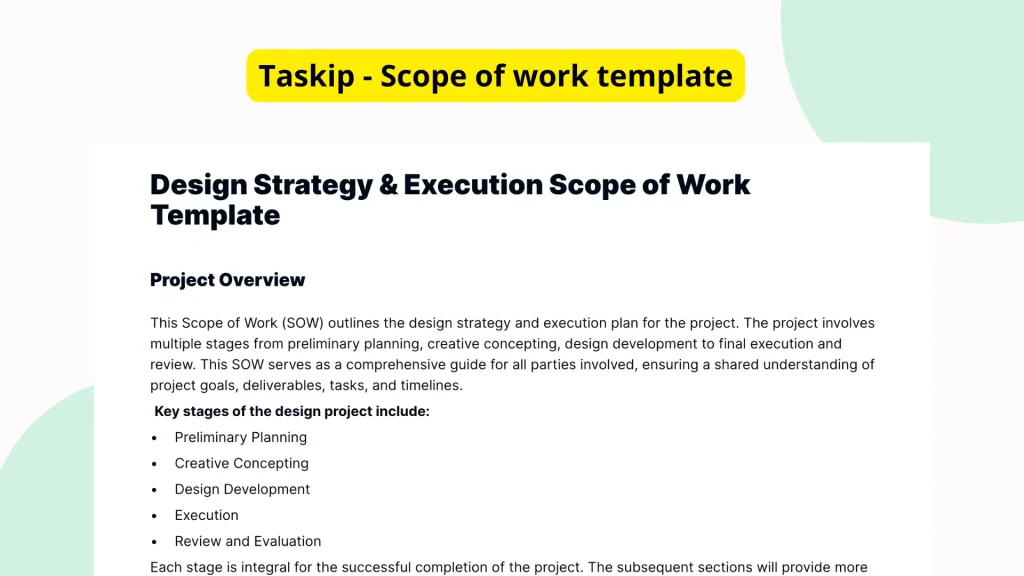
When managing a design project, setting expectations and defining the scope is essential to its success. Having a reliable template ensures that every important aspect, from goals to timelines and responsibilities, is crystal clear. The Design Strategy & Execution Scope of Work Template offers an organized foundation to help professionals structure and communicate their project scope effectively, even though the provided version contains only a basic structure with minimal content.
What is the Design Strategy & Execution Scope of Work Template?
The Design Strategy & Execution Scope of Work Template is a strategic document intended to define and communicate the goals, deliverables, milestones, and responsibilities for a design project. Its primary function is to act as a blueprint for planning and executing design initiatives. Although the current version of the template lacks specific guidance or text, it serves as a foundational structure where users can input custom information relevant to their design activities.
Why You Should Use This Design Strategy & Execution Scope of Work Template
Using this design strategy template removes guesswork from managing design projects. With an outlined space for defining strategic intentions and execution details, teams can more easily maintain alignment from start to finish. This template reduces misunderstandings by clearly defining expectations around responsibilities and deliverables. It also accelerates project initiation since users aren’t starting from a blank page and can fill in high-value, customized information instead. Furthermore, the template provides a consistent format that contributes to professional communication with stakeholders and clients.
Who Should Use This Template
This template benefits a wide range of users involved in design workflows. Freelancers can use it to define project terms with clients more clearly. Design agencies and creative teams can implement it to align internal stakeholders and external contributors. Project managers and team leads can also use the template to ensure everyone remains on the same page, managing expectations regarding timelines and deliverables.
What’s Inside the Template
Although the current version of the template does not contain fully written text or detailed lists, it likely includes structural placeholders that guide users to define the following:
- Project Goals: A section for outlining what the design project aims to achieve
- Deliverables: A space for listing what items will be produced as part of the engagement
- Timelines/Milestones: An area to indicate deadlines, stages, or key dates
- Responsibilities: Structuring who is accountable for various project components
These structural headers help ensure projects begin with a thorough plan in place, even if users need to populate the fields themselves.
Real-Life Example of Use Case
Imagine a freelance UX designer hired to revamp a client’s website. Before kicking off the work, they want a clear outline of what’s expected. By using the Design Strategy & Execution Scope of Work Template, the designer inserts the client’s business goals, agrees on deliverables such as wireframes, prototypes, and final visuals, and records a realistic timeline. The responsibilities for both the client (e.g., content supply, feedback) and designer (e.g., visual concept development, revisions) are clearly defined. With everything documented in one place, both parties have clarity and confidence, reducing the risk of scope creep or miscommunication.
Benefits of Using This Template with Taskip
When you use the Design Strategy & Execution Scope of Work Template through Taskip, you unlock even more value. Taskip’s intuitive platform enables fast editing, which allows you to populate or modify the template in minutes. With built-in collaboration tools, you can easily share drafts with clients or team members for review. You can reuse the same template across multiple projects, ensuring consistency and saving time. Moreover, Taskip’s features like digital signature support streamline approvals, helping projects progress smoother and faster.
Why This Template Stands Out
This template stands out because it provides a ready-made framework for encapsulating project details accurately and professionally. Compared to building a scope document from scratch or relying on generic one-size-fits-all forms, this structure allows users to tailor inputs to their actual project without wasting time figuring out where to place critical information. It offers just enough guidance without being restrictive, making it suitable for a wide variety of design tasks and agency workflows.
How to Use This Template
- Go to the Taskip Templates section
- Click on “Use Template”
- Add or edit the template fields as needed
- Customize and send it to your client or team
Start Your Design Strategy & Execution Scope of Work Template Project the Right Way
Kick off your next design project with structure and clarity. By using Taskip’s Design Strategy & Execution Scope of Work Template, you’ll spend less time setting things up and more time creating impactful designs. Define your goals, map your execution plan, and align teams from the start for faster execution and fewer surprises. Don’t let vague expectations slow you down start organized and finish strong.
FAQ
What does the Design Strategy & Execution Scope of Work Template include?
The template includes structural placeholders meant for defining project goals, deliverables, timelines, and responsibilities, though it doesn’t come with pre-filled content.
Is this template ready to use as-is?
No. The current version of the template is largely blank, requiring users to input specific project information based on their needs.
Can I customize this template to my project needs?
Yes. The format is flexible and intended to be filled in with custom details to suit your specific design project.
Who can benefit most from this template?
Freelancers, internal design teams, project managers, and agencies looking to set clear design project scopes will find it especially useful.
How does Taskip enhance this template?
Taskip speeds up editing, simplifies collaboration, enables digital signing, and allows you to reuse templates for consistent project planning.