E-commerce Campaign Setup & Management Scope of Work Template
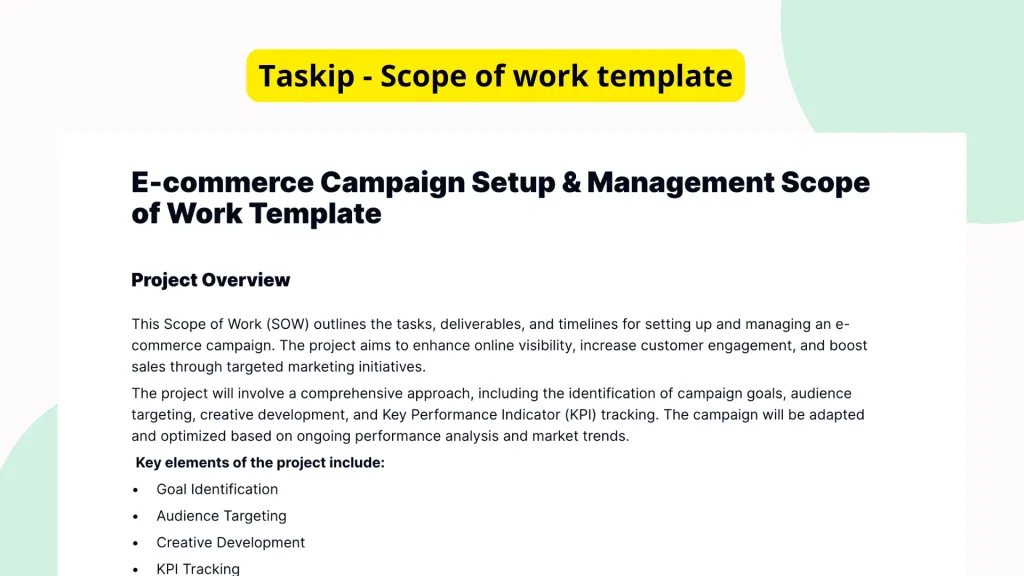
Setting up and managing an e-commerce campaign is a multifaceted process that requires clarity, collaboration, and consistency. To ensure milestones are met, responsibilities clearly defined, and campaign goals aligned with execution, businesses need a reliable framework. The Taskip E-commerce Campaign Setup & Management Scope of Work Template fills this gap by offering a streamlined, editable structure that guides you through each phase effectively.
What is the E-commerce Campaign Setup & Management Scope of Work Template?
This template is designed to provide a structured outline for organizing and executing an e-commerce campaign from start to finish. Its main function is to help users define the scope of tasks, responsibilities, deliverables, and execution plans involved in campaign setup and ongoing management. Although the current format includes section markers and formatting tags, it lacks detailed content, making it suitable as a customizable skeleton that users can adapt to their specific project or campaign needs.
Why You Should Use This E-commerce Campaign Setup & Management Scope of Work Template Template
Using this template will save time, reduce miscommunication, and create a consistent approach to launching and managing e-commerce initiatives. It removes the guesswork by providing a logical structure that outlines what should be included in a typical campaign management document. Whether you’re planning a product launch, seasonal sale, or recurring digital marketing effort, this template helps individuals and teams stay organized and aligned with campaign goals.
Who Should Use This Template
This template is ideal for:
- E-commerce Managers: To standardize campaign plans and delegate tasks efficiently.
- Marketing Teams: For coordinating efforts across SEO, PPC, content, and social media channels.
- Freelancers and Contractors: To present professional campaign outlines to their clients.
- Agencies: To ensure client expectations and deliverables are aligned before beginning execution.
- Internal Cross-Functional Teams: To foster transparency and collaboration across departments such as design, development, and fulfillment.
What’s Inside the Template
Although this version of the template primarily includes formatting tags and section markers, the layout is suggestive of a comprehensive structure, including:
- Header Section: For campaign title, date, and point of contact.
- Project Overview: A high-level summary of the campaign goal and its purpose.
- Deliverables: A placeholder for listing each expected deliverable with timelines.
- Responsible Parties: Defined roles and assignments for internal or external teams.
- Timeline and Milestones: A bullet-point or table-style format to outline deadlines and phase completions.
- Communication Plan: Section to specify channels, frequency, and meeting schedules.
- Approval Workflow: Space for identifying necessary approvals throughout the campaign.
As it stands, the structure offers a customizable outline while allowing ample flexibility for adding detailed content relevant to each unique campaign.
Real-Life Example of Use Case
Imagine a mid-sized apparel brand preparing for a Black Friday e-commerce campaign. The marketing manager needs to coordinate efforts across emails, paid ads, SEO promotions, and inventory readiness. Instead of creating a campaign scope from scratch, they use Taskip’s E-commerce Campaign Setup & Management Scope of Work Template. Within Taskip, they populate the template with campaign goals, task owners (e.g., content writers, designers, developers), and milestone timelines. The result is a centralized, shared document that improves team coordination and on-time delivery critical for such high-stakes seasonal promotions.
Benefits of Using This Template with Taskip
Taskip’s platform enhances the power of this template in several ways:
- Fast Editing: Quickly customize the structure and content to suit specific campaign needs.
- Simple Sharing: Share the scope document with internal teams or clients in one click.
- Integrated Sign-Off: Built-in digital signature support ensures formal approval workflows are streamlined.
- Reusable Formats: Save time by duplicating and tweaking the same template for future campaigns.
- Real-Time Collaboration: Multiple stakeholders can contribute updates, check progress, or suggest edits live.
Why This Template Stands Out
Unlike generic scope documents or templates designed for broader projects, this one is specifically structured for e-commerce campaign needs. It’s designed for flexibility without sacrificing essential components. Even though the content is minimal at present, its architecture serves as a ready-to-use foundation preventing the typical inertia that comes with a blank page. This focus allows teams to start with clarity, fill in only what’s relevant, and discard the rest. Additionally, the clean layout reduces the learning curve, making it easy for any stakeholder to understand and use.
How to Use This Template
- Go to the Taskip Templates section
- Click on “Use Template”
- Add or edit the template fields as needed
- Customize and send it to your client or team
Start Your E-commerce Campaign Setup & Management Scope of Work Template Project the Right Way
Begin your next e-commerce campaign with confidence using Taskip’s Scope of Work Template. Whether you’re managing a small project or a broad, multi-channel campaign, stay organized, meet deadlines, and clearly communicate expectations. This template jumpstarts your workflow so you can focus more on outcomes and less on coordination errors.
FAQ
Is this template ready to use as it is?
While the structure is in place, you must fill in specific details relevant to your campaign.
Does it include actual tasks or only sections?
The current version contains sections and formatting tags without detailed task descriptions, enabling maximum customization.
Can this be used for different types of e-commerce campaigns?
Yes, the flexible structure supports anything from promotional marketing to product launches.
How do I collaborate with my team using this template?
You can use Taskip’s collaboration tools to invite team members, assign roles, and comment in real time.
Is prior experience required to use this template effectively?
No professional experience is needed. The simple layout is beginner-friendly and intuitive.