Remote Work Agreement MOU Template for Teams & Freelancers
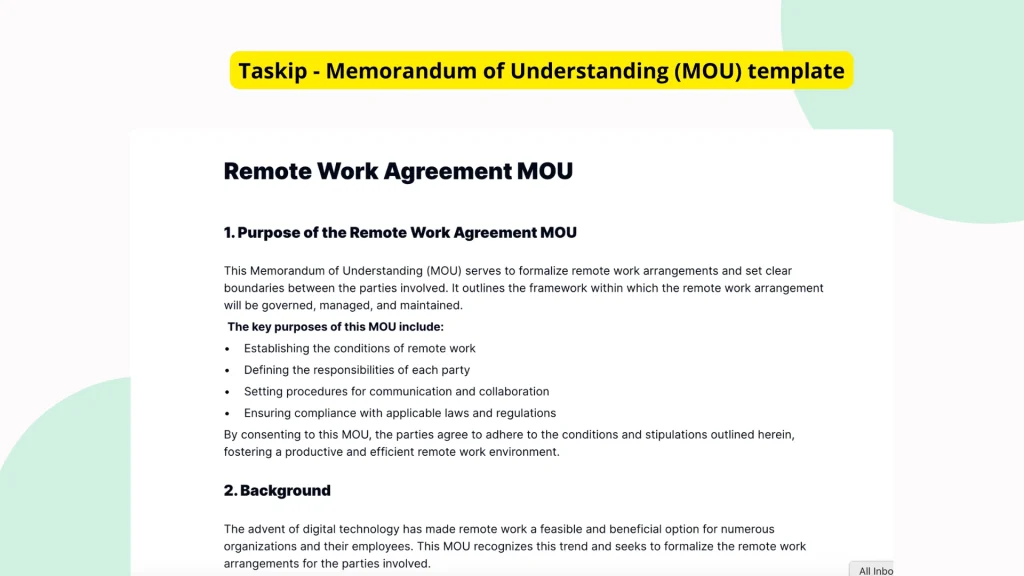
Use this Remote Work Agreement MOU Template to clearly outline roles, responsibilities, working hours, equipment, and termination policies before starting any remote collaboration. Whether you’re an employer, freelancer, or agency, this template helps align expectations and protect both parties.
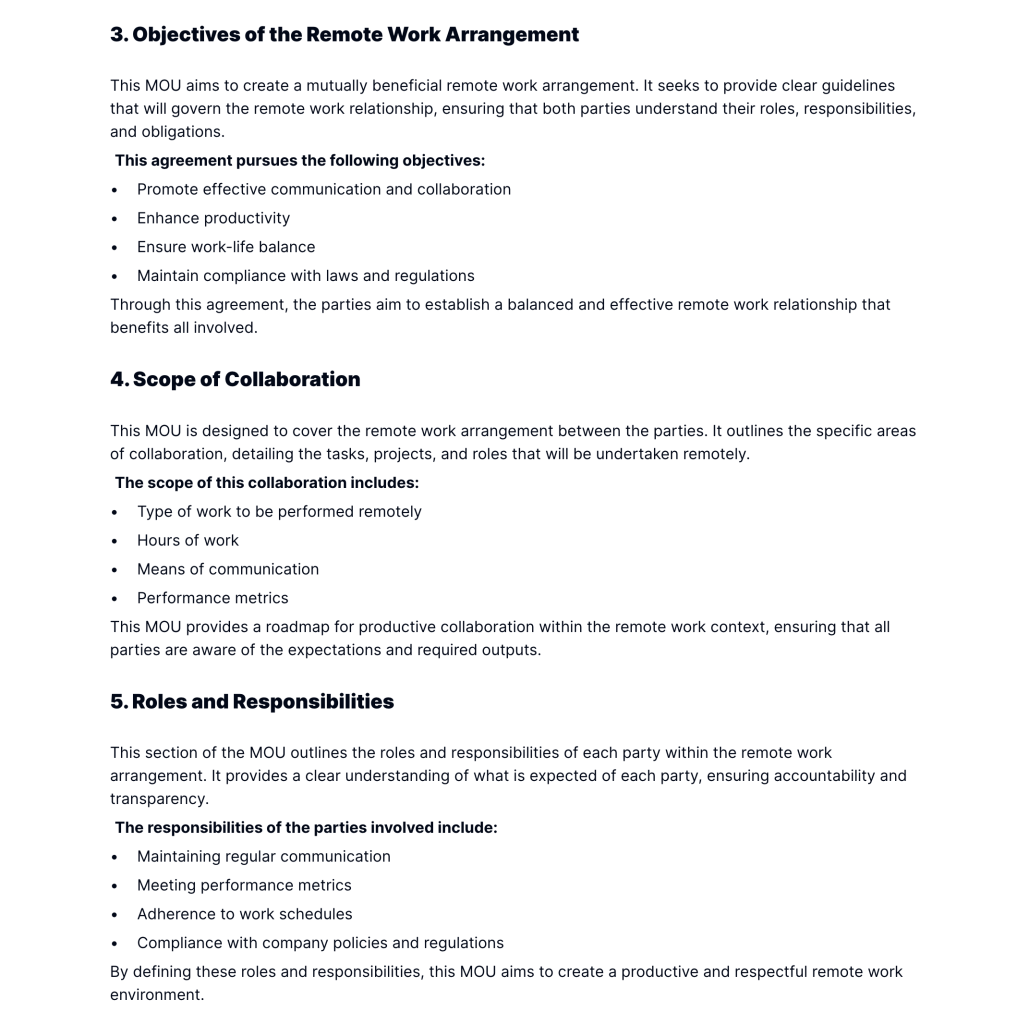
What is a Remote Work Agreement MOU?
A Remote Work Memorandum of Understanding (MOU) is a formal yet non-binding agreement that defines how two parties will collaborate under a remote work setup. It sets the foundation for professional understanding before legally binding contracts are signed.
Unlike informal chats or scattered emails, this MOU brings clarity and structure to remote partnerships—especially when working across time zones or with independent contractors.
Also explore our Contract Approval Template to streamline formal agreements once the MOU is signed.
Why You Need This Remote Work Agreement MOU Template
Without proper documentation, remote work relationships can quickly become chaotic. This template helps you:
- Set Clear Expectations: Define responsibilities, availability, and tools upfront.
- Avoid Miscommunication: Prevent confusion by documenting mutual terms.
- Ensure Legal Readiness: Establish a framework for contract formation.
- Reduce Operational Risks: Cover confidentiality, termination, and equipment usage.
- Save Time: Skip starting from scratch every time you onboard someone new.
Whether you’re launching a startup with remote developers or hiring a freelancer for a project, this document creates alignment from day one.
For repeat remote hires, pair this with our Onboarding Checklist Template for smoother transitions.
Who Should Use This Template?
This Remote Work MOU Template is perfect for:
- Businesses partnering with remote contractors, agencies, or distributed teams.
- Freelancers & consultants defining project scope with clients.
- Agencies collaborating with external talent or project-based specialists.
- Startups working with part-time or overseas contributors.
- Remote employees requiring structured terms around hours and deliverables.
What’s Included in This Template
To ensure full transparency and reduce legal ambiguity, the template covers:
- Parties Involved
- Legal names and contact details of the employer and employee/freelancer.
- Effective Date & Duration
- Start and end date of the agreement.
- Renewal clauses or early termination conditions (e.g., 7-day notice).
- Scope of Work & Deliverables
- Tasks, goals, and KPIs or success metrics.
- Specific deliverables and deadlines.
- Work Schedule & Communication
- Agreed work hours, timezone alignment, and availability.
- Communication channels (Slack, email, Zoom) and check-in frequency.
- Equipment & Expenses
- Clarifies who provides laptops, VPN access, etc.
- Defines who pays for internet, phone bills, or software.
- Confidentiality & Data Security
- NDA-style clauses for protecting business information.
- Guidelines for storing and accessing sensitive data.
- Termination Terms
- Exit procedures, handover expectations, and final payments.
- Cause vs. no-cause termination guidelines.
- Governing Law
- Jurisdiction and applicable legal framework.
- Signatures & Acknowledgements
- Digital or physical sign-off with names and dates.
Need to handle sensitive data? Consider integrating this with our Confidentiality Agreement Template.
Real-Life Use Case Examples
Example 1: Startup & Marketing Agency
A SaaS startup partners with a remote agency to run its product launch campaign. This template helps them align on deadlines, tools (e.g., Asana, Figma), and intellectual property clauses.
Example 2: Freelancer & Corporate Client
A freelance backend developer uses the MOU to define working hours, expected code deliverables, and the company’s responsibility to provide access to servers and codebase.
Example 3: Hybrid Teams & Legal Teams
A mid-size company allows its HR team to work remotely three days a week. This MOU documents availability hours, VPN rules, and laptop handling policies.
Why Use Taskip’s Remote Work MOU Template?
Taskip makes MOU documentation seamless. Within the platform, you can:
- Edit the template directly online
- Collaborate live with teams, freelancers, and clients
- Track every revision and version history
- Digitally sign the document with built-in e-signature tools
- Store and retrieve signed MOUs anytime
Taskip replaces messy emails and outdated Word documents with a central, collaborative system.
Learn more about Taskip’s eSignature Features and how they speed up remote agreements.
How to Use This Template in Taskip
- Log into your Taskip account
- Navigate to the Templates section
- Search for: Remote Work Agreement MOU Template
- Click on “Use Template”
- Click on “Download Now” to download it immediately
- Customize it with your project-specific details
- Review, share, and collect digital signatures
No need for PDF editing tools or back-and-forth emails, Taskip streamlines the process.
Start Using Your Remote Work Agreement MOU Template Today
A clear agreement is the foundation of remote collaboration success. This Remote Work Agreement MOU Template lets you formalize roles, avoid disputes, and move forward confidently—without involving legal teams for every engagement.
Use it now via Taskip Templates and make remote onboarding fast, professional, and secure.
FAQ
What is the difference between an MOU and a contract?
An MOU outlines mutual intentions and key terms without being legally binding, while a contract is enforceable by law. MOUs are ideal for early-stage collaborations.
Can this template be used for part-time or hybrid remote work?
Yes. The template is fully customizable to suit part-time, hybrid, or full-time remote work arrangements.
Do I need legal approval before using this MOU template?
While this template provides a solid foundation, it’s recommended to consult a legal professional if your remote engagement involves sensitive IP, long durations, or international parties.
Can I track revisions in the MOU document with Taskip?
Yes. Taskip offers version tracking and approval history, so you can see every edit made by collaborators.
Can I reuse this template for multiple projects?
Absolutely. You can duplicate, customize, and store this template within Taskip to streamline future collaborations.
Is the digital signature in Taskip legally valid?
Yes. Taskip’s e-signature feature complies with global standards eIDAS, making signed MOUs legally recognized in most countries.
Is this MOU suitable for international remote workers?
Yes. Just update the governing law section to reflect the applicable legal jurisdiction for cross-border agreements.