
Top 7 CRM Solutions for Small Businesses to Save Time and Grow Faster
Million-dollar lead still in your inbox and no idea where to find it? Every sticky note, messy spreadsheet, and scattered email thread is stealing valuable opportunities from your business. Small businesses often face the frustrating challenges of disorganization, inefficient workflows, and missed chances to connect with customers. These problems don’t just cause stress; they limit your growth and hold you back from reaching your goals.
This is where finding the best CRM solution for small businesses becomes essential. A great CRM can simplify managing customer relationships, save hours of effort, and capture every opportunity that comes your way. To help you take control and grow faster, we have gathered the top seven CRM solutions designed to streamline processes and make your business thrive. Keep reading to find out which one fits your needs perfectly.
How a CRM for Small Businesses Can Help Boost Growth
Improved Organization
Running a small business often means juggling endless spreadsheets, sticky notes, and a constant flood of emails. Customer relationship management tools help bring order to this chaos by centralizing all your customer information in one place. Whether it’s contact details, communication history, or sales data, everything becomes easily accessible. This eliminates the risk of losing important information and ensures you’re always prepared, no matter the customer or situation. If you’re exploring simpler or more affordable options, check out our guide on CRM alternatives to HubSpot and Zoho to find the right fit for your business needs.
Stronger Customer Relationships
Happy customers are the backbone of any business. Customer relationship management tools empowers you to build stronger relationships by keeping track of every interaction, purchase, and inquiry. With this data at your fingertips, you can offer personalized service that shows your customers you truly understand their needs. From remembering special dates to responding quickly to questions, a CRM helps you turn one-time buyers into loyal customers.
Streamlined Workflows
Time-consuming tasks like sending follow-up emails or scheduling reminders can eat up hours of your day. Thankfully, a good CRM automates many of these routine activities. Whether it’s setting up email campaigns, creating sales forecasts, or updating contact records, automation helps your team focus on what matters most. By working smarter, not harder, you can make every workday increase sales productivity.
Increased Efficiency
For small businesses, every minute and dollar count. A CRM helps you work more efficiently by simplifying how your team collaborates and manages tasks. With everyone working from a shared system, communication becomes seamless, and you avoid duplicate work. Plus, powerful insights from your CRM allow you to pinpoint opportunities and make data-driven decisions for faster growth.
By integrating a CRM into your workflow, you gain a tool that’s not just about managing customers but about making your entire business function better. The result is a more organized, efficient, and customer-focused approach that sets your small business up for success.
What Features To Look For in a CRM for Small Business
A CRM is a powerful tool for maintaining long-term client relationships because it streamlines and strengthens how you connect with your customers. Features like contact management help you keep track of key details, ensuring every interaction feels personal and thoughtful. Automation makes sure you never miss a follow-up or important date, reinforcing reliability and consistency. CRMs also provide valuable insights through analytics, helping you understand your clients’ preferences and anticipate their needs. These capabilities allow you to offer tailored solutions and nurture trust over time. By improving communication and ensuring every client feels valued, best CRM software lays the foundation for loyalty and lasting business relationships.
Contact Management
Think of contact management as the foundation of any CRM. It’s where all customer information comes together, creating a 360-degree view of every relationship. With 94% of CRM users citing contact management as the most critical feature, this isn’t something you want to overlook. Imagine reaching out to a potential client and instantly having access to their past purchases, interaction history, and even quirks like preferred discussions channels. For example, a bakery could quickly identify loyal customers and send personalized offers based on their buying patterns. This seamless organization builds trust and boosts loyalty.
Automation
True growth comes when you can work smart, not just hard. Automation tools in CRMs help you handle repetitive tasks, like sending email follow-ups, scheduling meetings, or updating sales pipelines, without any manual effort. The result? Time saved and higher productivity. Businesses using customer relationship management tools automation report a 34% boost in productivity, allowing teams to focus on what matters most engaging with customers and closing deals. For instance, imagine setting up a workflow that automatically sends reminders to clients for upcoming appointments or follow-ups. That’s not just smart; it’s efficient.
Analytics
What’s working for your business and what’s not? The answers lie in analytics. CRMs with robust reporting features help you track key metrics like sales trends, customer lifetime value, and campaign performance. Did you know that using CRM analytics can improve sales forecasting accuracy by 42%? Picture this scenario: a small clothing boutique sees in real-time which product categories drive the most revenue, enabling them to reallocate resources or stock up on customer favorites. With these insights, making smarter, data-backed decisions becomes effortless.
Scalability
Your small business won’t always stay small, so why should your CRM? Opt for a system that grows with you, ensuring it can handle increased customer data, more users, and advanced needs over time. 91% of companies with 11 or more employees rely on a CRM to manage their expanding business processes. For example, a family-owned hardware store might start with a handful of customers but grow into a local chain as its CRM adapts to support broader data management and multi-location needs. Scalability keeps your business future-ready.
Ease of Use
A Best CRM software is only as good as how well your team can use it. A system that is intuitive, easy to onboard, and simple to integrate ensures high adoption rates. When businesses struggle with CRM complexity, they lose time and money, but a user-friendly option can turn that around. Imagine having a drag-and-drop feature for tracking sales stages or automated alerts to keep everyone on the same page.
Why These Features Matter
Investing in a CRM with these features can deliver an average ROI of $8.71 for every $1 spent. Add to that the fact that businesses using CRMs see a 47% boost in customer retention and improved relationships that translate into long-term loyalty. From streamlining daily operations to offering jaw-dropping data insights, a great CRM transforms how you work, making it not just software, but a strategic partner in your business’s success.
The Next Step
If you’re ready to scale smarter, start by evaluating your priorities and exploring CRM solutions packed with these key features. It’s time to ditch the chaos of spreadsheets and sticky notes for a system that works as hard as you do. Take the next step and find a CRM that empowers your small business to thrive!
The Best CRM Tools to Streamline Your Business Operations
Customer Relationship Management (CRM) tools have become essential for businesses aiming to nurture relationships, simplify processes, and grow effectively. With so many options on the market, picking the right one for your needs can feel overwhelming. Below, we’ll walk you through some of the best CRMs available, starting with the highly efficient Taskip, and then exploring other excellent options like HubSpot CRM, Zoho CRM, Salesforce Essentials, and more.
1. Taskip – Your All-In-One Productivity Partner

Managing relationships is challenging on its own, but when you add tasks, deadlines, and goals to the mix, it can quickly become overwhelming. That’s where Taskip comes in. Taskip is more than just a CRM tool; it’s a productivity solution designed to simplify your business operations and help you achieve more without the extra hassle.
Core Features
Here’s what makes Taskip a trusted choice for small business owners:
- Automation: Automate repetitive tasks to free up your time and energy for more important work. With Taskip, you can set workflows that handle small details, so you can focus on bigger goals.
- Unified Inbox: Connect your multiple email to one single inbox feature, which make your life easier, allow you to automate things as per your need.
- Pipeline: It allow you to organize your deals into stages with more precise way, eventually help you to become more productive, automatic followup and much more.
Use Cases for Small Businesses
Taskip excels in helping small businesses stay organized and productive in ways that really matter:
- Organized Daily Operations: If you’re still relying on sticky notes, whiteboards, or scattered apps to keep track of what needs to get done, Taskip can change that. It centralizes everything in one easy-to-use platform, so you never miss a deadline again.
- Team Collaboration Made Simple: For small teams, coordination is key. Taskip allows you to assign tasks, share updates, and give feedback directly on the platform, making teamwork seamless.
- Productivity Boost for Entrepreneurs: Running a small business often means wearing multiple hats. Taskip acts as your command center, cutting through the chaos and simplifying how you manage everything from follow-ups to project timelines.
Unique Benefits
What sets Taskip apart? Unlike traditional CRMs that focus mostly on tracking contacts and deals, Taskip blends productivity and relationship management into a single tool.
- All-in-One Solution: Why juggle multiple tools when Taskip does it all? It simplifies task management, improves team coordination, and helps you hit your business goals faster.
- Laser-Focused Design: Taskip isn’t bloated with unnecessary features. Instead, it provides exactly what small businesses need to stay on track and succeed.
- User-Friendly for All Skill Levels: You don’t need to be tech-savvy to use Taskip. Its interface is straightforward, so you can spend less time learning and more time getting things done.
Why Choose Taskip?
If you’re tired of disjointed systems or tools that require too much setup, Taskip could be the perfect fit for you. It combines simplicity and functionality to help you streamline your day-to-day tasks while growing your business.
Taskip is about working smarter, not harder. Whether you’re managing a small team or running your operations solo, it saves you time and keeps you ahead of the game.
2. HubSpot CRM – A Free Yet Scalable Powerhouse

HubSpot CRM is one of the most popular options for small businesses entering the world of customer relationship management. It stands out for its simple design, straightforward tools, and, most importantly, a free version that doesn’t sacrifice quality. Whether you’re just starting or planning for growth, HubSpot CRM provides the flexibility and features to support your needs.
Core Features
- Contact Management: Keep all your customer details, interactions, and notes in one easy-to-navigate system. This helps you track every conversation and never lose key information.
- Email Tracking & Templates: Save time by automating emails and tracking which ones get opened or clicked. You’ll know exactly how customers engage with your communication.
- Sales Dashboard: Stay on top of your sales activity with a real-time view of your deals, progress, and performance.
Use Cases for Small Businesses
- Lead Management: HubSpot CRM makes it simple to record and organize leads. You can track their progress from the first interaction to becoming a paying customer.
- Email Marketing Made Easy: Create and send personalized email campaigns to stay connected with your customers. The automated tools mean you don’t need advanced tech skills.
- Team Coordination: Manage team activities efficiently. The centralized dashboard ensures everyone has the same information and can work together smoothly.
Unique Benefits
- Free Version Built for Beginners: HubSpot’s free plan offers essential CRM tools without extra costs, making it ideal for startups or small businesses on a budget.
- Scalable as You Grow: If your business expands, HubSpot CRM grows with you. Paid plans add advanced features, such as marketing automation, sales forecasting, and analytics.
Why Choose HubSpot CRM?
HubSpot CRM is an excellent choice if you’re looking for a cost-effective, easy-to-use tool to help manage customer relationships, track emails, and support your sales process. Its free version makes it accessible to new businesses, while its scalability ensures it remains useful as your business grows. It’s a no-fuss, reliable solution for small teams or individual entrepreneurs who want to work smarter from day one.
3. Zoho CRM – Seamlessly Connected for Growing Teams

Zoho CRM is a flexible and powerful option for small businesses that need a tool to simplify their operations. Known for its ability to connect with other platforms, Zoho CRM integrates effortlessly with email, social media, and analytics tools. It’s designed to help businesses automate repetitive tasks and streamline communication, all while remaining budget-friendly.
Core Features
- Multichannel Communication: Connect with customers via email, phone, social media, and live chat, all from one centralized dashboard. This makes it easy to stay in touch without switching between platforms.
- Custom Dashboards: Create personalized views to focus on the metrics and data that matter most to your business.
- Workflow Automation: Minimize manual work with automation triggers, allowing you to assign tasks, send follow-up emails, and more.
- Comprehensive Integrations: Zoho CRM works seamlessly with popular tools like Google Workspace, Mailchimp, and Microsoft Office, giving you more flexibility.
Use Cases for Small Businesses
- Task Automation: Use pre-defined workflows to handle repetitive tasks, such as lead assignments or automatic email follow-ups. This saves time and reduces human error.
- Centralized Communication: Manage all your customer interactions in one place so you can easily track conversations and maintain strong relationships.
- Custom Fit for Teams: With its adaptable features, Zoho CRM can be tailored to fit small businesses of varying sizes and industries.
Unique Benefits
- Affordable Pricing: Zoho CRM offers budget-conscious plans without sacrificing functionality, making it a practical choice for small businesses.
- Customizability: The platform is extremely flexible, allowing you to tweak settings, workflows, and dashboards based on your specific business needs.
- Scalable Solution: Whether you’re a team of two or twenty, Zoho CRM grows with your business. You can add advanced tools like AI, analytics, and more when needed.
Why Choose Zoho CRM?
Zoho CRM delivers a mix of affordability and functionality, making it perfect CRM for small businesses that want a reliable system without overspending. Its strong integration capabilities, automation tools, and customizable dashboards ensure that your team can work smarter, not harder. If you’re looking for a CRM that simplifies communication and helps you stay organized, Zoho CRM is an excellent solution.
4. Pipedrive – A Focused Sales Pipeline Tool

Pipedrive is a sales-focused CRM designed to help small businesses improve their sales process. Its intuitive interface, visual pipeline, and automation features make it a favorite for teams that want to focus on closing deals efficiently.
Core Features
- Visual Sales Pipeline: Get a clear view of all deals at every stage, helping teams focus on what matters most and move leads through the funnel.
- Customizable Pipelines: Tailor the pipeline stages to fit your unique sales process and business model.
- Automation Tools: Save time with customizable workflows that handle repetitive tasks like follow-up emails or activity reminders.
- Activity Tracking: Log calls, emails, and meetings automatically to ensure you never miss a touchpoint.
- Detailed Reporting: Analyze your performance with customizable metrics to identify bottlenecks and optimize your sales strategy.
Use Cases for Small Businesses
- Pipeline Organization: Ideal for small teams who need one tool to organize, track, and manage all leads and deals.
- Focus on Closing Deals: With its intuitive dashboard, Pipedrive helps sales reps prioritize leads and stay focused on converting prospects.
- Collaboration Across Teams: Share deal insights with team members and keep everyone aligned by using team permissions and shared pipelines.
Unique Benefits
- Ease of Use: Its simple, drag-and-drop interface requires minimal training, making it perfect for small businesses or teams with limited tech experience.
- Affordable Options: Flexible pricing tiers provide access to core features at a budget-friendly rate.
- Goal-Oriented Design: With sales-focused features and insights, Pipedrive ensures that every tool drives results.
Why Choose Pipedrive?
Pipedrive is perfect for small businesses looking to stay laser-focused on sales. It’s simple to use, customizable, and designed to help teams close more deals. Whether you’re just starting out or want to improve your sales process, Pipedrive helps you work smarter at every step of the pipeline.
5. Freshsales – Smarter CRM with AI Insights

Freshsales, part of the Freshworks ecosystem, is a smart CRM that leverages AI to streamline sales and improve customer engagement. It’s built for small businesses that want intelligent tools to support their growth.
Core Features
- AI-Powered Tools: Leverage Freddy AI to analyze trends, prioritize leads, and forecast sales more accurately.
- Lead Scoring: Identify high-potential leads with an automated scoring system so you can focus on the most promising opportunities.
- Integrated Phone & Email: Access built-in communication tools to send emails, make calls, and track customer interactions seamlessly.
- Workflow Automation: Automate manual tasks like follow-ups and data entry, saving both time and effort.
- Analytics & Reporting: Get actionable insights with reports that cover sales performance, pipelines, and team productivity.
Use Cases for Small Businesses
- Lead Prioritization: Use AI-led scoring to focus on leads that are most likely to convert.
- Effortless Communication: Manage all interactions in one system for a smoother, more professional experience.
- Automated Workflows: Perfect for small teams that need to reduce manual work without hiring extra staff.
Unique Benefits
- AI-Powered Features: Freshsales uses AI to give small businesses a competitive advantage by prioritizing leads and predicting outcomes.
- One-Stop Solution: From emails and calls to workflow automation, Freshsales consolidates all your tools into one platform.
- Scalability: With a range of plans, Freshsales grows with your business, offering advanced tools as you expand.
Why Choose Freshsales?
Freshsales is a great option for small businesses looking to save time and make smarter decisions using AI. Its AI tools, combined with seamless communication features, make it an intuitive tool for driving growth and building better customer relationships.
6. Insightly – Project Management Meets CRM

Insightly is a CRM designed for small businesses that need to manage customer relationships and projects in one place. It’s ideal for teams that juggle both sales and post-sale workflows.
Core Features
- Contact Management: Track all customer information, communication, and activities in a centralized hub.
- Project Management Integration: Transition easily from closed deals to project delivery with task management tools.
- Email Tracking: Send and monitor emails directly in Insightly, ensuring follow-ups are timely and efficient.
- Easy Customization: Adapt fields, workflows, and dashboards to reflect your specific business needs.
- Powerful Integrations: Connect Insightly with tools like Google Workspace, Office 365, and QuickBooks for seamless workflows.
Use Cases for Small Businesses
- End-to-End Customer Management: Handle every stage of the customer lifecycle, from first contact to project delivery, in one platform.
- Simplified Project Oversight: Gain visibility into deadlines, deliverables, and task assignments with project management tools built right in.
- Team Collaboration: Centralized data and task management features make it easy for teams to work together and stay organized.
Unique Benefits
- Combined CRM and Project Management: Unlike many CRMs, Insightly excels at helping businesses carry processes through post-sale.
- Customizable for Niche Needs: Small businesses with unique workflows or industry-specific roles can adapt Insightly to suit their operations precisely.
- Affordable and Accessible: With tiered pricing, Insightly offers cost-effective solutions for growing teams.
Why Choose Insightly?
Insightly is perfect for small businesses that handle both sales and project delivery. It’s simple to use, highly customizable, and designed to streamline processes from start to finish. If your business juggles multiple tasks or services post-sale, Insightly is an excellent choice.
Monday Sales CRM – Visual and Intuitive Collaboration

Monday Sales CRM, part of the Monday.com platform, is tailored for teams that value visual organization and seamless collaboration. Its intuitive design is aimed at simplifying workflows and improving efficiency for small businesses.
Core Features
- Visual Sales Pipeline: Track every deal in an easy-to-follow layout with customizable stages and settings.
- Custom Workflows: Automate repetitive tasks like lead assignments, follow-ups, and data entry without any coding experience.
- Task and Deadline Tracking: Stay on schedule with built-in tools to manage team activities and goals.
- Cross-Team Collaboration: Share insights and updates across departments for improved team alignment.
- Integrations Library: Connect Monday Sales CRM with apps like Slack, Zoom, and Google Workspace to streamline operations.
Use Cases for Small Businesses
- Streamlined Workflow Management: Perfect for businesses that want to keep every team member on track with automated processes and deadline tracking.
- Easy Collaboration: Suitable for businesses with remote or cross-functional teams who need seamless communication tools.
- Scalable Sales Processes: Monday Sales CRM’s customizable features make it easy to adapt as your team or business grows.
Unique Benefits
- Highly Visual Interface: Its drag-and-drop features and visual dashboards make it easy for non-technical users to understand and use right away.
- Team-Centric Features: Designed to help teams collaborate effortlessly and stay aligned across projects.
- Simplified Automation: Automate mundane tasks in just a few clicks, easing the load on small teams.
Why Choose Monday Sales CRM?
For small businesses that rely on teamwork and visual organization, Monday Sales CRM is an ideal choice. Its simple setup, collaboration tools, and custom workflows help teams stay productive and focused on generating results. If you’re managing a growing team, this tool will ensure everything stays on track effortlessly.
Why Taskip Works for Real Small Business Challenges
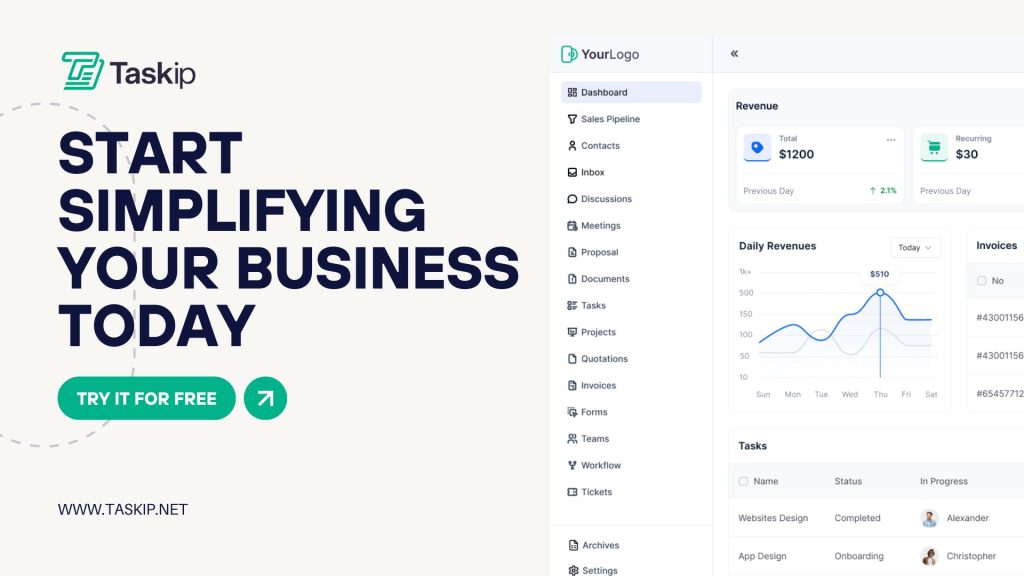
Running a small business is no easy task. Each day comes with a long list of responsibilities, from managing customers to handling operations, all while keeping an eye on growth. Taskip exists to make that load easier to handle. It’s designed to work the way you do, offering tools that matter without unnecessary complexity.
What makes Taskip stand out is its simplicity. You don’t need to be a tech expert to get started. Everything is intuitive, so you can get up and running quickly. It also saves you time by automating repetitive tasks like scheduling follow-ups and organizing customer data. This frees up more of your valuable energy to focus on what really moves your business forward.
Taskip is built with small business challenges in mind. It helps you stay on top of leads, build strong customer relationships, and streamline your workflows. It’s not about bells and whistles; it’s about practical, smart solutions that help you get things done efficiently.
Conclusion
Choosing the right CRM is key for small businesses looking to streamline operations, nurture customer relationships, and drive growth. HubSpot CRM offers a free, scalable option for startups, while Zoho CRM excels in affordability and integrations. Salesforce Essentials simplifies robust capabilities for smaller teams, and Pipedrive focuses on closing deals with its visual pipeline. Freshsales leverages AI for smarter decisions, Insightly combines CRM with project management, and Monday Sales CRM emphasizes teamwork with visual workflows. Each tool caters to distinct needs, so it’s essential to evaluate features, budgets, and priorities to select the CRM that aligns best with your business goals.
FAQs
What is a CRM, and why do small businesses need it?
A CRM, or Customer Relationship Management tool, helps businesses organize customer information, streamline communication, and manage their sales process. CRMs are essential for small businesses looking to improve customer retention, optimize workflows, and grow sustainably.
How do I choose the best CRM for my small business?
Start by identifying your specific needs, such as lead management, automation, or team collaboration. Consider factors like ease of use, scalability, and budget. Reviewing key features and use cases, as detailed in this guide, can help you make an informed decision.
Are there free CRM tools available for small businesses?
Yes! CRMs like Taskip and HubSpot CRM offer a robust free version with basic tools that are perfect for startups and small teams just starting out with customer management.
Can a CRM help my team collaborate better?
Absolutely. Tools like Taskip, Zoho CRM, Monday Sales CRM, and Insightly excel in team collaboration, offering shared dashboards, centralized data, and workflows to keep everyone aligned.
Is it better to choose a CRM with automation features?
For most small businesses, incorporating automation can save time and reduce errors. CRMs like Freshsales and Zoho CRM include extensive automation options, making it easier to handle repetitive tasks like follow-ups and data entry.

Get Summary On: