Top 15 Productive.io Alternatives for Agencies in 2026: Better Features & Pricing
Want to create a service catalog or intake forms, but your Productive.io plan doesn’t come with this feature? No more worries, here we bought you the top 15 Productive.io alternatives to tackle the limitations you are facing.
Apart from providing the best alternatives, we have also added a guide to help you pick the right one. So why wait anymore? Let’s jump into the discussion:
What is Productive.io?
Productive.io is an all-in-one project management solution for agencies, service businesses, and consultants to streamline their operations. It is built to simplify your workflow, business operations, and tracking.
With productive.io, you get all your essential tools to run an agency in a single platform. Though it’s a popular application widely used, there are some major limitations of productive.io, which require you to look for better alternatives.
Key Features of Productive.io
- Customizable view: Allows you to analyze work progress in your preferred style.
- Macro view: Enables monitoring both the individual and overall work progress of your team/project.
- Internal chat tool: Easy communication with team members
- Secure file-sharing integration: Maintain data security with safe and efficient cloud-based file sharing
- Single sign-on: No hassle of multiple password entry, offering a seamless login experience using Google or Microsoft accounts
- Mute notifications: Focused working by muting unwanted notifications.
- Set reminders: Stay well-informed about your scheduled worklines.
- Add tasks via email: a quick conversation of emails to accessible work items.
Why Look For Productive.io Alternatives?: Limitations of Productive.io
❌No Free Version
Productive.io has no free version, which makes it less preferable for new freelancers and small businesses who are seeking reasonable options.
❌Complex Interference
Compared to other alternatives, the interference of productive.io is a bit complicated. It can be enhanced to have a better user experience.
❌Missing Service Catalog
Productive.io doesn’t have a built-in service catalog. This makes showcasing product lists or services difficult for your clients.
❌No Order & Customized Intake Forms
Customized intake forms allow you to receive client information and requirements. Whereas order forms allow you to handle service requests and product orders with ease. Unfortunately, productive.io lacks these two features.
❌Slow Customer Support
A dedicated client portal is missing in this application. So communication with the team becomes difficult for the clients. Besides, the response is also slow, which potentially delays issue resolution.
| Why Trust Taskip Software Reviews? The Taskip team has been in the software industry for years and is trusted by more than 11,000 global clients. We test and work with hundreds of software on a daily basis. Our team is well-experienced and has reviewed more than 1000 software. Therefore, you can confidently trust our review. |
15 Best Productive.io Alternatives: A Quick Comparison Chart
| Platform | Best Key Features | Free Trial | Staring Price |
| Taskip | – Customizable client panel – 100+ app integration – Service catalog and requests – White-label branding & custom domain | Free Starter Plan (lifetime) | $12/Mo |
| Scoro | – Time-tracking – Automatic invoicing & quotation – Gantt Charts | 14-day free trial | $23.90per user/month |
| Accelo | – Managing trainer – Project Budgeting – Time Tracking | 14-day free trial | Ask for a Quote |
| Kantata | – Advanced resource forecasting – Skills-based staffing & allocation – Time tracking with utilization insights – Customizable dashboards & reporting | Demo Available | Ask for a Quote |
| ManyRequests | – White-label client portal – Service request & intake forms – Subscription & billing management | 14-day free trial | $29/m |
| OneSuite | – Real-time project updates – Easy setup and beginner-friendly – Built-in proposals, contracts & e-signatures – Flat, affordable pricing | 14-day free trial | $20/month |
| Teamwork | – Real-time tracking -Automation Built-in communication tools. | Free Starter Plan (lifetime) | $13.99/user/month |
| Trello | – Time Tracking – Easy Scheduling – App Integration | Free plan | $5USD |
| Basecamp | – Easy client access – Centralized document and file sharing – Flat pricing | Free plan | $15/user per month |
| Clickup | – Highly customizable task & project views – Built-in time tracking – Powerful automation & workflows | Free plan | $10 USD/m, |
| Bonsai | – Proposals, contracts & e-signatures – Invoicing and online payments – Time tracking linked to billing | 7-day free trial | $15/user/month |
| Wrike | – Strong automation and AI-powered features – Multiple project views – Advanced reporting and analytics – Mobile functionality | 14-day free trial | $10user/ month |
| Freedcamp | – Highly affordable – White labeling – Project copy and backup – Gantt chart and Kanban board | Free plan | $2.49 per user/month |
| ProofHub | – Workflow – Easy Time-tracking – Project template – White labeling facilities | 14-day free trial | $50 / month |
| Microsoft Teams | – Highly budget-friendly – Strong text, calls, and video call features – Business management | Free plan | $4.00user/month |
Top 15 Productive.io Alternatives For Agencies
1. Taskip
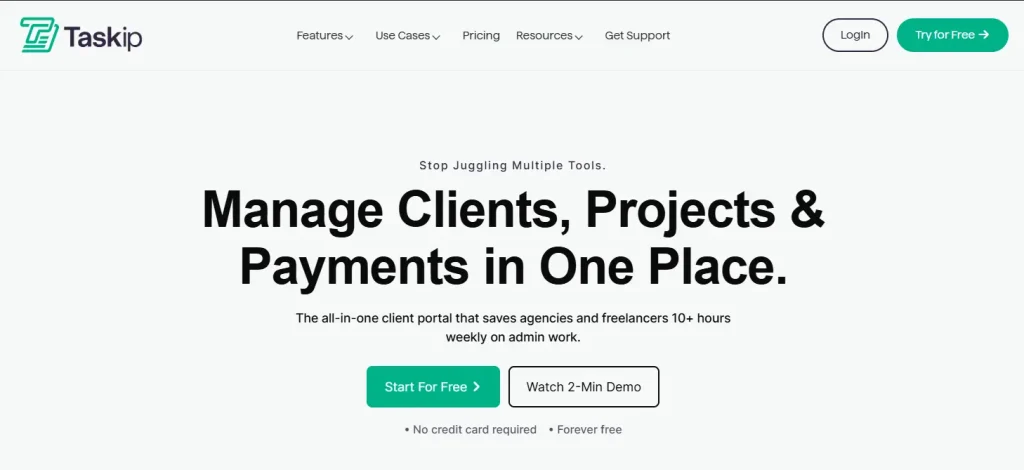
Taskip is an agency management and client portal software that centralizes your tasks from order receiving to payment processing, all in a single platform. If you find Productive.io too expensive and built for teams that are many times greater than your agency, Taskip is the best Productive.io alternative for you. Unlike Productive.io, this app offers free plans for trial, which allows you to test the interface before you purchase any plan.
This app integrates with 100+ apps; that is just a few clicks, and you can access all your apps from one dashboard. Taskip allows you to connect with your team, manage multiple workspaces, assign projects to your team, interact with clients, and do a lot more with Taskip. Besides, Taskip has built-in features that automate emails, invoices, and quotation sending, schedule meetings, and more.
Best Taskip Features
A. Custom Client Portals
The best feature Taskip brings to you is an integrated client portal where your clients can log in and check the progress. This keeps updating the client with the workflow and also builds reliability.
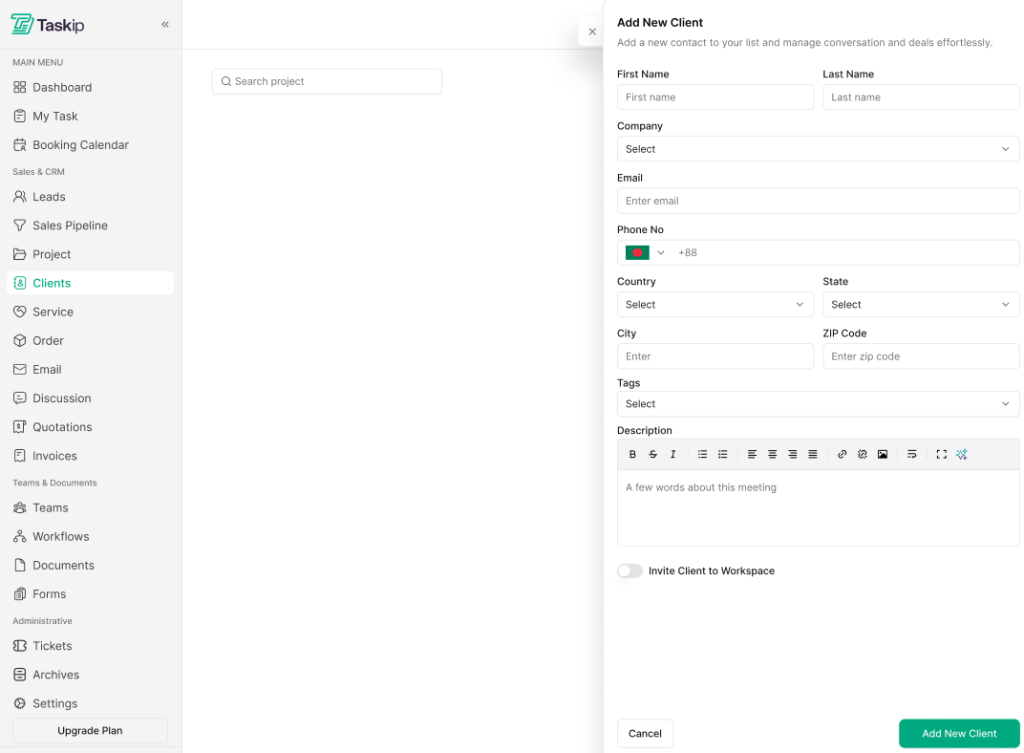
This feature offers the following advantages to the customer/clients:
- Track the workflow or progress of the work
- Study the history of the past work
- Submits a request using the form
- Upload documents or files
- Use tickets to request issue solving
- Email the team directly
- Check the quotation, invoices, and proposals
B. Sales Pipeline Leads
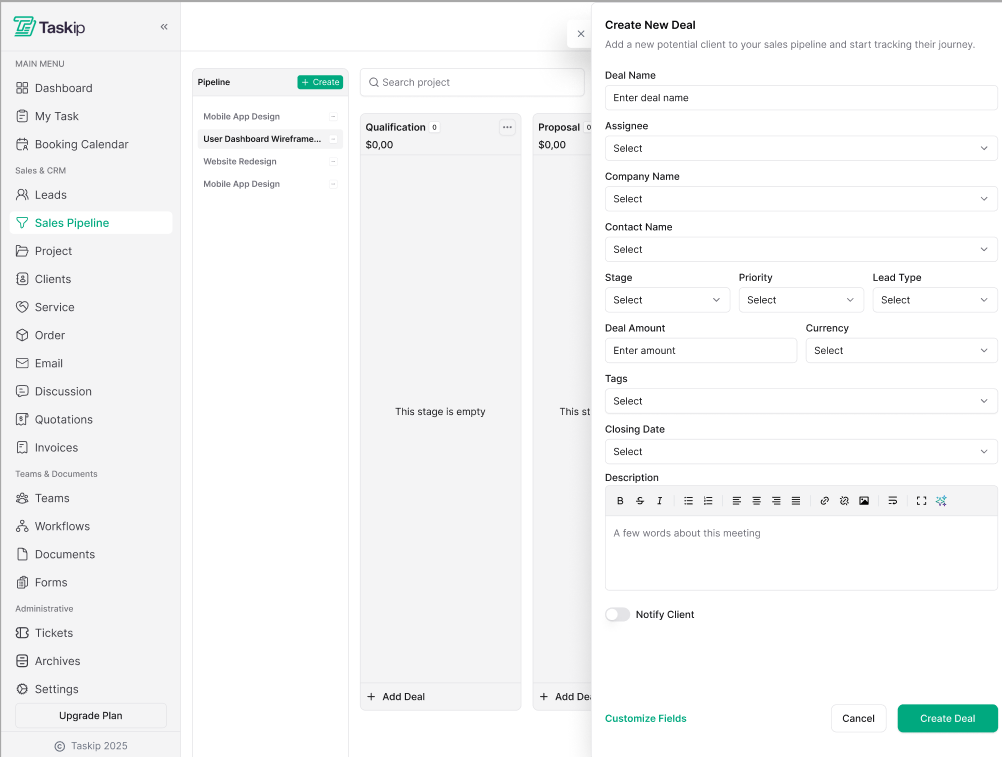
The built-in sales pipelines allow you to create new deals, custom fields, create tasks with AI, bulk upload tasks, close deals, and more directly from Taskip. Further, it automates follow-ups and routine-task saving you hours!
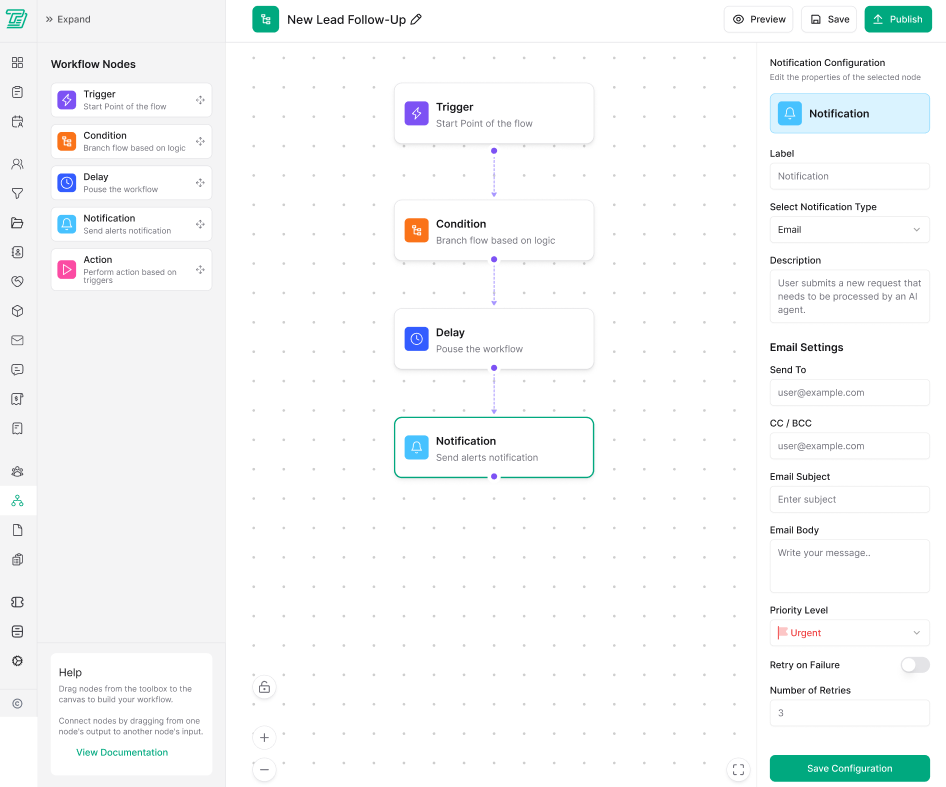
C. Workflow Automation
Taskip automates repetitive tasks like generating invoices, quotations, sending emails, notifying of scheduled meetings, and more. Thus, it saves you time and reduces the hassle of repetitive work.
D. Projects & Tasks Management
Handling your project is much easier with Taskip. It offers you a project flow where you can store all the details of your project, client address, and use a priority tag for your project. Taskip also offers you an ‘Order Flow’, from where you can keep tracking of the received order and the progress of the order. Besides, clients can directly order your service from Taskip.
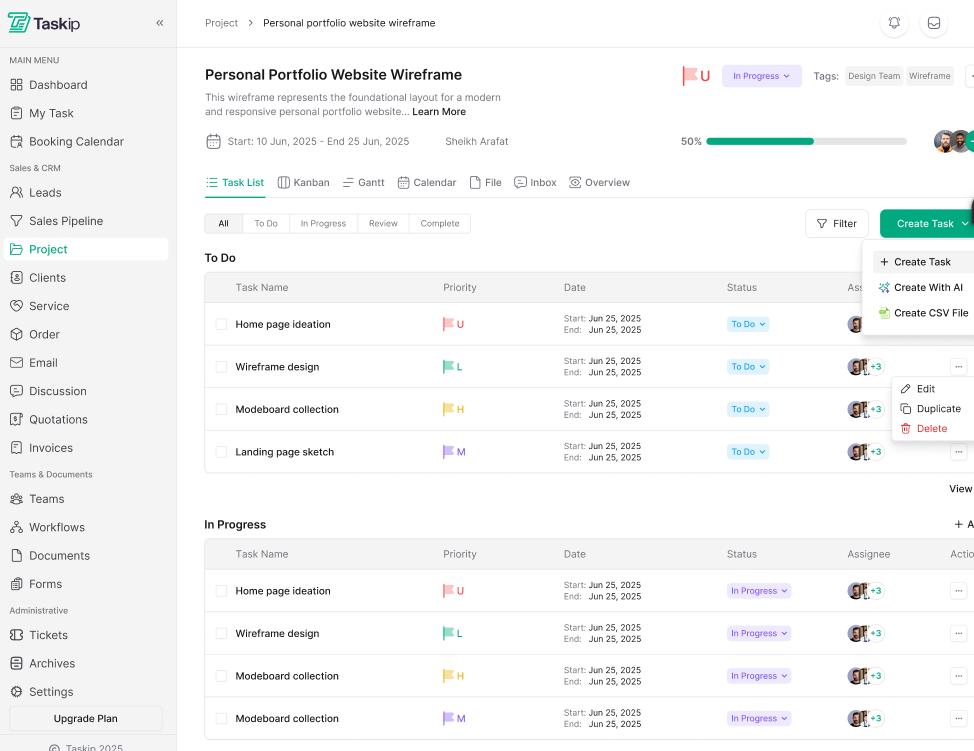
The document singing feature is also available. All these make your overall task management convenient. You can track all your activities from a single platform.
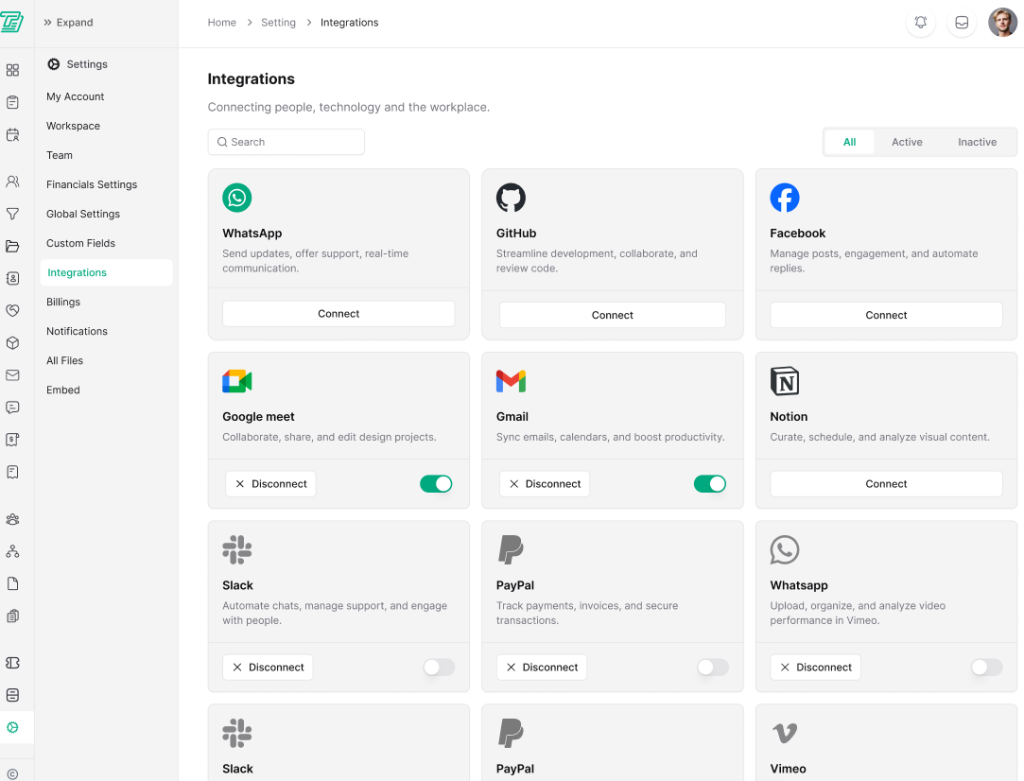
E. App Integration
Taskip integrates with more than 100+ apps. Whether it’s Zoom, Facebook, WhatsApp, or payment gateways like PayPal and Stripe, you get access to all tools from this platform. So, with Taskip, say no to juggling from one app to another.
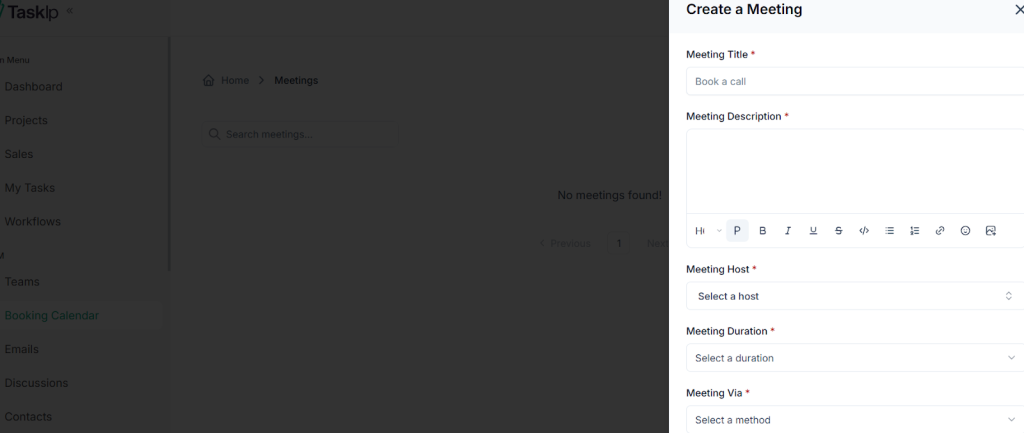
F. Booking Calendar and Scheduling Meeting
With Taskip, you can create a customized schedule and get notified at the due time. And the best part of this software is that you get the option to link your meeting platform, like Zoom or Google Meet, and directly land in your meeting by clicking here. There is no need to move to that specific app to attend a meeting!
G. Custom Branding & Domain
White labeling is possible with Taskip. Using this tool, you can rebrand services; that is, you can use your own brand logo, color, and styling in your client portal. Remove the Taskip logo and use your own branding with the paid version (not available in the Professional package).
Domain customization is also possible with Taskip. That is, you’re allowed to use your own domain or subdomain (e.g., portal.youragency.com) instead of a Taskip-branded domain.
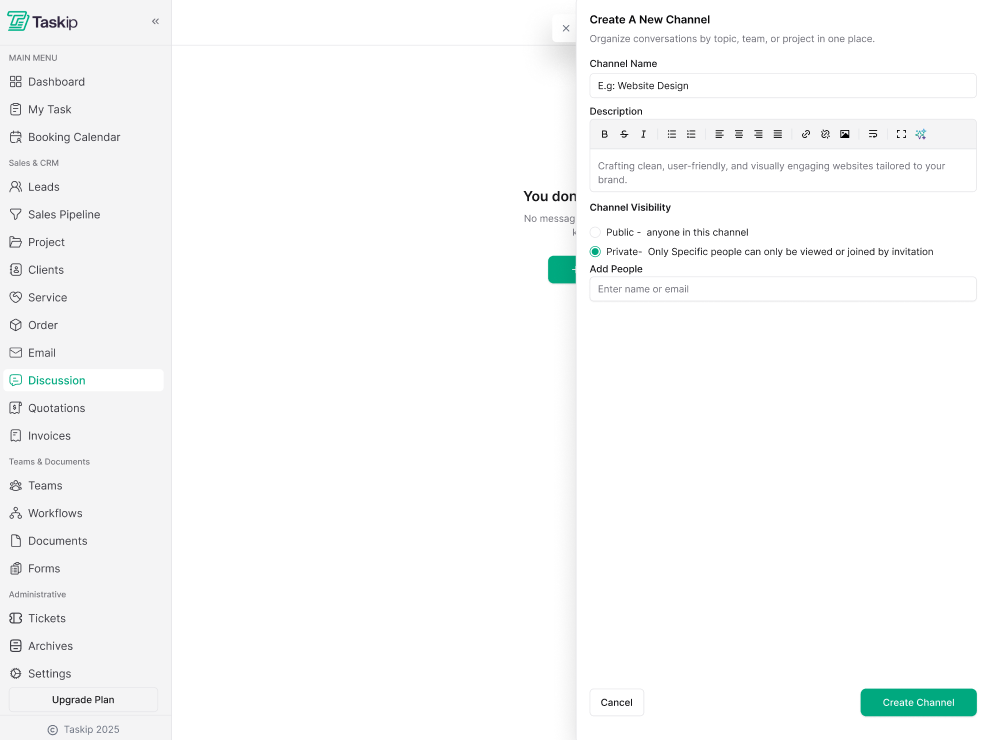
H. Inbox & Discussions
You can send emails to your client or team members directly from this platform. Besides, there is a discussion section where you can discuss topics with your team or have a private conversation one-to-one. Advantage? No need to jump to WhatsApp, Slack, or other platforms for communicating with your teammates.
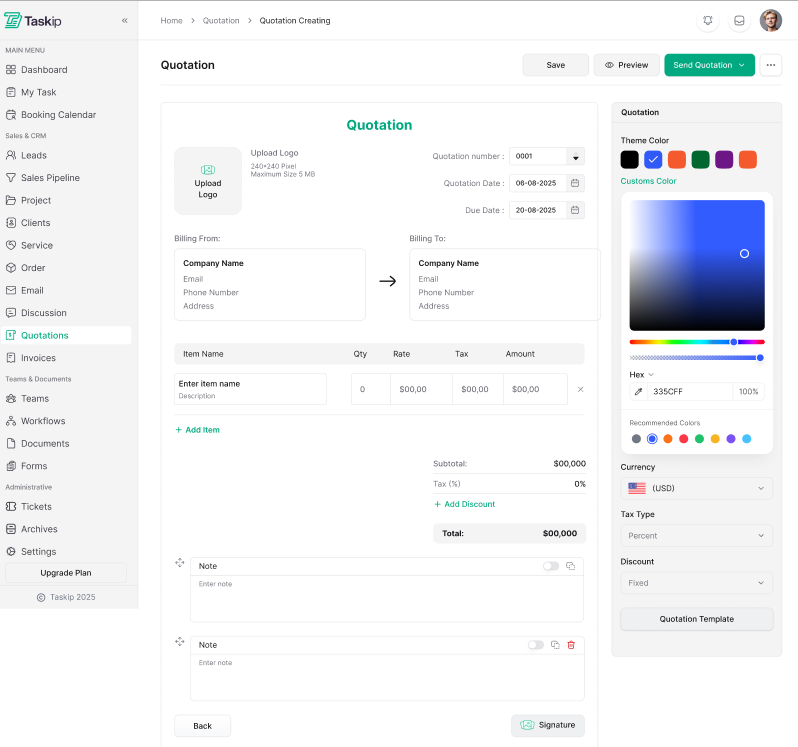
I. Quotation, Invoice, Proposals, and Payment
Taskip automates the quotation and invoicing process. There are templates that you can use to customize your invoices and send them for billing. And the best part is the payment integration tools in Taskip allow clients to make payments directly from the app, and once you receive the payment, the software notifies you in your inbox.
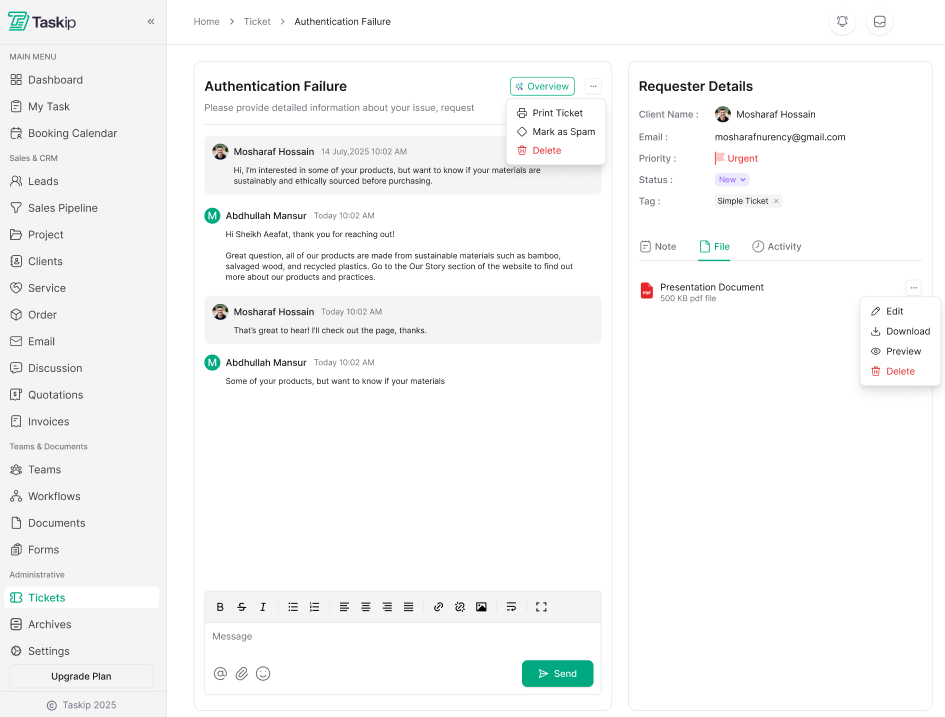
J. Support Ticket
The clients can directly address an issue and request a solution in the ticket section of Taksip. This makes customer support easier. Priority tags are available. If it’s urgent, you can set the priority and solve it accordingly.
Taskip Pricing
Apart from the free plan, Taskip offers three paid plans. These are as follows:
| Sl. | Plan | Price | Best For |
| 1 | Professional | $12/month or $160/Lifetime | Freelancers and solo users are ready to grow their business smartly. |
| 2 | Growing Team | $29/Mo or $375/Lifetime | Built for small teams to collaborate, manage work, and scale faster. |
| 3 | Agency Unlimited | $59/Mo or $790/Lifetime | For agencies needing full control, flexibility, and advanced power. |
Pros & Cons of Taskip
| Pros | Cons |
| – User-friendly interface – Direct communication with client & team – White-label option for agencies – Strong customer support – 30-day refund guarantee – Affordable pricing compared to other agency tools | – Mobile app not available yet (coming soon) |
Taskip vs. Product.io: Why Choose Taskip?
Both Taskip and Product.io are designed for organized agency and business management. They bring all essential tools to a single platform without requiring juggling from one app to another.
However, for centralizing, Taskip offers more accessible and user-friendly features than Productive.io. For instance, Taskip has a customizable client panel and form builder that Produtive.io lacks. It further lacks the service catalog that Taskip offers, allowing users to create a customized service page and get orders directly from here. Moreover, the customer service of Taksip is way better and faster than Productive.io. All these features make Taskip a better Productive.io alternative.
Rating & User Feedback
| Platform | Rating | User Feedback |
| G2 | 4.3/5 | “As a freelance web developer, my day used to be a constant juggle between deep coding sessions and urgent client updates. Taskip has been a game-changer, streamlining my entire workflow. Now, monitoring project progress is effortless, allowing me to focus on what I do best without missing a beat. It truly feels like I’ve gained an extra set of hands to manage the administrative side of my business!” -SUBRATA S. |
| Trustpilot | 3.7/5 | “Fantastic, I’m using this software last 8 month and this is awesome. Specially its invoicing system and from builder. I also like Project Management part. I love this and thanks.” Nurul Amin |
2. Scoro
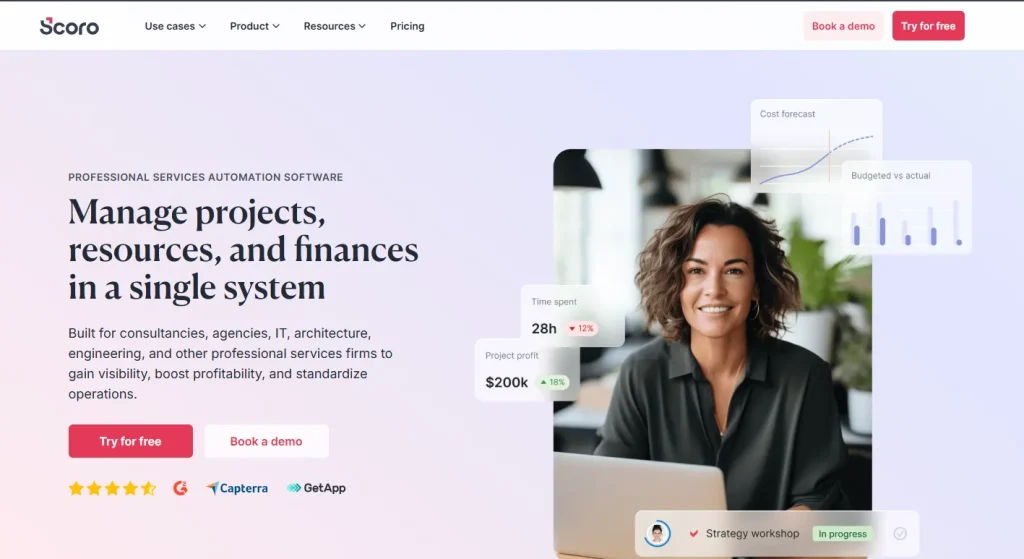
Scoro can be the best Productive.io alternative if you find the resource and finance management of Productive.io insufficient. It has robust resource planning and forecasting capacity. Moreover, the cost management criteria of Scoro are what set it apart from other apps. And the best part of Scoro is its time tracking feature. You can track the billable and non-billable hours, which helps you allocate your resources better.
Best Scoro Features
- Project Management: This app is designed to manage every aspect of your projects within a single system, from sales and planning to delivery and invoicing. Moreover, the automation feature of Scoro stands out; with a few clicks, you can turn a template into real projects.
- Easy Quoting, Budgeting, and Invoicing: It helps you create a standardized price proposal creation ensuring the prices are accurate to generate consistent results and stay profitable. Besides, there is a rate estimation allowing you to calculate the budget, keeping your profit in your pocket. Additionally, invoicing and collecting payment are all possible within the same interference.
- Reporting & Real-Time Dashboards: tracking your work progress is easy with Scoro. You get a customizable dashboard to consolidate all your KPIs and metrics. Besides, it offers real-time insights, so you always keep updated with what’s going on with your business and its progress.
- Resource Planning & Capacity: From the Scoro dashboard, you get a 360° view of how your team’s time is booked, planned, used, and logged. Thus, you can appoint tasks to the team members based on their availability. This way, you can plan your team without burden.
- Integrated AI: With Scoro AI, you can get real insights in seconds. So, at any time, you can get a quick overview of your business at any time.
Pros & Cons of Scoro
| Pros | Cons |
| – Customizable dashboards – Automatic quoting & invoicing – Integrated time-tracking features – Easy scheduling with Google Calendar | – Interference can slow down with heavy projects – Limited report customization – Expensive |
Scoro Pricing
Scoro offers a free trial period for 14 days. After having the demo, you can purchase a plan. It offers four plans; these are as follows:
| Sl. | Plan | Price | |
| Monthly | Annual | ||
| 1 | Core | $23.90 per user/month | $19.90 per user/month |
| 2 | Growth | $38.90 per user/month | $32.90 per user/month |
| 3 | Performance | $59.90 per user/month | 49.90per user/month |
| 4 | Enterprise | Custom | Custom |
Why Choose Scoro as a Productive.io Alternative?
If you want robust finance management features, Scoro is a great Produtive.io alternative. Besides, Scoro has a customized plan for vast teams with more members. In this case, if it’s a big company and ready to invest, you can go for Scoro. However, Productive.io is more affordable and suitable for small businesses compared to Scoro.
Rating & User Feedback
| Platform | Rating | User Feedback |
| G2 | 4.6/5 | “A few new things I’ve come to appreciate about Scoro are its continuous interface improvements, enhanced automation tools, and growing integration ecosystem. The updated UI feels cleaner and more intuitive, making it easier to navigate between projects, finances, and tasks. I’ve also found the expanded automation rules incredibly helpful—they reduce repetitive admin work by automating status updates, notifications, and data syncing. Finally, the increasing number of native integrations, especially with accounting and productivity tools, has made Scoro even more central to our workflow. These updates show that the platform is evolving in ways that genuinely improve day-to-day efficiency.” – Rebecca B. |
Trustpilot | 3.3/5 | “One of the best products out there for everything a basic company needs. Calendar, task list, dashboards, reports, quoting and budgeting, billing and so on. Very customizable. Also, they have a very good customer service.” – L P |
3. Accelo
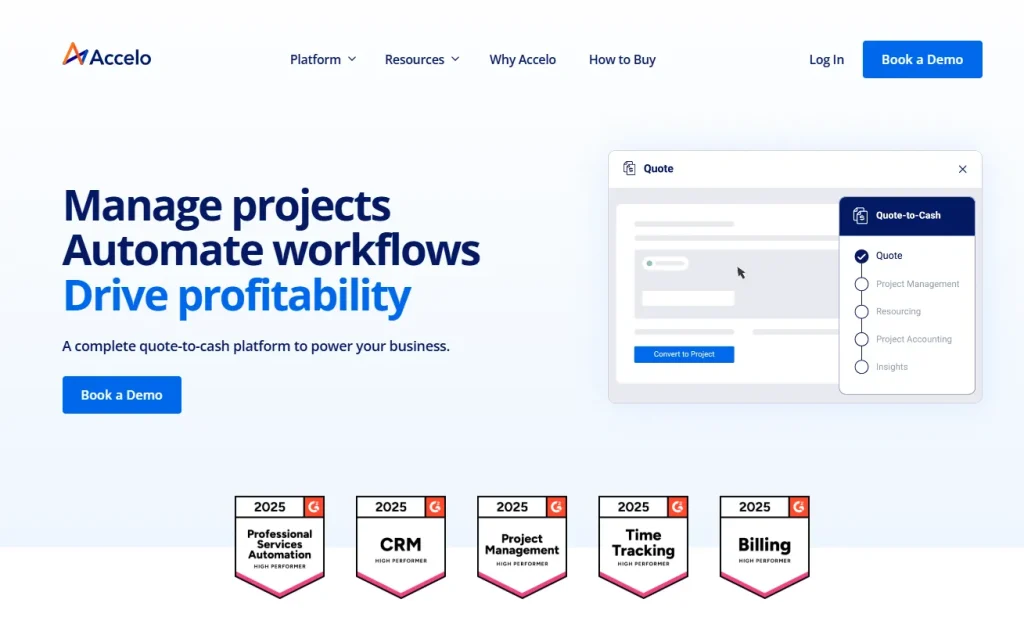
Accelo is a project management app that seamlessly integrates your quote-to-cash process, making your business handling and tracking efficient. It focuses on automating professional services, saving you time and making day-to-day task handling easier. Accelo focuses on maximizing efficiency and profit-boosting to run your business smoothly.
Best Accelo Features
- Organized Client Management: Client management is super convent with Accelo as it offers a 360-degree view of client updates. You can get a real-time view of sales, projects, tickets, and client-level profitability with a CRM for professional services. Moreover, it automates the quote-to-project handover process seamlessly.
- Smarter Project Management: With Accelo, you can track your project and forecast outcomes. It has auto-sync project features and offers time tracking via timer, sheet, and Kanban board. This way, you can accelerate your process and focus more on service quality.
- Finance Handling: Identify time-based profitability trends with this application. Besides, optimizing invoices, billing, retainers, and payment processing is easy with Accelo.
- Flexible Resource Management: Allocating resources across projects is easy with this application. View a live heat map of team availability, adjust for tentative work, PTO, and utilization, optimize billable hours across your teams, and thus maximize productivity with balanced workloads with Accelo.
- Accessible Integration: You can connect your favorite tool with Accelo and streamline your work process. That is, you can sync your Gmail or Microsoft 365 email and calendar events effortlessly on the same page. And this way, this application keeps your team organized.
Pros & Cons of Accelo
| Pros | Cons |
| – User-friendly interface – Real-time project tracking – Automatic workflow – Smooth onboarding – Customizable | – Steep learning curve – No mobile apps |
Accelo Pricing
You are getting three plans with Accelo. However, the pricing is not mentioned publicly. You need to request a quote. The three plans are as follows:
- Professional
- Business
- Advanced
Why Choose Accelo as a Productive.io Alternative?
If your agency is more focused on retainers or recurring projects, then Accelo will be a better Productive.io alternative for you. But if you are working with a small team or have just started an agency, productive.io is ok to carry with.
Rating & User Feedback
| Platform | Rating | User Feedback |
| G2 | 4.4/5 | “Being able to assign clients their own job boards, tasks with assignees, communication features in general stream, task streams, checklists per task as well as being able to track time per task – along with lists that are customizable to track everything literally. It’s ALL here and it’s quite useful. We used it extensively as our job management system and ticket system for various products for over 3 years.” – Curran M. |
| Trustpilot | 2.9/5 | “Accelo simplified everything for our agency – since getting started, we’ve never looked back. It streamlines so much for our team, and gives us the insight we need to make good decisions.” – Ryan Draving |
4. Kantata

Kantata is designed for businesses and agencies struggling while juggling from tool to tool and overlapping client deadlines. This application offers a real-time insight into your ongoing projects; as a result, you never step back. Moreover, it estimates the unsold pipelines. The robust resource management, collaboration, reporting, and forecasting fill the gaps between sales, resourcing, and delivery teams.
Best Kantata Features
- Resource Managemnet & Forecasting: you will get all your running projects in the same space and can see the real-time changes and progress you make. This allows you to manage project timing, demand, and profitability.
- Managing Finances: Streamlining your billing, invoices, and payments is super easy with the data-centric tool of Kantata. You can track your finances and payment updates within the same dashboard.
- Collaboration & Feedback: Within the application, you can communicate with the client, get feedback back, and improve services. The built-in system of the application automates and simplifies the feedback collection process.
- Business Intelligence: The AI-driven insights of Kantata deliver superior forecasting confidence and consistency. Here you can generate 60+ services-centric reports offering real-time insight into your business so you can make the best decision.
- Integration & Workflow: Kantata gives you access to over 1,200 prebuilt connectors for faster and organized scaling. Moreover, it automates the workflow. Therefore, you need to move back and forth to use multiple tools- you are getting all in a single platform.
Pros & Cons of Kantata
| Pros | Cons |
| – Real-time visibility into the project automation and syncing – Task assigning based on skill, availability, and cost – Good customer supportbuilt-in project templates | – Complex report customization – High learning curve |
Kantata Pricing
Kantata doesn’t publish its pricing on its website. You need to ask for the quote. They offer plans and pricing based on your requirements and business size.
Why Choose Kantata as a Productive.io Alternative?
If you are more focused on team planning, task distributing, or capacity planning, Kantata is the best option for you. It offers a skill, availability, and cost-based task appointment option. Moreover, with real-time forecasting, you can take information-driven decisions. However, if you want a simple project management application, Produtive.io is good to go.
Rating & User Feedback
| Platform | Rating | User Feedback |
| G2 | 4.2/5 | “The best thing about Kantata is that I can see budgets and time entries in real-time. I struggled with our old project management software because it didn’t include time tracking. I spent so much time trying to see where we were at on budgets before Kantata. Now, I can know in real-time. Kantata finally gave us the ability to add custom task statuses so that has been a huge help as well.” –Rachel S. |
| Cepterra | 4.2/5 | “Very good. We have made suggestions that have been listened to and implemented, we have worked with their customer success team extensively to our benefit. Their help support is excellent when you encounter problems and the software was adaptable to all our needs.” – Andrew F. |
5. ManyRequest
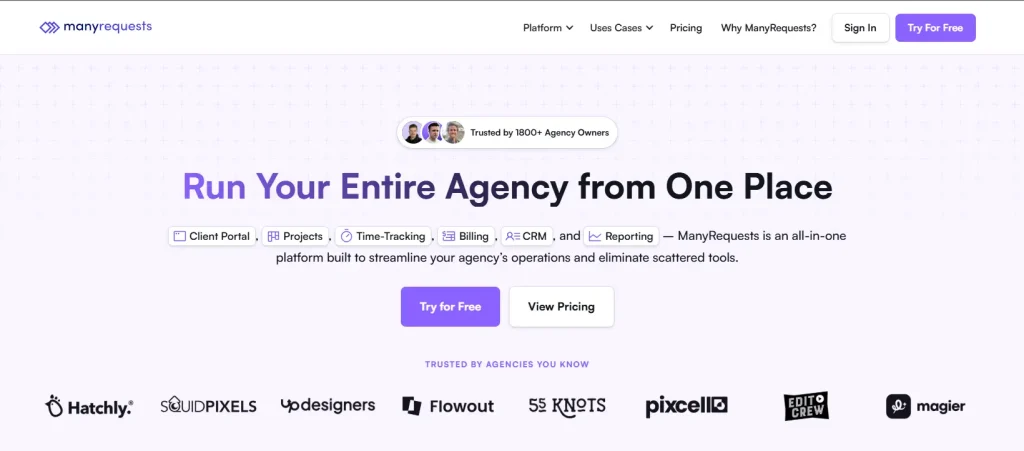
ManyRequests is an all-in-one platform built to streamline your agency’s operations and eliminate scattered tools. It puts all your day-to-day activities into one platform. So whether it is time-tracking, billing, CRM, or reporting, ManyRequest makes it all possible with ease. Thus, you can plan, assign, and deliver projects in one place.
This platform is built focusing on design agencies, webflow agencies, video production agencies, and 3D & architectural agencies. This application is highly trustworthy as it serves 1800+ agencies to manage clients, projects, and payments.
Best ManyRequest Features
- Branded Client Portal: ManyRequest offers a customized client portal. Here, clients can add their brand name, logo, color, and email to complete a total branding. Additionally, domain branding is also possible. The most amazing features in the client portal include built-in messaging, file sharing, and granular permission control. From the client portal, you can further embed 200+ apps, including Airtable, Intercom, Calendly, Google Looker, etc.
- Robust CRM: ManyRequest has an option to create an individual client profile. Here you can go through the client information, projects, messages, and other information at a glance. Billing details, like where the bill was paid and the amount, are available here. Moreover, you will get the entire history of the client’s requests, feedback, messages, and uploads.
- Time-Tracking: No need to switch while tasking. You can track time at the task level. A flexible option is available, such as you can start the timer and entering the time later. It also offers real time view of usage hours. You can see how much time is spent on specific tasks. And finally, the tool automatically syncs time logs to your hourly or credit-based billing model.
- Powerful Suite of Project Tools: ManyRequest offers a smart project management system. You can choose tools like Kanban, queue, calendar, or list view to fit your preference. There is an option for the client to leave a comment, following which you can make improvements in your project. Besides, task assigning and status updates are automated. It also has AI for instant reply. Moreover, billing is done within the project.
- Automated Billing: With this application, you can create branded checkout pages for each service. And invoice creation and sending are automated. In case there is any failure in the invoice sending, it will notify you of the failure. Making payment or receiving payment is easier as it supports Stripe. Moreover, when the subscription is zero, it automatically pauses work.
Pros & Cons of ManyRequest
| Pros | Cons |
| – White-label customization – Built-in subscription management – Easy task tracking – Great for productized services (design, video, dev, content, etc.) | – Not suitable for complex workflows – Fewer integrations compared to larger platforms |
ManyRequest Pricing
ManyRequest offers fair pricing for its plan and has a 14-day free trial plan. However, the best part is that you need no credit card to purchase the plan. And setup requires only 5 minutes.
There are three plans on ManyRequest that come in a monthly and annual payment system. With an annual plan, you can save up to 34%.
| Sl. | Plan | Best For | Price | |
| Monthly | Annual | |||
| 1 | Starter | Ideal for agencies just getting started | $29/m | $19/m |
| 2 | Core | Perfect for established agencies looking to scale | $59/m | $39/m |
| 3 | Pro | Most comprehensive solution for a large business | $99/m | $79/m |
Why Choose ManyRequest as a Productive.io Alternative?
If you are looking for a simple, client-facing platform where clients can submit requests, manage subscriptions, communicate, and pay, ManyRequests is a better Productive.io alternative. It’s easier to set up (requires just 5 minutes), more client-friendly, and ideal for productized or service-based agencies.
Rating & User Feedback
| Platform | Rating | User Feedback |
| G2 | 4.5/5 | “We have been using manyrequests for almost a year now for our client projects and its one of the best project management system and a client portal we have used so far, it has almost all the customization options we require, time tracking, checklists, ticketing and feedback from our clients, which helps us to combine everything in one place.” – Sharon J. |
6. OneSuite
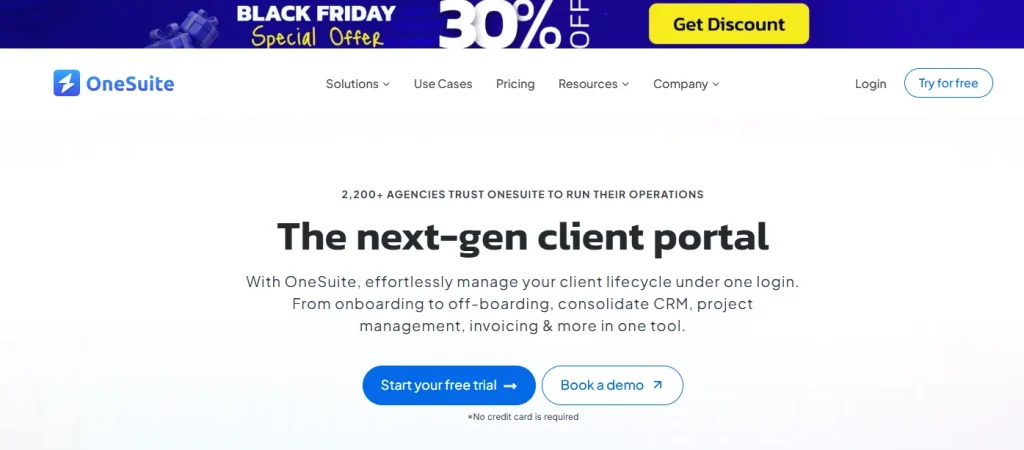
If you want a solution focusing on CRM, OneSuite is a more suitable application compared to Productive.io. It effortlessly manages your client lifecycle under one login. It includes all functionality, starting from onboarding to off-boarding, consolidating CRM, project management, invoicing & more in one tool.
With this application, the creative process becomes much easier. Whether it is a software development agency, design agency, Marketing agency, creative agency, or consultancy, OneSuit covers all.
Best OneSuit Features
- Smart Task Management: Using this platform, you can manage tasks easily and offer more profitable projects. For better and more convenient project management, here are the features that OneSuite offers:
- Multiple project layouts
- Client collaboration
- Deadline & progress tracking
- Pre-built templates
- Task & subtasks
- Subtask behavior
- Priority & status
- File attachments
- Project assignees
- Time log
- Client Portal: The client portal of OneSuit offers real-time progress of your project. From this portal, clients can track project progress, milestones, and deadlines without back-and-forth emails. Moreover, it offers secure document sharing, invoice & payment access. Moreover, it also supports multiple languages for convenience.
- Proposal Builder: This feature offers you to create, sign, and share documents; track contracts, proposals, NDAs, and agreements. That is all your documentary works are completed within a single dashboard.
- One-time & Recurring Invoice: Creating and sharing an invoice is now a matter of a minute with OneSuite. You can easily send an invoice to the client and receive payment. This platform supports easy payment acceptance via Stripe, PayPal, QuickPay, RazorPay, and more.
- Remote Team Management: From the OneSuit dashboard, you can assign, track, and organize tasks efficiently to meet deadlines. For better security, you are also getting the feature to customize team access levels.
Pros & Cons of OneSuit
| Pros | Cons |
| – Real-time project updates – Easy setup and beginner-friendly – Unlimited clients, projects & invoices – Built-in proposals, contracts & e-signatures – Flat, affordable pricing | – Limited integrations – Fewer advanced features than Productive.io |
OneSuit Pricing
OneSuit offers three paid plans along with a trial period of 14days. The pricing is as follows:
| Sl. | Plan | Price | ||
| Monthly | Annual | Lifetime | ||
| 1 | Freelancer | $20/month | $41/month | $104/month |
| 2 | Solopreneur | $203/year | $413/year | $1043/year |
| 3 | Growing Agency | $209/lifetime | $419/lifetime | $1049/lifetime |
Why Choose OneSuit as a Productive.io Alternative?
For a built-in CRM and fully branded portal, OneSuit is undoubtedly a better Productive.io alternative. It offers more extended customer interaction features and a well-structured all-in-one workflow that connects leads, projects, invoices, and documents in one place.
Rating & User Feedback
| Platform | Rating | User Feedback |
| G2 | 4.8/5 | “I have been using it for approximately 5 months to manage my clients’ projects and to assign tasks to my employees. I like how easy and intuitive it is, as you don’t need to explain to your employees where to find their assignments and documents. It is very functional.” – Pedro C. |
| Trustpilot | 2.8/5 | “Okay no service is perfect but Onesuite is the closest thing. They got everything, okay maybe not everything but almost everything. Phone card service (dial around), VoIP, Online fax, Voicemail and forwarding services.” – Jeremy |
7. Teamwork
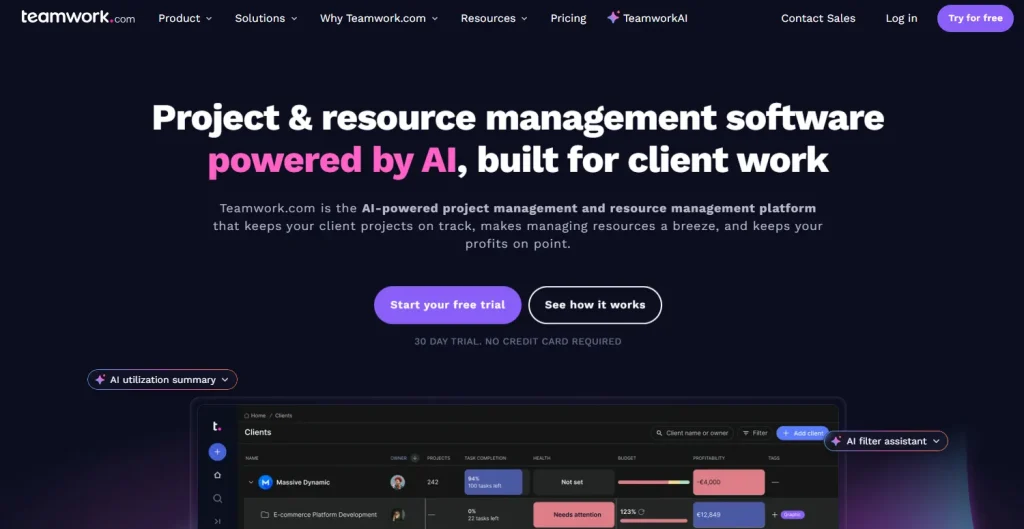
Teamwork is a better productive.io alternative for its strong project management, financial solution, and CRM. It has covered about 17,000+ projects till now and is a trustworthy platform for more than 16,000 businesses. This application is built for business to organize their task by planning, assigning team members for versatile projects, and handling the workflow all in a single platform. This way, you can forecast and manage resources without guesswork and ensure utmost profitability.
Best Teamwork Features
- Unified Project Management: All your clients will have an individual profile on Teamwork. Here you can check their projects and updates. The intake forms allow you to gather requests and information about the client and turn tickets into cases.
- Automation Reducing Repetitive Tasks: The automation feature of Teamwork frees up your busy schedule, helping you reduce repetitive tasks. It offers you hundreds of automations to choose from for streamlining the processes that align with your specific needs.
- Resource Planning: Resource planning of Teamwork is designed to say yes to the project by tracking the availability, workload, overwork, and missed deadlines. It features shift tasks, balances workloads, and keeps projects moving, minus the chaos. Besides short-term planning, you can also create long-term forecasting for your agency and projects.
- Track & Report: The real-time reporting feature of Teamwork allows you to make decision decision-driven decision. From a single dashboard, you can track the task, monitor progress, update of status, and a lot more. Moreover, it also shows you a report of where you are burning money. So, tracking your finances is much easier with Teamwork.
- Finances & Cost Management: Tracking costs in real time, including billable hours and expenses, is possible with Teamwork. You can easily set up a budget, setting a profit margin. And the best part is that when you run over your budget, the application will alert you. Besides, it also has a feature to create quotations and invoices.
Pros & Cons of Teamwork
| Pros | Cons |
| – User-friendly interface – Real-time tracking – Automation – Built-in communication tools – File sharing within the platform – Detailed project report | – High price rates |
Teamwork Pricing
Teamwork has four plans with a free 30-day trial period. These are as follows:
| Sl. | Plan | Best For | Price | |
| Monthly | Annual | |||
| 1 | Free | small teams getting started | $0 Free forever | $0 Free forever |
| 2 | Deliver | More robust project management | $13.99/user/monthbilled monthly | $10.99/user/month billed yearly |
| 3 | Grow | more complex client projects | $25.99/user/month Billed monthly | $19.99/user/month billed yearly |
| 4 | Scale | Making your client work more productively and profitably | Ask for a Quote | Ask for a Quote |
Why Choose Teamwork as a Productive.io Alternative?
Collaborating and interacting with team members is much easier with Teamwork, which makes it a better productive.io alternative. Moreover, its report analysis and tracking feature is highly scalable. If you are working on projects that need frequent interaction and collaboration with team members, Teamwork would be an ideal choice.
Rating & User Feedback
| Platform | Rating | User Feedback |
| G2 | 4.4/5 | “Teamwork.com is a robust approach that guides our company on project and tasks handling and resource management. The software issues timely reports on the projects milestones and the actual resources required. The software is interconnected with the right time tracking system, which works together with the budget and this makes the billing process more flexible” – Samantha L. |
| Trustpilot | 3.2/5 | “Teamwork allows me to track my tasks properly, as well as keep all records organized. Additionally, it makes the collaboration between teams smooth and seamless.” – Lily Semenova |
8. Trello
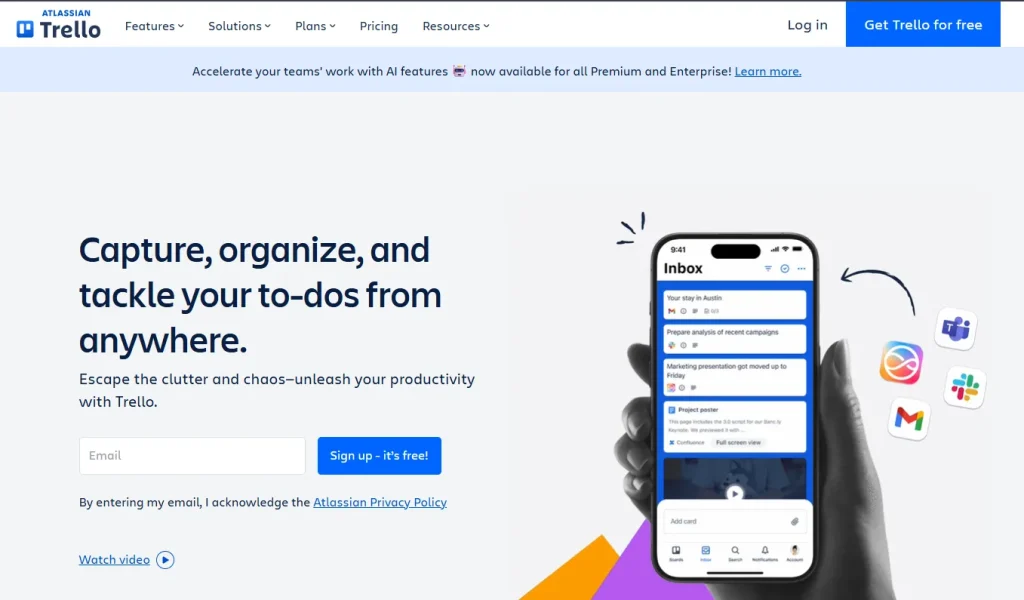
Trello is a software designed to turn your clutter and chaos tasking shifting to utmost productivity. If you are looking for speed, simplicity, and visual task management, Trello is a better productive.io alternative. It supports both pc and mobile, so you can track your to-do tasks from anywhere. Moreover, it offers multiple integrations that streamline your day-to-day tasks, saving hours!
Best Trello Features
- Inbox: Trello saves all your emails, messages, and notes in its inbox. It integrates with messaging applications like Slack and Microsoft Teams, so you never miss a text. Moreover, you can add your to-dos here, and once complete, you can mark them as done.
- Planning & Scheduling: Planning your tasks and scheduling is super convenient with Trello. It integrates with your favorite tools, like Google Calendar and Outlook. Therefore, you can schedule your task directly from the Trello dashboard.
- App Integration: Trello’s automation feature is boosted with the integration with apps like Slack, Jira, and email. Using Trello, you can post messages to Slack channels, create new Jira tickets, post comments to existing tickets, and send automated emails right from the boards.
- Templates: using Trello Templates, you can customize your website in your desired way that fits your business. It has templates for different industries, including business, design, education, engineering, marketing, HR & operations, personnel, and more.
Pros & Cons of Trello
| Pros | Cons |
| – Simplifies project management – Time TrackingEasy Scduling – App Integration | – Expensive for small projects |
Trello Pricing
Trello offers three paid plans on a monthly basis, including one free plan. These are as follows:
| Sl. | Plan | Price | |
| Monthly | Annual Package | ||
| 1 | Free | $0USD/month | $0/month |
| 2 | Standard | $5USD/month | $6/month |
| 3 | Premium | $10USD/month | $12.50/month |
| 4 | Enterprise | $17.50USD/month | $210.00/month |
Why Choose Trello as a Productive.io Alternative?
Trello is better for visual task management, scheduling, and keeping up with your to-do list. However, if you are looking for robust finance management, you can go for productive.io.
Rating & User Feedback
| Platform | Rating | User Feedback |
| G2 | 4.4/5 | “What I like most about Trello is how it stays “invisible” while still keeping my entire workflow organized. I don’t have to fight with complicated settings or dig through menus—Trello just lets me drag, drop, and keep moving. The visual boards make it unbelievably easy to understand what’s happening in a project at a glance. I can step away, come back after a busy day, and still know exactly where everything is.” – Henry A. |
| Trustpilot | 3.1/5 | “Thank you trello because its works well for planning and its easy to set up boards and move task around. I like how visual it is. Making it simple to understand what needs to be done next.” – Keira Mazie |
9. Basecamp
Basecamp is a straightforward project management system where you get a real-time visual of your ongoing projects. The reports this platform provides are not just numbers; they offer you real insight and the progress of your work. You have complete control over your project; if you want, you can also restrain your client from seeing the unfinished project.
Best Features of Basecamp
- Individual Task List: The Basecamp dashboard features an individual section for the team members, where each can go through projects they are working on, a weekly to-do list, and what’s been done, etc. That is, the project page sums up everything.
- Report Generating: The generated reports in Basecamp give you a real-time overview of what’s going on in your project. You can track the overdue task, how much you are spending on which task, and get an overall visual of the workflow.
- Visuals: Basecamp has visual tools like Lineup, Mission Control, and Hill Charts, using which you can see where your project clearly stands. You can guess how far you are with your project and can forecast how long it will take to complete.
- Notification: In this platform, you get all your notifications in one place. Whether you need to test any app, reschedule a meeting, or send a proposal, you will get a notification in your inbox.
- Easy Communication: Basecamp keeps both client and agency organized by recording everyone’s feedback, all decisions, approvals, files, tasks, deadlines, and communications safe and centralized.
Pros & Cons of Basecamp
| Pros | Cons |
| – Easy client access – Centralized document and file sharing – Great for communication (message boards, group chat, pings) – Flat pricing | – Lacks advanced project financials – No native time tracking or resource planning |
Basecamp Pricing
You are getting three plans in Basecamp- two paid and one free. The details of the plans are as follows:
| Sl. | Plan | Best For | Price | |
| 1 | Free | Running one project at a time | $0 Free forever | |
| 2 | Plus | Ideal for freelancers, startups, and smaller teams. | $15/user per month | |
| 3 | Grow | Fast-growing businesses | $299/month billed annually | |
Why Choose Basecamp as a Productive.io Alternative?
If you have a limited budget and want a simple application for project management, Basecamp is a better alternative to productive.io. It offers you flat pricing with unlimited users and projects, which is ideal for new and small businesses. In contrast, productive.io receives payment for per user, which is expensive.
Rating & User Feedback
| Platform | Rating | User Feedback |
| G2 | 4.1/5 | “it simple and easy platform. Like the way it works so easy with my client. I like their card and to-do features. simple to handle and complete task.” – Priyanka Saini |
| Trustpilot | 3.8/5 | “it simple and easy platform. Like the way it works so easy with my client. I like their card and to-dos features. simple to handle and complete task.” – Priyanka Saini |
10. ClickUp
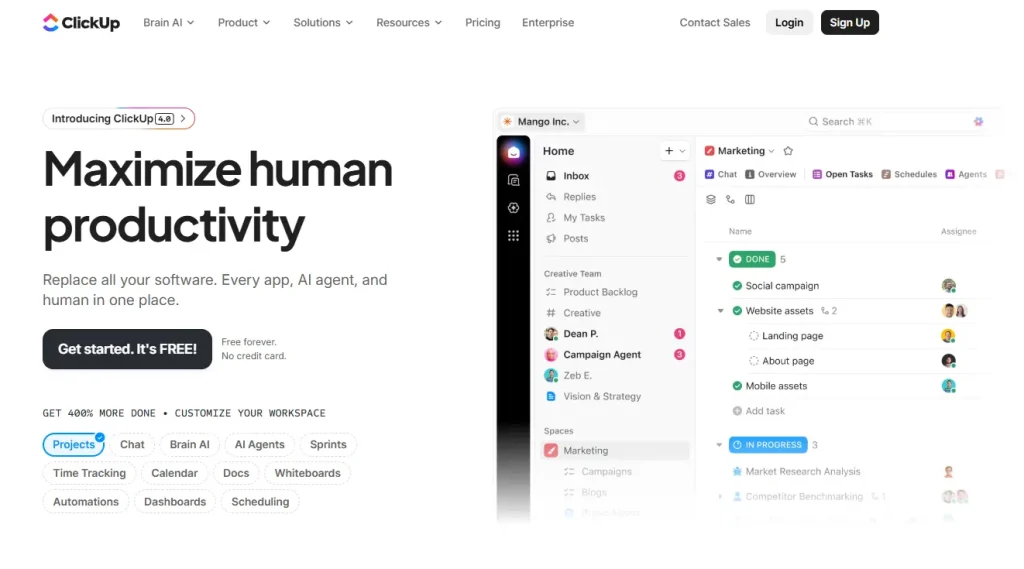
Compared to Productive.io, ClickUp has better features to centralize project management for any agency or business. With ClickUp, you can replace all your software, apps, tools, and AI agents in one place. Using this software is equivalent to adding 15 full-time employees, but with minimal cost reduction. ClickUp has a proven record where organizations saved 92,400 hours by reducing manual work. Over three years, Clickup has delivered 384% ROI and is trusted by 10 million+ teams.
Best ClickUp Features
- Project Management: With ClickUp, you can generate a task summary, time-clock your task, and AI analyzes task details and deadlines, making task management easier. Besides, the interactive dashboard shows you a sum up of your task update, like how long it took, and details of your project.
- Easy Communication: from the dashboard, you can send a direct message to your client or teammate. And the best thing is, you can turn any comment or request into a task. It has voice and calling options, push notifications, activity feed, and a lot more.
- Forms and Doc Sharing: You don’t need to go back and forth to share documents or files. You can connect your docs to workflow, keep files organized with Docs hub, and securely share with everyone within the team or client.
- Sales/CRM: Boosting your sales process is possible with ClickUp’s Sales & CRM templates. Using these templates, you can track leads, nurture relationships, and close deals with tools designed for sales success. This way, it reduces manual labour and automates the process. Moreover, you can view your analytics in grant graph for proper visualization.
- Marketing: ClickUp brings all you need for your marketing team. Here you can generate campaign ideas, content briefs, blogs, case studies, emails, and more with expert-crafted AI tools. This makes your marketing effortless.
- Brain AI: ClickUp brings to you the AI platforms to make your tasks easier. AI features like- talk to text, notetaker, enterprise search, etc., save you time and automate tasks.
Pros & Cons of ClickUp
| Pros | Cons |
| – Customizable task/project views – Built-in time tracking and goals management – Wide range of integrations – Robust automation and workflow options | – The interface sometimes feels cluttered |
ClickUp Pricing
ClickUp has four plans in total, three of which are paid and one comes for free. You can get this plan in monthly and annual plans; the annual package offers a 30% discount! Detail is given below:
| Sl. | Plan | Price | |
| Monthly | Annual Package | ||
| 1 | Free Forever | Free | Free |
| 2 | Unlimited | $10 USD/month | $7 USD/month |
| 3 | Business | $19 USD/month | $12 USD/month |
| 4 | Enterprise | Flexible pricing | Flexible pricing |
Why Choose ClickUp as a Productive.io Alternative?
If flexibility is your preference, ClickUp will be a better Productive.io alternative. It’s easier to customize, offers powerful task views, and automations. Moreover, the built-in time tracking feature offers easy task management and aids you in fulfilling deadlines. Besides, with ClickUp, you will get a deep budgeting option and resource forecasting features.
Rating & User Feedback
| Platform | Rating | User Feedback |
| G2 | 4.7/5 | “I really appreciate the breadth of features that ClickUp offers, which helps me manage short-term tasks throughout the week and more complex, months-long projects. It makes collaboration and communication with other team members seamless, which takes the clutter and chaos out of projects. I appreciate being able to keep track of what tasks I’m responsible for and their urgency easily, making my daily workflow simple.” –Shannon W. |
| Trustpilot | 3.6/5 | “ClickUp keeps my projects dancing! It’s fast, flexible, and helps me turn chaos into clarity. Less stress, more productivity – love it!” –Stanislav Lunák |
11. Bonsai
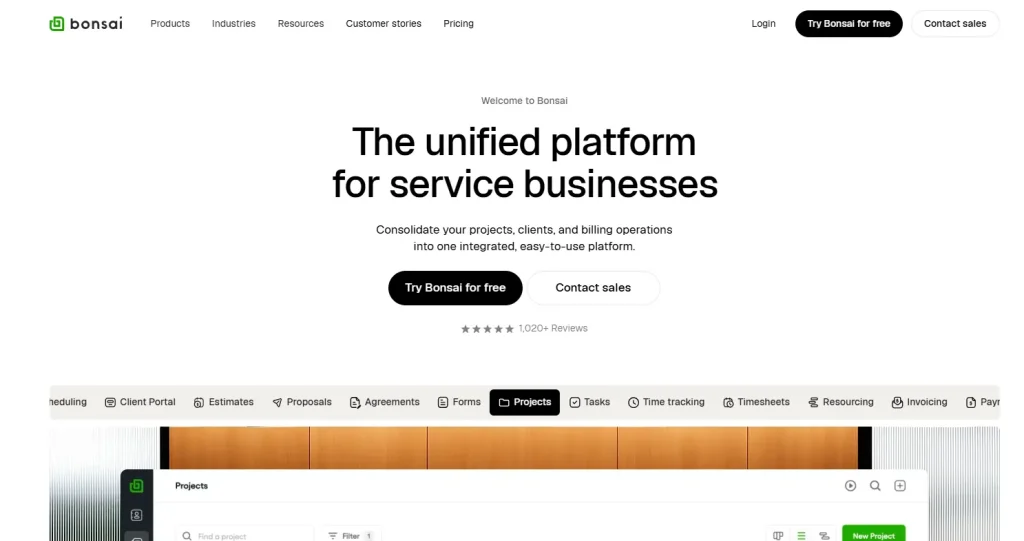
Bonsai focuses on simple client-facing workflows ideal for small businesses and freelancers, which comes in contrast with advanced agency financials and resource planning, which many freelancers and small teams don’t need. This platform is suitable for creative fields, marketing, consultancy, accounting, architecture, and more sectors that require organized client and task management.
Best Bonsai Features
- Unified Client Managemnet: With Bonsai, you get the option to store all client and vendor information in one place. There is one option to organize them with color-coded tags, custom fields, and quick filters. And the best part is you can easily link CRM contacts to active projects, which allows you to track client work progress without switching between platforms.
- Sales Pipeline: Bonsai offers you customizable deal stages; you can drag and drop deals that match your unique sales process. Besides, you are getting deal activity tracking. This allows you to log meetings and notes directly on each deal to maintain a complete communication history. Moreover, you are getting:
- Integrated Estimates & Proposals
- Deal financials
- Deal revenue forecasting
- One-click project conversion
- Booking & Appointments: Bonsai features a booking page where you can send your clients your link or add a widget directly to your website. This allows the visitors to schedule meetings without ever leaving your site.
- White Labeling: With Bonsai, you can customize your website by displaying your logo, brand colors, and custom domain on all scheduling pages. This feature allows you to maintain a consistent professional brand experience.
- Time-Tracking: For project management, Bonsai offers some advanced features to stand out. With time-tracking, you can start/stop timers for real-time tracking. Besides, you can measure the time you spend on an individual task. The time tracking offers more advanced features like-
- Generate timesheets automatically based on scheduled tasks and project allocations.
- Categorize and separate billable from non-billable time entries
- Monitor project budgets in real-time and receive alerts when approaching limits.
- Sync time tracking with your team’s capacity and resource planning
- Monitor project budget and expense tracking in real-time and receive alerts when approaching limits
- Finance Management: For easy finance management, Bonsai has a professional invoice creation template, safe payment, and accounting integration. Besides, the rate chart allows you to fix role-based or project-based rates.
Pros & Cons of Bonsai
| Pros | Cons |
| – Long-list features covering all aspects of project management – Built-in proposals, contracts & e-signatures – Easy invoicing and payment tracking – Time tracking tied to billing – Good for small teams and solopreneurs | – Less robust resource planning than Productive.io |
Bonsai Pricing
Bonsai has four paid plans that you can purchase on a monthly or annual basis. The detailed pricing of the plans is as follows:
| Sl. | Plan | Price | |
| Monthly | Annual Package | ||
| 1 | Basic | $15/user/month | $9/user/month |
| 2 | Essentials | $25/user/month | $19/user/month |
| 3 | Premium | $39/user/month | $29/user/month |
| 4 | Elite | $59/user/month | $49/user/month |
Why Choose Bonsai as a Productive.io Alternative?
If you are a freelancer or have a small-to-medium team to run projects, Bonsai is your go-to choice. It has simple, user-friendly interference and an affordable price that fits starters and freelancers. In contrast, Productive.io is suitable for large agencies and its plans are expensive than Bonsai.
Rating & User Feedback
| Platform | Rating | User Feedback |
| G2 | 4.3/5 | “Professional looking easy to use and implement timer, project/client set up and invoicing/chasing etc. Ability to log a partial payment and email client with updates, disable routine reminders if required and to tweak/suspend accrued interest again as necessary when negotiating with clients (without the overheads of a full accounting app if you’re only operating on a micro level). Basic CRM if payng for basic package. Reasonably priced and does what it says on the tin. Templates are useful and allow for limited personalisation. Customer support is always swift to reply and action any issues.” – Anita Q. |
| Trustpilot | 4.1/5 | “I just wanted to say thank you for giving me access to my account and for being so patient while I transferred my remaining $24. Your team responded quickly and consistently, and everything worked out smoothly in the end. I appreciate the help and the professionalism.” – Darrin Ingraham |
12. Wrike
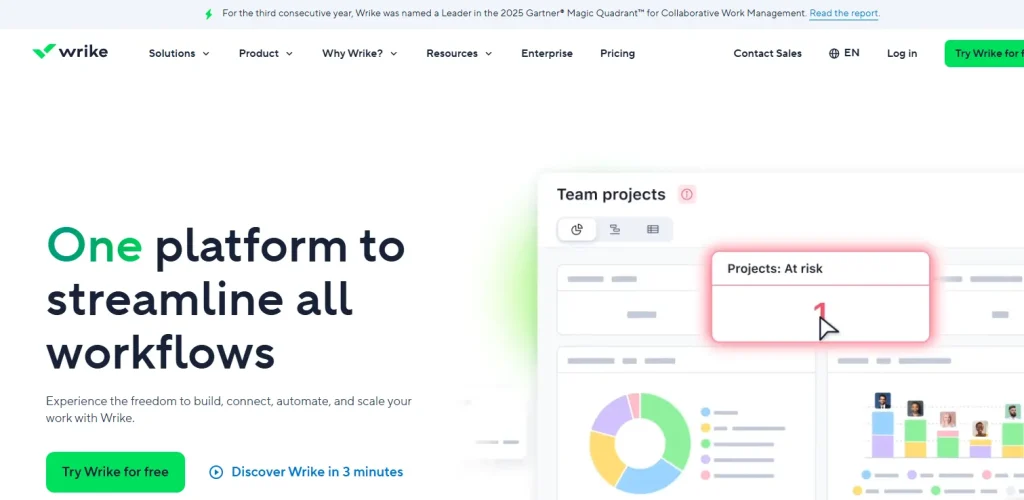
Wrike makes your task and project management easier with its powerful AI tool and automation feature. You can generate project plans, campaign briefs, get real-time dashboard analysis, a custom request form, and more. Additionally, Wrike offers you 400+ prebuilt connectors to the best enterprise applications on the market. This covers all, field-like-
- CRM & ERP
- IT
- BI & Analytics
- Collaboration
- Security and Compliance.
Best Wrike Features
- AI Integration & Automation: With Wrike, you can reduce manual work by using AI and thus improve productivity. It can automate repetitive tasks, suggest project structures, and help prioritize work based on deadlines and workload. This way it saves you time and makes your task easier.
- Mindmapping: You can have brainstorming ideas visually before turning them into structured projects with Wrike. This allows you to map out goals, tasks, and dependencies in a free-flow format, then convert ideas directly into actionable tasks.
- Wide Range of Views: With multiple viewing options, you can organize and forecast your project easily for different working styles. It supports List, Board (Kanban), Gantt, Table, and Calendar views to track work visually or in detail. Thus, you can plan timelines, manage dependencies, and adapt workflows without switching tools.
- Real-Time Dashboards and Analytics: Real-time dashboards always keep you updated with your work progress. You can track KPIs, workloads, risks, and bottlenecks instantly and take action accordingly. This way, Wrike allows you to take data-driven decisions.
- Datahub: Wrike DataHub acts as a centralized data layer that connects information across projects, teams, and external tools. It enables advanced reporting, cross-project insights, and better data consistency. For larger organizations, DataHub helps unify scattered data into one source of truth for analytics and decision-making.
Pros & Cons of Wrike
| Pros | Cons |
| – Mobile functionality – Customizable workflows and dashboards – Multiple project views – Strong automation and AI-powered features – Advanced reporting and analytics – Scales well for mid-size to large teams | – Steep learning curve for new users – Higher pricing compared to simpler tools |
Wrike Pricing
Wrike offers a 14-day trial period, allowing you to test the performance before purchasing a plan. Besides the free plan, it has three paid plans; these are as follows:
| Sl. | Plan | Best For | Price | |
| 1 | Free | For teams getting started | $0 user/ month | |
| 2 | Team | For small teams | $10 user/ month | |
| 3 | Business | For all teams across an organization | $25 user/ month | |
| 4 | Enterprise | For large teams | Contact For Price | |
| 5 | Pinnacle | For teams with complex work needs | Contact For Price | |
Why Choose Wrike as a Productive.io Alternative?
Wrike excels with customizable workflows, advanced dashboards, AI automation, and multiple project views (Gantt, Board, List). This makes it a strong fit for teams that want deeper project control and insights than what Productive.io offers. Therefore, if you need more robust project planning, flexible views, and powerful real-time reporting without sacrificing collaboration tools, Wrike is a better Productive.io alternative.
Rating & User Feedback
| Platform | Rating | User Feedback |
| G2 | 4.2/5 | “Wrike centralizes client work, approvals, and task ownership so our 5-person team isn’t chasing threads across email and chat. Dashboards and workload views give me a real-time picture of project health, and automations remove repetitive follow-ups so we move faster without growing headcount.” –Lauren S. |
| Trustpilot | 4.1/5 | “Wrike has helped us go from multiple forms of project management to one source of truth. Our experience has helped us to keep a near real time updates and progress of all our project portfolio, from simple to very complex projects. We have created a standard workflow to help us reduce the waste of creating projects manually.” – Kevin Thalacker |
13. Freedcamp
Freedcamp is designed for high-performance project management, offering a very user-friendly interference. This application is great for personal growth and individuals dealing with multiple projects. Moreover, Freedcamp is easier to use, quicker to set up, and ideal for small teams that don’t need advanced budgeting, time tracking, or resource planning.
Therefore, if you want a simple, low-cost project management tool with a generous free plan, Freedcamp is a better Productive.io alternative.
Best Freedcamp Features
- Task Management: Freedcamp features a Kanban board where you can manage tasks by dragging them into completion columns. Besides, it lists tasks into sub-tasks for better management. And the best feature is ‘Tasky’- it offers you space to list your private tasks that other team members won’t see. Moreover, for a better overview, it facilitates Gantt Charts.
- Calendar & Time-Tracking: From a single dashboard, you can check your marked to-do list and find free slots in the calendar. Besides, it has a time-tracking feature, with which you can track your workday or billing clients, and this way boost your productivity.
- Discussion & Issue Tracking: With a centralized system, you can communicate with your team and client via email within the application. Moreover, the ‘Issue Tracker’ feature opens a whole world of functionality for tracking issues. This way, you can identify and solve issues without moving back and forth with the tool.
- Documentation & Invoices: The ‘Wiki’ feature of Freedcamp allows you to organize the documentation and keep multiple versions of each document. And you can edit any file directly from the desktop application of Freedcamp, which uploads the updated file back to our system! Apart from this, billing is also super easy with its invoice-creating feature.
- Custom Widget Board: You can create custom widgets for any type of information you need in one easy location with Freedcamp. Besides, it integrates with multiple third-party apps like Google Calendar, Google Drive, Dropbox, and more, which directly link with your projects.
Pros & Cons of Freedcamp
| Pros | Cons |
| – Affordable – Strong CRM – White labeling – Project copy and backup – Gantt chart and Kanban board – File editing and invoice creation | – Limited advanced features – Report analysis is very basic |
Freedcamp Pricing
Freedcamp is one of the most affordable Productive.io alternatives in this list. Besides, its free plan, its paid plan starts only at $2.49 billed monthly, and too can also switch to a14 14-day trial period.
| Sl. | Plan | Price | |
| Monthly | Annual Package | ||
| 1 | Free | $0 | $0 |
| 2 | Pro | $2.49 per user/month | $1.49 per user/month |
| 3 | Business | $8.99 per user/month | $7.49 per user/month |
| 4 | Enterprise | $19.99 per user/month | $16.99 per user/month |
Why Choose Freedcamp as a Productive.io Alternative?
If you are looking for an affordable and user-friendly Productive.io alternative for an individual or a small team, Freedcamp is a budget-friendly option. It has fine project management features and app integration. But the project flow, work progress tracking, finance management, and deep report analysis features of Productive.io can’t beat it.
Rating & User Feedback
| Platform | Rating | User Feedback |
| G2 | 4.5/5 | “Freedcamp is great for teams that need an organized space to collaborate and access notes and files related to multiple separate projects happening simultaneously. It allows for creating easy to find tasks within projects which we group by client name, assigning team member per project or per task, setting status and priorities and due dates, all while keeping things clean and easy to navigate.” – Charles H. |
| Trustpilot | 3.7/5 | “I’ve now had a few months with FreedCamp and it’s way ahead of any of the others and I’m really only using this now and have retired all the others. It’s not too complicated but has a range of add on features that can be switch on and off for each project allowing you to totally customise the solution for each project if you which.” – Mike Foston |
14. ProofHub
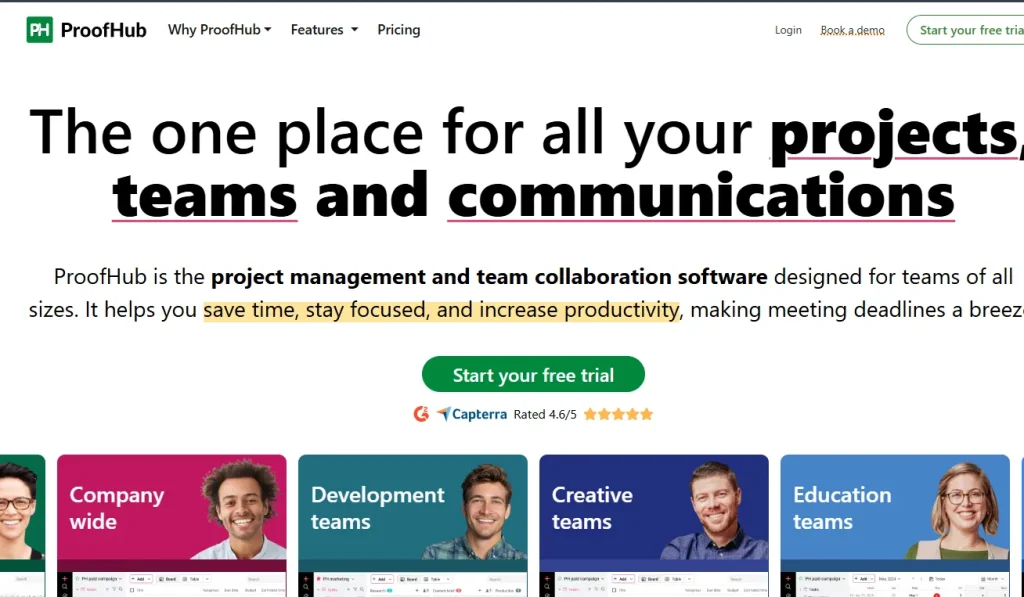
ProofHub is project management and collaboration software designed for teams of all sizes. It puts all your required features and tools in one place, so you don’t need to jump from one place to another while tasking.
Where Productive.io is focused more on advanced financials, deep resource & profitability insights, ProofHub is well known for simple project workflows, and easy communication.
Best ProofHub Features
- Easy Task Management: ProofHub features easy task management using multiple viewing options. To analyze and check the project update, you can choose from the following viewing options-
- Table view
- Board view
- Gantt charts
- Calender view
- Automates Repetitive Tasks: You can set a schedule for your repetitive tasks at intervals like daily, weekly, monthly, or yearly. Thus, at the scheduled time, your task will be done automatically. This not only saves you time but also frees you to focus on other tasks.
- Multiple- Assigns: You can assign multiple members to a single project and divide tasks among them, forming a team. Everyone can see each other’s assigned tasks and progress. This makes team management and progress tracking quick and convenient.
- Easy Task Import & Export: With PoofHub, you can import/export tasks in bulk using a CSV file. So, storing and sharing documentation is possible within ProofHub.
- Reports: You can generate a real-time report of your project and make data-driven decisions. Report category includes the following:
- Project status
- Task completion
- Resource utilization time utilization
- Time logged
Pros & Cons of ProofHub
| Pros | Cons |
| – Workflow – Easy Time-tracking – Project template for customization – White labeling facilities – Private task list – Daily agenda, notifications | – Limited advanced financial tools – Less powerful automation – Fewer integrations – Expensive |
ProofHub Pricing
ProofHub has only two paid plans. However, compared to other platforms, ProofHub seems quite expensive.
| Sl. | Plan | Best For | Price | |
| Monthly | Annual Package | |||
| 1 | Essential | Small teams with basic project needs | $50 / month | $45 / month |
| 2 | Ultimate Control | Agencies & remote teams needing full control | $99 / month | $89 / month |
Why Choose ProofHub as a Productive.io Alternative?
If task management is your first priority rather than robust finance and resource planning, ProofHub is your go-to Productive.io alternative. It provides easier task management, built-in chat and discussions, proofs & approvals, flat pricing (no per-user cost), and flexible project views. This makes ProofHub ideal for teams that want straightforward collaboration and project execution over deep agency financial tracking.
Rating & User Feedback
| Platform | Rating | User Feedback |
| G2 | 4.6/5 | “ProofHub keeps all our campaigns, content calendars, and design feedback in one place. I love how easy it is to create tasks, set deadlines, and keep conversations focused within each project. The discussions, proofing, time tracking, and file-sharing features save us from endless email chains. The clean interface, minimum learning curve and flat pricing make onboarding new team members smooth.” – Rahul K. |
| Trustpilot | 3.7/5 | “ProofHub has been a game-changer for our remote team, offering everything we need to streamline operations. Its comprehensive traits proved to be invaluable for us. Whether it’s planning projects, managing tasks, tracking progress, sharing files, leaving feedback, or communicating and collaborating, our team is more organized and efficient than ever.” –Viktoria |
15. Microsoft Teams

If your budget is too tight and you want a basic solution for all-in-one project management, Microsoft Teams is your go-to solution. The starting plan is available for only $4.00 per user/month, very affordable for small freelancers and solo entrepreneurs. Besides, a free plan is also available. However, you will not get the robust and advanced analytical and project management features that productive.io has.
Best Microsoft Teams Features
- Meeting & Conference: Microsoft Teams makes virtual meetings simple and reliable for businesses of all sizes. You can host HD video meetings, webinars, and large conferences with features like screen sharing, live captions, background effects, and Together Mode. Besides, you can record meetings automatically, with transcripts generated for easy follow-ups.
- Teams Phone: Businesses can replace traditional desk phones and manage internal and external calls from one platform with Microsoft Teams. It supports VoIP calling, call forwarding, voicemail, call queues, and auto attendants. This feature is useful for distributed teams that need a flexible, cloud-based communication solution.
- Chat and Collaboration: You get real-time collaboration with this software; it offers chat one-on-one or in groups, creates channels for specific projects, and collaborates instantly using mentions, emojis, and threaded conversations. Additionally. Sharing files is convenient by integrating with Microsoft 365(Word, Excel, Outlook, SharePoint).
- Supporting Apps: Microsoft Teams supports a wide ecosystem of built-in and third-party apps. You can add tools like Planner, OneNote, Power BI, Trello, or custom business apps directly into Teams as tabs or bots.
- Business and Management: For administrators and managers, you are getting strong control and security features in Microsoft Teams. This allows admins to manage users, permissions, compliance policies, and data security from a centralized dashboard.
Pros & Cons of Microsoft Teams
| Pros | Cons |
| – Chat, video meetings, and collaboration in one platform – Deep integration with Microsoft 365 – Supports large meetings, webinars, and recordings – Secure, enterprise-grade admin and compliance controls – Wide range of apps and integrations | – Too basic a function – No advance project management or tracking system |
Microsoft Teams Pricing
Microsoft Teams has a wide variety of price points. Its mainstream is divided into three sections- Business, Individual, and Entrepreneur. Under these three categories, you will get multiple plans. Click here to get details about Microsoft Teams Pricing.
Why Choose Microsoft Teams as a Productive.io Alternative?
It is undoubtedly true that Productive.io has better features for project management than Microsoft Teams, but when it comes to affordability, the latter is very cheap. So, if your budget is too tight, you can go for Microsoft Teams; otherwise, Productive.io is better.
Therefore, if your back is not hitting on wall, it’s wise not to choose Microsoft Teams as Productive.io’s alternative.
Rating & User Feedback
| Platform | Rating | User Feedback |
| G2 | 4.4/5 | “The video chat atlhought with roam to improve is getting better and better. Also the application is continuosly evolving and adding new important features such as breakout rooms and reactions or the capability to have more than 9 people being shown on video at the same time. The support for reactions in chat windows is also going in the right direction.The possibility to easily setup video conferences with external people is also really great. Less memory hungry than Skype for Business” – Gonçalo V. |
| Trustpilot | 1.2/5 | “so many bugs since skype shut down… what a pity, missing skype badly. From all the people i talk with, everyone is missing skype. RIP….” – sarah |
Features to Consider to Pick the Best Productive.io Alternatives: Expert Guide
Easy Client Onboarding
Select a Productive.io alternative that has a customized form-building feature. This allows you to collect all the necessary information of the client right at the beginning, making the onboarding process simple. So, once they create an account, their profile is already set; no manual setup is required.
Service Catalog Management
As Productive.io lacks a service catalog feature, while finding an alternative, you must consider this feature. It allows you to display your services and pricing to the clients in an organized and professional way.
Task Visualization
Versatile task visual options make your task management more engaging and comforting. Consider viewing options like- table, board (like Kanban), and Gantt chart for convenience.
Client Portal Access
Search for a Productive.io alternative with robust client portal access. This enhances the client experience and eases communication. They can log in to their respective account, check the progress, send feedback, receive invoices, and make payments within the same dashboard.
Billing, Invoicing, and Payment
Financial management becomes way lot easier with quotation, invoice, and payment processing features. For instance, with Taskip, you can create quotes, create and send invoices, and receive payments within the same platform. It integrates will Stripe, PayPal, Mollie, and other payment fulfillment solutions for easy payment processing.
White Labelling
White labelling offers extensive customization facilities to the user for branding. They can style and choose a template matching their brand and thus provide the client with a brand experience. Additionally, consider domain customization for overall branding.
Integrations & API Support
App integration is crucial to get the best out of the platform. Productive.io has limited integration; therefore, while you look for an alternative application, select a platform that has more integration with the board. For instance, Taskip offers 100+ integrations!
Other Feature
Apart from the above crucial features, here are some minor features that you must consider to pick the best deal.
- File sharing & cloud storage
- Team chat & comments
- Mobile app access
- Notifications & reminders
- Role-based permissions
- Activity logs & audit trails
- Data export options
- Security & backup support
Which Productive.io Alternative is the Best: Why Taskip?
After comparing the top 15 project and agency management software, we can come to a decision that Taskip is overall the best Productive.io alternative. Why?
Taskip Vs. Other Produtive.io Alternatives:
- Taskip offers 100+ app integrations, more than most alternatives in this comparison
- Built-in client portal, service catalog, and request system—features missing in tools like Trello, Basecamp, and Freedcamp
- Easier setup than Scoro, Accelo, and Kantata, with no heavy configuration required
- More complete agency workflow than ManyRequests and OneSuite, which focus mainly on client intake
- Less complex than ClickUp and Wrike, while still offering strong project and task management
- White-label branding and a custom domain make Taskip more agency-focused than general tools
- Designed specifically for agencies, unlike Microsoft Teams and other general collaboration platforms
The Bottom Line
To overcome the shortcomings of Productive.io, you must go through the features of multiple competitive software to pick the best one. Moreover, take the free trial option to experience the software before making a purchasing decision.
In this case, Taskip will be your ultimate go-to Productive.io alternative, covering all the limitations and add-on features. It has better price values and comes with a 14-day refund policy! Besides Taskip, you can also consider ClickUp, Wrike, Teamwork, and ProofHub, each offering strong project management with different levels of flexibility and collaboration. And if you want one for personal use or light collaboration, Trello, Basecamp, and Freedcamp are good choices.
Frequently Asked Questions
What makes Taskip the best alternative to Productive.io?
Taskip combines client portals, service catalogs, task management, and 100+ app integrations in one platform. In contrast, Productive.io lacks a service catalog, a built-in form, and fewer integrations. Comparing both, Taskip offers better value, easier setup, and agency-focused features than Productive.io.
What makes Taskip the best alternative to Productive.io?
Taskip combines client portals, service catalogs, task management, and 100+ app integrations in one platform. In contrast, Productive.io lacks a service catalog, a built-in form, and fewer integrations. Comparing both, Taskip offers better value, easier setup, and agency-focused features than Productive.io.
Is Scoro suitable for small businesses?
Scoro is ideal for agency and businesses that deals with robust finance management and deals. So for small businesses, the advanced financial and reporting features may feel complex and costly.
Which Productive.io alternative is best for small agencies?
Taskip, ClickUp, and ProofHub are the best Productive.io alternatives for small agencies. They offer easier setup, lower costs, and flexible project management without the complexity of advanced financial tools.
Which Productive.io alternatives offer a free plan?
Free plan is available for Taskip, ClickUp, Wrike, Teamwork, Scoro, Accelo, Kantata, ManyRequests, OneSuite, and ProofHub provide free trials.




Get Summary On: