11 Best CRM with WhatsApp Integration in 2026 (Tested & Ranked)
The best CRM with WhatsApp integration in 2026 depends on your use case: Getgabs for WhatsApp marketing and bulk campaigns, Taskip for agencies managing clients, HubSpot for full CRM teams, WATI for chatbot automation, and Zoko for Shopify e-commerce.
All 11 tools in this guide use the official WhatsApp Business API and support multi-agent shared inboxes.
We tested and ranked 10 leading WhatsApp CRM tools over four weeks using a real WhatsApp Business number and 200 contacts. The ranking focuses on real-world use: setup ease, inbox experience, automation, pricing clarity, and overall value for small teams and agencies. Enterprise tools are included for comparison but evaluated separately due to scale and cost.
Here’s the shortlist, deep dives, and honest trade-offs to help you choose the Best WhatsApp CRM.
Quick Summary: Top 5 WhatsApp CRM
| # | Tool | Best for | Price from |
| 1 | Getgabs | WhatsApp marketing & bulk campaigns | $5/mo |
| 2 | Taskip | Agencies & client management | $12/mo |
| 3 | WaliChat | WhatsApp-first teams | $40/mo |
| 4 | WATI | Automation & chatbots | $49/mo |
| 5 | Kommo | Messenger-based sales pipeline | $15/user/mo |
Table of Contents
What is a WhatsApp CRM Integration?
WhatsApp CRM software integration refers to connecting the WhatsApp Business API to your existing CRM system so you can communicate and interact with your clients/customers from a single dashboard. This allows you to convert conversations into accessible data. How?
When you opt for CRM integration with WhatsApp, all your chats are saved and linked to an individual customer profile. You can search and get access to these chats anytime from your CRM dashboard.
With a WhatsApp CRM, you can:
- Manage all chats from one shared inbox
- Let multiple team members reply from the same number
- See full conversation history for every customer
- Track leads and deals alongside chats
- Automate replies, follow-ups, and workflows
In simple terms, it turns WhatsApp into a proper business communication system.
How It Differs from Regular WhatsApp
Regular WhatsApp and even WhatsApp Business are built for one person, not teams. You cannot assign chats, automate replies, or link conversations to customer records.
A WhatsApp CRM, powered by the WhatsApp Business API, adds all of that. You get a shared inbox, chat assignment, automation, pipelines, and broadcasts. Instead of scattered messages, your conversations become organized business data your team can track and act on. We’ll learn details about this in the later sections of the article.
Who Needs a WhatsApp CRM?
If your team handles more than 30 to 50 WhatsApp conversations a week, you likely need a CRM.
It is useful for:
- Sales teams are missing or delaying leads
- Support teams using shared phones
- E-commerce brands doing follow-ups or cart recovery
- Agencies managing client communication
- Any team with multiple people replying from one number
Freelancers can manage with WhatsApp Business at first.
But once you add a second team member, it quickly becomes hard to manage without a CRM.
Is There a Free WhatsApp CRM?
Yes, but with limits. Three options stand out for businesses not ready to pay yet:
- WaliChat offers a 7-day free trial with full features unlocked, useful for testing automation workflows before committing to a paid plan
- HubSpot has a free CRM with contacts, pipelines, and a shared inbox, but WhatsApp integration requires a paid Marketing Hub plan
- Zoho CRM provides a forever-free plan for up to three users, and you can connect it to WhatsApp via the Business API at no extra software cost
A fully free WhatsApp CRM with unlimited agents, broadcasts, and chatbots does not exist. Meta charges per conversation through the WhatsApp Business API.
So even with free CRM software, you will always pay a small per-conversation fee through your BSP (Business Solution Provider), such as 360dialog or Twilio. In practice, “free WhatsApp CRM” usually means free CRM software plus paid WhatsApp messaging.
 Taskip
Want WhatsApp without the free-tier limits?
Taskip’s base plan starts at $12/month, and the native WhatsApp inbox is a $10/month add-on — under $25/month total for a full client management platform with WhatsApp built in.
No third-party connectors, no complex BSP setup required.
No credit card is required!
How We Evaluated These Tools
We tested each platform over a four-week period using a real WhatsApp Business number and a sample pipeline of 200 contacts.
Tools were scored on six criteria: ease of API setup, multi-agent inbox quality, automation depth (chatbots, triggers, sequences), CRM features beyond messaging (deals, tasks, contact properties), pricing transparency, and customer support response time.
We also factored in third-party reviews from G2, Capterra, and TrustRadius from the past 12 months. No vendor paid for placement; rankings reflect what we’d actually recommend to a team of 5-50 people choosing a WhatsApp CRM today.
11 Best WhatsApp CRM Tools in 2026
1. Getgabs — Best for WhatsApp marketing, automation & customer engagement
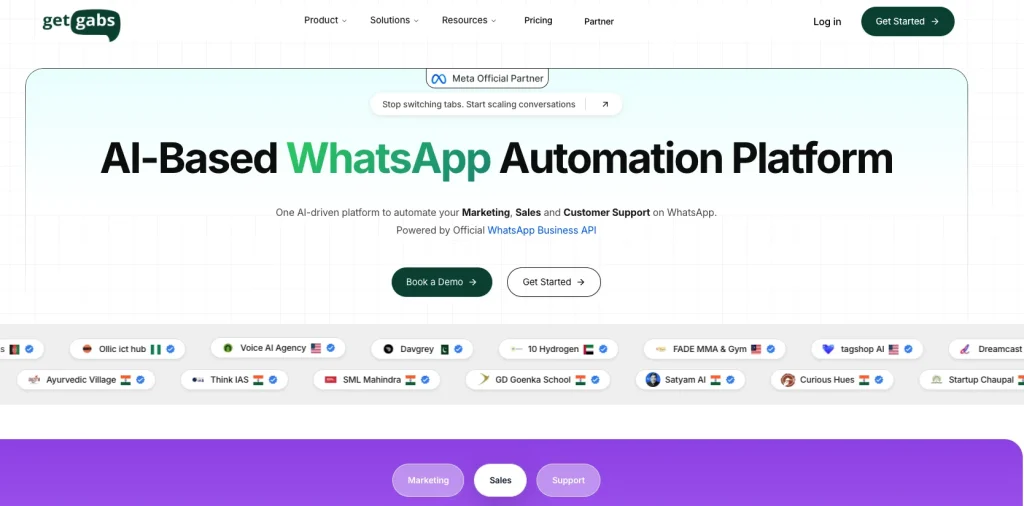
Getgabs is an AI-powered WhatsApp CRM software that manages the sales workforce, leads, and customer dealings instantly within WhatsApp. It aims at brands, e-commerce stores, and digital teams that want to turn a simple manual messaging into an elevated-performance sales and automation engine that is far better than handling the conversation manually.
Best features
- Customer segmentation for sending targeted WhatsApp campaigns based on user behavior and interests
- Contact management system to organize customer chats, profiles, and conversation history
- Task assignment feature for distributing leads and customer queries among team members
- Ticket assignment workflows for faster customer support resolution and tracking
- Automated follow-ups to re-engage leads, abandoned carts, and inactive customers
- Visual sales pipeline to track leads from inquiry to conversion in one dashboard
- Automated notifications for order updates, reminders, confirmations, and alerts
- Lead management tools for capturing, nurturing, and converting WhatsApp inquiries
- Analytics and reporting dashboard with campaign insights, delivery tracking, and team performance metrics
- WhatsApp broadcast campaigns with personalization and delivery analytics
- Shared WhatsApp team inbox with multi-agent support and chat assignment.
- No-code chatbot builder for automated replies and lead qualification
- Shopify, WooCommerce, and CRM integrations for customer synchronization
- An AI-powered chatbot for instant automated support and automated FAQ routing.
- WhatsApp API support with template management and automation workflows
Pros
- Centralizes customer history, leads, and messaging in a centralized dashboard
- No setup cost and markup charges on the Meta messaging fee.
- Reduced cost compared to traditional CRM setups by eliminating middleman messaging markups
Cons
- May require training to set up automated workflows and build custom flows
Pricing
Starting from $5/month | Free tier: No | Free trial: No
Who Should Skip This Tool
Skip Getgabs if you need a full CRM with deal pipelines. This is a messaging-first tool, not a sales management system.
G2 Rating & Review
G2 rating 4.9 out of 5
“
I use Getgabs for automation, particularly for leads automation. I like their end-to-end services and need-based product approach. We at Northern Spices were facing issues with distributing leads to our team in real time when using Meta ads. Getgabs offered their services, and now all my Meta leads are automatically distributed to the team. Everything works perfectly, and the initial setup was simple.
Getgabs Verdict: A great option for businesses that want an affordable WhatsApp CRM and marketing platform with automation, broadcasting, and multi-agent support built into one system.
2. Taskip — Best for agencies and small teams
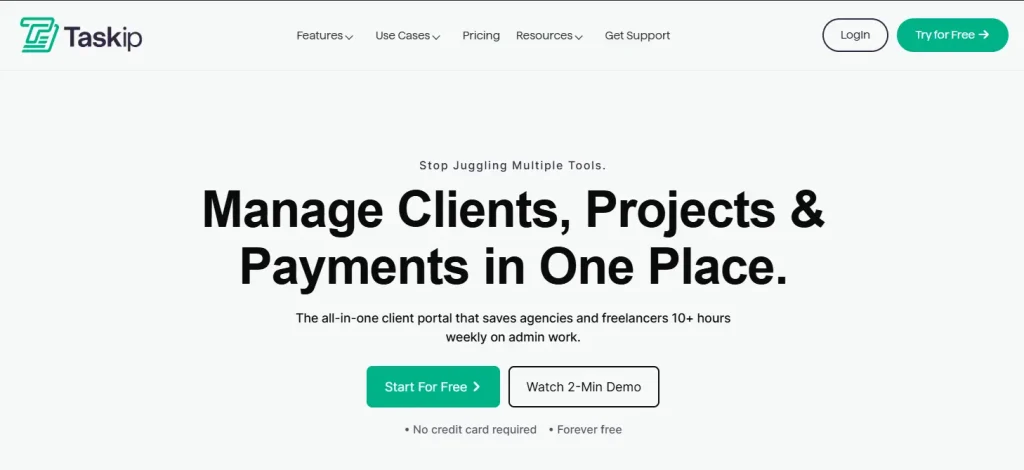
Taskip is an all-in-one client management platform with native WhatsApp integration alongside project management, invoicing, contracts, and client portals. It targets agencies, freelancers, and small service teams that want messaging and operations under one roof rather than juggling separate subscriptions.
Best features
- Native WhatsApp inbox linked directly to client and deal records
- Invoicing, proposals, and contracts inside the same workspace
- Client portal with shared file storage and approval workflows
- Task and project management with team assignments and time tracking
- AI assistant for drafting WhatsApp replies and summarizing chats
Pros
- One subscription replaces 4-5 tools for small agencies
- WhatsApp messages auto-attach to client profiles for full context
Cons
- WhatsApp inbox is a $10/month add-on rather than included in the base plan
- Chatbot capabilities are limited compared to dedicated tools like WATI
Pricing
Starting from $12/month + $10/month for WhatsApp add-on | Free tier: No | Free trial: Yes
Who Should Skip This Tool
Skip Taskip if you’re purely e-commerce and need WhatsApp broadcast automation at scale — WATI or Zoko will serve you better.
G2 Rating & Review
G2 rating 4.8 out of 5
“
As a freelance web developer, my day used to be a constant juggle between deep coding sessions and urgent client updates. Taskip has been a game-changer, streamlining my entire workflow. Now, monitoring project progress is effortless, allowing me to focus on what I do best without missing a beat. It truly feels like I’ve gained an extra set of hands to manage the administrative side of my business!
How to integrate WhatsApp with Taskip
Taskip’s WhatsApp setup runs through the official WhatsApp Cloud API. You connect a verified Meta Business account and link it to your Taskip workspace directly from the dashboard in five steps:
- Log in to your Taskip account and click on WhatsApp
- Click Activate WhatsApp Inbox
- Complete the $10/month add-on payment to activate
- WhatsApp integration activates instantly after payment
- Link your WhatsApp account via QR code, and you’re live
The whole process takes about 15 minutes. A full walkthrough is available here:
 Taskip
Turn Conversations into Cash
✓ Unified inbox for smooth team collaboration
✓ AI assistant to help you draft and send replies faster
✓ Easy conversion of WhatsApp leads into CRM contacts
✓ Rich messaging with media, templates, and quick replies
Stop losing leads in scattered chats. Start managing, tracking, and closing them in one place.
No credit card is required!
Taskip Verdict: The strongest pick for agencies and freelancers who want WhatsApp inside a real client-management system, not a standalone messaging tool.
3. WaliChat — Best for dedicated WhatsApp-first teams
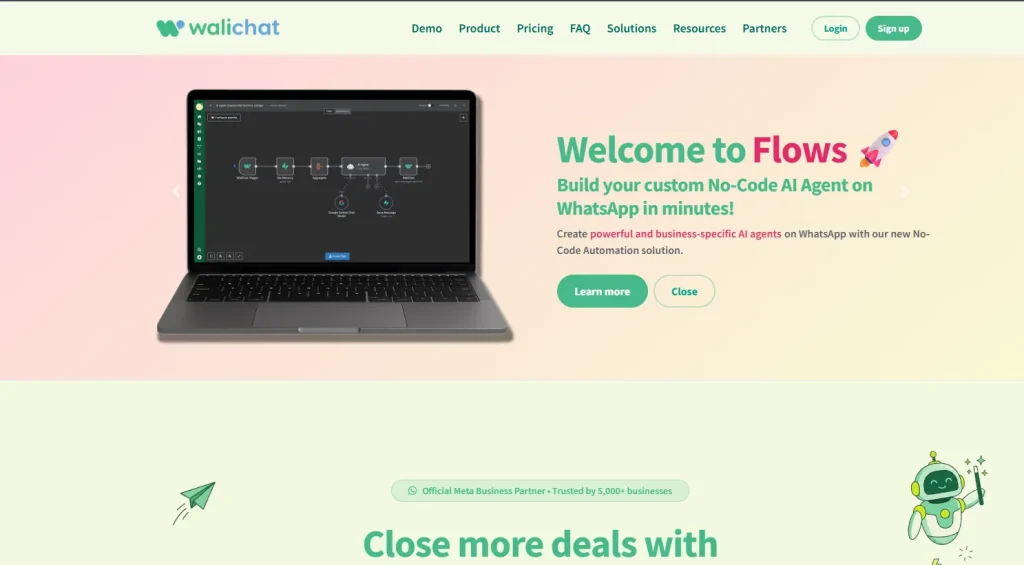
WaliChat is a focused WhatsApp Business platform built around a shared WhatsApp inbox, broadcast tools, and lightweight automation. It targets teams that need WhatsApp done well rather than a sprawling CRM with WhatsApp bolted on as an afterthought.
Best features
- Shared WhatsApp inbox with unlimited agents and assignment rules
- WhatsApp broadcast messaging with list segmentation and delivery analytics
- No-code chatbot builder for WhatsApp with branching logic
- WhatsApp template messages with built-in approval flow
- Native integrations with HubSpot, Zapier, Make, and Pipedrive
Pros
- Cleanest UI of any WhatsApp-first tool we tested
- Free trial gives full feature access without a credit card
Cons
- Lacks deeper CRM features like deal pipelines, forecasting, and revenue reporting
- Reporting dashboards are thin compared to omnichannel competitors
Pricing
Starting from $40/month | Free tier: No | Free trial: Yes (7 days)
Who Should Skip This Tool
Skip WaliChat if you need deep CRM features like forecasting or revenue reporting alongside your WhatsApp inbox.
G2 Rating & Review
Though Walichat has no clear rating in platforms like Trustpilot, G2, or Capterra, it has a good recommendation on Reddit.
“One option that worked better for us was WaliChat. It’s a partner with the official WhatsApp Business API (WABA) and has a visual flow builder, so you can create simple chatbot steps and trigger messages based on events. Updating messages or media later is also pretty easy.”
WaliChat Verdict: Ideal for support and sales teams that already use a real CRM and just need a polished, multi-agent WhatsApp layer on top.
4. WATI — Best for WhatsApp automation & chatbots
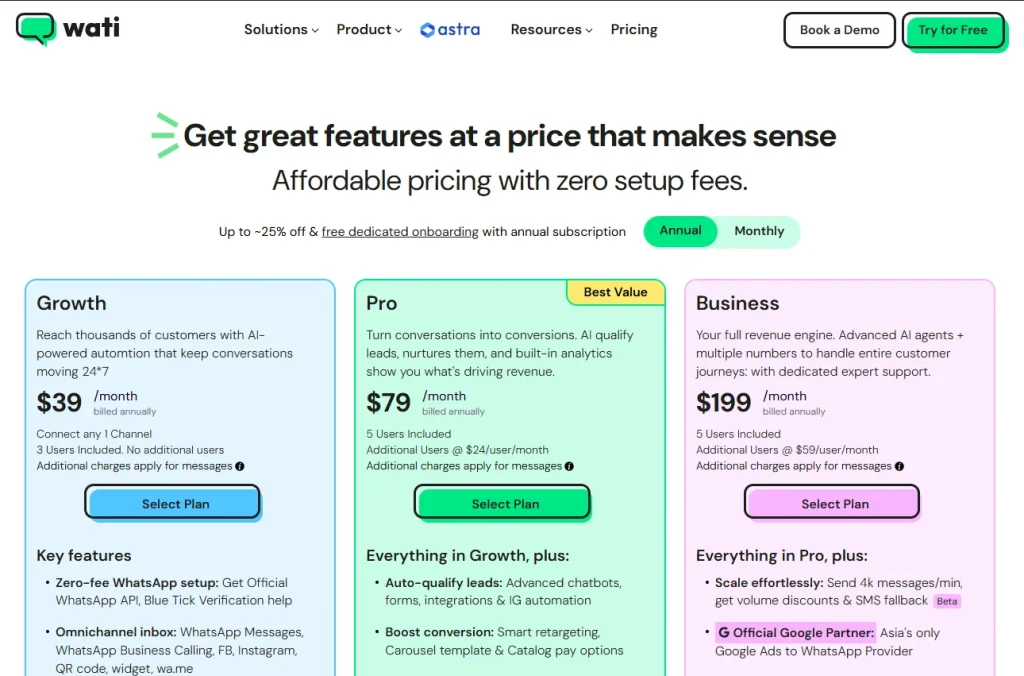
WATI is a WhatsApp Business API platform with a strong focus on no-code chatbot builders and WhatsApp automation workflows. It’s one of the most widely adopted WhatsApp CRM tools in the SMB segment, especially in markets where WhatsApp is the dominant channel.
Best features
- Visual chatbot builder for WhatsApp with branching logic and API calls
- Broadcast campaigns with click-tracking and conversion analytics
- Shopify, WooCommerce, and Zapier integrations out of the box
- Team inbox with assignment rules and SLA timers
- Webhook and REST API for custom workflows and integrations
Pros
- Powerful WhatsApp automation workflows at a reasonable price point
- Strong onboarding and template approval support team
Cons
- Interface feels cluttered as your bot library grows past 10-15 flows
- Limited true CRM features, best paired with HubSpot or Pipedrive
Pricing
Starting from $49/month | Free tier: No | Free trial: Yes (7 days)
Who Should Skip This Tool
Skip WATI if you want WhatsApp as part of a full client management system — it’s automation-first with limited CRM depth.
G2 Rating & Review
“
WATI has been a game-changer for streamlining our customer communication, especially with its intuitive WhatsApp automation and shared team inbox. The ability to manage high volumes of queries efficiently while maintaining a personalised touch has significantly improved our response times and customer satisfaction. Features like broadcast messaging and easy integration into our existing workflows have made it a valuable tool for both marketing campaigns and day-to-day engagement.
WATI Verdict: A strong pick for e-commerce and service businesses that need WhatsApp automation and chatbot builder capabilities without coding.
5. Kommo — Best for messenger-based sales pipelines
Kommo (formerly amoCRM) is a sales-first CRM that treats every messenger — WhatsApp, Telegram, Instagram, Facebook — as a first-class lead source. The pipeline view is built around conversations, not forms, which makes it unusually well-suited to messaging-driven sales teams.
Best features
- Drag-and-drop sales pipeline with WhatsApp built directly into deal cards
- Salesbot for lead qualification on WhatsApp with custom triggers
- Unified inbox across WhatsApp, Instagram, Telegram, and email
- Lead scoring and pipeline automation tied to chat events
- Built-in voice calling with recording and transcription
Pros
- Best-in-class pipeline UX for messenger-driven sales workflows
- Lead qualification on WhatsApp
- Generous 14-day free trial with all features unlocked
Cons
- WhatsApp Business API requires a third-party BSP add-on, raising the true cost
- Reporting is solid, but not as customizable as HubSpot or Salesforce
Pricing
Starting from $15/user/month | Free tier: No | Free trial: Yes (14 days)
Who Should Skip This Tool
Skip Kommo if your sales don’t happen over chat. The pipeline UI is built around messenger conversations and feels awkward for email-first teams.
G2 Rating & Review
G2 rating 4.2 out of 5
“
What I like most about Kommo is how easy the platform is to use. It makes it simple to manage leads, centralize conversations from multiple channels like WhatsApp and Instagram, and set up automated workflows without needing advanced technical knowledge. The visual pipeline is especially practical for tracking deals, and the AI integration and chat automation help improve response times and customer engagement.
Kommo Verdict: Pick Kommo if your sales process lives in chat and you need a pipeline tool that respects how messenger-first deals actually flow.
6. Zoko — Best for Shopify & e-commerce brands
Zoko is a WhatsApp commerce platform built specifically for Shopify and direct-to-consumer brands. It bundles broadcast marketing, abandoned cart recovery via WhatsApp, and a sales agent inbox into one tool aimed squarely at online retailers.
Best features
- Native Shopify catalog sync with WhatsApp product browsing
- Abandoned cart recovery flows with discount code triggers
- COD order confirmation and verification automation
- Shared inbox with agent assignment and tagging
- Click-to-WhatsApp ad attribution from Meta Ads Manager
Pros
- Purpose-built for Shopify and e-commerce workflows
- Strong ROI tracking on broadcast campaigns and ad attribution
Cons
- Limited use outside e-commerce, overkill for service businesses
- Pricing scales steeply with monthly active conversations and broadcast volume
Zoko Pricing
Starting from $34.99/month | Free tier: No | Free trial: Yes
Who Should Skip This Tool
Skip Zoko if you’re not on Shopify or running e-commerce — very little value for service businesses.
G2 Rating & Review
G2 rating 4.5 out of 5
“
Zoko is a powerful tool for WhatsApp marketing and sharing remainders on WhatsApp based on customer interaction. We love the Abandoned Cart feature. It helps us to convert more than 30% of customers actually to buy the product
Zoko Verdict: The right call for Shopify or WooCommerce brands running WhatsApp marketing campaigns and needing tight commerce integration.
7. HubSpot — Best for full CRM + WhatsApp integration
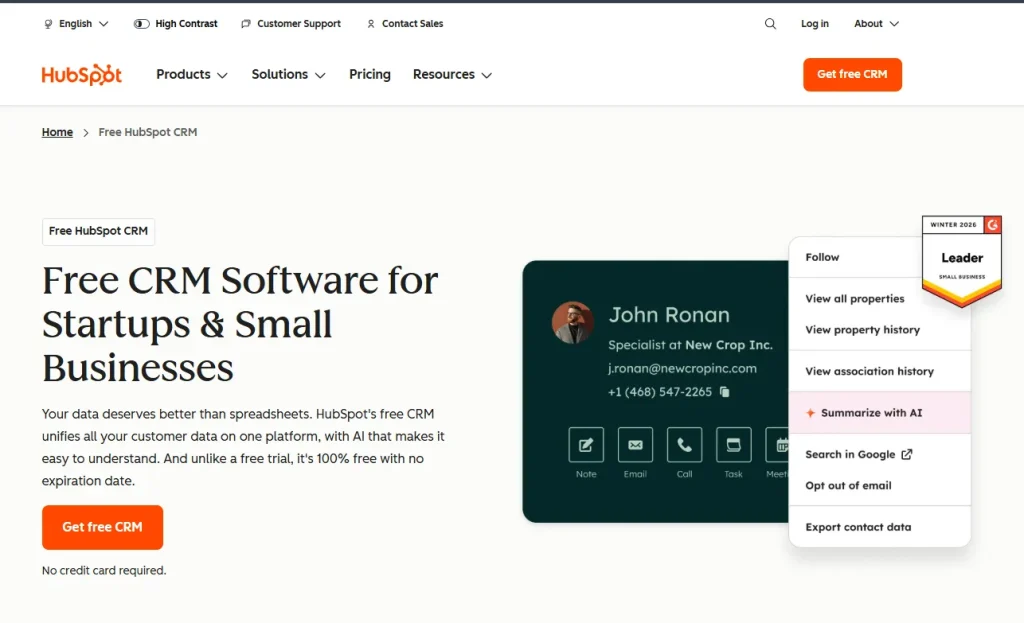
HubSpot is the most complete general CRM in this list, with WhatsApp now available as a native channel inside its shared inbox. You get the full CRM, marketing automation, and service hub on top of WhatsApp messaging — making it a strong choice when WhatsApp is one of several channels you care about.
Best features
- Native WhatsApp Business integration in the HubSpot inbox
- Workflow automation triggered by WhatsApp events and replies
- Genuinely free CRM with unlimited contacts and deal pipelines
- Deep reporting, forecasting, and revenue attribution tools
- Marketplace with 1,500+ integrations, including Slack, Stripe, and Calendly
Pros
- One of the few platforms with a truly free CRM tier
- Polished UX and best-in-class documentation and learning resources
Cons
- Marketing Hub costs ramp quickly past the Starter tier
- WhatsApp template messages require setup outside HubSpot in Meta Business Manager
Pricing
Free CRM; WhatsApp on Marketing Hub Starter from $20/month | Free tier: Yes | Free trial: Yes
Who Should Skip This Tool
Skip Hubspot if budget is tight — WhatsApp requires a paid Marketing Hub plan and costs scale fast past Starter.
G2 Rating & Review
G2 rating 4.4 out of 5
“
Everything is in one place, ease of use for the whole team. We have integrations rolling with Google Sheets, Slack and Sales Navigator. Good value for our whole business with us being able to have good visibility alongside tracking performance on the marketing team. We have a great CSM who checks in regularly and is currently helping us with the AI side of Hubspot mainly the AEO setup – her advice is very valuable to us.
Hubspot Verdict: The right pick for growing teams that want a real CRM platform first and WhatsApp as one of many channels inside it.
8. Trengo — Best for multi-channel support teams
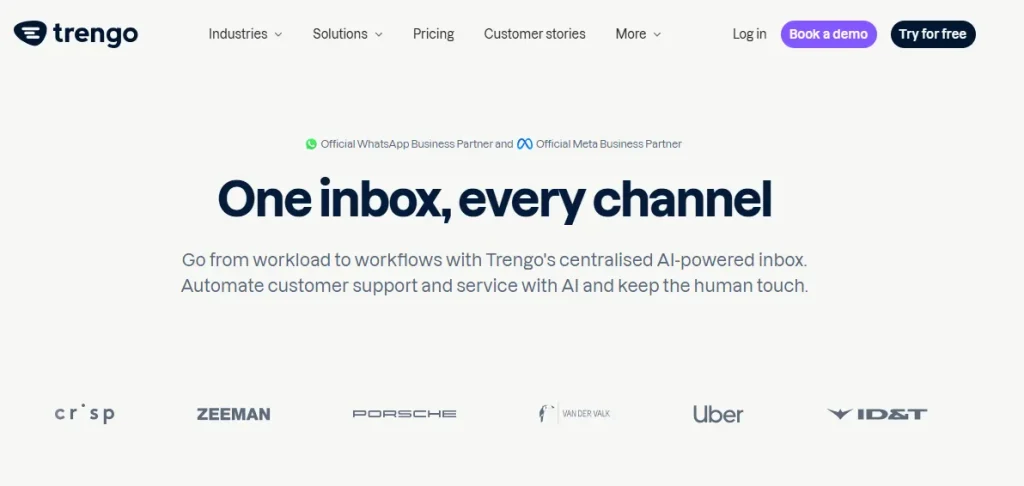
Trengo is an omnichannel customer messaging platform that unifies WhatsApp, email, voice, Instagram, Facebook, and live chat in a single shared inbox. It leans toward customer support more than outbound sales, and it shows in the SLA features and CSAT tooling.
Best features
- Unified inbox across 8+ channels, including WhatsApp Business API
- AI-powered auto-replies and conversation routing
- Internal team chat alongside customer conversations for handoffs
- Flowbot builder for WhatsApp chatbot automation
- SLA tracking, CSAT surveys, and reporting dashboards
Pros
- Genuinely strong omnichannel customer messaging UX
- AI features are now included on mid-tier plans without an extra fee
Cons
- More expensive than single-channel WhatsApp-only tools
- Setup takes longer than focused WhatsApp platforms like WaliChat or WATI
Pricing
Starting from $113/month for 5 users | Free tier: No | Free trial: Yes
Who Should Skip This Tool
Skip Trengo if you only need WhatsApp — at $113/mo it’s only worth it if you’re managing 5+ channels simultaneously.
G2 Rating & Review
G2 rating 4.3 out of 5
“
What I like most about using Trengo is that all customer communication comes together in one clear overview, allowing me to respond faster and never miss a message.
Trengo Verdict: Best for support teams handling 5+ channels who want a single inbox without compromising on WhatsApp depth.
9. Zoho CRM — Best for growing SMBs on a budget
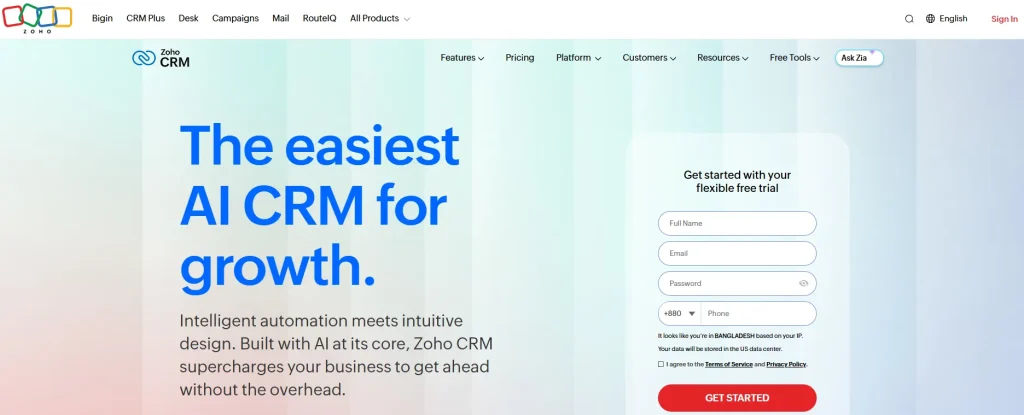
Zoho CRM’s built‑in WhatsApp integration lets you connect a WhatsApp Business account (via the Business API). Thus, your team can manage customer chats and messages inside the CRM and keep all communication in one place.
Nevertheless, you must know that Zoho’s native WhatsApp integration may not support full conversational bots or advanced AI replies on its own. To get such features, you will need to use third‑party platforms like Wati or custom setups.
Best features
- WhatsApp messaging inside the Zoho CRM contact record view
- Free tier supports up to 3 users with core CRM features
- Workflow automation and Blueprint process design
- Zia AI assistant for predictive lead scoring and forecasting
- Tight integration with Zoho Mail, Books, Desk, and Campaigns
Pros
- Best free tier of any major CRM platform on the market
- Affordable paid plans compared to HubSpot or Salesforce
Cons
- WhatsApp setup requires extra configuration compared to HubSpot’s one-click flow
- UI feels dated next to newer competitors like Kommo or Taskip
Pricing
Free for 3 users; paid from $14/user/month | Free tier: Yes | Free trial: Yes
Who Should Skip This Tool
Skip Zoho CRM if you need native chatbot automation — WhatsApp setup requires third-party configuration and lacks built-in bot building.
G2 Rating & Review
G2 rating 4.1 out of 5
“
What I like best about Zoho CRM is its user-friendly interface, customization options, and wide range of features for managing customer relationships, sales, and support in one place. It helps streamline daily work, improve team collaboration, and automate repetitive tasks, which saves time and increases productivity. The integration with other Zoho applications and third-party tools is also very helpful for business operations.
Zoho CRM Verdict: A smart choice for budget-conscious SMBs already in the Zoho ecosystem who want WhatsApp without paying enterprise prices.
10. Interakt — Best for Indian market & e-commerce
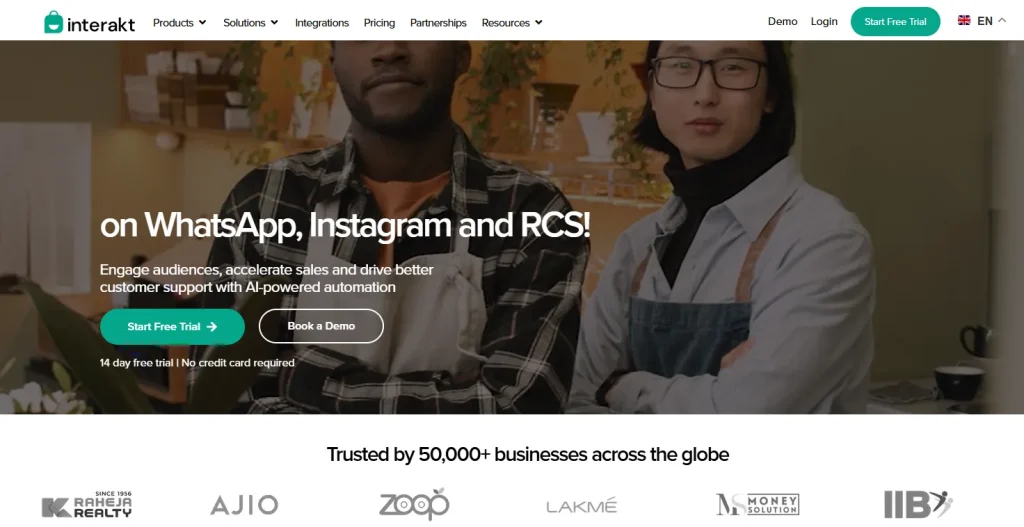
Interakt is a WhatsApp Business API platform from the Haptik/Jio family, popular among Indian D2C and SMB brands. It pairs WhatsApp commerce with broadcast tools and a lightweight CRM tuned to local payment and logistics integrations.
Best features
- WhatsApp catalog and checkout flows with COD support
- Bulk broadcast messaging with template approval workflow
- Shopify, WooCommerce, and Razorpay integrations
- No-code chatbot builder with Indian-language support
- Click-to-WhatsApp ad tracking and conversion attribution
Pros
- Sharp pricing tuned to the Indian SMB market
- Strong commerce features for D2C brands selling on Instagram and Meta Ads
Cons
- Limited brand recognition and support outside India
- CRM features are basic — no deal pipelines or forecasting
Pricing
Starting from ₹2,499/month (~$30) | Free tier: No | Free trial: Yes (14 days)
Who Should Skip This Tool
Skip Interakt if you’re outside India — pricing and integrations are tuned for the Indian market, and support coverage drops outside it.
G2 Rating & Review
G2 rating 4.5 out of 5
“
I had the pleasure of interacting with Odisha Palukshi from the Interakt team, and I am thoroughly impressed. Odisha explained everything very clearly, demonstrating great knowledge and professionalism. He was patient, responsive, and ensured my issue was resolved efficiently. Thank you for the excellent support!
Interakt Verdict: Pick Interakt if you sell into India and need WhatsApp commerce, broadcasts, and bots at a price built for that market.
11. Respond.io — Best for advanced multi-channel automation
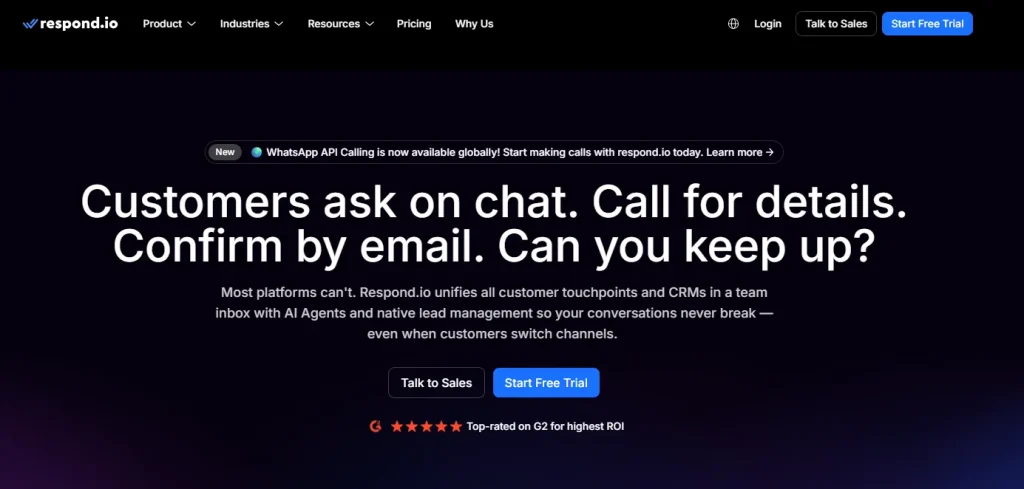
Respond.io is a customer conversation management platform aimed at mid-market and enterprise teams. It supports WhatsApp, Messenger, Instagram, Telegram, SMS, email, and more inside one workflow builder, making it the most flexible automation engine in this list.
Best features
- Visual workflow builder spanning all messaging channels
- Native WhatsApp Business API integration with template management
- AI agent for autonomous conversation handling and routing
- Lifecycle tracking with custom funnels and conversion reporting
- Salesforce, HubSpot, and Zoho two-way sync
Pros
- Most advanced automation builder in this list
- Handles 10+ messaging channels in one unified workspace
Cons
- Steeper learning curve than simpler tools like WaliChat
- Pricing jumps significantly past the entry tier
Pricing
Starting from $79/month | Free tier: No | Free trial: Yes (7 days)
Who Should Skip This Tool
Skip Respond.io if you’re a small team. The automation power is overkill under 10 agents, and the learning curve is steep.
G2 Rating & Review
G2 rating 4.8 out of 5
“
The best part is that I can manage all my chats—like WhatsApp, Instagram, email, etc.—in one place. respond.io brings everything into a shared inbox, so our team can reply to customers from a single dashboard. It also helps even someone with minimal grammar skills respond more professionally by using AI assist. Pricing is minimal compaired to other platforms and the support team is very prompt in helping setting up. and the perfomance is the best in terms of speed and efficiency.
Respond.io Verdict: Choose Respond.io if you have a mid-sized or enterprise team running complex automation across multiple messaging channels.
Quick Comparison of the 11 Best CRM with WhatsApp Integration
Below is a quick overview of the best WhatsApp CRM tool:
| Tool | Starting price | Free tier | Multi-agent | Chatbot | E-commerce integration | Omnichannel | Best for |
|---|---|---|---|---|---|---|---|
| Getgabs | $5/mo | No | Yes | Yes | Yes | Limited | WhatsApp marketing & automation |
| WaliChat | $40/mo | No | Yes | Yes | Limited | No | WhatsApp-first teams |
| Taskip | $12/mo + $10 add-on | No | Yes | Limited | Limited | Limited | Agencies & small teams |
| WATI | $49/mo | No | Yes | Yes | Yes | No | Automation & chatbots |
| Kommo | $15/user/mo | No | Yes | Yes | Limited | Yes | Messenger sales pipelines |
| Zoko | $34.99/mo | No | Yes | Yes | Yes (Shopify) | No | Shopify & e-commerce |
| HubSpot | Free CRM; $20/mo | Yes | Yes | Yes | Yes | Yes | Full CRM + WhatsApp |
| Trengo | $113/mo | No | Yes | Yes | Yes | Yes | Multi-channel support |
| Zoho CRM | Free / $14/user/mo | Yes | Yes | Limited | Yes | Limited | SMBs on a budget |
| Interakt | ~$30/mo | No | Yes | Yes | Yes | No | Indian e-commerce |
| Respond.io | $79/mo | No | Yes | Yes | Yes | Yes | Advanced automation |
How to Set Up a WhatsApp CRM: Step-by-Step Guide
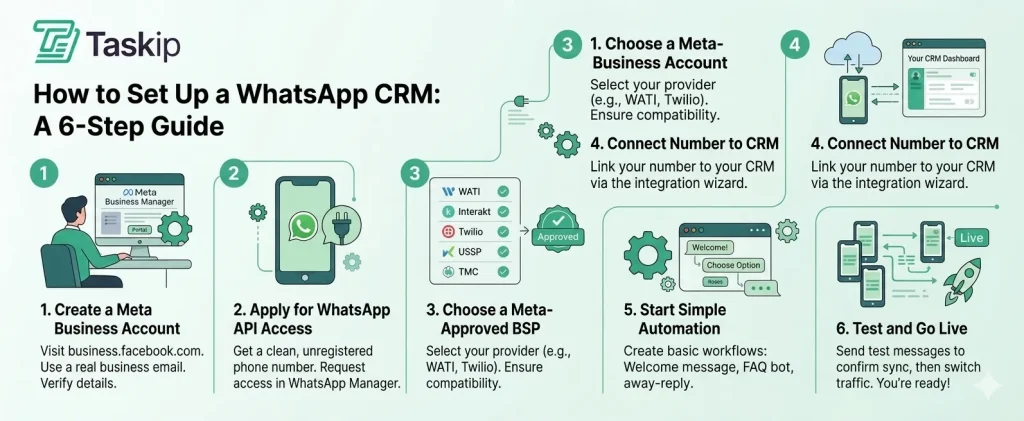
Step 1 — Create a Meta Business Account
Head to business.facebook.com and create a Business Manager account using a real business email (avoid Gmail or Yahoo for verification reasons). Next, add your business name, address, and phone number, then verify ownership of your domain.
This account becomes the parent for your WhatsApp Business API access and any Meta Ads accounts you connect later.
Step 2 — Apply for WhatsApp Business API access
Inside Meta Business Manager, navigate to WhatsApp Manager and request API access. You’ll need a phone number that isn’t already registered with the WhatsApp app or WhatsApp Business app. Most teams buy a fresh SIM or use a virtual number.
NB: Meta will require business verification documents (registration certificate, utility bill, or tax ID) to unlock higher messaging tiers.
Step 3 — Choose a BSP (Business Solution Provider)
A BSP is the vendor approved by Meta to host your WhatsApp Business API connection. Most WhatsApp CRMs in this guide either are BSPs themselves (WATI, Interakt, Zoko) or partner with one (Twilio, 360dialog, Karix).
Tips: Pick a BSP that’s officially listed in Meta’s directory, supports the CRM you’ve chosen, and has transparent per-conversation pricing.
Step 4 — Connect your number to your CRM
In your CRM dashboard, find the WhatsApp integration settings and follow the connection wizard. You’ll authenticate with your Meta Business account, select your verified number, and approve the BSP relationship.
Connection usually takes 5-15 minutes once Meta has approved your account, though business verification itself can take 1-3 business days.
Step 5 — Set up your first automation workflow
Start small with one welcome message triggered when a new contact messages you. Add an away-hours auto-reply, a basic FAQ chatbot, or a lead qualification flow that tags contacts based on their first reply.
Avoid building a 50-step bot before you’ve tested a 3-step one with real customers. Almost every team that builds too much, too early ends up scrapping it.
Step 6 — Test and go live
Send test messages from a personal WhatsApp number to confirm two-way sync, template approval, and contact creation in your CRM. Check that messages appear against the right contact record, automations fire correctly, and team members receive their assignments.
Once tests pass, route your existing WhatsApp traffic to the new number and announce the migration to customers.
Best WhatsApp CRM by Industry
There’s no single “best WhatsApp CRM” for everyone. The right choice depends on how your business actually uses WhatsApp for selling, supporting customers, or managing long-term relationships. Here’s a simple way to choose based on industry.
E-commerce & Retail
If your business runs on daily orders, speed and automation matter most.
Tools like Zoko and Interakt are built for this. They help you recover abandoned carts, send order updates, and manage product catalogs directly on WhatsApp. Zoko is often used for global Shopify stores, while Interakt is a strong fit for Indian D2C brands thanks to simple pricing and payment integrations.
Healthcare & Wellness
Here, consistency and structure matter more than speed.
HubSpot works well for larger clinics that need automated reminders, follow-ups, and structured patient workflows. Smaller clinics and wellness centers often prefer Trengo because it keeps WhatsApp, email, and SMS in one shared inbox, making communication easier to manage.
Real Estate
Real estate teams deal with high volumes of leads and long sales cycles.
Kommo fits well because it turns WhatsApp chats into a visual pipeline. Agents can track every lead from first inquiry to final deal, while automation helps filter and qualify prospects before they reach sales teams.
Agencies & Freelancers
For service businesses, WhatsApp is just one part of a bigger client workflow.
Taskip stands out because it connects WhatsApp with CRM, invoicing, proposals, contracts, and project tracking. Instead of switching between tools, everything happens in one workspace tied to each client.
Education & Coaching
Coaching businesses need to manage communication at scale without losing personal touch.
WATI is widely used for automated onboarding, batch updates, and broadcast messaging. It helps educators run large groups smoothly while keeping communication consistent.
A Simple Way to Decide
| Industry | Top Pick | Why |
| E-commerce | Zoko / Interakt | Cart recovery, order automation |
| Healthcare | Trengo / HubSpot | Structured workflows, unified inbox |
| Real estate | Kommo | Visual pipeline, lead tracking |
| Agencies | Taskip | Full client management in one place |
| Education | WATI | Broadcasts, automated onboarding |
How to Choose the Right WhatsApp CRM
Picking a WhatsApp CRM becomes easier when you match it to your team size, budget, and actual use case instead of just comparing feature lists.
By Team Size
| Team Size | Best Options | Why It Fits |
|---|---|---|
| Solo / Freelancer | WhatsApp Business, Zoho Free | Simple setup, low cost, no need for multi-agent systems |
| Small team (2–10) | Taskip, Kommo, HubSpot Starter | Shared inbox plus basic CRM pipelines |
| Growing team (10–50) | HubSpot Professional, Trengo, Respond.io | Automation, routing, and team workflows at scale |
| Enterprise (50+) | Enterprise CRM + WhatsApp API setup | Custom workflows, dedicated support, advanced scaling |
By Budget
| Monthly Budget | Best Options | What You Get |
|---|---|---|
| Under $30 | Zoho CRM Free, HubSpot Free + BSP, Taskip | Basic CRM with entry-level WhatsApp integration |
| $30–$100 | WATI, Kommo, Zoko | Automation, sales workflows, and better inbox management |
| $100–$300 | Trengo, Respond.io | Advanced automation, multi-channel support, integrations |
| Enterprise | Meta API + enterprise CRM | High-volume messaging, custom pricing, note that at enterprise scale, Meta’s per-conversation fees often exceed the software cost, so factor both together |
By Use Case
This is the most important factor. The best WhatsApp CRM is the one that fits your workflow, not just the longest feature list.
| Use Case | Best Pick |
|---|---|
| Sales-focused WhatsApp CRM | Kommo or WATI |
| Full CRM + WhatsApp | HubSpot or Zoho CRM |
| Agency & client management (CRM with Whatsapp inbox) | Taskip |
| Customer support (multi-channel) | Trengo |
| E-commerce & Shopify stores | Zoko |
| India-focused D2C brands | Interakt |
| Advanced automation & chatbots | Respond.io |
Common Mistakes When Choosing a WhatsApp CRM
Most teams that regret their WhatsApp CRM choice didn’t select a bad platform; they selected the wrong platform for their needs. Here are the most common mistakes to avoid.
1. Choosing Based on Price Alone
The subscription fee is only part of the total cost. Every WhatsApp CRM relies on the WhatsApp Business API, which includes Meta’s conversation-based charges. Depending on your country and message type, these costs can range from $0.005 to $0.15 per conversation.
A CRM that costs $15 per month could easily end up costing $150 or more once messaging volume is factored in. Before making a decision, calculate:
- Monthly software cost
- Expected WhatsApp API charges
- Any BSP (Business Solution Provider) fees
Always evaluate the total monthly cost, not just the advertised subscription price.
2. Prioritizing Advanced Automation Too Early
Many teams are attracted to AI chatbots and complex automation workflows. In reality, most businesses spend their first few months simply getting the basics right:
- Shared inbox setup
- Contact management
- Team collaboration
- Quick replies and message templates
Building sophisticated bots before these foundations are working smoothly often leads to wasted time and rework. Start with the inbox. Add automation once your processes are stable.
3. Skipping Meta Business Verification
Higher messaging limits on the WhatsApp Business API require Meta Business verification. While verification often takes 1–3 business days, delays are common when documents are incomplete or inconsistent.
Some businesses subscribe to a CRM before completing verification, only to spend days or weeks waiting for approval while paying for a tool they can’t fully use. Complete verification first, then move forward with your CRM setup.
4. Confusing the WhatsApp Business App with the WhatsApp Business API
These are two very different products. The free WhatsApp Business App supports up to four linked devices and offers limited collaboration features.
The WhatsApp Business API, which powers professional WhatsApp CRMs, supports:
- Multiple agents
- Automation
- Integrations
- Broadcast messaging
- Advanced reporting
If a vendor is unclear about which version they use, ask before committing.
5. Choosing a Tool Built for a Different Purpose
Not all WhatsApp platforms solve the same problem. For example, marketing-focused platforms such as Interakt or Getgabs are designed primarily for campaigns and broadcasts. Client-management platforms such as Taskip focus more on conversations, shared inboxes, and customer communication.
Selecting a marketing tool when your team mainly handles customer conversations or vice versa creates friction every day. Choose a platform that matches how your team actually uses WhatsApp.
6. Overlooking Data Ownership and Portability
Your conversation history and customer data are valuable assets. Before committing to any platform, ask:
- Can all conversations and contacts be exported?
- What happens to the data if you cancel your subscription?
- Who owns the WhatsApp number: you or the BSP?
- Are there any restrictions on data access?
The answers matter. Migrating away from a platform becomes much easier when your data remains under your control.
Conclusion: Which WhatsApp CRM Should You Choose?
The best WhatsApp CRM depends on your team size, budget, and how you actually use WhatsApp in daily operations. Choosing the right CRM with WhatsApp integration is less about features and more about long-term fit.
Solo operators and freelancers can start for free with HubSpot’s CRM tier or Zoho’s free plan. Small teams and agencies usually get the most value from Taskip, where WhatsApp is directly connected with invoicing, client management, and day-to-day workflows.
For growing businesses that need deeper automation, tools like WATI, Kommo, or Respond.io are stronger options. Meanwhile, enterprise teams running multi-channel support often rely on HubSpot, Trengo, or Respond.io with custom BSP setups.
No matter which tool you choose, focus on three essentials: native WhatsApp Business API support, a clean shared inbox with multi-agent collaboration, and automation workflows that don’t require developer effort to maintain. Once those are in place, everything else becomes easier to optimize over time.
If you’re an agency or service team looking for a WhatsApp business CRM integration that goes beyond messaging and brings full client management together, Taskip is worth trying first.
Frequently Asked Questions
Is there a free WhatsApp CRM?
Yes, but with caveats. HubSpot’s free CRM and Zoho CRM’s free tier both work as WhatsApp CRMs once you connect a paid BSP for API access. WaliChat, WATI, and most dedicated WhatsApp tools offer 7-14 day free trials but no permanent free plan. Meta itself charges per-conversation fees through the Business API, so even with free CRM software, you’ll pay a small amount per customer conversation regardless of which platform you choose.
What is the best WhatsApp CRM for small businesses?
For most small businesses, Taskip and HubSpot are the strongest picks. Taskip works best if you’re an agency or service team that needs WhatsApp alongside invoicing, projects, and client portals in one place. HubSpot fits better if you want a traditional CRM-first approach with strong reporting, marketing automation, and a free tier you can grow into. Both keep monthly costs under $50 for small teams of fewer than 10 people.
Is WhatsApp a CRM tool?
No. WhatsApp, including the Business app, is a messaging tool, not a CRM. It doesn’t track deals, store structured contact data beyond labels, run automation across multiple channels, or give multi-agent WhatsApp shared access to one number with proper handoff rules. A WhatsApp CRM is a separate platform that connects to WhatsApp through the Business API and adds the CRM layer on top: contacts, pipelines, workflows, analytics, and reporting.
What is the difference between WhatsApp Business and WhatsApp CRM?
WhatsApp Business is a free app for solo operators and tiny teams, capped at four linked devices with basic templates and labels. A WhatsApp CRM uses the WhatsApp Business API, supports unlimited agents on one number, runs chatbots and broadcast messaging, and links every conversation to a structured contact and deal record. Think of WhatsApp Business as a notepad and a WhatsApp CRM as a full operating system for customer conversations across your whole team.
How do I integrate WhatsApp with my CRM?
The fast version: get a Meta Business Manager account, apply for WhatsApp Business API access, choose a BSP that supports your CRM, then run the connection wizard inside your CRM dashboard. Most modern CRMs like HubSpot, Taskip, Kommo, and Zoho CRM have native or one-click integrations that handle the BSP setup for you. The full process takes anywhere from 30 minutes to a few days, depending on Meta’s verification queue and how complete your business documents are.
What is a WhatsApp Business API BSP?
A BSP( Business Solution Provider) is a vendor approved by Meta to host WhatsApp Business API connections for businesses. They handle the technical infrastructure, message routing, template approval, and compliance with Meta’s policies. Examples include 360dialog, Twilio, Vonage, and many CRMs that operate as their own BSP (WATI, Interakt, Zoko). You cannot connect to the WhatsApp Business API without going through an authorized BSP.
Can I use HubSpot as a WhatsApp CRM?
Yes. HubSpot offers a native WhatsApp Business integration that lets you send and receive messages inside HubSpot’s shared inbox, log conversations against contact records, and trigger workflow automations from WhatsApp events. The free CRM tier includes contact management; WhatsApp messaging requires Marketing Hub Starter or higher, which begins at $20/month. It’s one of the most polished general-purpose WhatsApp CRM setups available today.
What is the best WhatsApp CRM for e-commerce?
Zoko leads for Shopify-based brands outside India because of its catalog sync, abandoned cart flows, and click-to-WhatsApp ad attribution. Interakt is the equivalent pick for Indian D2C brands, with native Razorpay and WooCommerce integration plus local-language chatbot support. WATI works as a more general option for e-commerce teams that prioritize chatbot automation over deep commerce features. All three handle WhatsApp template messages and broadcast campaigns at scale.
Does Zoho CRM integrate with WhatsApp?
Yes. Zoho CRM offers a built-in WhatsApp Business integration on its paid plans (Standard tier and above), allowing two-way messaging inside the contact record view. You connect through Zoho’s BSP partnership or a third-party BSP like Twilio or 360dialog. The free tier doesn’t include WhatsApp messaging, but Zoho’s paid plans start at $14/user/month, making it one of the cheaper WhatsApp CRM options on the market.
How much does a WhatsApp CRM cost?
WhatsApp CRM costs come in two parts. Software fees range from $12-$300+/month depending on the platform and team size, entry tools like Zoho or Taskip start around $12-$15, mid-market tools like HubSpot or WATI run $50-$150, and enterprise platforms can exceed $500. On top, Meta charges per-conversation fees through the Business API, typically $0.005-$0.15 per conversation depending on country and message category (marketing, utility, authentication, or service).
Can multiple agents use one WhatsApp number in a CRM?
Yes, that’s one of the main reasons businesses move to a WhatsApp CRM in the first place. The free WhatsApp Business app is capped at four linked devices, all sharing the same view. A WhatsApp CRM connected through the Business API supports unlimited agents on one number, with proper assignment rules, internal notes, status tracking, and clean handoff between team members. Every reply is logged against the agent who sent it.
What is the difference between WATI and WhatsApp Business?
WhatsApp Business is Meta’s free app for small businesses, limited to four devices with basic templates and labels. WATI is a third-party WhatsApp Business API platform that offers a shared multi-agent inbox, no-code chatbot builder, broadcast campaigns, automation workflows, and integrations with tools like Shopify and HubSpot. WATI charges from $49/month plus Meta’s per-conversation fees; the WhatsApp Business app is free, but caps you at solo or micro-team usage with no real automation.


Get Summary On: