5+ Best CRM With Client Portal for Managing Clients in 2026
Looking for the best CRM with a client portal for managing that doesn’t just track leads but actually helps you deliver a better client experience? If you’re tired of juggling multiple tools to manage client relationships, projects, invoices, and communication, for your project management. The right platform turns scattered workflows into one seamless system where clients can view project progress, access documents, approve work, and make payments all in one branded space.
If you’re tired of juggling multiple tools to manage client relationships, projects, invoices, and communication, you need the best software with a client portal for managing clients. The right platform turns scattered workflows into one seamless system where clients can view project progress, access documents, approve work, and make payments—all in one branded space.
Before we dive into the full comparison, let’s talk about Taskip, the all-in-one agency management platform that’s transforming how freelancers and digital agencies work with clients.
Why Taskip Leads the Pack for Client Management
Taskip isn’t just another CRM. It’s a complete operating system for service businesses that combines CRM, project management, invoicing, client portal, support ticketing, and workflow automation in one connected workspace.
Instead of paying for five different tools and manually syncing data between them, Taskip gives you everything under one roof.
What Makes Taskip Different:
✅ Smart Client Portal — Every client gets their own branded portal to view projects, files, invoices, and support tickets
✅ Full CRM & Sales Pipeline — Track leads, contacts, deals, and communication from first touch to closed deal
✅ Project & Task Management — Kanban boards, priorities, collaboration tools, and timelines keep work organized
✅ Native Invoicing & Payments — Send invoices, collect payments via Stripe/PayPal, track billing history
✅ Unified Inbox & Chat — Centralize client emails and conversations in one clean hub
✅ Support Ticketing System — Handle client issues with organized tracking and SLAs
✅ Workflow Automation — Automate follow-ups, task creation, routing, and repetitive tasks
✅ Documents & Forms — Collect requirements, manage documents, create custom forms
✅ White-Label Options — Use your custom domain (portal.youragency.com) for professional branding
Taskip starts with a FREE tier that includes core portal and contact management features, making it perfect for solopreneurs testing the waters. Paid plans start at just $39/month for the Professional tier—a fraction of what you’d pay for comparable enterprise solutions.
Start Your Free Taskip Journey Today →
Quick Comparison: Best CRM with Client Portal (2026)
| CRM Platform | Best For | Starting Price | Client Portal Feature | Key Advantage |
| Taskip | Agencies & Freelancers | Free / $39/mo | ✅ White-label branded portal | All-in-one: CRM + Projects + Invoicing + Portal in one platform |
| Assembly | Professional Services | $39/month | ✅ Connected client portal | AI Assistant for admin tasks, compliance-heavy workflows |
| OneSuite | Service Agencies | $29/month | ✅ White-label portal | Clean UX, fast setup, true all-in-one simplicity |
| SuiteDash | White-Label Branding | $180/year | ✅ Fully customizable portal | Deep customization, unlimited scaling capability |
| HubSpot CRM | Marketing Automation | $9/user/month | ✅ Document sharing portal | Integrates marketing, CRM, and client portals seamlessly |
| Zoho CRM | Small Businesses | $14/user/month | ✅ Built-in client portal | Affordable pricing, connects with Zoho ecosystem |
| Salesforce Sales Cloud | Enterprise Teams | $25/user/month | ✅ Customer portal (Experience Cloud) | Advanced reporting, enterprise-scale visibility |
| Bonsai | Freelancers | $12/month | ✅ Client portal for projects | Combines contracts, payments, and projects simply |
| Plutio | Customization Lovers | $19/month | ✅ Customizable white-label portal | Drag-and-drop flexibility, comprehensive features |
| FreshSales CRM | Sales-Focused Teams | Free / $9/user/month | ⚠️ Limited portal features | AI-powered lead scoring, strong sales automation |
Why Your CRM Needs a Client Portal
In 2026, clients expect more than just email updates. They want transparency, self-service access, and a professional experience that makes them feel valued. A CRM with a client portal bridges the gap between your internal operations and client-facing deliverables.
Here’s what a great client portal delivers:
- Real-time project visibility so clients always know the status of their work
- Centralized communication that eliminates endless email threads
- Secure document sharing for contracts, invoices, and deliverables
- Built-in payments that make invoicing frictionless
- Self-service access reduces support tickets and manual updates
- Branded experience that reinforces your professional image
The right CRM with client portal functionality doesn’t just manage relationships—it transforms how you deliver value to your clients while saving your team countless hours of administrative work.
According to recent industry research, agencies using integrated client portals report 42% fewer client emails, 35% faster project delivery, and 28% higher client satisfaction scores compared to those using disconnected tools.
Let’s explore the top CRM platforms with client portal capabilities, what makes each unique, and which one is right for your business.
1. Taskip — Best All-in-One CRM with Client Portal
Taskip is a modern client portal software designed specifically for digital agencies, freelancers, and service providers who need to manage the entire client lifecycle in one platform.
Unlike traditional CRMs that only track contacts and deals, Taskip combines relationship management with project delivery, billing, and client collaboration, creating a seamless experience from first contact to ongoing retention.
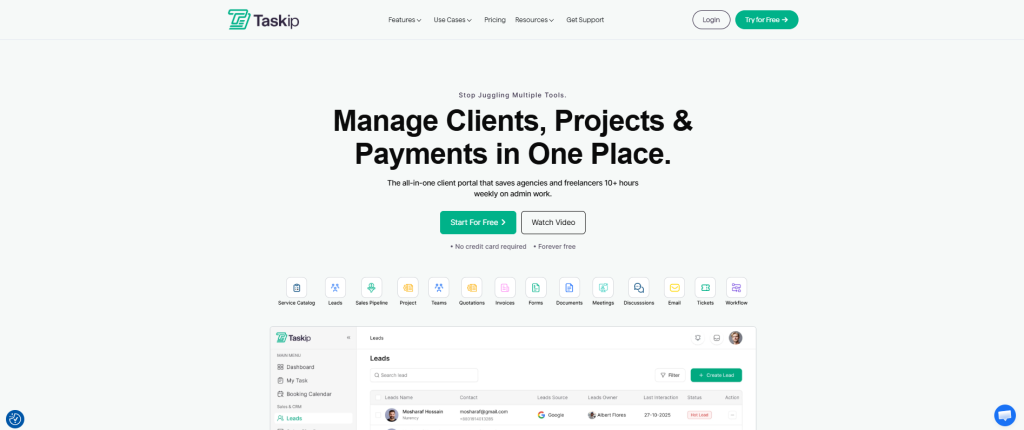
Key Features:
- White-Label Client Portal — Branded space where clients view projects, files, invoices, and raise support tickets
- CRM & Sales Pipeline — Visual deal tracking with tasks, events, and calls for streamlined business growth
- Project Management — Kanban boards, task assignments, priorities, and collaboration tools
- Invoicing & Quotations — Create, send, track, and automatically generate invoices from quotes
- Proposals & E-Signatures — Send proposals for digital signatures to individual clients or teams
- Contact Management — Easily add and manage client contacts, share invoices, tasks, and tickets
- Support Ticket System — Clients raise issues, team responds in real-time for seamless communication
- Meeting Scheduler — Customizable time slots, automatic email confirmations
- Workflow Automation — Turn emails into contacts, automate support tickets, project triggers
- Custom Forms — Design personalized forms with conditional fields and public sharing
- Documents Hub — Keep all documents organized and accessible to clients or team members
- Business Inbox — Centralize client communication in one clean interface
- Mobile App — Available on iOS and Android for on-the-go management (Upcoming)
- Custom Domain — Use portal.youragency.com for professional branding
- Multi-Language Support — Available in 17+ languages worldwide
Pros & Cons:
| Pros | Cons |
| ✅ Free tier includes core portal and contact management | ❌ Mobile app is newer and still evolving |
| ✅ Affordable entry point at $39/month for full features | ❌ Advanced automation features are limited compared to enterprise tools |
| ✅ Complete all-in-one solution eliminates tool juggling | |
| ✅ Built-in CRM with visual sales pipeline | |
| ✅ Native invoicing with Stripe, PayPal, Razorpay integration | |
| ✅ Support ticket system integrated directly | |
| ✅ Excellent value-to-feature ratio for agencies | |
| ✅ White-label branding with custom domain |
Pricing:
- Free: Core portal and contact management
- Professional: $39/month (full CRM, invoicing, proposals, client portal)
- Team: $59/month (advanced features, team collaboration)
Taskip is perfect for freelancers, digital agencies, consultants, and small teams who want an affordable all-in-one platform without the complexity of enterprise software.
2. Assembly — Best for AI-Driven Professional Services
Assembly is an AI-powered client operations platform that combines CRM, client portal, billing, and automation in one connected workspace. It’s particularly strong for professional services firms that need compliance features and sophisticated client workflows.
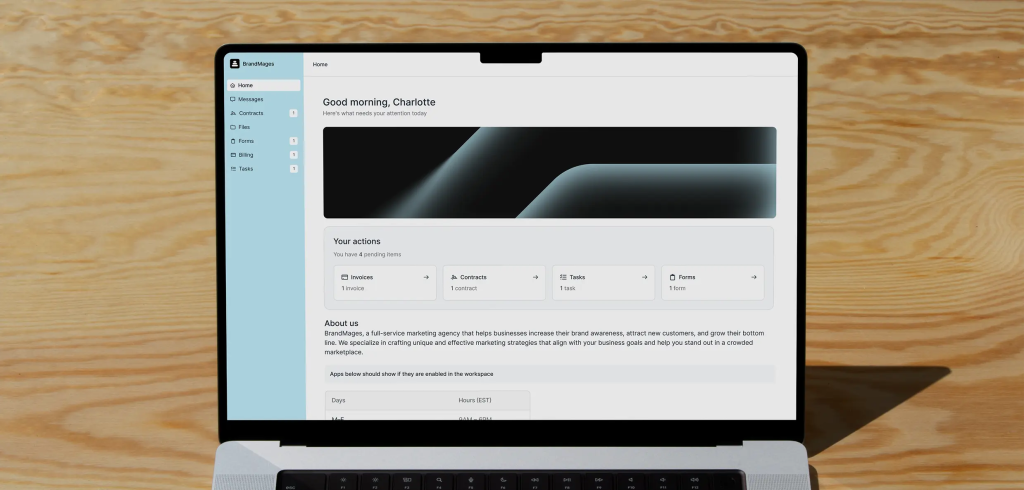
Key Features:
- Connected Client Portal — One login for clients to view files, invoices, and messages
- Billing and Invoicing — Supports subscriptions, e-signatures, and direct payments
- AI Assistant (NeosAI) — Summarizes notes and drafts follow-ups automatically
- Custom Fields — Flexible data structure for clients and companies
- Workflow Automation Builder — Create custom automation sequences
- Internal Team Chat — Collaborate without leaving the platform
- Integrations — Works with Airtable, ClickUp, Calendly, and Zapier
- Permissions Control — Set custom access for clients and internal users
Pros & Cons:
| Pros | Cons |
| ✅ Modern, polished interface with excellent UX | ❌ Higher cost compared to alternatives ($39-$399/month) |
| ✅ Powerful AI Assistant automates administrative tasks | ❌ Steep learning curve for smaller teams |
| ✅ Strong compliance and permission controls | ❌ Per-user pricing adds up quickly as team grows |
| ✅ Deep customization capabilities | ❌ May be overkill for simple workflows |
| ✅ Excellent for consultants and professional services | ❌ Limited free tier or trial options |
Pricing:
- Starter: $39/month (basic features)
- Professional: $149/month (3 internal users, +$39 per additional user)
- Advanced: $399/month (5 users, +$59 per additional user)
Perfect For: Compliance-heavy professional services, consulting firms, and teams that need advanced AI automation.
3. OneSuite — Best for True All-in-One Simplicity
OneSuite is a next-generation client portal that delivers the complete client lifecycle—from lead capture to project delivery to invoicing—in one clean, intuitive platform.
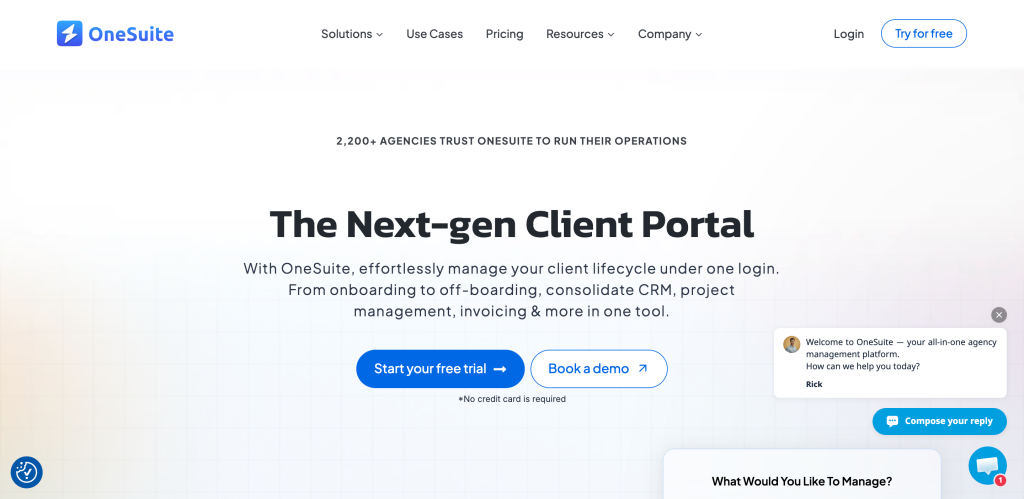
Key Features:
- White-Label Client Portal — Custom domain (portal.youragency.com)
- Project Management — Kanban boards for task management
- Native E-Sign — Built-in document signing and management
- Built-in Invoicing — Stripe, PayPal, and Razorpay integration
- Proposals & Contracts — Create and send from templates
- One-Click Lead Conversion — Preserves all data seamlessly from lead to client
- Multi-Language Support — 17+ languages available
- CRM Features — Contact management and sales tracking
Pros & Cons:
| Pros | Cons |
| ✅ Clean UX with fast setup | ❌ Fewer advanced automations than competitors |
| ✅ Competitive pricing starting at $29/month | ❌ Smaller ecosystem of integrations |
| ✅ Includes 5 users on starter plan | ❌ Reporting features are basic |
| ✅ True all-in-one without bloat | ❌ May lack enterprise-level features |
| ✅ Intuitive interface requires minimal training | ❌ Limited customization compared to SuiteDash |
Pricing:
- Starter: $29/month (5 users included)
- Growth: $49/month (advanced features)
- Scale: $99/month (full suite)
Perfect For: Service agencies and solopreneurs needing simplicity without sacrificing essential features.
4. SuiteDash — Best for White-Label Customization
SuiteDash combines CRM, project management, and billing in a fully customizable client portal. It’s designed for businesses that want complete control over branding and client-facing interfaces.
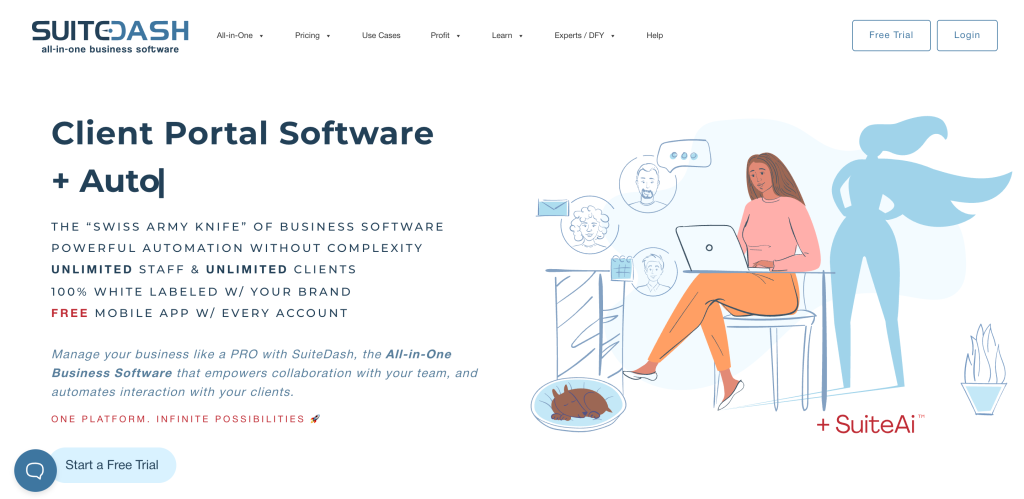
Key Features:
- White-Label Control — Customize domains, login pages, and client dashboards
- Automation — Handle onboarding, reminders, and renewals automatically
- Billing Tools — Manage subscriptions and recurring payments
- CRM — Integrated client and sales management
- Project Management — Tasks, milestones, and team collaboration
- Invoicing & Billing Automation — Subscription management included
- Role-Based Access Controls — Admin, provider, and client permissions
Pros & Cons:
| Pros | Cons |
| ✅ Unlimited scaling on higher plans | ❌ Longer setup time due to complexity |
| ✅ Deep customization options | ❌ Outdated visual design compared to modern tools |
| ✅ All-in-one client management | ❌ Basic plan lacks white-label ($129/month) |
| ✅ Secure file and billing tools | ❌ Steeper learning curve |
| ✅ Annual pricing option available | ❌ Can feel overwhelming for small teams |
Pricing:
- Basic: $129/month (5 team members, no white-label)
- Pro: $299/month (15 team members, white-label included)
- Enterprise: $1,500/month (unlimited users, full white-label)
Perfect For: Agencies that need extreme customization and are willing to invest setup time for a fully branded experience.
5. HubSpot CRM — Best for Marketing Automation Workflows
HubSpot CRM connects sales, marketing, and client service in one dashboard. Its client portal supports document sharing, invoices, and follow-up tracking, making it ideal for teams managing both marketing campaigns and client relationships.
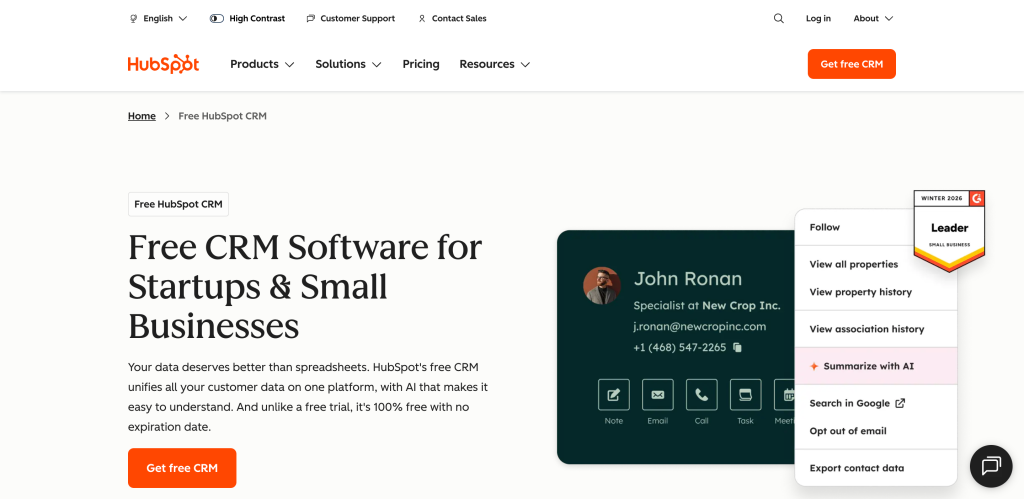
Key Features:
- Automation — Sends reminders and follow-ups automatically
- Client Portal — Central hub for invoices, documents, and updates
- Marketing Hub Integration — Connects email campaigns with CRM data
- Contact Management — 360° view of customer interactions
- Deal Pipeline — Visual sales pipeline tracking
- Email Tracking — Know when prospects open and click emails
- Integrations — Works with Gmail, Outlook, Slack, and ad platforms
Pros & Cons:
| Pros | Cons |
| ✅ Free CRM tier with basic features | ❌ Advanced features require expensive upgrades |
| ✅ Powerful marketing automation | ❌ Client portal features are basic |
| ✅ Excellent integration ecosystem | ❌ Costs escalate quickly as contact list grows |
| ✅ Strong for inbound marketing strategies | ❌ Overwhelming interface for beginners |
| ✅ Comprehensive reporting and analytics | ❌ Better for marketing than client delivery |
Pricing:
- Free: Basic CRM features
- Starter: $9/user/month
- Professional: $450/month (3 users included)
- Enterprise: $1,200/month (5 users included)
Perfect For: Teams managing both marketing campaigns and client relationships who need deep integration between sales and marketing.
6. Zoho CRM — Best for Small Business Affordability
Zoho CRM combines contact management, automation, and billing tools in one affordable system. Its client portal gives customers access to invoices, documents, and project milestones.
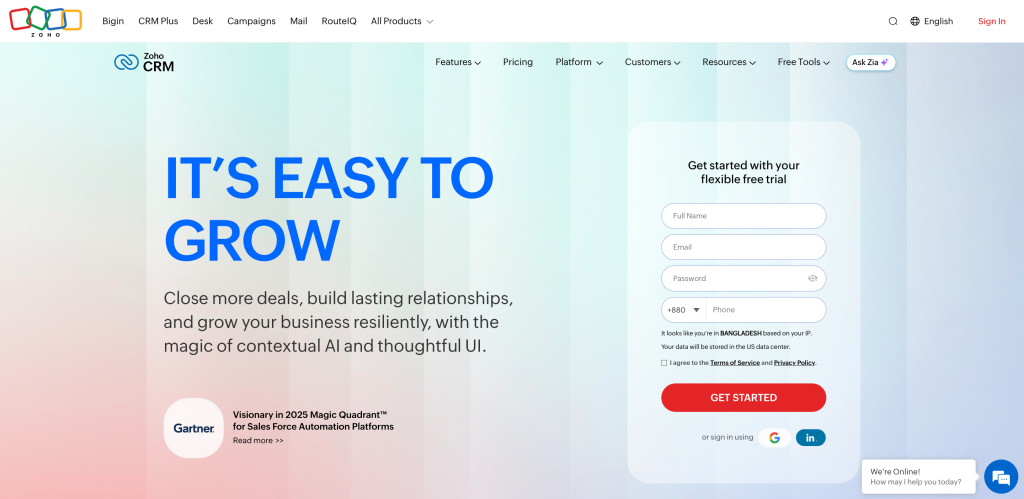
Key Features:
- Client Portal — Clients access invoices, documents, and files
- Automation — Creates recurring reminders and updates
- Sales Pipeline — Visual deal tracking
- Contact Management — Comprehensive customer profiles
- Email Integration — Works with Gmail, Outlook, and Zoho Mail
- Integrations — Connects with Zoho Books, Slack, and more
- Mobile App — iOS and Android support
Pros & Cons:
| Pros | Cons |
| ✅ Very affordable pricing ($14/user/month) | ❌ Interface feels dated compared to competitors |
| ✅ Connects seamlessly with Zoho ecosystem | ❌ Takes time to configure properly |
| ✅ Useful for repeatable workflows | ❌ Client portal features are limited |
| ✅ Strong automation capabilities | ❌ Learning curve for non-technical users |
| ✅ Good value for small businesses | ❌ Customer support can be slow |
Pricing:
- Standard: $14/user/month
- Professional: $23/user/month
- Enterprise: $40/user/month
- Ultimate: $52/user/month
Perfect For: Small businesses wanting affordable CRM with simple automation and Zoho ecosystem integration.
7. Salesforce Sales Cloud — Best for Enterprise Visibility
Salesforce Sales Cloud is an enterprise-grade CRM focused on relationship management, analytics, and workflow automation. Its customer portal (Experience Cloud) connects customer data, reports, and approvals across departments.
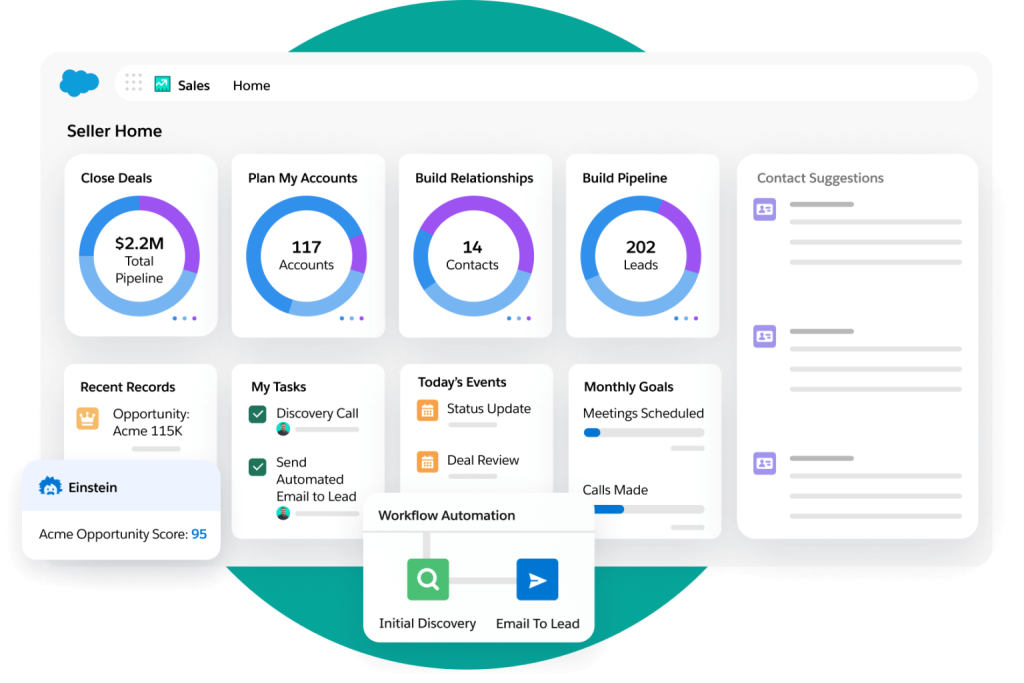
Key Features:
- Customer Portal (Experience Cloud) — Self-service portal for customers
- Advanced Reporting — Comprehensive analytics and forecasting
- Workflow Automation — Deep customization for complex processes
- Multi-Team Collaboration — Designed for large organizations
- AI-Powered Insights (Einstein) — Predictive analytics and lead scoring
- Mobile App — Full-featured iOS and Android apps
- AppExchange — Thousands of third-party integrations
Pros & Cons:
| Pros | Cons |
| ✅ Enterprise-scale capabilities | ❌ Expensive, especially with portal add-ons |
| ✅ Incredibly powerful customization | ❌ Very steep learning curve |
| ✅ Best-in-class reporting and analytics | ❌ Requires dedicated admin or consultant |
| ✅ Vast integration ecosystem | ❌ Overkill for small businesses |
| ✅ Industry-leading platform | ❌ Portal features require separate licensing |
Pricing:
- Essentials: $25/user/month
- Professional: $75/user/month
- Enterprise: $150/user/month
- Unlimited: $300/user/month
- Experience Cloud (Portal): Additional $2-$10 per login
Perfect For: Large enterprises needing advanced reporting, multi-department workflows, and extensive customization.
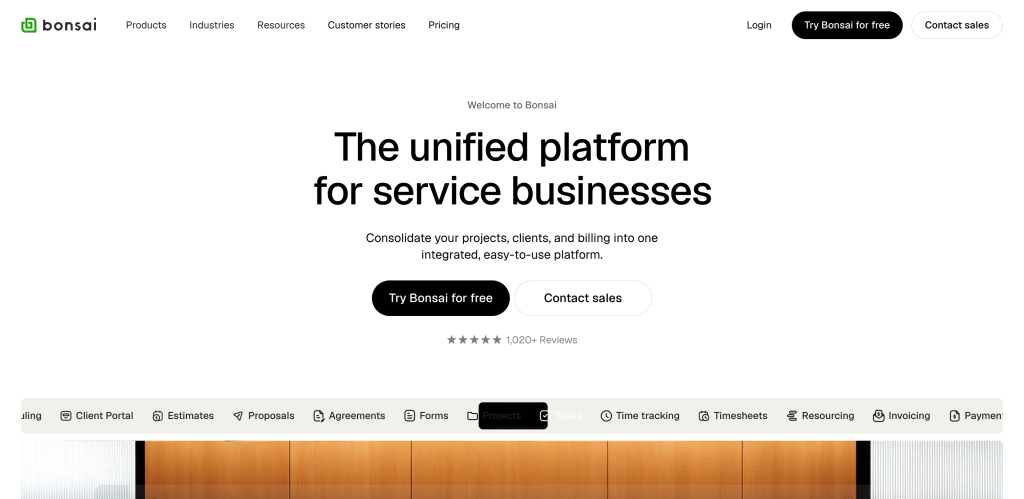
8. Bonsai — Best for Freelancers
Bonsai is an intuitive all-in-one platform designed specifically for freelancers and small agencies. It simplifies contracts, payments, and client communication with an easy-to-use client portal.
Key Features:
- Client Portal — Share updates, documents, and payment links
- Contracts & Proposals — Create, send, and sign online
- Billing — Automate recurring or one-time invoices
- Time Tracking — Accurate billing for hourly work
- Expense Tracking — Manage business expenses
- Project Management — Basic task and milestone tracking
- Forms — Collect client information easily
Pros & Cons:
| Pros | Cons |
| ✅ Intuitive interface for freelancers | ❌ Basic automation capabilities |
| ✅ Fast setup and onboarding | ❌ Fewer customization options |
| ✅ Combines key client tools in one place | ❌ Not suitable for larger teams |
| ✅ Affordable pricing for solopreneurs | ❌ Limited integrations |
| ✅ Strong contract and proposal features | ❌ Lacks advanced CRM features |
Pricing:
- Starter: $12/month
- Professional: $25/month
- Business: $40/month
Perfect For: Freelancers and solopreneurs who need simple client management without complexity.
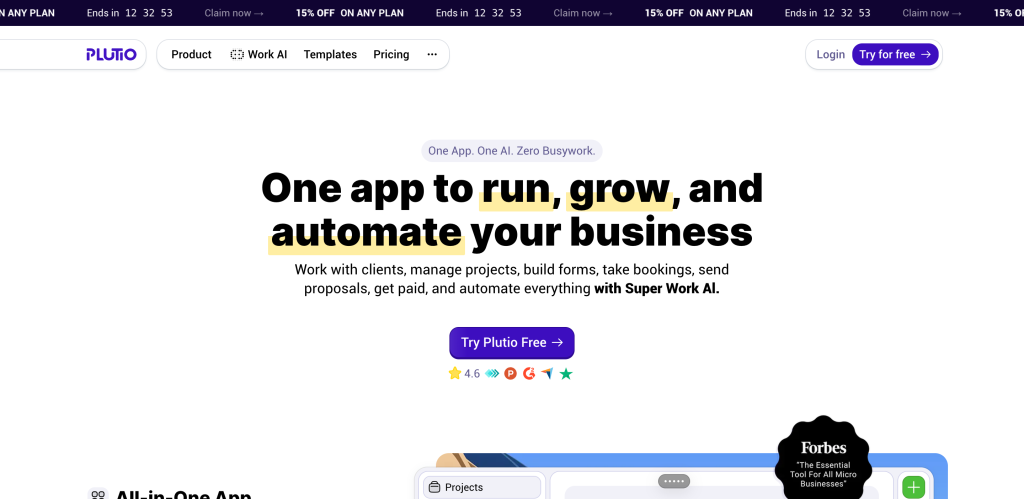
9. Plutio — Best for Customization Flexibility
Plutio is a highly customizable all-in-one platform for freelancers and small agencies. It combines CRM, projects, invoicing, proposals, time tracking, and a client portal with drag-and-drop flexibility.
Key Features:
- Customizable Client Portal — White-label portal with full branding control
- Project & Task Management — Kanban boards, dashboards, multiple views
- CRM — Client and sales management
- Financial Tools — Proposals, invoices, contracts, and e-signatures
- Time Tracking — Built-in time and expense reporting
- Automated Workflows — Custom templates and automation
- Team Collaboration — Real-time document sharing and communication
- Customizable Workspaces — Turn features on/off as needed
Pros & Cons:
| Pros | Cons |
| ✅ Highly customizable workflows | ❌ Learning curve for new users |
| ✅ Comprehensive feature set | ❌ Interface not as polished as competitors |
| ✅ White-label client portal | ❌ Limited bookkeeping integration on lower plans |
| ✅ Responsive customer support | ❌ No dedicated mobile app |
| ✅ Flexible pricing for small teams | ❌ Can feel overwhelming initially |
Pricing:
- Starter: $19/month (1 user, unlimited clients/projects)
- Thrive: $49/month (3 users, advanced features)
- Pinnacle: $99/month (10 users, full suite)
Perfect For: Freelancers and small teams wanting maximum flexibility and customization.
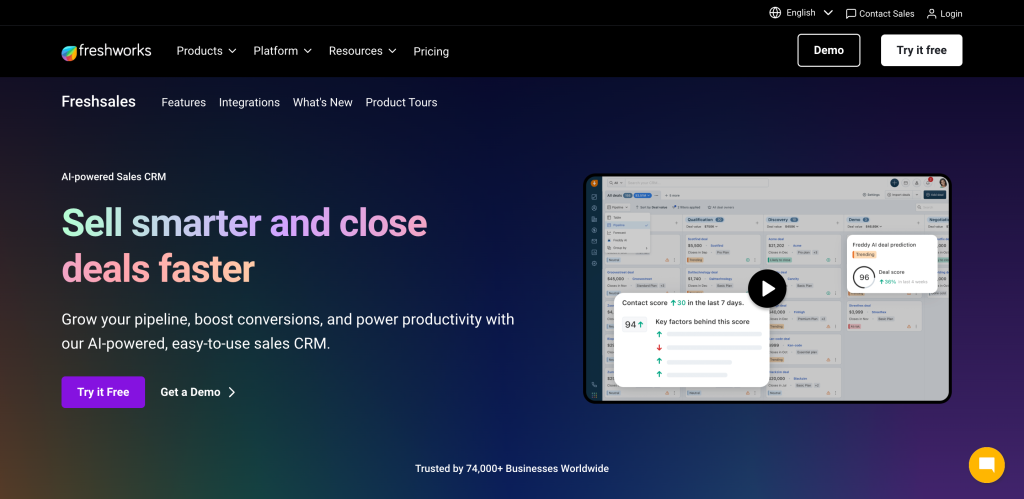
10. FreshSales CRM — Best for AI-Powered Sales
FreshSales (by Freshworks) is a modern, AI-powered CRM designed for high-performing sales teams. While it doesn’t have robust client portal features, it excels at sales process automation and lead management.
Key Features:
- AI-Powered Lead Scoring — Automatically prioritizes hottest prospects
- Visual Deal Pipeline — Track progress across customizable stages
- Contact Management — 360° view of customer interactions
- Email Integration — Works with Gmail, Outlook, and other providers
- Sales Sequences — Automate follow-up campaigns
- Phone & SMS — Built-in calling and messaging
- Reporting & Forecasting — Revenue predictions and analytics
- Mobile App — Full-featured mobile access
Pros & Cons:
| Pros | Cons |
| ✅ Free tier available | ❌ Limited client portal functionality |
| ✅ Excellent AI-driven insights (Freddy AI) | ❌ Better for sales than client delivery |
| ✅ Strong sales automation | ❌ Portal requires integrations with other tools |
| ✅ Intuitive interface | ❌ Can get expensive with add-ons |
| ✅ Good integration with Freshworks suite | ❌ Not an all-in-one solution |
Pricing:
- Free: Basic features
- Growth: $9/user/month
- Pro: $39/user/month
- Enterprise: $59/user/month
Perfect For: Sales-focused teams that prioritize lead management and conversion over client delivery workflows.
How to Choose the Best CRM with Client Portal
When evaluating CRM platforms with client portal capabilities, consider these key factors:
| CRM Platform | Primary Target | Monthly Budget (Starting) | Key Strengths | Learning Curve |
| Bonsai | Freelancers | $12 – $25 | Contracts, Proposals, Ease of Use | Easiest |
| Taskip | Freelancers / Small Agencies | $12 | White-Labeling, All-in-One, Easy UX | Easiest |
| OneSuite | Small Agencies | $29 | All-in-One, Budget-Friendly | Easiest |
| Plutio | Freelancers / Small Agencies | $49 | White-Labeling, Project Management | Easiest |
| HubSpot | Mid-Size Agencies | Starts Free | Marketing Integration, Ecosystem | Moderate |
| Zoho CRM | Small / Mid Agencies | ~$20 – $50+ | Wide Integrations, Customization | Moderate |
| FreshSales | Mid-Size Teams | ~$15 – $70 | AI Automation, Sales Focus | Moderate |
| Assembly | Mid-Size Agencies | $39 – $149 | AI Automation, Modern UX | Complex |
| SuiteDash | Mid-Size Agencies | $129 – $299 | Deep White-Labeling, Feature Rich | Complex |
| Salesforce | Enterprise Teams | $75 – $150+ /user | Unlimited Scale, Global Ecosystem | Complex |
Final Verdict: Which CRM Should You Choose?
After evaluating features, pricing, and real-world use cases, here’s our recommendation:
🏆 Best Overall: Taskip
For most freelancers, agencies, and service businesses, Taskip offers the best balance of features, affordability, and ease of use. You get a complete client management system—CRM, projects, invoicing, portal, support tickets, and automation—for just $12/month (or free to start). No other platform delivers this much value at this price point.
🥈Runner-Up: OneSuite
If you want similar all-in-one functionality with even simpler UX, OneSuite at $29/month is excellent for teams that prioritize speed and simplicity.
🥉 Best for Customization: SuiteDash
If white-label branding and deep customization matter more than ease of use, SuiteDash delivers unmatched flexibility (though it requires more setup time).
🎯 Best for Enterprise: Salesforce Sales Cloud
For large organizations with complex needs, dedicated admins, and substantial budgets, Salesforce remains the industry standard.
Take Your Client Management to the Next Level
The right CRM with a client portal transforms how you deliver value to your clients. Instead of scattered tools and manual updates, you get one connected system that makes your business look professional while saving hours of administrative work.
Ready to streamline your agency operations?
With Taskip’s free tier, you can test drive the platform, set up your first client portal, and see how an all-in-one system simplifies your workflow—no credit card required.
Stop juggling tools. Start delivering better client experiences with a CRM built specifically for agencies and freelancers.
Frequently Asked Questions About the Best CRM for Client Portal Management in 2026
1. What is a client portal in a CRM and why do I need one?
A client portal in a CRM is a secure, branded online space where your clients can log in to view project updates, access documents, track invoices, communicate with your team, and manage their account—all in one centralized location.
2. Can I use a free CRM with a client portal feature?
Yes, several CRMs offer free tiers with basic client portal functionality:
The best free option is Taskip. Its Free plan includes core client portal, contact management, and basic project features. Perfect for solopreneurs testing the platform before upgrading to $39/month for full features.
3. What’s the difference between a CRM and a client portal software?
CRM (Customer Relationship Management): Manages your internal sales process, lead tracking, and customer data
Client Portal Software: Provides clients with external access to their projects, files, invoices, and communication. Just like Taskip.
4. Which CRM with a client portal is best for small agencies and freelancers?
For small agencies and freelancers, Taskip stands out as the best overall choice because it delivers enterprise-level features at an affordable price point, specifically designed for service businesses.
5. How much does a best CRM with client portal typically cost?
CRM with client portal pricing varies significantly based on features, team size, and whether you need white-label branding. Usually starts form $12/monthly

Get Summary On: