10 Best Freelance Invoicing Software in 2026 — Get Paid Faster
Getting paid shouldn’t feel like chasing ghosts. Yet if you’re a freelancer still using Word documents or spreadsheets to bill clients, you’re probably spending hours each month on invoicing time you could be earning money instead. The right invoicing software doesn’t just create pretty PDFs; it automates payment reminders, tracks who owes what, and most importantly, gets money in your account faster.
After analyzing 10+ invoicing platforms used by thousands of freelancers in 2026, I’ve found best freelance Invoicing software depends on whether you need basic billing or an all-in-one workspace. Let’s dive into what actually works.
Why Taskip Stands Out: Freelance Invoicing Software That Connects to Your Actual Work
Before we compare standalone tools, let me show you why Taskip has become my top recommendation for freelancers and agencies who want more than just invoicing. Taskip’s invoicing feature isn’t isolated, it’s connected to your CRM, projects, time tracking, and client communication. Here’s what makes it different:
The Taskip Advantage Beyond Freelance Invoicing Software
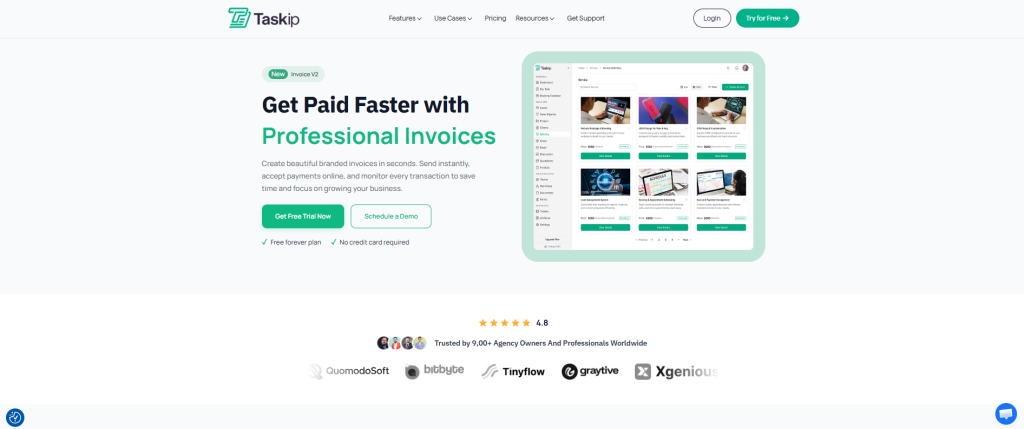
Automated Invoice Generation: Track time against tasks throughout the month, then generate invoices with one click. Taskip pulls tracked hours into line items automatically with descriptions, rates, and totals calculated. What used to take 30 minutes now takes 30 seconds.
Professional Customization: Upload your logo, customize theme colors, add detailed line items with quantities, rates, and automatic tax calculations. Your invoices look professional without design work.
Flexible Payment Collection:
- Accept payments via PayPal, Stripe, Razorpay, Paystack, and Flutterwave
- Share invoices through email, public URL, or client portal
- Enable partial payments for clients who need flexibility
- Support for multiple currencies for international clients
Smart Invoice Scheduling: Send invoices instantly, on the due date, or schedule reminders before/after due dates. Automate your billing cycle completely.
Status Management: Track everything with statuses like Draft, Sent, Pending, Overdue, Paid, Partially Paid, Void, and Canceled. Always know who owes what.
Automatic Reminders: Set up email notifications for pending invoices. No more manual follow-ups.
E-Signature Integration: Add professional e-signatures directly in invoices. Upload, draw, or type your signature.
Beyond Invoicing: The real power of Taskip? Taskip includes project management, CRM, proposals, contracts, time tracking, client portals, and team collaboration. Everything connects. Starting at $39/month, you get a complete agency management platform, not just an invoicing tool.
Perfect for: Freelancers and agencies who want invoicing integrated with project management, client communication, and time tracking. If you’re juggling multiple tools, Taskip consolidates everything.
Quick Comparison: Which Is The Best Freelance Invoicing Software For You?
| Software | Best For | Starting Price | Key Strength | Payment Processing |
| Taskip | All-in-one agency management | $39/mo | Integrates invoicing with projects, CRM, time tracking | Multiple gateways (PayPal, Stripe, etc.) |
| FreshBooks | Service-based freelancers | $17/mo | User-friendly with excellent support | 2.9% + $0.30 per transaction |
| Wave | Budget-conscious solopreneurs | Free | Completely free unlimited invoicing | 2.9% + $0.60 per transaction |
| QuickBooks Online | Accounting-focused freelancers | $20/mo | Comprehensive financial management | Built-in payment processing |
| Zoho Invoice | Tech-savvy users | Free (up to 5 clients) | Powerful automation features | Integrates with multiple gateways |
| Square Invoices | Retail + services combo | Free | Unified online/offline payments | 2.9% + $0.30 per transaction |
| PayPal Invoicing | Quick, simple billing | Free | Trusted brand, fast setup | 2.9% + $0.30 per transaction |
| Stripe Invoicing | Developer-friendly businesses | Free | Powerful API and automation | 2.9% + $0.30 per transaction |
| Bonsai | Creative freelancers | $19/mo | Combines contracts, proposals, invoices | Multiple payment methods |
| HoneyBook | Event professionals | Varies | Beautiful client experience | Integrated payment processing |
| Invoice Ninja | Customization lovers | $9/mo | Open-source, highly customizable | 40+ payment gateway integrations |
| Xero | Growing teams | $20/mo | Unlimited users, AI assistant | Multi-currency support |
Detailed Freelance Invoicing Software Reviews: What Each Platform Actually Delivers
1. Taskip – The All-in-One Client Management Platform
Taskip transforms how freelancers and agencies manage their entire business, with invoicing as one piece of a connected ecosystem.
How It Works
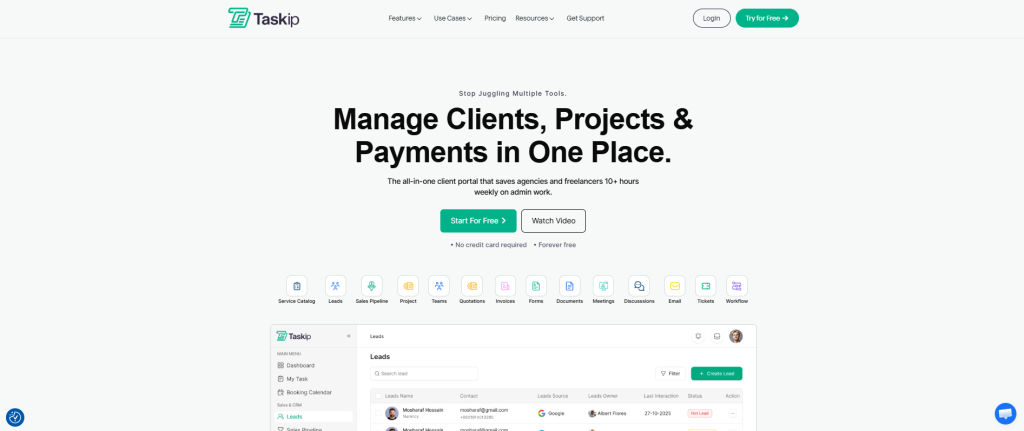
Create invoices directly from your dashboard in minutes. Select a client (or add new), enter subject, set currency and due dates. Add line items with automatic amount calculations. Apply discounts, add custom notes, and include e-signatures.
The magic happens when you connect invoicing to your actual work: time tracked on projects automatically becomes invoice line items. Client discussions, project files, and payment history live in one place.
Key Features of Freelance Invoicing Software That Matter
The following features of Taskip represent the essential pillars of a unified workflow, designed to eliminate the friction of tool-switching and bring your entire agency operation into a single, high-performance environment.
Connected Workflow: Invoice data syncs with CRM, projects, and client portals. No manual data entry between systems.
Payment Flexibility: Support for 5+ payment gateways globally. Clients can pay via their preferred method.
Client Portal: Clients view invoices, make payments, track project progress, and communicate—all through a branded portal.
Recurring Invoices: Set up automatic billing for retainer clients. The system handles everything monthly.
Activity Logs: Complete transparency with detailed logs showing invoice creation, sends, views, and payments.
Multi-Currency: Bill international clients in their currency (USD, EUR, GBP, etc.).
Accounting Integration: Connect to QuickBooks or Xero for seamless financial reporting.
| Pros | Cons |
| ✅ Invoicing integrates with time tracking and projects | ❌ More features mean steeper learning curve initially |
| ✅ Complete client management in one platform | ❌ Requires setup time to configure properly |
| ✅ Branded client portals included | |
| ✅ Multiple payment gateway support | |
| ✅ Excellent value at $39/month for everything |
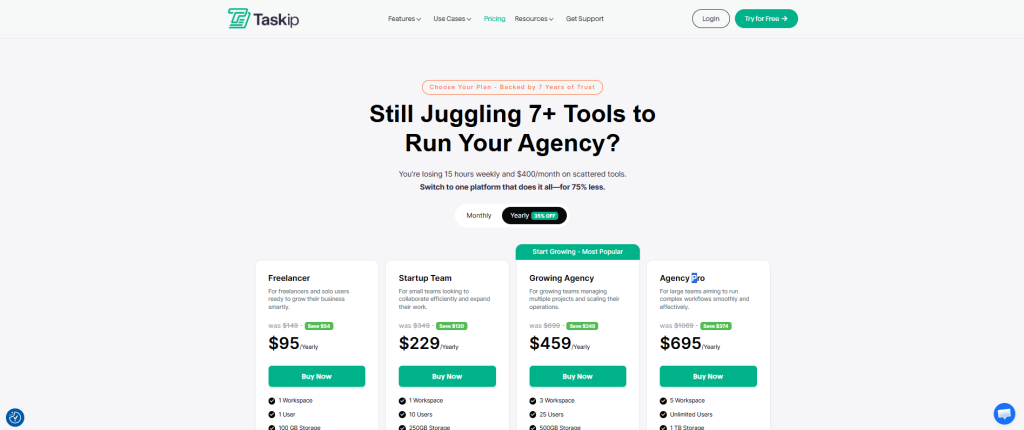
Taskip Pricing: Freelancer plan at $12/month includes unlimited invoicing, time tracking, proposals, contracts, project management, and client portals. Pro plan at $89/month adds advanced permissions and priority support.
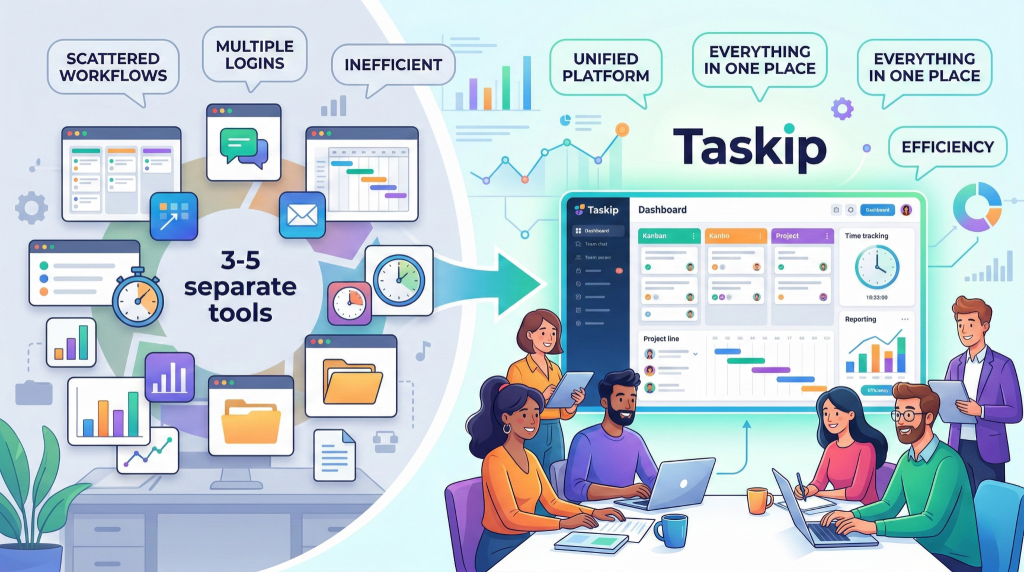
Taskip is Perfect for Agencies and freelancers managing multiple clients with projects, wanting everything in one platform. If you’re currently using 3-5 separate tools, Taskip replaces them all.
2. FreshBooks – The User-Friendly Classic
FreshBooks has been a freelancer favorite for years, and for good reason: it’s incredibly easy to use while packing powerful features.
How It Works
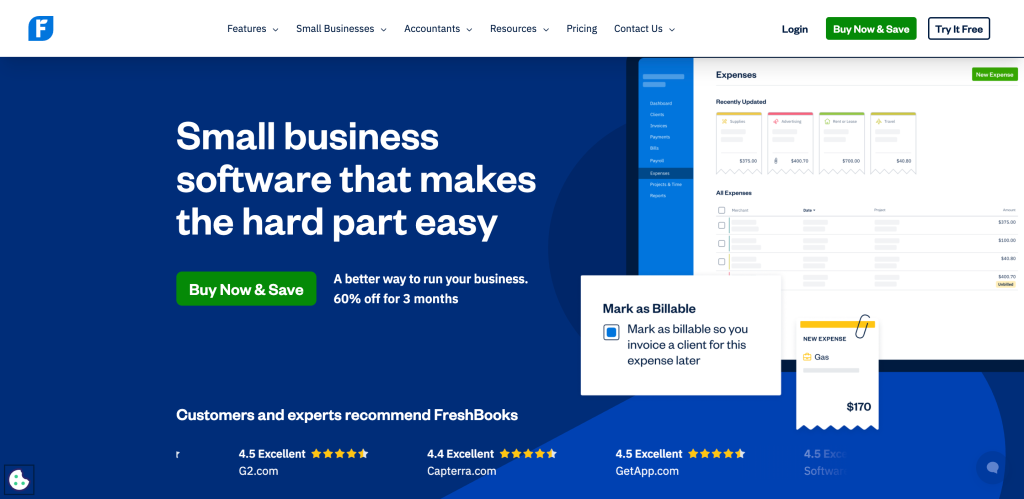
Create customized invoices with your branding in seconds. Set up recurring invoices for regular clients. Automated payment reminders ensure you don’t chase clients manually. Accept payments directly through the FreshBooks portal with integrated credit card processing.
Time tracking allows you to bill hourly work accurately. The mobile app lets you invoice from anywhere. Expense tracking helps you stay profitable by monitoring costs against revenue.
Key Features
- Professional invoice templates with full customization
- Automated late payment reminders (no more awkward emails)
- Time tracking with billable hours
- Expense management and receipt scanning
- Client retainer tracking
- Multi-currency support for international clients
- FreshBooks Payments for credit card processing
- Real-time expense tracking
- Project profitability reporting
- Mileage tracking for deductible travel
| Pros | Cons |
| ✅ Extremely intuitive interface | ❌ Limited to 5 clients on basic $17/month plan |
| ✅ Excellent customer support via phone | ❌ Higher pricing than competitors ($17-$55/month) |
| ✅ Time tracking included on all plans | ❌ Each team member costs extra ($10/month) |
| ✅ Beautiful invoice designs | ❌ Advanced features locked to higher tiers |
| ✅ Strong mobile app | ❌ Project management capabilities are basic |
Pricing: Lite ($23/month) for up to 5 clients, Plus ($50/month) for up to 50 clients, Premium ($92/month) for unlimited clients. Annual billing offers discounts.
Perfect for: Service-based freelancers (consultants, designers, writers) who prioritize ease of use and need time tracking but don’t require complex project management.
3. Wave – The Powerful Free Option
Wave disrupts the market by offering professional invoicing completely free. No client limits, no invoice limits, just free.
How It Works
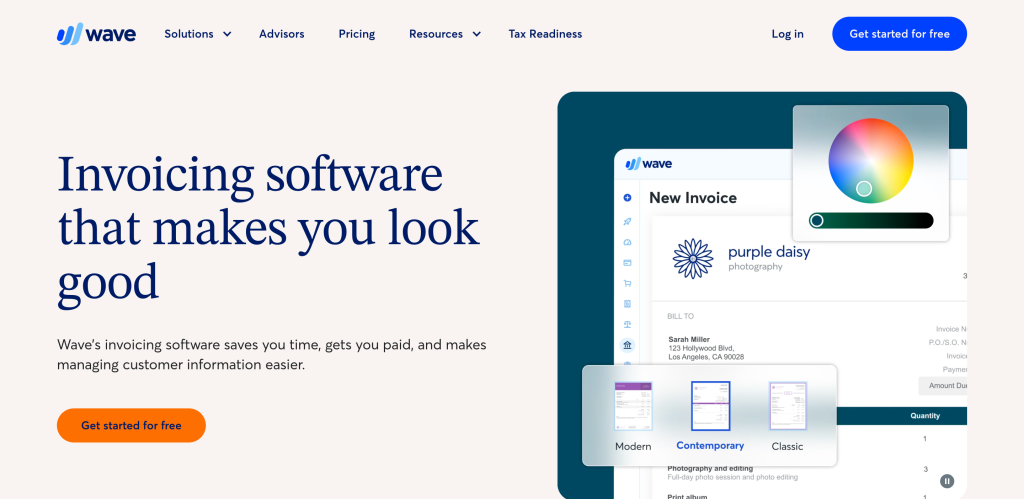
Create unlimited invoices for unlimited clients at zero cost. Customizable templates let you add your logo and branding. Send invoices via email or shareable link. Accept credit card and bank payments (processing fees apply). Automated payment receipts and status tracking keep you organized.
Wave also includes free accounting software, making it a complete financial management solution for budget-conscious freelancers.
Key Features
- Unlimited invoices and clients (completely free)
- Customizable invoice templates
- Recurring invoice automation
- Estimate creation and conversion to invoices
- Automatic sales tax calculation
- Payment reminders (automated on paid plan)
- Bank connection for automatic transaction imports
- Receipt scanning with mobile app
- Financial reporting and profit/loss statements
- Payroll services available (separate cost)
| Pros | Cons |
| ✅ Completely free for unlimited invoicing | ❌ Automated reminders require $19/month Pro plan |
| ✅ Integrated accounting software | ❌ No inventory management |
| ✅ Clean, professional interface | ❌ Limited integrations with other tools |
| ✅ No client or invoice limits | ❌ Higher payment processing fees (2.9% + $0.60) |
| ✅ Excellent for startups and tight budgets | ❌ Customer support can be slow |
Pricing: Free for core features. Wave Pro ($19/month or $190/year) adds automated reminders and reduced credit card fees. Payment processing: 2.9% + $0.60 per credit card transaction.
Perfect for: Solopreneurs and new freelancers on tight budgets who need professional invoicing without monthly fees. Ideal if you’re okay with basic features and don’t need advanced automation.
4. QuickBooks Online – The Accounting Powerhouse
QuickBooks Online is the industry standard for small business accounting, with comprehensive invoicing as part of a complete financial management system.
How It Works
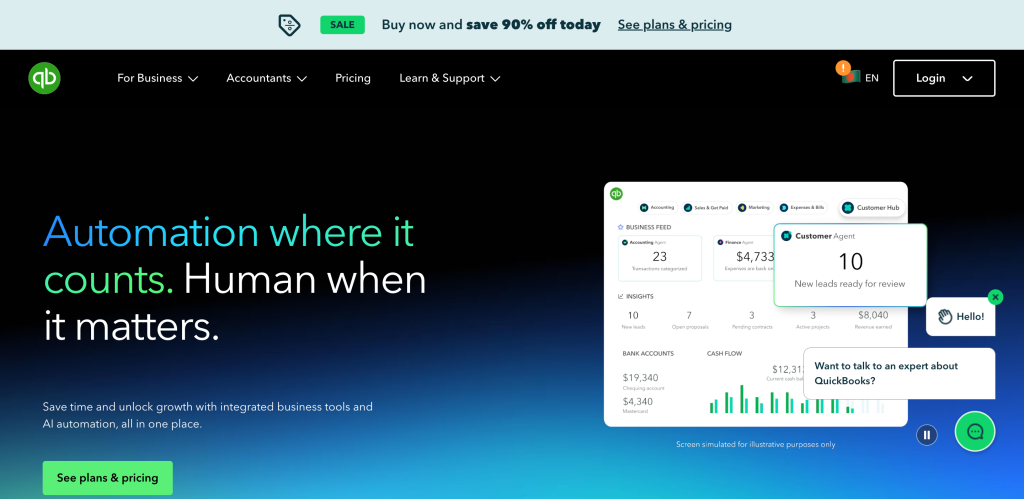
Create professional invoices with customizable templates. Set up automatic recurring invoices for retainer clients. Track payments and match them to bank deposits automatically. Comprehensive reporting shows exactly where your money comes from and goes.
The real power is integration: QuickBooks connects to your bank, credit cards, and payroll, automatically categorizing transactions. Tax time becomes simple with organized financial records.
Key Features
- Customizable invoice templates with branding
- Automatic payment reminders
- Recurring invoice automation
- Real-time bank account syncing
- Expense categorization and tracking
- Mileage tracking for tax deductions
- Sales tax automation
- 1099 contractor management
- Profit and loss statements
- Cash flow forecasting
- Hundreds of third-party integrations
| Pros | Cons |
| ✅ Industry-leading accounting integrations | ❌ Higher price point ($20-$100/month) |
| ✅ Comprehensive financial reporting | ❌ Overwhelming for simple invoicing needs |
| ✅ Automatic bank reconciliation | ❌ Steeper learning curve |
| ✅ Tax-ready financials | ❌ Customer support quality varies |
| ✅ Trusted by accountants globally | ❌ Features you may never use |
Pricing: Simple Start ($20/month) for basic invoicing, Essentials ($50/month) adds bill management, Plus ($80/month) adds project tracking, Advanced ($180/month) for custom reporting. Annual discounts available.
Perfect for: Freelancers who want professional accounting software with invoicing built in. Ideal if you’re growing beyond basic bookkeeping or working with an accountant who prefers QuickBooks.
5. Zoho Invoice – The Automation Expert
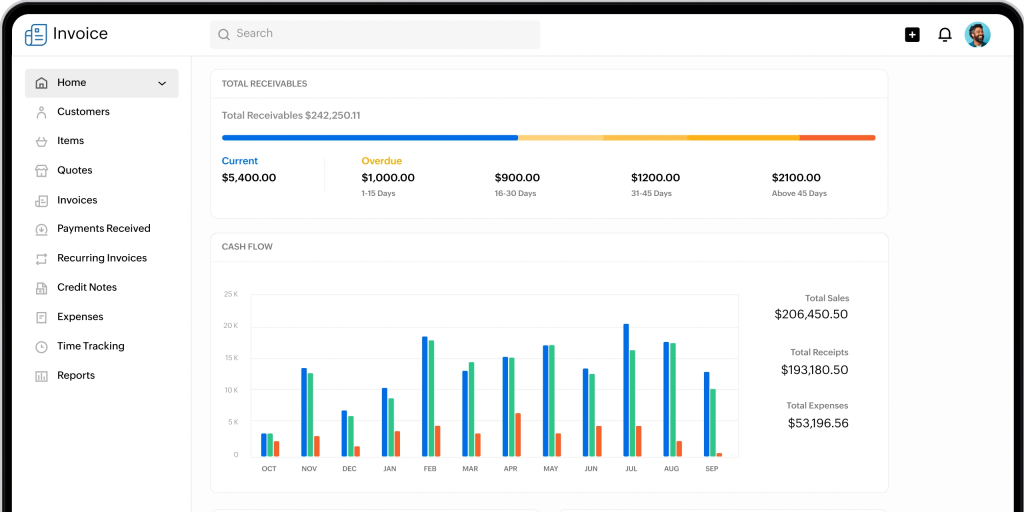
Zoho Invoice offers surprisingly robust features for free, with powerful automation for tech-savvy freelancers.
How It Works
Create professional invoices using 10+ customizable templates. Set up automated workflows: send invoices on specific dates, trigger payment reminders automatically, add late fees to overdue invoices with custom rules.
Time tracking records billable hours that flow into invoices automatically. The customer portal lets clients self-serve: view invoices, make payments, check project status—all without emailing you.
Key Features
- 10+ professional invoice templates
- Custom workflow automation with code
- Time tracking tied to projects
- Multi-currency support (16+ currencies)
- Automated payment reminders
- Customer self-service portal
- Expense tracking and billable expenses
- Recurring invoice automation
- Integration with Zoho CRM and Zoho Books
- Payment gateway integration (PayPal, Stripe, Square)
- Mobile apps for iOS and Android
| Pros | Cons |
| ✅ Free plan for up to 5 clients | ❌ Best integrations limited to Zoho products |
| ✅ Powerful automation capabilities | ❌ Custom automation requires coding knowledge |
| ✅ Strong Zoho ecosystem integration | ❌ Interface less intuitive than competitors |
| ✅ Time tracking included | ❌ Free plan has client limitations |
| ✅ Multi-currency support | ❌ Customer support primarily email-based |
Pricing: Free for up to 5 clients with full features. Basic ($9/month) for up to 50 clients, Standard ($19/month) for custom domains, Professional ($29/month) for advanced automation. Annual billing available.
Perfect for: Tech-savvy freelancers comfortable with customization who want powerful automation. Especially good if you already use other Zoho products (CRM, Books, Projects).
6. Square Invoices – The Omnichannel Solution
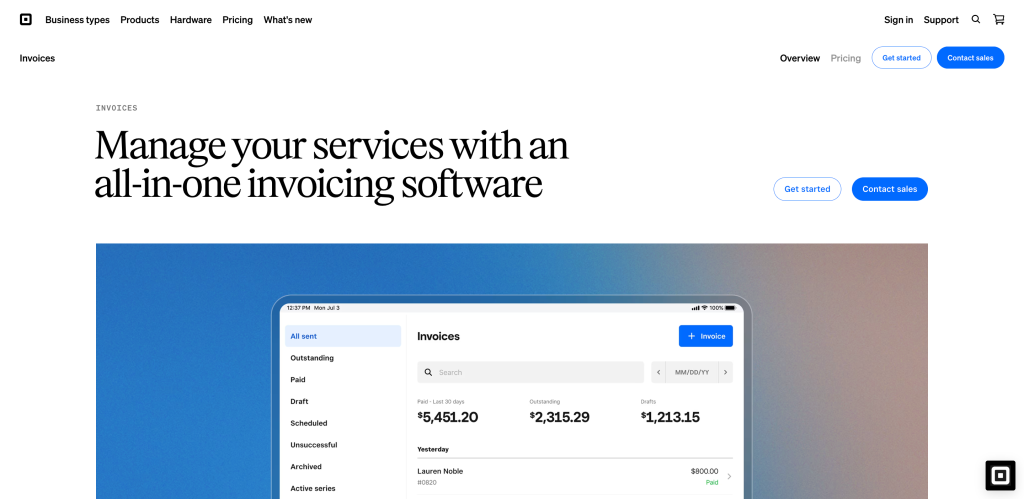
Square Invoices shines for freelancers who need both online invoicing and in-person payment processing unified in one system.
How It Works
Create unlimited invoices for unlimited customers completely free. Send professional invoices via email with payment links. Clients can pay with credit cards, ACH, Apple Pay, Google Pay, cash, or checks—all processed through Square.
The beauty is integration with Square’s point-of-sale hardware. If you run a store, pop-up, or service business with in-person payments, Square unifies everything: online invoices, in-person sales, inventory, and reporting.
Key Features
- Unlimited invoices and clients (free)
- Estimates and invoice conversion
- Contracts included with invoices
- Automatic payment reminders
- Deposit collection capabilities
- Multiple payment methods accepted
- Integration with Square POS hardware
- Inventory management
- Team management tools
- Financial reporting and analytics
- Next-day or instant deposits
| Pros | Cons |
| ✅ Generous free plan with unlimited invoicing | ❌ Must use Square for payment processing |
| ✅ Unified online and in-person payments | ❌ Custom invoice fields require paid plan |
| ✅ Contracts included with invoices | ❌ Limited customization on free tier |
| ✅ Excellent mobile app | ❌ Higher fees for keyed-in transactions |
| ✅ Fast, reliable payment processing | ❌ Account holds can happen unexpectedly |
Pricing: Free plan includes unlimited invoicing, estimates, and contracts. Plus ($29/month) adds custom fields and advanced features. Premium (custom pricing) for larger businesses. Payment processing: 2.9% + $0.30 per transaction.
Perfect for: Freelancers who need both online invoicing and in-person payment capabilities. Ideal for photographers, event planners, consultants who sometimes meet clients in person, or anyone running a hybrid business model.
7. PayPal Invoicing – The Quick and Trusted
PayPal Invoicing leverages the trust of the PayPal brand for fast, simple invoicing that clients already know how to use.
How It Works
Create custom-branded invoice templates with your logo and business details. Populate line items, quantities, and pricing. Schedule invoices for future dates or set up recurring billing for regular clients. Send via email or shareable link. Clients pay securely through PayPal (they don’t need a PayPal account—credit/debit cards work too).
Automatic payment notifications keep you informed. Invoice tracking shows when clients view invoices. The mobile app lets you create and send invoices from your phone in minutes.
Key Features
- Free unlimited invoice creation
- Custom branded templates
- Recurring invoice automation
- Invoice scheduling
- Automatic payment reminders
- Tax, item, and customer database saving
- Partial payment acceptance
- Tip option for service businesses
- Invoice tracking and notifications
- Mobile app for on-the-go invoicing
- Integration with eBay and other platforms
| Pros | Cons |
| ✅ Free invoice creation with no limits | ❌ Limited customization compared to competitors |
| ✅ Trusted PayPal brand recognition | ❌ Must use PayPal for payment processing |
| ✅ Simple, fast setup (5 minutes) | ❌ No time tracking integration |
| ✅ Clients don’t need PayPal accounts | ❌ Basic reporting capabilities |
| ✅ Excellent mobile experience | ❌ Transaction fees apply (2.9% + $0.30) |
Pricing: Free invoice creation. Payment processing fees: 2.9% + $0.30 per transaction for credit/debit cards. No monthly subscription required.
Perfect for: Freelancers who want dead-simple invoicing without learning curves. Ideal if your clients already use PayPal or if you value brand trust and quick setup over advanced features.
8. Stripe Invoicing – The Developer’s Choice
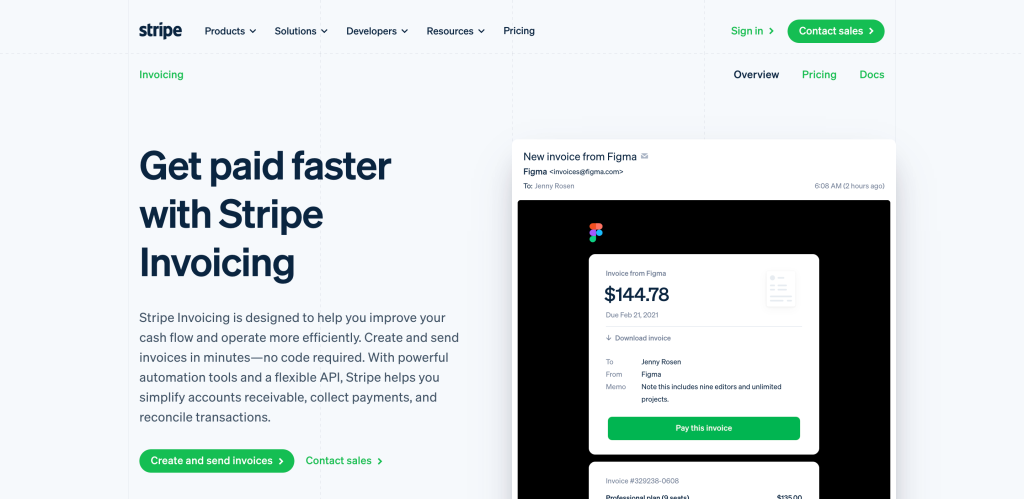
Stripe Invoicing combines user-friendly dashboard controls with powerful API capabilities for freelancers who want automation and customization.
How It Works
Create invoices through the dashboard or programmatically via API. Add line items, apply taxes and discounts, set payment terms (Net 7, Net 15, Net 30). Preview invoices before sending to ensure accuracy. Send automatically via email with secure payment links.
Stripe’s intelligence shines in payment optimization: automatic retry logic for failed payments, smart dunning to recover revenue, and AI-powered payment timing. The customer portal lets clients manage their own invoices and subscriptions.
Key Features
- Dashboard and API invoice creation
- Customizable branded templates
- Automatic payment reminders
- AI-powered dunning for failed payments
- ACH Direct Debit and wire transfer support
- Virtual bank account numbers for ACH Credit
- Automatic payment reconciliation
- Customer self-service portal
- Revenue recognition and reporting
- Integration with accounting software (NetSuite, Xero, QuickBooks)
- Multi-currency support (135+ currencies)
| Pros | Cons |
| ✅ Powerful API for automation | ❌ Dashboard interface less polished than competitors |
| ✅ 87% of invoices paid within 24 hours | ❌ API requires technical knowledge |
| ✅ Automatic payment reconciliation | ❌ No built-in time tracking |
| ✅ Strong fraud protection | ❌ Best features require coding integration |
| ✅ Excellent for subscription businesses | ❌ Customer support primarily online documentation |
Pricing: Free to create and send invoices. Payment processing: 2.9% + $0.30 per transaction for cards, 0.8% (capped at $5) for ACH Direct Debit. Custom pricing for high-volume businesses.
Perfect for: Tech-savvy freelancers or agencies who want to automate invoicing workflows through API integration. Ideal if you’re building custom business systems or need advanced payment routing.
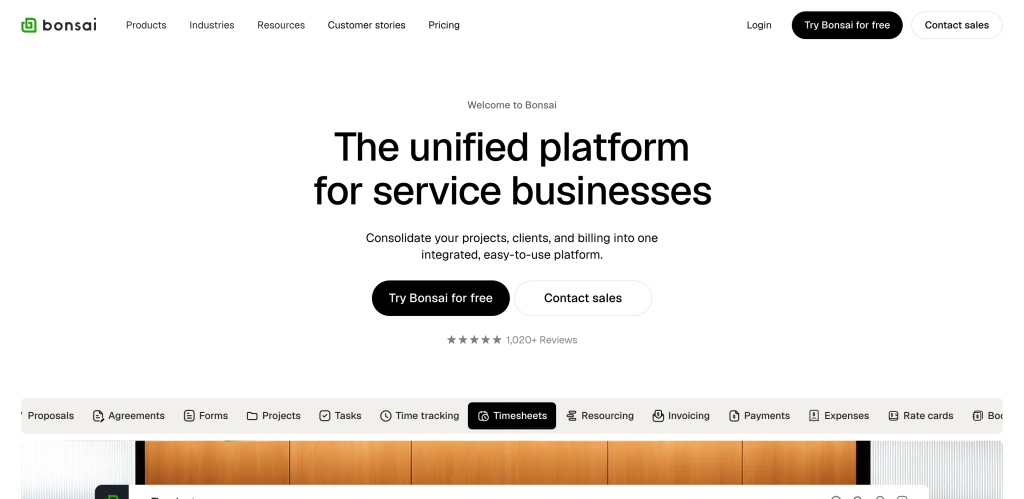
9. Bonsai – The Creative Freelancer’s Suite
Bonsai goes beyond invoicing to offer complete project management: contracts, proposals, time tracking, and client management designed specifically for creative freelancers.
How It Works
Create proposals and convert them to contracts with e-signatures. Track time on projects throughout the month. Generate invoices automatically from tracked time. Accept payments through multiple gateways. Manage tax preparation with automatic expense categorization.
The platform connects everything: proposal accepted → contract signed → project started → time tracked → invoice sent → payment received. No switching between tools.
Key Features
- Proposal creation and templates
- Contract library with legal templates
- E-signature functionality
- Time tracking with project association
- Automated invoice generation from time
- Expense tracking and categorization
- Client CRM and communication
- Task management tools
- Tax preparation assistance
- Multi-currency billing (180+ currencies)
- Payment reminders and late fees
| Pros | Cons |
| ✅ Complete freelance workflow (proposals to payment) | ❌ More expensive than standalone invoicing ($19-$29/month) |
| ✅ Beautiful, modern interface | ❌ Project management features are basic |
| ✅ Legal contract templates included | ❌ Learning curve for all features |
| ✅ Tax preparation support | ❌ Some integrations limited |
| ✅ Excellent for service businesses | ❌ May be overkill for simple needs |
Pricing: Starter ($19/month paid monthly, or free for 2 months when paid yearly), Professional ($29/month paid monthly). Both include unlimited clients and projects. 7-day free trial available.
Perfect for: Creative freelancers (designers, writers, photographers, developers) who want proposals, contracts, time tracking, and invoicing unified. Ideal if you’re managing client projects from start to payment.
10. HoneyBook – The Client Experience Platform
HoneyBook focuses on creating beautiful, seamless client experiences from first inquiry to final payment, popular with event professionals and creative businesses.

How It Works
Build “smart files” combining multiple steps: questionnaire → proposal → contract → invoice → payment. Clients complete everything in one branded flow without jumping between tools. Invoices automatically calculate totals from selected services. Payment schedules split payments across milestones. Automated reminders handle follow-ups.
The beauty is in brand consistency: every touchpoint looks professional and cohesive. Client portals keep communication, files, and payments organized.
Key Features
- Smart file creation (multi-step client workflows)
- AI-powered invoice generation and editing
- Branded templates and client portals
- Flexible payment schedules (retainers, milestones, recurring)
- Service selection with automatic pricing
- Contract integration with e-signatures
- Automated payment reminders
- Gratuity/tip options for service businesses
- Calendar integration and scheduling
- Financial reporting and tax preparation
- Fraud protection and dispute resolution
| Pros | Cons |
| ✅ Beautiful, cohesive client experience | ❌ Pricing not transparent (contact for quote) |
| ✅ AI assistant for invoice creation | ❌ Higher cost than alternatives |
| ✅ Combines proposals, contracts, payments | ❌ Geared toward specific industries |
| ✅ Strong automation capabilities | ❌ Can be complex for simple invoicing |
| ✅ Excellent for event professionals | ❌ May include features you don’t need |
Pricing: Pricing varies based on business size and needs. Contact HoneyBook for custom quote. Generally ranges from $40-$100/month. Free trial available.
Perfect for: Event professionals (photographers, planners, florists), creative service providers who value beautiful client experiences and need proposals, contracts, and payments in one elegant system.
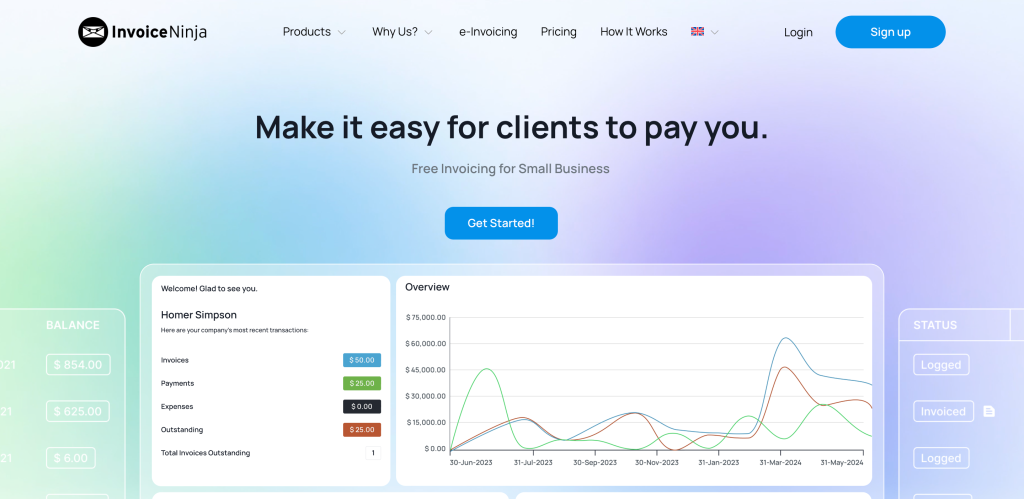
11. Invoice Ninja – The Customization Champion
Invoice Ninja appeals to freelancers who want control: open-source flexibility, extensive customization, and integration with 40+ payment gateways.
How It Works
Choose between cloud-hosted or self-hosted (full control). Create unlimited invoices with extensive template customization. Set up recurring billing for subscription clients. Track time and expenses across projects. Accept payments through your choice of 40+ gateways worldwide.
The open-source foundation means you can customize everything: fields, workflows, designs, integrations. If you have coding skills, the possibilities are endless.
Key Features
- Open-source with self-hosting option
- Unlimited clients and invoices
- 40+ payment gateway integrations
- Extensive template customization
- Recurring invoice automation
- Time tracking and project management
- Expense tracking
- Multi-user collaboration
- Client portal for self-service
- Vendor management
- Purchase orders
- Inventory management
| Pros | Cons |
| ✅ Open-source with full customization | ❌ Self-hosting requires technical knowledge |
| ✅ 40+ payment gateway options | ❌ Interface less polished than competitors |
| ✅ Affordable Pro plan ($9/month) | ❌ Cloud version has fewer features than self-hosted |
| ✅ Excellent for international freelancers | ❌ Support relies on community forums |
| ✅ Unlimited invoices on free plan | ❌ Feature complexity can overwhelm beginners |
Pricing: Free plan includes unlimited invoices to 100 clients. Pro ($9/month) adds premium templates and quotes. Enterprise ($14/month) adds custom code. Self-hosted is free (you pay hosting costs).
Perfect for: Tech-savvy freelancers who want customization control, international freelancers needing specific payment gateways, or anyone preferring open-source software they can modify.
12. Xero – The Collaborative Accounting Platform
Xero combines powerful accounting with modern invoicing, designed for collaboration with unlimited users included on all plans.
How It Works
Create professional invoices with full customization. Set up recurring invoices for regular clients. Automatic bank syncing reconciles payments. Real-time financial reporting shows business health at a glance.
Xero’s collaboration strength: invite your accountant, bookkeeper, and team members at no extra cost. Everyone sees real-time data. The JAX AI assistant (new in 2026) lets you create invoices or pull reports via WhatsApp or email messages.
Key Features
- Unlimited users on all plans (huge value)
- AI assistant (JAX) for voice/chat commands
- Real-time bank reconciliation
- Customizable invoice templates
- Recurring invoice automation
- Multi-currency support (160+ currencies)
- Project tracking and profitability
- Expense claims and reimbursement
- Purchase order management
- Inventory tracking
- Integration with 1,000+ apps
- Advanced financial reporting
| Pros | Cons |
| ✅ Unlimited users at no extra cost | ❌ No inventory assemblies feature |
| ✅ AI assistant for natural language commands | ❌ Time tracking must tie to projects |
| ✅ Strong bank reconciliation | ❌ Navigation can be confusing initially |
| ✅ Excellent for growing teams | ❌ Email-only personalized support |
| ✅ Comprehensive reporting | ❌ Invoice approval process complex for some |
Pricing: Early ($20/month) for 20 invoices and 5 bills, Growing ($40/month) for unlimited transactions, Established ($65/month) for multi-currency and projects. All plans include unlimited users.
Perfect for: Freelancers transitioning to small agencies who need team collaboration, or anyone working closely with an accountant/bookkeeper who wants shared access without per-user fees.
The Bottom Line: What Actually Works in 2026
After testing these platforms, here’s what I’d recommend for different situations:
- Best All-Around for Agencies: Taskip
- You get invoicing, CRM, projects, time tracking, client portals, and more for $39/month. The integration of features saves hours each week.
- Best for Budget-Conscious Solopreneurs: Wave – Free unlimited invoicing with accounting included. Hard to beat zero dollars.
- Best for Simplicity: PayPal Invoicing – Five-minute setup, clients trust the brand, mobile app is excellent.
- Best for Service Freelancers: FreshBooks – Intuitive interface, excellent support, time tracking included.
- Best for Growing Teams: Xero – Unlimited users, AI assistant, strong accounting foundation.
- Best for Creatives Needing Proposals: Bonsai – Proposals, contracts, time tracking, and invoicing unified.
- Best for Beautiful Client Experience: HoneyBook – Stunning client workflows from inquiry to payment.
- Best for Developers/Tech-Savvy: Stripe – Powerful API, excellent payment optimization.
The right choice depends on your workflow. If you’re still juggling multiple tools for CRM, projects, time tracking, and invoicing,
Taskip consolidates everything for less than you’re probably paying across separate subscriptions.
Start with their free trial and see if having invoicing connected to your actual work saves you the hours it saved me. Your time is money. Choose software that respects both
Frequently Asked Questions About Freelance Invoicing Software
1. What is the best free invoicing software for freelancers in 2026?
The best free invoicing software for freelancers in 2026 is Taskip. It offers the most value for a paid plan starting at $12/month, replacing 4–5 separate tools you might already be paying for individually.
2. What invoicing software do most freelancers use?
Most freelancers use Taskip, which connects invoicing directly to time tracking, project management, and CRM, eliminating the need to copy data between tools manually. The trend in 2026 is moving away from standalone invoicing tools and toward connected business platforms.
3. How do I create a professional invoice as a freelancer?
To create a professional invoice as a freelancer, you need software like Taskip, which makes this even easier it auto-populates client details from your CRM, pulls in tracked time as line items, calculates taxes automatically, and sends the invoice with a secure payment link.
4. What is the difference between invoicing software and accounting software?
Invoicing software focuses specifically on creating and sending bills to clients, tracking payment statuses, and collecting money. Accounting software handles broader financial management bank reconciliation, tax preparation, profit/loss statements, and expense categorization.
5. How can freelancers get paid faster with invoicing software?
Freelancers can get paid faster by using invoicing software to automate payment reminders, offer instant online payment “Buy Now” buttons, and provide professional, real-time tracking of every bill sent.



Get Summary On: