Taskip vs Queue (2026): Features, Pricing & Pros and Cons Compared
Most “best tool for agencies” lists are written by people who have never had to chase an invoice at 11 pm or explain to a client why their feedback got lost in a Slack thread. I have. So this Taskip vs Queue comparison is not about grading screenshots. It is about which tool actually takes work off your plate.
Both want to be the place your agency runs on, and they take very different routes. Taskip is a wide all-in-one that folds CRM, projects, billing, support, and a client portal into one login. In contrast, the Queue is narrower and sharper, built for productized and subscription service agencies that live on client requests and design feedback. That single difference decides most of the Taskip vs Queue question, and I will show you exactly where each one pulls ahead and why.
TL;DR: Taskip vs Queue at a Glance
If you only have a minute, here is where I land on Taskip vs Queue.
- Taskip is best for agencies and freelancers who want one tool for CRM, projects, billing, support, and a white-label client portal.
- Queue is best for productized and subscription service agencies (design, video, Webflow) that live on client requests and design proofing.
- Taskip pricing starts at 12 dollars a month. Queue starts free, then costs 49 dollars a month.
Table of Contents
Taskip vs Queue: Quick Comparison Chart
| Features | Taskip | Queue |
|---|---|---|
| Best for | All-in-one agency and client management | Productized and subscription service agencies |
| Core strength | Breadth: CRM to projects to billing to support | Design feedback, service selling, client portal |
| Project management | Kanban, list, Gantt, calendar | Client-facing task board |
| CRM / sales pipeline | ✅ Leads + pipeline | ❌ |
| Design proofing | ❌ | ✅ Sites, video, images, PDF |
| Invoices | ✅ Recurring, quotes, proposals, e-sign | ✅ Custom invoices + paywall |
| Productized selling | ✅ Service catalog + checkout | ✅ Subscriptions, one-off, credits |
| Time tracking | ✅ | ✅ |
| Automation / AI | ✅ Workflow + AI assistant | AI website builder |
| White-label portal | ✅ | ✅ |
| Mobile apps | iOS + Android | iOS + Android |
| Starting price | Free / 12 dollars | Free / 49 dollars |
What Is Taskip?
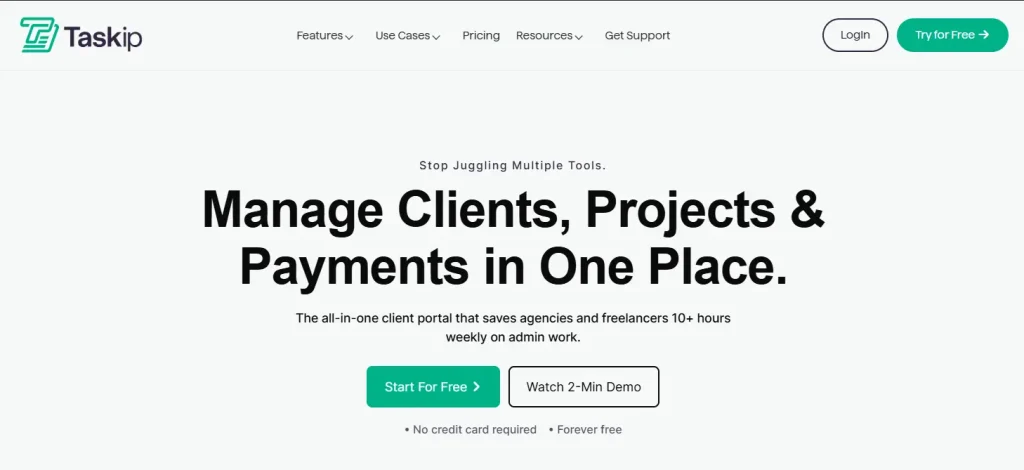
Taskip is an all-in-one agency management and client portal platform built by Xgenious. The pitch is simple: replace the eight or nine separate subscriptions most agencies stack up, and run the whole client lifecycle from one login. That spans a service catalog, leads and a sales pipeline, quotations, invoices, proposals with e-signature, projects, documents, and forms. It also includes an email inbox, a WhatsApp inbox, a meeting scheduler, and support tickets.
Moreover, workflow automation is powered by an AI assistant called Taspi. It serves 11,000-plus users, is GDPR compliant with EU data hosting, and ships native iOS and Android apps. Taskip is wide, and that breadth is the point.
What Is Queue?
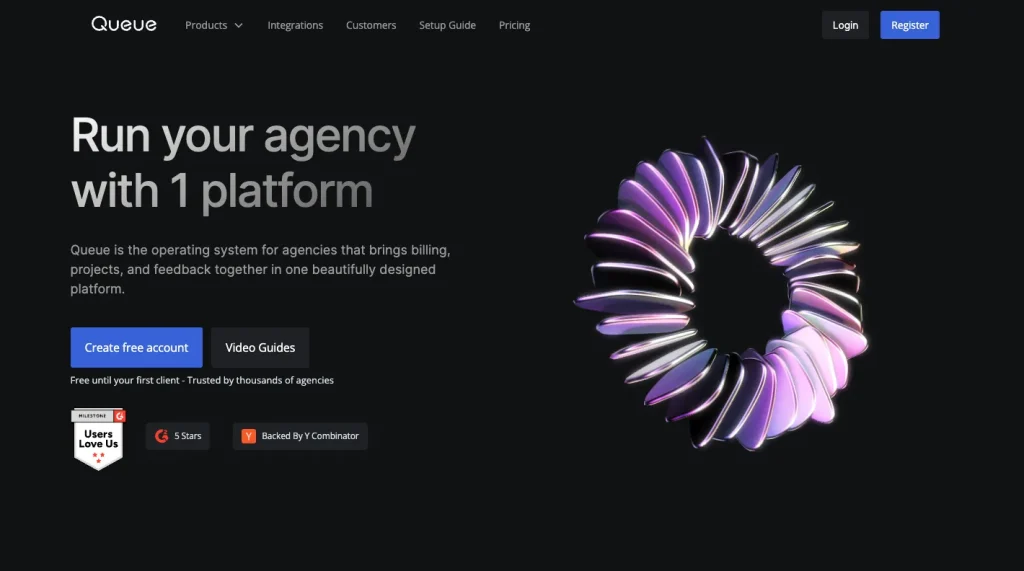
Queue calls itself the operating system for agencies. It is built for a specific type of business: productized service shops, Webflow studios, and design or video subscription teams. Clients submit requests, and work gets delivered continuously.
It supports services such as subscriptions, one-off purchases, or credit packs. Everything runs through a clean, white-label client portal. Clients also get a shared board. They can leave click-to-comment feedback on live sites, videos, images, and PDFs.
Taskip vs Queue: Feature-by-Feature Comparison
This is the heart of the Taskip vs Queue comparison. Each category below gets a real read, a table you can scan, and a winner with a clear reason. I ordered the high-value categories first.
Project and Task Management
Taskip ships a genuine project system: Kanban, list, Gantt, and calendar views, subtasks, custom statuses and fields, a project inbox, and time tracking. That range suits teams running multi-stage client work across several accounts at once, where dependencies and timelines matter. Queue runs a lighter, client-facing board with task forms, which is ideal for a steady stream of small requests but not for planning complex internal projects. The Taskip vs Queue split here is depth versus simplicity.
| Capability | Taskip | Queue |
|---|---|---|
| Views | Kanban, list, Gantt, calendar | Client-facing board |
| Subtasks | ✅ | Limited |
| Custom statuses / fields | ✅ | Task forms |
| Project inbox | ✅ | ❌ |
Winner: Taskip
It wins because four views plus subtasks, custom fields, and a Gantt timeline can run real projects, while Queue’s board is deliberately simple and built for request flow, not project planning.
CRM, Leads and Sales Pipeline
Taskip includes a working sales layer: unlimited leads, a pipeline with custom stages, lead import and export, and one-click lead-to-client conversion. That means you can chase new business and deliver the work in the same place, without exporting contacts to a separate CRM.
Queue has no CRM or pipeline at all and assumes clients arrive from elsewhere and start at checkout. For anyone who tracks deals, that absence is a daily friction.
| Capability | Taskip | Queue |
|---|---|---|
| Lead capture and management | Unlimited | ❌ |
| Sales pipeline with stages | ✅ | ❌ |
| Lead import / export | ✅ | ❌ |
| Convert lead to client | ✅ | ❌ |
Winner: Taskip
It wins outright because Queue has no lead or pipeline tools, so tracking new business in Queue forces you to buy and sync a separate CRM.
Billing: Invoices, Quotes, Proposals and Payments
Both invoice without platform fees and payout through Stripe, so the gap is about everything around the invoice. Taskip runs a full money stack: one-time and recurring invoices, quotations, proposals with e-signature, VAT and tax handling, multiple currencies, and gateways including Stripe, PayPal, bank, Xendit, and Mollie.
Queue, in contrast, keeps billing lean with custom invoices and paywall delivery, which fits productized pricing neatly but skips quotes and signable proposals. If your sales cycle involves a quote and a signature, that matters a lot.
| Capability | Taskip | Queue |
|---|---|---|
| Invoices (one-time + recurring) | ✅ | Custom invoices |
| Quotations | ✅ | ❌ |
| Proposals + e-signature | ✅ | ❌ |
| VAT / tax + multi-currency | ✅ | Limited |
| Payment gateways | Stripe, PayPal, Bank, Xendit, Mollie | Stripe, PayPal |
Winner: Taskip
It wins because quotes, e-signable proposals, tax tools, and more gateways make it a complete billing system, while Queue covers only invoicing and pay-to-unlock delivery.
Client Portal
A branded portal on your own domain is table stakes for both, so the real question is scope. Taskip’s portal is a full client home where invoices, projects, tickets, documents, and meetings all live together, which suits agencies that want one destination for the entire relationship.
Queue’s portal is built tightly around the request loop: clients submit briefs, track delivery, and self-manage their plan with pause, unpause, and upgrade controls. If your clients mostly submit and approve work, Queue feels tailor-made. If they need billing, support, and files in one spot, Taskip reaches further.
| Capability | Taskip | Queue |
|---|---|---|
| White-label + custom domain | ✅ | ✅ |
| Invoices, projects, tickets, docs in portal | ✅ | Partial |
| Subscription pause / upgrade in portal | ❌ | ✅ |
| Onboarding screens / checklist | ✅ | ✅ |
Winner: Tie
Neither is better in absolute terms: Queue wins for request-and-approve subscription clients, while Taskip wins when the portal also has to carry billing, support, and documents, so your workflow decides it.
Design Feedback and Proofing
This is the one feature people switch to Queue to get. You share a live website, a video, an image, or a PDF, and clients click the exact spot to leave a comment, with timestamps on video and freehand drawings on images. It ends the “see the third paragraph, second line” email chain and visibly shortens revision rounds, and it works across 30-plus file types. Taskip has no native click-to-comment proofing, so visual review would happen in a separate tool. For studios that live on creative approvals, this gap is hard to ignore.
| Capability | Taskip | Queue |
|---|---|---|
| Click-to-comment on live sites | ❌ | ✅ |
| Video feedback (timestamped) | ❌ | ✅ |
| Image / PDF annotation + drawings | ❌ | ✅ |
| File types supported | n/a | 30+ |
Winner: Queue
It wins because Taskip offers nothing comparable, and contextual click-to-comment proofing removes a real bottleneck in visual revision cycles.
Communication: Email, Chat, WhatsApp, and Discussions
Taskip pulls conversations into the platform with a native email inbox, a WhatsApp inbox, and internal team discussions, so client threads sit right next to the work they refer to. Queue keeps team notes in private comments on tasks and relies on a Slack integration for notifications. Both approaches function day to day, but the Taskip vs Queue difference is whether messaging lives inside the tool or in a connected app. For teams that want one searchable record of client communication, native wins.
| Capability | Taskip | Queue |
|---|---|---|
| Email inbox | ✅ Built in | ❌ |
| WhatsApp inbox | ✅ | ❌ |
| Team discussions / internal chat | ✅ | Private task comments |
| Slack notifications | Via integration | ✅ |
Winner: Taskip
It wins because native email and WhatsApp inboxes plus internal chat keep client communication in one place, while Queue depends on Slack and on-task comments scattered outside a unified inbox.
Meetings and Scheduling
Taskip has a built-in scheduler with custom time slots, automatic confirmations, and Google Calendar sync, so booking a client call happens inside the same system you already work in. Queue does not include native scheduling, so teams embed Calendly to do the job. For agencies that book discovery calls and check-ins constantly, having it native removes one more subscription and one more handoff.
| Capability | Taskip | Queue |
|---|---|---|
| Built-in scheduler | ✅ | ❌ |
| Custom slots + confirmations | ✅ | Via Calendly |
| Calendar sync | Google Calendar | Via Calendly |
Winner: Taskip
It wins because scheduling is native, while Queue needs a third-party Calendly embed to match the same basic capability.
Forms and Client Onboarding
Both collect client input, and they each have a clear strength. Taskip’s form builder adds conditional logic and embeddable public forms, which are useful when intake needs to branch based on answers.
Queue offers task forms plus a structured onboarding checklist that walks a new client through setup step by step. So the Taskip vs Queue call here depends on whether smarter intake forms or guided onboarding matter more to you.
| Capability | Taskip | Queue |
|---|---|---|
| Form builder | Conditional logic, embeddable | Task forms |
| Questionnaires on requests | ✅ | ✅ |
| Onboarding checklist / screens | ✅ | ✅ |
Winner: Tie
It is even because Taskip wins on conditional form logic while Queue wins on its guided onboarding checklist, so the better fit comes down to which one your process leans on.
Documents and E-Signature
Taskip creates documents from templates, stores and shares files, and signs them with a built-in e-signature, which keeps contracts and proposals inside one system from draft to signature. Queue handles files through the portal and embeds tools like Google Docs and Drive, but has no native signing. For teams that send and sign agreements often, the in-platform signature saves a real step.
| Capability | Taskip | Queue |
|---|---|---|
| Document creation + templates | ✅ | Via embeds |
| E-signature | ✅ | ❌ |
| File sharing / storage | ✅ | ✅ Portal |
Winner: Taskip
It wins because native document creation plus e-signature keeps contracts in-platform, while Queue relies on embeds and offers no built-in signing.
Support and Ticketing
Taskip includes a real help desk: clients raise tickets, your team assigns and tracks them, and the whole queue sits in one dashboard. That structure matters for retainers and post-launch support, where requests need owners and status. Queue collects feedback through the portal but has no dedicated ticketing system, so ongoing support is harder to track at volume.
| Capability | Taskip | Queue |
|---|---|---|
| Support ticket system | ✅ | ❌ |
| Assign and track tickets | ✅ | ❌ |
| Client request feedback | ✅ | Via portal |
Winner: Taskip
It wins because a true ticket system with assignment and tracking beats Queue’s portal-only feedback for any team handling ongoing support.
Automation and AI
These two places offer different bets. Taskip automates back-office work, turning an email into a contact or routing a ticket, and bundles the Taspi AI assistant with task suggestions, an email assistant, and document summaries on every plan, with monthly credits. Queue’s AI play is a website builder for launching agency sites designed to convert.
One tool removes repetitive admin, the other helps you build a front end, so the Taskip vs Queue answer depends on which job you need done.
| Capability | Taskip | Queue |
|---|---|---|
| Workflow automation | ✅ | Limited |
| AI assistant (tasks, email, docs) | Taspi, 200 to 10,000 credits | ❌ |
| AI website builder | ❌ | ✅ New |
Winner: Taskip for operations, Queue for site building
Taskip wins if you want to cut repetitive admin and get AI help across tasks and email; Queue wins only if your specific need is a built-in website builder.
Time Tracking
Both include time tracking on their paid plans, with billable hours and reports tied to tasks, so agencies that bill hourly are covered either way. Neither implementation pulls clearly ahead of the other in everyday use.
| Capability | Taskip | Queue |
|---|---|---|
| Built-in time tracking | ✅ | ✅ |
| Billable hours and reports | ✅ | ✅ |
Winner: Tie
It is even because both offer comparable built-in time tracking and billable reporting, so neither earns an edge.
Integrations and API
Taskip connects through Zapier, the Google suite (Drive, Meet, Calendar), and WhatsApp, and it exposes a public API and webhooks for custom builds.
On the other hand, Queue focuses on Slack plus native embeds like Notion, Airtable, Calendly, the Google suite, and Agency Analytics. For most users the embeds cover daily needs, but anyone who wants to extend the platform or push data elsewhere will care about the API and webhooks.
| Capability | Taskip | Queue |
|---|---|---|
| Native integrations | Zapier, Google Drive / Meet / Calendar, WhatsApp | Slack, Notion, Airtable, Calendly, Google suite, Agency Analytics |
| Public API | ✅ | Not advertised |
| Webhooks | ✅ | Not advertised |
| App embeds | ✅ | ✅ |
Winner: Taskip
It wins because a public API and webhooks open the door to custom integrations, while Queue leans on a smaller native set and embeds. Verify the Queue’s current Zapier status before publishing.
White-Label and Branding
Both let you brand the client experience with a custom domain and a styled portal, so this is one of the closest calls in the whole Taskip vs Queue comparison. Taskip adds custom SMTP and email plus portal SEO controls on its paid tiers, which gives you more branding reach earlier.
Whereas, Queue counters with a fully white-labeled iOS app, though that sits on the enterprise tier. Each side has a branding edge that the other lacks.
| Capability | Taskip | Queue |
|---|---|---|
| Custom domain | ✅ | ✅ |
| Branded portal | ✅ | ✅ |
| Custom SMTP / email | ✅ | Custom email domain |
| White-labeled mobile app | ❌ | ✅ Enterprise |
Winner: Slight Taskip
It edges ahead because custom SMTP, custom email, and portal SEO deliver more branding control on lower tiers, even though Queue’s white-labeled iOS app is a genuine plus at the enterprise level.
Productized Services and Selling
Both tools want to be where you sell, but Queue is purpose-built for it. You can offer services as subscriptions, one-off jobs, or credit packs, present upsells the moment a client submits a request, and use paywall delivery that keeps final files locked until payment clears. For a design or video subscription shop, those mechanics map exactly to how money actually moves.
Taskip sells through a service catalog with checkout, supports one-time and subscription pricing, and adds packages and add-ons, but its center of gravity is what happens after the sale, in invoicing and proposals. In this Taskip vs Queue category, Queue is the more specialized seller.
| Capability | Taskip | Queue |
|---|---|---|
| Service catalog + checkout | ✅ | ✅ |
| One-time + subscription | ✅ | ✅ |
| Credit-based services | ❌ | ✅ |
| Upsell at request | Add-ons | ✅ |
| Paywall file delivery | ❌ | ✅ |
Winner: Queue
It wins because credit tracking, request-time upsells, and pay-to-unlock delivery are built specifically for recurring service sales, something Taskip’s catalog-and-checkout handles but does not specialize in.
Mobile and Security
Both ship native iOS and Android apps, so you and your clients stay connected away from the desk. Queue publishes a 99.99 percent uptime figure and offers SOC2 on enterprise, while Taskip is GDPR compliant with EU data hosting. On the essentials that most agencies check, the two are at the same level.
| Capability | Taskip | Queue |
|---|---|---|
| iOS + Android apps | ✅ | ✅ |
| Uptime commitment | Not published | 99.99% |
| Compliance | GDPR, EU hosting | SOC2 (enterprise) |
Winner: Tie
It is even because both cover mobile and credible security and compliance, so the gap is negligible for most teams.
Taskip vs Queue: Pros and Cons
Here is the Taskip vs Queue trade-off in plain terms.
Taskip Pros and Cons
Pros:
- The widest feature set of the two, from CRM through support, in one login.
- Lowest entry price at 12 dollars a month, with more users included per tier.
- Quotations, proposals, e-signature, and tax-ready invoicing that Queue lacks.
- Built-in support tickets, meeting scheduler, and email, plus WhatsApp inboxes.
- Workflow automation, an AI assistant, a public API, and webhooks.
Cons:
- No click-to-comment design or website proofing.
- No AI website builder.
- More features to ignore if you only want a simple request queue.
 Taskip
Run your whole agency in one place
Leads, projects, invoices, support, and a branded portal, from 12 dollars a month
Sign Up for FREE!No credit card is required!
Queue Pros and Cons
Pros:
- Best-in-class click-to-comment feedback on sites, video, images, and PDFs.
- Purpose-built productized selling with credits, upsells, and paywall delivery.
- Generous “free until your first client” plan.
- YC-backed, with 1,500-plus agencies and a polished interface.
- New AI website builder for spinning up a converting agency site.
Cons:
- No CRM, leads, or sales pipeline.
- No quotations, proposals, or e-signature.
- No support ticketing, native scheduler, or email inbox.
- Jumps from free to 49 dollars a month, with 19 dollars per extra seat above two.
- Narrow fit once your needs move past productized services.
Taskip vs Queue: Pricing Compared
Pricing is where Taskip vs Queue diverges most, so read the structure, not just the headline number. Taskip charges a flat rate per plan with a generous number of users included.
Queue starts free, then prices per seat once you grow.
| Plan | Taskip (monthly) | Queue (monthly) |
|---|---|---|
| Free | Starter, 0 dollars, 1 user | Free until first client: 2 projects, 2 seats, 10GB |
| Entry | Freelancer, 12 dollars, 1 user, 100GB | None |
| Team | Startup Team, 29 dollars, 10 users, 250GB | Growth, 49 dollars, 2 seats, plus 19 per seat, 2TB |
| Growth | Growing Agency, 59 dollars, 25 users, 500GB, white-label | None |
| Top | Agency Pro, 89 dollars, unlimited users, 1TB | Enterprise, custom: unlimited seats, SOC2, success manager |
Taskip’s white-label, custom branding, public API, and webhooks switch on at the 59 dollar Growing Agency plan and above, and annual billing saves roughly 35 percent.
Queue’s free plan is unusually generous because it stays free until you land a paying client, which is a real gift at the start. The trade-off is that Queue’s per-seat pricing climbs faster for bigger teams, while Taskip includes 25 users at 59 dollars.
You can check live tiers on the Taskip pricing page. Both keep transaction fees off the table.
Which Should You Choose?
Strip away the feature lists, and the Taskip vs Queue choice comes down to shape.
Choose Taskip If
You run a marketing, development, or creative agency, or you freelance, and you want one system for the whole client lifecycle: capture a lead, send a quote, sign a proposal, run the project, invoice, support, and keep it all behind a branded portal. The breadth pays off the moment you would otherwise open a second app, and the 12 dollar entry price makes it easy to start.
Choose Queue If
You sell productized or subscription creative services, and your day is requests in, deliverables out, and feedback resolved. The click-to-comment proofing and subscription mechanics are worth real money to that workflow, and the free-until-first-client plan drops the risk to zero. Just know you may still need a separate CRM and help desk as you scale.
Some teams even run both, using Queue for proofing and Taskip for the business backend. That is rare, but it shows how cleanly the work splits.
Final Verdict
After all of it, the Taskip vs Queue choice is not about which tool is better in the abstract. It is about how much of your business you want living in one place. Queue is excellent at a narrow, valuable job, and if productized creative work with tight visual feedback is your world, it earns its price. I would happily recommend it to a Webflow or video subscription studio.
But most agencies I talk to are tired of stitching tools together, and that is where Taskip wins. One login takes a lead from first contact through quote, proposal, project, invoice, support ticket, and a branded portal, with automation and an AI assistant handling the boring parts. It starts at 12 dollars, scales to unlimited users, and does not ask you to bolt on a CRM or a help desk later. If that sounds like the week you want, start with Taskip for free and see how much you can close down.
FAQs
1. What Is the Main Difference Between Taskip and Queue?
Taskip is a broad, all-in-one agency platform, and Queue is a focused tool for productized service agencies. In the Taskip vs Queue decision, Taskip wins on breadth (CRM, sales pipeline, quotations, proposals, support tickets, scheduling, and inboxes), while Queue wins on click-to-comment design feedback and subscription selling. Pick based on whether you want one system for the entire business or the sharpest tool for selling and reviewing creative work.
2. Which platform is better for small businesses?
Taskip is a better fit for small businesses. Its simple, user-friendly interface makes it easy to manage client tasks, invoices, and communications without feeling overwhelmed by too many features. The free plan is also a great starting point for solo entrepreneurs or small teams.
3. Can I integrate Taskip or Queue with my existing tools?
Yes! Both platforms offer integrations, but Queue has a broader range. It integrates with tools like Trello, Asana, Slack, Zapier, and more, making it ideal for businesses using multiple platforms. Taskip offers integrations with WhatsApp, Slack, and Cloudflare, which are great for businesses focused on communication and task management.
4. Which platform is better for agencies offering custom services?
Queue is specifically built for agencies that offer tailored services. Its features, like productized services, client portals, onboarding checklists, and extensive project management capabilities, are perfect for businesses looking to deliver customized experiences to clients. Taskip, while versatile, is more suited for businesses that don’t require extensive project management tools.
5. What are the pricing differences between Taskip and Queue?
Taskip offers a more affordable range of pricing plans, starting with a free plan and low-cost options for small businesses. It’s ideal for teams that need basic features. Queue also offers a free plan but focuses more on scalability for growing agencies, with plans starting at $49/month and going up to $149/month for larger businesses. Queue’s pricing reflects the extensive integrations and advanced features it offers.
6. Does Taskip Have Design Feedback or proofing like a queue?
No. Click-to-comment proofing on live sites, video, and images is Queue’s specialty, and Taskip has no native version. If visual review is the core of your work, that single feature can settle the Taskip vs Queue question on its own. Taskip instead focuses on managing the rest of the business around the work, from leads and proposals to invoicing and support.
7. Is Queue or Taskip Cheaper?
Taskip starts lower at 12 dollars a month and includes more users per plan, with 25 users on the 59-dollar tier. Queue starts free until you land your first client, then moves to 49 dollars a month for two seats, with 19 dollars per additional seat. For solo users testing the water, Queue’s free plan is the cheapest start. For teams, Taskip is usually the better value, so the answer depends on your headcount.
8. Which Is Better for a Productized Service Agency?
Queue is purpose-built for productized and subscription agencies, with credit-based selling, upsells, paywall delivery, and request-driven boards. Taskip can run a productized model too through its service catalog and checkout, and it adds the CRM, billing, and support pieces that Queue leaves out. If proofing and subscriptions are everything, choose Queue. If you want those plus the wider business in one place, choose Taskip.
9. Does Taskip Have Project Management and Time Tracking?
Yes, and this is where old comparisons mislead people. Taskip now includes full project management with Kanban, list, Gantt, and calendar views, subtasks, custom statuses, and built-in time tracking on every plan. Any article calling these “coming soon” is out of date. Both Taskip and Queue offer time tracking, so neither side loses points there.
10. Can I White-Label Both Taskip and Queue?
Yes. Both offer white-label client portals with custom domains. On Taskip, white-label and custom branding turn on with the Growing Agency plan at 59 dollars a month and above. On Queue, deeper white-label touches, including a white-labeled iOS app, sit on the enterprise tier. So both support branded client experiences, just at different points on the pricing ladder.
11. Do Taskip and Queue Have Mobile Apps?
Both ship native iOS and Android apps, so you and your clients can check requests, comments, and notifications on the go. Taskip’s app covers its wider toolset, while Queue’s app focuses on requests and feedback. Mobile access is a tie in the Taskip vs Queue comparison.


Get Summary On: