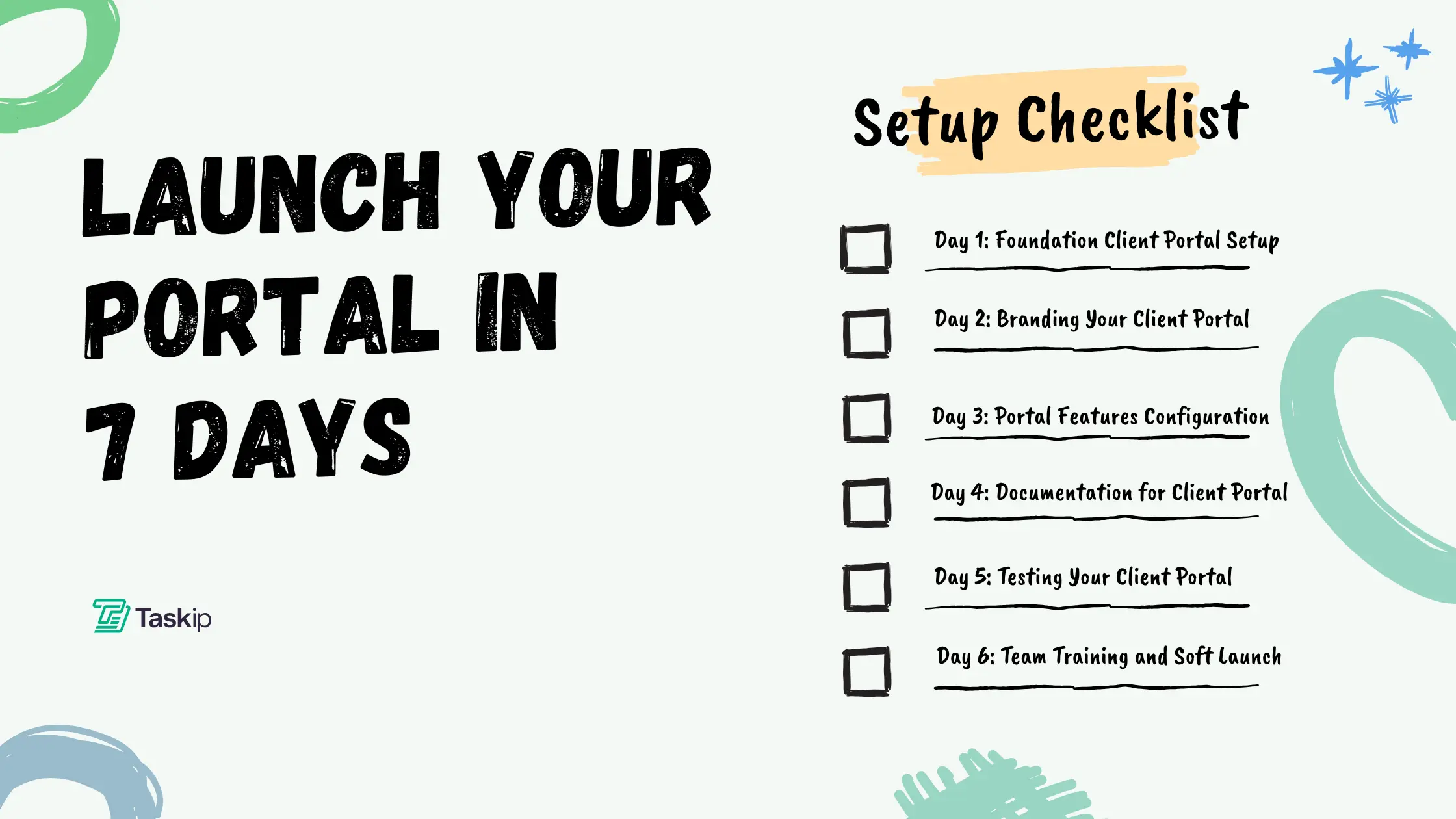
Client Portal Setup Checklist: Launch Your Portal in 7 Days
Client portal setup doesn’t have to be a months-long project. With proper planning and our comprehensive client portal setup checklist, your customer portal setup can be complete within a week. This guide walks you through how to set up client portal systems that transform client relationships while streamlining your business operations.
Whether you’re implementing a portal for the first time or upgrading existing portal infrastructure, this seven-day client portal configuration roadmap ensures successful portal implementation. For freelancers specifically, choosing the right client portal software paired with proper setup procedures can revolutionize how you manage client work.
What is Client Portal Setup?
Client portal setup is the process of configuring, customizing, and launching a secure online platform where businesses and clients collaborate. Professional implementation includes portal configuration settings, user management systems, security protocols, and portal features activation. Understanding how to set up client portal infrastructure correctly determines whether your customer portal setup succeeds or fails.
Quick Start: Essential Portal Setup Steps
Before diving into our detailed setup timeline, here’s how to set up client portal systems following industry best practices:
1. Plan Your Client Portal Setup
- Define Portal Features: Identify which portal features your client portal configuration needs
- Set Security Requirements: Plan secure client portal protocols for your customer portal setup
- Map User Roles: Design permission structures for your portal implementation
2. Choose Your Portal Platform
- Dedicated Client Portal Software Setup: Purpose-built solutions streamline setup
- WordPress Portal Configuration: Add portal features to existing sites
- Custom Web Portal Setup: Build unique customer portal setup from scratch
3. Configure Portal Dashboard and Features
- Portal Configuration Settings: Customize your portal dashboard during setup
- Portal Features Activation: Enable communication, file sharing, and billing in your portal implementation
- Brand Your Customer Portal Setup: Apply consistent design across all portal features
4. Test and Launch Your Client Portal Setup
- Test Portal Configuration: Verify all portal features work correctly
- Soft Launch: Test your setup with select users
- Full Portal Implementation: Complete your customer portal setup rollout
Client Portal Setup Cost Comparison
| Portal Setup Type | Setup Time | Monthly Cost | Technical Skill | Best Portal Features |
| SaaS Client Portal Setup | 1-2 days | $29-299 | Low | Quick portal implementation |
| WordPress Portal Configuration | 3-5 days | $10-100 | Medium | Flexible portal features |
| No-Code Portal Setup | 2-4 days | $25-150 | Low-Medium | Custom portal dashboard |
| Custom Web Portal Setup | 7-30 days | $5000+ | High | Unlimited portal features |
Compare with industry standards from Gartner’s Digital Workplace Report.
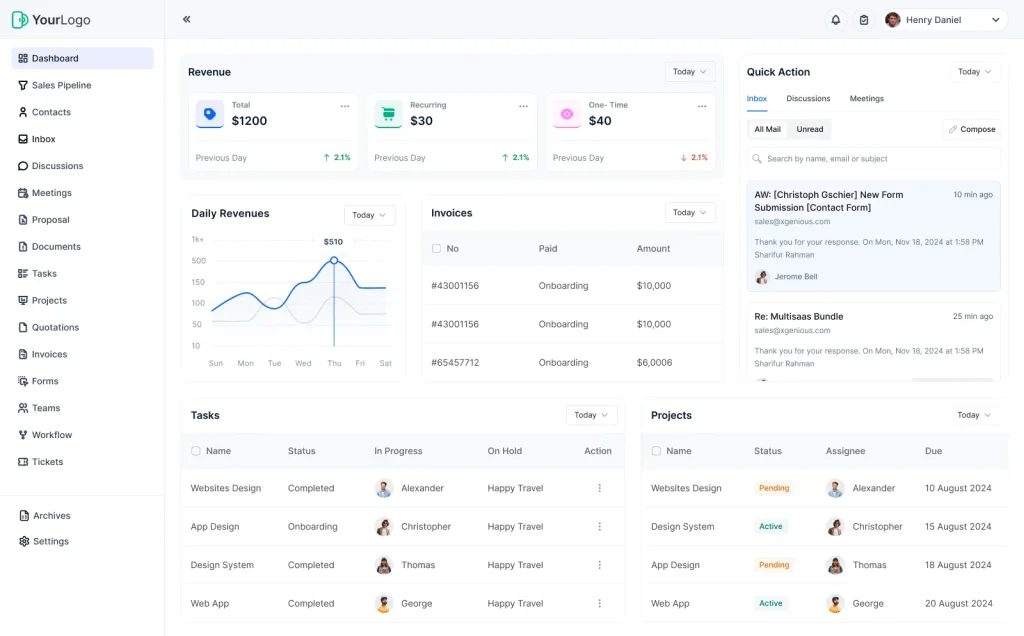
Why Professional Client Portal Setup Matters
Proper client portal setup eliminates common portal implementation failures. Without structured client portal configuration, businesses struggle with low adoption rates and underutilized portal features. Our setup methodology ensures your customer portal setup addresses security, usability, and scalability from day one.
Statistics show why professional client portal setup matters:
- 78% of businesses report improved efficiency after proper setup
- Average customer portal setup time without guidance: 3-4 weeks
- With our setup checklist: 7 days
- ROI from professional portal implementation: 300% in year one
Pre-Launch: Client Portal Setup Requirements
Essential Preparation for Client Portal Setup
Before beginning your client portal setup, verify these customer portal setup prerequisites:
Platform Selection for Client Portal Configuration: Your setup depends on choosing the right foundation. If evaluating options, our guide to creating a client portal covers portal implementation options. Freelancers should review best client management systems to ensure your portal setup scales appropriately.
Client Portal Setup Budget Planning: Calculate ROI before starting portal configuration. Use our ROI calculator to validate your setup investment and projected returns from customer portal setup.
Technical Requirements for Web Portal Setup:
- SSL certificate for secure client portal configuration
- Hosting capable of supporting your portal dashboard and features
- Domain name for professional client portal setup
- Email service for portal implementation notifications
Resource Gathering for Portal Configuration: Successful setup requires having materials ready:
- Logo and branding for customer portal setup customization
- Legal documents for portal implementation compliance
- Team member list for portal features access
- Client data for portal dashboard population
Day 1: Foundation Client Portal Setup and Configuration
Morning: Initial Client Portal Setup
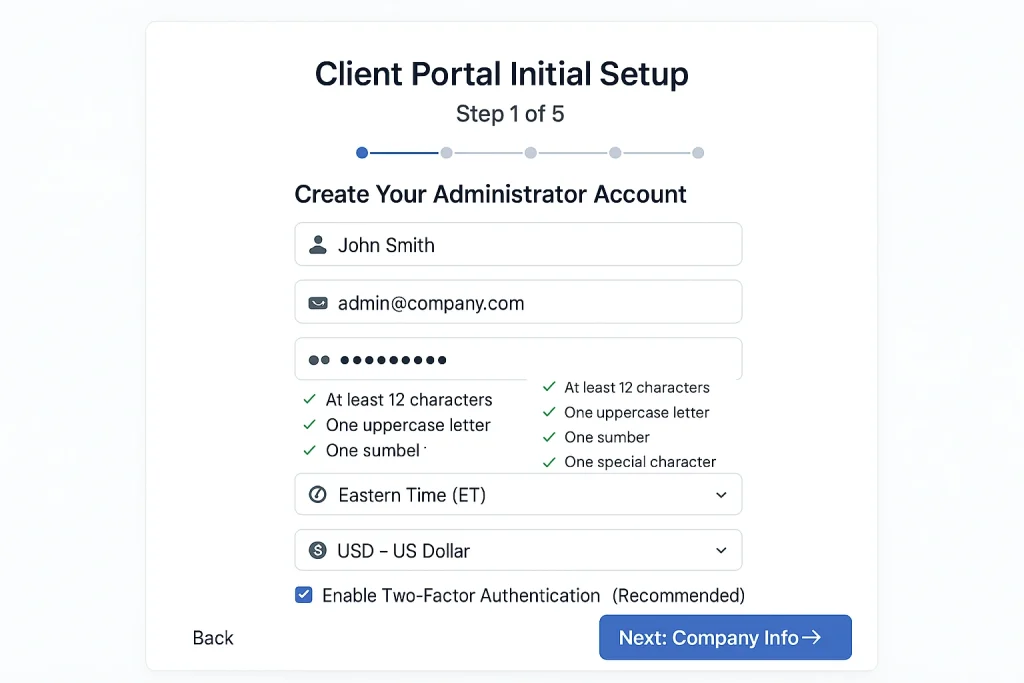
Your journey begins with foundational portal configuration. This critical phase of customer portal setup determines how your portal implementation unfolds. Start your setup by creating administrator accounts and configuring essential portal dashboard settings.
During initial configuration, establish timezone settings that affect how your portal features display data. Your customer portal setup must include currency preferences, language settings, and regional configurations. These foundational elements of web portal setup impact every aspect of your portal implementation.
Understanding the difference between CRM and client portal helps focus your portal setup on collaboration rather than sales features. Your portal configuration should prioritize client-facing portal features over internal tools during this customer portal setup phase.
Afternoon: Security and Domain Configuration
Secure client portal setup requires immediate attention to authentication systems. Your client portal configuration must include two-factor authentication for all administrative access. During this portal implementation phase, configure password policies that balance security with usability for your customer portal setup. Learn more about two-factor authentication best practices from Google’s Security Center.
Domain configuration for web portal setup typically requires 24-48 hours for DNS propagation. While waiting, continue other setup tasks using temporary URLs. Your portal configuration can proceed with security settings, user roles, and portal features configuration during domain setup.
Professional setup includes:
- SSL certificate installation for secure client portal access
- Session timeout configuration in portal dashboard settings
- IP restriction options for portal implementation security
- Backup systems for client portal configuration protection
Evening: User Roles and Permissions Setup
Successful client portal setup requires careful permission structuring. Your portal configuration must define what each user type can access within portal features. This customer portal setup phase determines security and usability for your portal implementation.
Create these essential roles during setup:
- Administrators: Full portal configuration access and all portal features
- Team Members: Limited portal dashboard access for customer portal setup management
- Clients: Restricted to their portal features and project areas
Your client portal configuration should start with minimal permissions. During portal implementation, you can expand access as your customer portal setup matures and portal features requirements become clearer.
Day 1 Client Portal Setup Checklist:
- Admin account created for portal configuration
- Basic settings configured in setup
- Domain setup initiated for web portal setup
- Security protocols enabled for secure client portal
- User roles defined in portal implementation
- Permission structure created for customer portal setup
- Portal dashboard configured with initial settings
- Backup system configured for setup
Day 2: Branding Your Client Portal Setup
Morning: Visual Identity Configuration
Day two focuses on transforming generic portal features into your branded experience. This client portal configuration phase ensures your customer portal setup reflects professional standards while maintaining intuitive portal dashboard navigation.
Upload high-quality logos during this phase. Your portal setup should include properly sized images for various portal features: main logo (200x50px), favicon (32x32px), and email header graphics. Professional portal implementation requires consistent branding across all customer portal setup touchpoints.
Color scheme configuration in your setup must align with brand guidelines. Configure primary colors for portal dashboard headers, secondary colors for portal features buttons, and accent colors throughout your portal configuration. Your customer portal setup should maintain accessibility standards with proper contrast ratios.
Afternoon: Email Template Configuration
Email templates are crucial portal features in any setup. Your portal configuration must include customized messages for every automated communication. This customer portal setup component directly impacts client experience with your portal implementation.
Configure these essential templates during setup:
- Welcome emails for new customer portal setup users
- Password reset instructions for secure client portal access
- Project updates from portal dashboard activities
- File upload confirmations through portal features
- Invoice notifications from portal implementation
- Task assignments via client portal configuration
Each template should include your logo, maintain consistent formatting, and use merge tags for personalization. Your customer portal setup communications must feel professional while remaining approachable.
Evening: Navigation Structure Setup
Portal dashboard organization determines usability in your client portal setup. Configure navigation that makes portal features easily accessible. Your portal configuration should prioritize frequently used functions in customer portal setup menus.
Standard navigation for professional client portal setup includes:
- Dashboard (portal implementation overview)
- Projects (active work in portal features)
- Files (document library in portal configuration)
- Messages (communication through secure client portal)
- Invoices (billing via customer portal setup)
- Support (help resources for portal dashboard)
Your web portal setup should limit main navigation to 5-7 items. Too many portal features in primary navigation overwhelm users during client portal configuration adoption.
Day 2 Client Portal Setup Checklist:
- Logo uploaded to portal configuration
- Brand colors applied in client portal setup
- Email templates customized for portal features
- Navigation structured in portal dashboard
- Mobile responsiveness verified for customer portal setup
- CSS customization applied to portal implementation
- Brand consistency checked across web portal setup
Day 3: Portal Features Configuration and Workflow Setup
Morning: Project Management Configuration
Day three of client portal setup involves configuring portal features that power collaboration. Your portal configuration must translate business processes into functional customer portal setup workflows. This portal implementation phase determines daily usage patterns.
File management structure in your client portal setup needs logical organization. Configure folder hierarchies that support your portal features usage patterns. Understanding how to set up client portal file systems prevents confusion during customer portal setup adoption. Proper portal configuration here is crucial when onboarding clients to your portal.
Create project templates during this client portal setup phase:
- Standard folder structures for portal implementation
- Task lists within portal dashboard projects
- Milestone templates in portal features
- Approval workflows for secure client portal processes
- Communication protocols in customer portal setup
Your web portal setup benefits from standardized structures. These portal configuration templates ensure consistent client portal setup experiences across all projects.
Afternoon: Communication Features Setup
Communication portal features require careful configuration during client portal setup. Your portal implementation must balance notification frequency with information needs. Configure portal dashboard messaging systems that enhance rather than overwhelm your customer portal setup users.
Set up these communication channels in your client portal configuration:
- Message boards for portal features discussions
- Comment threads on portal dashboard items
- Real-time chat in secure client portal (if available)
- Email notifications from portal implementation
- SMS alerts for urgent customer portal setup items
Integration with your broader productivity tools enhances client portal setup value. Your portal configuration should complement existing workflows rather than replacing them entirely.
Evening: Payment Processing Setup
Financial portal features complete your professional client portal setup. Configure payment processing that simplifies billing through your customer portal setup. This portal implementation component often delivers immediate ROI from web portal setup investments. For PCI compliance requirements, refer to the official PCI Security Standards.
Payment configuration for client portal setup includes:
- Gateway integration for secure client portal transactions
- Tax settings in portal configuration by region
- Invoice templates for portal dashboard generation
- Recurring billing through portal features
- Payment methods in customer portal setup
- Receipt generation via portal implementation
Test payment portal features thoroughly during client portal setup. Process small transactions to verify your portal configuration handles payments correctly before full customer portal setup launch.
Day 3 Client Portal Setup Checklist:
- File structure created in client portal setup
- Project templates configured for portal features
- Communication channels set in portal configuration
- Notification rules established for portal dashboard
- Payment gateway integrated in customer portal setup
- Invoice templates created for portal implementation
- Test transactions completed in secure client portal
- Workflow automation configured in web portal setup
Day 4: Documentation for Client Portal Setup Success
Morning: Client Documentation Creation
Day four of client portal setup focuses on support resources. Comprehensive documentation reduces support requests during portal implementation. Your customer portal setup needs clear guides for every portal feature and portal dashboard function.
Create FAQ sections addressing common client portal configuration questions:
- How to set up client portal passwords and security
- File upload procedures in portal features
- Navigation tips for portal dashboard usage
- Payment methods in secure client portal
- Communication protocols for portal implementation
- Mobile access to customer portal setup
This documentation phase of client portal setup directly impacts adoption success. Reference our client onboarding guide for proven strategies that complement your portal configuration materials.
Afternoon: Video Tutorials and Quick Guides
Visual learning materials enhance client portal setup adoption. Create focused tutorials demonstrating how to set up client portal access and use portal features effectively. Your customer portal setup should include videos for critical portal dashboard functions.
Essential video topics for portal implementation:
- “Getting Started with Your Client Portal Setup” (2 minutes)
- “How to Set Up Client Portal Notifications” (3 minutes)
- “Navigating Portal Features and Dashboard” (2 minutes)
- “File Management in Your Portal Configuration” (3 minutes)
- “Using Secure Client Portal on Mobile” (2 minutes)
Quick-start guides complement video content in your client portal setup. These PDF resources should cover essential customer portal setup tasks in 1-2 pages with screenshots from your actual portal implementation.
Evening: Internal Team Documentation
Internal documentation ensures consistent support for your client portal setup. Document administrative procedures for portal configuration management. Your team needs clear protocols for customer portal setup support and portal features troubleshooting.
Create these internal resources for web portal setup:
- Admin guide for client portal configuration
- Troubleshooting procedures for portal features
- Security protocols for secure client portal
- Escalation paths in portal implementation
- Backup procedures for portal dashboard data
- Update protocols for customer portal setup
Professional client portal setup requires everyone understanding their role in portal implementation support and ongoing portal configuration management.
Day 4 Portal Setup Checklist:
- FAQ created for client portal setup
- Quick-start guide written for portal features
- Video tutorials recorded for portal configuration
- Support system configured in portal dashboard
- Internal documentation completed for portal implementation
- Help center organized for customer portal setup
- Training materials prepared for secure client portal
- Resource library built in web portal setup
Day 5: Testing Your Client Portal Setup
Morning: Functional Testing
Thorough testing on day five ensures your client portal setup meets quality standards. Test every portal feature and portal configuration setting. Your customer portal setup must work flawlessly before portal implementation goes live.
Functional testing for client portal setup includes:
- User registration in portal configuration
- Login procedures for secure client portal
- File operations through portal features
- Communication tools in portal dashboard
- Payment processing via customer portal setup
- Project workflows in portal implementation
- Search functions across web portal setup
- Report generation from portal configuration
Document any issues discovered during client portal setup testing. Prioritize fixes based on impact to customer portal setup success and portal features criticality.
Afternoon: Cross-Platform Testing
Modern client portal setup must work across devices. Test your portal configuration on multiple browsers and operating systems. Portal features should function identically whether accessing portal dashboard from desktop or mobile during customer portal setup.
Test your portal implementation on:
- Chrome (Windows/Mac) for client portal setup
- Firefox for portal configuration compatibility
- Safari for Mac customer portal setup users
- Edge for enterprise portal features
- Mobile browsers for web portal setup
- Tablet devices for portal dashboard access
Pay special attention to file upload portal features and form submissions during client portal configuration testing. These portal implementation elements often have platform-specific issues.
Evening: Security and Performance Testing
Secure client portal setup requires rigorous security testing. Verify your portal configuration prevents unauthorized access to portal features. Test portal dashboard session management and data encryption in your customer portal setup.
Security testing for client portal setup:
- Permission boundaries in portal implementation
- Password reset security for portal configuration
- Session timeout in secure client portal
- SSL certificate validity for web portal setup
- File access restrictions in portal features
- Data encryption throughout customer portal setup
Performance testing ensures your client portal setup handles expected loads. Upload large files to test portal configuration limits. Access portal dashboard from various connection speeds. Your portal implementation must remain responsive under stress. Use Google’s PageSpeed Insights to test your portal’s performance.
Day 5 Portal Setup Checklist:
- All portal features tested in client portal setup
- Cross-browser testing completed for portal configuration
- Mobile experience verified in customer portal setup
- Security testing passed for secure client portal
- Performance benchmarks met in portal implementation
- Bug list created from portal dashboard testing
- Critical issues resolved in web portal setup
- Test results documented for portal features
Day 6: Team Training and Soft Launch
Morning: Team Training for Portal Implementation
Day six prepares your team for successful client portal setup support. Comprehensive training ensures consistent customer portal setup assistance. Your team must understand both portal configuration administration and client-facing portal features.
Conduct role-specific training for client portal setup:
- Administrators: Full portal dashboard management and portal configuration
- Project Managers: Using portal features for collaboration
- Support Staff: Troubleshooting customer portal setup issues
- Sales Team: Demonstrating secure client portal benefits
Practice common scenarios during portal implementation training:
- How to set up client portal accounts for new users
- Managing portal features permissions
- Troubleshooting portal configuration issues
- Handling portal dashboard questions
- Supporting customer portal setup adoption
Afternoon: Soft Launch Preparation
Select 3-5 trusted clients for client portal setup soft launch. These early adopters help identify real-world portal implementation issues. Choose clients who appreciate participating in your customer portal setup evolution.
Prepare soft launch participants for web portal setup:
- Explain their role in testing portal features
- Provide direct support for portal configuration questions
- Set expectations about portal dashboard functionality
- Request specific feedback on secure client portal experience
- Offer incentives for customer portal setup participation
Send personalized invitations explaining how to set up client portal access. Include login credentials and links to your portal implementation resources.
Evening: Soft Launch Monitoring
Monitor your client portal setup soft launch closely. Track how users interact with portal features and portal dashboard navigation. Document questions about portal configuration to improve your customer portal setup materials.
Key metrics during portal implementation soft launch:
- Login success rates for client portal setup
- Portal features usage patterns
- Support requests about portal configuration
- Time spent in portal dashboard
- Feedback on secure client portal experience
- Issues with customer portal setup
Use soft launch insights to refine your web portal setup before full launch. This real-world testing validates your client portal configuration decisions.
Day 6 Portal Setup Checklist:
- Team training completed for client portal setup
- Training materials distributed for portal features
- Soft launch clients selected for portal configuration
- Invitations sent with portal dashboard access
- Support team ready for customer portal setup
- Feedback system active for portal implementation
- Monitoring tools configured for secure client portal
- Soft launch insights documented for web portal setup
Day 7: Full Client Portal Setup Launch
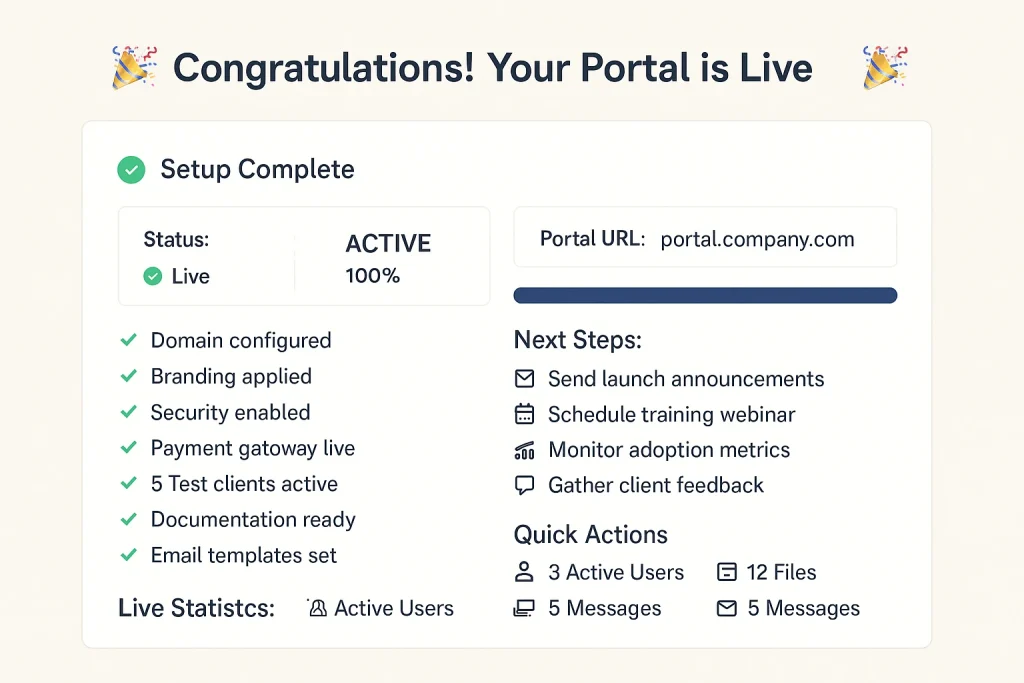
Morning: Final Portal Configuration Checks
Day seven marks your official client portal setup launch. Complete final portal configuration verification. Ensure all critical portal features function perfectly in your customer portal setup before full portal implementation rollout.
Final checks for client portal setup:
- Verify domain propagation for web portal setup
- Test payment processing in secure client portal
- Confirm email delivery from portal dashboard
- Check file upload limits in portal features
- Validate user permissions in portal configuration
- Review documentation for customer portal setup
- Test emergency procedures for portal implementation
Brief your support team on launch day protocols for client portal setup assistance.
Afternoon: Launch Your Customer Portal Setup
Send launch announcements for your client portal setup. Explain how to set up client portal access and highlight portal features benefits. Your portal configuration launch emails should generate excitement about customer portal setup improvements.
Essential elements in portal implementation announcements:
- Clear benefits of new client portal setup
- Step-by-step portal dashboard login instructions
- Links to portal features tutorials
- Support contact for portal configuration help
- Timeline for customer portal setup transition
- Incentives for early secure client portal adoption
Implement phased onboarding for web portal setup rather than forcing immediate migration. Our client onboarding guide provides proven strategies for smooth portal implementation adoption.
Evening: Monitor and Support
Maintain increased support during client portal setup launch. Monitor portal dashboard activity and respond quickly to portal configuration questions. Your customer portal setup success depends on strong launch day portal features support.
Launch day priorities for portal implementation:
- Real-time portal dashboard monitoring
- Quick response to client portal setup questions
- Documentation of common portal configuration issues
- Celebration of successful portal features adoption
- Team updates on customer portal setup progress
- Planning for ongoing secure client portal support
Schedule follow-up training webinars to reinforce how to set up client portal usage patterns and explore advanced portal features in your web portal setup.
Day 7 Portal Setup Checklist:
- Final testing completed for client portal setup
- Launch emails sent for portal configuration
- Support team active for customer portal setup
- Webinars scheduled for portal features training
- Metrics tracking live for portal implementation
- Feedback collection active for portal dashboard
- First clients using secure client portal
- Team celebration planned for web portal setup success!
Common Client Portal Setup Mistakes to Avoid
1. Wrong Platform Selection
Many businesses fail at client portal setup by choosing inappropriate platforms. Understanding CRM vs client portal differences prevents costly portal configuration mistakes. Review client management systems for freelancers to ensure your customer portal setup fits your business model.
2. Rushing Portal Implementation
Compressed client portal setup timelines cause portal features failures. While our guide provides a 7-day portal configuration framework, extend timelines if your customer portal setup requires additional portal dashboard customization or complex portal implementation requirements.
3. Inadequate Security Configuration
Default settings rarely provide secure client portal protection. You must include proper portal configuration for authentication, encryption, and access controls. Professional customer portal setup prioritizes security in every portal feature.
4. Overwhelming Portal Features
Enabling every available option during client portal setup confuses users. Start your portal configuration with essential portal dashboard functions. Add portal features based on actual customer portal setup usage patterns and user feedback about portal implementation needs.
5. Ignoring Mobile Users
With 60% accessing portal features via mobile, You must prioritize responsive design. Test portal configuration extensively on smartphones during customer portal setup. Your portal dashboard must work flawlessly across all devices for successful web portal setup.
Client Portal Setup for Different Industries
Agency Client Portal Setup
Agencies need robust portal features for collaboration. Your client portal configuration should emphasize project management portal dashboard tools, approval workflows in portal implementation, and team collaboration through secure client portal systems. Focus customer portal setup on scalability.
Freelancer Portal Configuration
Solo professionals need streamlined client portal setup. Check our analysis of best client portal software for freelancers to understand essential portal features. Your portal configuration should integrate with existing productivity tools for efficient customer portal setup.
Consultant Customer Portal Setup
Consultants require portal features for document sharing and scheduling. Your client portal setup should include portal dashboard calendaring, resource libraries in portal configuration, and secure client portal video conferencing. Portal implementation focuses on knowledge transfer.
Legal Firm Web Portal Setup
Law firms need secure client portal compliance. You must meet industry regulations with portal features for encrypted communications, audit trails in portal dashboard, and document versioning throughout customer portal setup. Portal configuration prioritizes confidentiality.
Advanced Client Portal Setup Strategies
Automation in Portal Configuration
Professional portal setup includes workflow automation. Configure portal features that trigger actions automatically:
- Welcome sequences for new customer portal setup users
- Task creation from portal dashboard activities
- Invoice generation through portal implementation
- Status updates in secure client portal
- Reminder emails from web portal setup
Integration with Existing Tools
Your portal setup shouldn’t exist in isolation. Connect portal configuration with your tech stack:
- CRM synchronization with portal features
- Accounting software linked to portal dashboard
- Project management tools in customer portal setup
- Email marketing through portal implementation
- Analytics tracking for secure client portal
Scalability Planning
Design your portal setup for growth. Your portal configuration should handle increasing users without major customer portal setup changes. Plan portal features architecture that scales with business growth and portal implementation expansion.
Measuring Client Portal Setup Success
Key Performance Indicators
Track these metrics after portal setup:
- Adoption Rate: Percentage using portal features regularly
- Login Frequency: How often users access portal dashboard
- Feature Utilization: Which portal configuration elements get used
- Support Tickets: Reduction after customer portal setup
- Time Savings: Efficiency gains from portal implementation
ROI Calculation
Measure returns from your portal setup investment. Use our ROI calculator to quantify benefits from portal configuration. Track time savings, efficiency improvements, and client satisfaction after customer portal setup.
Client Satisfaction Metrics
Survey users about their portal features experience:
- Ease of use in portal dashboard navigation
- Value delivered by secure client portal
- Improvement suggestions for portal configuration
- Overall satisfaction with customer portal setup
- Likelihood to recommend your portal implementation
Client Portal Setup Templates and Resources
Email Templates for Portal Implementation
Pre-Launch Portal Setup Announcement: “Exciting news! We’re launching a new portal setup to streamline our collaboration. Your customer portal setup will provide 24/7 access to projects through secure portal features and an intuitive portal dashboard. Watch for login details next week!”
Launch Day Portal Configuration Welcome: “Your portal setup is ready! Access your new portal dashboard at [URL]. This secure client portal provides all portal features for project management. Here’s how to set up client portal access: [instructions]”
Follow-Up Portal Features Training: “Now that you’ve explored your customer portal setup, join our webinar to master advanced portal features. Learn portal configuration tips and portal dashboard shortcuts for maximum efficiency in your web portal setup experience.”
Downloadable Portal Setup Checklist
Our comprehensive checklist includes:
- Daily portal configuration tasks
- Portal features priority rankings
- Customer portal setup timelines
- Portal implementation troubleshooting
- Secure client portal best practices
- Portal dashboard optimization tips
Download Client Portal Setup Checklist PDF
Client Portal Setup Best Practices
Security Best Practices for Portal Configuration
Follow OWASP security guidelines for web application security.
You must prioritize security:
- Enable two-factor authentication in portal dashboard
- Use SSL certificates for secure client portal
- Configure strong password requirements in portal features
- Implement session timeouts for customer portal setup
- Regular security audits of portal implementation
- Encrypted file storage in web portal setup
User Experience Optimization
Successful portal setup focuses on usability:
- Intuitive portal dashboard navigation
- Clear labeling of portal features
- Consistent design throughout portal configuration
- Mobile-optimized customer portal setup
- Fast loading times for portal implementation
- Accessible secure client portal design
Communication Strategy
Effective portal setup requires clear communication:
- Regular updates about portal features
- Training resources for portal dashboard usage
- Feedback channels in portal configuration
- Success stories from customer portal setup
- Tips for maximizing portal implementation value
- Ongoing support for web portal setup
Next Steps After Client Portal Setup
Week 1-2: Initial Optimization
After launching your portal setup, focus on:
- Monitoring portal dashboard usage patterns
- Gathering feedback on portal features
- Fine-tuning portal configuration settings
- Supporting customer portal setup adoption
- Documenting portal implementation lessons
- Celebrating secure client portal wins
Month 1: Performance Review
Evaluate your portal setup success:
- Analyze portal features usage data
- Survey users about portal dashboard experience
- Calculate ROI from portal configuration
- Identify customer portal setup improvements
- Plan portal implementation enhancements
- Share web portal setup success metrics
Ongoing Portal Evolution
Your portal setup requires continuous improvement:
- Regular portal features updates
- Periodic portal dashboard redesigns
- Security updates for portal configuration
- New integrations in customer portal setup
- Advanced portal implementation features
- Enhanced secure client portal capabilities
Conclusion: Your Client Portal Setup Success
Completing professional portal setup in seven days is achievable with our structured approach. This client portal configuration guide ensures your customer portal setup delivers immediate value while building a foundation for long-term portal implementation success.
Remember that perfect portal setup isn’t the goal—functional portal features that serve clients are. Start with core portal dashboard capabilities, gather feedback on your portal configuration, and evolve your customer portal setup based on actual usage. Your secure client portal will improve as you learn what portal implementation features matter most.
Take Action on Your Client Portal Setup
Ready to transform your client relationships with professional portal setup? Here’s how to proceed:
- Platform Selection: If you haven’t chosen your portal configuration platform, explore our guide to creating a client portal for comprehensive portal features comparisons.
- ROI Analysis: Calculate expected returns from portal setup using our ROI calculator to justify your customer portal setup investment.
- Onboarding Planning: Prepare for successful portal implementation with our detailed onboarding guide to maximize portal dashboard adoption.
- Tool Integration: Ensure your portal setup fits within your complete productivity ecosystem for seamless portal features integration.
The investment in proper portal setup pays dividends through improved efficiency, better communication, and professional growth. Start your customer portal setup today with Day 1 portal configuration tasks. Within one week, your secure client portal will transform how you deliver value to clients.
For ongoing support with your portal setup and the latest portal implementation strategies, explore more resources at Taskip.net. We help businesses master customer portal setup, optimize portal features, and maximize returns from web portal setup investments.
Ready for professional portal setup? Download our complete portal configuration checklist and join thousands who’ve successfully completed customer portal setup using our proven portal implementation framework. Your secure client portal transformation starts today!
Frequently Asked Questions About Portal Setup
What’s included in complete client portal setup?
Professional client portal setup includes portal configuration for security, user management, portal features activation, portal dashboard customization, and customer portal setup training. Your system implementation should cover technical setup and user adoption strategies.
How to set up client portal access for multiple users?
During client portal setup, create role-based portal configuration. Define permission levels in your system dashboard settings. Your customer portal setup should include bulk user import portal features for efficient portal implementation.
What are essential portal features for agencies?
Agency client portal setup requires project management portal dashboard, file sharing portal configuration, approval workflows in portal features, team collaboration tools, and billing integration for complete customer portal setup.
How much does professional client portal setup cost?
The setup costs vary by platform. Basic portal configuration starts at $30/month. Enterprise customer portal setup with advanced portal features costs $300+/month. Custom web portal setup requires $5,000+ initial investment. Calculate ROI using our calculator.
Can I complete customer portal setup without coding?
Yes! Modern setup requires no coding. Choose platforms with visual portal configuration tools. Most portal features configure through user-friendly portal dashboard interfaces. Your customer portal setup can be completely code-free with the right portal implementation platform.
What’s the difference between client portal setup and CRM setup?
Client portal setup focuses on customer collaboration through portal features. CRM configuration emphasizes sales and marketing. Your system dashboard serves clients directly, while CRM manages internal processes. Learn more in our CRM vs portal guide.
How to set up client portal automation?
Configure automation during the portal by creating triggers in portal features. Set portal dashboard rules for automatic notifications, task creation, and status updates. Your customer portal setup automation reduces manual work in portal implementation.
How long does typical client portal setup take?
With our structured approach, the portal takes 7 days. Without guidance, customer portal setup averages 3-4 weeks. Complex portal configuration with custom portal features may require 30+ days for complete portal implementation.


![CRM vs Client Portal: Key Differences + Which Tool Freelancers Need First [2026]](https://taskip.net/wp-content/uploads/2025/08/CRM-vs-Client-Portal-Key-Differences-Which-Tool-Freelancers-Need-First-794x450.webp)
Get Summary On: