CRM For Professional Services: Top 5 Picks & The Ultimate Guide
For every $1 invested in a properly implemented CRM, professional service firms see an average return of $8.71 through improved efficiency and client lifetime value.
Yet many firms still rely on disconnected tools- one for leads, another for projects, and separate systems for billing and communication. This lack of integration slows down operations and limits growth.
A CRM for professional services is not just about managing contacts. It’s about connecting the entire client journey in one system. So, to help you choose the right solution, here are the top 5 CRM tools designed for professional service firms.
Table of Contents
TL;DR
- Traditional CRMs focus mainly on sales pipelines
- Professional service firms need systems that manage clients, projects, and billing together
- Tools like Taskip, Scoro, Accelo, Kantata, and Productive support this workflow
- A connected CRM improves efficiency, visibility, and client experience
This Guide Is Designed For
This guide applies to agencies, consultancies, legal and financial firms, software development teams, and architecture or engineering companies. The focus is on improving client management, project delivery, and operational efficiency in service-based businesses.
What is CRM for Professional Services?
A CRM for professional services is a software system designed to manage client relationships, projects, and service delivery on a single platform.
Unlike traditional CRM systems that focus mainly on sales, it supports the full client lifecycle- from lead capture to project delivery and payment. It typically includes features for managing leads, tracking client interactions, assigning tasks, monitoring project progress, and handling invoicing.
The goal is to centralize client and project data so that service-based businesses can improve efficiency, coordination, and visibility across teams.
Why Professional Services Need CRM?
Managing client business and agencies had to deal with emails, spreadsheets, and multiple tools. This leads to missed communication, limited visibility into project status, and manual tracking of billing and payments. To solve this issue and make business management easier, CRM tools are built to provide a centralized solution by integrating all client data, interactions, and workflows in one system.
Thus, CRM software lets professional service providers gain better visibility, faster response times, more accurate billing, and stronger client retention.
Why Traditional CRMs Don’t Work for Professional Services?
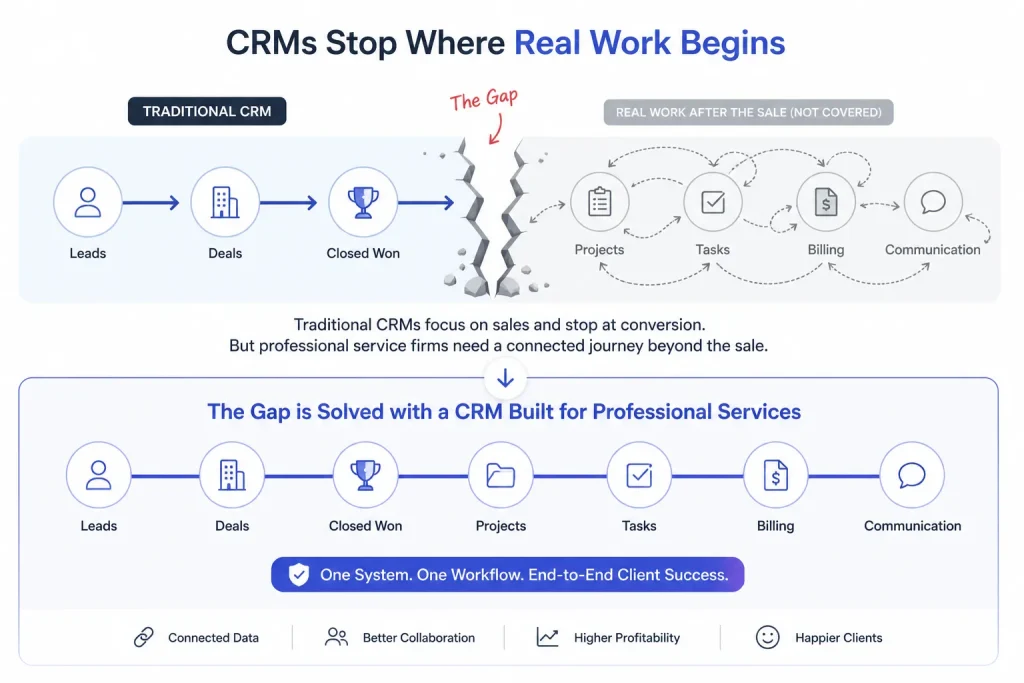
Popular CRMs like Salesforce, HubSpot, and Zoho CRM are mainly built as sales and marketing systems. They focus on managing leads, contacts, and deal pipelines up to the point of conversion.
However, professional service firms work beyond the sale. Their process continues after a deal is closed and includes managing projects, service delivery, client communication, and billing in a connected workflow.
Because of this, traditional CRMs often fall short on their own and require additional tools or integrations to handle end-to-end service operations. Here comes the need for a specialized CRM for professional services.
Quick Comparison Table: Best 5 CRM Tools
| Feature | Taskip | Scoro | Accelo | Kantata | Productive |
| Primary Focus | Client Experience | Financials | Automation | Enterprise PSA | Agency Ops |
| White-Label Portal | Full | Basic | Basic | Advanced | Task-only |
| Project Financials | Native | Elite | Strong | Complex | Strong |
| AI Workflows | Task-Agent | Financial AI | Triggers | Expertise AI | AI Reporting |
| Invoicing | Built-in | Advanced | Automated | Multi-Entity | Budget-linked |
| Learning Curve | Low | High | High | High | Medium |
| Best For | Agencies/Devs | Consultancies | Operations | Enterprises | Creative Shops |
Best CRM For Professional Services Firms
1. Taskip: CRM for Clients, Tasks, and Delivery
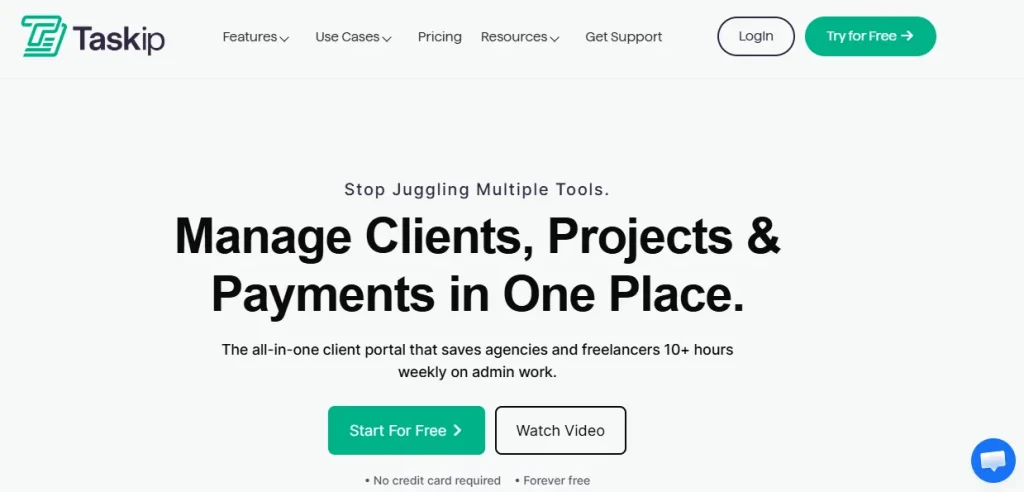
Taskip is designed as an all-in-one CRM for managing clients, tasks, and delivery in a single workflow. It focuses on connecting lead tracking directly with execution and client management.
Taskip CRM Features
- Lead tracking with source, owner, and status visibility.
- Unified client and contact management via a white-label portal.
- Task creation is linked directly to deals and projects.
- Project and delivery tracking in one integrated system.
- Built-in workflow for automated follow-ups and execution.
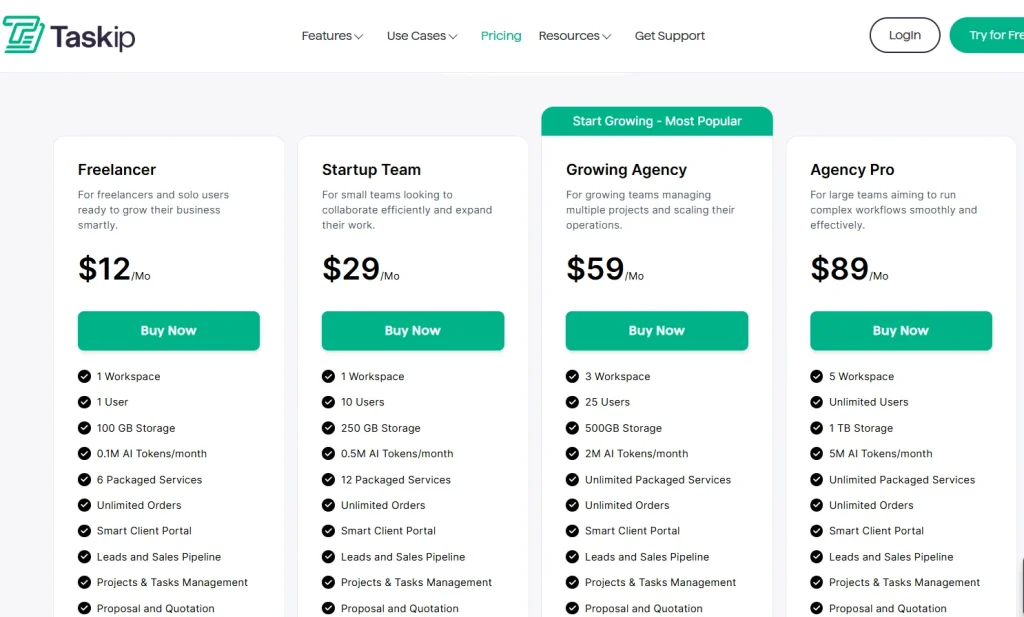
Taskip Pricing: Offers four paid plans along with a free forever plan.
Real Review: G2 Rating 4.6 out of 5
“
“I have had TaskIP for a couple of years and the support is excellent and they are very quick to respond. You can see the team are proud of the product, this is shown through regular updates, looking at feedback and implementing ideas. It really is the all in one package for your business and agency needs. It’s a much cheaper option too. It’s full of features that are easily accessible. The interface looks very attractive. They have improved and developed TaskIP to be an absolute beast of a tool. Great Value, great support and great features….. only thing you need is a great agency now.”
2. Scoro: CRM + PSA Platform
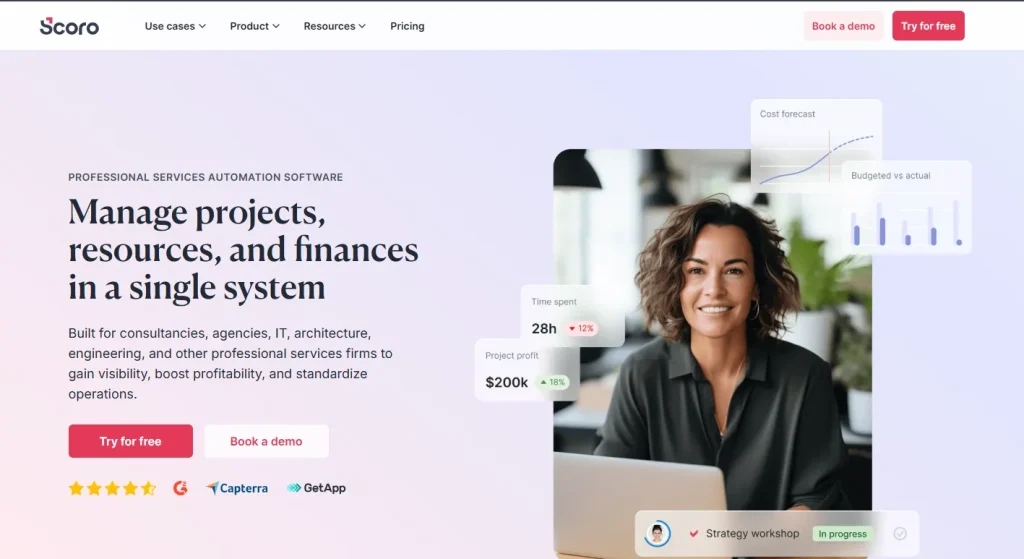
Scoro is an operations-focused CRM that combines sales, project management, and financial tracking in one system. It is widely used by service businesses that need structured workflows.
CRM Features:
- Full CRM with sales pipeline tracking
- Project and task management
- Built-in invoicing and budgeting tools
- Resource and time tracking
- Reporting across sales and operations
Price: Premium pricing (mid to enterprise level)
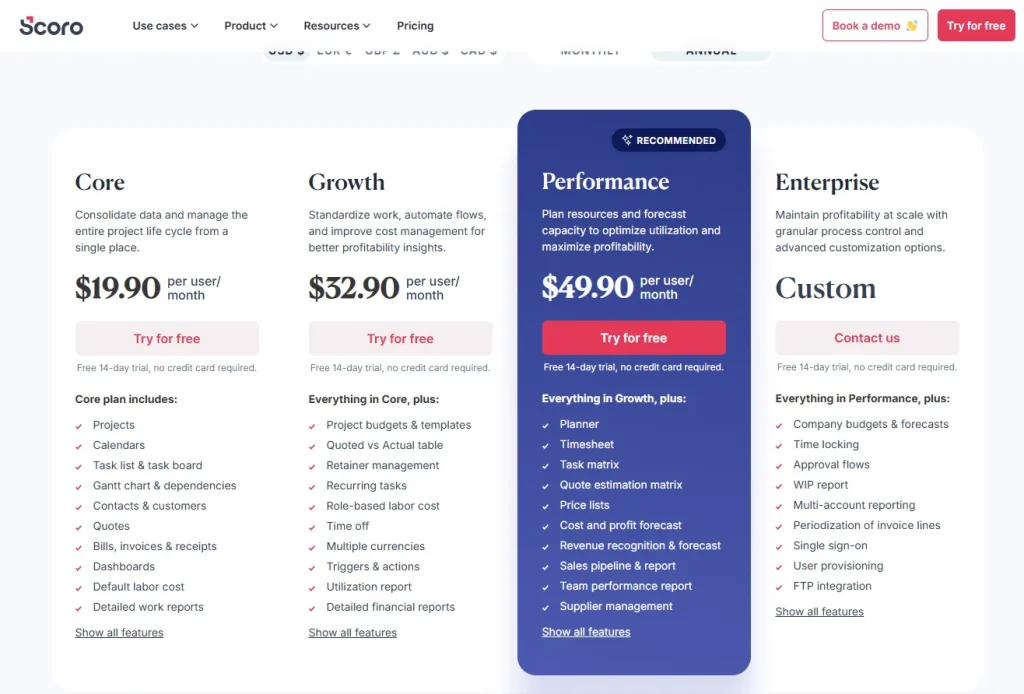
Review: Best suited for structured teams that need detailed operational control across multiple business functions.
Rating 4.5 out of 5
“
“I like that everything with Scoro is in the same place. It includes timesheets, planners, projects, and reporting, which makes management much more streamlined. We used to work with separate software for time tracking, project management, and billing, so having all this together in Scoro has made us more effective as an agency. Scoro helps us have everything under one roof with clearer visibility across teams.”
3. Accelo: Service Delivery CRM
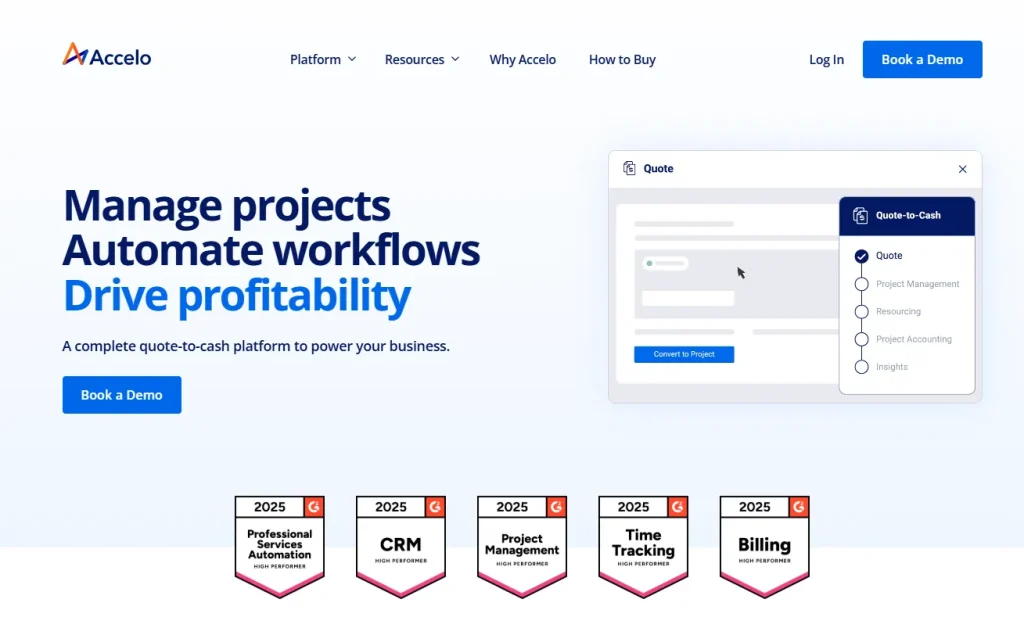
Accelo is a service delivery CRM built for managing client work after the sales stage. It focuses heavily on automation and ongoing client relationships.
CRM Features:
- CRM linked to projects and retainers
- Automated client workflow management
- Task and ticket tracking
- Time tracking and billing support
- Client communication history
Price: Mid to high range, depending on features
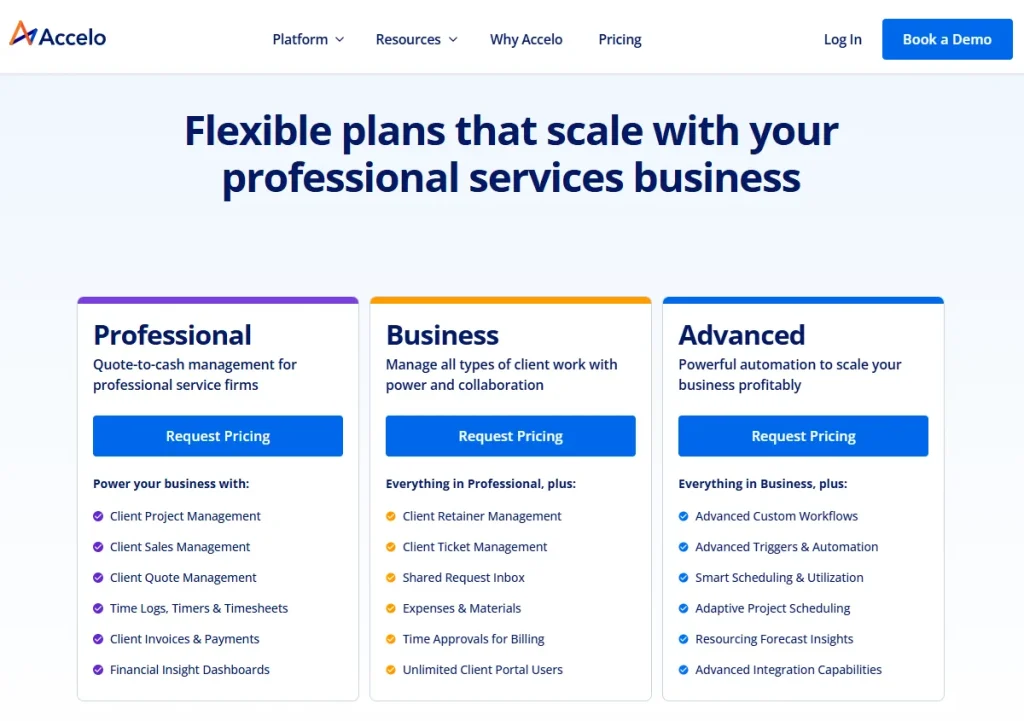
Review: Strong for service businesses managing recurring client work and long-term relationships.
Rating: 4.3 out of 5
“
“Accelo ensures it is simple to keep clients, projects, and tasks organized in one place. Having the ability to delegate tasks, report time, and stay on top of projects keeps the whole team on the same page and in sync with each other. The reporting and dashboard functionality is a big plus, allowing for a good perspective on the whole operation, and the Xero integration makes life easier when it comes to the financial side of things, like invoices.”
4. Kantata: Enterprise PSA Tool
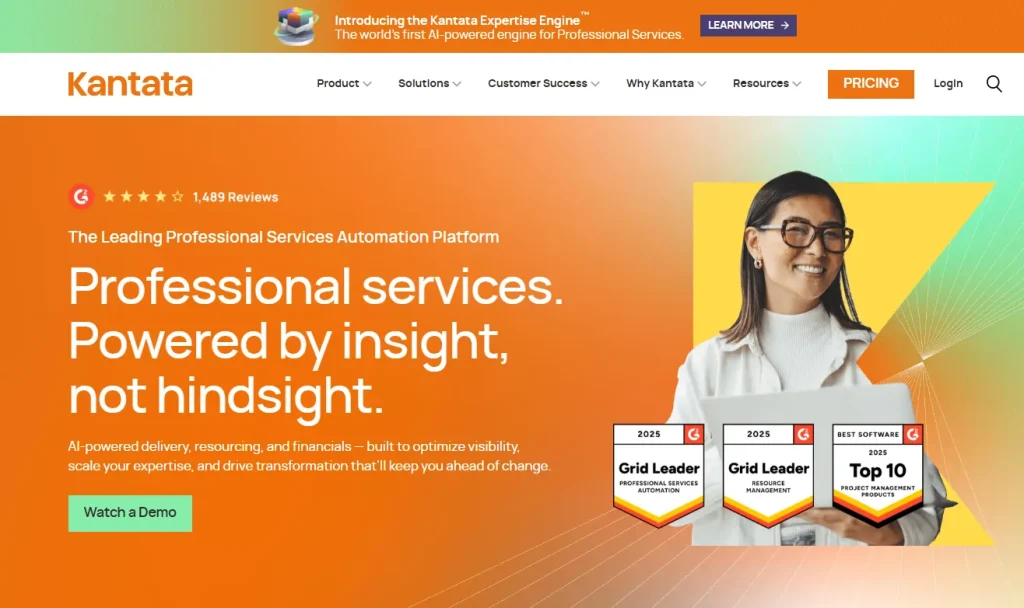
Kantata is an enterprise-grade PSA platform designed for complex professional service organizations with large teams and resource planning needs.
CRM Features:
- Enterprise CRM with account management
- Advanced resource planning and forecasting
- Project lifecycle tracking
- Financial and revenue management
- Performance analytics and reporting
Price: Enterprise-level pricing; you need to request a quote.
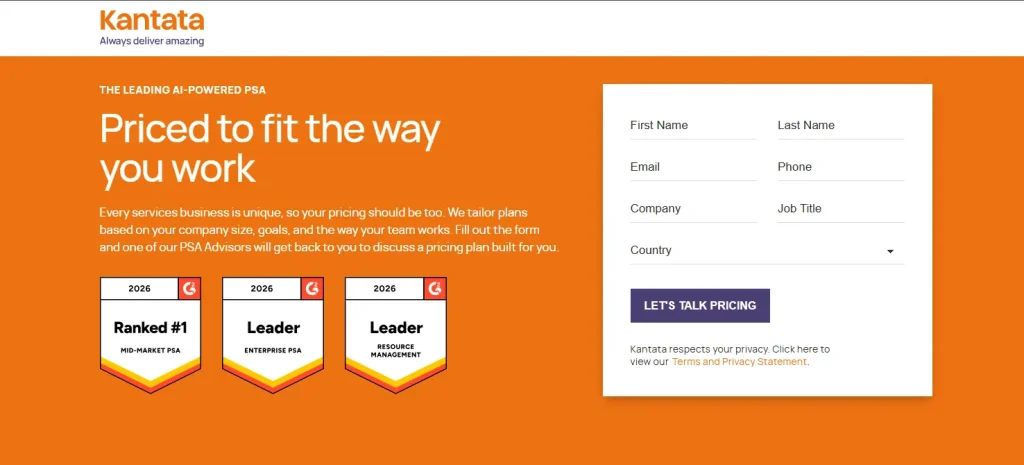
Review: Best for large organizations requiring deep operational and financial control.
Rating: 4.2 out of 5
“
“I like the functionality of the Workato workflow. It really gives us the ability to customize a lot of things. We highly leverage Kantata Professional Services Automation for resource planning and managing milestones. This helps us recognize and forecast revenue effectively as we operate using a milestone-based approach to revenue recognition. The integration with Salesforce through the Mavenlink connector is also beneficial.”
6. Productive: Agency PSA Platform
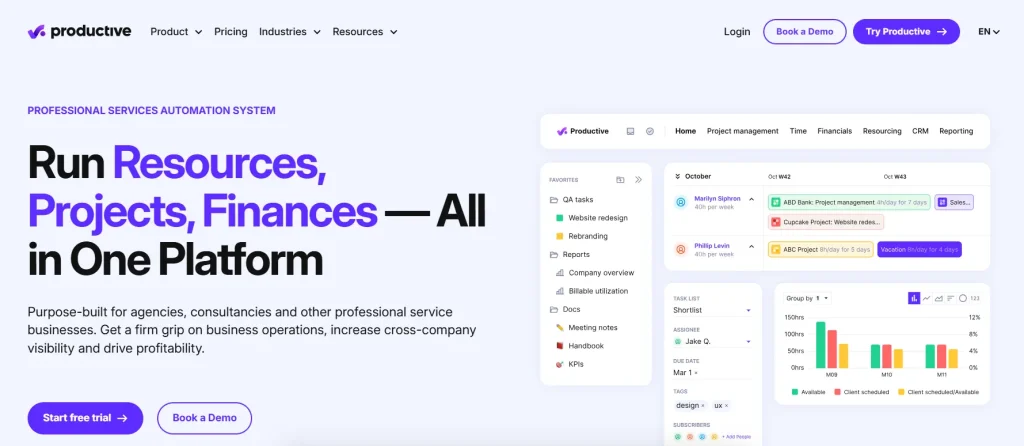
Productive is an agency-focused PSA platform that combines CRM, project management, time tracking, and profitability insights.
CRM Features:
- Deal and client tracking
- Project planning and execution
- Time tracking and budgeting
- Profitability reporting per client/project
- Workflow automation tools
Price: Mid-range subscription model
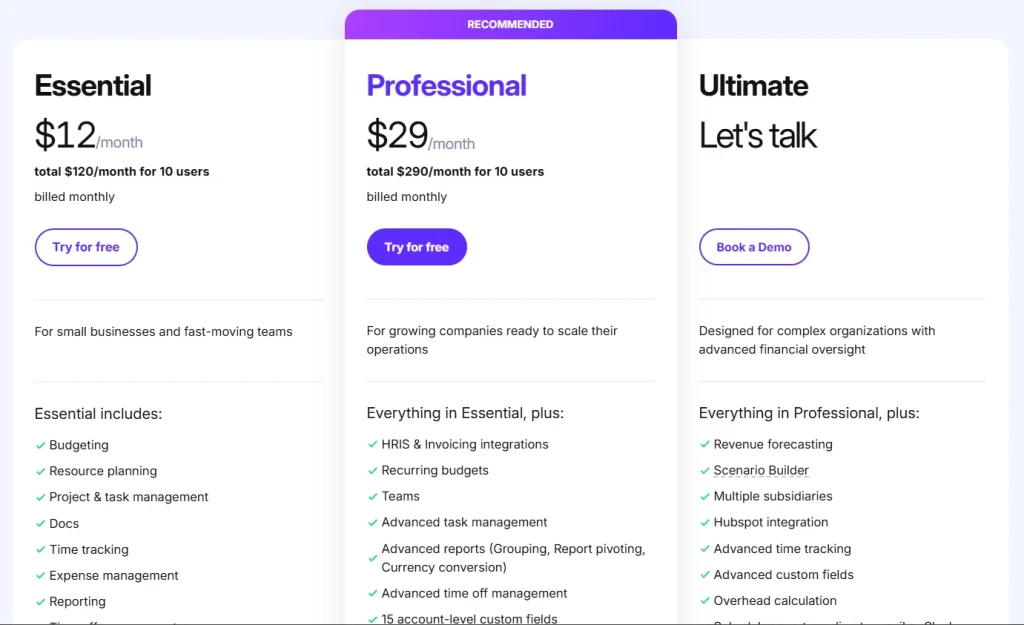
Review: Ideal for agencies needing visibility into both delivery and profitability in one system.
Rating: 4.6 out of 5
“
“The tool’s game-changing dashboards and resource planning. Keeping track of capacity is super easy, seeing who’s busy, and time tracking is automated. I also rely heavily on the budget vs actuals dashboard and love the visuals as well as the immediate flags for projects that are at risk of going over budget.”
What Features To Look For in a CRM for Professional Services?
Below, I have listed the most essential features that crm for professional services firms must have:
Client Portal & Contact Management
CRM for professional services firms needs a secure, centralized hub where clients can view project progress without constant email back-and-forth. This is why a client portal is a must-have feature here. This, moreover, offers a central storage for all customer-related information such as names, addresses, and social media accounts.
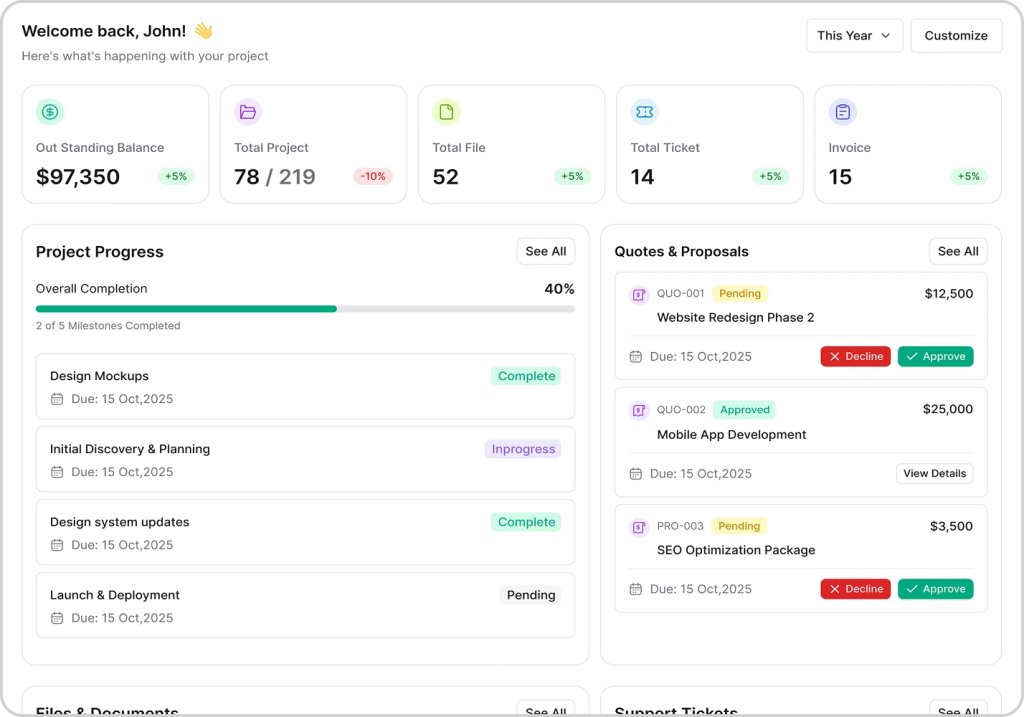
Image: Taskip client portal
Taskip Edge
Taskip supports unlimited clients and a dedicated portal for each. Once the clients login they get a clean overview of their projects, recent activity, pending invoices, and unread messages, all in one glance. They receive an instant notification as you post updates, share files, or request approvals. Thus, Taskip keeps the clients updated on each step and the progress of the project.
Lead Management
Professional service firms need a clear way to track and manage leads over time. Since service sales take longer and involve multiple interactions, businesses must track where leads come from, their needs, and their progress. This helps teams focus on the right opportunities and improve conversion rates.
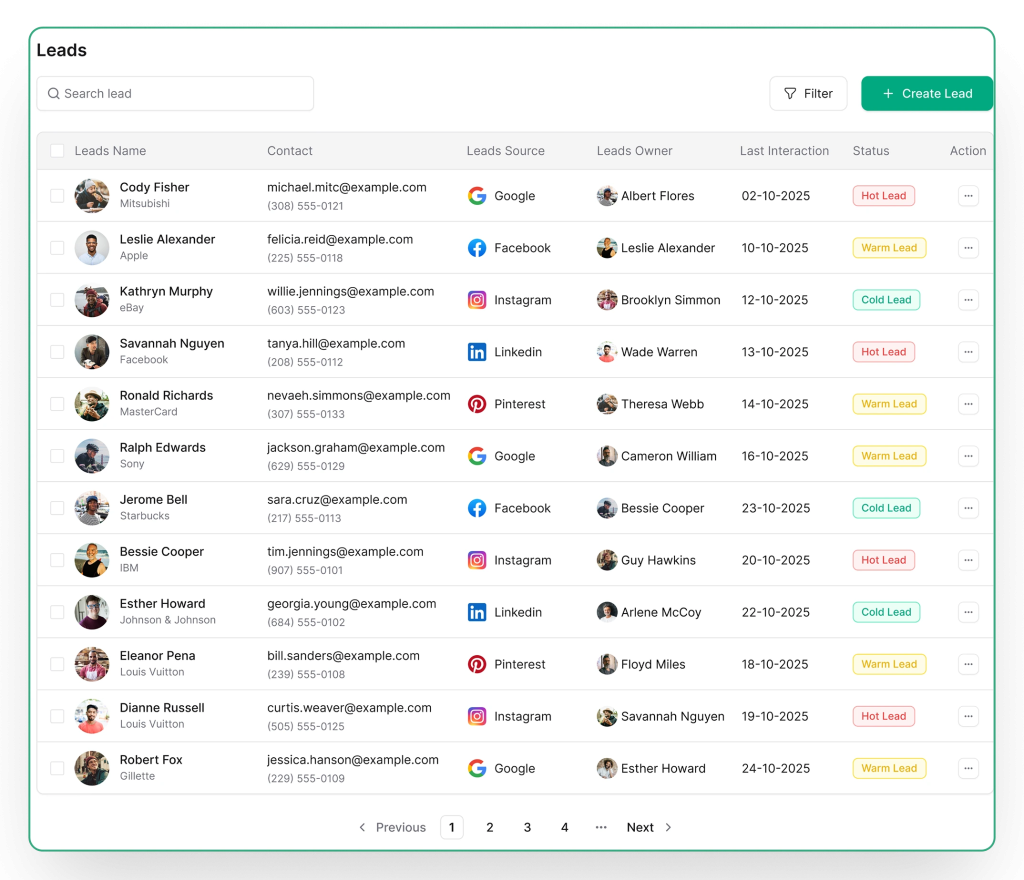
Image: Taskip Lead Management Dashboard
Taskip Edge
Taskip provides a complete lead overview where you can see contact details, source, owner, and last interaction in one place. This allows teams to quickly understand lead context and update statuses efficiently.
- Lead Profiles: All contact and company information is stored in a unified view, along with interaction history, so teams always have full context before engaging.
- Lead Scoring: Leads can be prioritized based on potential, helping teams focus on high-value opportunities and respond faster.
With structured tracking and prioritization, Taskip helps businesses improve follow-up speed and drive higher conversion rates.
Sales Pipeline
A sales pipeline helps professional service businesses track deals from first contact to closure. Since service sales involve multiple stages, it is important to clearly see where each deal stands and what actions are needed next. This improves visibility, forecasting, and overall conversion rates.
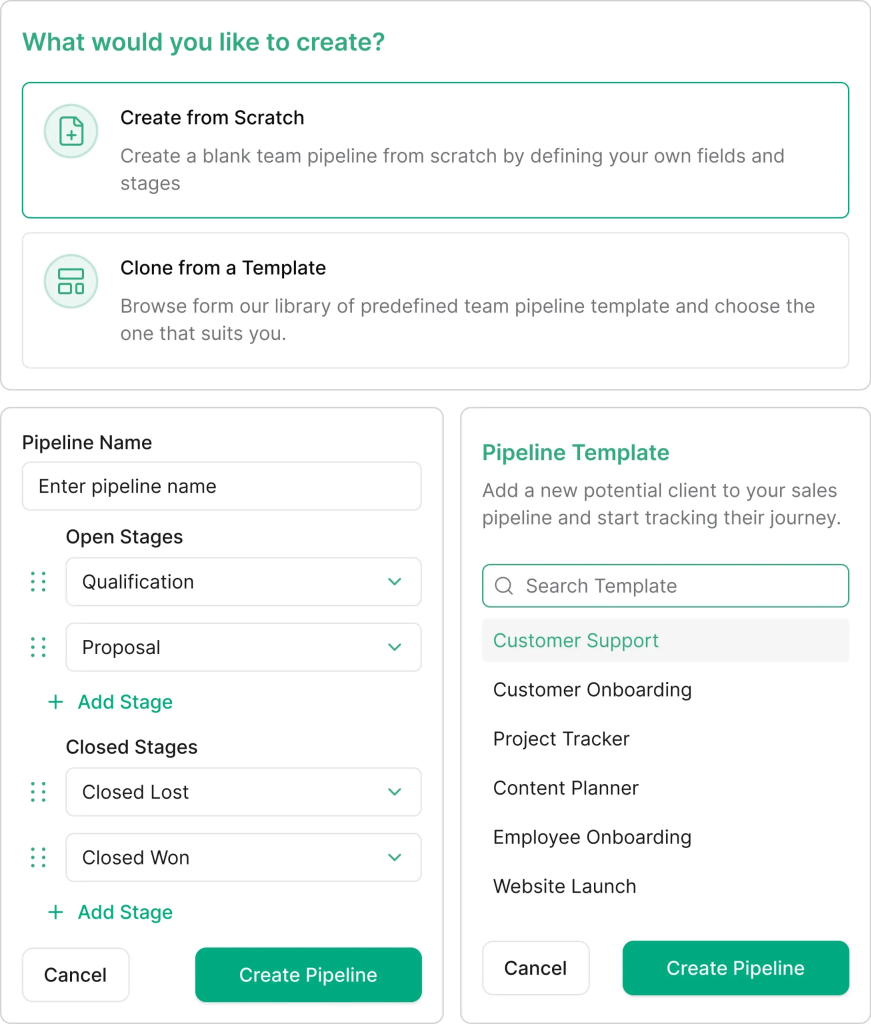
Image: Taskip sales pipeline creation
Taskip Edge
Taskip lets you create pipelines that match your exact sales process, either from scratch or using prebuilt templates. These templates are designed for common workflows like lead qualification, proposals, negotiations, and closed deals, helping teams get started quickly without setup complexity.
Deals are shown in Kanban and list views for easy tracking. Each deal includes key details such as company, contacts, value, priority, and custom fields, with AI-generated descriptions to speed up data entry.
Project Management
Project management helps professional service teams organize work after a deal is closed. It ensures tasks, timelines, and deliverables are clear so projects run smoothly and on time.
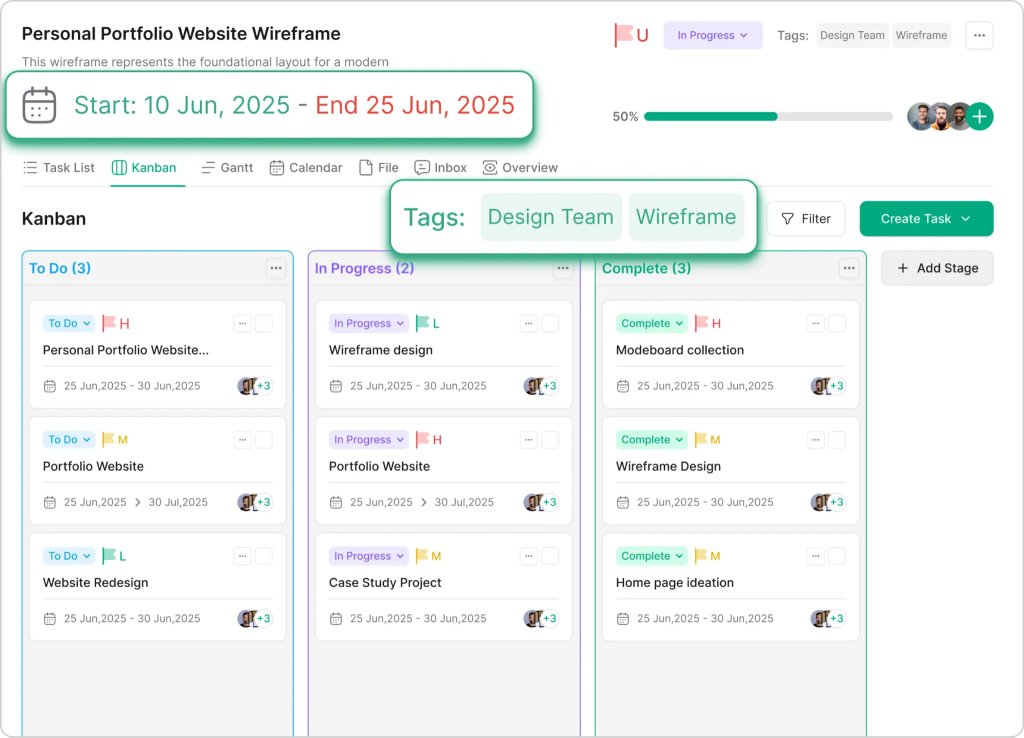
Image: Taskip Project Dashboard
Taskip Edge
In Taskip, you can create projects in seconds using templates or a custom setup. You define scope, timeline, and team members in one step, then manage work using Kanban, list, timeline, or calendar views.
Moreover, all files can be uploaded and stored inside the project for easy access. You can easily track progress as it shows real-time status, deadlines, and team performance. You can also adjust settings like permissions and notifications, and use analytics to see productivity and identify delays.
Workflow Automation
Workflow automation means using rules to automatically handle repetitive tasks in a system. It is an important feature for CRM software for professional services because it saves time, reduces manual work, and ensures tasks are done consistently without mistakes or delays.
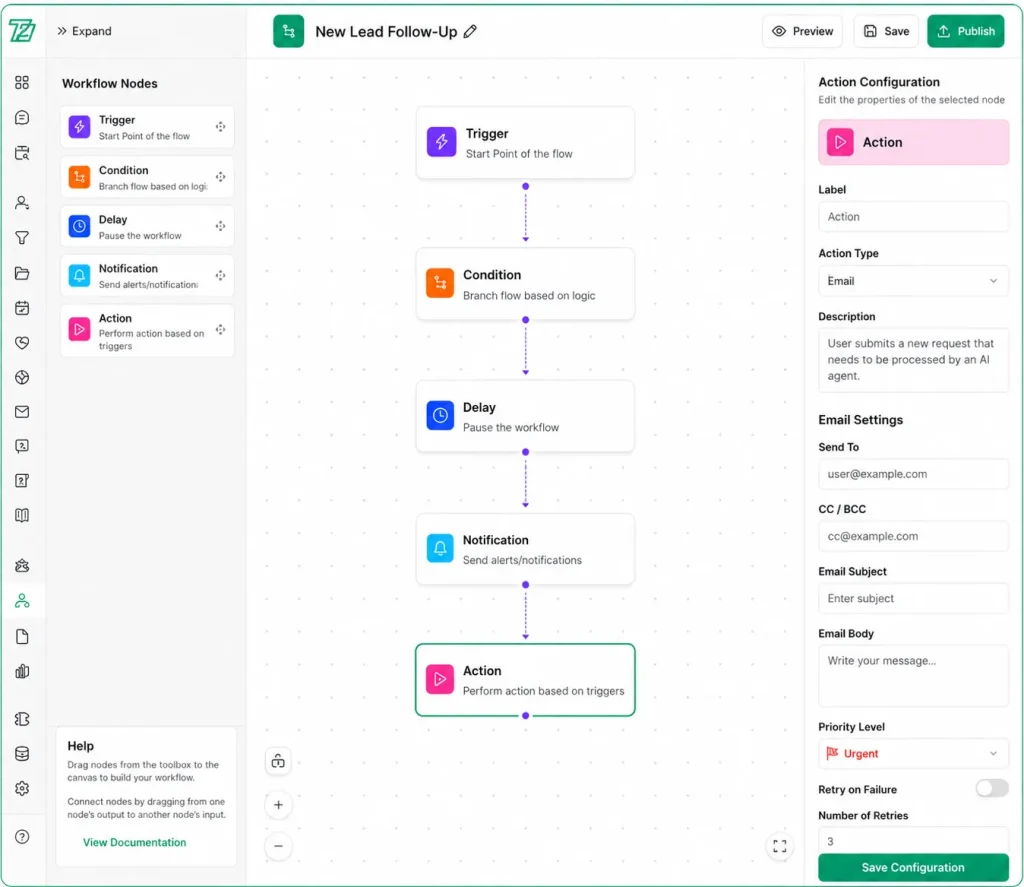
Image: Taskip Workflow Automation Builder
Taskip Edge
In Taskip, workflows are created using a simple drag-and-drop builder, so you don’t need technical skills to set them up. You can add conditions using if/then logic, so different actions happen based on specific situations.
Every workflow is tracked in an execution timeline, allowing you to see exactly what happened and when. Moreover, Taskip automatically sends notifications and alerts when needed, and if something fails, it can retry the action to ensure reliability. You also get analytics to track performance, and you can connect external tools using webhooks and APIs.
Documents, Quotation, and Invoices
You must look for a CRM that offers a simple way to create and manage documents related to client work and payments. This includes proposals, quotations, contracts, and invoices. Having everything in one place reduces confusion and speeds up the billing process.
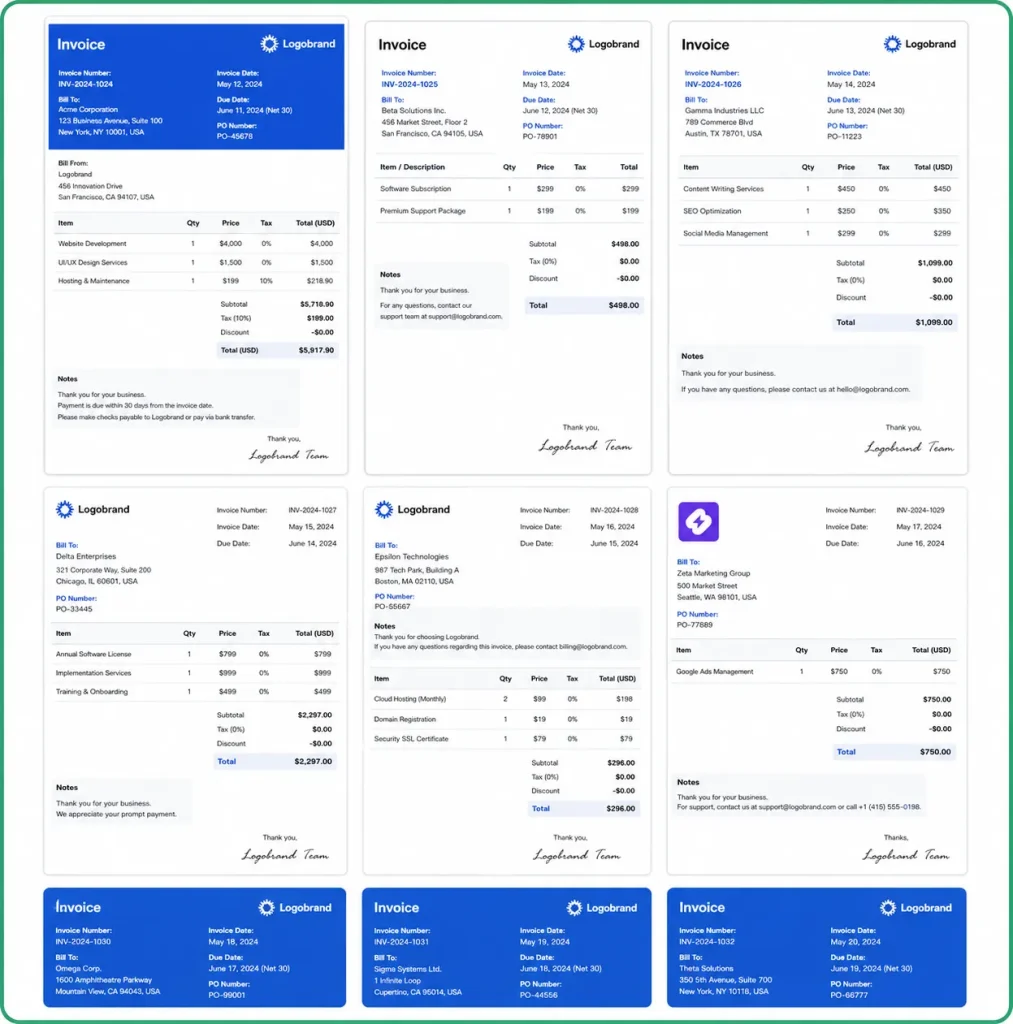
Image: Taskip Invoicing Templates
Taskip Edge
In Taskip, you can create quotations and invoices directly from deals or projects, so there is no need to switch between different tools. Pre-built templates make the process faster and easier.
Moreover, you can upload documents, add signer details, place signature fields, and send them in minutes. Clients receive an email, open the document, and sign it without needing to create an account. This makes approvals quick, simple, and fully digital.
Support Tickets
Customer support is often handled through emails or scattered messages, which makes it difficult to track issues and respond on time. A support ticket system in a CRM keeps all requests organized in one place with clear ownership and status.
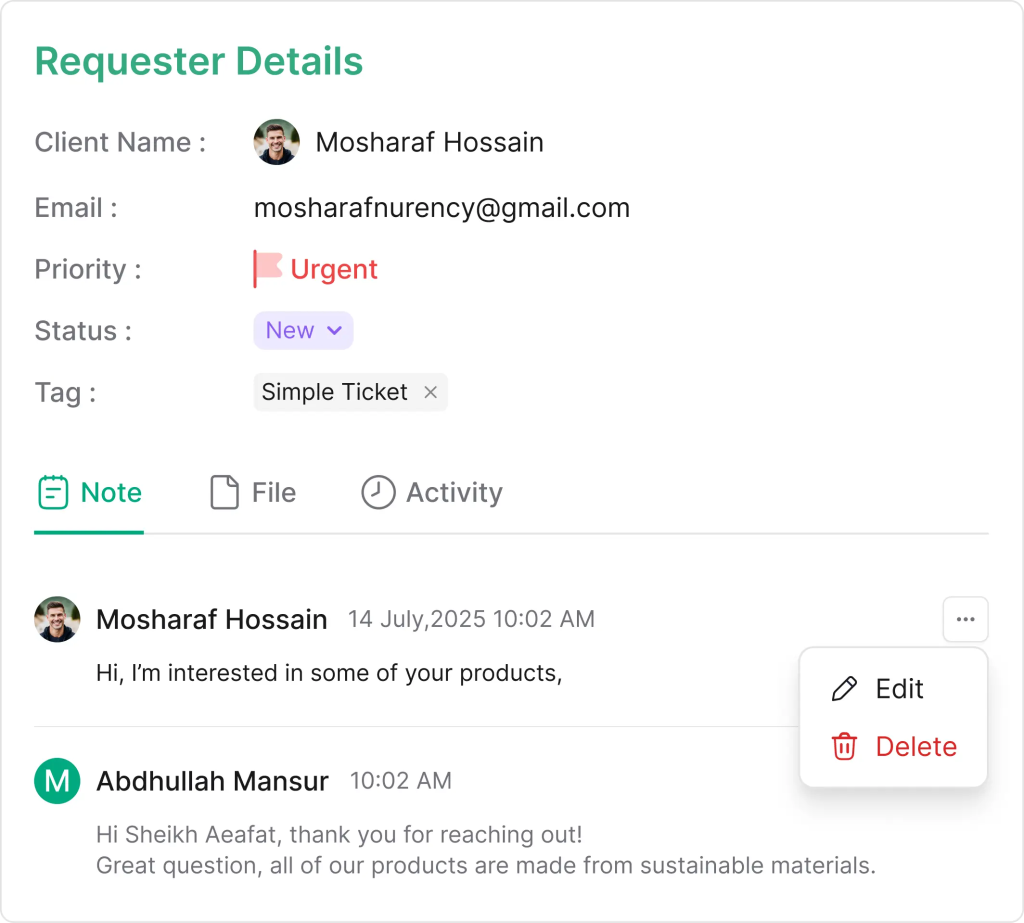
Image: Taskip Support Ticket
Taskip Edge
In Taskip, you can create tickets manually or from any source, with all important details like subject, priority, status, tags, and owner stored in one view. Each ticket also gets a unique ID, and you can upload files or screenshots for better context.
You can communicate directly inside the ticket, share messages and files, and even get AI reply suggestions without switching tools. Tickets can also be tracked by priority levels and status, so teams always know what needs attention first.
Clients can directly send a support ticket from the Taksip official website.
Meeting Scheduler
Scheduling meetings often involves back-and-forth emails and time conflicts. A meeting scheduler solves this by letting clients book available time slots instantly, reducing delays and improving communication.
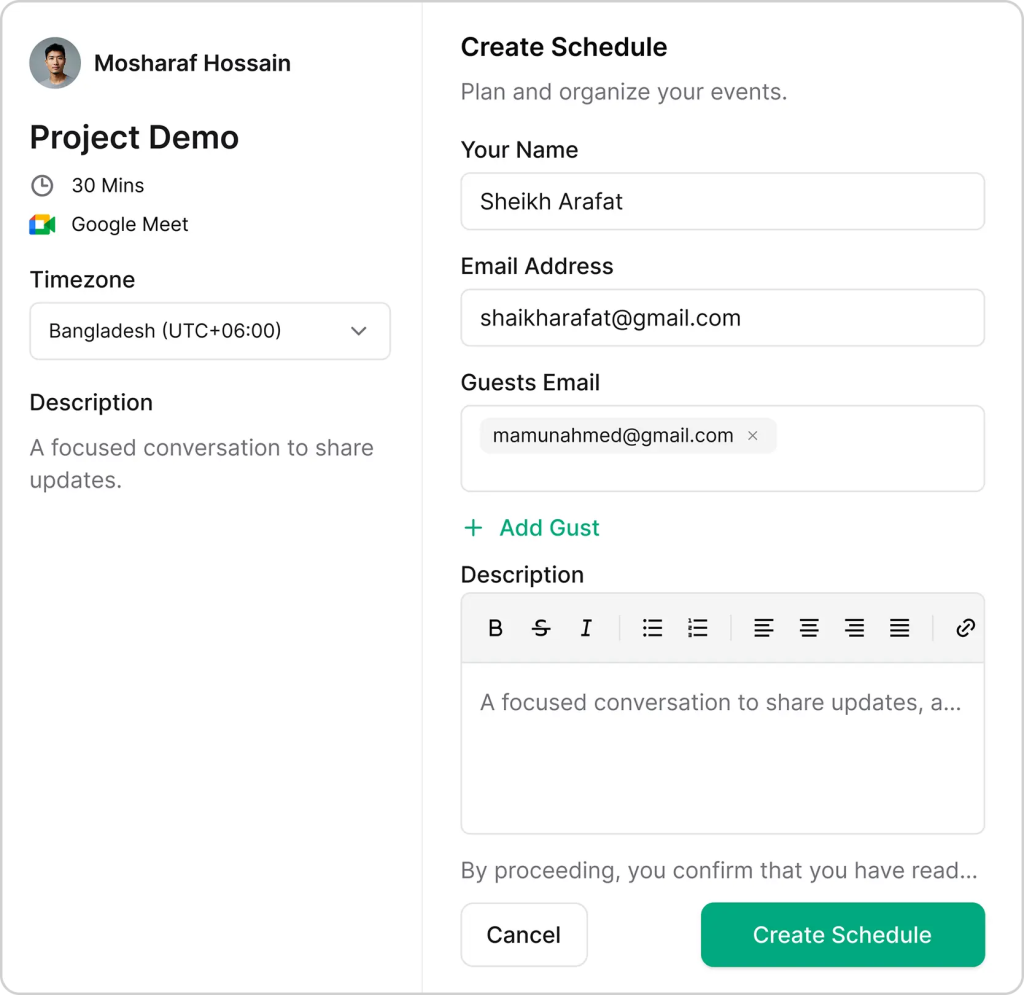
Image: Taskip Meeting Scheduler
Taskip Edge
In Taskip, you can create booking calendars, set your availability, and allow clients to schedule meetings through a shareable link. Meetings can be held via Google Meet, Zoom, phone, or in person.
It also supports multiple calendars, automatic video links, timezone detection, custom questions, guest invites, and reminder emails to reduce no-shows.
AI Agent
AI agents in a CRM help automate everyday work and make it easier to manage business operations using simple commands. Instead of switching between tools, users can just ask the system to perform tasks like creating records, generating reports, or updating information.
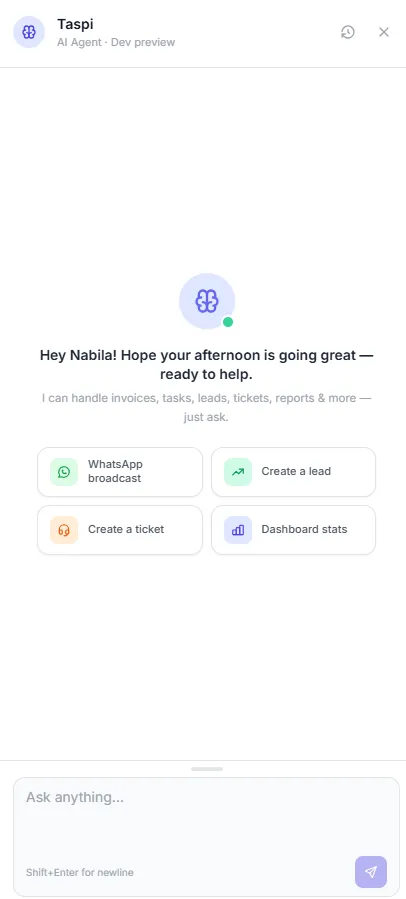
Image: Taskip AI Agent: Taskpi
Taskip Edge
In Taskip, the AI Agent: Taspi can handle invoices, tasks, leads, tickets, and reports through simple requests. You can ask it to create a task, generate a lead, send an invoice, or show dashboard stats instantly.
It reduces manual work and speeds up operations by turning simple commands into actions, helping teams stay productive and organized without complex navigation.
Integration
Professional service businesses use multiple tools for communication, payments, and operations. Without integrations, data becomes scattered across different platforms, leading to manual work and delays.
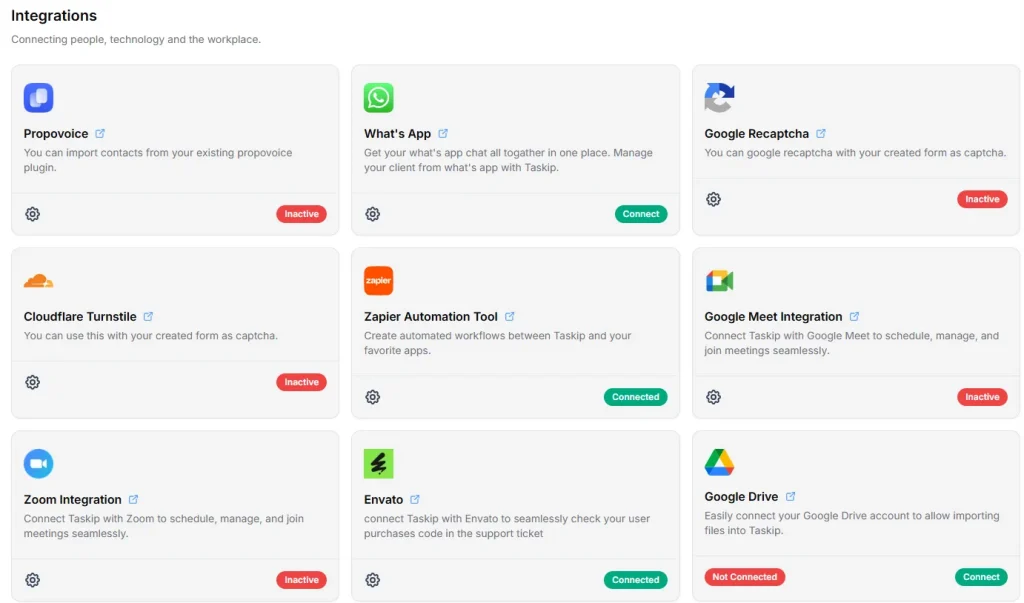
Image: Taskip Integrations View
Taskip Edge
Taskip supports 100+ third-party integrations, allowing teams to connect their existing tools easily. It also integrates with popular communication platforms like Slack and WhatsApp, helping teams manage updates and client communication in one place.
This ensures smoother workflows, reduces manual data entry, and keeps all project and client information synced across systems.
CRM Common Uses in Professional Services
- Managing leads and client relationships
- Tracking sales pipelines and deal progress
- Converting clients into active projects
- Planning and assigning tasks to teams
- Monitoring project delivery and timelines
- Managing invoices, quotes, and payments
- Tracking time spent on client work
- Handling client communication in one place
- Automating follow-ups and workflows
- Reporting on performance and profitability
How CRM Software For Professional Services Works: Real Example
Theory and feature lists are useful, but the real value of a CRM for professional services becomes clear in daily operations. Here’s how different firms use it in real scenarios.
Case#1: A consulting firm managing multiple projects
Sarah, a consulting partner, manages several client projects at once. Earlier, her team relied on emails and spreadsheets, making it hard to track progress and risks.
Now, the CRM gives her a single dashboard showing budgets, delays, and pending actions. She can quickly adjust timelines, follow up with clients, and reallocate work before issues escalate, improving delivery and client satisfaction.
Case#2: An architectural firm optimizing resources
Mark runs an architectural firm where resource planning is a constant challenge. Some staff were overbooked while others were underused. With a CRM, he can now see team availability and skills in real time. This helps him assign the right people to the right projects, improving workload balance and profitability.
Case#3: A law firm improving client communication
In a law firm, client information was previously scattered across emails and files. Now, the CRM centralizes all communication, documents, and updates in one place. Any team member can instantly access the full case history, ensuring consistent communication and fewer errors.
How to Choose the Right CRM?
Choosing the right CRM for professional services depends on how well it supports your entire client lifecycle, not just lead tracking. The key factors to consider are:
- Ability to manage leads, projects, and billing in one system
- Ease of use for daily operations and team adoption
- Automation for repetitive tasks and follow-ups
- Visibility into project progress and performance
- Scalability as your client base grows
A good CRM should reduce tool switching and connect sales, delivery, and client management in one workflow.
CRM vs PSA: What’s the Difference?
A CRM (Customer Relationship Management) system is designed to manage leads, contacts, and sales pipelines. It helps businesses track potential clients and convert them into paying customers.
A PSA (Professional Services Automation) system focuses on what happens after the sale. It manages project delivery, resource planning, time tracking, and billing for service-based work.
In simple terms:
- CRM = winning and managing clients before the sale
- PSA = delivering and managing work after the sale
Professional service firms often need both functions connected, since their work continues long after a deal is closed.
Conclusion
A CRM for professional services should connect the full workflow, starting from lead management to project delivery and billing, rather than just handling sales.
Among the available options like Taskip, Scoro, Accelo, Kantata, and Productive, each serves different needs based on business size and complexity. However, for teams looking for a simple, unified system that combines clients, tasks, and delivery in one place, Taskip stands out as a practical choice. The feature it offers at the most affordable rate in the market is really appealing.
FAQs on CRM For Professional Services
What are CRM systems?
CRM (Customer Relationship Management) systems are tools that help businesses manage customer data, track interactions, and organize sales and client relationships in one centralized platform.
How much does CRM software cost?
CRM pricing varies based on features and scale. Basic plans are usually affordable per user, while advanced or enterprise solutions cost more depending on customization and team size.
How does a CRM streamline sales?
A CRM centralizes lead information, tracks deal stages, and automates follow-ups, helping teams manage opportunities more efficiently and close deals faster.
Which sales steps can a CRM support?
CRMs support the full sales process, including lead capture, qualification, pipeline tracking, follow-ups, proposals, and conversion into clients.
Can a CRM segment contacts?
Yes, CRMs allow businesses to segment contacts based on criteria like industry, behavior, source, or engagement level for more targeted communication.
How do CRMs track marketing performance?
CRMs track where leads come from, monitor campaign performance, and measure conversion rates, helping businesses identify which marketing efforts are most effective.
How does a CRM automate business processes?
CRMs automate repetitive tasks such as lead assignment, reminders, email follow-ups, and workflow updates, reducing manual work and improving efficiency.
Can a CRM manage social media?
Some CRMs include built-in social media tools or integrate with external platforms to schedule posts and track engagement.
Can a CRM integrate with financial systems?
Yes, most CRMs integrate with accounting and financial tools, allowing businesses to manage invoices, payments, and financial data alongside client information.



Get Summary On: