Best CRM Software for Consulting Firms: 16 Top Picks (2026)
Choosing a CRM for a consulting or professional services firm comes down to three things: pipeline visibility, proposal-to-close tracking, and relationship mapping across accounts. Below we compare the 16 best CRMs by firm size from solo consultants to 50-person practices, so you can pick in minutes.
QUICK OVERVIEW: Best CRM Software for Consulting Firms
| CRM | Best for | Relationship mapping | Proposal tracking | Starting price |
|---|---|---|---|---|
| HubSpot | Small consulting firms | ✅ | ✅ | Free / $20 mo |
| Salesforce | Enterprise & complex pipelines | ✅ | ✅ | $25 mo |
| Pipedrive | Solo & boutique consultants | ⚠️ | ✅ | $14 mo |
| Copper | Google Workspace firms | ✅ | ⚠️ | $12 mo |
| Zoho CRM | Budget / 10–50 person firms | ✅ | ✅ | $14 mo |
| Insightly | Project-based services | ✅ | ✅ | $29 mo |
| Capsule | Small teams | ⚠️ | ⚠️ | Free / $18 mo |
| Keap | Client experience & automation | ⚠️ | ✅ | $79 mo |
| Monday CRM | Visual pipeline teams | ⚠️ | ✅ | $12 mo |
Table of Contents
Unbiased Review: How We Tested Each Tools
Taskip is our first pick for sure, and there is no doubt, but it may not be suitable for every team. Therefore, we evaluated 32 CRMs and shortlisted 15. Each tool was scored on 7 criteria: pipeline depth, client portal, proposals, invoicing, automation, integrations, and 3-year total cost of ownership. Scores combine hands-on testing, verified G2 reviews, and feedback from 40+ consulting firms in our customer base.
What is a CRM for Consulting Firms?
A CRM for consulting firms is software that centralizes every interaction with prospects and clients: calls, emails, meetings, proposals, contracts, invoices, and ongoing project communication into a single system of record.
Unlike generic sales CRMs, a consulting CRM also handles the post-sale lifecycle: onboarding, retainer billing, deliverable handoff, and renewal.
How is it different from a generic CRM?
A generic CRM (like Pipedrive) is built to close a deal and stop there. A CRM for consulting firms keeps going through delivery, billing, and renewal. This is because, in consulting, roughly 70% of revenue comes from existing clients. The post-sale workflow is where consulting CRMs earn their keep.
CRM vs PSA: Which do consulting firms need?
Consulting firms don’t really pick between CRM and PSA. Instead, they usually grow into needing both over time. A PSA, or Professional Services Automation tool, builds on top of a CRM by adding features like utilization tracking, billable hours, and resource scheduling.
In the early stage, solo consultants and small boutique firms can often manage with just a CRM, since their main focus is winning work. However, as the firm grows to around 10 or more billable consultants, a PSA becomes important to keep projects organized and profitable.
As a result, many modern tools like Taskip, Scoro, and Productive.io combine both functions, which is exactly what most consulting firms end up needing.
For a deeper comparison, see our guide on CRM for professional services.
Why Consulting Firms Need CRM Software
Consulting firms need consulting CRM software because deals close over weeks or months, referrals drive most pipeline, and retainer billing is unmanageable in spreadsheets. Firms using a CRM grow roughly 27% faster on average and convert about 45% more qualified leads to the proposal stage, according to G2 and HubSpot benchmarks.
Five specific reasons most consulting firms graduate from spreadsheets within 12 months:
- Longer client lifecycles: Consulting deals close in weeks or months, not days. Without a CRM, mid-funnel deals fall through the cracks.
- Referral economy: Most consulting revenue comes from referrals; you need a system to track who introduced whom and close the loop.
- Retainer billing: Recurring monthly invoicing is impossible to manage in a spreadsheet at any meaningful scale.
- Partner collaboration: Consulting deliverables are produced by multiple people. A shared CRM gives everyone the same context.
- Forecasting accuracy: Knowing how much revenue will close in the next 90 days lets you plan capacity, hires, and partner draws.
Stat: G2’s 2025 CRM Industry Report shows consulting firms with a CRM grow 27% faster on average than peers without one.
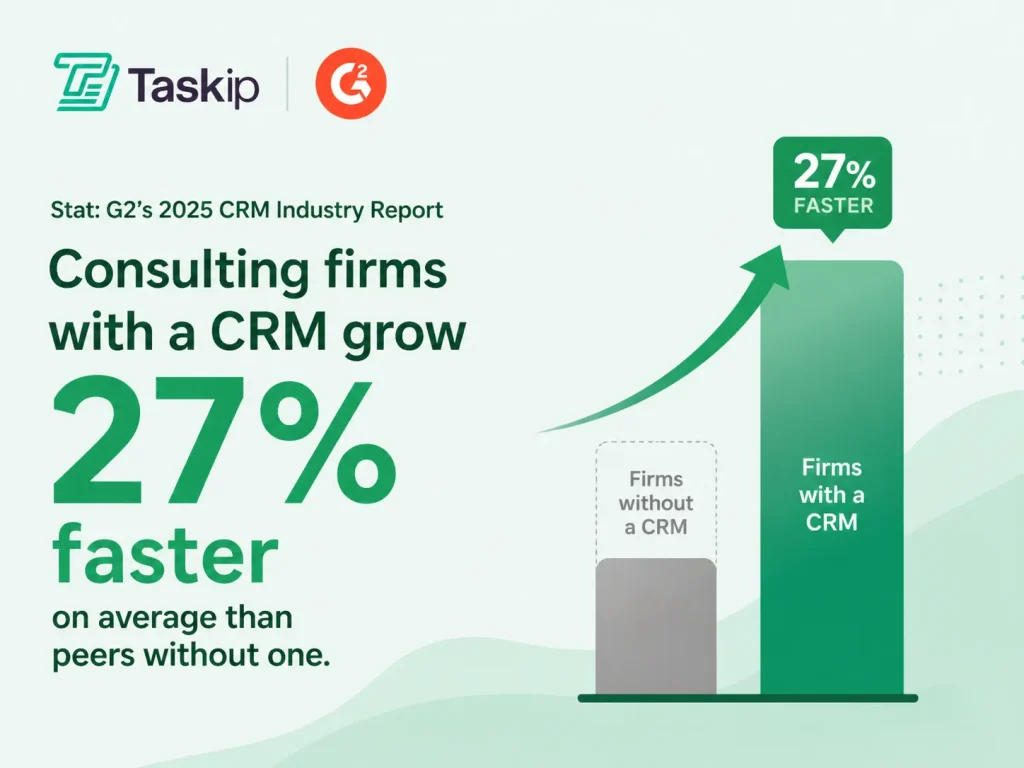
Source: G2
CRM Software for Professional Services Firms
“Professional services” is the broader category consulting firms sit inside. It also covers agencies, law firms, accounting practices, and freelance studios.
If you’re searching for a CRM for professional services rather than consulting specifically, the core requirements are the same: a visible pipeline, proposal and contract tracking, a client portal, and time or retainer billing.
Every CRM reviewed below works for professional services firms generally; where a tool leans more toward one type of firm (e.g., Copper for Google Workspace-based teams, Scoro for firms billing by the hour), we call it out in that tool’s write-up.
For a deeper breakdown by services vertical (legal, accounting, marketing agencies, freelancers), see our full guide: https://taskip.net/crm-for-professional-services/.
Comparison Table: 16 CRM Software for Consulting Firms
| # | CRM | Best for | Starting price | Client portal | Proposals | Free trial | Skip this tool if… |
| 1 | Taskip | All-in-one consulting CRM | $14/mo | Yes (white-label) | Yes | 14 days + free plan | You only need a lightweight sales CRM with no delivery or billing needs |
| 2 | Copper CRM | Google Workspace consulting teams | $12/user/mo | Yes | Yes | 14 days | Your team doesn’t use Gmail/Google Calendar as its primary stack |
| 3 | HoneyBook | Solo consultants | $19/mo | Yes | Yes | 7 days | You have more than 5 team members or need multi-user pipeline management |
| 4 | Dubsado | Boutique consultancies | $20/mo | Yes | Yes | 3 clients free | You need strong sales pipeline tracking or team-level reporting |
| 5 | OneSuite | Budget all-in-one | $9/mo | Yes | Yes | 14 days | You need deep CRM customisation or enterprise-grade automation |
| 6 | Productive.io | Agency-style consulting | $9/seat/mo | Limited | Yes | 14 days | You only need sales CRM features and handle delivery in separate tools |
| 7 | ManyRequests | Subscription consulting | $99/mo | Yes | Yes | 14 days | You run project-based or one-off engagements rather than retainers |
| 8 | Monday.com | Visual CRM + projects | $12/seat/mo | Limited | Add-on | 14 days | You need native invoicing, a client portal, or consulting-specific workflows out of the box |
| 9 | Pipedrive | Sales-led firms | $14/seat/mo | No | Add-on | 14 days | You need post-sale delivery tools, client portals, or retainer billing without add-ons |
| 10 | HubSpot CRM | Free option | Free–$15/seat/mo | Limited | Yes | Free forever | Your team will outgrow the free tier quickly — costs escalate steeply at scale |
| 11 | Salesforce | Enterprise consulting | $25/seat/mo | Add-on | Add-on | 30 days | You’re a firm under 20 people without a dedicated admin or RevOps resource |
| 12 | Zoho CRM | Customizable, low-cost | $14/seat/mo | Yes | Yes | 15 days | You need a modern UI out of the box or rely heavily on outbound sales cadences |
| 13 | Insightly | Project-heavy firms | $29/seat/mo | Yes | Yes | 14 days | You need advanced sales automation or a strong mobile experience |
| 14 | Scoro | PSA-style firms | $26/seat/mo | Limited | Yes | 14 days | You’re a solo consultant or small team that doesn’t need resource planning or financials |
| 15 | Bonsai | Independent + tax tools | $25/mo | Yes | Yes | 7 days | You have a team of more than 2–3 people or need collaborative pipelines |
| 16 | Freshsales | AI-powered sales + built-in calling | Free–$9/seat/mo | No | No (via integration) | 21 days + free plan | You need a client portal, native proposals, or post-sale project delivery in the same tool |
Top 16 Consulting CRM Software (Reviewed)
1. Taskip — Best Overall CRM for Consulting Agencies
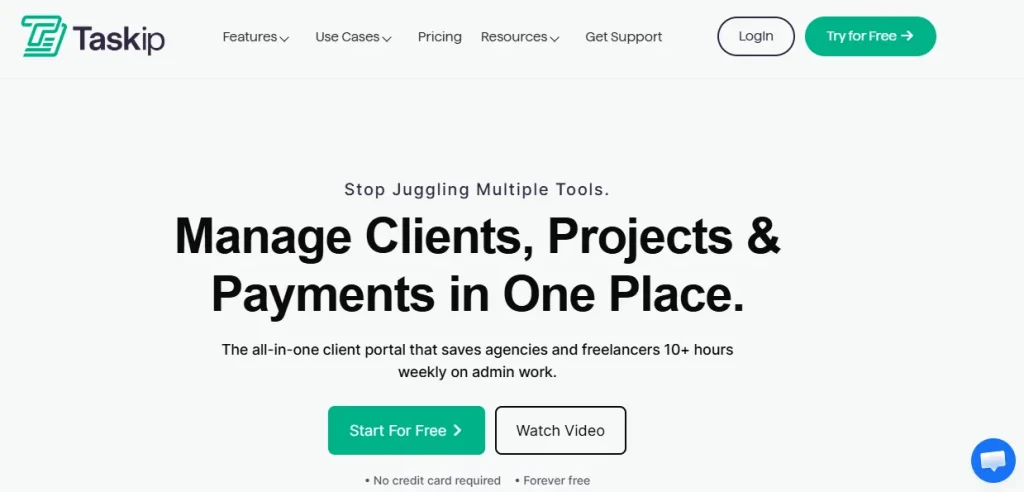
G2 Rating: 4.6/5
Pricing: From $12/month
Best for: 2–50 person consulting agencies managing full client lifecycles
Taskip is built for consulting agencies that need a single system to manage clients from lead generation to final payment. It combines CRM, onboarding, proposals, contracts, invoicing, and client delivery into one workspace. This helps consulting teams avoid switching between multiple tools for sales and operations. It is especially useful for agencies managing retainers, ongoing clients, and project-based consulting work.
Key Features
- End-to-end CRM for consulting workflows
- Visual pipeline for deal tracking
- White-label client portal with custom domain
- Proposal builder with reusable templates
- Built-in e-signature for contracts
- Automated invoicing tied to deal stages
- Workflow automation for onboarding and follow-ups
- Central client workspace for files and communication
- Revenue forecasting dashboard
Pros and Cons
| Pros | Cons |
| All-in-one system replaces multiple tools | Smaller integration ecosystem |
| Strong client portal experience | Newer UI compared to legacy CRMs |
| Built-in automation and invoicing | Not ideal for outbound sales-heavy teams |
User Review
“
Taskip has completely transformed the way our team manages projects. The interface is clean and intuitive, task management feels smooth and straightforward, and the collaboration features work flawlessly. The time tracking is accurate and easy to use, which makes it simple to stay on top of what’s being done. Overall, everything feels well thought out, dependable, and genuinely reliable.
2. Copper CRM — Best CRM for Google Workspace-Based Consulting Teams
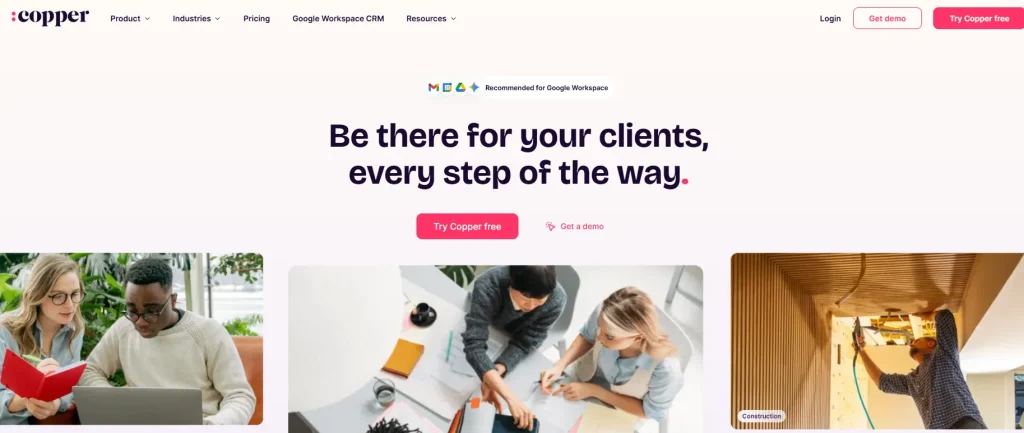
G2 Rating: 4.5/5
Pricing: From $12/user/month
Best for: Small consulting agencies (2–15 people) that run their workflow inside Gmail and Google Workspace
Copper CRM is built specifically for consulting agencies that operate heavily inside Google Workspace. Instead of forcing teams to switch between tools, it brings CRM functionality directly into Gmail, Google Calendar, and Google Drive.
This makes it particularly useful for consulting teams that manage client relationships through email and want minimal friction in their workflow. It automatically captures contacts, tracks conversations, and updates deals without manual data entry. For consulting agencies that value simplicity and speed over deep customization, Copper offers a more natural, inbox-first CRM experience.
Copper surfaces related people and companies automatically from Gmail threads, giving a lightweight version of relationship mapping without a dedicated visual tool.
Key Features
- Native integration with Gmail, Google Calendar, and Google Drive
- Automatic contact and email activity capture
- Visual sales pipeline for deal tracking
- Task and activity management inside Gmail
- Chrome extension for in-inbox CRM access
- Workflow automation (higher-tier plans)
- Lead and contact management system
- Reporting and pipeline insights
Pros and Cons
| Pros | Cons |
| Seamless Google Workspace integration | Only works well with Google Workspace |
| Minimal data entry with automatic capture | Limited advanced CRM features |
| Easy to use and quick to adopt | Gets expensive as you scale |
User Review
“
Copper’s tight integration with my Google Workspace is the biggest strength. It easily integrates with the Google Calendar and Google Drive, which makes my contact management easier. Managing the pipeline and deals are bit clean and easier. It highly reduces the manual effort.
3. HoneyBook — Best for Solo Consultants

G2 Rating: 4.5/5
Pricing: From $19/month
Best for: Independent consultants managing clients end-to-end
HoneyBook is built for solo consultants who need a simple system to manage clients without complexity. It combines proposals, contracts, scheduling, and payments into one streamlined flow. This helps independent consultants move quickly from lead to paid engagement. It is especially popular among creative professionals and coaches.
Key Features
- Simple CRM pipeline
- Smart files (proposal + contract + invoice)
- Scheduling and calendar booking
- Online payments and invoicing
- Email automation
- Client tracking system
Pros and Cons
| Pros | Cons |
| Very easy for solo consultants | Limited team features |
| Fast client-to-payment workflow | Weak reporting depth |
| Clean client experience | Limited customization |
User Review
“
It’s all the business admin tools I need in one (I have a service-based business). I love having it all in one place and for one price. On top of highly useful admin tools, the Templates and Automation features have been absolutely key for me because I can provide a really positive, consistent product and customer experience with very little energy or time (and I am just a team of one). They are always improving the tool as well, with even more helpful features that small businesses/consultants actually need. Great customer support as well if you need help with a specific issue, or even just wondering the best way to do something.
4. Dubsado — Best for Boutique Consulting Agencies
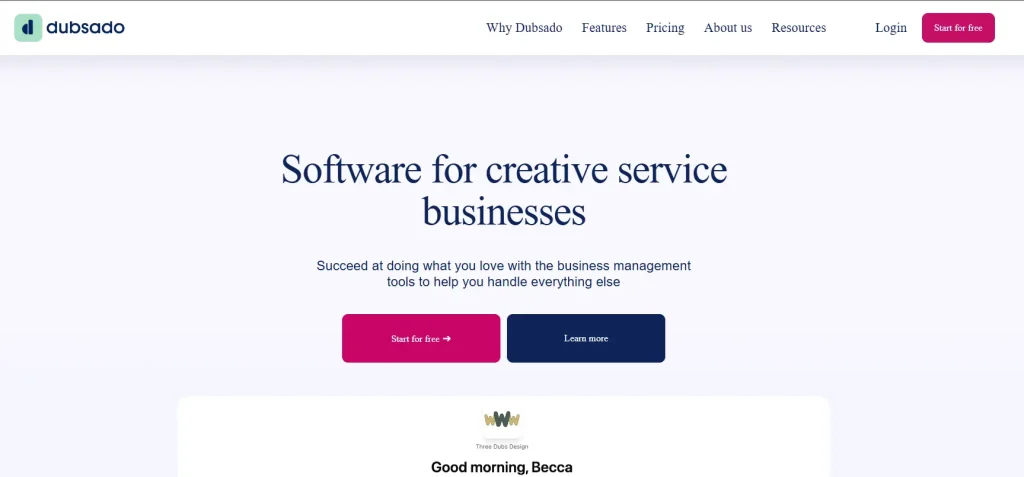
G2 Rating: 4.3 out of 5
Pricing: From $20/month
Best for: Small consulting agencies needing full workflow customization
Dubsado is built for boutique consulting agencies that want full control over client workflows and branding. It allows deep customization of onboarding processes, forms, contracts, and communication flows. This makes it a strong fit for agencies that prioritize structured client journeys. However, it requires setup time compared to simpler tools.
Key Features
- Custom forms and contracts
- Workflow automation builder
- Client onboarding sequences
- Email automation
- Scheduling tools
- Invoicing system
Pros and Cons
| Pros | Cons |
| Highly customizable workflows | Steep learning curve |
| Strong automation system | Outdated interface in parts |
| Strong branding control | No strong team collaboration tools |
User Review
“
I really like the calendar scheduling system in Dubsado. It’s a great feature because it allows me to send a link to my clients, making it easy for them to pick a day and time that suits them for mutual meetings. This feature eliminates the need for back and forth email conversations about suitable dates and times. I also find the online payment feature really good, as it makes taking payments quick and easy. Clients can pay their invoices with just a couple of clicks of a button.
5. OneSuite — Best Budget All-in-One CRM
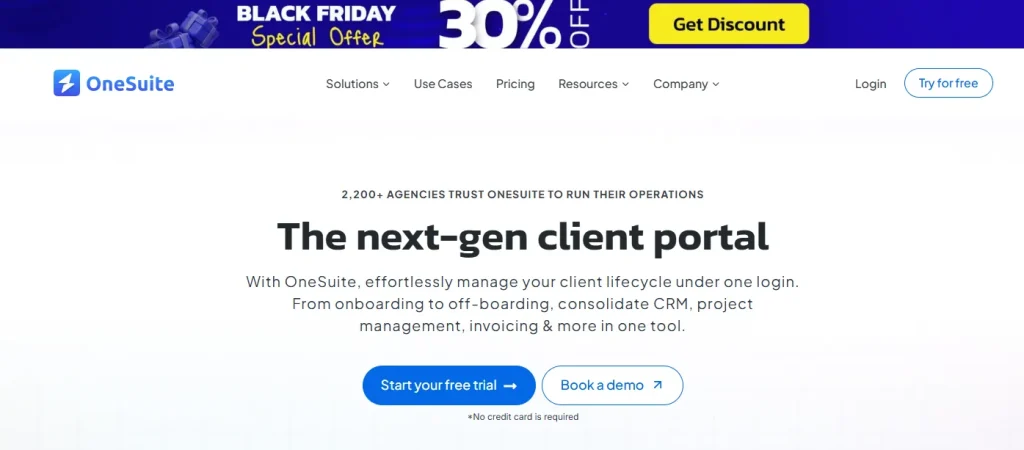
G2 Rating: 4.4 out of 5
Pricing: From $9/month
Best for: Small consulting firms moving from spreadsheets
OneSuite is a low-cost CRM designed for consulting agencies that need a basic structure without high costs. It combines CRM, invoicing, client portal, and tasks in one simple system. It is best suited for early-stage firms that want to organize their client workflow quickly. However, it is not built for advanced scaling.
Key Features
- CRM pipeline management
- Client portal
- Invoicing system
- Task management
- Basic automation
- Contact management
Pros and Cons
| Pros | Cons |
| Very affordable pricing | Limited advanced features |
| Simple all-in-one setup | Basic reporting tools |
| Quick onboarding | Small integration ecosystem |
User Review
“
I have been using it for approximately 5 months to manage my clients’ projects and to assign tasks to my employees. I like how easy and intuitive it is, as you don’t need to explain to your employees where to find their assignments and documents. It is very functional.
6. Productive.io — Best for Consulting Operations
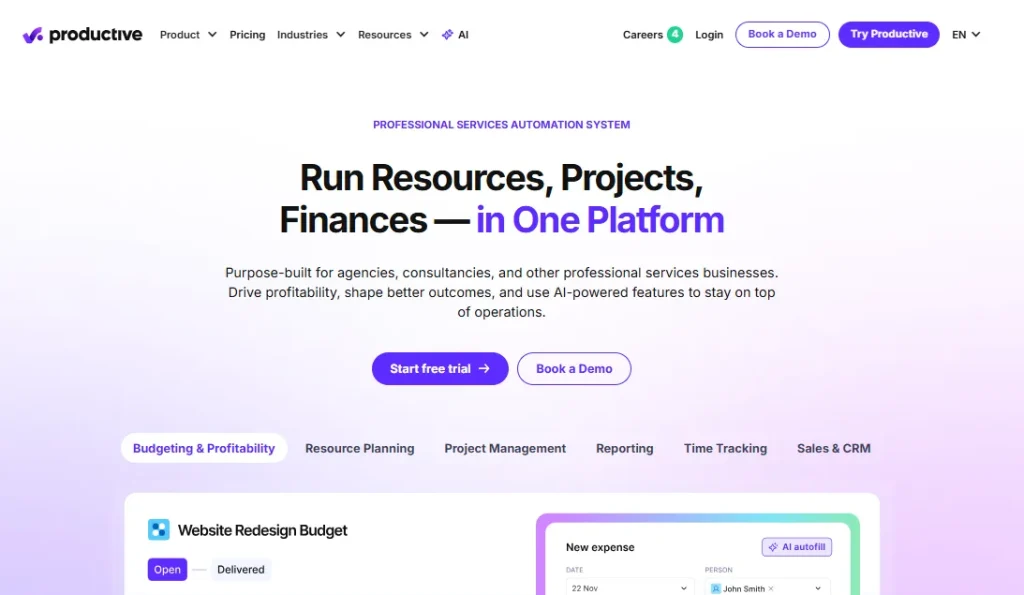
G2 Rating: 4.6 out of 5
Pricing: From $9/seat/month
Best for: Mid-size consulting firms focused on utilization and profitability
Productive.io is a great CRM for a consulting agency that needs to connect sales with delivery and financial performance. It helps teams manage resource planning, project budgets, and profitability alongside CRM functions. This makes it ideal for firms that need visibility into both sales and delivery efficiency. It is more operations-focused than sales-focused.
Key Features
- CRM linked to project delivery
- Resource planning and utilization tracking
- Time tracking system
- Budget management tools
- Profitability dashboards
- Forecasting tools
Pros and Cons
| Pros | Cons |
| Strong sales-to-delivery connection | Steeper learning curve |
| Excellent profitability tracking | Higher cost per user |
| Advanced resource planning | Complex setup process |
User Review
“
I really like the budgeting system. It lets me organise my projects in a simple, easy-to-navigate way.
The resourcing capabilities are another big benefit, because they make it easy to track projects and quickly see who’s working on what.
Overall, the tool feels smooth and straightforward to use. It’s also very easy to learn, pick up, and share with others.
7. ManyRequests — Best for Subscription Consulting Models
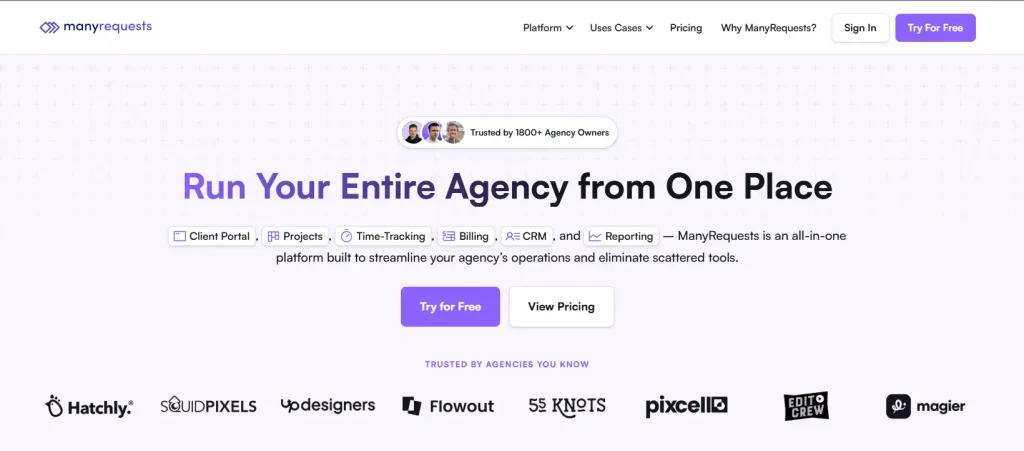
G2 Rating: 4.5 out of 5
Pricing: From $99/month
Best for: Consulting agencies running subscription-based services
ManyRequests is built for consulting agencies offering ongoing subscription or retainer-based services. It allows clients to submit requests, track progress, and manage ongoing work through a structured portal. It is especially useful for agencies offering continuous advisory or creative services. However, Manyrequests is less suitable for one-off projects.
Key Features
- Subscription client management
- Request queue system
- Client portal
- Stripe billing integration
- Task tracking system
- Retainer workflows
Pros and Cons
| Pros | Cons |
| Built for subscription models | Not ideal for project-based consulting |
| Strong billing integration | Limited CRM depth |
| Clean request management system | Higher starting price |
User Review
“
We have been using manyrequests for almost a year now for our client projects and its one of the best project management system and a client portal we have used so far, it has almost all the customization options we require, time tracking, checklists, ticketing and feedback from our clients, which helps us to combine everything in one place.
8. Monday.com — Best Visual CRM for Consulting Teams
G2 Rating: 4.7 out of 5
Pricing: From $12/seat/month
Best for: Consulting teams that prefer visual workflows
Monday.com is a flexible CRM and work management platform used by consulting agencies that want visual control over their pipelines and projects. It allows teams to build custom boards for sales, delivery, and operations. It works well for agencies that want flexibility across departments. However, it is not specialized for consulting, billing, or client portals.
Key Features
- Visual CRM boards
- Pipeline tracking system
- Project management tools
- Workflow automation
- Dashboards and reporting
- Team collaboration features
Pros and Cons
| Pros | Cons |
| Highly flexible system | CRM is not specialized for consulting |
| Strong visual interface | Costs scale per user |
| Good automation tools | Limited invoicing features |
User Review
“
Monday helps my whole team stay on track and keeps everything organized. It’s easy for all of us to be in it at the same time, collaborate smoothly, and stay on top of our projects without losing track of what needs to get done.
9. Pipedrive — Best Sales-Focused CRM
G2 Rating: 4.3 out of 5
Pricing: From $14/seat/month
Best for: Consulting agencies with strong sales pipelines
Pipedrive is a sales-first CRM designed for consulting teams focused on managing deals efficiently. It offers a clean visual pipeline that helps track leads and close deals faster. It is ideal for agencies that prioritize sales over delivery management. However, it lacks tools for invoicing or client portals.
Key Features
- Visual sales pipeline
- Activity-based selling system
- Deal tracking and forecasting
- Email integration
- Workflow automation
- Reporting dashboards
Pros and Cons
| Pros | Cons |
| Very simple pipeline system | No client portal |
| Strong sales tracking | No delivery tools |
| Good forecasting tools | No invoicing system |
User Review
“
I like the pipeline layout, built-in activity reminders, customizable deal stages, and smooth handling of campaign leads in Pipedrive. The email tool and CRM workflows are particularly valuable to me. The CRM setup was simple and straightforward.
10. HubSpot CRM — Best Free CRM for Consulting Agencies
G2 Rating: 4.4 out of 5
Pricing: Free plan available
Best for: Agencies starting with a free CRM
HubSpot CRM is a popular free option for consulting agencies that need basic pipeline and contact management. It offers a clean interface and strong marketing tools in higher tiers. It is a good starting point for small consulting firms. However, costs increase significantly as you scale.
HubSpot doesn’t offer visual relationship mapping natively, but its company/contact association fields let you track multiple stakeholders per account.
Key Features
- Free CRM pipeline
- Contact management system
- Email tracking and templates
- Meeting scheduler
- HubSpot Breeze A
- Marketing automation tools
- Reporting dashboards
Pros and Cons
| Pros | Cons |
| Strong free plan | Paid tiers become expensive |
| Easy to use | No client portal |
| Large ecosystem | Complex at scale |
User Review
“
I wouldn’t use any other CRM—HubSpot has everything I need, and the Sales Hub is truly stellar. The pipeline management saves me a ton of time and keeps me focused on the right priorities. The automation also works really well, letting me personalize outreach while still automating follow-ups with prospects.
11. Salesforce — Best Enterprise CRM
G2 Rating: 4.4 out of 5
Pricing: From $25/seat/month
Best for: Large consulting firms with enterprise needs
Salesforce is designed for large consulting agencies that require deep customization and enterprise-level workflows. It supports complex sales structures, automation, and reporting. It is best suited for firms with dedicated RevOps teams. However, it is often too complex for small agencies.
Key Features
- Advanced CRM customization
- Workflow automation
- Enterprise reporting
- App marketplace
- Salesforce Einstein (AI assistant)
- AI insights
- Role-based permissions
Pros and Cons
| Pros | Cons |
| Extremely powerful system | Very expensive |
| Highly customizable | Long implementation time |
| Large ecosystem | Overkill for small firms |
User Review
“
The reporting capabilities and object features in SF make it very handy for us. We can define the architecture for the types of records we want to save, and the flexibility of the platform is a big plus. The Lightning interface is also very easy to use. We’ve completed various internal integrations with SF, especially with our higher ed tools.
12. Zoho CRM — Best Affordable Customizable CRM
G2 Rating: 4.4 out of 5
Pricing: From $14/seat/month
Best for: Cost-conscious consulting agencies
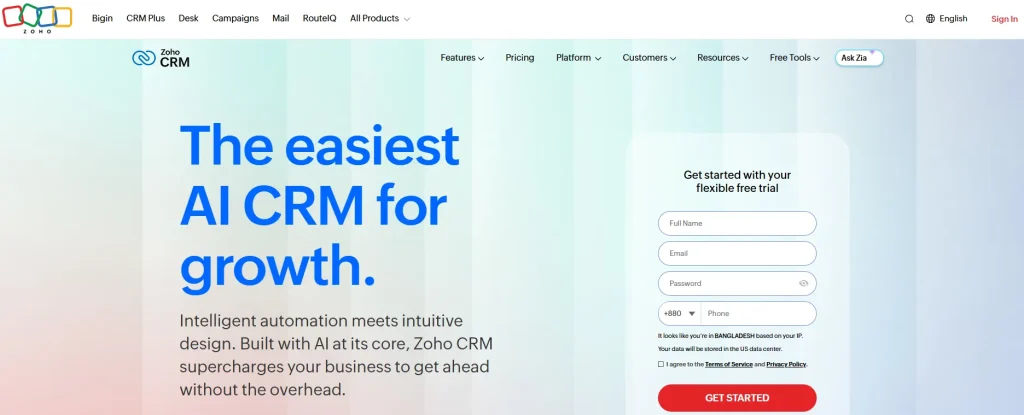
Zoho CRM is a flexible and affordable CRM designed for consulting agencies that want customization without enterprise pricing. It offers strong automation and integrations across the Zoho ecosystem. It is suitable for growing firms. However, the interface can feel less modern.
Key Features
- CRM pipeline management
- Workflow automation
- Zoho Zia (AI assistant)
- Reporting dashboards
- Email integration
- Zoho ecosystem tools
Pros and Cons
| Pros | Cons |
| Affordable pricing | UI feels outdated |
| Highly customizable | Mixed app consistency |
| Strong ecosystem | Support varies |
User Review
“
We like that it brings sales, customer data, and workflow automation into one place without requiring a heavy technical setup. For teams that are still building their confidence with CRM systems, it’s intuitive enough that people can actually start using it right away, rather than spending weeks just trying to understand the platform.
13. Insightly — Best CRM for Project-Based Consulting
G2 Rating: 4.2 out of 5
Pricing: From $29/seat/month
Best for: Consulting firms converting deals into projects
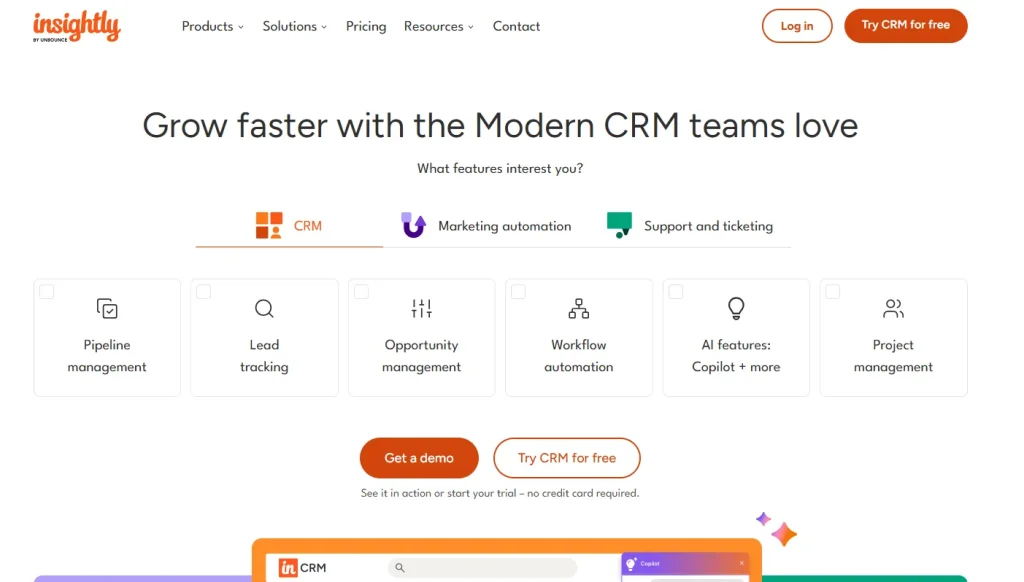
Insightly is built for consulting agencies that move from sales into structured project delivery. It allows seamless conversion of deals into projects with milestones and tasks. This makes it ideal for project-based consulting firms.
Insightly’s relationship-mapping feature visually links contacts, organizations, and deals, so you can see every stakeholder tied to an account before you walk into a pitch. However, it is less strong in advanced sales automation.
Key Features
- CRM to project conversion
- Project milestone tracking
- Relationship mapping
- Workflow automation
- Reporting tools
- Task management
Pros and Cons
| Pros | Cons |
| Strong CRM-to-project flow | Higher pricing |
| Good relationship tracking | Limited mobile experience |
| Built-in project tools | Basic marketing features |
User Review
“
What I like best about Insightly CRM is how simple and easy it is to use. The UI is clean and straightforward, so it’s easy to keep track of records and client interactions without things feeling too complicated. The email reminders are also really helpful for staying on top of follow-ups and making sure nothing gets missed. I also like the Leads and Opportunities features, as they make it much easier to manage the sales pipeline and keep deals organised.
14. Scoro — Best PSA CRM for Consulting Firms
G2 Rating: 4.5/5
Pricing: From $26/seat/month
Best for: Consulting agencies needing CRM + operations + finance
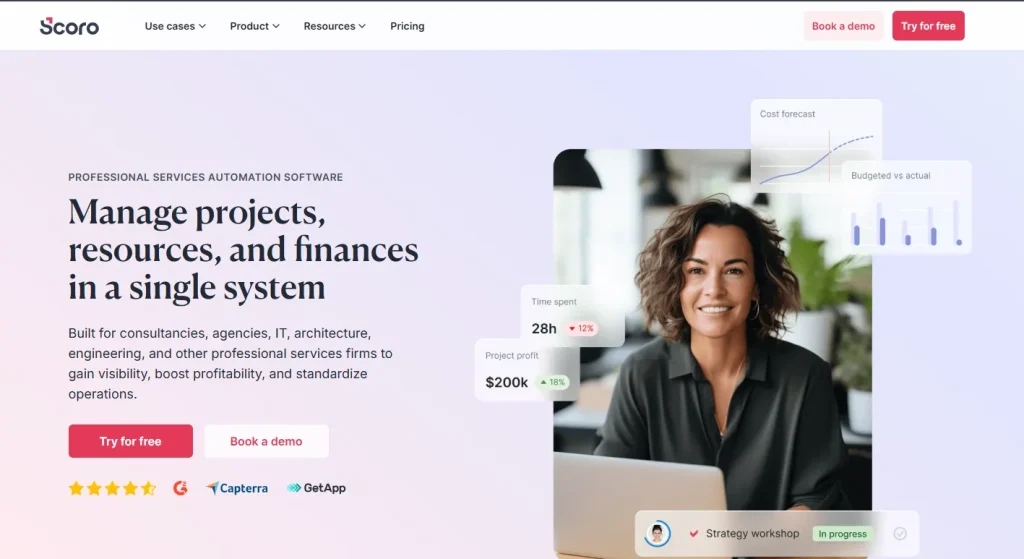
Scoro is built for consulting agencies that need CRM combined with operations, resource planning, and financial tracking. It provides strong visibility into profitability and project performance. It is ideal for firms that want full business management in one tool. However, it can be complex for small teams.
Key Features
- CRM pipeline management
- Resource planning system
- Time tracking
- Budget management
- Profitability dashboards
- Billing system
Pros and Cons
| Pros | Cons |
| Strong PSA + CRM system | Expensive for small firms |
| Excellent financial tracking | Complex setup |
| Good forecasting tools | Dense interface |
User Review
“
I like that everything with Scoro is in the same place. It includes timesheets, planners, projects, and reporting, which makes management much more streamlined. We used to work with separate software for time tracking, project management, and billing, so having all this together in Scoro has made us more effective as an agency. Scoro helps us have everything under one roof with clearer visibility across teams.
15. Bonsai — Best for Solo Consultants with Admin Tools
Trustpilot Rating: 4.2/5
Pricing: From $25/month
Best for: Independent consultants managing contracts and billing
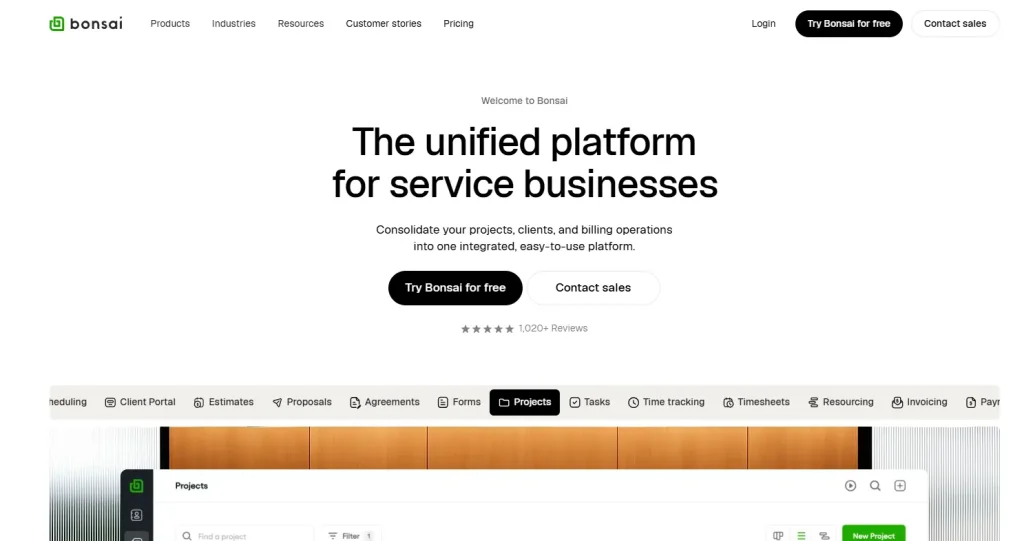
Bonsai is designed for solo consultants who need a simple system for managing clients, contracts, and invoices. It combines CRM with administrative tools like proposals and tax features. It is ideal for freelancers and independent consultants. However, it is not designed for teams.
Key Features
- CRM pipeline
- Proposal and contract templates
- Invoicing system
- Time tracking
- Tax estimation tools
- Client management
Pros and Cons
| Pros | Cons |
| Great for solo consultants | Not suitable for teams |
| Strong contract system | Limited CRM depth |
| Includes tax tools | Weak reporting |
User Review
“
The Bonsai team are fantastic. I am not the most tech literate person and often get a little lost. Every time I reach out they respond quickly and with a clear explanation. They’re super friendly and helpful and honestly, the reason I’ve never even considered another customer management system. Bonsai is well priced and easy to use AND I know if I need support it’s right there. Highly recommended!
16. Freshsales (Freshworks) — Best CRM for Sales-Driven Consulting Teams
G2 Rating: 4.5/5
Pricing: Free plan available; paid plans from $9/user/month
Best for: Consulting agencies with strong sales pipelines that need built-in calling, email, and AI-driven insights
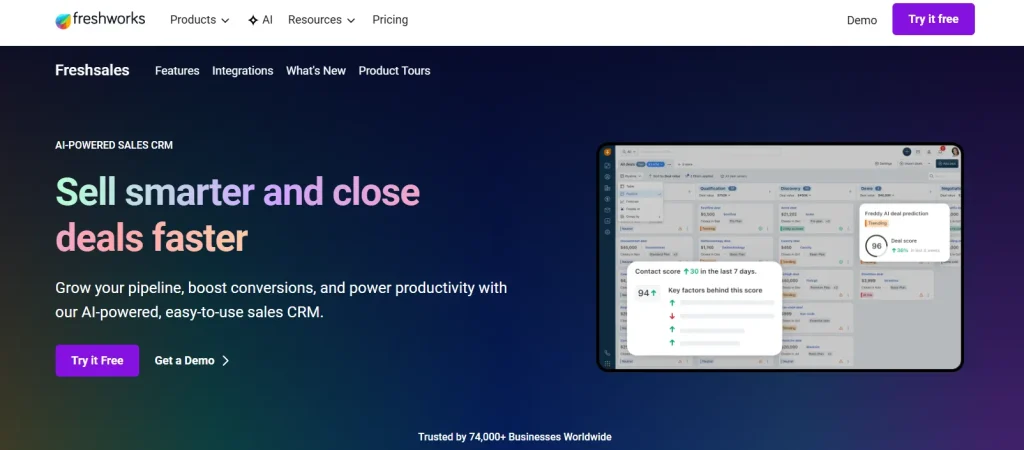
Freshsales, part of the Freshworks ecosystem, is designed for consulting teams that prioritize sales efficiency and deal conversion. It combines CRM, email, phone, chat, and automation into a single platform, making it easier to manage leads without relying on multiple tools. The platform is particularly useful for consulting agencies with dedicated sales or business development functions.
Its built-in communication tools reduce the need for external integrations, while AI features help prioritize deals and suggest next actions. However, it is more focused on sales workflows than full client lifecycle management, which may require additional tools for delivery or invoicing.
Key Features
- Built-in email, phone, and chat for client communication
- Visual sales pipeline with deal tracking
- AI-powered lead scoring and deal insights (Freddy AI)
- Sales sequences and automation workflows
- Contact and account management system
- Multiple pipeline support (higher plans)
- Reporting and forecasting dashboards
- Integration with Freshworks ecosystem (Freshdesk, Freshmarketer)
Pros and Cons
| Pros | Cons |
| Built-in communication tools (no extra apps needed) | Limited client portal or delivery features |
| Strong AI for lead scoring and deal insights | Reporting depth lower than enterprise CRMs |
| Good value for small to mid-size teams | Costs increase for advanced features |
User Review
“
I like that Freshsales acts as a centralized repository, putting every email, call, and meeting in one place like a dashboard, which helps me know what each discussion was about. The lifecycle feature enables me to track the progress of a deal, see who needs a nudge, and automate manual tasks like sending emails or setting reminders. I appreciate that it helps me prioritize leads, focusing on those with a higher chance of success using Freddy AI. I enjoy the activity tracker which provides a timeline of each touchpoint, enabling my firm to reach out at the right time.
How the Top CRMs Score on the 7 Criteria
To make comparison easier, we scored each CRM across the same seven criteria used throughout this guide. Each category is rated from 1 (weak) to 5 (excellent), based on real-world consulting use cases.
| CRM | Pipeline | Portal | Proposals | Invoicing | Automation | Integrations | Avg Score | Relationship Mapping |
|---|---|---|---|---|---|---|---|---|
| Taskip | 4 | 5 | 5 | 5 | 4 | 4 | 4.5 | Partial |
| Salesforce | 5 | 3 | 4 | 4 | 5 | 5 | 4.3 | Yes (with setup) |
| HubSpot CRM | 5 | 2 | 4 | 3 | 5 | 5 | 4.0 | Partial (associations) |
| Dubsado | 3 | 4 | 5 | 4 | 5 | 3 | 4.0 | No |
| Productive.io | 4 | 2 | 4 | 5 | 4 | 4 | 3.8 | No |
| Scoro | 4 | 2 | 4 | 5 | 4 | 4 | 3.8 | No |
| HoneyBook | 3 | 4 | 5 | 4 | 4 | 3 | 3.8 | No |
| Insightly | 4 | 4 | 3 | 3 | 4 | 4 | 3.7 | Yes |
| Zoho CRM | 4 | 3 | 3 | 4 | 4 | 4 | 3.7 | Partial |
| Bonsai | 2 | 3 | 5 | 5 | 4 | 3 | 3.7 | No |
| Monday.com | 4 | 2 | 3 | 2 | 5 | 5 | 3.5 | Partial (custom boards) |
| ManyRequests | 2 | 5 | 3 | 4 | 4 | 3 | 3.5 | No |
| Pipedrive | 5 | 1 | 3 | 2 | 4 | 5 | 3.3 | No |
| Freshsales | 5 | 1 | 3 | 2 | 5 | 4 | 3.3 | Partial |
| Copper CRM | 4 | 1 | 2 | 2 | 4 | 5 | 3.0 | Partial (via Gmail) |
| OneSuite | 3 | 3 | 3 | 3 | 3 | 2 | 2.8 | No |
NB: We tested each CRM against real consulting workflows, including lead-to-close, proposal signing, and invoicing. Scores were then normalized across seven criteria and validated using user feedback from platforms like G2 and Capterra.
The highest-scoring tools are not always the best fit. For example, Salesforce scores high due to flexibility, but most consulting firms won’t need that level of complexity. For small to mid-size consulting teams, ease of use and workflow coverage often matter more than raw feature depth.
Must-Have Features in a CRM for Consulting Firms
A CRM for consulting firms should do more than store contacts. It should manage the entire client lifecycle, from first inquiry to signed deal to ongoing billing.
At a minimum, it needs a sales pipeline, client portal, proposals with e-signatures, invoicing, automation, lead capture, a service catalog, reporting, and integrations. Without these, teams often rely on multiple tools, which creates inefficiencies and scattered data.
Sales Pipeline & Deal Stages
A structured and configurable pipeline ensures that every opportunity progresses through clearly defined stages. Required fields such as deal size, probability, and decision-maker help maintain data consistency and improve forecasting accuracy.
Client Portal
A centralized client portal enhances the overall client experience by providing a single location for proposals, documents, invoices, and project updates. A white-labeled portal further strengthens brand perception and professionalism.
Proposal & Contract Management
Integrated proposal and contract tools allow firms to create branded documents, manage version history, and collect e-signatures efficiently. Reusable templates also help standardize scopes of work and reduce turnaround time.
Invoicing & Payments
Built-in invoicing capabilities enable firms to generate invoices directly from closed deals, including recurring billing for retainers. Payment integrations with platforms such as Stripe and PayPal support faster collections and reduce administrative effort.
Workflow Automation
Automation ensures that critical processes are executed consistently. Triggers based on lead capture, pipeline changes, or payment events can initiate onboarding, follow-ups, and internal tasks without manual intervention.
Lead Capture & Forms
Native lead capture forms allow firms to convert website visitors into structured CRM records automatically. This improves response time and reduces the risk of missed opportunities.
Service Catalog
A service catalog provides a clear representation of consulting offerings. It enables firms to standardize services and allows prospects to engage more easily with defined packages or engagements.
Reporting & Forecasting
Comprehensive reporting capabilities provide visibility into pipeline value, conversion rates, sales cycles, and recurring revenue. These insights support more accurate forecasting and informed decision-making.
Integrations
Strong integrations are essential for operational efficiency. At a minimum, the CRM should connect with email and calendar systems, accounting platforms such as QuickBooks and Xero, payment processors like Stripe, and automation tools such as Zapier.
How to Choose the Right CRM for Your Consulting Firm (5-Step Framework)
We have seen hundreds of consulting firms choose CRMs, and many of them end up replacing their system within a year. In most cases, the issue is not the tool itself but the way it was evaluated in the first place. This framework helps you avoid that mistake and choose a CRM that actually fits your workflow.
Step 1 — Define your must-run workflows
Start by identifying the three core workflows your CRM needs to support every day. Keep it practical and focused on real usage rather than feature lists.
For most consulting firms, this usually includes:
- Pipeline tracking
- Proposal creation and e-signature
- Retainer invoicing
These are the processes that drive revenue. If a CRM does not support them well, everything else becomes less important.
Step 2 — Build a weighted scorecard
Instead of relying on demos or sales pitches, create a simple scorecard to compare CRMs based on what matters most to your business.
| Criterion | Weight | Why it matters |
| Pipeline and forecasting | 20% | Helps you predict revenue more accurately |
| Client portal | 15% | Improves client experience and transparency |
| Proposals and e-signature | 15% | Speeds up deal closure |
| Invoicing and retainers | 15% | Supports consistent cash flow |
| Workflow automation | 10% | Reduces manual work |
| Integrations | 10% | Ensures it fits your existing tools |
| Three-year total cost | 15% | Reflects the real long-term expense |
This approach keeps your decision objective and aligned with actual business needs.
Step 3 — Run a real two-hour pilot
Do not rely only on product demos. Instead, take one real deal from your pipeline and run it through the CRM trial.
The goal is simple. Try to move a deal from lead to signed proposal and first invoice within two hours. If the CRM cannot support that flow smoothly, it will likely slow your team down in real work as well.
Step 4 — Test onboarding and migration early
This is one of the most overlooked steps, but it often determines long-term success.
Ask questions like:
- Can I import 800 or more contacts easily?
- Can I map custom fields without technical support?
- Can I migrate past deals and activity history?
Some tools, like Taskip, offer guided migration support, while others treat it as a paid add-on or leave it entirely to the user. This difference becomes important during setup.
Step 5 — Calculate the true 12-month cost
Do not focus only on the monthly subscription price. Instead, calculate the full cost of ownership over a year. Include:
- Subscription fees
- Set up and onboarding costs
- Paid add-ons such as proposals, e-signature, or client portal
- Integration and maintenance costs
A CRM that looks affordable at first can become significantly more expensive over time once all these factors are included.
Best CRM by Consulting Firm Size
Different firm sizes have different breaking points. Here’s the quick map.
Best CRM for Solo Consultants (1 person)
HoneyBook or Bonsai — both bundle contracts, invoicing, and scheduling for a single operator without the overhead of a sales-team CRM.
Best CRM for Small Consulting Firms (2-10 people)
Taskip or Copper — Taskip for an all-in-one client portal and pipeline, Copper if your team already lives in Gmail/Google Workspace.
Best CRM for Mid-Size Consulting Firms (10-50 people)
For a firm around 20 people, the top five worth shortlisting are: Taskip (all-in-one pipeline + client portal), Pipedrive (dedicated sales pipeline visibility), Productive.io (operations and resourcing alongside CRM), Freshsales (sales-driven teams that need forecasting), and HubSpot CRM (if you want a free tier while you scale).
Moreover, run the 5-step framework above before committing. Note that team size alone doesn’t determine fit; deal complexity and proposal volume matter more.
Best CRM for Consulting Firms with 50+ People
Salesforce or Scoro — Salesforce for firms that need deep customization and integrations, Scoro where PSA-style resourcing and project financials matter as much as the pipeline.
| Firm size | Best CRM pick | Why |
|---|---|---|
| Solo consultant (1 person) | HoneyBook or Bonsai | Polished client experience, low admin overhead |
| Small / boutique (2–10 people) | Taskip, Copper | All-in-one vs Gmail-native simplicity |
| Mid-market (10–50 people) | Taskip, Pipedrive + Productive.io, Freshsales | Full lifecycle vs sales + delivery vs sales-first CRM |
| Enterprise (50+ people) | Salesforce or HubSpot Enterprise | Customization, compliance, scale |
Best CRM Software for Consulting Firms by Vertical
The right CRM also depends on the type of consulting you do.
| Consulting vertical | Top CRM picks | Why this fit |
|---|---|---|
| Management consulting | Scoro, Salesforce, Taskip | Profitability reporting, multi-engagement tracking |
| IT/technology consulting | HubSpot, Insightly, Taskip, Freshsales | Integrations, support workflows, sales pipelines |
| HR/talent consulting | Bullhorn, HubSpot, Taskip | Candidate, client pipelines, retainer billing |
| Financial/accounting consulting | Insightly, Salesforce, Taskip | Compliance, document management, recurring billing |
| Marketing & creative consulting | Taskip, HoneyBook, Dubsado | Branded client experience, fast proposal flow |
| Strategy/boutique consulting | Taskip, HoneyBook, Pipedrive, Copper | Lightweight setup, relationship-driven workflows |
For marketing-specific picks, see our deep dive on the best CRM for digital marketing agencies.
 Taskip
Ready to streamline your consulting workflow?
Set up your CRM, client portal, and invoicing in one place with Taskip.
Get started free and go live in under 30 minutes.
No credit card is required!
When You DON’T Need a CRM Software for Consulting Firms
A counter-intuitive moment of honesty: not every consulting firm should rush to buy a CRM.
- Pre-revenue solo consultant with under 5 prospects: A simple spreadsheet plus a clean inbox is fine for a few months.
- Your team won’t actually adopt it: A CRM nobody updates is worse than no CRM. Get team buy-in first.
- You haven’t defined your sales process yet: A CRM enforces a process; if you don’t have one, the CRM will encode chaos.
If any of these describe you, fix the underlying issue first, then come back and pick from the list above.
Final Verdict: Which CRM Should Your Consulting Firm Pick?
The right CRM depends on how your consulting firm operates and how complex your client work is. Solo consultants usually do well with HoneyBook or Bonsai, while firms focused on sales pipelines often prefer Pipedrive or HubSpot CRM Free. Productized service businesses fit better with Agency Handy, and subscription-based models work well with ManyRequests. Larger or enterprise consulting firms typically move toward Salesforce, while utilization-heavy teams benefit from Productive.io or Scoro.
For most consulting firms in the 2 to 50 person range, the challenge is avoiding multiple disconnected tools. In that case, an all-in-one system is usually the most efficient choice. Taskip is built for this use case, combining CRM, client portal, proposals, invoicing, and automation in one workspace.
FAQs: CRM Software for Consulting Firms
What is the best CRM software for consulting firms in 2026?
For most consulting firms, the best CRM software is Taskip because it combines sales pipeline, white-label client portal, proposals, and invoicing in one tool. HoneyBook is the best pick for solo consultants, Pipedrive for sales-led mid-market firms, and Salesforce for enterprise practices.
What is the best free CRM for consulting firms?
HubSpot CRM Free is the best free CRM for consulting firms- unlimited contacts, a working pipeline, email tracking, and meeting scheduling at $0.
What’s the difference between a CRM and a PSA for consulting firms?
A CRM manages relationships and deals; a PSA (Professional Services Automation) adds utilization, billable hours, resourcing, and project profitability. Consulting firms with billable consultants typically need both tools, like Taskip, Scoro, and Productive.io blend the two so you don’t have to buy them separately.
How much does a CRM for a consulting firm cost?
CRM pricing for consulting firms ranges from $0 (HubSpot CRM Free) to $300+/user/month (Salesforce Enterprise). Most boutique consulting firms spend $15–$50 per user per month. Always calculate the 3-year total cost of ownership, including add-ons (proposals, e-sign, portal) and implementation.
Do small consulting firms need a CRM?
Yes, once you pass roughly 10 active prospects, a spreadsheet stops scaling. Small consulting firms typically see ROI within the first 60 days from a tool like Taskip, HoneyBook, or HubSpot Free.
Can a CRM handle retainer clients and recurring billing?
Yes, but not all CRMs do. Taskip, ManyRequests, Bonsai, and Productive.io handle recurring retainer billing natively. Pipedrive and HubSpot need an integration with QuickBooks, Stripe Billing, or Chargebee.
Which CRM has the best client portal for consultants?
Taskip has the strongest white-label client portal in this category, branded with your domain, logo, and colors, plus secure file sharing, project status, invoices, and support tickets. HoneyBook and Dubsado also ship usable portals; Pipedrive and HubSpot do not.
How long does it take to implement a CRM in a consulting firm?
Light tools like HoneyBook, and Pipedrive can be live in a single afternoon. Mid-tier tools (Insightly, Scoro) take 2–4 weeks. Enterprise CRMs (Salesforce) take 3–6 months and usually require an implementation partner.
Are HoneyBook and Dubsado good for consulting firms?
Yes, for solo and boutique consulting firms. HoneyBook and Dubsado were built for service businesses and ship strong client experience features. They become limiting once you grow past 5–10 people; that’s typically when firms migrate to Taskip or Productive.io.
Can I migrate from a spreadsheet to a CRM in a weekend?
Yes, most modern CRMs accept CSV imports and offer free migration help. Block 4 hours on a Saturday: 1 hour to clean your spreadsheet, 1 hour to import, 2 hours to verify and configure your pipeline stages.
What CRM works best for a 20-person consulting firm?
For a team around 20 people, Taskip, Pipedrive, Productive.io, Freshsales, and HubSpot CRM are the strongest fits. These are large enough to need real pipeline visibility and reporting, but not so enterprise-heavy that onboarding takes months.
What are the best CRM platforms for consulting firms whose business development teams track proposals through to close?
Taskip, Pipedrive, and Productive.io are built around a visible deal pipeline paired with proposal tracking, so BD teams can see exactly where each opportunity sits from first conversation to signed contract in one view.
Which consulting CRM is best for relationship mapping?
Insightly has the most developed relationship-mapping feature of the tools reviewed here, visually linking contacts and organizations tied to an account. Copper offers a lighter, Gmail-native version of the same idea.
What are the highest-rated CRM platforms for agencies and consulting firms?
Based on G2 and Trustpilot ratings referenced throughout this guide, Taskip, Pipedrive, and HubSpot CRM consistently score highest among consulting and agency users for ease of use and pipeline visibility.


Get Summary On: