Did you know that 44% of sales leads are never followed up on, and that number is even higher inside digital marketing agencies, where everyone is too busy managing client deliverables to chase new business?
If your agency is losing leads in email threads, missing retainer renewals, and juggling five different tools just to onboard one client, you don’t have a growth problem. You have a CRM problem.
The right CRM for a digital marketing agency doesn’t just store contacts. It manages your full client lifecycle, from the first discovery call all the way to retainer renewal, in one place.
In this guide, I’ve personally tested and compared the 10 best CRM tools built for digital agencies in 2026, so you can stop guessing and start growing.
A CRM for digital marketing agencies needs to do more than track contacts; it needs to manage leads, send proposals, handle retainer billing, and provide clients with a login portal. Generic CRMs built for product sales teams don’t cover this.
Top 10 CRM tools for digital marketing agencies:
- Taskip: the best all-in-one CRM for digital agencies
- GoHighLevel: Best for agencies that resell SaaS
- HubSpot CRM: Best free starting point for growing agencies
- Pipedrive: Best sales pipeline CRM for agency BD teams
- Zoho CRM: Best budget CRM for small agencies
- ActiveCampaign: Best for email-driven agencies
- Monday CRM: Best for teams blending PM and CRM
- HoneyBook: Best for solo agency owners
- Dubsado: Best for workflow automation
- AgencyHandy: Best for productised service agencies
Best choice: Taskip, the only all-in-one CRM on this list that combines pipeline management, client portal, proposals, invoicing, and project delivery in a single platform built for service agencies
Table of Contents
This Guide Is Designed For
This guide is written specifically for:
- Solo digital marketing consultants managing multiple clients and ready to replace spreadsheets with something smarter
- Small agency teams (2–15 people) who need a CRM that handles both sales and client delivery without building a tech stack from scratch
- Growing digital marketing agencies looking to standardise their client lifecycle, from lead to retainer to renewal, in one platform
If you run a large enterprise marketing department or manage an in-house team, this guide is not for you. Everything here is built around the reality of running a client-facing digital agency.
What Is a CRM for a Digital Marketing Agency?
A CRM (Customer Relationship Management) system is software that helps you manage every interaction with a client or prospect, from the first enquiry to the final invoice. But for a digital marketing agency, the definition goes much further than that.
A CRM for a digital marketing agency is a system that manages your entire client lifecycle: capturing leads, nurturing prospects, sending proposals, signing contracts, onboarding new clients, delivering retainer services, and tracking renewals, all in one connected workflow.
It is not just a contact database. It is the operating system for your agency’s revenue.
| Feature | CRM Only | Project Management | All-in-One (e.g. Taskip) |
| Lead and pipeline tracking | ✅ | ❌ | ✅ |
| Client portal | ❌ | ❌ | ✅ |
| Project and task delivery | ❌ | ✅ | ✅ |
| Proposals and contracts | ❌ | ❌ | ✅ |
| Invoicing and billing | ❌ | ❌ | ✅ |
| Retainer management | ❌ | ❌ | ✅ |
| White-label branding | ❌ | ❌ | ✅ |
Most agencies buy a CRM, a project management tool, a proposal tool, and an invoicing app separately. The problem is that none of those tools talks to each other, and your client data lives in four different places. That is the tool sprawl problem, and a proper agency CRM solves it entirely.
Why Do Digital Marketing Agencies Need a CRM?
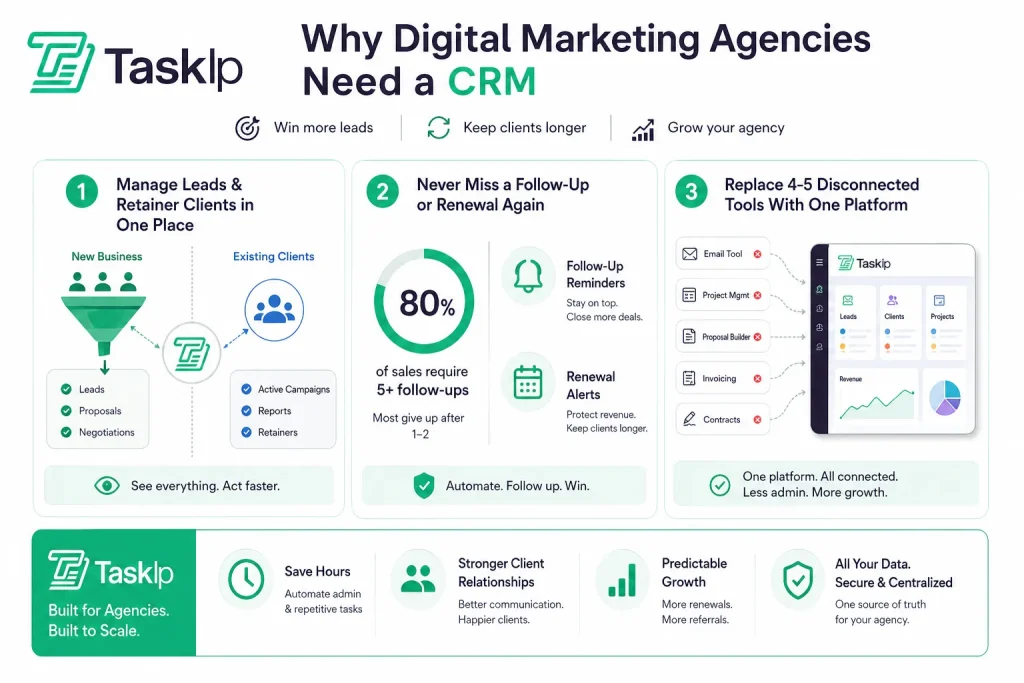
Manage Leads and Retainer Clients in One Place
Digital marketing agencies have a unique challenge: you are simultaneously managing new business (leads, proposals, negotiations) AND existing client delivery (campaigns, reports, retainers). Most businesses only deal with one side of that equation.
A CRM built for agencies lets you run both in the same system. Your sales pipeline sits alongside your active client list. You can see at a glance which leads are going cold, which retainers are up for renewal, and which clients need a check-in, without switching between tools.
Never Miss a Follow-Up or Renewal Again
Industry data shows that 80% of sales require five or more follow-ups, yet most agency owners give up after one or two. Without a CRM sending you automated reminders, your best leads slip away while you are busy managing deliverables.
The same applies to retainer renewals. A client on a £2,000/month retainer is worth £24,000 a year. Missing a renewal conversation because it slipped off your radar is one of the most expensive mistakes an agency can make, and a CRM with automated renewal alerts eliminates that risk completely.
Replace 4–5 Disconnected Tools With One Platform
The average digital marketing agency uses between 5 and 8 separate tools for client management. There is an email tool, a project management app, a proposal builder, an invoicing system, and something for contracts. Each one costs money. Each one requires a login. And none of them shares data.
A proper agency CRM collapses that stack. When your proposals, projects, invoices, and client communication all live in one place, your team stops wasting hours each week on admin, and your clients get a seamless, professional experience every time.
Why Generic CRMs Don’t Work for Digital Marketing Agencies?
Here is something nobody tells you when you sign up for HubSpot or Salesforce: those tools were not built for you.
Generic CRMs were designed for product sales teams, people who sell physical goods or SaaS subscriptions and need a pipeline that goes Lead → Demo → Close. That is it. The deal is done, the product is delivered, and the relationship ends.
| Features | Generic CRM | Agency CRM (e.g. Taskip) |
| Pipeline stages | Fixed (Lead → Close) | Customisable for retainer workflow |
| Client communication | Email sync only | Dedicated client portal |
| Billing | Not included | Recurring invoicing built-in |
| Project delivery | Not included | Task and project management |
| White-label | ❌ | ✅ |
| Retainer management | ❌ | ✅ |
| Built for service businesses | ❌ | ✅ |
Digital marketing agencies work completely differently. Your relationship with a client begins when the contract is signed. That is when the real work starts.
a. Built for Product Sales, Not Service Retainers
In a product sales CRM, the pipeline ends at “Closed Won.” In an agency, that is where the work begins. You need pipeline stages that reflect your actual workflow:
| Discovery Call → Proposal Sent → Contract Signed → Onboarding → Active Retainer → Renewal or Upsell. |
Generic CRMs cannot model this without significant customisation.
b. No Client Portal, No Proposals, No Retainer Billing
The three features digital marketing agencies need most are missing from every major generic CRM, which are:
- A client-facing portal
- A built-in proposal builder and
- Recurring retainer billing
For instance:
- HubSpot does not include proposals in its CRM.
- Salesforce does not include invoicing.
- Pipedrive does not include a client portal.
You end up paying for add-ons that still do not integrate properly.
Stop losing 5 hours a week to “tool fatigue.” While generic CRMs hide essentials behind paywalls, Taskip natively integrates your client portal, proposals, and retainer billing. It recovers one full billable week every month by bridging the gap between sales and execution. Stop the leak: unify your agency in one place.
c. Too Complex, Too Expensive, Wrong Fit
Salesforce starts at $25 per user per month and requires dedicated admin time to configure. HubSpot’s free tier is genuinely useful, but the moment you need marketing automation or custom properties, you are looking at $800+ per month. For a 5-person agency, that is pricing designed for enterprise teams, not for you.
Quick Comparison Table: 10 Best CRMs for Digital Marketing Agencies
| Tool | Starting Price | Free Plan | Client Portal | Proposals | Invoicing | White Label | Best For |
| Taskip | $12/mo | ✅ | ✅ | ✅ | ✅ | ✅ | All-in-one agency CRM |
| GoHighLevel | $97/mo | ❌ | ✅ | ✅ | ✅ | ✅ | SaaS-reselling agencies |
| HubSpot CRM | $20/mo/ seat | ✅ | ❌ | ❌ | ❌ | ❌ | Growing agencies, free tier |
| Pipedrive | $14/mo | ❌ | ❌ | Add-on | ❌ | ❌ | Sales pipeline focus |
| Zoho CRM | $0 (3 users) | ✅ | ❌ | ❌ | Add-on | ❌ | Budget-conscious teams |
| ActiveCampaign | $19/mo | ❌ | ❌ | ❌ | ❌ | ❌ | Email-driven agencies |
| Monday CRM | $12/seat/mo | Limited | ❌ | ❌ | ❌ | ❌ | PM + CRM teams |
| HoneyBook | $19/mo | ❌ | ✅ | ✅ | ✅ | ❌ | Solo/small agencies |
| Dubsado | $20/mo | ✅ (3 clients) | ✅ | ✅ | ✅ | ❌ | Workflow automation |
| AgencyHandy | $49/mo | ❌ | ✅ | ✅ | ✅ | ❌ | Productised agencies |
Best CRM for Digital Marketing Agencies: In-Depth Reviews
We evaluated each tool against real digital agency workflows: pipeline management, client communication, retainer billing, proposal handling, and onboarding automation. Here is the honest breakdown of what each tool does well, and where it falls short.
1. Taskip: Best All-in-One CRM for Digital Marketing Agencies
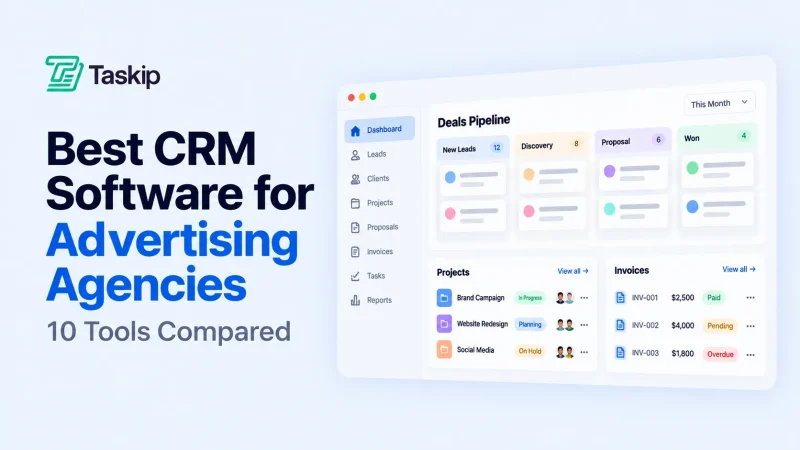
Taskip earns the top spot on this list because it is the only tool here that genuinely replaces your entire agency tech stack, not just one part of it. Where HubSpot gives you a pipeline but no proposals, and HoneyBook gives you proposals but limited pipeline customisation, Taskip gives you everything: a visual CRM pipeline, a branded client portal, a proposal builder with e-signature, recurring invoice and retainer billing, and project and task management, all inside one workspace.
For digital marketing agencies specifically, that means your new business development and your client delivery live in the same system. A lead becomes a proposal. A signed proposal triggers onboarding. An onboarded client gets a portal login. A delivered retainer gets auto-invoiced. No manual handoffs. No tool switching.
Key Features
- Visual sales pipeline with fully customisable agency-specific stages
- Branded client portal, clients log in to view proposals, active projects, invoices, and messages
- Built-in proposal builder with e-signature and automated follow-up reminders
- Recurring retainer billing and automated payment reminders
- White-label workspace, present Taskip under your own agency’s brand
- Project and task management are integrated directly with the client pipeline
- Team task assignment, internal notes, and collaboration tools
- Integrations: Stripe, Google Calendar, Zapier, Slack
Pros & Cons
| Pros | Cons |
| True all-in-one, no stitching tools together | Newer platform with a smaller third-party integration library vs. HubSpot |
| White-label client portal included | |
| Retainer billing and recurring invoices are built in | |
| Free plan available to start | |
| Fast setup, most agencies are live within a week |
Pricing
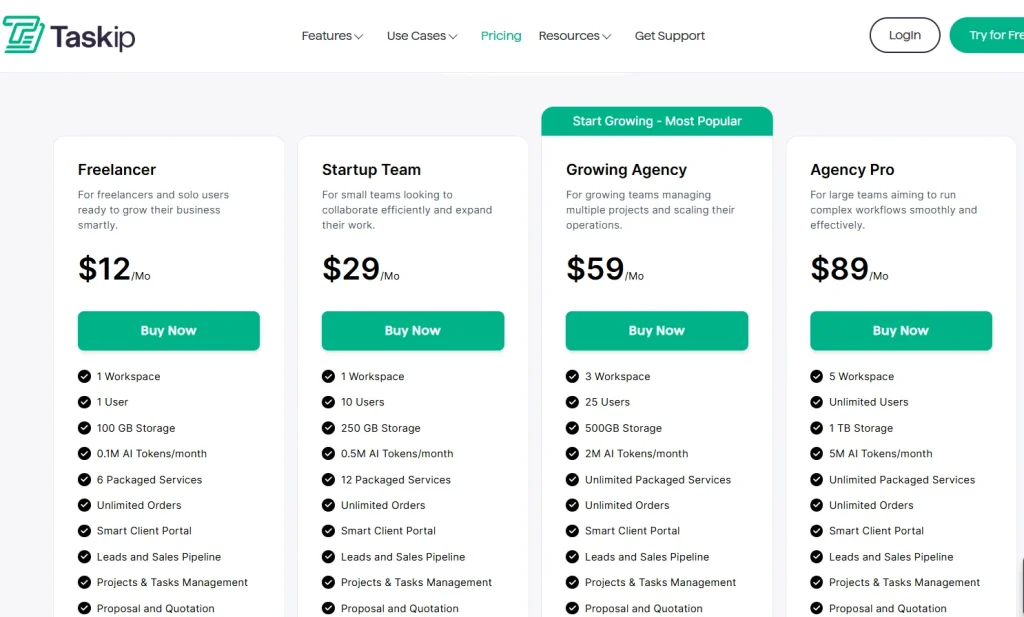
Visit taskip.net for current pricing. Taskip offers a free plan and paid tiers designed to scale with your agency, without the per-user pricing traps that make tools like HubSpot expensive as your team grows.
Taskip User Reviews
The team is very personable and genuinely wants you to have the best experience with the system. I am excited to continue using the system with all the current and future features they have and will be integrating. I look forward to streamlining all my client data, contracts, invoicing and reminders for business.
Best for: Small to mid-size digital marketing agencies (2–20 people) who want to replace 3–5 separate tools with one affordable platform.
2. GoHighLevel: Best CRM for Agencies That Resell SaaS
GoHighLevel is the only CRM on this list built by agencies, for agencies. It goes far beyond standard CRM functionality; it is essentially a white-label marketing platform that you can resell to your own clients as a SaaS product.
If your agency wants to add a recurring software revenue stream on top of your service revenue, GoHighLevel is genuinely unmatched. Your clients get a branded platform under your agency’s name, and you collect a monthly subscription fee. No other tool on this list offers that.
Key Features
- Full white-label: sell the entire platform under your own brand and pricing
- Sub-account management: run all your client accounts from one master dashboard
- Built-in funnel builder, landing pages, SMS campaigns, email automation
- Reputation management, Google Review requests, missed-call text-back automation
- Pipeline CRM, appointment booking, and contracts included
- Membership sites and course delivery for content-driven agencies
Pros & Cons
| Pros | Cons |
| Built specifically for agency workflows | $97/mo minimum, prohibitive for solo agency owners |
| White-label SaaS reselling opportunity | Overwhelming feature set for teams just needing basic CRM |
| Sub-account model perfect for multi-client management | Steep learning curve |
| All-in-one marketing suite | UI/UX feels dated compared to newer tools |
Pricing
- Starter: $97/mo (1 account)
- Unlimited: $297/mo (unlimited sub-accounts + white-label)
- SaaS Pro: $497/mo (SaaS reselling enabled)
User Reviews
First of all – this is a great platform with a ton of functionality. Affordable and intuitive. Their free trial was super helpful and I just completed my onboarding call with Bhavna as a customer. She is great – patient, thorough, and clearly knows the tool and how to make the most of it. A powerful combo! I was referred by a friend and colleague, and I would recommend this after beginning to unlock some of the many tools available.
Best for: Mid-size to large agencies wanting to white-label a CRM and resell it to clients as an additional revenue stream.
3. HubSpot CRM: Best Free CRM for Growing Agencies
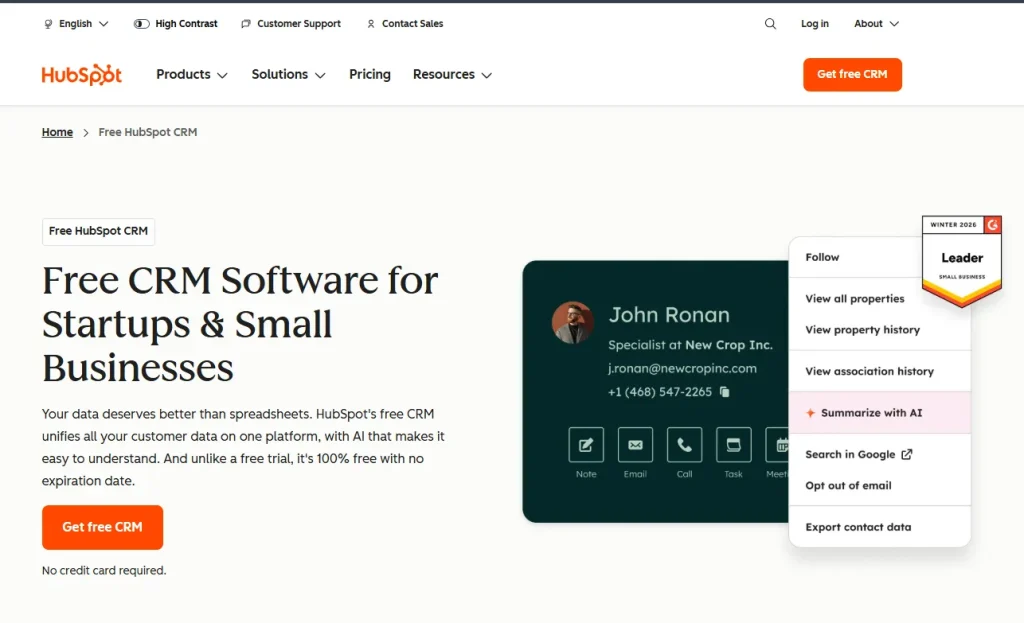
HubSpot CRM is the most well-known name in this space, and for good reason. Its free tier is genuinely powerful, and if your agency manages HubSpot implementations for clients, having the same CRM internally makes demonstrable sense.
But here is where most agency owners get caught out: HubSpot’s free plan is a starting point, not a long-term solution. The moment you need email sequences, custom deal stages, or any automation, you are looking at paid plans that escalate fast.
Key Features
- Free CRM with unlimited contacts and deal tracking
- Email sequences and meeting scheduling (free tier)
- Deep integration with HubSpot’s Marketing, Sales, and Service Hubs
- Contact timeline showing every interaction in one place
- Strong reporting and dashboard tools
- 1,000+ app integrations in the HubSpot marketplace
Pros & Cons
| ✅ Pros | ❌ Cons |
| Best free CRM on the market | No proposals, contracts, or invoicing without expensive add-ons |
| Massive integration ecosystem | Pricing scales aggressively,$800+/mo is common for agencies |
| Strong email marketing when upgraded | No client portal |
| Excellent onboarding resources | HubSpot branding on free tools |
Pricing
- Free: $0 (limited features)
- Starter CRM Suite: $15/seat/mo
- Professional: $800/mo (significant jump)
- Enterprise: $3,600/mo
User Reviews
I like HubSpot Sales Hub because it provides excellent organization and total customization for each deal. This level of customization is critical for us because we have a very unique business. No other provider offers this level of customization, which is really important since we’re not a standard business, like selling cars. Additionally, we switched to HubSpot Sales Hub from Pipedrive because it provides us with a lot of data around our website, KPIs, and email marketing campaigns.
Best for: Agencies that are HubSpot implementation partners, or teams that want a powerful free CRM and plan to grow into HubSpot’s marketing automation ecosystem over time.
4. Pipedrive: Best Sales Pipeline CRM for Agency Business Development
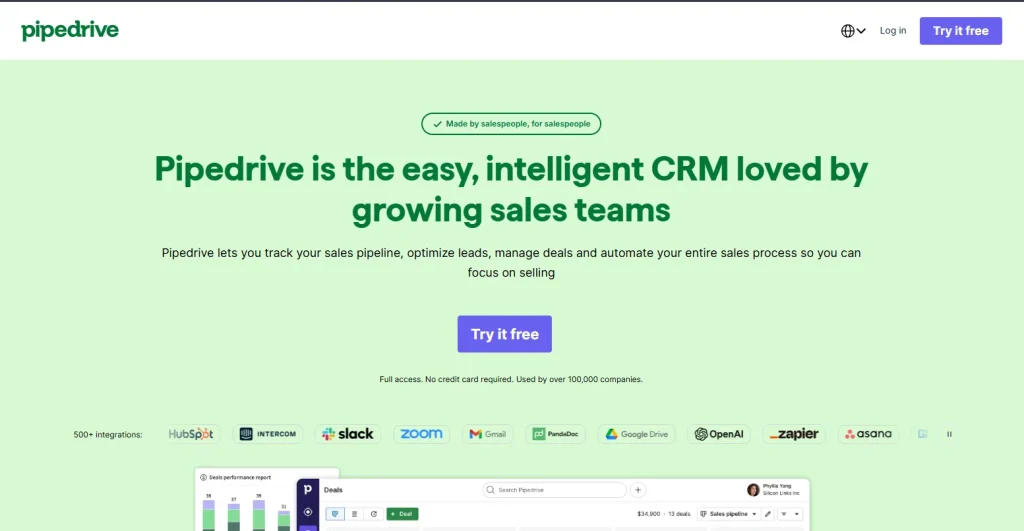
Pipedrive does one thing exceptionally well: it makes your sales pipeline completely visual, intuitive, and actionable. If your agency has a dedicated business development person or team that lives inside a pipeline all day, Pipedrive is their natural home.
The trade-off is that Pipedrive is purely a sales tool. It has no client portal, no proposals, no invoicing, and no project delivery. For most digital agencies, that means you still need two or three additional tools alongside it.
Key Features
- Highly customisable drag-and-drop pipeline stages
- Activity-based selling: call logs, email tracking, automated reminders
- Smart contact data enrichment from email signatures
- Solid mobile app for on-the-go account managers
- AI sales assistant with deal probability scoring
- Good reporting on pipeline value, win rate, and deal velocity
Pros & Cons
| Pros | Cons |
| Best-in-class pipeline UI for sales teams | No client portal, proposals, or invoicing |
| Fast to set up and easy to use | Requires 2–3 additional tools for a full agency workflow |
| Strong AI deal scoring and activity prompts | Proposals only via third-party add-on (PandaDoc, Better Proposals) |
| Good mobile experience for account managers | Not suitable as a standalone agency platform |
Pricing
- Essential: $14/seat/mo
- Advanced: $29/seat/mo
- Professional: $59/seat/mo
- Power: $69/seat/mo
User Reviews
I like Pipedrive’s lead enrichment and pipeline management features, which help save tons of time by pulling in relevant information of the lead. I also found the initial setup to be quite easy, so I wouldn’t complain about that.
Best for: Digital agencies with a dedicated sales or business development function who are comfortable managing separate tools for project delivery and billing.
5. Zoho CRM: Best Budget CRM for Small Digital Agencies
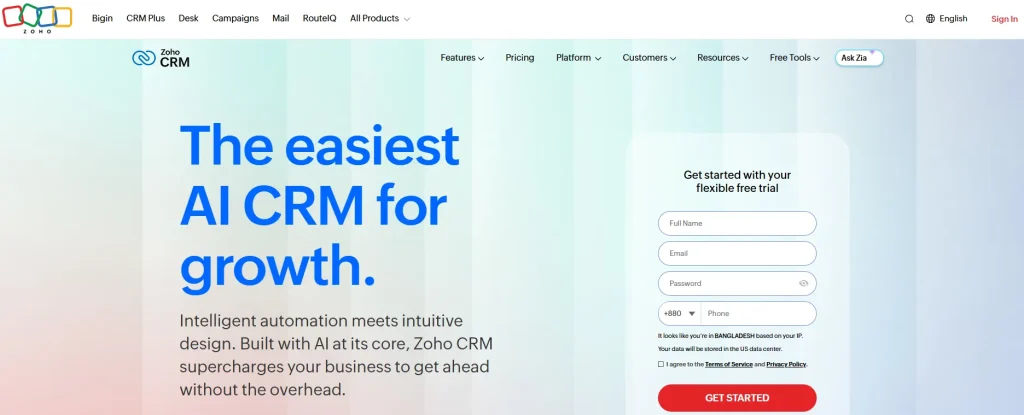
Zoho CRM is the most value-dense tool on this list. The free tier supports up to three users, and even the paid tiers are significantly cheaper than HubSpot or Salesforce equivalents. If budget is your primary constraint and you are willing to invest time in setup, Zoho delivers serious capability.
The catch is that Zoho has a steep learning curve. The interface is dense, configuration takes time, and the sheer number of options can feel overwhelming if you just want something simple up and running.
Key Features
- Free plan for up to 3 users
- Workflow automation and lead scoring on paid plans
- Social CRM, monitor brand mentions and respond to DMs within the CRM
- Deep Zoho ecosystem integration: Zoho Books, Zoho Projects, Zoho Campaigns
- AI assistant (Zia) for deal predictions and anomaly detection
- 800+ integrations via Zoho Marketplace
Pros & Cons
| Pros | Cons |
| Genuinely generous free tier | Complex UI with a steep learning curve |
| Very affordable paid plans | Configuration takes significant time |
| Powerful when used with the full Zoho suite | Can feel overwhelming for small teams |
| AI features included in mid-tier plans | No native client portal or proposals |
Pricing
- Free: $0 (3 users)
- Standard: $14/user/mo
- Professional: $23/user/mo
- Enterprise: $40/user/mo
User Reviews
We like that it brings sales, customer data, and workflow automation into one place without requiring a heavy technical setup. For teams that are still building their confidence with CRM systems, it’s intuitive enough that people can actually start using it right away, rather than spending weeks just trying to understand the platform.
Best for: Budget-conscious small agencies (1–5 people) willing to invest setup time in exchange for a low monthly cost and access to the broader Zoho tool ecosystem.
6. ActiveCampaign: Best CRM for Email-Driven Digital Agencies
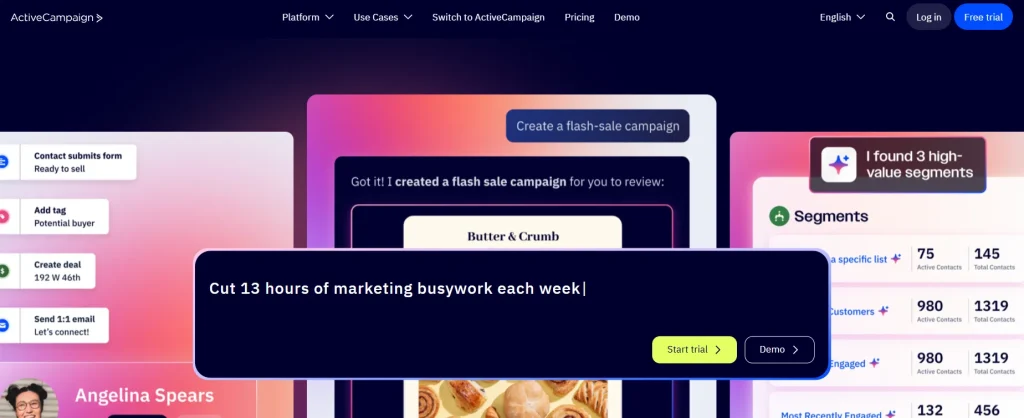
If your agency’s primary service is email marketing, lead generation, or marketing automation for clients, ActiveCampaign is the most logical choice. It sits at the intersection of CRM and email marketing platform, and the depth of its automation capabilities is unmatched in this price range.
The limitation is that it is not a full agency management platform. There is no client portal, no proposals, and no invoicing. It is a sales and marketing CRM, not a service delivery tool.
Key Features
- Visual email automation builder with conditional logic and behavioural triggers
- Deal pipeline with automation: when a deal reaches a stage, trigger an email sequence
- Deep contact segmentation and tagging
- 870+ native integrations
- Site tracking and lead scoring based on website behaviour
- Predictive sending for optimal email delivery timing
Pros & Cons
| Pros | Cons |
| Best email automation + CRM combination | No client portal, proposals, or invoicing |
| Powerful segmentation and tagging | Pricing increases with contact list size |
| 870+ integrations | Not designed for full agency service delivery |
| Behavioural triggers and site tracking | Can become expensive for large lists |
Pricing
- Starter: $19/mo (up to 1,000 contacts)
- Plus: $49/mo
- Professional: $149/mo
- Pricing scales with contact volume
User Reviews
It is easy to use and makes managing email campaigns feel straightforward. I like how reliable it is, especially when sending automated emails and follow-up sequences. The automation features are really useful and save a lot of time. It helps keep contacts organised, so it’s easier to send the right message to the right people. The reporting and tracking tools are clear, which makes it simple to see what’s working.
Best for: Agencies whose primary service is email marketing or marketing automation, where using ActiveCampaign doubles as a demonstration of your own expertise.
7. Monday CRM: Best for Teams Combining Projects and CRM
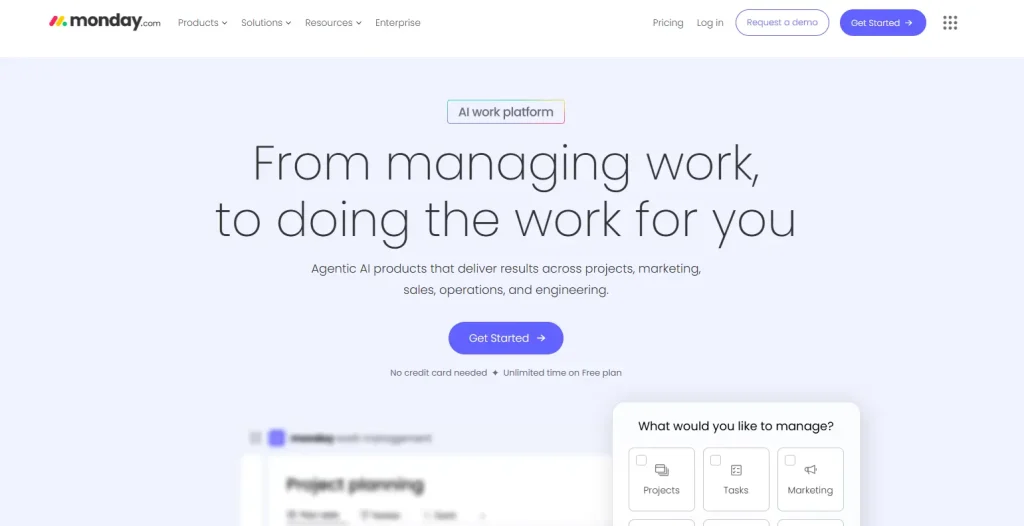
Monday CRM sits in an interesting position: it is familiar, visual, and intuitive for teams already using Monday.com for project management. If your agency lives inside Monday boards, adding the CRM layer in the same workspace makes sense.
However, Monday CRM is not a purpose-built CRM for agencies. There is no invoicing, no client portal, and no proposals. It is fundamentally a CRM that happens to live inside a broader work management platform.
Key Features
- Visual, spreadsheet-style pipeline boards that non-sales people actually enjoy using
- Seamless connection to Monday Work Management boards (projects, timelines, tasks)
- Automation recipes: “When a deal moves to this stage, notify this person”
- Customisable dashboard with deal value, close rate, and activity tracking
- Strong team collaboration and notification tools
- 200+ integrations
Pros & Cons
| Pros | Cons |
| Familiar UI for teams already on Monday.com | Limited free plan (only 2 seats) |
| Good team visibility across deals and projects | No invoicing, client portal, or proposals |
| Automation recipes easy to build | Can become expensive with multiple boards and seats |
| Strong notifications and @mentions | Not designed specifically for agency service workflows |
Pricing
- Basic: $12/seat/mo (minimum 3 seats = $36/mo)
- Standard: $17/seat/mo
- Pro: $28/seat/mo
User Reviews
I love the automated reminders in monday CRM because they hold everyone accountable. It’s a simple feature, but really strong reports allow people to see in real time where everyone is in the project, creating positive peer pressure by showing pattern behavior. This feature helps ensure everyone knows what they’re responsible for, as long as we set it up correctly, and it reinforces accountability through the reports.
Best for: Agency teams already using Monday Work Management for project delivery who want their sales pipeline in the same interface without switching tools.
8. HoneyBook: Best CRM for Solo Agency Owners and Freelance Consultants

HoneyBook is the most polished, client-facing tool on this list. If first impressions matter to your agency, and they should, HoneyBook’s beautiful proposals, seamless contracts, and elegant client portal set a professional standard that competitors struggle to match.
It is designed for solo operators and very small teams. Note the significant price increase in 2025 (89.5% on some plans), still worth it for the right agency, but important to factor in.
For full details, see our HoneyBook Pricing 2026 and HoneyBook Reviews 2026 guides.
Key Features
- Beautiful, customisable proposal and contract templates
- E-signature and automated payment reminders
- Client portal for document sharing, messaging, and project updates
- Built-in scheduler for booking discovery calls and check-ins
- Payment processing with Stripe and bank transfer
- Simple pipeline view showing lead status
Pros & Cons
| ✅ Pros | ❌ Cons |
| Best-looking proposals and client experience | Significant price increase in 2025 |
| Everything for a solo agency in one place | Pipeline customisation is limited vs. dedicated CRM tools |
| Strong client portal with branded login | Not suitable for teams larger than 3–4 people |
| Easy to get started quickly | Reporting is basic |
Pricing
- Starter: $19/mo
- Essentials: $39/mo
- Premium: $79/mo
User Reviews
It’s all the business admin tools I need in one (I have a service-based business). I love having it all in one place and for one price. On top of highly useful admin tools, the Templates and Automation features have been absolutely key for me because I can provide a really positive, consistent product and customer experience with very little energy or time (and I am just a team of one). They are always improving the tool as well, with even more helpful features that small businesses/consultants actually need. Great customer support as well if you need help with a specific issue, or even just wondering the best way to do something.
Best for: Solo digital marketing consultants and 1–2 person agencies who prioritise a polished, client-facing experience and need proposals, contracts, and payments in one place.
9. Dubsado: Best CRM for Workflow Automation
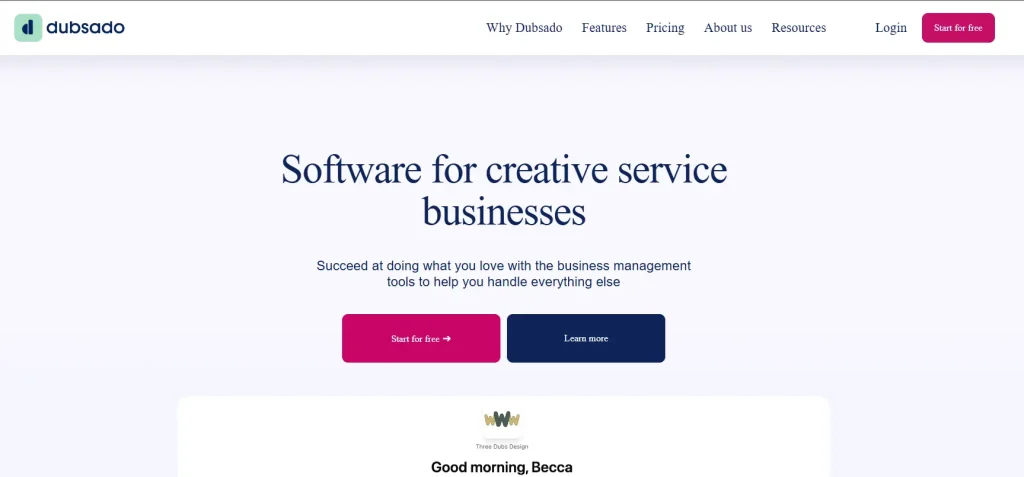
Dubsado is the automation specialist on this list. If your agency has a highly repeatable onboarding process, every new client goes through the same proposal, contract, questionnaire, and kickoff call sequence. Dubsado can automate the entire flow so that it runs without you touching it.
The trade-off is the learning curve. Dubsado is not a tool you set up in an afternoon. But once it is configured, it saves hours every week.
See our full Dubsado Reviews 2026 and Dubsado vs HoneyBook comparison for a detailed breakdown.
Key Features
- Workflow automation: proposal sent → signed → invoice raised → questionnaire delivered,all automatic
- Canned email templates triggered by client actions
- Client portal with branded login page
- Built-in scheduler, form builder, and contract management
- Lead capture forms that trigger automated workflows
- Free trial for your first 3 clients (no time limit)
Pros & Cons
| Pros | Cons |
| Unmatched workflow automation depth | Steep learning curve, setup takes 10–20 hours |
| Generous free trial (3 clients, no expiry) | UI feels dated compared to HoneyBook or Taskip |
| Excellent value once set up correctly | Not ideal if your client onboarding varies significantly |
| Client portal and contracts included | Limited reporting and pipeline customisation |
Pricing
- Starter: $20/mo or $200/year
- Premier: $40/mo or $400/year
User Reviews
I really like the calendar scheduling system in Dubsado. It’s a great feature because it allows me to send a link to my clients, making it easy for them to pick a day and time that suits them for mutual meetings. This feature eliminates the need for back and forth email conversations about suitable dates and times. I also find the online payment feature really good, as it makes taking payments quick and easy. Clients can pay their invoices with just a couple of clicks of a button.
Best for: Agencies with a standardised, repeatable onboarding process who want to automate everything from first contact to signed contract with minimal manual intervention.
10. AgencyHandy: Best CRM for Productised Service Agencies
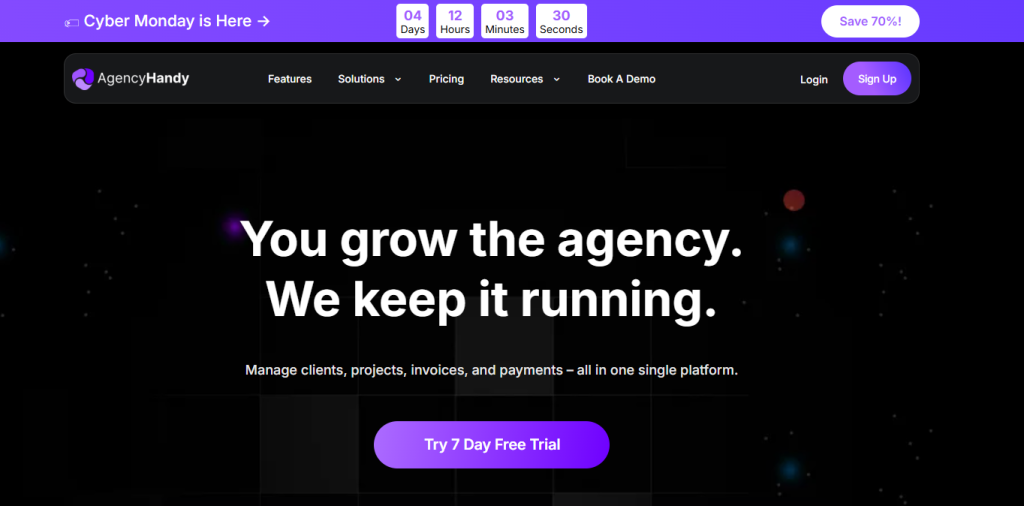
AgencyHandy is built around a specific model: productised services. If your agency sells fixed-scope packages, “SEO audit for $500,” “Social media management for $1,500/mo,” “Google Ads setup for $800”, AgencyHandy lets clients browse your service catalogue and place orders directly.
This is a genuinely different approach to CRM that works exceptionally well for agencies that have standardised what they sell. It is less suitable if every engagement is custom-scoped.
Key Features
- Service catalogue: package your offerings and let clients order online
- Client portal with order tracking and real-time project status
- Team task assignment and internal collaboration
- White-label workspace with your agency branding
- Proposal and invoice tools
- Order management dashboard showing all active client engagements
Pros & Cons
| Pros | Cons |
| Unique service catalogue model for productised agencies | Not flexible enough for bespoke, custom-scope engagements |
| Clean client portal with order tracking | Fewer integrations than HubSpot or Zoho |
| White-label branding available | Newer platform, smaller community and support resources |
| Good for agencies scaling standardised services | Pipeline customisation is limited |
Pricing
- Starter: $49/mo
- Growth: $99/mo
User Reviews
Highly recommend. Agency Handy is perfect for any type of creative studio, they offer a lot of features which will make your agency actually complete. You won’t regret it.
Best for: Productised service agencies with fixed-scope offerings who want clients to self-serve orders from a branded service catalogue.
Your Digital Marketing Agency Deserves One Platform, Not Five
Most digital marketing agencies are running a patchwork of tools: HubSpot for the pipeline, Google Docs for proposals, Stripe for payments, Notion for projects, and a folder of PDFs for contracts. Every week, your team wastes hours copying data between systems and chasing clients across different platforms.
Taskip was built to fix exactly that.
It combines everything a digital marketing agency needs: CRM pipeline, client portal, proposals, e-signature, retainer invoicing, and project delivery, all inside one workspace. Your clients get a single login. Your team works in one dashboard. Your data lives in one place.
- No more “which version of the proposal did we send?”
- No more chasing invoices across three tools
- No more onboarding new clients with a trail of emails
If you are managing more than five clients and still stitching tools together, Taskip is the upgrade your agency has been waiting for.
What Features to Look for in a CRM for Digital Marketing Agencies?
Now that you have seen what each tool offers, here is the framework for evaluating whether any CRM truly fits your agency’s workflow.
White-Labeling & Custom Branding
Your CRM should be an extension of your brand, not a constant reminder of the software you use. A true professional services platform allows you to remove third-party logos and host the experience on your own domain, ensuring every client touchpoint feels premium and proprietary.
 Taskip
Ready to Own Your Client Experience?
Host your portal on a custom domain with your own branding, colours, and SMTP settings. No more “Powered by” footers or generic links—just a seamless, high-end environment that builds trust and reinforces your firm’s authority.
No credit card is required!
Sales Pipeline and Lead Management
Your CRM must allow you to build a pipeline that reflects how your agency actually operates, not a generic four-stage funnel. Look for full stage customisation, deal value tracking, and the ability to see at a glance what every lead is doing and what action is needed next.
Client Portal and Communication
A client portal is one of the highest-leverage features a digital marketing agency can offer. It gives clients a single place to log in and see their proposals, invoices, project updates, and messages, reducing the email back-and-forth that eats up your team’s day. Not all CRMs include this. Taskip, HoneyBook, Dubsado, and AgencyHandy do.
Recurring Billing and Retainer Management
This is the feature most generic CRMs are missing entirely. Digital marketing agencies survive on retainers. Your CRM should automatically issue recurring invoices on a monthly schedule, send payment reminders, and alert you when a retainer is coming up for renewal. This alone can recover thousands of pounds in missed billing per year.
Workflow Automation and AI Features
In 2026, a CRM without automation is a glorified spreadsheet. Look for: automated follow-up sequences when proposals go unanswered, onboarding triggers when contracts are signed, renewal reminders 30 days before contract end, and AI features like lead scoring, deal probability, and intelligent next-step suggestions.
Integrations With Your Marketing Stack
| Integration | Why It Matters for Digital Agencies |
| Google Analytics / GA4 | Campaign performance context inside the CRM |
| Meta Ads Manager | Ad spend and ROI linked to client records |
| Slack | Internal team alerts when deals move stages |
| Stripe / PayPal | Payment processing for proposals and invoices |
| Ahrefs / SEMrush | SEO agency reporting context |
| Google Calendar | Meeting booking and scheduling |
| Zapier | Connect any tool not natively supported |
Taskip supports 100+ third-party integrations. Moreover, it has built-in integration with Slack, WhatsApp, Zoom, payment gateways like PayPal, Stripe and many more.
Reporting and Revenue Dashboards
You should be able to open your CRM on a Monday morning and immediately see: total pipeline value, proposals sent this month, deals closing this week, clients up for renewal in 30 days, and revenue collected vs. target. If your CRM cannot give you that view in seconds, you are flying blind.
Proposals, Contracts, and E-Signature
Your CRM should handle the full document workflow: create a proposal, send it, get it signed, and trigger the next step automatically. Buying a separate proposal tool (PandaDoc, Better Proposals) adds cost and creates another integration to manage.
Taskip
Ready to Automate Your Document Workflow?
Create, send, and legally sign documents that automatically trigger project workflows the moment the deal closes. No more manual data entry or broken integrations—just a seamless move from signature to execution.
Get Started with TaskipNo credit card is required!
Best CRM by Digital Marketing Agency Type
Not every digital marketing agency has the same CRM needs. Here is the honest breakdown by agency type.
Best CRM for SEO Agencies
SEO agencies typically manage long-term retainer clients (6–12 month contracts), produce monthly reports, and need to track keyword rankings and deliverables alongside client relationships. The best CRM for SEO agencies needs strong retainer billing, project tracking, and ideally an integration with SEO tools like Ahrefs or SEMrush.
Taskip treats your portal as a high-performance extension of your website. By offering Full White-Labeling and Custom SMTP/Domain settings, it ensures that your client portal isn’t just a hidden room—it’s a professional, SEO-friendly asset that reinforces your firm’s authority every time a client logs in.
Key Stat: 88% of clients in 2026 expect a brand to have a dedicated, professional portal. If yours isn’t optimised and branded, you’re losing a massive opportunity for trust and retention.
Ready to own your client experience?
Best CRM for PPC and Paid Media Agencies
PPC agencies deal with high-volume client reporting, fast-moving campaign cycles, and often manage Google Ads budgets directly. They need a CRM that integrates with Google Ads and Meta Ads, supports rapid proposal turnaround, and allows clear tracking of ad spend performance alongside client billing.
GoHighLevel or HubSpot, GoHighLevel for agencies managing multiple PPC clients under white-label, and HubSpot for agencies that need a deep marketing data integration.
Best CRM for Social Media Agencies
Social media agencies typically run monthly retainers, produce content calendars, and need frequent client communication and approval workflows. A client portal where clients can review and approve content directly inside the platform is a game-changer.
Taskip or HoneyBook, both of which offer branded client portals that make the content approval and communication process seamless for social media retainers.
Best CRM for Content Marketing Agencies
Content agencies juggle editorial calendars, writer management, and client deliverables on a weekly basis. They need a CRM that connects sales to project delivery, so that when a content retainer is signed, the editorial team is immediately briefed.
Taskip or Monday CRM, the combination of CRM pipeline and project/task management in one tool, is essential for content agencies managing multiple deliverable streams.
Best CRM for Full-Service Digital Agencies
Full-service agencies, offering SEO, PPC, social, content, and web all in one shop, need the most flexible, scalable CRM on this list. They manage complex multi-service retainers, large teams, and often have a dedicated sales function alongside delivery teams.
Taskip for small to mid-size, and GoHighLevel or HubSpot for larger teams, depending on whether SaaS reselling or marketing automation depth is the priority.
For a full comparison of agency management tools, see our Digital Marketing Agency Management Software 2026 guide.
Common CRM Mistakes Digital Marketing Agencies Make
Here is something you will not find in most CRM comparison articles: an honest look at where agencies go wrong, even after choosing the right tool.
Mistake#1: Choosing a CRM Before Mapping Your Pipeline
The most common mistake is buying a CRM before you know what your pipeline actually looks like. What are your exact stages from first contact to signed contract? What triggers movement between stages? Without answering those questions first, you will configure the CRM wrong and abandon it within 90 days. Map your pipeline on paper before you open a single trial account.
Mistake#2: Buying More Features Than Your Team Will Actually Use
GoHighLevel has 50+ features. HubSpot’s enterprise plan has 100+. Neither matters if your five-person agency only needs a pipeline, a proposal builder, and recurring billing. Over-specced CRMs lead to under-adoption. Buy for where your agency is today, not where you imagine being in five years.
Mistake#3: Ignoring Client Portal and Retainer Billing Needs
Many agencies choose a CRM based on how well it manages new business, then realise it has no client portal and no recurring billing, which is where 80% of their revenue actually lives. Always evaluate a CRM against your existing client workflow, not just your sales process.
Mistake#4: Not Setting Up Automations From Day One
A CRM without automation is just expensive contact storage. The single highest-value action you can take in week one is setting up three automations: a proposal follow-up reminder (if unsigned after 3 days), an onboarding trigger (when contract is signed), and a renewal alert (30 days before contract end). These three alone will recover more value than any other CRM feature.
Mistake#5: Treating the CRM as a Contact List, Not a Revenue System
This is the mindset mistake. A CRM is not a database; it is a revenue management system. Every contact in your CRM should have a pipeline stage, a next action, and an owner. If you are using your CRM to store names and emails without tracking deals, you are using a $50/month spreadsheet. The data you put in determines the insights you get out.
How CRM Software Works for Digital Marketing Agencies: Real Examples
Case #1: A 3-Person SEO Agency Managing 12 Retainer Clients
Marcus runs a three-person SEO agency. Before using a CRM, his team managed 12 retainer clients across email, Google Docs, and a shared Notion database. Three clients came up for renewal in the same month, and he missed the conversation for one of them, costing the agency a £1,800/month retainer.
After implementing Taskip, Marcus set up automated renewal alerts 45 days before each contract end. His pipeline shows all 12 clients alongside their retainer value, renewal date, and last check-in date. Monthly invoices go out automatically. His client portal means all deliverables and reports are in one branded workspace, and his clients stop emailing him for status updates because they can see everything themselves.
Case #2: A Solo Social Media Consultant Scaling to a Small Team
Priya manages social media for 8 clients as a solo consultant. Her sales process used to take 2–3 hours per new client: writing a proposal in Canva, copying it to a PDF, emailing it, chasing signatures, and manually creating an invoice. She was spending nearly a full day per week on admin.
After switching to HoneyBook, her proposal-to-signature time dropped to under 24 hours. Automated payment reminders recovered two late payments she would have missed. As she hired her first team member, she moved to Taskip for the project management integration, so her team member could see assigned tasks directly linked to each client’s CRM record.
Case #3: A Full-Service Agency Tracking New Business and Delivery Together
Anna’s 10-person agency was running HubSpot for sales and Asana for delivery, two tools that did not talk to each other. When a deal was won in HubSpot, someone had to manually create the project in Asana, assign tasks, and notify the team. This took 45 minutes per new client and was done inconsistently.
After consolidating onto a single platform, the handoff became a one-click automation: deal moves to “Contract Signed” in the pipeline → project template is created automatically → team members are notified with their assigned tasks. New client onboarding time dropped from 45 minutes to under 5 minutes per client.
How to Choose the Right CRM for Your Digital Marketing Agency?
Questions to Ask Before You Buy
Before committing to any CRM trial, answer these questions honestly about your agency:
- How many clients are you currently managing? (Under 5: start simple. Over 10: prioritise automation.)
- Do you sell retainers, project-based work, or both?
- Do your clients need a portal where they can see project status and invoices?
- Does your agency have a dedicated salesperson, or is BD done by the owner?
- How important is white-label branding in your client-facing tools?
- What tools are you currently using, and which ones are you prepared to replace?
What to Test During Your Free Trial
Most agencies sign up for a trial, poke around the interface, and cancel without learning anything useful. Here is what to actually test in your first two weeks:
- Build your exact pipeline stages and add 5 real contacts
- Send a test proposal to yourself and sign it
- Set up one automation (e.g. follow-up email if proposal is unsigned after 3 days)
- Create a recurring monthly invoice and check how it handles payment reminders
- Log in to the client portal as if you were a client. Does it look professional enough to send to your actual clients?
Red Flags to Avoid in Any CRM Demo
- Pricing that is not clearly listed on the website (hidden costs incoming)
- Per-contact pricing that could triple your bill as your list grows
- No client portal in a tool marketed to agencies
- Proposals only available as a paid add-on from a third party
- Support is only available via email with 48-hour response times
Our Top Recommendation for Most Digital Marketing Agencies
For the majority of digital marketing agencies, especially those managing 5 or more retainer clients and frustrated by tool sprawl, Taskip offers the best balance of features, simplicity, and price in 2026.
It is the only tool on this list where your CRM pipeline, client portal, proposals, retainer billing, and project delivery all live in one workspace. You are not stitching three tools together. You are not paying for enterprise features you will never use. And your clients get a professional, branded portal experience from day one.
| Agency Type | Best CRM Pick | Why |
| Solo consultant/freelancer | Taskip or HoneyBook | Simple, all-in-one, professional |
| Small agency (2–5 people) | Taskip | CRM + portal + billing without tool sprawl |
| Sales-focused agency | Pipedrive | Best pipeline UI, activity reminders |
| SaaS-reselling agency | GoHighLevel | White-label and resell the platform |
| Email marketing agency | ActiveCampaign | CRM + automation + email in one |
| Productised service agency | AgencyHandy | Service catalogue and order management |
| Budget-constrained small agency | Zoho CRM | Generous free tier |
For a detailed breakdown of how Taskip compares to other all-in-one tools, see our CRM and Invoicing Software comparison and CRM vs Client Portal guide.
Taskip
Ready to Transform How You Manage Clients?
Taskip gives your digital marketing agency one place for everything — leads, proposals, projects, invoices, and client communication. No more juggling five tools. No more chasing clients over email. No more missing retainer renewals.
No credit card is required!
How Much Does a CRM for a Digital Marketing Agency Cost?
The cost of CRM for digital marketing agencies is broken down below:
Free vs. Paid CRM: What Do You Actually Get?
Free CRM plans (HubSpot, Zoho, Taskip) are worth starting with if you have under five clients and are still figuring out your workflow. But free plans have hard limits: restricted pipeline stages, no proposals, no invoicing, no automation. They are a starting point, not a long-term solution for a growing agency.
| Agency Size | Recommended Tool | Est. Monthly Cost | Watch For |
| Solo (1 person) | Taskip / HoneyBook | $0–$20 | Contact and portal limits on free plans |
| Small (2–5 people) | Taskip / Pipedrive | $20–$60 | Per-user pricing that adds up |
| Growing (6–20 people) | Taskip / GoHighLevel / HubSpot | $60–$300 | Feature add-on costs |
| Mid-size (20–50 people) | HubSpot / GoHighLevel | $300–$1,000 | Onboarding fees and training |
Hidden Costs to Watch Out For
- Per-user pricing: A tool at $14/user/month costs $140/month for a 10-person team. Check per-user pricing at your expected team size, not your current size.
- Contact-limit pricing: ActiveCampaign and HubSpot charge based on contact volume. As your list grows, so does your bill.
- Add-on costs: Proposals, e-signature, and invoicing are often sold as paid add-ons in tools that market themselves as “all-in-one.”
- Onboarding fees: Some enterprise CRM vendors charge $500–$5,000 for onboarding support on top of the subscription.
Does a CRM Actually Pay for Itself?
The ROI calculation for an agency CRM is straightforward. If your average retainer client is worth £2,000/month and your CRM prevents you from losing one client per quarter through missed follow-ups or renewal conversations, that is £8,000 recovered per year.
Most digital marketing agency CRMs cost between £200 and £600 per year. The maths is not complicated.
Add the time saved, most agency owners report saving 5–8 hours per week on admin after implementing a proper CRM, and a modest £30/hour freelance rate makes that worth £7,800 to £12,480 in recovered billable time annually.
A CRM does not cost you money. The absence of one does. For more on agency economics, see our Digital Marketing Agency Pricing Models guide.
How to Set Up a CRM for Your Digital Marketing Agency
Step 1: Define Your Agency Sales Pipeline Stages
Before you touch any CRM settings, write down your exact pipeline stages on paper. A typical digital marketing agency pipeline looks like this:
| Stage | What Happens | Trigger to Move Forward |
| Lead Captured | Contact added, source tagged | Discovery call booked |
| Discovery Call | Needs assessed, budget confirmed | Proposal requested |
| Proposal Sent | Proposal delivered, follow-up scheduled | Proposal signed |
| Contract Signed | SOW agreed, deposit invoice sent | Payment received |
| Active Retainer | Delivery starts, check-ins scheduled | Monthly review |
| Renewal / Upsell | Contract reviewed, scope adjusted | New contract signed |
Every agency’s stages will be slightly different. The important thing is that your CRM reflects how you actually work, not a generic template.
Step 2: Import and Organise Your Contacts
Export all your contacts from wherever they currently live (email, spreadsheets, LinkedIn) and import them into your CRM. Tag every contact: active client, warm lead, cold lead, past client, or referral partner. These tags are what make your CRM actually searchable and actionable.
Step 3: Set Up Your First Three Automations
Do not try to automate everything on day one. Start with these three:
- Proposal follow-up: if a proposal is not signed within 3 days, send a friendly follow-up email automatically
- Onboarding trigger: when a contract is marked as signed, create the onboarding task list and notify the delivery team
- Renewal alert: 30 days before a client’s contract end date, create a task for the account manager to have a renewal conversation
These three automations alone will recover measurable revenue within your first month. For a deeper look at onboarding setup, see our Client Portal Onboarding guide.
Step 4: Connect Your Marketing Tools
Connect your CRM to your existing stack. At minimum: your email (Gmail or Outlook), your calendar, your payment processor (Stripe), and your team communication tool (Slack). If you use project management separately, connect that too, or consider moving to an all-in-one platform like Taskip, where those connections are already built in.
Step 5: Build Your Dashboard and Go Live
Set up a simple dashboard showing: total pipeline value, proposals sent this month, deals closing this week, clients up for renewal in the next 30 days, and outstanding invoices. Once your dashboard is live and your team is added, you are ready to go. For must-have CRM features to include from day one, see our CRM features for client onboarding guide.
CRM vs. Agency Management Software: What Is the Difference?
This is one of the most common questions we get, and the confusion is understandable because the line has blurred significantly in 2026.
| Feature | CRM Only | Agency Management Software | All-in-One (e.g. Taskip) |
| Lead and pipeline tracking | ✅ | Limited | ✅ |
| Client portal | ❌ | ✅ | ✅ |
| Project and task delivery | ❌ | ✅ | ✅ |
| Proposals and contracts | ❌ | Sometimes | ✅ |
| Time tracking and capacity | ❌ | ✅ | Some tools |
| Invoicing and billing | ❌ | Sometimes | ✅ |
| White-label branding | ❌ | Sometimes | ✅ |
A pure CRM (like Pipedrive or Salesflare) focuses on the sales pipeline. It is great for managing new business, but it has no concept of project delivery or client billing.
Agency management software (like Productive.io or Accelo) focuses on delivery, resource planning, time tracking, and project profitability. It is great for operational efficiency, but often weak on the sales and pipeline side.
An all-in-one platform like Taskip covers both. It is the natural home for agencies under 25 people who want one system managing everything from first contact to final invoice. For a detailed comparison, see our CRM for Professional Services guide and our rundown of Productive.io alternatives.
The Bottom Line
In 2026, the best CRM for digital marketing agencies is the one that eliminates the “Integration Tax.” Stop wasting 5 hours per week per employee on manual data entry between disconnected apps. By unifying your proposals, client portals, and recurring billing into one source of truth, you stop the billable leak and focus on high-value delivery.
Taskip is built specifically to bridge the gap between “Closed-Won” and cash-in-bank. Don’t settle for a generic database when you can have a unified growth engine.
Ready to reclaim your time?
FAQs on CRM for Digital Marketing Agencies
What is the best CRM for a digital marketing agency in 2026?
Taskip is the best all-in-one CRM for most digital marketing agencies in 2026. It combines pipeline management, client portal, proposals, invoicing, and project delivery in one platform built specifically for service-based agencies. For teams focused purely on the sales pipeline, Pipedrive is a strong alternative. For agencies wanting to resell SaaS, GoHighLevel is unmatched.
Do I need a CRM or project management software for my agency?
Most digital marketing agencies need both, but buying them separately creates a data disconnect. The better question is: can you find a tool that does both well? Taskip, AgencyHandy, and Monday CRM all combine CRM and project management to varying degrees. For a full breakdown, see ourDigital Marketing Agency Management Software guide.
What CRM features do digital marketing agencies need most?
The five non-negotiable features for a digital agency CRM are: customisable pipeline stages, a client portal, proposal and contract tools, recurring retainer billing, and workflow automation. Reporting and marketing stack integrations are the next tier of importance.
How much does a CRM for a digital marketing agency cost per month?
Costs range from $0 (HubSpot free, Zoho free) to $97+ per month (GoHighLevel). For most small agencies (2–10 people), expect to pay $20–$80 per month for a tool that covers CRM, proposals, and billing. Taskip offers competitive pricing with a free plan to start.
What is the best free CRM for a small digital marketing agency?
HubSpot CRM has the most powerful free tier for pipeline management and contact tracking. Zoho CRM’s free plan supports up to 3 users. Taskip and Dubsado both offer limited free access. For agencies needing proposals and invoicing on a free plan, Dubsado’s 3-client free trial is the most generous option.
Is GoHighLevel worth it for a small digital marketing agency?
GoHighLevel starts at $97/month, which is prohibitive for solo operators or very small agencies just getting started. It becomes genuinely worth it when you are managing 10+ clients and want to offer your clients a white-label CRM platform as part of your services. For smaller agencies, Taskip or HoneyBook offer similar functionality at a fraction of the cost.
What is the difference between a CRM and a client portal?
A CRM manages your internal sales pipeline and client relationships; it is the tool your team uses. A client portal is the external, client-facing workspace where your clients log in to view proposals, invoices, project updates, and communicate with your team. The best agency tools (Taskip, HoneyBook, Dubsado, AgencyHandy) include both. For a full comparison, see our CRM vs Client Portal guide.
Can a CRM help with managing retainer clients?
Yes, and this is where a purpose-built agency CRM earns its cost. Tools like Taskip automate recurring retainer invoicing, send renewal alerts 30 days before contract end, and give clients a portal where they can see all their active deliverables. Generic CRMs like Salesforce and basic HubSpot plans have no native retainer management at all.
How long does it take to set up a CRM for a digital agency?
A simple setup (pipeline stages, contacts imported, first automation) takes 3–5 hours. A full setup, including client portal branding, proposal templates, invoice automation, and team onboarding, typically takes one week. Taskip is designed to get agencies fully live within 5 working days without any developer support.
What CRM do most digital marketing agencies use?
Based on community data from Reddit, G2, and Capterra, the most commonly used CRMs among digital marketing agencies are HubSpot (due to its free tier), Pipedrive (for sales-focused agencies), and GoHighLevel (for agencies in the digital marketing consulting and SaaS-reselling space). All-in-one tools like Taskip, HoneyBook, and Dubsado are increasingly popular among smaller agencies that want one platform instead of a disconnected stack.