10 Best Project Management Software with CRM (Expert Reviewed) Complete Guide for 2026
Project management software with CRM capabilities has become essential tools for modern agencies, freelancers, and service-based businesses that need to bridge the gap between sales pipelines and project execution.
This comprehensive guide explores the 10 best project management tools with built-in CRM features, with the all-in-one platform specifically designed for agencies and freelancers who refuse to compromise on either client management or project excellence.
Best Project Management Software with CRM (Expert Reviewed)
1. Taskip – Best All-In-One Agency Management Platform with Integrated CRM
What Makes Taskip Stand Out
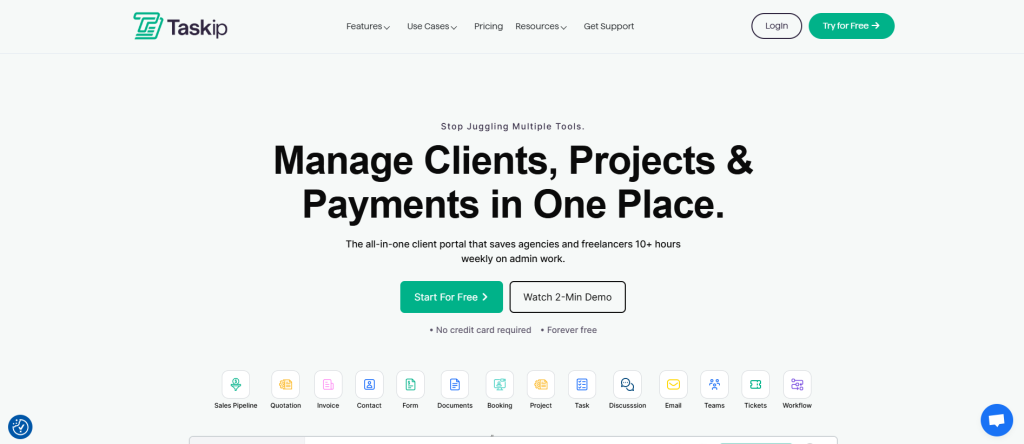
Taskip is an all-in-one client management and project management solution designed specifically for agencies and freelancers who want to eliminate tool fragmentation without sacrificing functionality.
Unlike many competitors that bolt CRM features onto project management platforms (or vice versa), Taskip was architected from the ground up as a unified ecosystem where client relationships, sales pipelines, projects, tasks, invoicing, proposals, and team collaboration exist in perfect harmony.
It has rapidly gained traction among service-based businesses because it truly understands the agency workflow: prospecting leads → managing opportunities → winning deals → delivering projects → invoicing clients → nurturing relationships for upsells.
Why Taskip Is Best For
Taskip is ideal for digital agencies, freelancers, consulting firms, marketing agencies, and any service business that manages both client relationships and project delivery under one roof. It’s particularly powerful for:
- Agencies managing 10-100+ client projects simultaneously
- Teams that struggle with data synchronization between CRM and PM tools
- Freelancers and small agencies with limited budgets but ambitious growth
- Service providers who need complete visibility from lead to invoice
- Organizations tired of juggling multiple subscriptions and integrations
Key Features That Define Taskip’s Excellence
Integrated Sales Pipeline Management
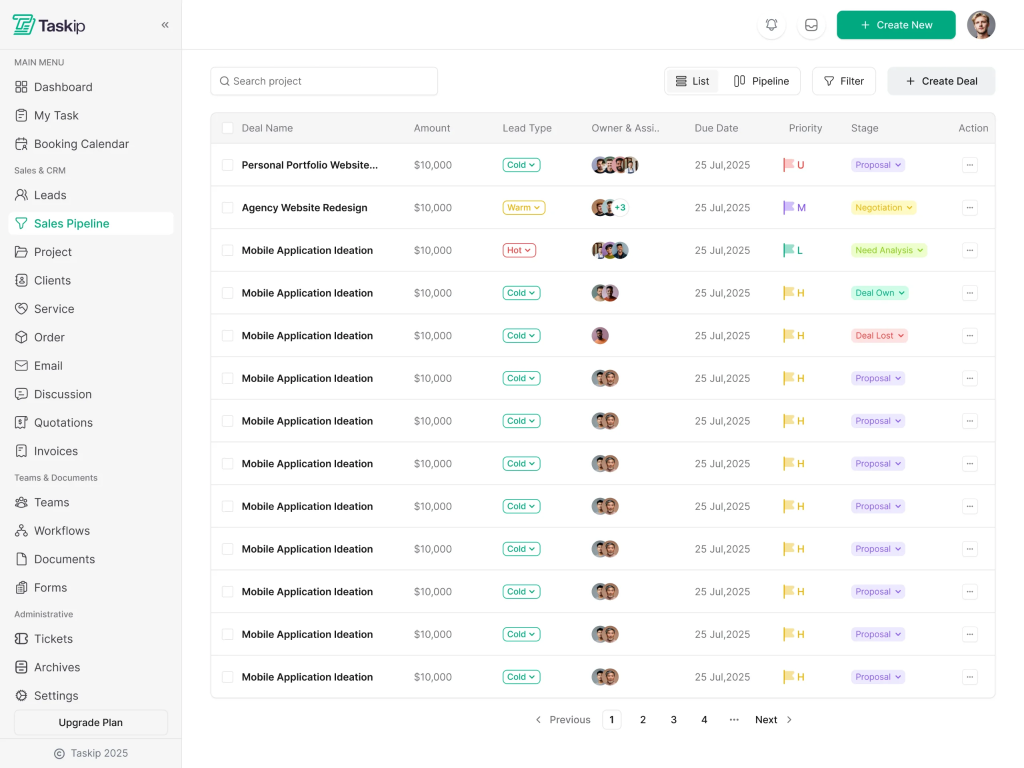
Taskip’s sales pipeline module goes beyond basic deal tracking. You can create unlimited pipelines (unlike platforms that restrict you to a single pipeline), add deals to any stage, assign them to team members, and link them directly to clients and companies. The system automatically captures all interactions—phone calls, emails, SMS, WhatsApp messages, LinkedIn communications—providing a complete activity log that keeps your team aligned on where each opportunity stands.
The pipeline includes automated email sequences triggered by deal milestones: when a deal is created, when it moves to a new stage, when it closes, or on custom dates you specify. This automation eliminates manual follow-up work and ensures no prospect falls through the cracks.
Comprehensive Project Management Module
Once a deal closes, it transforms seamlessly into a project. Taskip’s project management capabilities include:
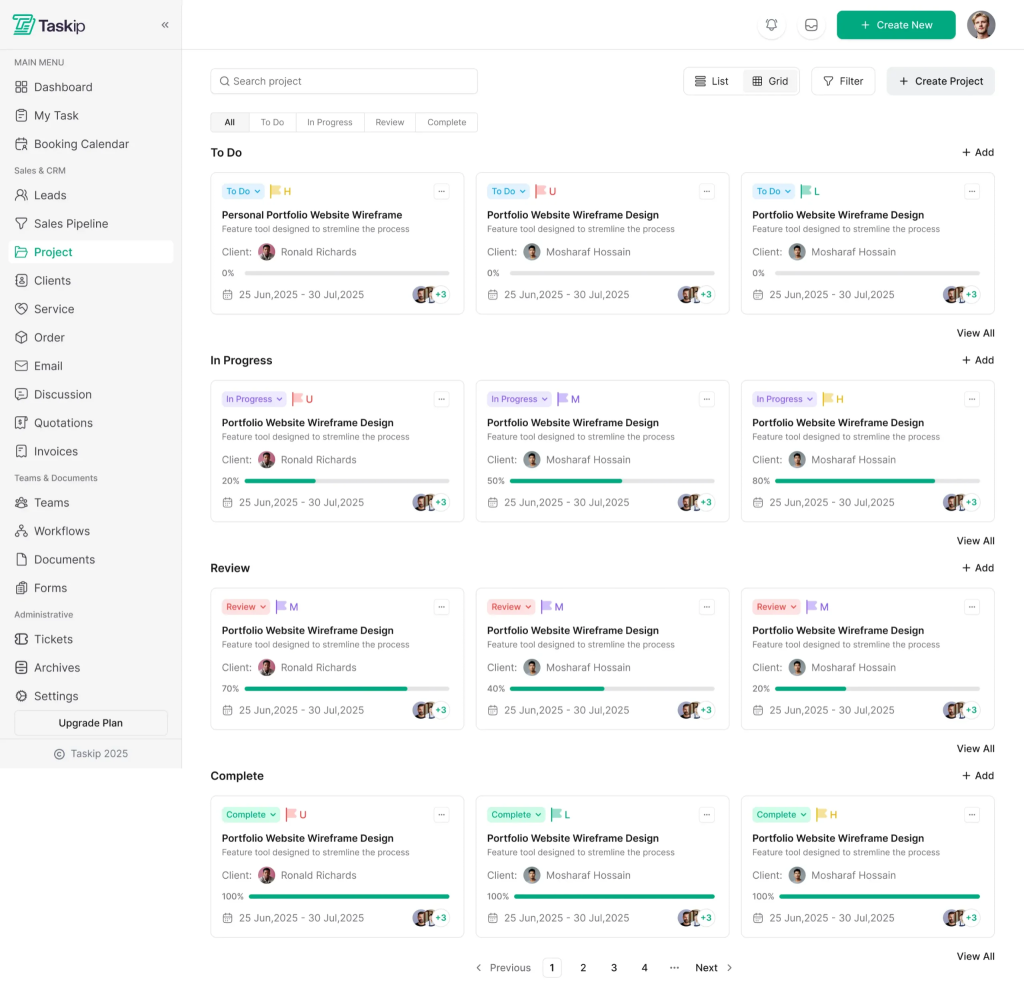
- Kanban boards for visual task organization and workflow management
- Customizable project statuses (Draft, Pinned, Working, Completed, Archived)
- Drag-and-drop task management with support for multiple team members and clients
- Multiple assignment capabilities allowing you to assign multiple project managers or clients to a single project
- Automated reminders that trigger based on due dates, notifying both via email and push notifications
- Document management integrated directly into projects, ensuring client requirements and project documentation stay synchronized
- Discussion boards within each project for seamless team and client collaboration
Native CRM Capabilities
Taskip’s CRM isn’t an afterthought—it’s engineered to work seamlessly with the project engine. Features include:
- Contact management with unlimited client storage
- Company management for organizing multi-contact organizations
- Deal tracking from prospect through close with customizable pipeline stages
- Activity logging capturing every interaction across channels
- Meeting management with scheduling, rescheduling, and cancellation capabilities
- Email integration that syncs communications directly to the CRM
- Automated form handling converting form submissions into contacts instantly
Advanced Invoicing and Financial Management
The invoicing module in Taskip creates a direct link between project delivery and billing:
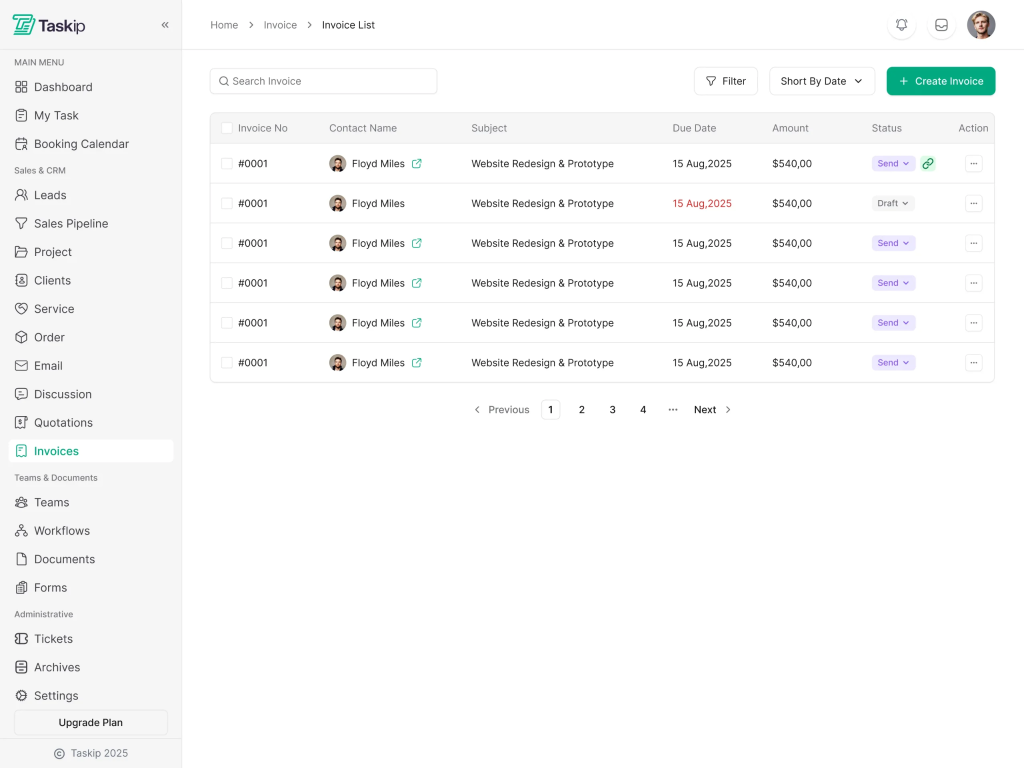
- Automatically generate invoices from project work
- Create one-time or recurring invoices for retainer clients
- Public invoice URLs allowing clients to view and pay without logging in
- Expense tracking integrated with project costs
- Budget tracking to ensure projects stay profitable
Client Portal and Communication
Clients don’t need to log into complicated systems. Taskip’s client portal lets them:
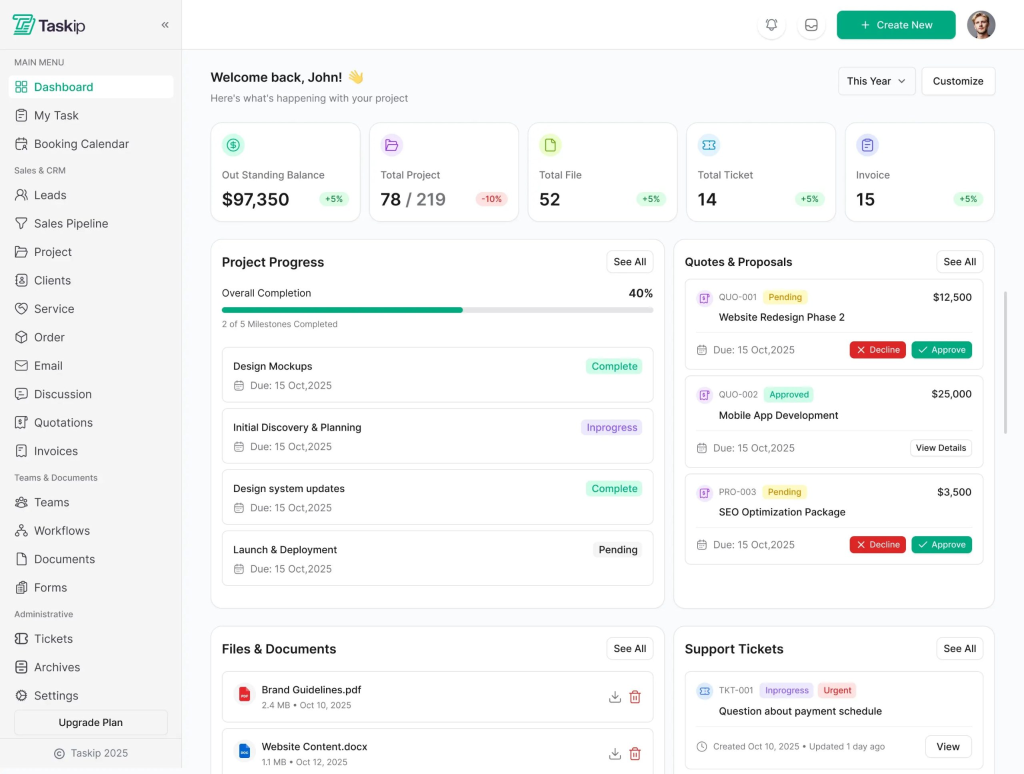
- Track project progress in real-time
- Provide feedback and approvals on deliverables
- Access all shared documents and resources
- Submit support tickets for seamless issue resolution
- View invoices and payment history
- Receive automatic updates on project milestones
Meeting and Activity Logging
Unlike CRMs that treat meetings as a footnote, Taskip centralizes all client interactions:
- Meeting minutes logging to capture decisions and action items
- Meeting reminders and follow-ups with customizable email templates
- Email logging to maintain a complete communication history
- WhatsApp and SMS logging for teams that communicate beyond email
- Call logging to document sales conversations and client discussions
Taskip Pricing Structure
Taskip offers transparent, per-user pricing that scales with your team:
- Starter Plan: Perfect for freelancers and tiny teams launching their first project management workflow
- Growing Team Plan: Ideal for agencies with 3-10 team members managing multiple client projects
- Enterprise Plan: Custom pricing for larger agencies with advanced requirements
Taskip offers a free trial without requiring a credit card, letting you fully explore features before committing. Annual billing provides significant discounts compared to monthly subscriptions.
Taskip Pros and Cons
| Pros | Cons |
| True all-in-one platform (no syncing chaos) | Fewer community integrations |
| Unlimited custom pipelines | Learning curve for power users |
| No-code automation & workflows | |
| Integrated invoicing | |
| Free client portal | |
| Multi-channel communication (email, SMS, WhatsApp, etc.) | |
| Fast & responsive customer support | |
| Very affordable pricing |
2. Scoro – Best for Comprehensive Operational Visibility
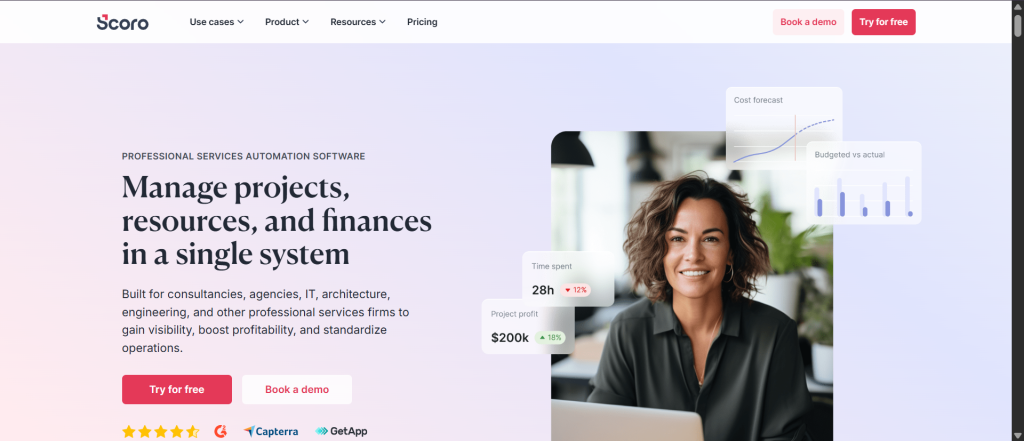
Scoro is a professional services automation (PSA) platform that combines project management, CRM, invoicing, and financial reporting into a single environment. It’s engineered for agencies and consultancies that need deep financial insights alongside project delivery.
Why Scoro Is Best For
Professional services firms (agencies, consultancies, design studios) managing complex projects with strict profitability requirements. Scoro excels when financial forecasting and resource utilization matter as much as project delivery.
Key Features
- Built-in CRM with sales funnel overviews and revenue forecasting
- Advanced project management with automated templates and milestone tracking
- Resource management with utilization heatmaps showing team allocation
- Matrix-style quoting for accurate project scoping
- Real-time financial forecasting and cost tracking
- Multi-entity and multi-currency support for global firms
- 50+ pre-built reports and customizable dashboards
Pricing
$19.90–$49.90/month per user, with custom enterprise pricing available.
Pros and Cons
| Pros | Cons |
| Exceptional financial reporting | Higher price point |
| Excellent resource management | Can overwhelm small/simple teams |
| Seamless deal-to-project automation | Steeper learning curve due to depth |
| Strong integrations (60+ tools) |
3. Accelo – Best for Service Business Automation
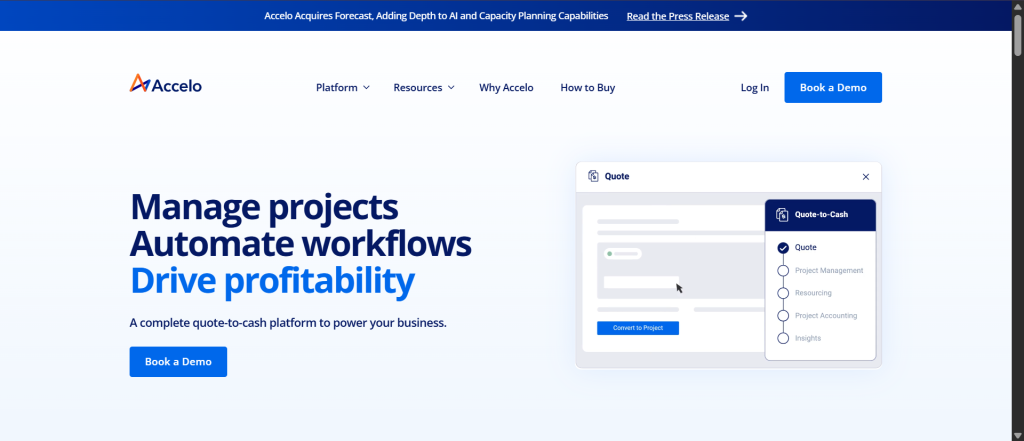
Accelo specializes in automating the quote-to-cash cycle for professional services firms. It bridges sales and service delivery with particular strength in reducing sales cycle time through automation.
Why Accelo Is Best For
Service businesses focused on rapid quote-to-project conversion and client profitability tracking. Perfect if your primary pain point is the handoff between sales and delivery teams.
Key Features
- Lead and quote management with one-click project conversion
- Automatic time tracking captures hours without manual input
- Integrated support ticket management linked to projects
- Resource scheduling with utilization tracking
- Centralized activity stream syncing Gmail and Outlook communications
- Client profitability tracking at the project level
Pricing
Custom pricing with three tiers (Professional, Business, Advanced). Demo required for quotes.
Pros and Cons
| Pros | Cons |
| Outstanding invoice automation (huge time savings) | No free trial (demo required) |
| Excellent resource scheduling | Custom pricing → hard to compare |
| Strong automation capabilities | Limited CRM integrations (only HubSpot/Salesforce) |
| Great for teams focused on efficiency |
4. Productive – Best for Unified Resource Planning
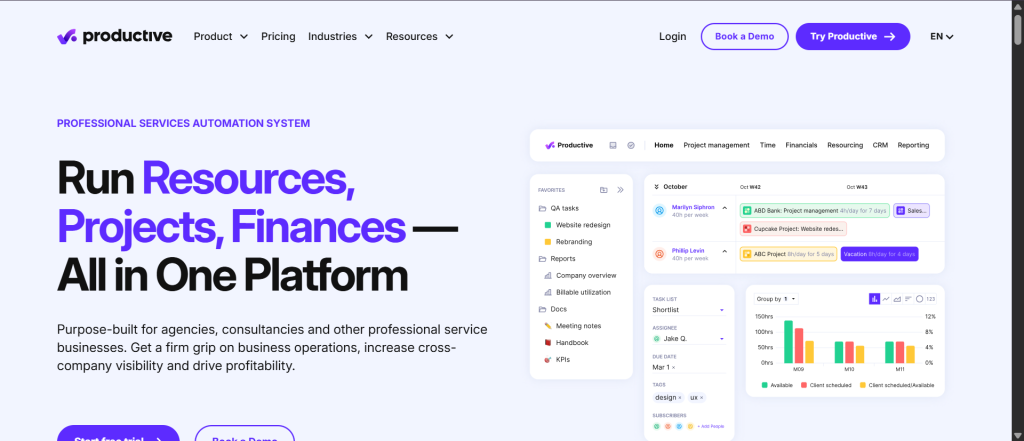
Productive combines project management and CRM with sophisticated resource planning and financial management. It’s purpose-built for professional services companies that need to optimize team utilization while managing client relationships.
Why Productive Is Best For
Agencies and consultancies where resource allocation directly impacts profitability. Best for teams managing billable hours and retainer models with multiple clients.
Key Features
- Sales CRM with deal pipelines and proposal building
- Project management with multiple views (Kanban, Gantt, Calendar, Workload)
- Resource planning with bookings and availability management
- Real-time budgeting with forecasting and overrun alerts
- Time tracking with billable/non-billable hour differentiation
- 50+ reporting templates plus custom report builder
- Extensive integrations (Slack, Google Calendar, Xero, QuickBooks, BambooHR)
Pricing
$9–$32/month per user, depending on features and reporting needs.
Pros and Cons
| Pros | Cons |
| Excellent resource planning interface | CRM requires separate subscription |
| Strong financial forecasting & budgeting | Advanced analytics limited to higher tiers |
| Clean, modern interface | Smaller user base than big competitors |
| Great integration ecosystem | |
| Affordable pricing |
5. Flowlu – Best for Affordable All-In-One Solution
Flowlu is a business platform serving 25,000+ companies that consolidates CRM, project management, invoicing, and knowledge management into a single, budget-friendly platform.
Why Flowlu Is Best For
Small to medium businesses, marketing agencies, IT departments, event planners, and consultants seeking an affordable all-in-one solution. Perfect if your primary concern is cost without sacrificing functionality.
Key Features
- Full project management with Gantt charts and templates
- Integrated CRM with opportunity tracking
- Document builder for custom proposals and contracts
- Financial management with invoicing and expense tracking
- Mind-mapping tools for brainstorming
- Client portal for project tracking
- 50+ integrations with tools like Slack and Stripe
Pricing
Free plan available; paid tiers from $9–$17/month per user.
Pros and Cons
| Pros | Cons |
| Exceptional price-to-feature ratio | Smaller dev team (Russia-based) → slower updates |
| True all-in-one platform | Less polished UI than enterprise options |
| Free plan with real functionality | Limited external CRM integrations |
| No-code workflow automation | |
| Strong collaboration tools |
6. Monday.com + Monday CRM – Best for Flexible, Visual Project Organization
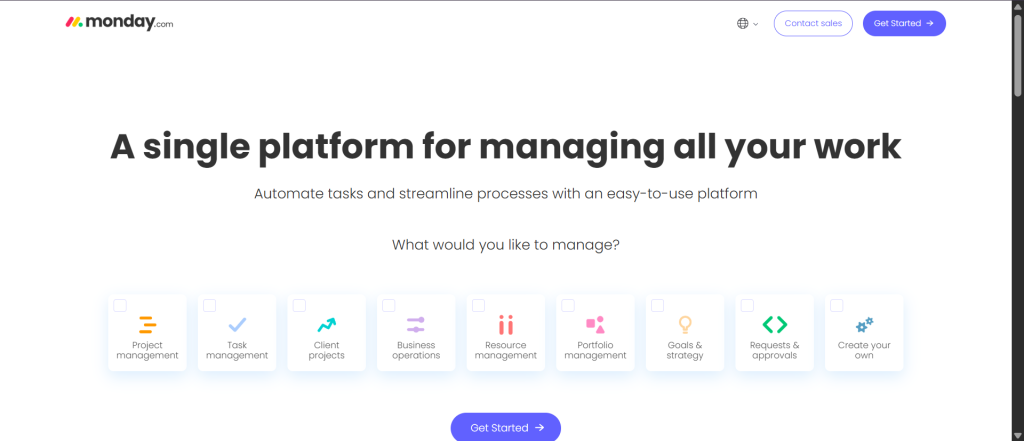
Monday.com is a versatile work management platform that combines flexible project management with a visual CRM module. It serves 245,000+ customers across industries from startups to Fortune 500 companies.
Why Monday.com Is Best For
Teams that value visual, customizable workflows and want flexibility in how they organize work. Excellent for teams with diverse project types that need adaptability.
Key Features
- Drag-and-drop CRM with colorful, intuitive design
- Multiple project views (Kanban, Gantt, Calendar, Timeline)
- Visual resource management and capacity tracking
- AI-powered tools identifying project risks
- Custom dashboards and real-time reporting
- 200+ native integrations (HubSpot, Zoho CRM support)
Pricing
Free tier available; paid plans from $9–$19/seat/month. CRM sold separately from $12/seat/month.
Pros and Cons
| Pros | Cons |
| Intuitive visual design & low learning curve | CRM sold separately (extra cost & complexity) |
| Extensive no-code customization | No native Salesforce integration |
| Strong AI and automation features | Needs extra configuration for complex workflows |
| Large ecosystem of integrations | |
| Great for creative/visual teams |
7. Bonsai – Best for Freelancers and Small Agencies
Bonsai combines project management, CRM, proposals, contracts, invoicing, and time tracking into a single platform designed specifically for freelancers and small service businesses.
Why Bonsai Is Best For
Freelancers, independent contractors, and small agencies (2-20 people) that need a lightweight all-in-one solution. Particularly strong for service-based work like design, writing, and consulting.
Key Features
- Integrated CRM for client management
- Proposal and contract management with e-signature
- Time tracking with integrated timers
- Invoicing and payment processing
- Service library for selling packages
- Scheduling and booking capabilities
- Kanban view and task management
Pricing
$9–$49/month per user, with multiple tiers:
- Basic: $9/month – Projects, CRM, time tracking
- Essentials: $19/month – Adds invoicing, proposals, contracts, scheduling
- Premium: $29/month – Adds reporting, workload management, Gantt view
- Elite: $49/month – Adds custom permissions, staffing management, integrations
Pros and Cons
| Pros | Cons |
| Excellent all-in-one for freelancers | Per-user pricing gets expensive for teams |
| Clean, modern interface | Lighter CRM compared to enterprise tools |
| Strong contract & proposal management | Some users report rising costs/fees |
| Built-in e-signature | Limited advanced automation |
| Free trial (no credit card) |
8. HubSpot – Best for Marketing and Sales Teams
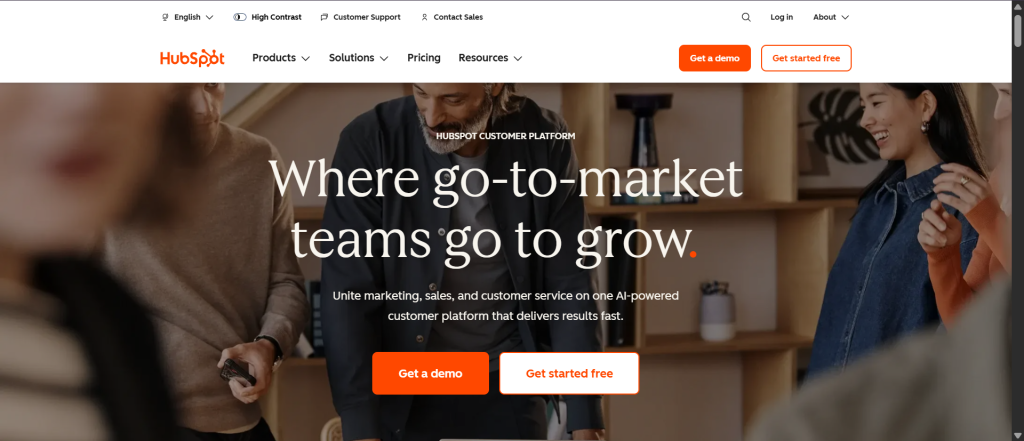
HubSpot is primarily a CRM platform with recently added project management capabilities through its new Projects object. Best integrated with external PM tools rather than serving as a true all-in-one solution.
Why HubSpot Is Best For
Marketing and sales teams that live primarily in HubSpot and need lightweight project tracking for internal tasks. Less ideal for service delivery teams requiring robust project management.
Key Features
- CRM with sales, marketing, and service hubs
- New Projects object with Gantt chart views
- Task creation and assignment with priorities
- Workflow automation and customizable workflows
- Project templates (coming soon)
- Task dependencies (coming soon)
- Integration with HubSpot’s full ecosystem
Pricing
Free tier available; paid plans start at starter pricing ($50+/month) for project features.
Pros and Cons
| Pros | Cons |
| Seamless with HubSpot marketing/sales ecosystem | Project management is quite lightweight |
| Excellent cross-functional workflows | Often requires external PM tools |
| Strong automation capabilities | Pricing escalates quickly with modules |
| Very large integration ecosystem | Not a true dedicated PM alternative |
9. Salesforce – Best for Enterprise-Scale Operations
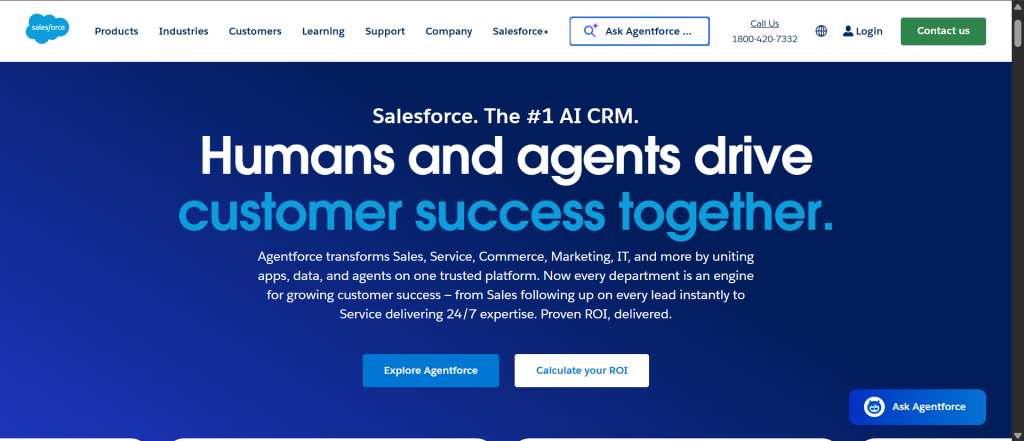
Salesforce is the world’s leading CRM platform that can support project management through customization and AppExchange add-ons, though it’s not natively designed as an all-in-one project management solution.
Why Salesforce Is Best For
Large enterprises with complex CRM requirements, significant customization budgets, and the need for advanced integrations and scalability.
Key Features
- Comprehensive CRM with sales, service, and marketing clouds
- Project management through AppExchange integrations (Mission Control, Inspire Planner)
- Extensive customization through Apex code and configuration
- Advanced AI capabilities through Einstein
- Multi-cloud ecosystem (Commerce Cloud, Service Cloud)
- Industry-specific solutions
Pricing
Custom enterprise pricing, typically $165+/month per user.
Pros and Cons
| Pros | Cons |
| Infinitely customizable & scalable | Very steep learning curve |
| Largest integration ecosystem | High implementation & customization costs |
| Strong security & compliance | Overkill (and too expensive) for small teams |
| Excellent for large enterprises | Usually needs external PM tools |
| Powerful AI analytics |
10. Zoho Projects + Zoho CRM – Best for Affordable Integrated Suite
Zoho offers separate but integrated CRM and project management products within their broader 45+ app ecosystem. Best for teams already using Zoho tools or seeking an affordable integrated solution.
Why Zoho Is Best For
Small to medium businesses are comfortable with Zoho’s ecosystem or seeking budget-friendly, integrated tools. Best when you plan to use other Zoho applications (invoicing, HR, analytics).
Key Features
- Zoho Projects: Task management, Gantt charts, time tracking, team collaboration
- Zoho CRM: Sales pipeline, mass email campaigns, sales forecasting, automation
- Native integration between Projects and CRM
- AI assistant (Zia) for insights and automation
- Canvas design studio for custom layouts
- Territory management and multi-user portals
- 1,000+ integrations through Zoho Marketplace
Pricing
- Zoho Projects: Free plan (up to 5 users); paid from $4.70–$10.50/month per user
- Zoho CRM: Free plan (up to 3 users); paid from $16/month per user
Pros and Cons
| Pros | Cons |
| Exceptional affordability | Projects & CRM are separate products (even with integration) |
| Strong integration between modules | Can feel overwhelming (entire Zoho suite) |
| Free plans with real functionality | Advanced automation requires setup |
| Large app ecosystem (1,000+ integrations) | Smaller community than enterprise giants |
| Ideal for teams already in Zoho |
Comparative Analysis – How These Solutions Stack Up
Feature Comparison At a Glance
| Feature | Taskip | Scoro | Accelo | Monday | Bonsai | HubSpot | Zoho |
| All-In-One Design | ✅ Native | ✅ Native | ✅ Native | ⚠️ Separate | ✅ Native | ⚠️ Add-on | ⚠️ Separate |
| Sales Pipeline | ✅ Unlimited | ✅ Yes | ✅ Yes | ✅ Yes | ✅ Yes | ✅ Yes | ✅ Yes |
| Project Management | ✅ Robust | ✅ Advanced | ✅ Robust | ✅ Excellent | ✅ Good | ⚠️ Basic | ✅ Good |
| Resource Planning | ✅ Yes | ✅ Excellent | ✅ Yes | ✅ Yes | ⚠️ Basic | ⚠️ Basic | ⚠️ Basic |
| Invoicing | ✅ Integrated | ✅ Advanced | ✅ Integrated | ⚠️ Separate | ✅ Yes | ⚠️ Separate | ✅ Yes |
| Time Tracking | ✅ Yes | ✅ Yes | ✅ Automated | ✅ Yes | ✅ Built-in | ⚠️ Limited | ✅ Yes |
| Client Portal | ✅ Free | ✅ Yes | ✅ Yes | ⚠️ Limited | ⚠️ Basic | ⚠️ Limited | ⚠️ Limited |
| Automation | ✅ Advanced | ✅ Advanced | ✅ Strong | ✅ AI-powered | ✅ Good | ✅ Excellent | ✅ Good |
| Integrations | ✅ 50+ (Zapier) | ✅ 60+ | ✅ 18 | ✅ 200+ | ✅ Good | ✅ 1000+ | ✅ 1000+ |
| Starting Price | $$ | $$$ | $$$$ | $$ | $ | $$ | $ |
How to Choose the Right Project Management Software With CRM
Step 1: Assess Your Core Workflows
Before evaluating any platform, map your organization’s actual workflows:
- Sales process: How do you find, qualify, and close deals?
- Project delivery: How are projects organized, assigned, and tracked?
- Client communication: How do teams and clients stay connected?
- Billing process: How do you invoice and collect payments?
- Reporting needs: What metrics matter for decision-making?
Step 2: Define Non-Negotiable Features
Create a list of features your team cannot operate without. For most service businesses, this includes:
- Contact and company management
- Sales pipeline tracking
- Project task management
- Team collaboration
- Client visibility
- Invoicing capabilities
- Integration with existing tools
Step 3: Consider Total Cost of Ownership
Don’t just look at monthly pricing. Calculate the true cost:
- Per-user costs multiplied by team size
- Implementation and training time
- Integration and customization expenses
- Cost of replacing tools you’d eliminate
Taskip, Flowlu, and Zoho excel at providing comprehensive functionality at low cost. Salesforce and enterprise Scoro plans require significant budgets.
Step 4: Evaluate the User Experience
Schedule demos or free trials with your actual team. The best software for your organization is the one your team will actually use consistently.
Key UX questions:
- Can a new team member figure it out without extensive training?
- Is the interface intuitive or does it require constant documentation?
- Does the mobile experience meet your team’s needs?
- Is the reporting self-service or do you need support?
Step 5: Test Integration Capabilities
Your CRM+PM tool won’t exist in a vacuum. Verify it integrates with:
- Your email provider (Gmail, Outlook)
- Your accounting software (QuickBooks, Xero)
- Your communication tools (Slack, Teams)
- Your calendar system
- Your file storage (Google Drive, Dropbox)
Platforms like Salesforce and HubSpot lead in native integrations, while Taskip and Flowlu rely more on Zapier for extensibility.
Step 6: Plan for Data Migration
If you’re migrating from existing CRM and PM tools, understand:
- What data can be imported?
- How long is the migration process?
- What support does the vendor provide?
- Do they offer dedicated migration specialists?
The Cost of Fragmentation – Why All-In-One Solutions Matter
Many organizations still operate with separate CRM, project management, invoicing, and time tracking tools. While this flexibility sounds appealing, it creates hidden costs:
Operational Inefficiency
Your sales team enters data into the CRM. Your project manager re-enters the same data into the PM tool. Your bookkeeper manually creates invoices. Hours per week are wasted on data entry and synchronization.
Poor Visibility
When data lives in separate systems, nobody has a complete picture. The sales team doesn’t know project status. Project teams don’t understand pipeline context. Finance can’t predict cash flow. Executives lack unified dashboards.
Integration Failures
APIs break. Webhooks fail. Data syncs miss updates. Your team discovers inconsistencies only when someone explicitly checks—and by then, problems have compounded.
Higher Costs
A $50/month CRM + $30/month PM tool + $25/month invoicing tool + $20/month time tracking = $125/month per user. Taskip delivers similar or superior functionality for $9-39/month per user. At a 10-person team, you’re looking at $960/month (annual) in savings with Taskip, or $1,560 with Flowlu.
All-in-one solutions like Taskip, Scoro, Accelo, Flowlu, and Bonsai eliminate these inefficiencies by design.
Essential Features Every CRM + Project Management Solution Must Have
1. Seamless Deal-to-Project Automation
When you close a deal, the platform should automatically create a project with all relevant context: client information, deal value, scope, contacts, and timeline. This handoff from sales to delivery should happen instantly and completely, requiring zero manual data re-entry.
Best performers: Taskip, Accelo, Scoro
2. Multi-Channel Communication Logging
Today’s clients communicate across email, phone, SMS, WhatsApp, LinkedIn, and video calls. Your platform should capture interactions across all channels and link them to client records, deals, and projects automatically.
Best performers: Taskip, Accelo, HubSpot
3. Flexible Pipeline Management
Different projects have different sales processes. Your platform should support multiple pipelines with customizable stages. Some deals might move through Prospect → Qualified → Proposal → Closed. Others might be Opportunity → Negotiation → Signed → Onboarding.
Best performers: Taskip (unlimited pipelines), Zoho, Scoro
4. Resource and Capacity Planning
If you can’t see which team members are available for new projects, you’ll either overbooking your best people or leaving capacity unused. Resource planning prevents burnout and ensures profitability.
Best performers: Scoro, Productive, Accelo, Monday.com
5. Time and Expense Tracking
For service businesses, time is your primary commodity. The platform should capture billable and non-billable hours, making it easy to:
- Track project costs against budget
- Generate accurate invoices based on actual hours
- Calculate team utilization and profitability
- Forecast project margin in real-time
Best performers: Taskip, Bonsai, Accelo, Productive
6. Financial Forecasting
Your platform should help you predict financial outcomes before projects are over:
- Will this project be profitable at current burn rate?
- Are we at risk of going over budget?
- What’s our cash position if we invoice on time?
Best performers: Scoro, Productive, Accelo
7. Client Portal
Clients shouldn’t need a login or training to view their project status. A lightweight client portal should give them visibility into:
- Project progress and milestones
- Document and deliverable access
- Invoice and payment history
- The ability to provide feedback without email
Best performers: Taskip, Scoro, Flowlu, Accelo
8. Native Automation Workflows
Powerful automation eliminates repetitive manual work. Your platform should support:
- Email sequences triggered by deal stage changes
- Automatic task creation based on project type
- Invoice generation on project completion
- Reminder notifications based on custom logic
Best performers: Taskip, Monday.com
Common Implementation Mistakes to Avoid
Mistake #1: Selecting a Platform for Features You Don’t Use
Many organizations implement CRM+PM solutions and use only 20% of available features. Choose software aligned with your actual workflows, not your imagined future workflows.
Solution: During the selection phase, focus on your top 10-15 must-have features. Ignore the rest.
Mistake #2: Poor Change Management
Software doesn’t fail because of bugs. It fails because teams don’t adopt it. Common reasons:
- Inadequate training
- Workflow changes viewed as “extra work”
- Leadership not demonstrating commitment
- Comparing the new tool to “how we’ve always done it”
Solution: Plan 4-6 weeks of change management alongside implementation. Have leaders use the system daily. Celebrate wins publicly.
Mistake #3: Inadequate Data Hygiene
Your new system is only as valuable as the data it contains. If you migrate dirty data from your old system, it will haunt you forever.
Solution: Before migration, clean your data. Delete duplicates, standardize formats, remove outdated records.
Mistake #4: Skipping the Integration Planning Phase
Many organizations implement a CRM+PM tool and keep their accounting software, time tracking tool, and email disconnected. This creates data silos again.
Solution: Before going live, plan integrations with accounting, email, and other critical tools.
Mistake #5: Not Allocating a Project Champion
Implementation succeeds when one person owns it. This champion should:
- Lead the selection process
- Oversee implementation and configuration
- Drive team adoption
- Serve as the escalation point for issues
Solution: Assign a dedicated project champion with dedicated time allocation (at least 50% for 3 months).
The Future of CRM + Project Management Integration
The days of separate CRM and project management tools are ending. Forward-thinking organizations are consolidating to unified platforms that break down silos between sales and delivery.
For most organizations, Taskip represents the ideal balance of:
- Complete feature coverage (CRM, PM, invoicing, client portal, automation)
- Affordable pricing ($9-39/month per user)
- True all-in-one design (not bolted-together features)
- Intuitive user experience requiring minimal training
- Strong customer support and active product development
However, the “best” solution depends on your specific needs:
- Choose Taskip if: You want the most affordable, user-friendly all-in-one solution designed specifically for agencies and freelancers
- Choose Scoro if: You need advanced financial forecasting, resource planning, and multi-entity support for a larger professional services firm
- Choose Accelo if: Your biggest pain point is the sales-to-delivery handoff and you want maximum automation
- Choose Flowlu if: Budget is your primary concern and you’re comfortable with a smaller vendor
- Choose Productive if: Resource planning and team utilization are core to your profitability
- Choose Monday.com if: Your team values visual, customizable workflows and you’re comfortable managing CRM separately
- Choose Salesforce if: You’re an enterprise with unlimited budget and customization needs
Expert Tip: Implement one integrated platform rather than fragmented tools. The efficiency gains will surprise you.
So, if you’re ready to eliminate tool fragmentation and streamline your agency operations? Start with a free trial of Taskip and experience firsthand why service-based businesses are consolidating to unified platforms.
In 30 days, you’ll understand why all-in-one solutions represent the future of business software. Good Luck!
Frequently Asked Questions on Best Project Management Software with CRM
Q: What’s the typical implementation timeline?
A: For all-in-one solutions like Taskip: 2-4 weeks from decision to full deployment. For enterprise platforms like Salesforce: 3-6 months minimum.
Q: Do I need a consultant to implement project management software with CRM?
A: For Taskip, Flowlu, Bonsai, Monday.com: No, most teams can self-implement. For Scoro, Accelo, Productive: Possibly, depending on complexity. For Salesforce: Almost certainly yes.
Q: How do I migrate data from my current CRM and project tool?
A: Most modern platforms support imports from Salesforce, HubSpot, Asana, Monday, etc. The process typically involves exporting a CSV from your old tool and importing into the new platform. Data mapping may be required for custom fields.
Q: What happens if I change my mind?
A: Most platforms guarantee your data can be exported. Avoid any vendor that locks your data. All the platforms in this guide support data exports.

![CRM vs Client Portal: Key Differences + Which Tool Freelancers Need First [2026]](https://taskip.net/wp-content/uploads/2025/08/CRM-vs-Client-Portal-Key-Differences-Which-Tool-Freelancers-Need-First-794x450.webp)
Get Summary On: