
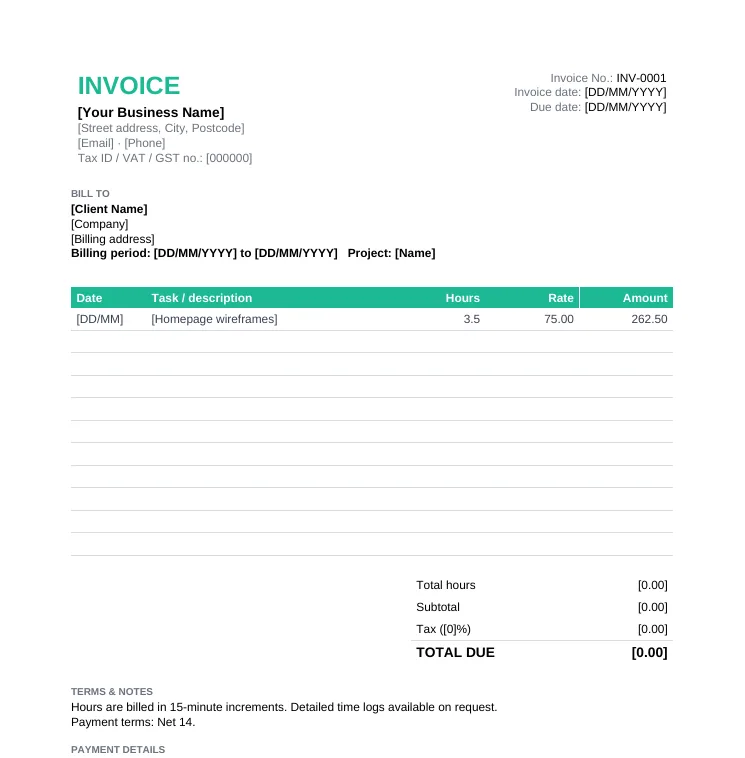
Hourly Invoice Template (Timesheet)
Anyone billing by the hour: a timesheet and an invoice in one.
- Billing period
- Date, task, person, hours and rate per line
- Total hours calculated automatically
- Rounding and time-log note
Anniversary Sale: pay once, use Taskip forever, save up to 70%.Anniversary Sale: 70% off LTD.
Claim OfferBill for your time with an invoice that doubles as a timesheet: every date, task and hour listed, total hours and amount due calculated for you.
4.8/5 on G2 · Our invoice generator is used by 50,000+ people · Updated September 2026What is an hourly invoice?
An hourly invoice template is an invoice that lists the hours worked on each task and date, multiplies them by your hourly rate, and totals both the hours and the amount due.
Clients who pay by the hour want to see where the time went. An hourly invoice, sometimes called a timesheet invoice, answers that on the invoice itself: each line shows the date, the task, who did it, the hours and the rate. That transparency is what gets hourly invoices approved without back-and-forth.
Anyone billing by the hour: a timesheet and an invoice in one.
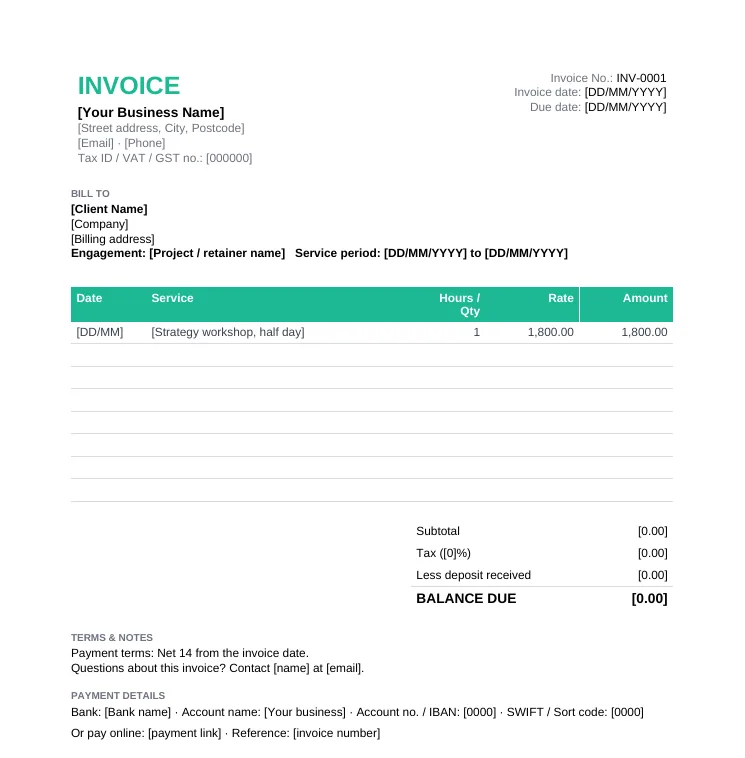
Consultants, agencies and service providers billing for sessions, retainers or projects.
Weekly, fortnightly or monthly. Put the start and end dates at the top.
One line per task per day: date, what you did, who did it and the hours.
Use different rates for different people or types of work if your agreement allows.
The Excel template sums total hours and the amount. Compare against your own time records.
Add tax if you are registered, your payment terms and how to pay.
Send as a PDF, and attach a detailed time report if the client asked for one.
Agree your increment with the client upfront and state it on the invoice.
| Increment | How it works | Common in |
|---|---|---|
| 1 minute | Bill exact time | Tracked software work |
| 6 minutes (0.1 hour) | Round up to the next tenth of an hour | Law firms and accountants |
| 15 minutes (0.25 hour) | Round to the nearest quarter hour | Consultants, agencies, freelancers |
| 30 minutes or 1 hour | Minimum charge per task or call | Repairs, IT support, call-outs |
| Model | How you invoice | Best when |
|---|---|---|
| Hourly | Hours worked x rate, with a time log | Scope is unclear or keeps changing |
| Hourly with a cap | Hours x rate, never above an agreed maximum | The client needs budget certainty |
| Prepaid block of hours | Invoice a block upfront, draw it down | Ongoing support or small requests |
| Fixed fee | One price for a defined scope | The scope is clear and repeatable |
| Monthly retainer | Same amount each month in advance | Long-term relationships with steady work |
Vague entries get queried. Specific ones get paid.
| Vague | Clear |
|---|---|
| Design work, 4h | Homepage wireframes, desktop and mobile, 2 revisions, 4.0h |
| Meeting, 1h | Sprint planning call with Sarah and Tom, 1.0h |
| Fixes, 2.5h | Fixed checkout tax bug and deployed to staging, 2.5h |
| Emails, 0.5h | Supplier quotes compared and summary sent to client, 0.5h |
Free Invoice Templates
8 invoice templates in Word, Excel and PDF, plus a filled sample invoice.
Free Invoice Generator
Create an invoice online in minutes: 39 currencies, auto numbering, PDF, no signup.
Freelance Invoice Template
Invoice clients as a freelancer, with deposits and late fees.
Invoice Payment Terms
Net 30, 2/10 Net 30, deposits and late fee wording to copy.
Billable Hours Calculator
Work out how many hours you can actually bill.
Taskip Invoicing
Online payments, recurring invoices and payment tracking in one place.
List each block of time with the date, task and hours, multiply by your hourly rate, total the hours and amount, add tax if applicable, and include payment terms and details. The hourly invoice template does the math in Excel.
If the client asks, yes. The hourly invoice template already lists each task and date, which is enough for most clients.
Weekly or monthly is common. Shorter periods keep cash flowing and make each invoice easier to review.
Yes. Put each rate on its own line, for example senior consultant hours and junior hours, and label them clearly.
Yes. In the free invoice generator, enter the hours as the quantity and your hourly rate as the price on each line.
Only if you agreed it. Many consultants bill travel at half rate or a flat fee, and state it on the quote and invoice.
An agreed maximum the client will pay for the work. You still bill hourly, but never above the cap, and show hours used and budget remaining on each invoice.
If they are part of the work and your agreement is hourly, yes. Log them with a clear description so the client sees the value.