Anniversary Sale: 70% off LTD.

Claim Offer
Taskip
Billing · Word, Excel & PDF

Free Invoice Template: Word, Excel & PDF

Download a free invoice template that is ready to fill in: simple, standard, service, freelance, hourly, proforma, VAT/GST tax invoice or GST India. Excel versions calculate totals, tax and balance due. No signup, no watermark.

4.8/5 on G2 · Our invoice generator is used by 50,000+ people · Updated September 2026

What is an invoice template?

An invoice template is a pre-formatted invoice you fill in with your own details and prices, so every bill you send looks professional, is numbered correctly and tells the client exactly what to pay, by when and how.

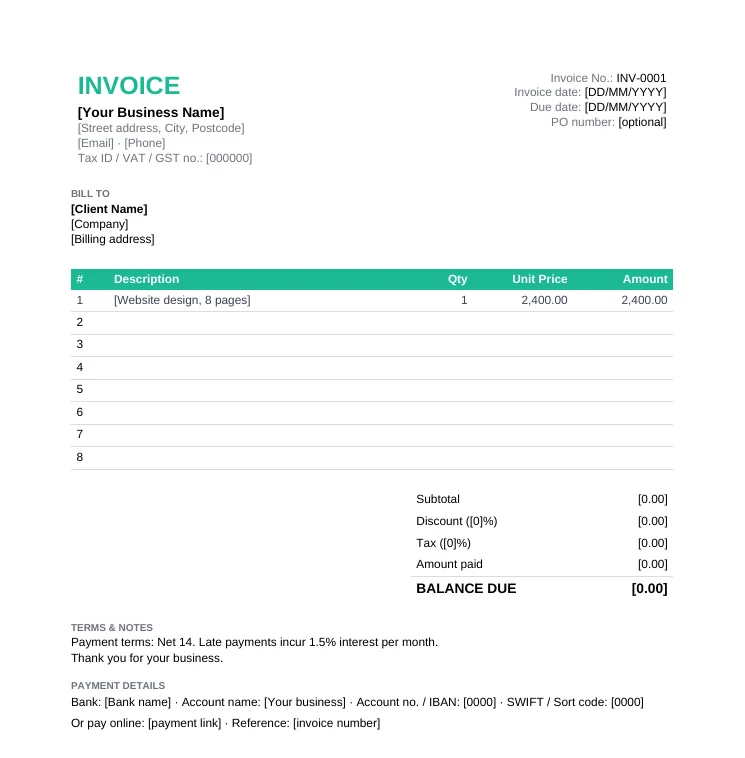
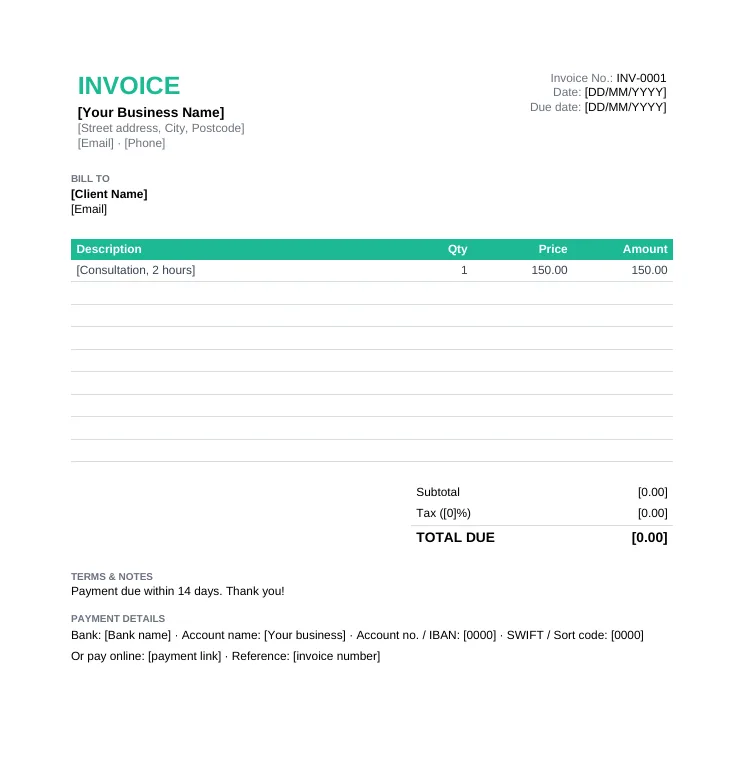
An invoice template (also called a billing template or invoice format) already has the standard invoice layout: your business details, the client's billing details, an invoice number and due date, a table for line items, the subtotal, tax and amount due, payment terms and payment details. You replace the placeholders, add your line items and send it as a PDF.

  • Sent after work is delivered or goods are shipped
  • Needs a unique, sequential invoice number
  • States a due date, usually 7 to 30 days after the invoice date
  • Tax-registered businesses must include their VAT/GST number
  • Followed by a receipt once the client pays

Download a Free Invoice Template

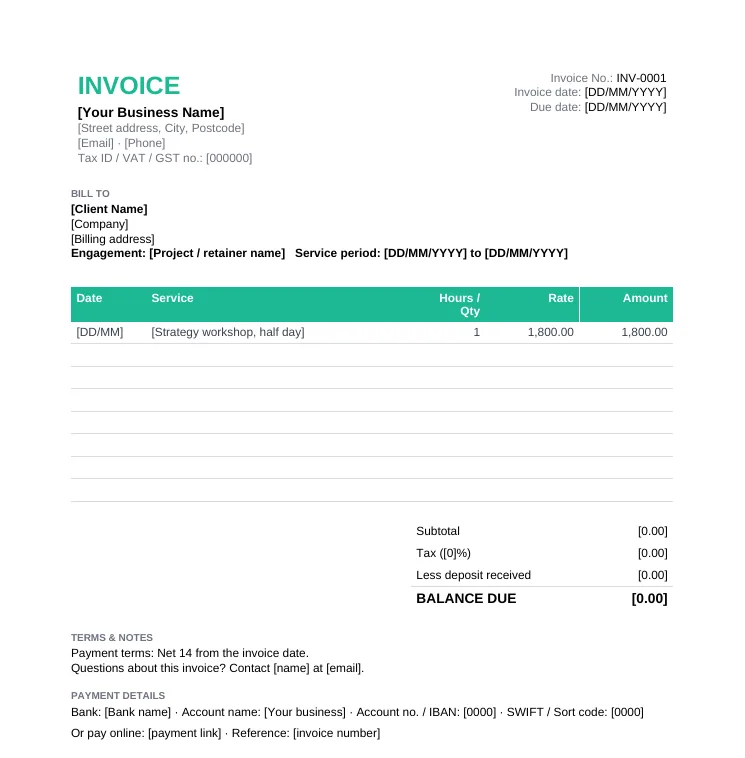
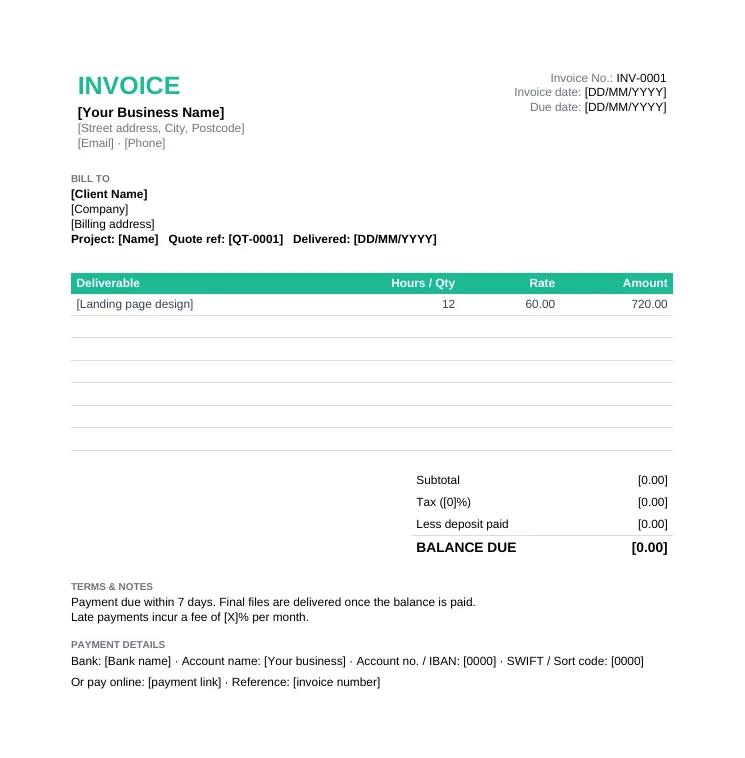
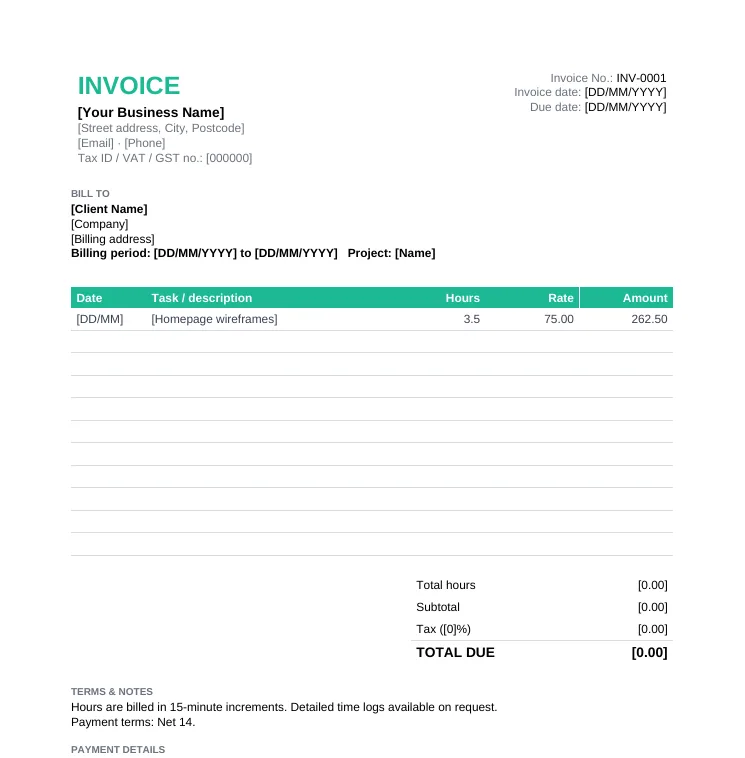
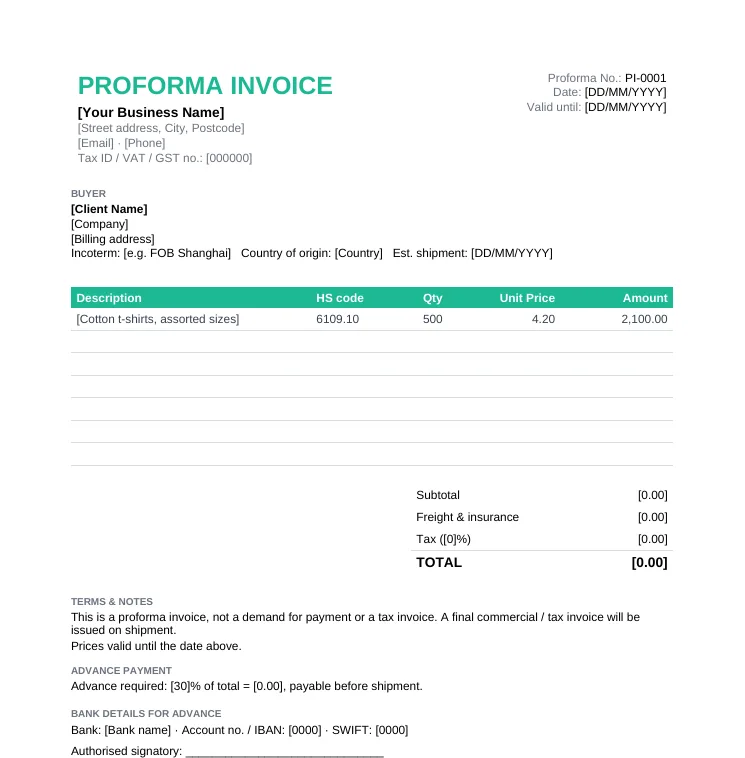
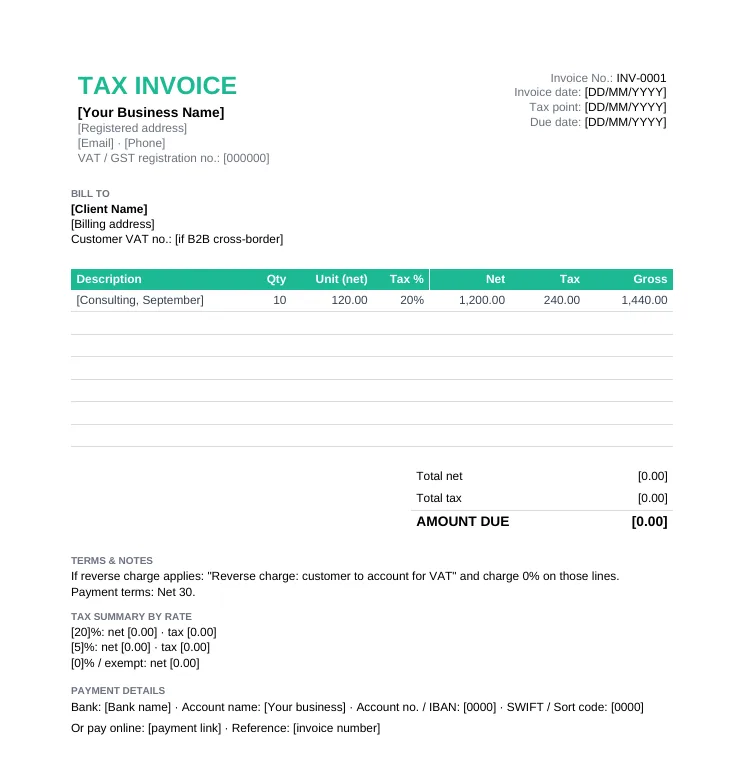
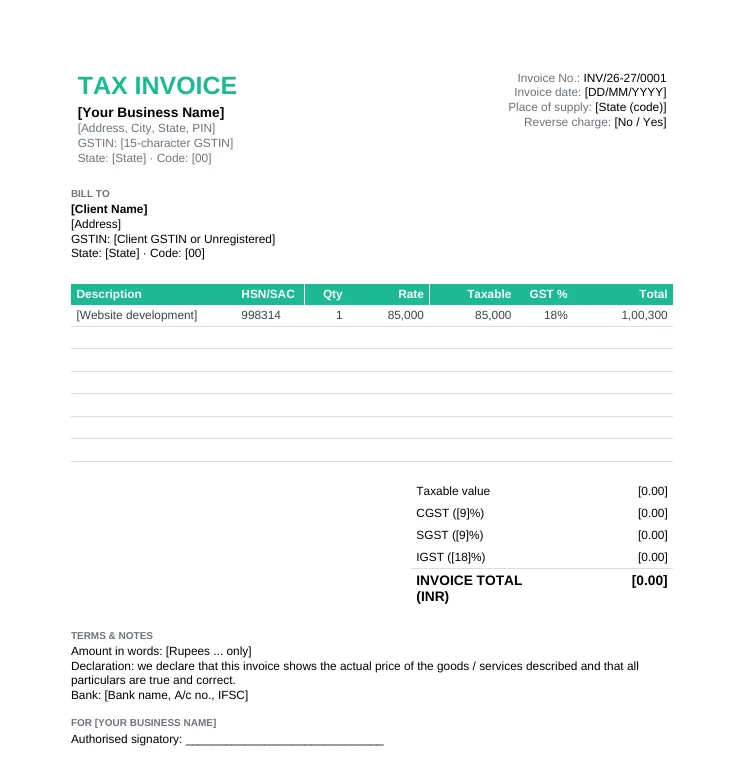
8 invoice templates, each in Word, Excel and PDF. Pick the one that matches how you bill.

Only need one format? See every invoice template in Word or every invoice template in Excel.

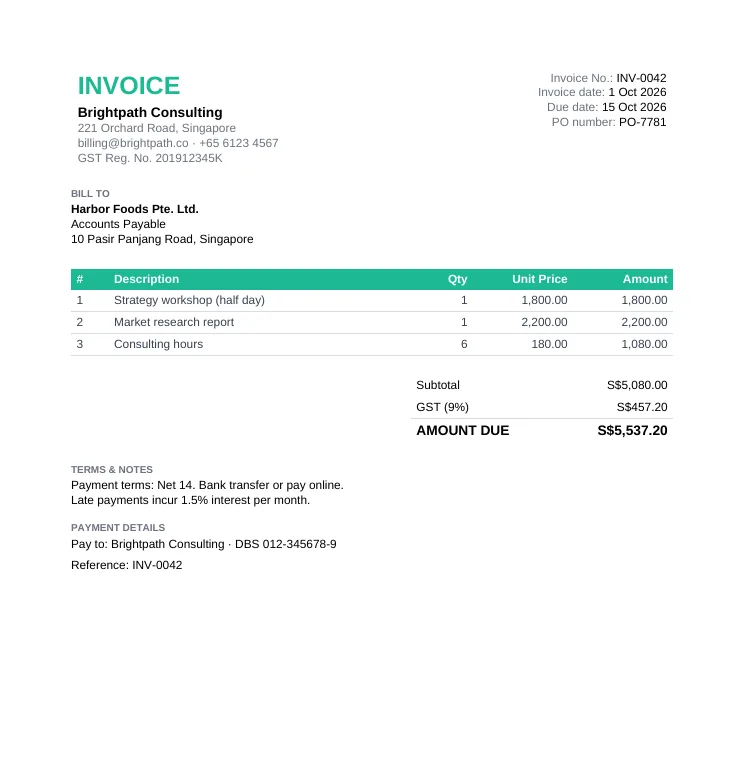
Sample invoice filled in for a consulting firm: three line items, 9% GST, amount due S$5,537.20, Net 14 payment terms and bank details

Sample Invoice: A Filled-In Example

Not sure what a finished invoice should look like? This sample invoice is a real, filled-in example for a consulting firm, built on the standard template. Use it as a reference for wording, layout and payment terms.

  • Invoice number INV-0042, dated 1 Oct 2026, due 15 Oct 2026, with the client's PO number
  • Three itemized lines: a workshop, a report and 6 consulting hours
  • Subtotal S$5,080.00 plus 9% GST, shown as a separate line
  • Amount due S$5,537.20 with Net 14 terms and a late fee
  • Bank details and the payment reference the client should use

Invoice Format: What Every Invoice Template Includes

Whichever template you use, these ten parts make up the standard invoice format. Missing one is the most common reason invoices get paid late.

SectionWhat to writeExample
Title and invoice numberThe word "Invoice" and a unique, sequential numberINV-0042
Invoice date and due dateWhen you issued it and when payment is due1 Oct 2026, due 15 Oct 2026
Your business detailsName, address, email, phone and tax IDGST Reg. No. 201912345K
Bill-to detailsClient's legal name, billing address and contactHarbor Foods Pte. Ltd., Accounts Payable
PO or reference numberThe client's purchase order or your quote referencePO-7781
Line itemsDescription, quantity, unit price and amount for each itemConsulting hours, 6 x 180.00
Subtotal, discount and taxThe math behind the total, with the tax rate shownGST 9%
Amount dueThe total, less any deposit already paidS$5,537.20
Payment termsWhen and how to pay, and any late feeNet 14, 1.5% per month late fee
Payment detailsBank details or a payment link, plus a referenceReference: INV-0042

Want to see a filled-in example with every part explained? See the sample invoice.

Invoice Template in Word, Excel, PDF or Google Docs: Which to Use

The content is the same in every format. What changes is how you edit it and whether the math is done for you.

FormatBest forCalculationsEditing
Word (.docx)Service businesses that want to add notes and termsYou type the totals yourselfEasy to edit, also opens in Google Docs
Excel (.xlsx)Hourly billing, long product lists, tax invoicesAmounts, tax and balance due calculate automaticallyOpens in Google Sheets and Numbers too
PDFPrinting a blank invoice to fill in by handNone, it is a printable formNot editable
Google Docs / SheetsTeams that work in Google DriveAutomatic in Sheets (upload the .xlsx)Upload the .docx or .xlsx to Drive, then Open with Google Docs or Sheets

Invoice vs. Receipt vs. Quotation vs. Proforma vs. Credit Note

Five billing documents that look alike but do different jobs. Use the right one at the right stage.

DocumentWhenPurposeMake one
QuotationBefore work startsA price offer the client can acceptQuotation templates
Proforma invoiceAfter acceptance, before deliveryA preview to request an advance or clear customsProforma invoice template
InvoiceAfter deliveryA request for paymentThe templates above, or the free invoice generator
ReceiptAfter paymentProof that payment was receivedFree receipt generator
Credit noteWhen an invoice needs correctingReduces or cancels an invoiceFree credit note generator

Sending lots of invoices? Taskip Invoicing turns accepted quotes into invoices in one click, takes online payments and tracks what is paid, pending or overdue.

When should I send an invoice?

As soon as the work is delivered or the goods ship. For long projects, invoice deposits and milestones as you go, and for retainers invoice in advance on the same day each month. Late invoices get paid late.

Do I have to issue an invoice?

An invoice is your formal request for payment and your record of the sale. If you are VAT or GST registered you usually must issue a tax invoice to business customers, for example within 30 days of the supply in the UK. See tax invoice rules by country. General information, not legal advice.

How to Fill In an Invoice Template

1

Pick the right template

Standard for most jobs, hourly if you bill time, proforma for advance payments, tax invoice if you are VAT or GST registered.

2

Add your business details

Business name, address, contact details, logo and your tax ID or VAT/GST number.

3

Add the client and reference

Client's legal name and billing address, plus their PO number or your quote reference.

4

Number and date it

Use the next number in your sequence, today's date and a clear due date.

5

List line items

One row per product, service or block of hours. In Excel the amounts, tax and balance due calculate for you.

6

Add terms, save as PDF and send

State payment terms and how to pay, save as a PDF and email it. Copy an invoice email template for the message.

How the Excel Invoice Template Calculates Your Totals

The Excel invoice templates use simple formulas you can check yourself. Yellow cells are the ones you type in; grey cells calculate on their own, so do not overwrite them.

  • Line amount = Quantity x Unit price. Empty rows stay blank instead of showing zero.
  • Subtotal = the sum of every line amount. Discount = Subtotal x Discount %.
  • Tax is calculated on the subtotal after the discount. Total = Subtotal minus discount, plus tax.
  • Balance due = Total minus any amount paid or deposit received.
  • Hourly template: total hours are summed for you, and each line is hours x rate.
  • Tax invoice template: each line has its own tax rate, and a summary shows net, tax and gross per rate.
  • GST India format: pick Intra-state or Inter-state once, and every line switches between CGST + SGST and IGST.

How to Number Your Invoices

Invoice numbers must be unique and, in most countries with VAT or GST, sequential. Pick a system once and keep it.

  • Simple sequence: INV-0001, INV-0002, INV-0003. Easy and always valid.
  • Year prefix: 2026-001, 2026-002. Restarts each year. In India the series usually runs per financial year, for example INV/26-27/001.
  • Client code: ACME-001, ACME-002. Useful for a few large clients, as long as every number stays unique across your business.
  • Never reuse or skip numbers. To cancel an invoice, issue a credit note instead of deleting it.
  • The free invoice generator numbers invoices for you automatically.

Tax Invoices: VAT, GST and Sales Tax

If you are VAT or GST registered, your invoice usually has to qualify as a tax invoice so your client can reclaim the tax. Two of the templates are built for this.

  • Show your VAT or GST registration number, and the customer's where required (B2B cross-border, GST-registered buyers).
  • Title it "Tax invoice" where your country requires it, for example Australia, Singapore and India.
  • Show the tax rate and tax amount for each rate, and the tax point or supply date if different from the invoice date.
  • For reverse-charge supplies, charge 0% and write "Reverse charge".
  • In the US there is no federal VAT: show state and local sales tax as a separate line where it applies.

Invoice Template vs. Online Invoice Generator

A template is perfect if you like working in Word or Excel. If you invoice every week, the free online invoice generator saves the busywork.

Word / Excel templateOnline invoice generator
CostFreeFree, no signup
NumberingManual, easy to duplicateAutomatic and sequential
CalculationsAutomatic in Excel, manual in WordAutomatic as you type
CurrenciesType your own symbol39 currencies built in
BrandingAdd your logo by handLogo and signature remembered for next time
Getting paidBank details onlySave to a free Taskip account for online payments and reminders

Payment Terms for Your Invoice

Five payment terms worth printing on every invoice. Paste them into the notes box and adjust the numbers.

  1. Payment is due within 14 days of the invoice date.
  2. Please pay by bank transfer, quoting the invoice number as the reference.
  3. Invoices unpaid after the due date incur interest of 1.5% per month.
  4. Please raise any query within 7 days of receipt. Undisputed amounts remain due on the due date.
  5. Ownership of goods and deliverables remains with us until the invoice is paid in full.
See Net 30, 2/10 Net 30 and 20+ payment terms

Which Invoice Template Fits Your Business?

The format is the same everywhere. What changes is what you bill for and when you send it.

Freelancers

Bill per project with the deposit deducted, and state a late fee.

Freelance invoice template

Consultants & agencies

Show the service period and each session, deliverable or retainer.

Service & consulting template

Anyone billing by the hour

A timesheet and invoice in one, with total hours calculated.

Hourly invoice template

Exporters and advance payments

Send a proforma first to get paid upfront or clear customs.

Proforma invoice template

VAT or GST registered businesses

Your invoice must meet tax invoice rules, including your registration number and tax per rate.

Tax invoice format

Contractors and trades

Bill labor and materials on separate lines, and invoice progress payments at agreed stages.

Start from a construction quote

7 Tips for Invoices That Get Paid Faster

  • Send the invoice the day the work is delivered. Late invoices get paid late.
  • Use an exact due date, not "payment due soon".
  • Put the invoice number, amount and due date in the email subject line.
  • Offer more than one way to pay, and include a payment link if you can.
  • Quote the client's PO number. Many accounts teams cannot pay without it.
  • State your late fee in the payment terms. See invoice payment terms examples.
  • Follow up on a schedule: a reminder before the due date, on the day, and a week after. Copy our payment reminder emails.

Invoice Template FAQs

What is an invoice template?

A ready-made invoice with the standard format already laid out, so you only fill in your details, the client, line items and totals instead of designing an invoice each time.

Are these invoice templates free?

Yes. All eight templates and the sample invoice are free to download in Word, Excel and PDF, with no signup, no email gate and no watermark. You can use them for commercial work.

What should an invoice include?

A unique invoice number, invoice date and due date, your business details and tax ID, the client's billing details, itemized line items, subtotal, tax and amount due, payment terms and payment details.

How do I make an invoice in Excel?

Download the Excel invoice template and fill in the yellow cells. Line amounts, subtotal, discount, tax and balance due calculate automatically, and the hourly template adds up total hours for you.

How do I make an invoice in Word?

Open the Word invoice template, replace the placeholders in square brackets, add a row for each item, type the totals, then save as PDF before sending so the numbers cannot be changed.

Can I use these templates in Google Docs or Google Sheets?

Yes. Upload the .docx or .xlsx to Google Drive and open it with Google Docs or Google Sheets. The Excel formulas keep working in Sheets.

Is an invoice template legally valid?

An invoice made from a template is as valid as any other, as long as it includes what your country requires. Tax-registered businesses must meet tax invoice rules; see our tax invoice format guide.

How should I number my invoices?

Use a unique, sequential number such as INV-0001, or a year prefix like 2026-001. Never reuse or skip numbers; cancel a wrong invoice with a credit note.

What is the difference between an invoice and a proforma invoice?

An invoice requests payment for goods or services already supplied. A proforma invoice is a preview sent before delivery, often to request an advance payment or for customs, and is not a demand for payment.

What is the difference between an invoice and a receipt?

An invoice asks for payment; a receipt confirms payment was received. Make receipts with the free receipt generator.

What payment terms should I put on an invoice?

Net 14 or Net 30 are the most common, with a clear due date and late fee. See 20+ ready-to-copy invoice payment terms.

Is there a faster way than filling in a template?

Yes. The free invoice generator fills in the same invoice format online, numbers invoices automatically, calculates tax and exports a PDF, with no signup.