
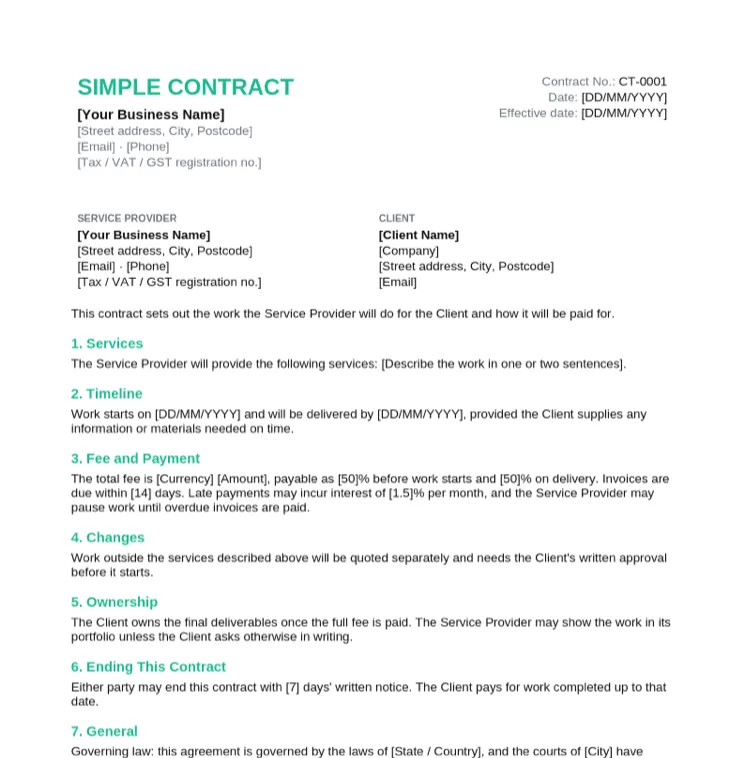
Simple Contract Template
Small one-off jobs where a one-page agreement between two parties is enough.
- Parties, services and timeline
- Fixed fee with a 50% deposit
- Change and ownership terms
- Signature block for both parties
Fall Sale: pay once, use Taskip forever, save up to 70%.Fall Sale: 70% off LTD.
Claim OfferThe standard contract format, six free contract templates you can edit in Word or print as PDF, and a filled-in sample to copy. No signup, no email gate. General templates, not legal advice.
4.8/5 on G2 · Trusted by 1,850+ agencies & freelancers in 40+ countries · Updated October 2026What is a contract format?
A contract format is the standard order of sections in a written agreement: the parties, what each side will do, the price and payment terms, how the agreement ends, and the signatures.
A contract template is that format with the wording already written, so you fill in names, scope, fees and dates. Use the templates below for common client work, or the service contract format for clause-by-clause wording. These are general templates, not legal advice: have a local lawyer review high-value or unusual agreements.
Pick the contract that matches the work. Each one comes as an editable Word file and a PDF.
Small one-off jobs where a one-page agreement between two parties is enough.
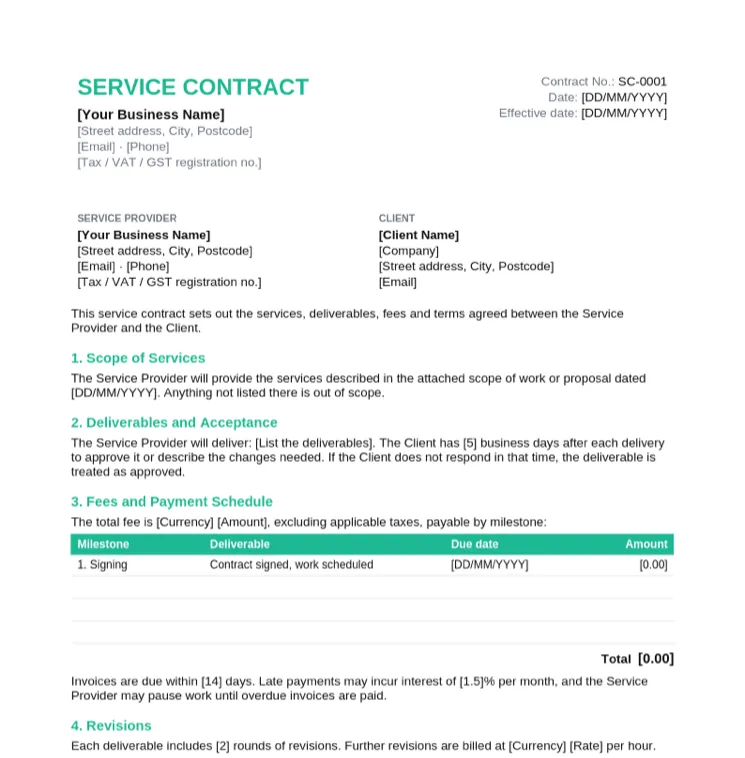
Agencies and service businesses delivering a defined scope for a client.
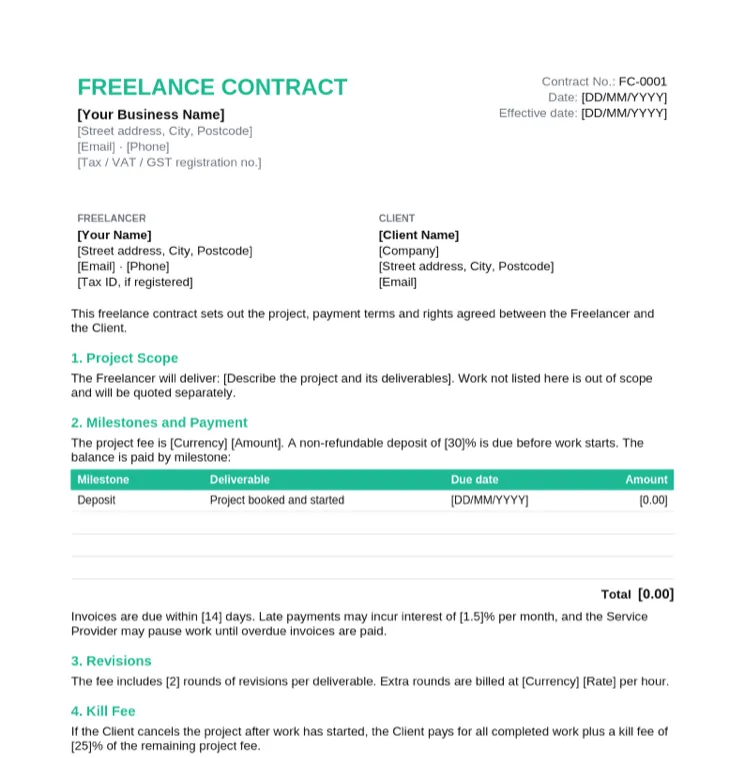
Freelancers who want a deposit, a revision limit and a kill fee in writing.
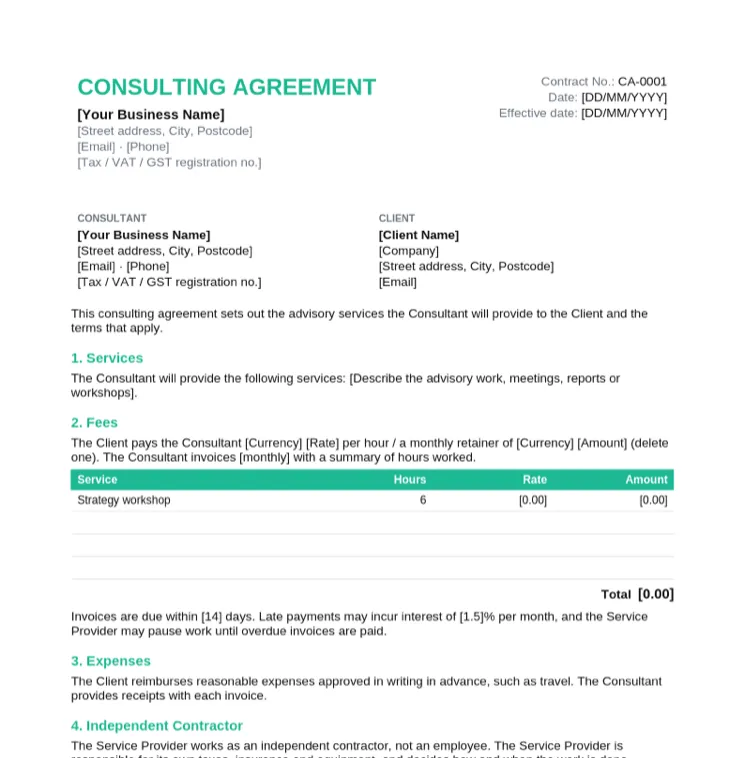
Consultants billing by the hour or on a monthly retainer.
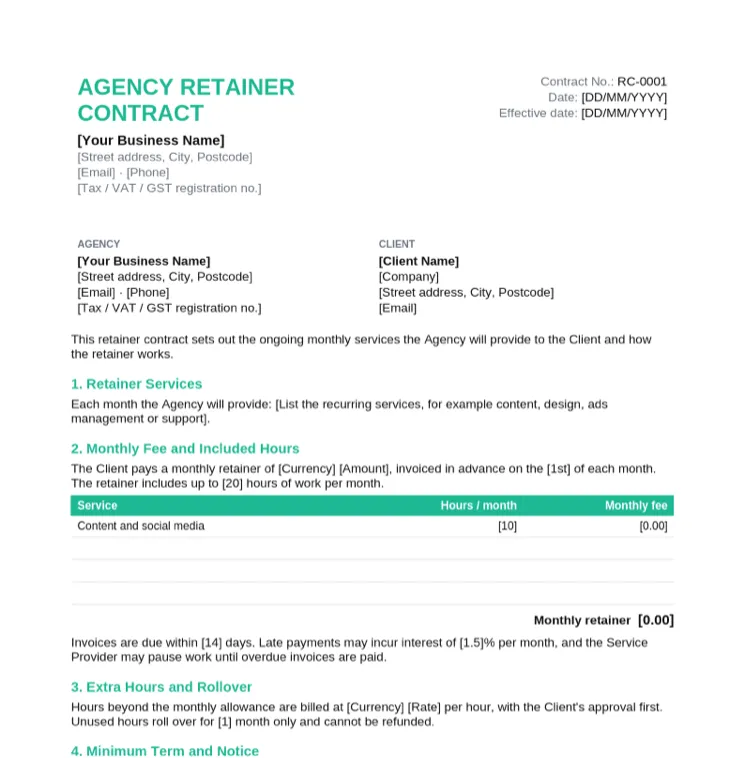
Agencies selling ongoing monthly work such as content, ads or support.
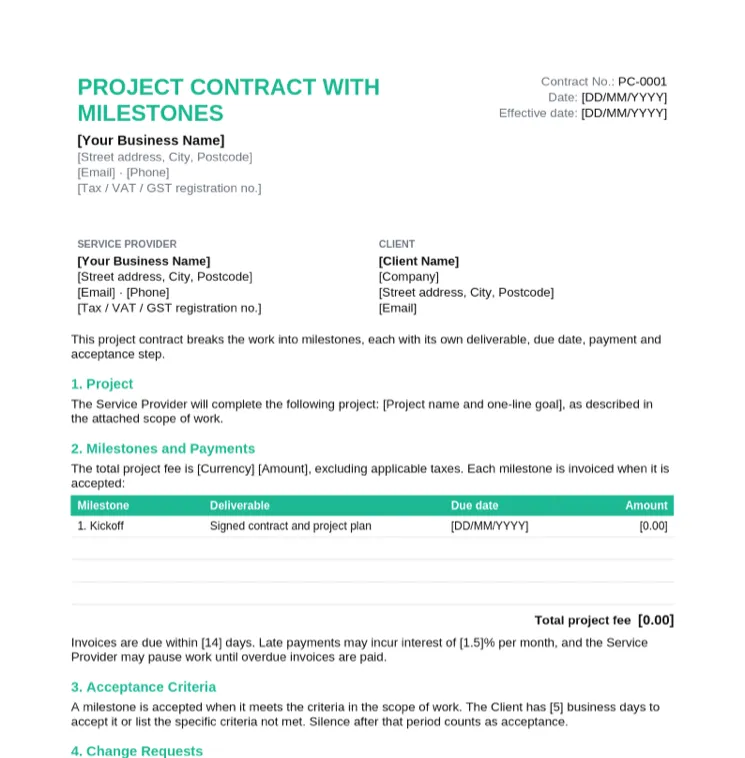
Website, design and software projects paid in stages.
Working in Word? See every template on the contract template in Word page, with Word-specific tips. Need wording for one clause? Copy it from the service contract format.
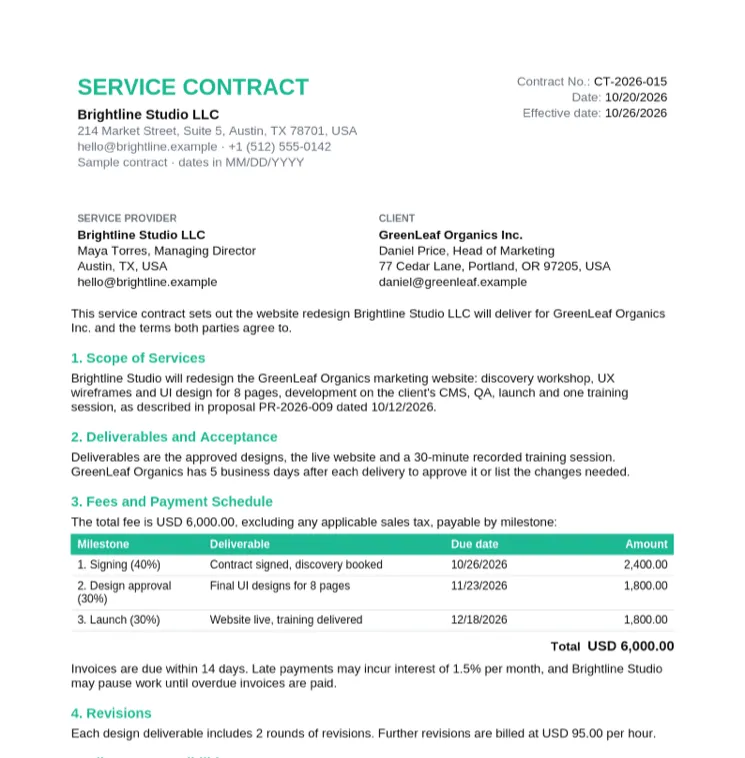
Not sure what a finished contract looks like? This sample is the service contract filled in for a website redesign between two fictional companies. Use it as a reference for wording and layout.
Most client contracts follow this order. Small jobs can merge sections; larger projects add schedules such as a scope of work.
| Section | What to write | Example |
|---|---|---|
| Title and date | Contract type, number, signing date and effective date | Service Contract CT-2026-015, effective 10/26/2026 |
| Parties | Full legal names, addresses and contact details of both sides | Brightline Studio LLC and GreenLeaf Organics Inc. |
| Background | One or two lines on why the parties are contracting (optional) | The Client wants its marketing website redesigned |
| Scope of work | What will be done, and what is out of scope | Design and build 8 pages. Copywriting is out of scope |
| Deliverables | The concrete outputs and how they are approved | Approved designs, live website, training session |
| Payment terms | Fee, schedule, taxes and late payment | USD 6,000 in three milestones, due within 14 days |
| Term and termination | When it starts and ends, and the notice to end early | 14 days' written notice, completed work is paid |
| Confidentiality | What stays private and for how long | Both parties, for 2 years after the contract ends |
| Intellectual property | Who owns the work and when ownership passes | Passes to the Client on full payment |
| Liability | Limits on what either side can claim | Capped at the fees paid under the contract |
| Governing law | Which laws apply and where disputes are heard | Laws of the State of Texas |
| Signatures | Names, titles, signatures and dates for both parties | Signed by both directors, or by e-signature |
Want the wording for each section? The service contract format has copy-ready text for every clause.
The clauses are the same in every format. What changes is how you edit it and how it gets signed.
| Format | Best for | Signing | Editing |
|---|---|---|---|
| Word (.docx) | Contracts you tailor for each client | Save as PDF, then sign or e-sign | Fully editable, Track Changes for client edits |
| Printing a blank contract to fill in by hand | Sign on paper or with a PDF signing tool | Not editable, best as the final signed copy | |
| Google Docs | Teams that work in Google Drive | Download as PDF, then sign | Upload the .docx and open with Google Docs |
| Online contract maker | Drafting a new type of contract quickly | Download, then send for e-signature | Edit any clause in the browser, export to Word |
Four documents that often travel together. Use each at the right stage of a client project.
| Document | When | Binding? | Purpose |
|---|---|---|---|
| Proposal | Before the client decides | Usually not, until accepted | Pitches the approach and price. Start from a proposal template |
| Scope of work | Once the project is agreed | Yes, when attached to a signed contract | Details deliverables, timeline and responsibilities. See the agency scope of work template |
| Agreement | Any time two parties agree terms | Depends on the terms and the law | A broad term. Many agreements are contracts, but not all are enforceable |
| Contract | Before work starts | Generally yes, once signed | Sets out both parties' obligations and what happens if they are not met |
Taskip keeps the quote, contract and invoice on one client record: send the contract with Taskip e-signatures and invoice against its payment schedule.
A template is just a starting point. A contract is generally binding when both parties agree to clear terms, exchange something of value and sign it. Rules differ by country, so this is general information, not legal advice.
Not always. Many businesses use templates for routine client work. For high-value deals, unusual risks or work in another country, a short review by a local lawyer is worth the cost.
Choose simple, service, freelance, consulting, retainer or milestone, depending on how you price and deliver the work.
Replace every placeholder in square brackets with both parties' legal names, addresses and the effective date.
Write what you will deliver and what is out of scope, or attach your scope of work as a schedule.
Fill in the payment table: amounts, due dates and whether tax is included. Add the late payment terms.
Review revisions, ownership, confidentiality, termination and liability, and delete anything that does not apply.
Save a PDF so the terms cannot change, then sign on paper or send it for e-signature and keep the signed copy.
Most client disputes trace back to one of these gaps in the contract.
The templates work for Indian clients with a few additions. This is general information, not legal advice.
A template is ideal for contracts you send often. For a new kind of contract, the free contract maker drafts the clauses for you.
| Word / PDF template | Online contract maker | |
|---|---|---|
| Cost | Free | Free |
| Setup | Download, open in Word, replace placeholders | Nothing to install, works in the browser |
| Wording | Fixed clauses you edit by hand | Drafted from your description of the job |
| Contract types | Six common client contracts | Any type you describe |
| Output | Word and PDF | Download as Word, or save to a free Taskip account |
| Signing | Print or send the PDF for signature | Send for e-signature from Taskip |
If you only check five things before sending, check these.
More contracts for specific kinds of client work, each with its own guide.
Hourly or retainer consulting with confidentiality terms.
Consulting agreement templateGenerate a freelance or contractor agreement online.
Freelance agreement generatorFree Contract Maker
Describe the job and get a full contract draft online. Download as Word.
Contract Template in Word
Six editable .docx contracts with Word tips.
Service Contract Format
Numbered format, filled sample and clause wording.
Free NDA Generator
Draft a non-disclosure agreement before sharing details.
Free Quotation Templates
Quote the job before you send the contract.
Free Invoice Templates
Invoice against the contract's payment schedule.
Taskip E-Signatures
Send contracts for signature and track when clients sign.
Title and date, the parties, the scope of work, deliverables, payment terms, term and termination, confidentiality, intellectual property, liability, governing law and signatures. The table above shows each section with an example.
A template becomes a contract once both parties agree to its terms and sign it. Whether a particular contract is enforceable depends on its terms and the law that applies, so this is general information, not legal advice.
Yes, many businesses use templates for routine client work. For high-value agreements, unusual risks or contracts in another country, have a local lawyer review it before you sign.
Edit in Word, send as PDF. A PDF keeps the terms from changing after you send it. Use Word with Track Changes only when the client needs to propose edits.
In most countries electronic signatures are accepted for business contracts, with exceptions for some document types. An e-signature tool also records who signed and when.
An agreement is any understanding between two parties. A contract is an agreement with the elements needed to be enforceable, such as offer, acceptance and something of value exchanged. In business the words are often used interchangeably.
An unstamped agreement is not automatically void, but stamping rules depend on the state and the type of agreement, and an unstamped document can be harder to rely on as evidence. Check your state's rules or use e-stamping. This is general information, not legal advice.
Taskip, client management software for agencies and freelancers. Taskip handles quotes, invoices, contracts, proposals, a client portal and projects in one place.