
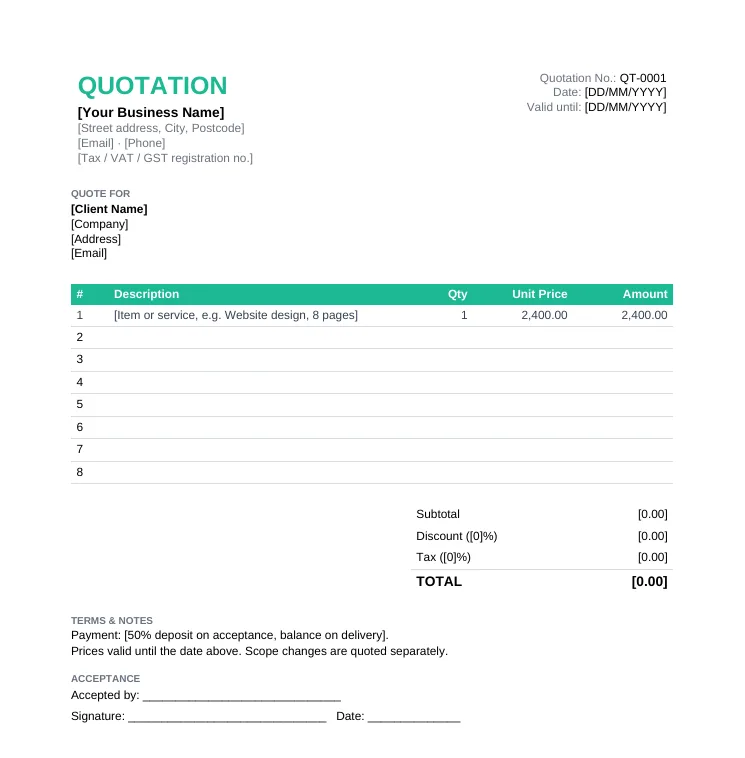
Standard Quotation Template
Any business quoting products or services. The simple quotation format most clients expect.
- Quotation number, date and validity
- Itemized table with qty and unit price
- Discount, tax and total
- Acceptance and signature line
Anniversary Sale: pay once, use Taskip forever, save up to 70%.Anniversary Sale: 70% off LTD.
Claim OfferDownload a free quotation template that is ready to fill in: simple, standard, service, freelance, sales, construction, GST or letterhead. Excel versions calculate tax and totals for you. No signup, no watermark.
4.8/5 on G2 · Our quotation generator is used by 50,000+ people · Updated September 2026What is a quotation template?
A quotation template is a pre-formatted quote document you fill in with your own prices, so every quote you send looks professional and includes everything a client needs to say yes.
A quotation template (also called a quote template or price quote template) already has the standard quotation format laid out: your business details, the client's details, a table for line items, the subtotal, tax and total, your terms, and an acceptance line. Instead of starting from a blank page, you replace the placeholders, adjust the line items and send it as a PDF.
8 quote templates, each in Word, Excel and PDF. Pick the one that matches how you price your work.
Any business quoting products or services. The simple quotation format most clients expect.
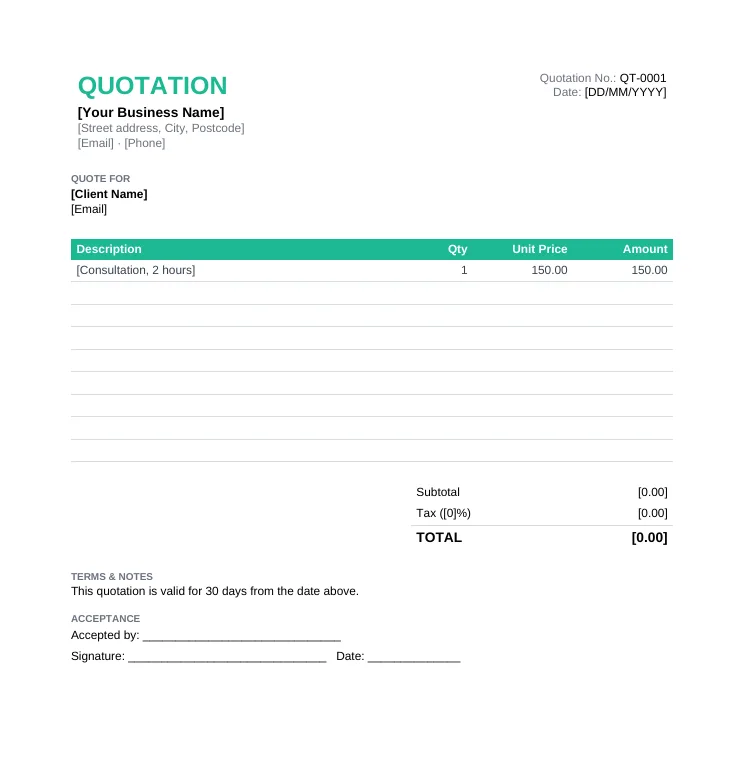
A clean, one-page blank quote when you just need the essentials. Good for quick jobs and small orders.
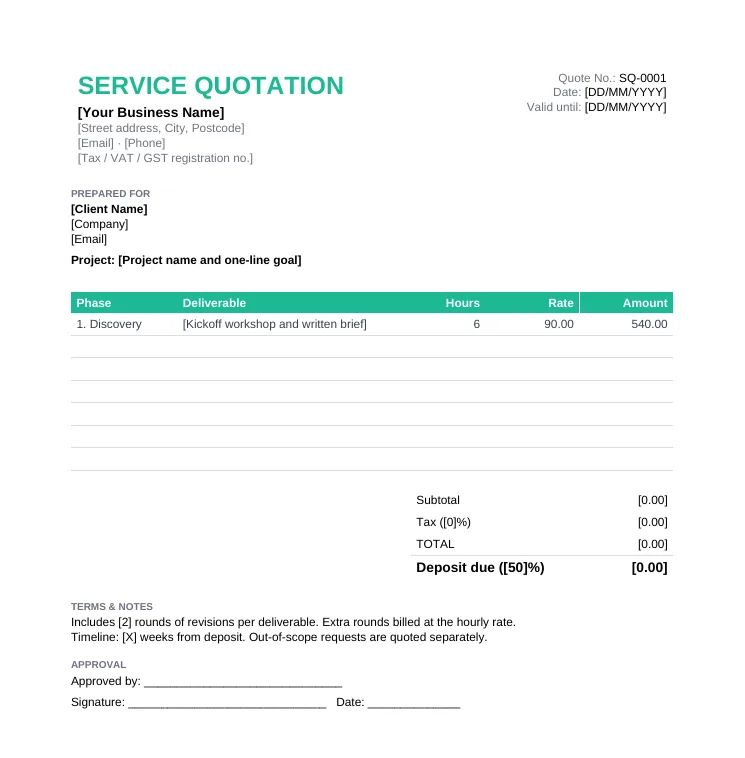
Freelancers, agencies and consultants who price by phase, by the hour or at a fixed fee.
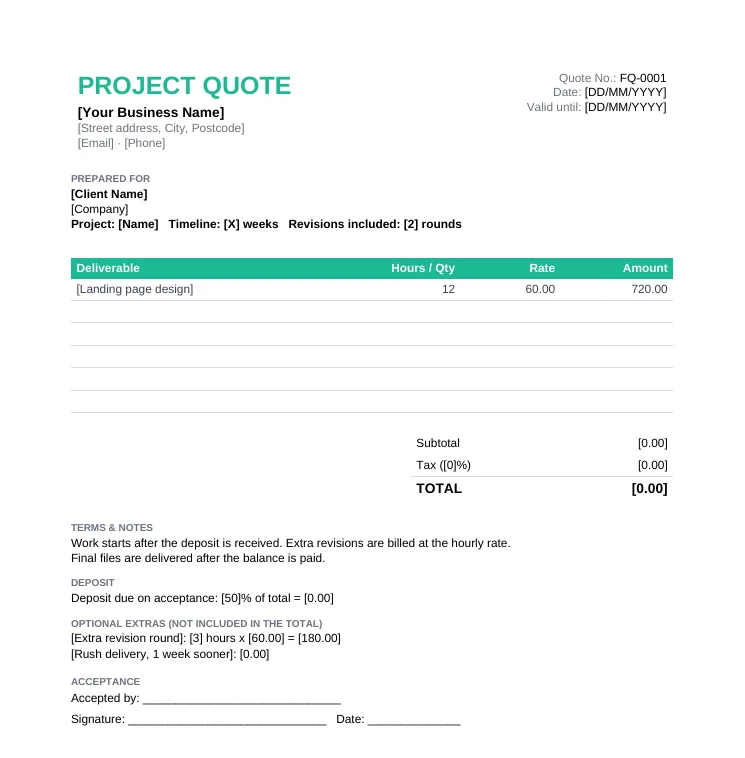
Freelancers and solo creatives quoting a project with a deposit and optional extras.
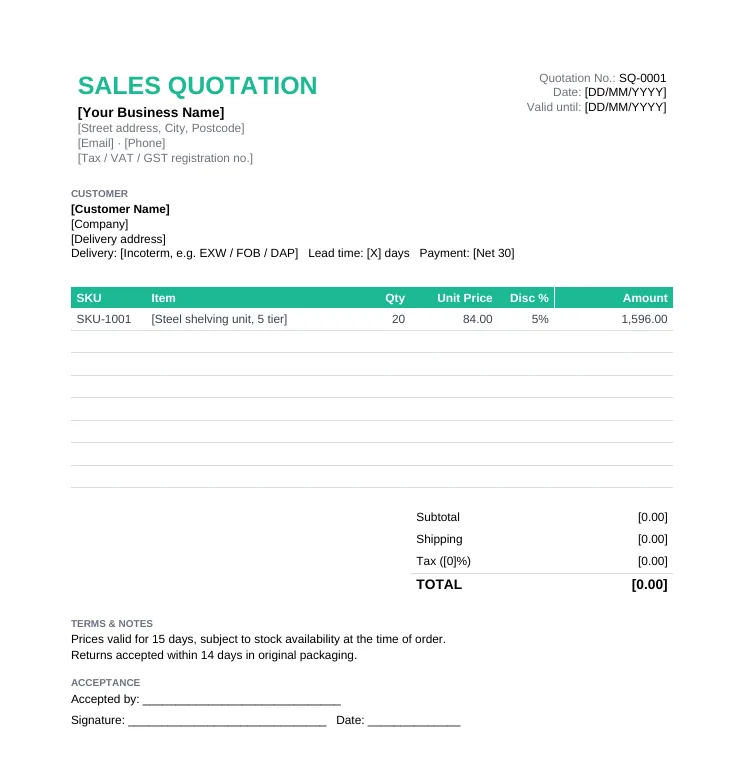
Product sellers, wholesalers and distributors quoting by SKU with discounts and shipping.
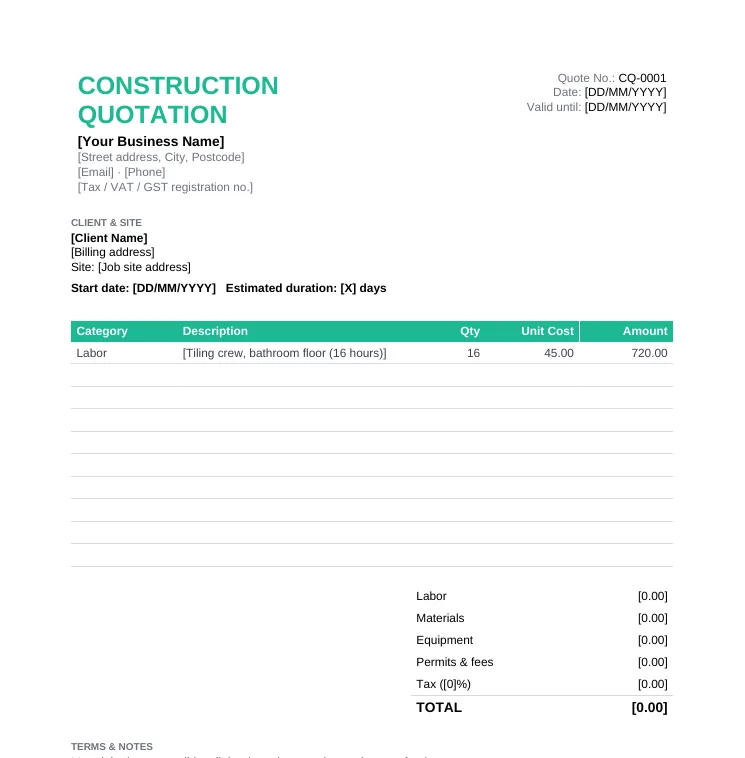
Contractors and trades quoting a job: renovation, plumbing, electrical, landscaping.
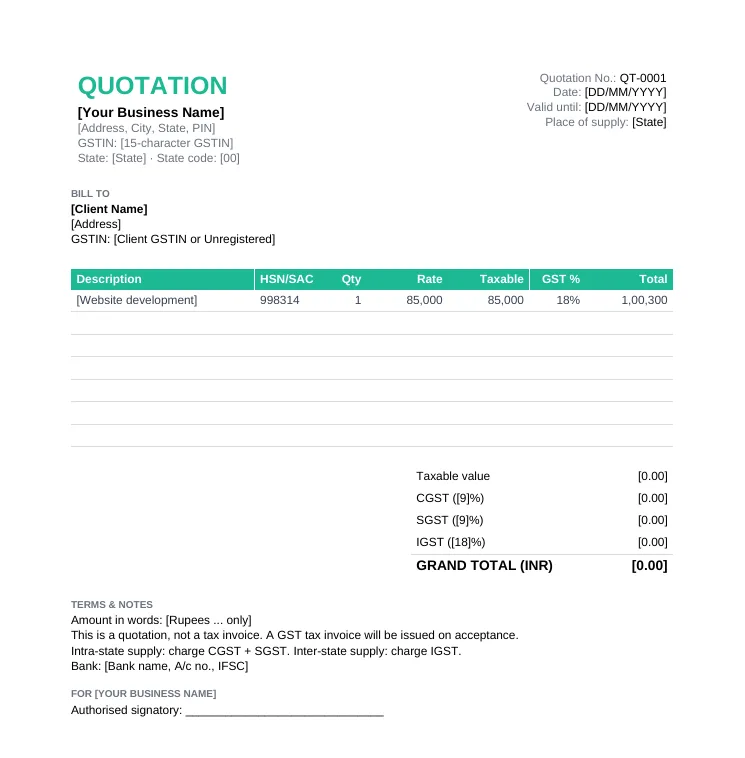
GST-registered businesses in India quoting to other businesses or consumers.
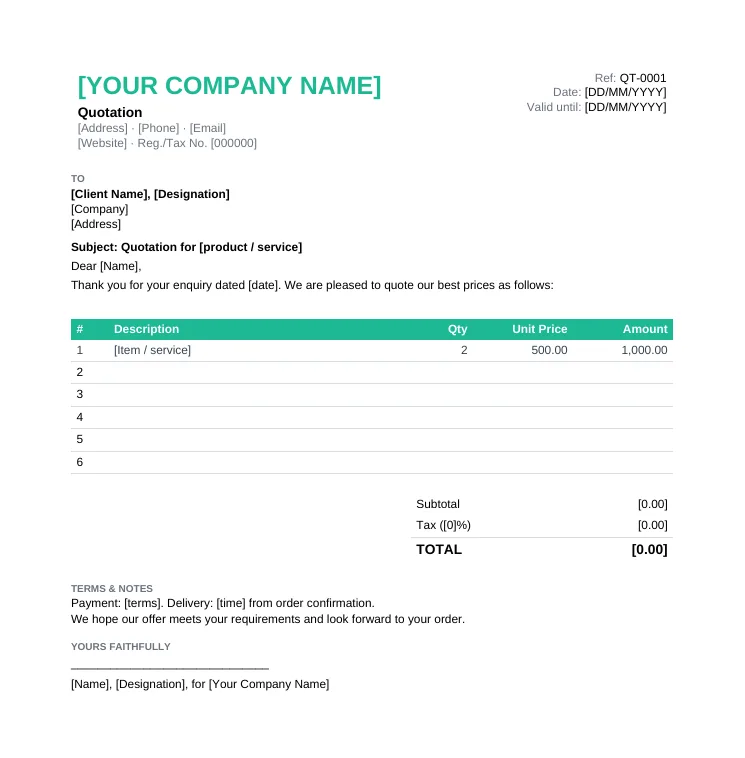
Formal quotations to companies and procurement teams, written as a business letter.
Only need one format? See every quotation template in Word or every quotation format in Excel.
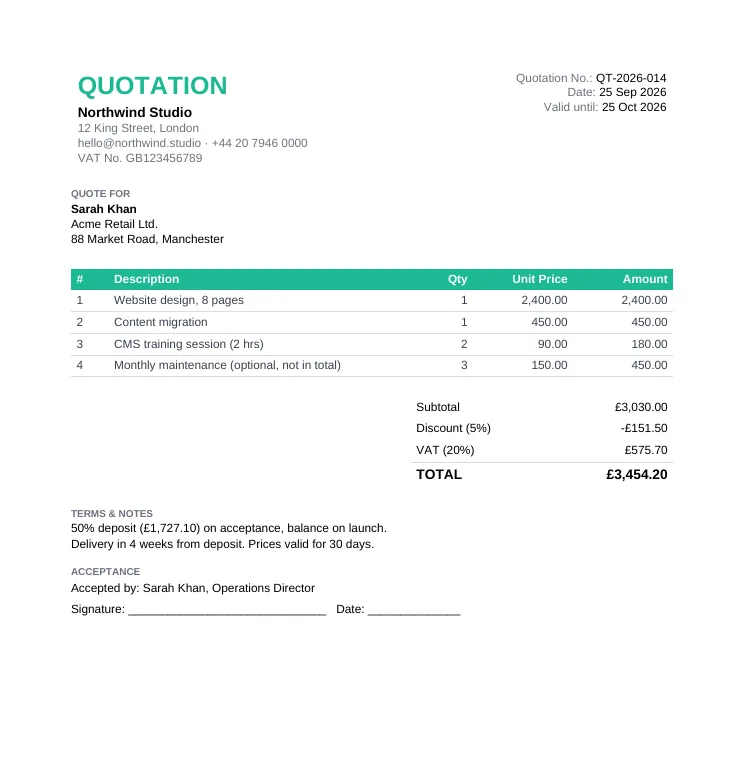
Not sure what a finished quote should look like? This sample quotation is a real, filled-in example for a website design project, built on the standard template. Use it as a reference for wording and layout.
Whichever template you choose, these nine parts make up the standard quotation format. Leave one out and the client will usually come back with questions.
| Section | What to write | Example |
|---|---|---|
| Title and quotation number | The word "Quotation" and a unique reference number | QT-2026-014 |
| Issue date and valid until | When you sent it and how long the price holds | 25 Sep 2026, valid 30 days |
| Your business details | Name, address, email, phone and tax number | VAT No. GB123456789 |
| Client details | Company, contact person and address | Acme Retail Ltd., Attn: Sarah Khan |
| Line items | Description, quantity, unit price and amount for each item | Website design, 1 x 2,400.00 |
| Subtotal, discount and tax | The math behind the final price, shown openly | Discount 5%, VAT 20% |
| Total | The final amount the client will pay, in bold | 3,454.20 |
| Terms and notes | Deposit, payment schedule, delivery time, what is excluded | 50% deposit on acceptance |
| Acceptance | A signature and date line so the client can say yes | Accepted by, signature, date |
Want to see a filled-in example with every part explained? See the sample quotation.
The content is the same in every format. What changes is how you edit it and whether the math is done for you.
| Format | Best for | Calculations | Editing |
|---|---|---|---|
| Word (.docx) | Service businesses that want to add scope notes and terms | You type the totals yourself | Easy to edit, also opens in Google Docs |
| Excel (.xlsx) | Product lists, long quotes, trades and GST quotes | Amounts, tax and totals calculate automatically | Opens in Google Sheets and Numbers too |
| Printing a blank quote to fill in by hand on site | None, it is a printable form | Not editable, best for handwritten quotes | |
| Google Docs / Sheets | Teams that work in Google Drive | Automatic in Sheets (upload the .xlsx) | Upload the .docx or .xlsx to Drive, then Open with Google Docs or Sheets |
Four documents that look alike but do different jobs. Use the right one at the right stage.
| Document | When | Binding? | Purpose |
|---|---|---|---|
| Estimate | Early, before the scope is final | No, approximate | A ballpark so the client can decide whether to continue |
| Quotation | After the scope is agreed, before work starts | Yes once accepted, until it expires | A fixed-price offer. Use the templates on this page or the free quotation generator |
| Proforma invoice | After acceptance, before delivery | No, informational | Previews the invoice, often to collect an advance or for customs |
| Invoice | After delivery or completion | Yes, a payment demand | Requests payment. Make one with the free invoice generator |
Sending a lot of quotes? Taskip Quotations converts an accepted quote into an invoice in one click, and Taskip Invoicing handles payment and reminders.
15 to 30 days is typical for services. Use 7 to 15 days for goods, travel or construction materials whose prices move quickly, and up to 60 or 90 days for large tenders. Always write an exact "valid until" date, not just "30 days".
A quotation is an offer. Once the client accepts it in writing, by signing the acceptance line or confirming by email, it is generally treated as a binding agreement for the listed scope and price. Clear terms protect both sides. General information, not legal advice.
Pick the template that matches how you price (simple, service, sales, construction, GST and more) and choose Word, Excel or PDF.
Replace the placeholders with your business name, address, contact details and tax number. Add your logo at the top.
Add the client company, the person you are quoting and their address.
Give it a unique quotation number, today's date and a "valid until" date, usually 15 to 30 days out.
One row per product, service or phase, with quantity and unit price. In Excel the amounts and totals calculate for you.
Set the discount, tax rate and payment terms, then save the file as a PDF and email it to your client.
The Excel quotation templates use simple formulas you can check yourself. Yellow cells are the ones you type in; grey cells calculate on their own, so do not overwrite them.
If you are GST-registered, your quotation should show the tax the buyer will pay, split the way it will appear on the final tax invoice. The GST quotation format template is set up for this.
A template is perfect if you like working in Word or Excel. If you send quotes often, the free online quotation generator (already used by 50,000+ people) saves the busywork.
| Word / Excel template | Online quotation generator | |
|---|---|---|
| Cost | Free | Free |
| Setup | Download, open in Word or Excel, replace placeholders | Nothing to install, works in the browser |
| Calculations | Automatic in Excel, manual in Word | Automatic, live as you type |
| Branding | Add your logo by hand | Upload logo and signature once, reused every time |
| Currencies | Type your own symbol | 39 currencies built in |
| Sending | Save as PDF, attach to email | PDF, shareable link or WhatsApp |
| Tracking and invoicing | None | Save to a free Taskip account, track status, convert to invoice in one click |
Five terms every quote template should carry. Paste them into the Terms & Notes box and adjust the numbers.
The format is the same everywhere. What changes is what you itemize and which terms matter.
Price by deliverable or phase, take a deposit, and keep extras optional.
Freelance and service templatesBreak out labor, materials, equipment and permits, with a contingency and payment stages.
Construction quotation templatesQuote by SKU with volume discounts, shipping and Incoterms.
Sales quotation templateShow GSTIN, HSN/SAC and CGST + SGST or IGST exactly as on the tax invoice.
GST quotation formatReply to RFQs with a formal quotation letter on letterhead.
Quotation letter formatSeparate one-off project fees from recurring support, and state what triggers extra billing.
Build it in the free generatorFree Quotation Generator
Fill in a quote online, pick from 3 designs and 39 currencies, and download a PDF in minutes.
Free Invoice Generator
Quote accepted? Turn the same line items into a professional invoice.
Free Proposal Generator
For bigger projects, pair your quote with a written proposal.
Free Contract Generator
Put the accepted quote into a signed contract.
Taskip Quotation Software
Send, track and get quotes accepted online, then invoice in one click.
GST Quotation Format
Excel and Word formats with CGST, SGST, IGST and an HSN summary.
Construction Quotation Template
General, renovation and contractor bid templates.
Quotation Terms & Conditions
40+ copy-ready clauses for any quote.
Quotation Letter Format
6 sample letters, from sending a quote to replying to an RFQ.
Quotation Email Templates
Emails to send, follow up and close your quotes.
Agency Scope of Work Template
Define exactly what the quoted price covers before the project starts.
Free Invoice Templates
Quote accepted? 8 invoice templates in Word, Excel and PDF.
A quotation template is a ready-made document with the standard quotation format already laid out: your business details, client details, a table for line items, totals, tax, terms and an acceptance line. You fill in the blanks instead of designing a quote from scratch each time.
A quotation number, issue date and validity date, your business and tax details, the client details, itemized line items with quantity and unit price, the subtotal, discount, tax and total, payment terms, and a place for the client to accept and sign.
Yes. All eight templates and the sample quotation are free to download in Word, Excel and PDF, with no signup, no email gate and no watermark. You can use them for as many quotes as you like, including for clients.
Download the Excel quotation template, fill in the yellow cells, and let the formulas do the rest: each line amount is quantity times unit price, the subtotal adds up the lines, the discount comes off the subtotal, and tax is calculated on what remains. The GST version also switches between CGST plus SGST and IGST based on the supply type you choose.
Open the Word quotation template, replace every placeholder in square brackets with your details, add a row to the table for each item, and type in the totals. When you are done, use File, Save As, PDF so the client receives a file they cannot edit.
Yes. Upload the .docx file to Google Drive and open it with Google Docs, or upload the .xlsx file and open it with Google Sheets. The Excel formulas keep working in Sheets.
A GST quotation shows your GSTIN, the client's GSTIN if they are registered, the place of supply, an HSN or SAC code for each item, the taxable value, and the GST split as CGST and SGST for intra-state supply or IGST for inter-state supply. It is a quotation, not a tax invoice, so you still issue a GST tax invoice once the client accepts.
They look similar, but a quote gives a fixed price the client can accept, usually valid for a set period, while an estimate is an approximate, non-binding figure given before the full scope is known. Use a quotation template when you are ready to commit to a price.
A quotation is an offer. Once the client accepts it in writing, for example by signing the acceptance line, it is generally treated as a binding agreement in most jurisdictions. That is why the validity date and terms matter. This is general information, not legal advice.
As long as you say it is. Most businesses use 15 to 30 days for services and 7 to 15 days for goods or construction materials whose prices move. Write the exact "valid until" date on the quote so there is no argument later.
A quotation is an offer the client can accept or reject. A proforma invoice comes after acceptance, previews the final invoice, and is often used to request an advance payment or for customs. Neither one is a demand for payment like a real invoice.
Yes. Save the quote as a PDF and share it in the chat, or use the free quotation generator, which sends a summary with the total, validity date and a link straight to WhatsApp.
A quotation written as a formal business letter on letterhead, with a reference, subject line, salutation and sign-off around the price table. Download the letterhead template above, or copy one of our 6 sample quotation letters.
Yes. The free Taskip quotation generator, used by 50,000+ people, fills in the same quotation format online, calculates tax and totals as you type, and exports a PDF with no signup. You can also save quotes to a free Taskip account and convert them to invoices in one click.