Fall Sale: 70% off LTD.

Claim Offer
Taskip
Microsoft Word · .docx

NDA Template in Word: Free Non-Disclosure Agreements

Six editable non-disclosure agreements with numbered clauses and a signature block. They open in Microsoft Word, Google Docs, Pages and LibreOffice. General templates, not legal advice.

4.8/5 on G2 · Trusted by 1,850+ agencies & freelancers in 40+ countries · Updated October 2026

What is an NDA template in Word?

An NDA template in Word is an editable .docx non-disclosure agreement with the standard clauses already written, so you fill in the parties, the purpose and what is confidential instead of drafting from scratch.

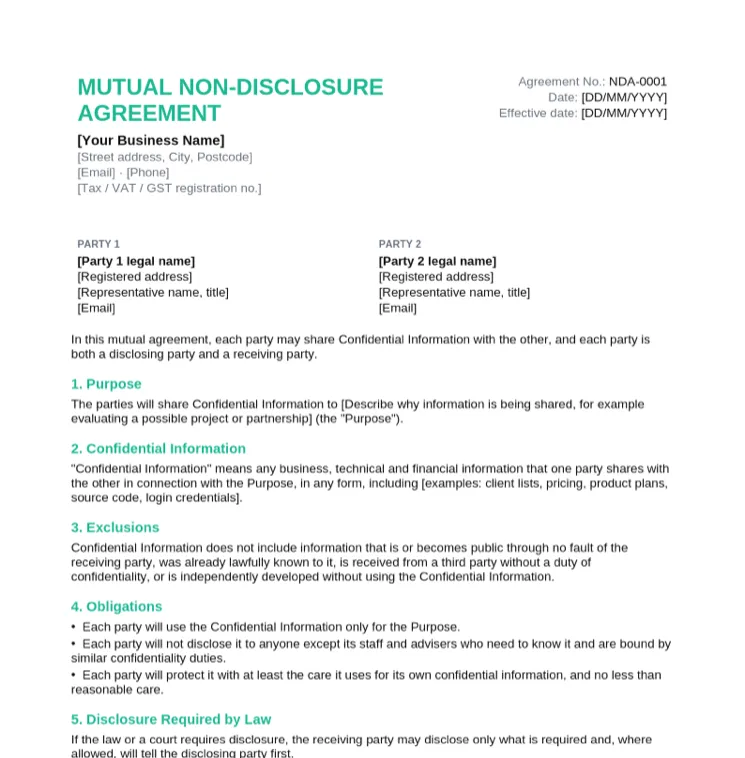
Each template uses Word heading styles for its numbered clauses, so the Navigation Pane lists every clause. Placeholders sit in [square brackets]. Choose mutual when both sides share information and one-way when only one does. These are general templates, not legal advice: for trade secrets or high-value deals, have a local lawyer review the agreement.

  • Opens in Word, Google Docs, Apple Pages and LibreOffice
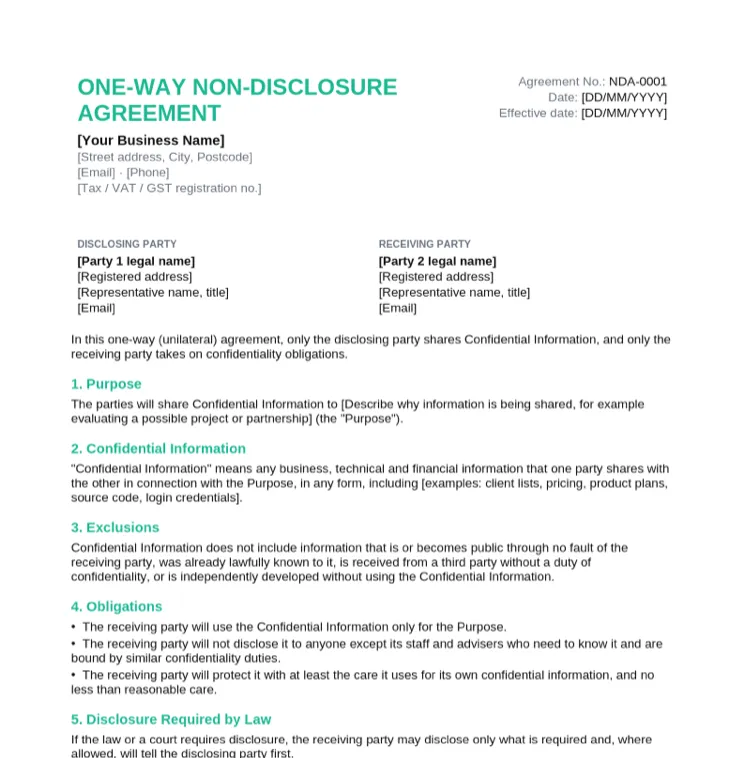
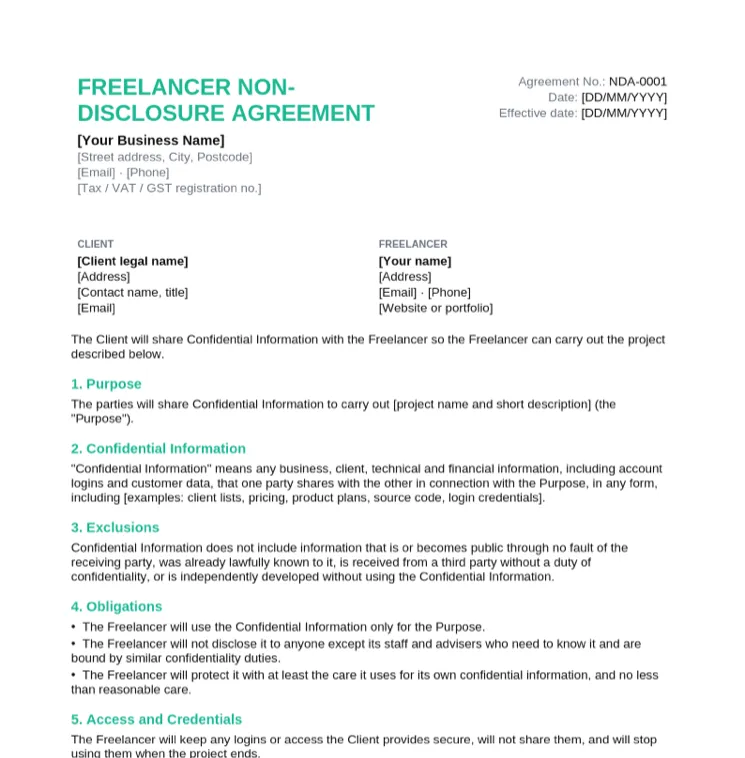
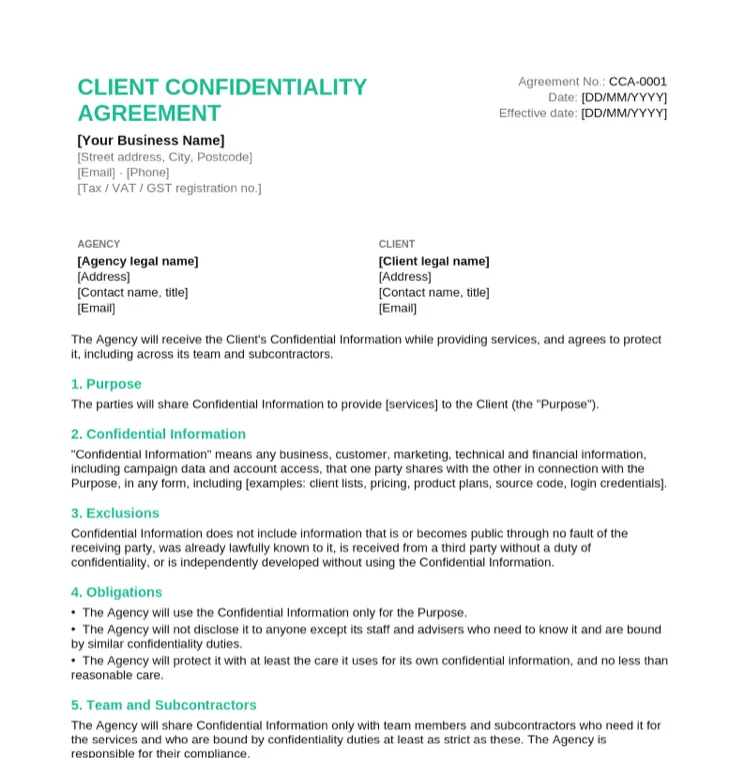
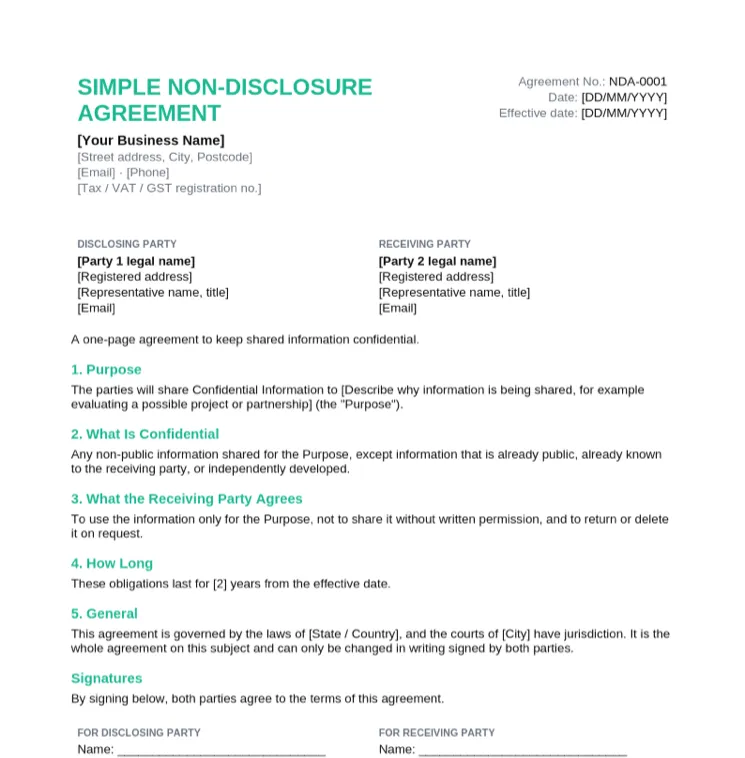
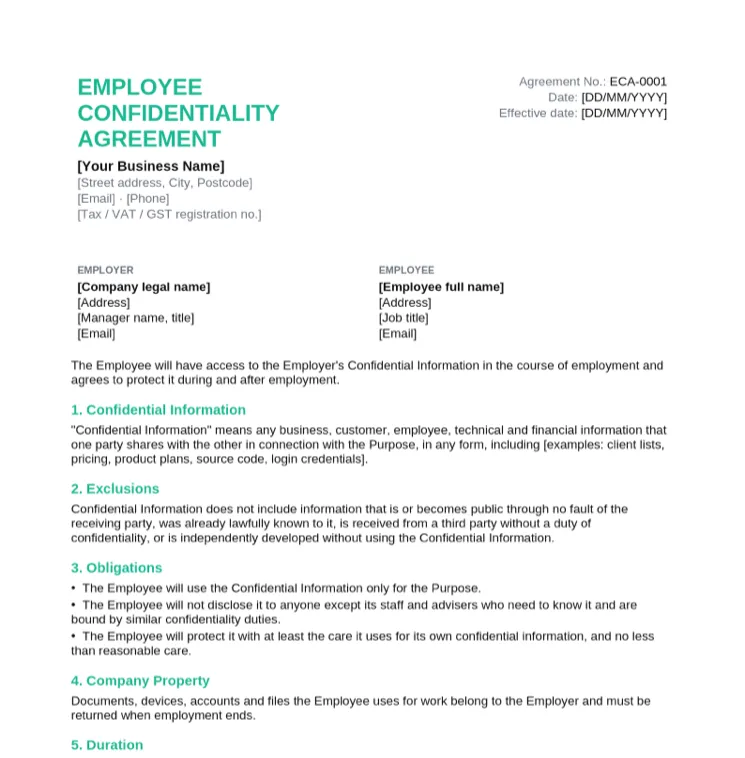
  • Mutual, one-way, freelancer, client, simple and employee versions
  • Numbered clauses and a signature block for both parties
  • Free for commercial use, no email required
  • General templates, not legal advice

Download an NDA Template in Word

Every NDA below is an editable Word file, with a PDF copy for printing. Need one written around a specific deal? Try the AI NDA generator.

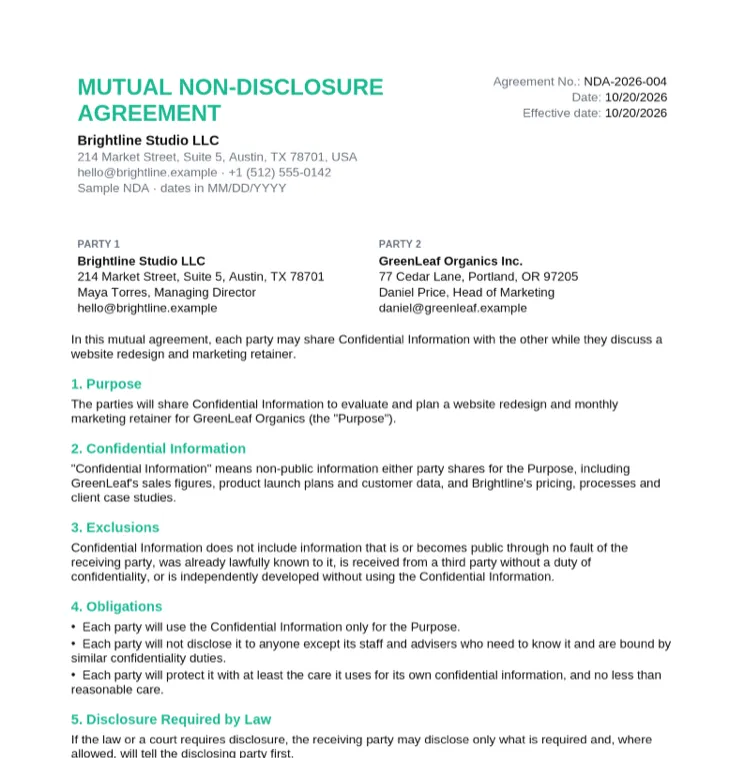
Sample NDA: A Filled-In Example

The mutual NDA filled in between an agency and a client discussing a website redesign, with specific examples of what counts as confidential.

What Every NDA Includes

ClauseWhat it saysExample wording
PartiesWho is sharing and who is receiving"Brightline Studio LLC and GreenLeaf Organics Inc."
PurposeWhy the information is shared"To evaluate a website redesign and retainer"
Confidential informationWhat is protected, with examples"Sales figures, launch plans and customer data"
ExclusionsWhat is not protected"Information that is already public"
ObligationsHow the receiving party must treat it"Use it only for the Purpose"
Permitted disclosuresStaff, advisers and legal requirements"Staff who need to know it"
Term and survivalHow long the duties last"2 years after the last disclosure"
Return or destructionWhat happens to the information at the end"Return or delete on request"
No licenceSharing does not transfer ownership"No licence is granted"
RemediesWhat the disclosing party can do after a breach"May seek an injunction"
Governing law and signaturesWhich laws apply, then both signatures"Laws of the State of Texas"

How to Fill In an NDA in Word

1

Choose mutual or one-way

Mutual if both sides will share information, one-way if only one side will. Freelancers signing with a client can use the freelancer version.

2

Fill in the parties

Replace the placeholders with full legal names, addresses and the people signing. Press Ctrl+H (Cmd+H on Mac) and search for "[" to find every placeholder.

3

Define the confidential information

List real examples, such as pricing, customer data or source code. A specific definition is easier to rely on than a vague one.

4

Set the term

Two or three years is common for business information; trade secrets are usually protected for as long as they stay secret.

5

Review the exclusions

Keep the standard exclusions for public, already known and independently developed information.

6

Save as PDF and sign

Use File > Save As > PDF, then sign or send it for e-signature with Taskip e-signatures before any information is shared.

Mutual vs One-Way NDA

Mutual NDAOne-way NDA
Who sharesBoth partiesOnly the disclosing party
Who is boundBoth partiesOnly the receiving party
Typical usePartnerships, pitches, joint projectsHiring a freelancer, sharing plans with a supplier
TemplateMutual NDAOne-way, freelancer or client NDA

NDA vs Confidentiality Agreement vs Non-Compete

An NDA and a confidentiality agreement are the same document under two names. A confidentiality clause is the same idea placed inside a larger contract.

A non-compete is different: it restricts working for competitors, not sharing information. Many countries limit non-competes, so these templates cover confidentiality only. The NDA generator page compares NDAs, non-competes and non-solicitation clauses in more detail.

NDA Basics for India

NDAs in India are governed by the Indian Contract Act, 1872. Confidentiality obligations are generally enforceable, but under section 27 restrictions that stop someone working for others after a relationship ends are generally void, so keep an NDA to confidentiality.

Stamp duty on agreements depends on the state, so check the current rules for your state or use e-stamping. This is general information, not legal advice.

Tips for an NDA That Does Its Job

  • Sign before any confidential information changes hands, not after.
  • Describe the confidential information with real examples instead of "all information".
  • Pick a realistic term. An unlimited term for ordinary business information invites challenge.
  • Keep the standard exclusions; removing them makes the agreement look overreaching.
  • Store the signed copy with the client record, alongside the contract for the work itself.

NDA Template in Word FAQs

Does Word have an NDA template?

Word has a few agreement designs under File > New. The templates on this page are free .docx files with the full set of NDA clauses and a signature block, with no Microsoft account needed.

What should an NDA include?

The parties, the purpose, a definition of confidential information, exclusions, the receiving party's obligations, permitted disclosures, the term, return of information, remedies, governing law and signatures.

How long does an NDA last?

As long as it says. Two or three years after the last disclosure is common for business information; trade secrets are often protected for as long as they remain secret.

Should I use a mutual or one-way NDA?

Use a mutual NDA when both sides will share confidential information, and a one-way NDA when only one side will.

Is an e-signed NDA valid?

In most countries electronic signatures are accepted for NDAs, with some exceptions for specific documents. An e-signature tool also records who signed and when. This is general information, not legal advice.

Are these NDA templates free?

Yes. Download and use them for your own business with no signup, no watermark and no attribution required.

What is the difference between an NDA and a confidentiality agreement?

None in practice. Both protect shared information; the names are used interchangeably.

Who makes these templates?

Taskip, client management software for agencies and freelancers. Taskip handles proposals, quotes, contracts and NDAs with e-signatures, invoices, a client portal and projects in one place.