

A freelancer tech stack is the set of tools a freelancer uses to run the business side of their work: winning clients, sending quotes and contracts, delivering projects, communicating with clients and getting paid. The best freelancer tech stack covers these five layers with as few apps as possible, so every client detail lives in one place.
Most freelancers build their stack one app at a time: Gmail for email, WhatsApp for quick chats, a template for quotes, Stripe or PayPal for payments, Zoom for calls and Notion for notes. Each tool works on its own. Together, they scatter client information across 10 or more apps and add copy-and-paste admin to every project.
This guide shows you how to build a freelancer tech stack in 5 layers for 2026. For each layer, you’ll find the free tools to start with, the features to look for as you grow, and practical tips to keep your setup lean. You’ll also see how an all-in-one workspace like Taskip covers all five layers and connects to the apps you already use. If you want the process side first, read our guide on how to manage clients as a freelancer.
Table of Contents
- What it is: a freelancer tech stack covers 5 layers: Win clients → Quote and sign → Deliver → Communicate → Get paid.
- Start lean: free tools like a quotation generator, contract generator and invoice generator cover the basics at no cost.
- Keep client data in one place: scattered apps lead to missed messages, duplicate data entry and late payments.
- Unify your inbox: bring email and WhatsApp into the same workspace as your projects and invoices.
- Connect, don’t replace: keep specialist tools like Stripe, QuickBooks, Zoom and Google Drive, and link Notion or Google Ads through Zapier.
- Upgrade at the right time: once you manage several active clients, an all-in-one platform like Taskip covers all 5 layers with 22 native integrations.
- Review regularly: check your subscriptions every quarter and cancel what you no longer use.
What Is a Freelancer Tech Stack?
A freelancer tech stack is every app, template, and system that keeps your business running outside the actual creative or technical work. A good stack saves time. A messy one quietly eats it.
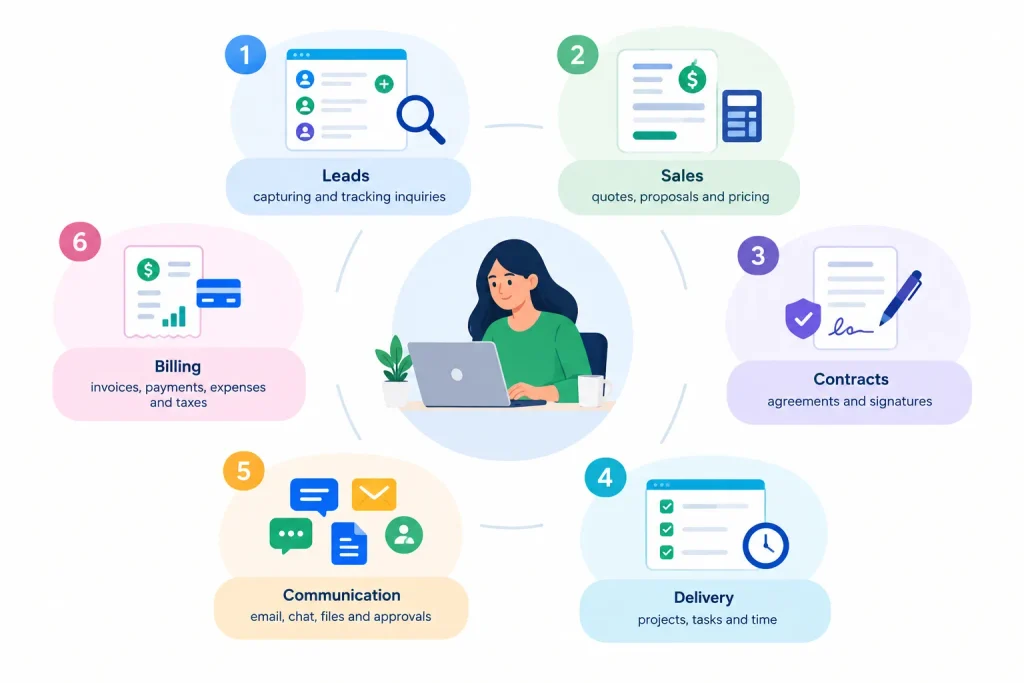
The 6 Jobs Every Freelance Stack Must Cover
- Leads: capturing and tracking inquiries
- Sales: quotes, proposals and pricing
- Contracts: agreements and signatures
- Delivery: projects, tasks and time
- Communication: email, chat, files and approvals
- Billing: invoices, payments, expenses and taxes
Each new app solves one problem and adds three more: another login, another subscription, and another place where client information lives. You end up copying the same client name, project details and prices from a quote tool to a contract tool to an invoice tool.
That is why more freelancers now choose a platform that covers most jobs in one place. You can see how one workspace handles all six in the full Taskip features overview.
Freelancer Tech Stack Tips: 7 Rules for a Lean Setup
Before picking tools layer by layer, use these freelancer tech stack tips to avoid the most common mistakes. They keep your setup simple, affordable and easy for clients to use.

1. Start With Your Workflow, Not the Tools
Write down how a client moves from inquiry to final payment. Then choose tools that fit each step. A freelancer tech stack built around a shiny app usually ends up with gaps and overlaps.
2. Cover All Five Layers Before Adding Extras
Leads, sales, delivery, communication and billing come first. Design add-ons, analytics plugins and niche apps can wait until the basics run smoothly.
3. Keep Client Data in One Place
Every time you copy a client’s details from one app to another, you risk mistakes. Choose a freelancer tech stack where contacts, projects, quotes and invoices share one record. Taskip’s all-in-one feature set is built around that idea.
4. Choose Tools Your Clients Will Actually Use
The best freelancer tech stack is invisible to clients. They should be able to approve a quote, sign a contract or pay an invoice in a couple of clicks, without creating five accounts. A single branded client portal solves most of this.
5. Automate the Tasks You Repeat Every Week
Payment reminders, follow-ups and status updates are perfect for automation. Late payment is a real risk: research from IPSE found that 35% of freelancers had not been paid on time by a client in the previous 12 months. Workflow automation and automatic invoice reminders help close that gap.
6. Review Your Subscriptions Every Quarter
Small monthly fees add up fast. Every three months, list what you pay for and cancel anything you have not used. Many freelancers find one platform costs less than several single-purpose apps. Compare against Taskip pricing to see the difference.
7. Pick Tools That Grow With You
Your freelancer tech stack should still work when you hire your first subcontractor. Look for team management, roles and permissions, plus integrations with the apps you already rely on.
5 Layers of Freelancer Tech Stack Building
Layer 1: Finding and Winning Clients
The first layer of your freelancer tech stack turns interest into real conversations. The goal is simple: no inquiry should ever get lost in an inbox.
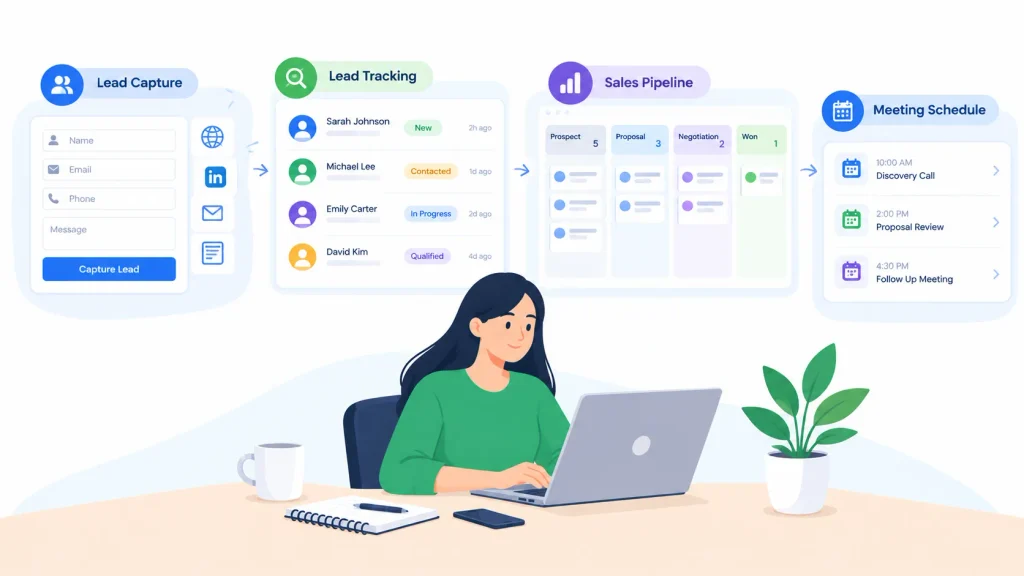
a. Lead Capture and Intake Forms
An intake form on your website collects budget, timeline and project goals before you reply. Build one with a free client intake form generator, or use a form builder that saves every answer as a lead. You can place forms, booking links and other widgets on any site with embeds.
b. Lead Tracking and Sales Pipeline
A spreadsheet of leads works for a month or two. After that, you need to see who is new, who is waiting on a quote and who needs a follow-up. Lead management keeps notes and contact history in one record, and a visual sales pipeline shows every deal by stage, so you always know what to do next.
c. Booking Discovery Calls
Let prospects pick a time themselves with a meeting scheduler. It syncs with your availability and removes the “does Tuesday work?” email chain. Before the call, prepare a discovery questionnaire so every conversation covers goals, budget, timeline and decision makers.
Layer 2: Quotes, Proposals and Contracts
This layer turns a good conversation into a signed, paid project. Speed matters here. The freelancer who sends a clear quote first often wins.
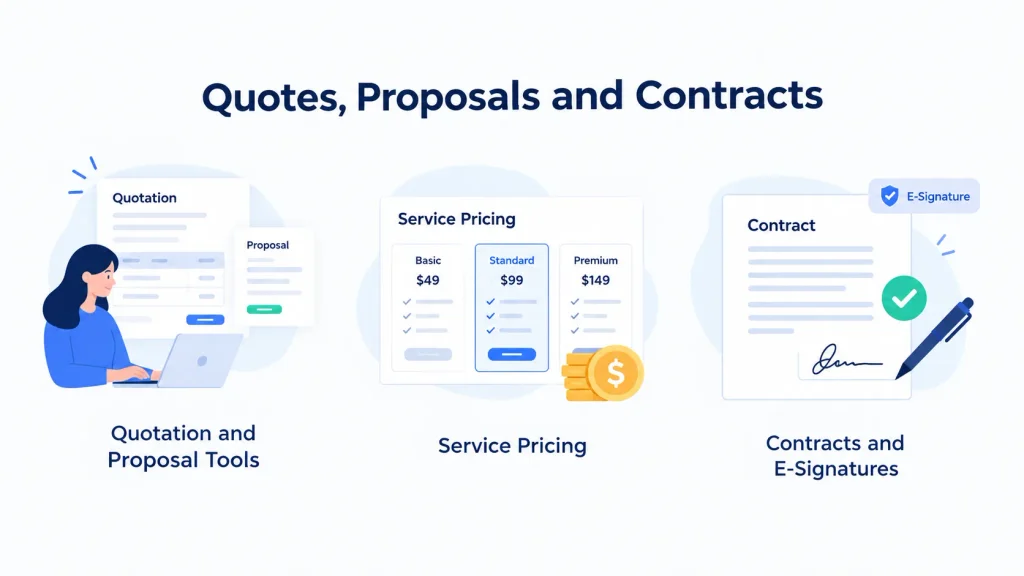
a. Quotation and Proposal Tools
For quick jobs, a free quotation generator creates a branded quote in minutes. For larger projects, add a proposal that explains your approach, plus a scope of work that lists exactly what is and is not included.
Once you send quotes every week, dedicated quotation software lets clients accept online and turns the approved quote into an invoice with one click.
b. Pricing Your Services
Guessing your rate is the fastest way to burn out. Work it out properly with a freelance rate calculator, then price individual offers with a service pricing calculator. Turn your most common jobs into fixed packages in a service catalog, so clients can choose and buy without a long back-and-forth.
c. Contracts and E-Signatures
Every project needs a written agreement. Start with a free contract generator and add an NDA when the client shares sensitive information. Then send it for e-signatures, so the client can sign from any device and you get a timestamped record.
Layer 3: Project Delivery
This is where the actual work happens, and where a weak freelancer tech stack costs you the most hours. Your tools here should keep deadlines visible, track effort and handle repetitive admin for you.
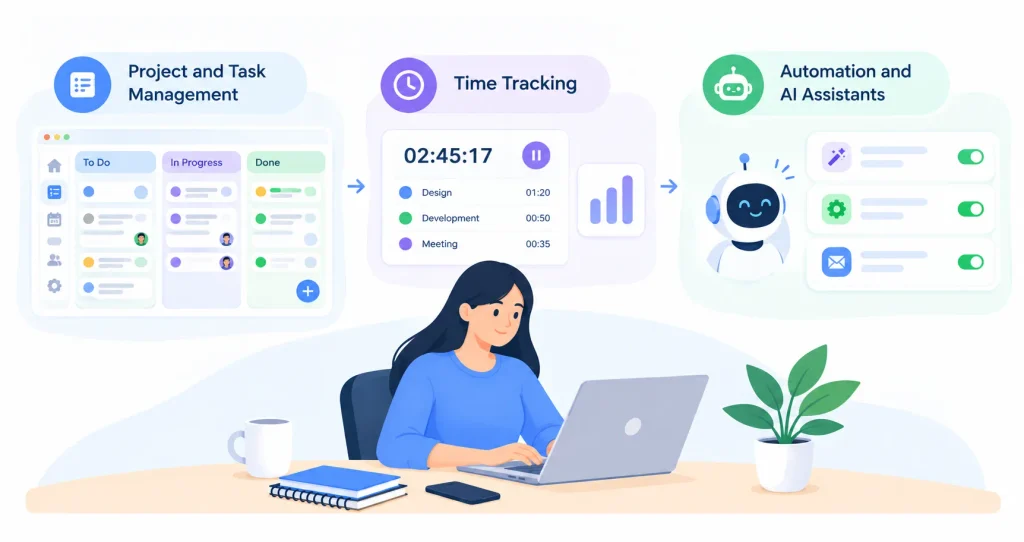
a. Project and Task Management
Break every project into milestones and tasks with owners and due dates. Project management with boards, lists and client approvals shows exactly where each job stands. Share a visual plan with clients at kickoff using a project timeline generator.
b. Time Tracking
Even on fixed-price projects, tracking time shows which clients are profitable. Time tracking linked to tasks sends hours straight to your invoices. Use a billable hours calculator to check how much of your week actually earns money.
c. Automation and AI Assistants
Reminders, status changes and follow-ups do not need your attention every time. Workflow automation runs these steps in the background.
AI is now part of the freelancer tech stack too. The Taspi AI agent helps with everyday work inside your workspace. If you already use an AI assistant that supports the Model Context Protocol, such as Claude, the Taskip MCP server lets it work directly with your Taskip data.
Layer 4: Client Communication
Clients judge you as much on communication as on the work itself. This layer of your freelancer tech stack should make you easy to reach without making you available 24/7.

a. Client Portal
A client portal gives each client one branded login for files, progress, approvals, quotes and invoices. It replaces dozens of “can you resend that?” emails and makes even a one-person business look established. Agencies have used portals for years, as this guide to the client portal for agencies shows, and solo freelancers get the same benefits.
b. Email, WhatsApp and Team Chat in One Inbox
Clients reach out wherever they like. Some send email, many prefer WhatsApp. Connecting both means every message lands in the right client record:
- A shared email inbox for formal threads and approvals
- A WhatsApp inbox for quick questions from chat-first clients
- Team chat for talking with subcontractors without leaving your workspace
If WhatsApp is central to your business, this roundup of the best CRM with WhatsApp integration compares your options.
c. Support After Delivery
Small requests keep coming after launch. A support ticket system gives each request a status and a history, so nothing gets forgotten and you can bill support work properly.
Layer 5: Billing and Finance
The last layer of your freelancer tech stack makes sure the work turns into money, on time, with clean records for tax season.
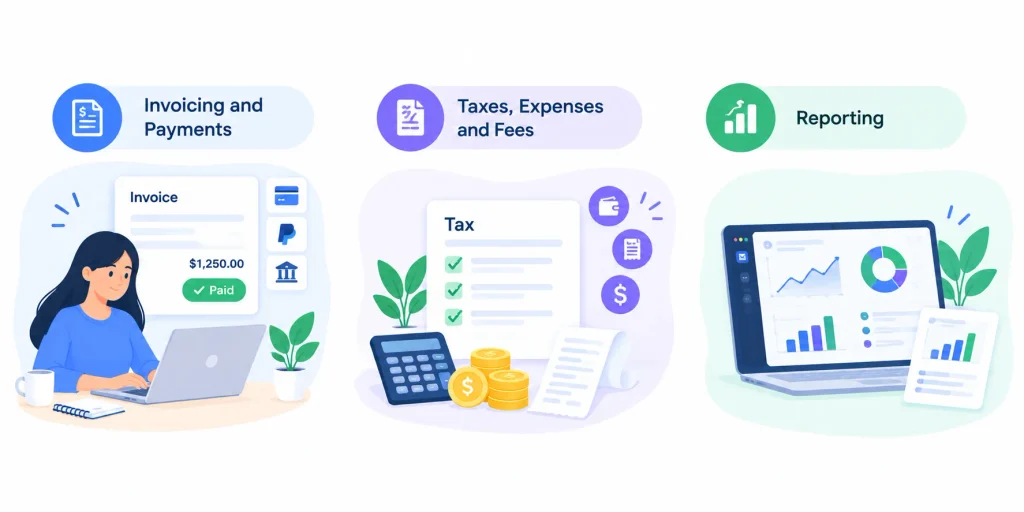
a. Invoicing and Payments
Start with a free invoice generator or ready-made invoice templates. As your client list grows, invoicing software adds online payments, recurring invoices for retainers and automatic reminders, so you stop chasing payments by hand.
b. Taxes, Expenses and Fees
Freelancers carry their own tax and admin load. A few free tools make it lighter:
- Freelance tax calculator to estimate what to set aside
- Expense report generator to log business costs
- Platform fee calculator to see what marketplaces really take from each job
c. Reporting
Knowing your numbers changes how you run your business. Reporting and analytics shows revenue by client, unpaid invoices, hours by project and which services earn the most, all without building spreadsheets.
Freelancer Tech Stack Tools: What You Need and How Taskip Connects Them
A typical freelancer tech stack mixes 10 or more apps: Gmail for email, WhatsApp for quick chats, Stripe or PayPal for payments, QuickBooks for accounting, Zoom for calls, Google Drive for files, Notion for notes and Google Ads or Meta for marketing. Each one works well on its own. The problem is that client information ends up spread across all of them.
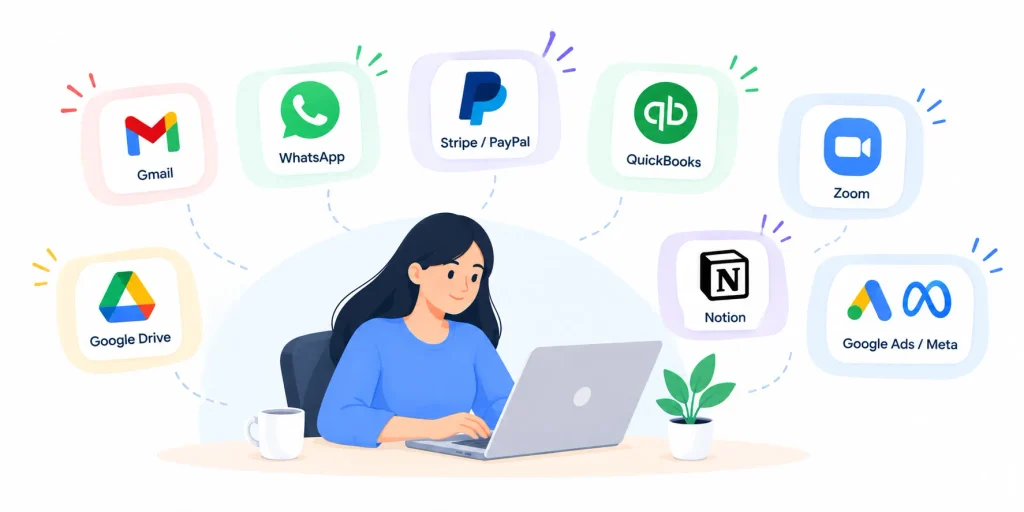
Taskip takes a different approach. It covers the core client work in one workspace, then connects to the tools you already rely on through 22 native integrations and automation platforms.
The Tools Every Freelancer Tech Stack Needs
| Tool category | Popular standalone tools | How Taskip covers it |
|---|---|---|
| CRM and lead tracking | Spreadsheets, HubSpot, Pipedrive | Built in: lead management and sales pipeline |
| Quotes, proposals and contracts | PandaDoc, DocuSign, Word templates | Built in: quotation software and e-signatures |
| Project and task management | Trello, Asana, Notion | Built in: project management and time tracking |
| Client communication | Gmail, Outlook, WhatsApp | Built in inbox plus Gmail, IMAP / webmail and WhatsApp |
| Client portal | Separate portal apps, shared drives | Built in: white-label client portal |
| Invoicing and payments | FreshBooks, PayPal, Stripe | Built in invoicing plus Stripe, PayPal, Razorpay, Mollie and more |
| Accounting | QuickBooks, Xero | QuickBooks and Xero integrations |
| Meetings | Calendly, Zoom, Google Meet | Built in meeting scheduler plus Zoom and Google Meet |
| Files | Google Drive, Dropbox | Google Drive integration plus project files in the portal |
| Marketing and analytics | Google Analytics, Meta Pixel, Google Ads | Google Analytics, Google Tag Manager, Facebook Pixel and TikTok Pixel |
| Email marketing and SMS | ActiveCampaign, Twilio | ActiveCampaign and Twilio integrations |
| AI assistants | ChatGPT, Claude | Built in Taspi AI agent plus the MCP server |
WhatsApp and Email in One Inbox
For most freelancers, client conversations happen in two places: email and WhatsApp. Taskip brings both into one inbox. You can connect one or more Gmail accounts, or any other provider through IMAP, and manage WhatsApp conversations on personal and business numbers. Every message lands in the right client record, next to their projects and invoices.
Notion, Google Ads and 7,000+ Other Apps
Some tools in your freelancer tech stack don’t need to be replaced, just connected. Through the Zapier integration, Taskip connects to more than 7,000 apps without code, including Notion, Google Sheets, Slack and Google Ads lead forms. Activepieces offers an open-source alternative. For example, you can send new Google Ads leads straight into your Taskip pipeline, or create a Notion page when a project is won.
Fewer Apps, Lower Costs
When Taskip handles CRM, quotes, contracts, projects, the client portal, inbox and invoicing, you can cancel several single-purpose subscriptions. Keep only the specialist tools you love and connect them. Compare plans on the Taskip pricing page to see how much you could save.
Free Freelancer Tech Stack vs All-in-One Stack
Both approaches to a freelancer tech stack work. A free stack suits new freelancers with one or two clients. An all-in-one stack pays off once you juggle several clients and lose time moving data between apps.
| Job | Free stack (separate tools) | All-in-one stack (Taskip) |
| Lead capture | Website form plus spreadsheet | Forms, leads and pipeline in one place |
| Quotes and proposals | Free generators, sent as PDFs | Online quotes clients accept, converted to invoices |
| Contracts | Template plus a separate e-sign app | Contracts and e-signatures built in |
| Projects and time | Task app plus a separate timer | Tasks, milestones and time tracking linked |
| Client communication | Email and personal WhatsApp | Client portal, shared email and WhatsApp inbox |
| Invoicing | Invoice template and manual reminders | Recurring invoices, online payments, auto reminders |
| Reporting | Manual spreadsheets | Built-in revenue and project reports |
A practical path is to start with Taskip’s free tools, then move into the full workspace when you are ready. Check Taskip pricing to compare plans, and see the list of integrations for the apps you want to keep using alongside it.
Sample Freelancer Tech Stack by Specialty
Every freelancer tech stack shares the same five layers, but each specialty leans on different features. Here is where to focus first.
Web Developers
Prioritize scope of work documents, milestone billing and a support ticket system for post-launch fixes. A portal for sharing staging links and collecting approvals saves endless email threads. See how this works for web development agencies.
Digital Marketers and SEO Specialists
Marketing and SEO work runs on retainers and monthly reporting. Focus on recurring invoices, time tracking and a portal where clients see reports in one place. Explore setups for digital marketing agencies and SEO agencies.
Social Media and Content Creators
Content work lives and dies by approvals. Use a portal for content calendars, drafts and sign-offs, plus WhatsApp for quick client feedback. Find ideas for social media agencies and content marketing agencies.
App Developers
App projects are long and change often. Focus on change requests, milestone payments, task dependencies and detailed time logs. See the workflow for app development agencies.
When to Upgrade Your Freelancer Tech Stack
At some point, your freelancer tech stack needs to support more than just you, usually when you move from solo freelancer to small studio. That moment usually arrives earlier than people expect.
Signs You Have Outgrown Your Stack
- You manage more than five active clients at once
- You bring in subcontractors or a part-time assistant
- Invoices or follow-ups slip through the cracks
- You spend more than a few hours a week on admin
- Clients ask for status updates you can’t answer quickly
Add Your Team and Your Processes
When others join, they need access to the right projects without seeing everything. Team management handles roles and permissions. Write down how you onboard, deliver and bill, so new people follow the same steps. This guide on how to create agency SOPs shows how.
Learn From Studios That Made the Jump
Small teams that grew from freelance roots share how they run their client work in these case studies: Panze Studio, CoderMoon and RIVERA Marketing.
How to Switch Your Freelancer Tech Stack Without Losing Data
Moving your freelancer tech stack to a new platform feels risky, but a little planning makes it painless.
A Simple 4-Step Migration Plan
- Export clients, projects and invoices from your current tool
- Import them into the new workspace and check a few records
- Run both tools side by side for one billing cycle
- Invite clients to the new portal with a short welcome note
Many platforms help with the move. Taskip offers migration support to bring your data across.
Compare Before You Commit
If you are weighing up options, these guides compare popular tools in detail:
How to Build Your Freelancer Tech Stack in Taskip
Taskip covers all five layers of a freelancer tech stack in one workspace. Here is how to set it up in an afternoon.
Step 1: Choose Your Plan
Start by comparing Taskip plans and pick the one that matches your client load today. You can move up as your business grows.
Step 2: Bring In Your Existing Data
Import your clients, projects and open invoices. If you are coming from another tool, use Taskip migration so you don’t start from zero.
Step 3: Set Up Your Services and Quotes
Add your packages to the service catalog and create a reusable quote template in quotation software. New quotes then take minutes, not hours.
Step 4: Connect Your Inbox and WhatsApp
Link your email and WhatsApp, so every client message lands in the right record.
Step 5: Invite Clients to Your Portal
Send each active client a link to your branded client portal. From there they can view progress, approve work, sign documents and pay invoices.
Step 6: Turn On Automations and Invoicing
Set up recurring invoices, payment reminders and workflow automation. Your freelancer tech stack now runs the routine admin for you.
Want a guided walkthrough first? Book a demo and the Taskip team will help you map your workflow.
Final Thoughts
The right freelancer tech stack is the one that disappears into the background. Leads get captured, quotes go out fast, contracts get signed, clients stay informed and invoices get paid, without you juggling a dozen apps.
Start with free tools for each layer. When the admin starts to pile up, bring everything into one workspace so your time goes back to the work you love.
Ready to simplify your freelancer tech stack? Compare Taskip plans and pick the one that fits your business today. Prefer a walkthrough first? Book a demo or check the latest special offers to get started.
Frequently Asked Questions
What is a freelancer tech stack?
A freelancer tech stack is the set of tools a freelancer uses to run the business side of their work: finding clients, sending quotes, signing contracts, managing projects, communicating with clients and getting paid.
What is the best freelancer tech stack for beginners?
Beginners should start lean: free generators for quotes, contracts and invoices, plus one place to track clients and tasks. Once you have several active clients, an all-in-one platform like Taskip replaces most of those separate tools.
What tools does a freelancer need to start?
At minimum, you need a way to capture leads, send quotes, sign contracts, track tasks, talk to clients and send invoices. Free generators and templates cover all six when you are starting out.
Is an all-in-one tool better than separate apps?
For one or two clients, separate free tools are fine. Once you have several active clients, an all-in-one tool usually saves time because client details, projects and invoices live in one place instead of five.
What is the best all-in-one software for freelancers?
It depends on how you work. Taskip suits freelancers who want a client portal, CRM, quotes, invoicing and a WhatsApp inbox in one workspace. HoneyBook, Bonsai and Moxie are also popular. Try the client-facing side of each before choosing.
How much should a freelancer spend on software?
A common rule of thumb is to keep software costs to a small share of monthly revenue. Replacing several single-purpose subscriptions with one platform often lowers the total.
Can freelancers use AI to manage clients?
Yes. AI can draft proposals, summarize client messages, write follow-ups and generate reports. Tools with a built-in AI agent or an MCP server let AI assistants work directly with your client and project data.
Which tools help freelancers get paid faster?
Online quotes that convert to invoices, deposits on signing, milestone billing, online payment links and automatic reminders make the biggest difference.
