
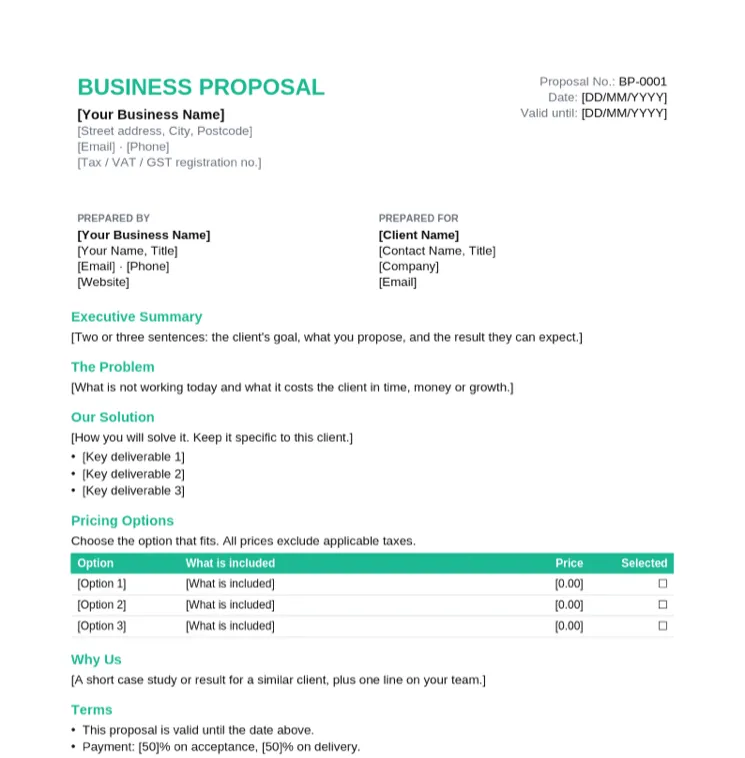
Business Proposal Template
Pitching a product or service to a new business client.
- Executive summary, problem and solution
- Three pricing options to tick
- Why us and terms
- Acceptance block for both sides
Fall Sale: pay once, use Taskip forever, save up to 70%.Fall Sale: 70% off LTD.
Claim OfferSix editable proposals with a pricing table, a timeline and an acceptance block. They open in Microsoft Word, Google Docs, Pages and LibreOffice.
4.8/5 on G2 · Trusted by 1,850+ agencies & freelancers in 40+ countries · Updated October 2026What is a proposal template in Word?
A proposal template in Word is an editable .docx proposal with the standard sections already laid out, so you write about the client's project instead of designing a document from scratch.
Each template uses Word heading styles for its sections, so you can add a table of contents in one click and move sections around in the Navigation Pane. Pricing sits in a table with options the client can tick, which makes saying yes easier than reading one lump sum.
Every proposal below is an editable .docx file, with a print-ready PDF copy. The business proposal format hub explains each section.
Pitching a product or service to a new business client.
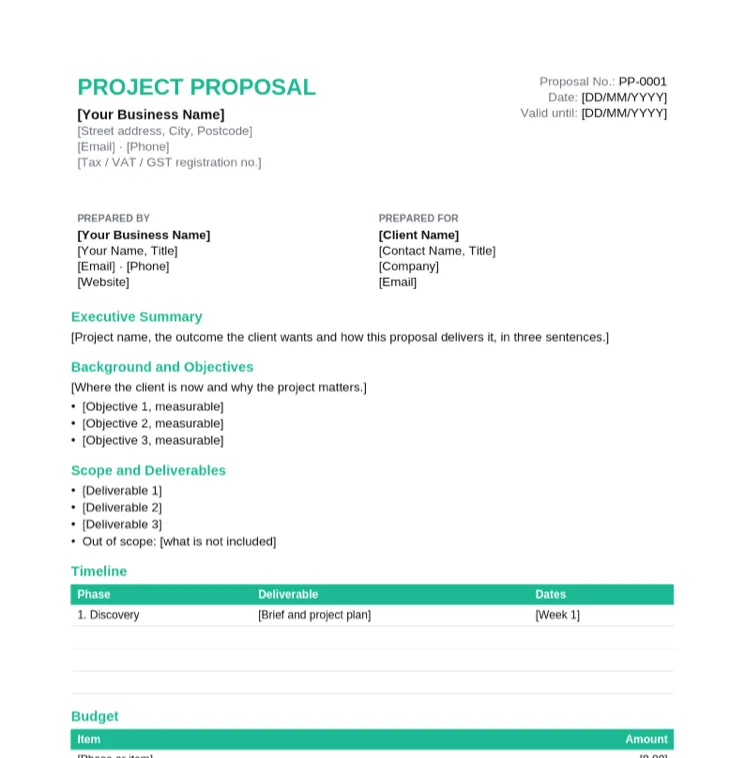
One-off client projects with a scope, timeline and budget.
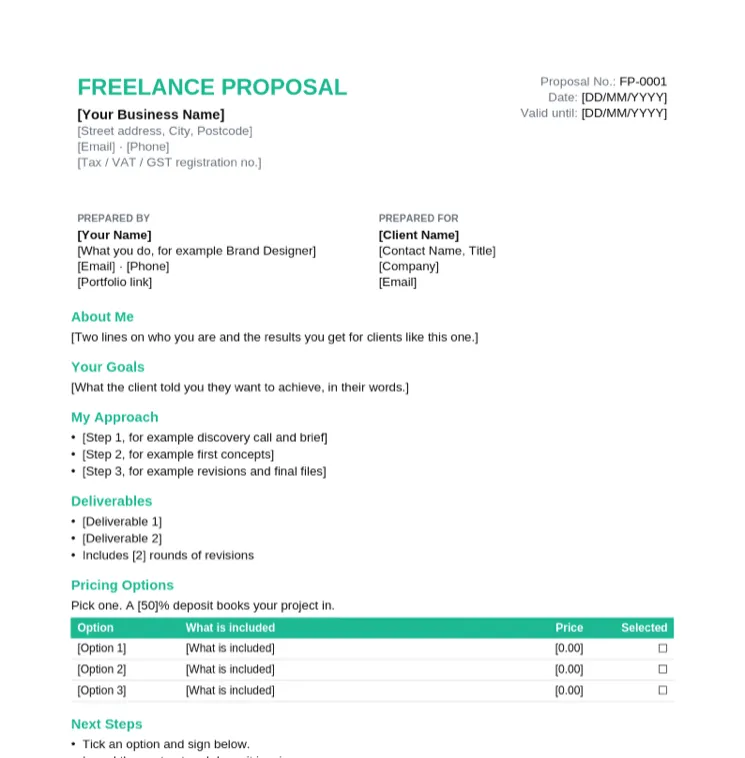
Freelancers pitching a project with a deposit and options.
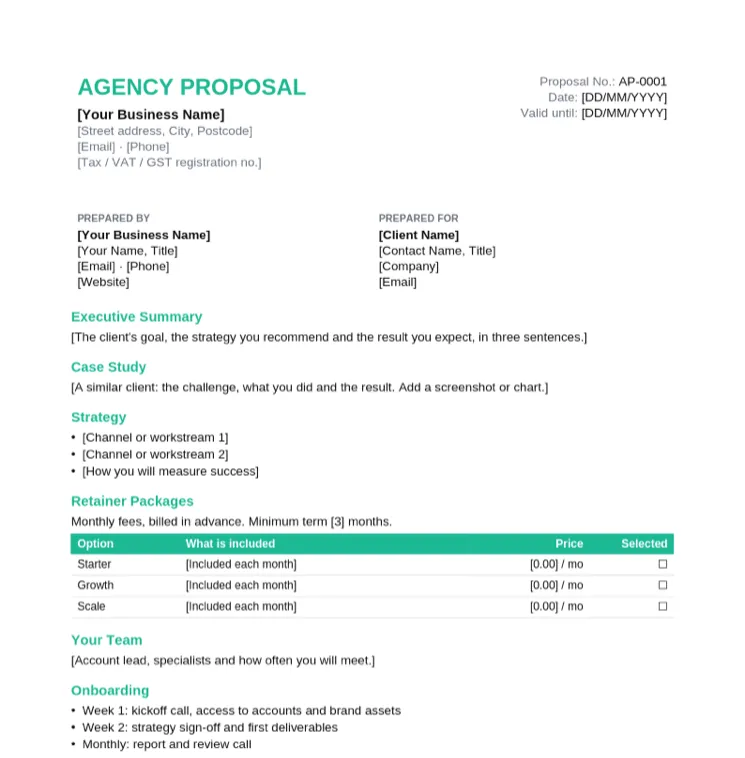
Agencies pitching a monthly retainer to a new client.
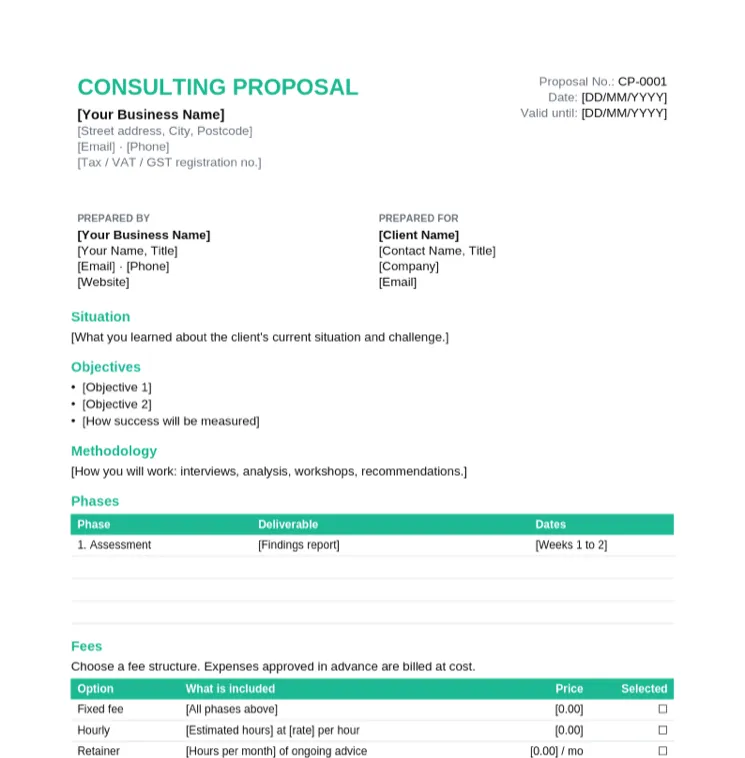
Consultants proposing an assessment or advisory engagement.
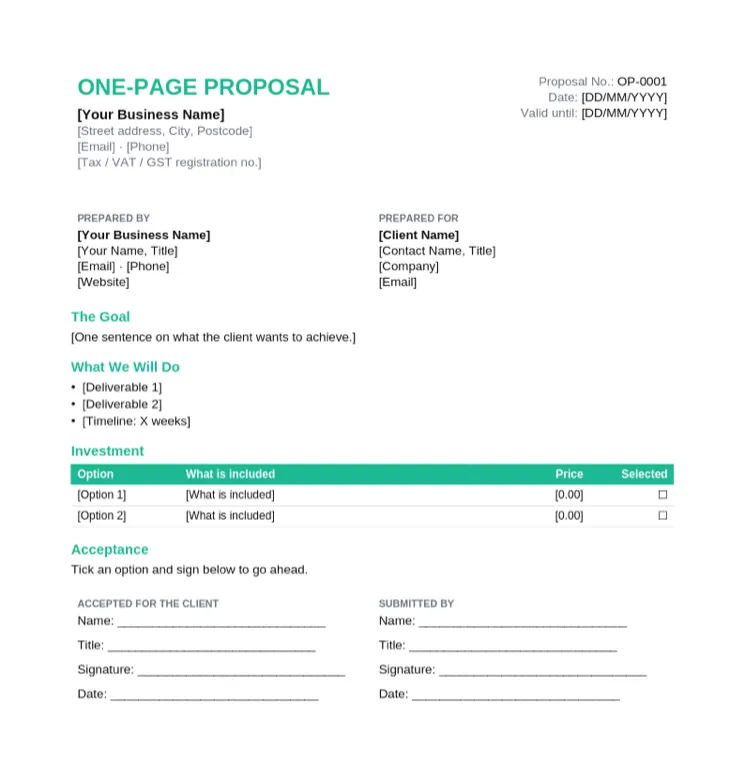
Small jobs and quick follow-ups after a call.
The agency proposal filled in for a content and paid social retainer between two fictional companies, with three packages and the Growth package ticked.
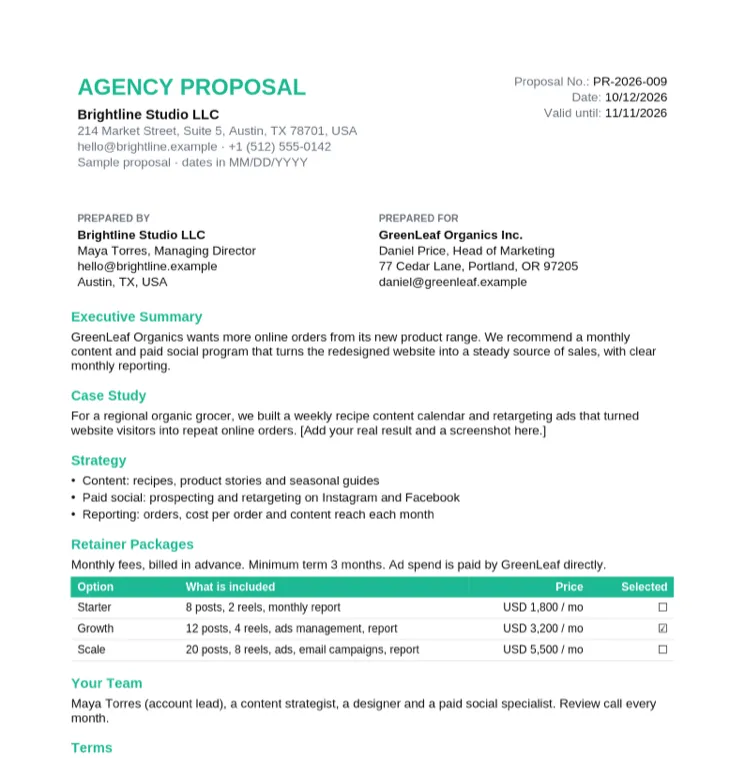
A finished, realistic proposal to copy the wording and layout from.
| Section | What to write | Example |
|---|---|---|
| Cover details | Proposal number, date, valid-until date, and who it is for and from | PR-2026-009, valid 30 days |
| Executive summary | The client's goal, your recommendation and the result, in three sentences | More online orders from a monthly content program |
| Problem | What is not working and what it costs the client | Traffic but few repeat orders |
| Solution and scope | What you will do, and what is out of scope | Content and paid social; ad spend paid by the client |
| Deliverables | The concrete outputs | 12 posts and 4 reels a month |
| Timeline | Phases and dates | Start 11/02/2026, first report in December |
| Pricing options | Two or three options with what each includes | Starter, Growth and Scale |
| Proof | A short case study or result for a similar client | One client story with a screenshot |
| Terms and validity | Payment terms, minimum term and how long the offer holds | 3-month minimum, valid 30 days |
| Acceptance | Where the client ticks an option and signs | Signed by the Head of Marketing |
Download the .docx, open it in Word and use File > Save As to save a copy named after the client.
Fill in the problem, solution and pricing first. Then summarise them in three sentences at the top.
Copy the deliverables from your notes or scope of work, and add an out-of-scope line.
Enter each option and price. Need another row? Click in the table and use Table Layout > Insert Below.
Insert a case study image with Insert > Pictures. For longer proposals, add References > Table of Contents; it uses the heading styles.
Use File > Save As > PDF and email it, or send it from Taskip so the client can accept and sign online.
Three documents that follow each other in a sale.
| Document | What it does | When to send it |
|---|---|---|
| Proposal | Explains the approach and options to win the work | After the first call, before the client decides |
| Quotation | Gives a fixed price for an agreed scope. See the quotation format in Word | When the client already knows what they want |
| Scope of work | Details deliverables and responsibilities. See the agency scope of work template | Once the proposal is accepted |
| Contract | Sets the legal terms both sides sign. See the contract template in Word | Before work starts |
Business Proposal Format
Six proposal templates in Word and PDF, plus a filled sample proposal.
Free AI Proposal Generator
Describe the project and get a full proposal draft. Download as Word.
Project Proposal Format
A 12-section format and a filled client project sample.
Freelance Proposal Template
Win projects as a freelancer with clear options and next steps.
Agency Proposal Template
Pitch retainers with a case study, strategy and packages.
Consulting Proposal Template
Situation, methodology, phases and fees for consultants.
Word has a few proposal designs under File > New if you search for "proposal". The templates on this page are free .docx files with the full set of sections, a pricing table and an acceptance block, with no Microsoft account needed.
Open a proposal template, replace the bracketed placeholders, fill in the scope and pricing table, write the executive summary last, then save it as a PDF and send it.
An executive summary, the client's problem, your solution and scope, deliverables, a timeline, pricing options, proof such as a case study, terms and validity, and a place to accept.
As long as the decision needs and no longer. Two to five pages suits most client projects; use the one-page template for small jobs.
Yes. Upload the .docx to Google Drive, then right-click and choose Open with > Google Docs. The tables and headings keep their layout.
Yes. Download and use them for your own clients with no signup, no watermark and no attribution required.
Send a proposal when you still need to explain your approach and win the work. Send a quotation when the client already knows what they want and only needs the price.
Taskip, client management software for agencies and freelancers. Taskip handles proposals, quotes, contracts, invoices, a client portal and projects in one place.