Your personal account settings allow you to manage your profile, update basic information, and control your account status.
Use this section to personalize your Taskip experience and handle account-level actions.
Update Your Profile #
- Navigate to Settings from the main menu.
- Select My Account to access your Profile.
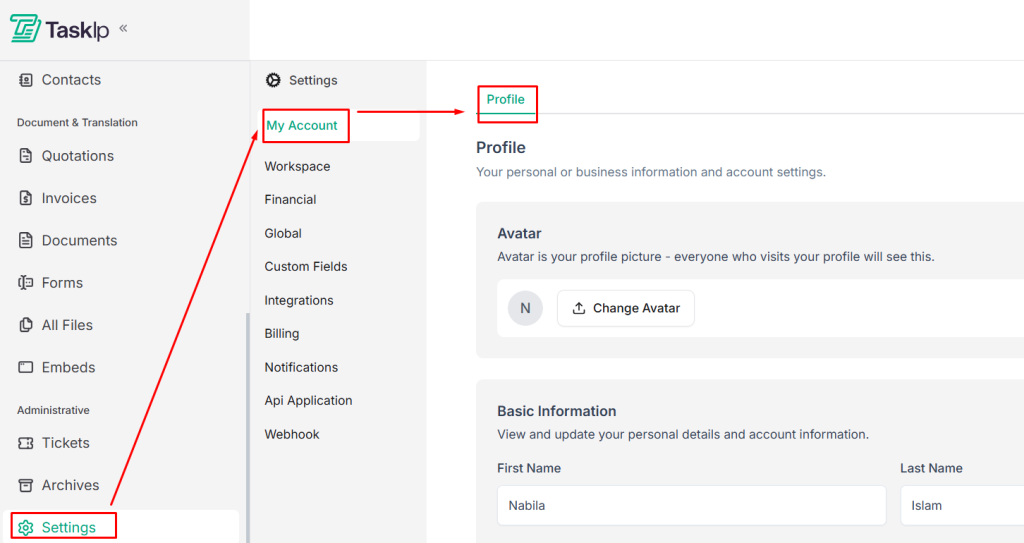
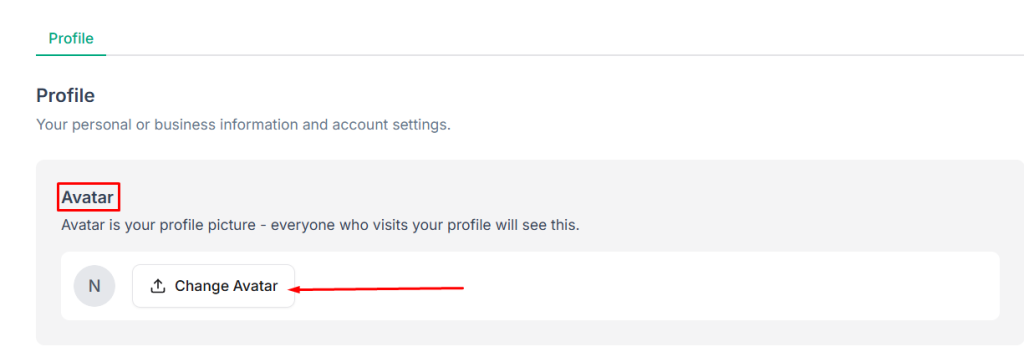
- Change Profile Picture: Click Change Avatar to upload a new image.
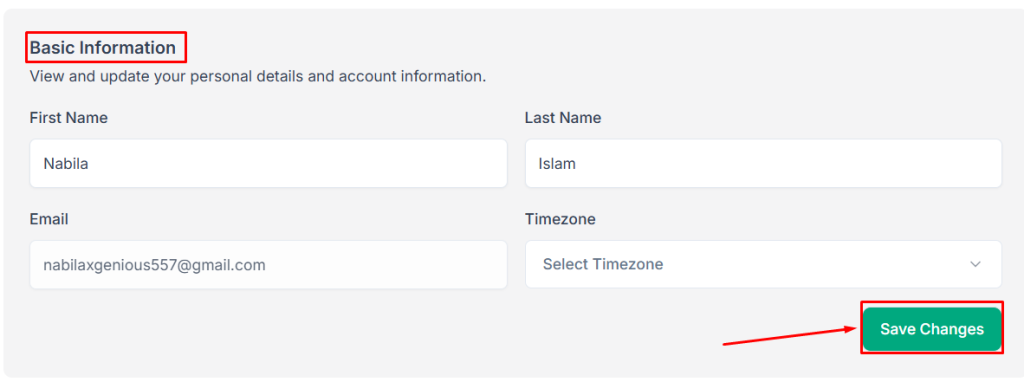
- Edit Basic Information:
- Update your First Name and Last Name.
- Verify or change your Email Address.
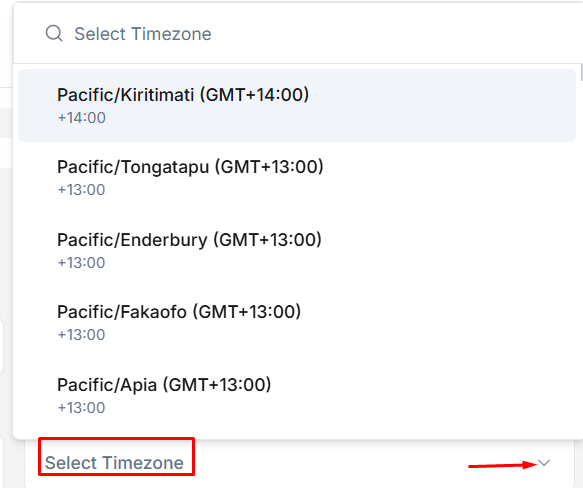
- Choose your Timezone from the dropdown.
- Click Save Changes to apply your updates.
Delete Your Account #
- Scroll to the Delete Account section at the bottom of the page.
- Carefully review the warning — this action is permanent.
- Click Delete Account and confirm to permanently remove your account.

| ⚠️ Important: Account deletion is irreversible. Export or save any essential data before proceeding. |


