The Business Inbox lets you connect your existing email to your Taskip workspace, so you can manage all email conversations from a single place.
Navigation Path #
Settings → Global → Inbox Settings → General / Tag / Auto Reply / Quick Response/ Support Email
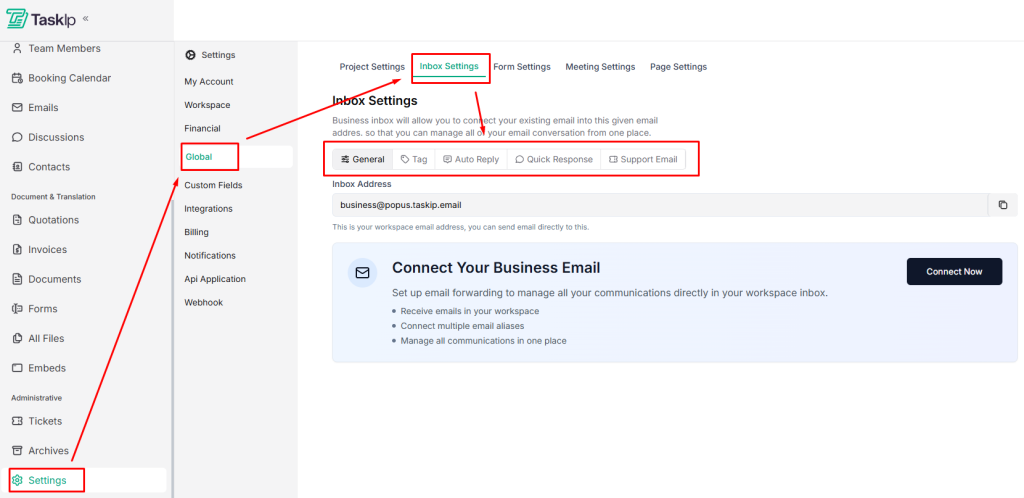
Inbox Settings Configuration #
General #
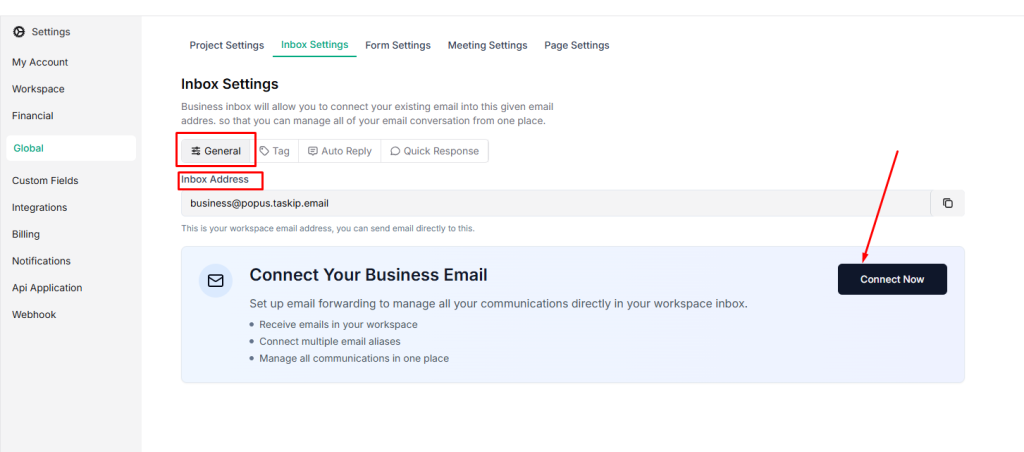
- Go to Inbox Settings → General
- Enter your workspace email address in the Inbox Address field.
- Click Connect Now to link your existing business email to Taskip.
Tag #
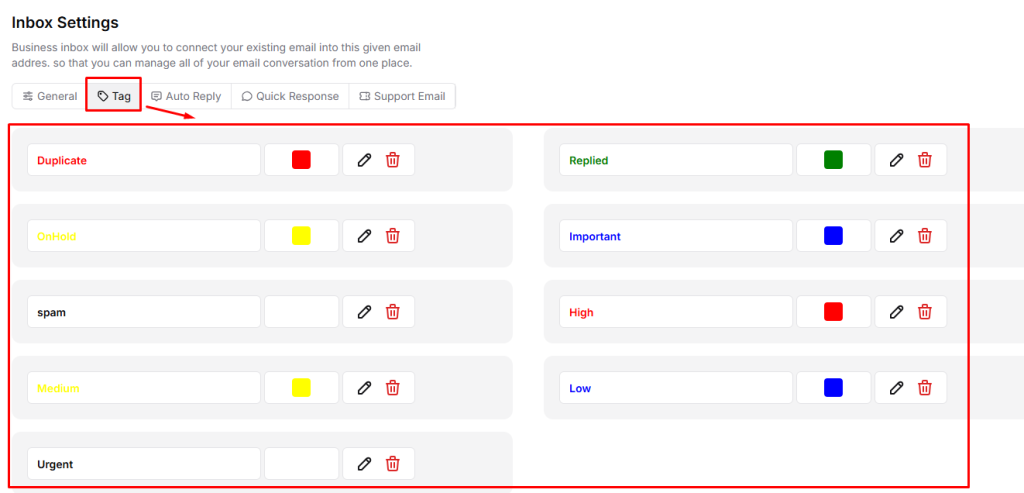
Use tags to organize and prioritize email conversations in your inbox.
- Go to Inbox → Tag
- Use default tags such as Duplicate, Replied, On Hold, Important, and Spam.
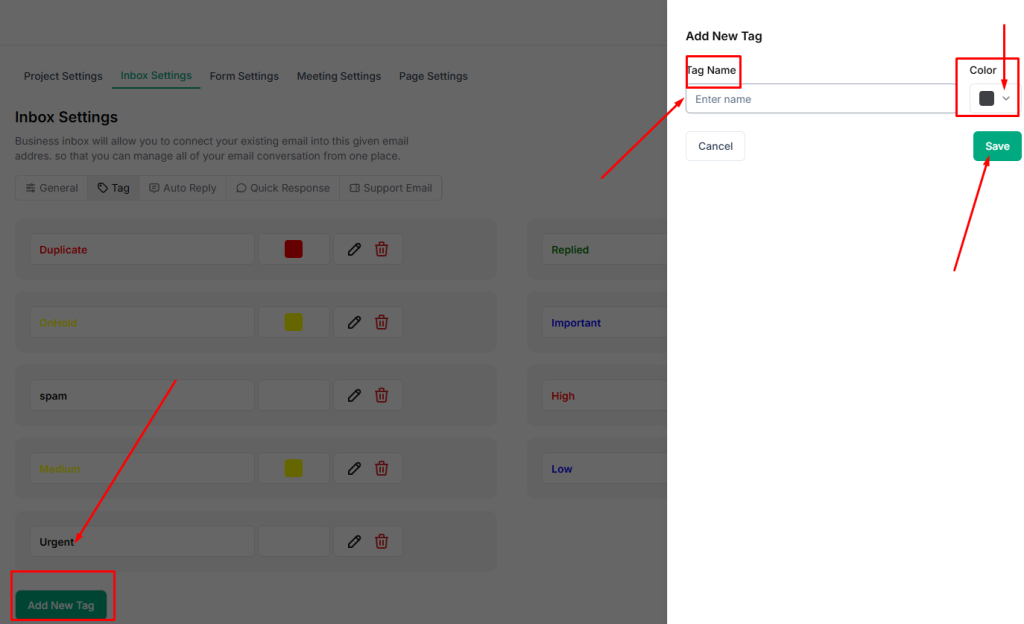
- To create new tags, click on Add New Tag, type the name of the tag, select a tag color from the dropdown menu, and save it.
Auto Reply #
This feature automatically sends responses to incoming emails.
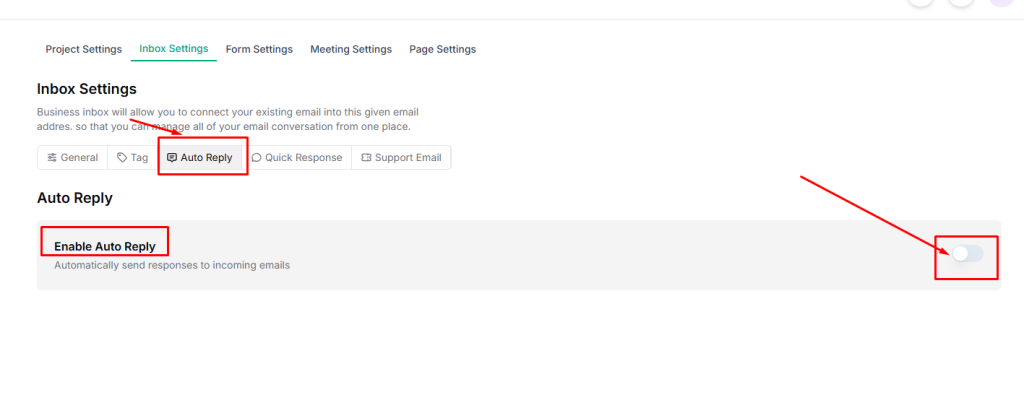
- Go to Inbox Settings → Auto Reply
- Enable Auto Reply toggle
- Set the Email Subject using the {{subject}} variable.

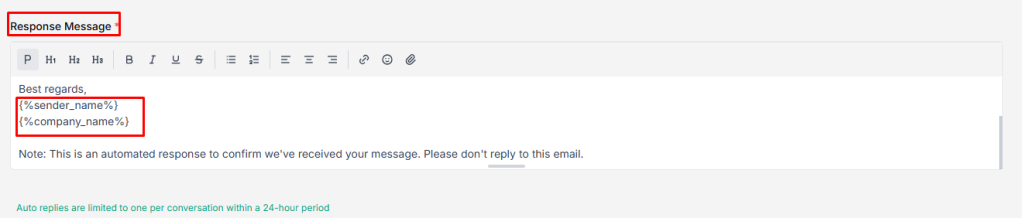
- Write the Response Message using:
- {%sender_name%} – Sender’s name
- {%company_name%} – Your company name
- Click Save to apply the auto-reply settings.
| ⚠️ Note: Limited to one auto-reply per conversation within 24 hours. |
Quick Response #
Quick Responses let you create reusable reply templates for faster and consistent email communication.
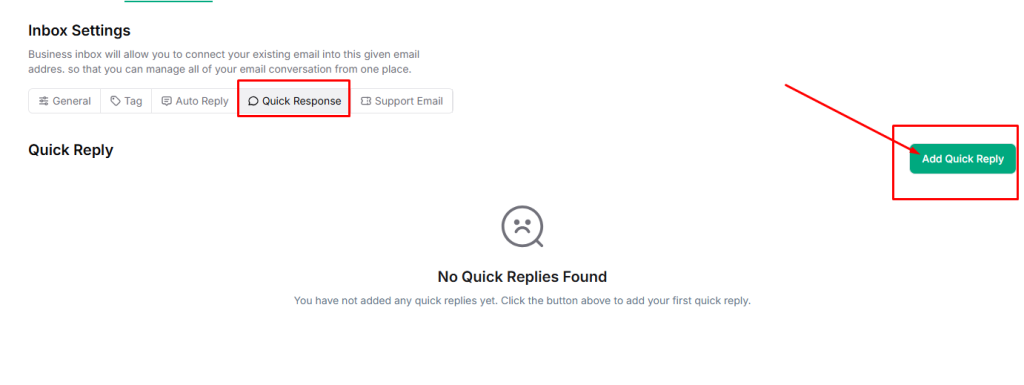
- Go to Inbox Settings → Quick Response.
- To set an automatic reply, click Add Quick Reply.
- Enter a Title for the reply (used for internal reference only).
- Write a Description that will be used as the quick reply message.
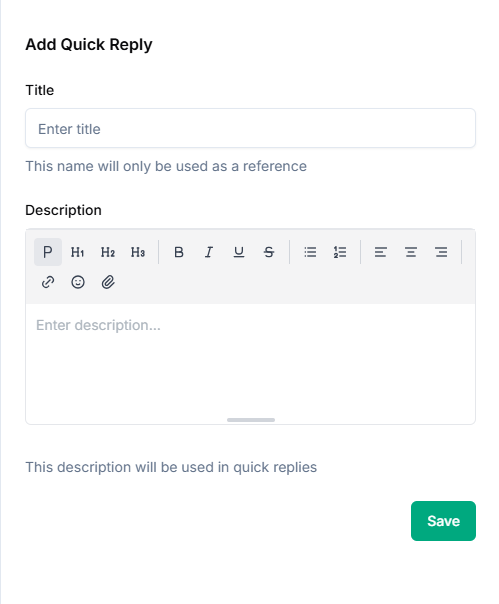
- Click Save to add the quick response.
Support Ticket #
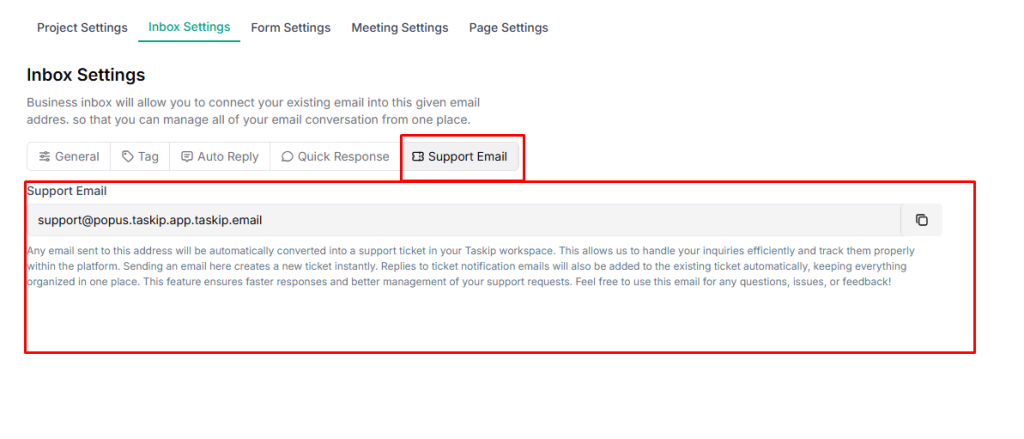
Taskip provides a dedicated support email address that automatically converts incoming emails into support tickets.
This ensures all support requests are properly tracked, organized, and managed within your workspace.
Navigation Path: Inbox Settings → Support Email
Support Email Address: support@popus.taskip.app.taskip.email
How It Works
- Sending an email to this address creates a new support ticket instantly.
- Replies to ticket notification emails are automatically added to the same ticket.
- All related communication remains centralized in one place, making it easier to track updates and responses.
When to Use This Email
Use the support email for:
- Reporting issues or bugs
- Asking questions about Taskip features
- Sharing feedback or suggestions
| 💡 Tip: Always reply to the ticket notification email to keep the conversation linked to the same support ticket. |


