Form Settings in Taskip let you manage how form submissions are tracked by defining submission statuses.
These statuses help your team quickly identify the state and priority of each submission.
- Navigation Path: Settings → Global → Form Settings
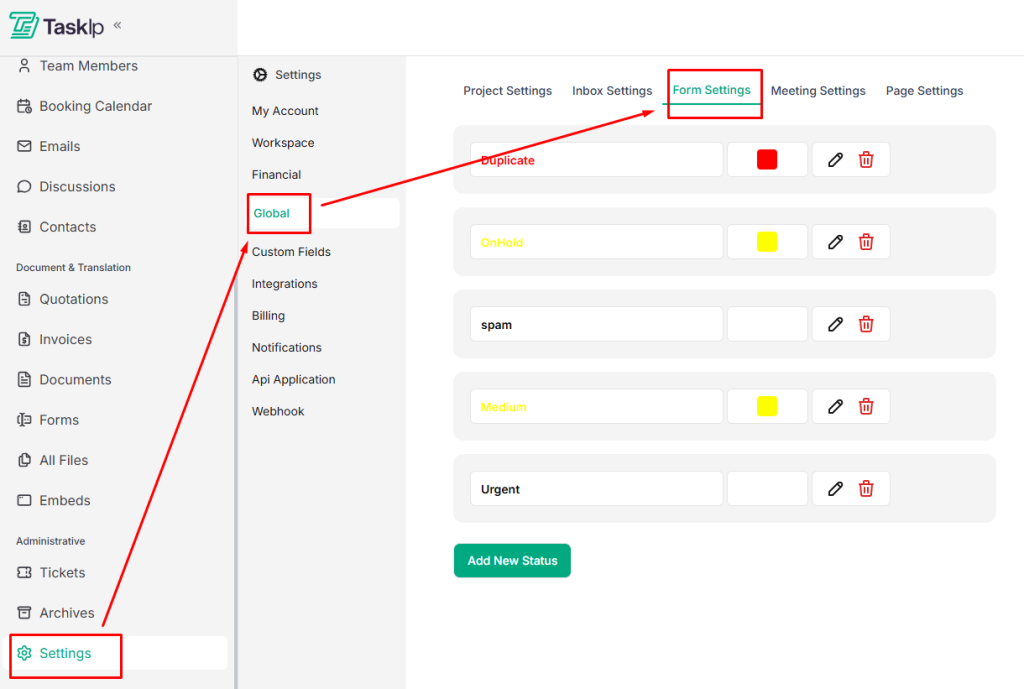
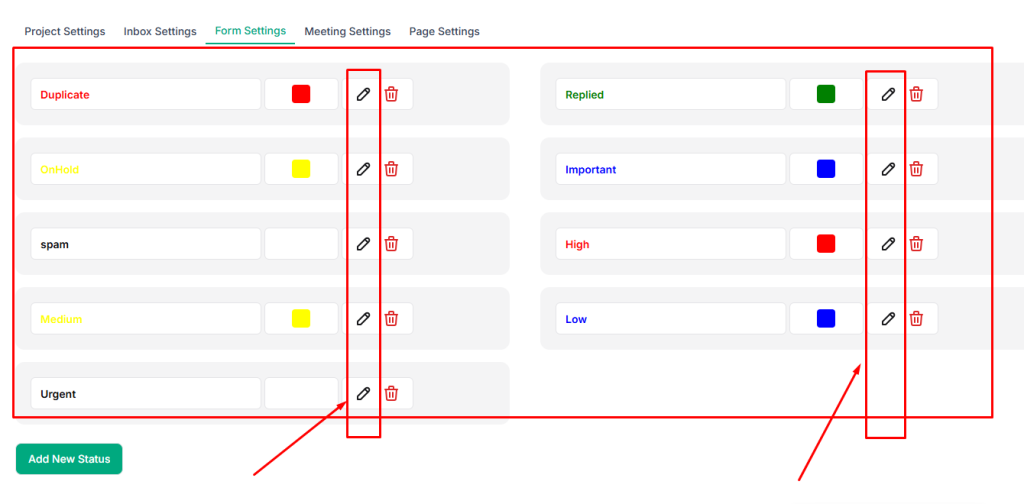
- Go through the default settings that include- Duplicate, Onhold, Urgent, etc.
- To edit or remove a status, use the available options next to each status.
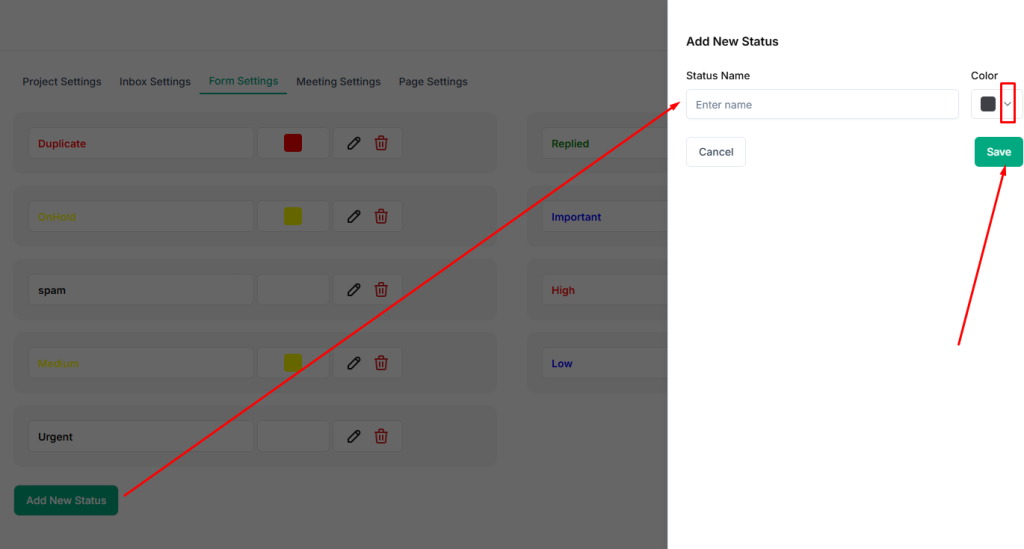
- To add a new status, click Add New Status.
- Write the Status Name and select a Color from the dropdown menu.