Meeting Settings in Taskip allow you to integrate video conferencing platforms like Google Meet or Zoom.
Once connected, the system can automatically generate meeting URLs whenever someone books a scheduled meeting.
Meeting Settings Configuration
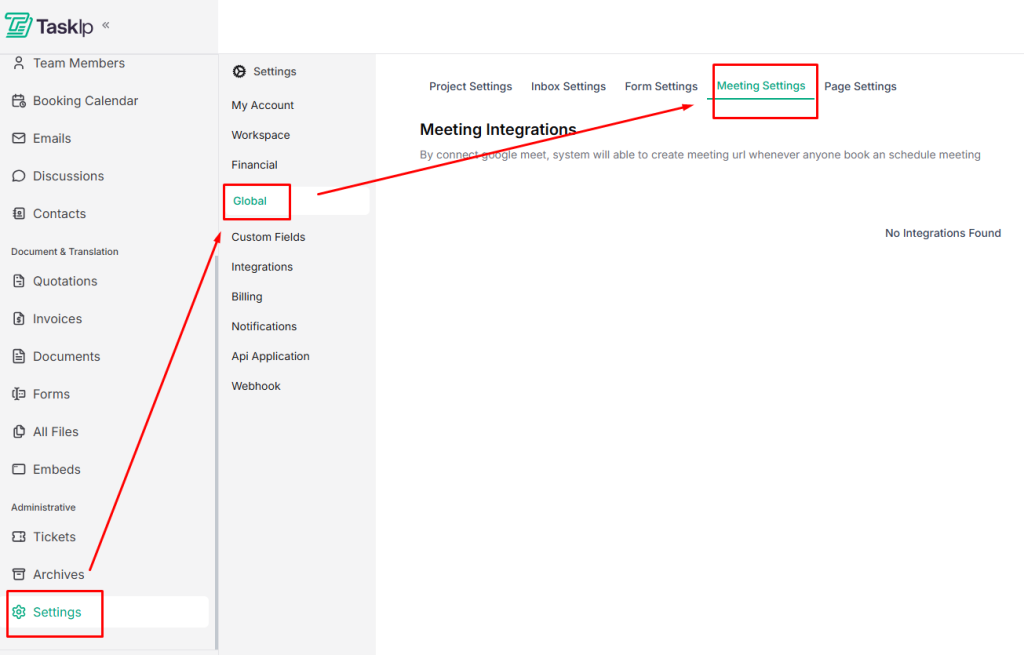
- Go to Settings → Global → Meeting Settings.
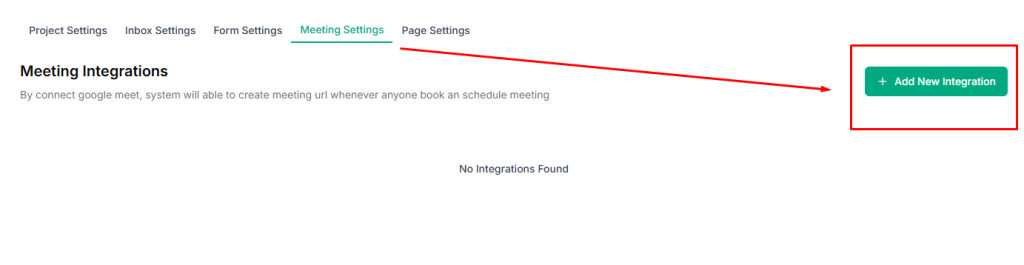
- Click Add New Integration.
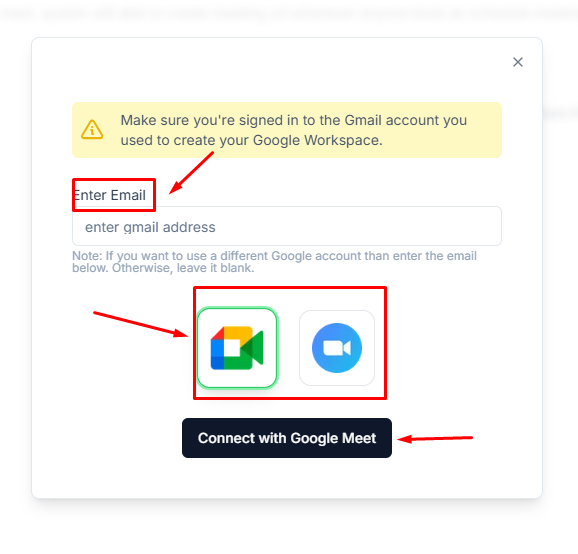
- Enter your email address.
- Choose your meeting platform: Google Meet or Zoom.
- Click Connect to link the platform to Taskip.