The Usage section helps you track how your workspace resources are being used. It provides a clear overview of limits, current consumption, and remaining capacity so you can manage your plan efficiently.
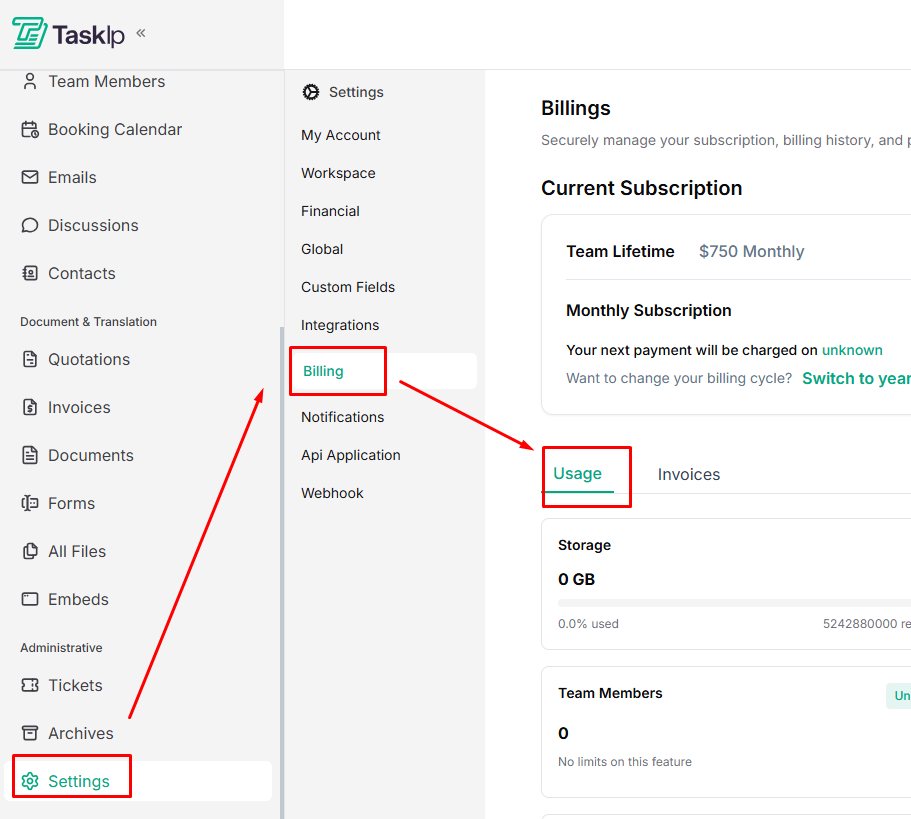
Navigation Path #
Settings → Billing → Usage
Understanding Usage Metrics #
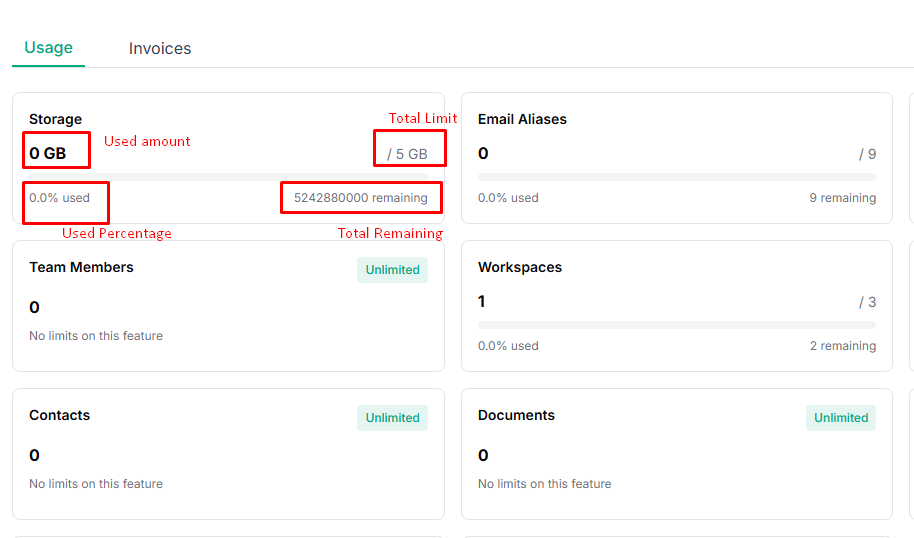
Each usage item displays:
- Used amount: What your workspace has consumed
- Total limit: Based on your subscription plan
- Usage percentage: How much of the limit is used
- Remaining capacity: Available resources left
Tracked Usage Categories #
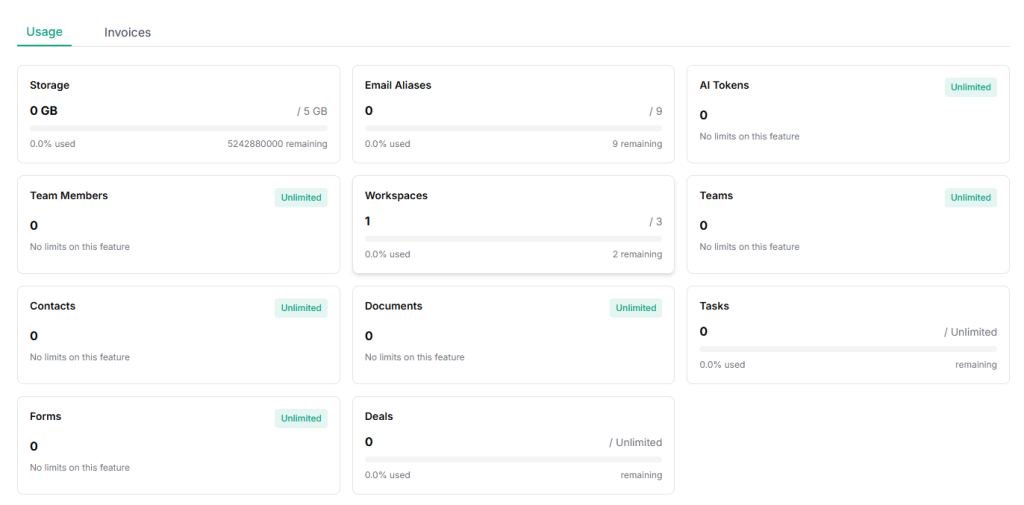
You can monitor the following resources:
- Storage: Shows total storage used and remaining space (e.g., 0 GB / 5 GB).
- Email Aliases: Tracks the number of email aliases created in your workspace.
- AI Tokens: Displays AI usage. Unlimited plans show no usage restrictions.
- Team Members: Indicates how many team members are added to your workspace.
- Workspaces: Shows the number of active workspaces versus the allowed limit.
- Teams: Tracks team creation and usage.
- Contacts: Displays the total number of contacts stored.
- Documents: Tracks documents created and stored.
- Tasks: Shows task usage for workspaces with task limits.
- Forms: Tracks form creation and usage.
- Deals: Displays deal usage and remaining capacity.
| Notes * Features marked Unlimited have no usage limits. * Usage updates automatically as your workspace grows. * If you approach a limit, consider upgrading your plan to avoid interruptions. |


