Taskip offers multiple views to visualize your project tasks based on your workflow preference.
Each view presents the same task data in different formats to suit various planning and tracking needs.
Available Views #
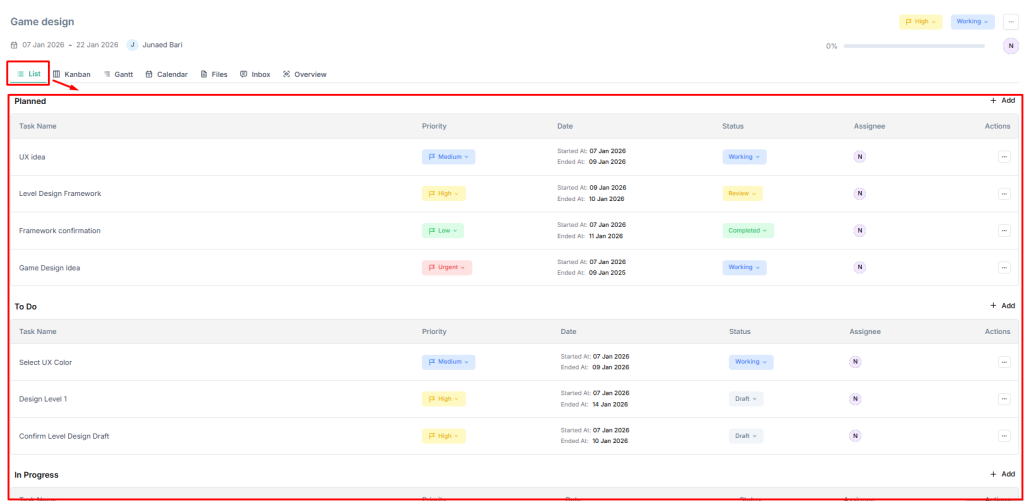
List View #
Best for: Detailed task review and bulk actions
- Click the List tab within your project
- View tasks in a traditional list format
- See task name, assignee, status, priority, and dates in rows
Kanban View #
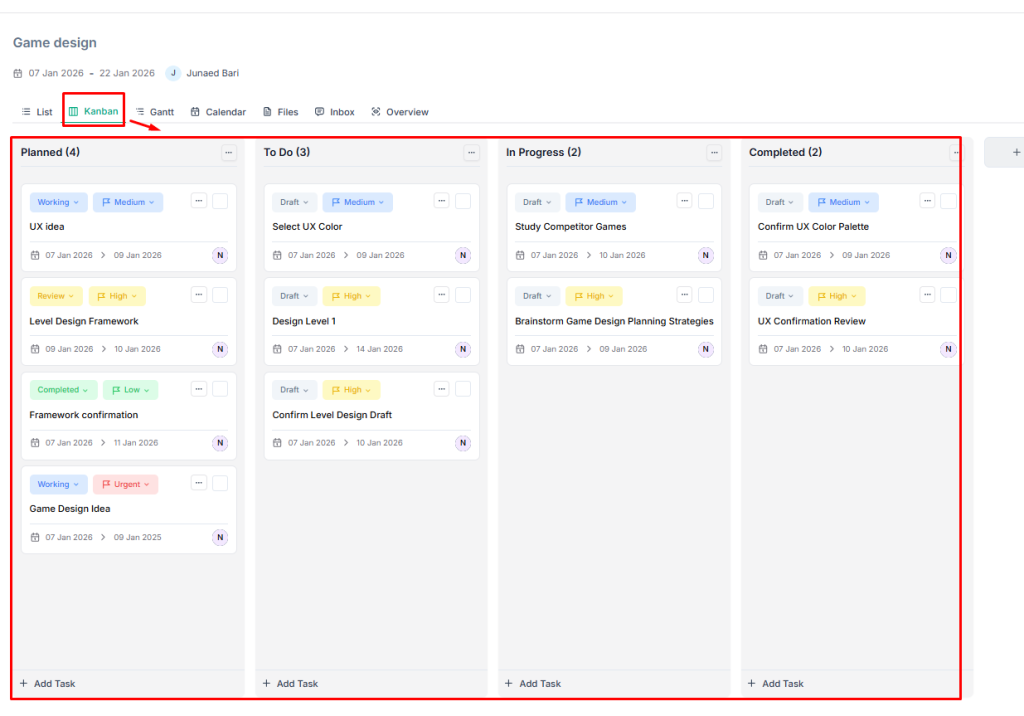
Best for: Visual workflow management and status tracking
- Click Kanban tab
- View tasks organized in columns by status (Draft, Working, Review, Completed)
- Drag and drop tasks between columns to update status
Gantt View #
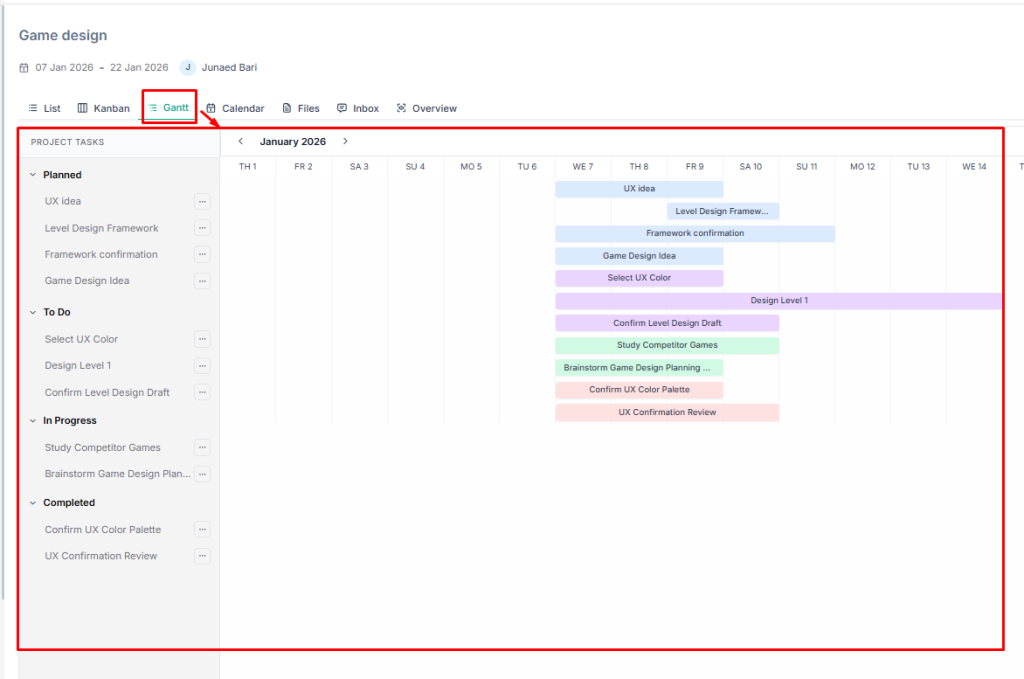
Best for: Timeline planning and deadline management
- Click Gantt tab
- View tasks on a timeline with start and end dates visualized as bars
- See task dependencies and project schedule at a glance
Calendar View #
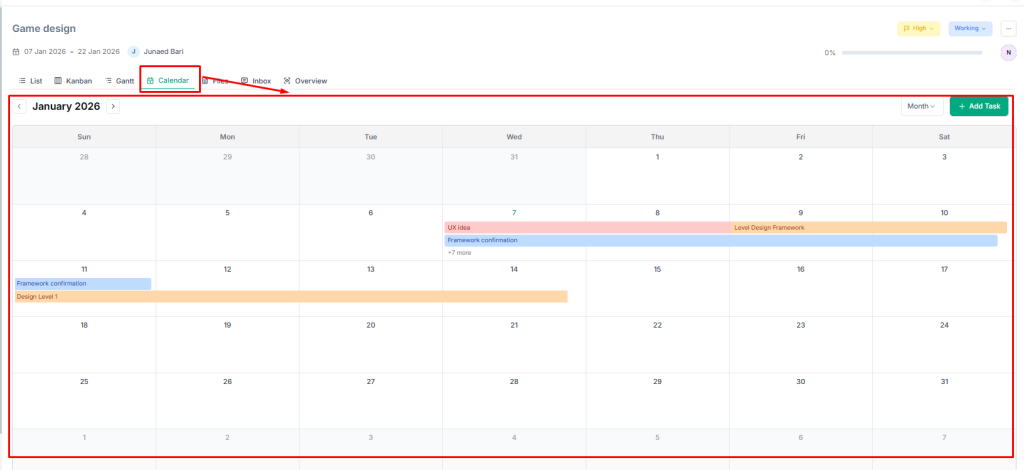
Best for: Date-based planning and workload distribution
- Click the Calendar tab
- View tasks plotted on a monthly/weekly calendar
- See task deadlines and scheduling conflicts
Switching Views #
- Click the desired view tab at the top of the project detail page
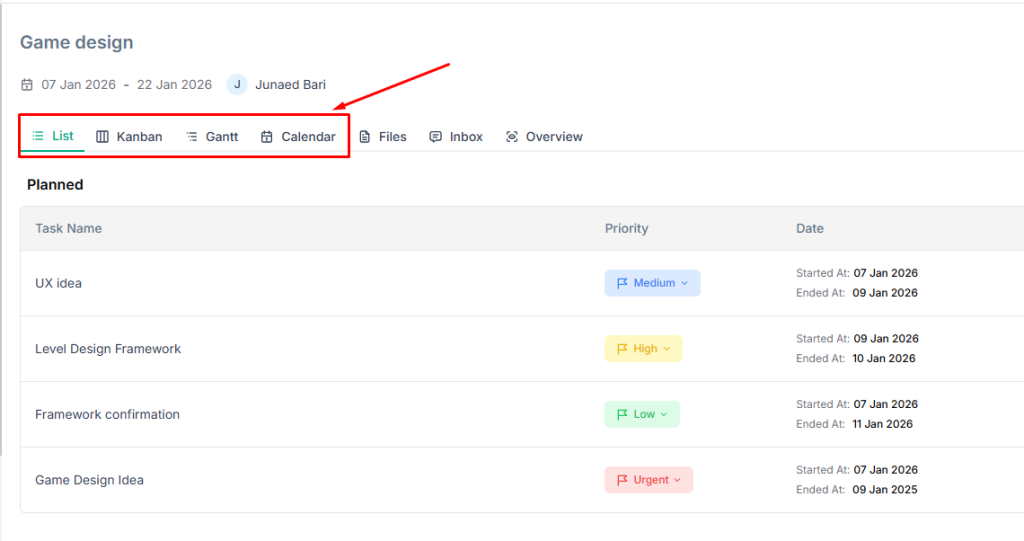
- Your view preference is retained when you return to the project
- All views reflect the same underlying task data: changes made in one view appear in all others
| 💡Tips Use Kanban view for daily task management and switch to Gantt view when planning project timelines or presenting schedules to clients. |


