Learn how to reach our HoneyBook Support team by chat or email, or use our 24/7 support bot for quick answers anytime.
Whether you have a question, need troubleshooting help, or want guidance using Taskip features, our Support team is here to help. You can connect directly through a session, support ticket, email, or our 24/7 Support Bot for fast answers, so you can get back to managing your projects.
Book a Free Session #
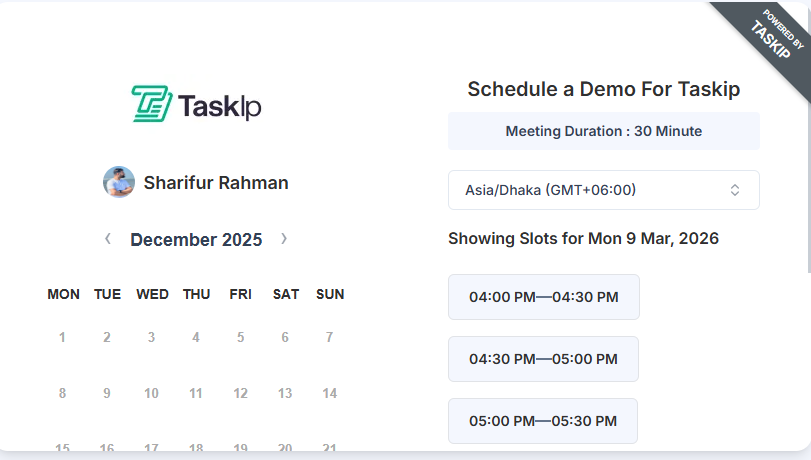
Schedule a personalized 30-minute session with our Support team:
- Log in to your Taskip account.
- Navigate to the Dashboard and click Book a Free Session.
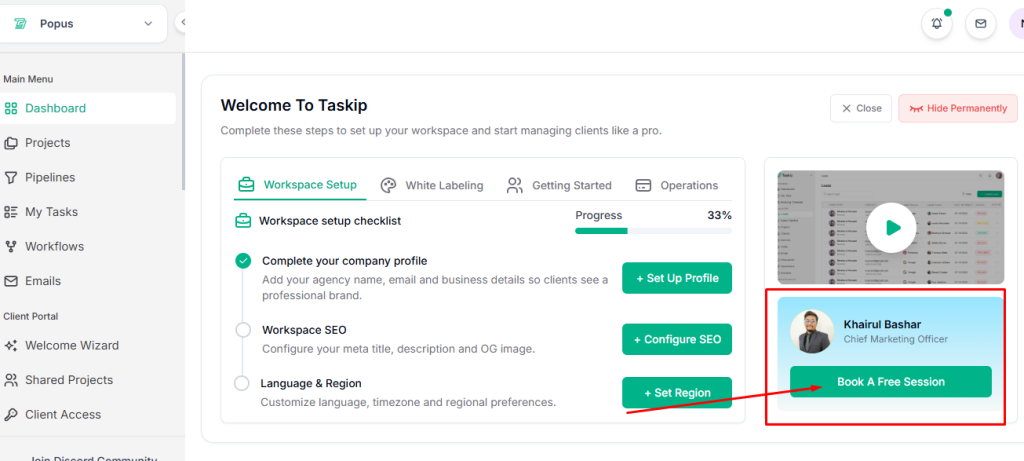
3. Select your preferred time and schedule your 30-minute session with the team.
Support Ticket #
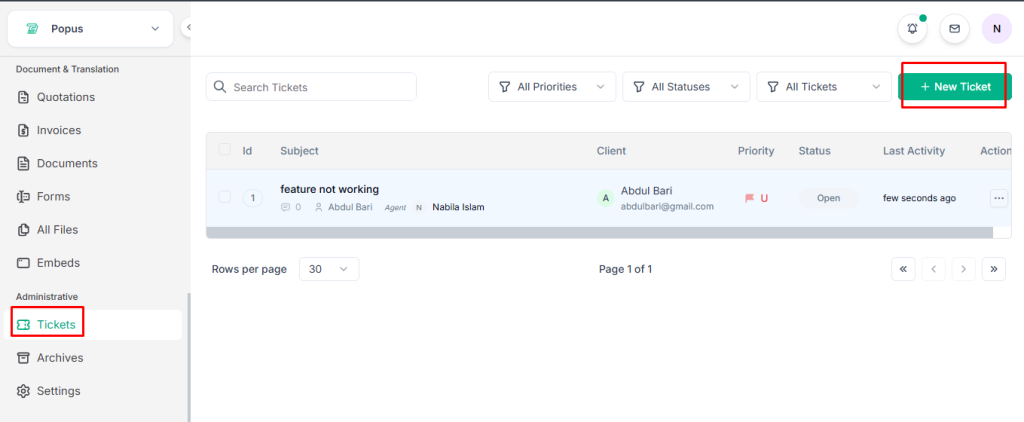
Submit issues or requests through Taskip’s Support Ticket system:
- Go to the Menu and select Ticket.
- Click Add New Ticket.
3. Fill in the ticket name and other details about your issue.
4. Set the priority level of your ticket.
5. Attach any relevant files, if applicable.
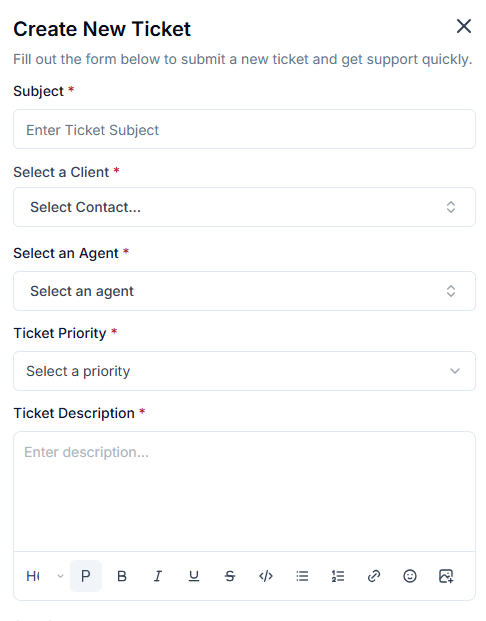
6. Submit the ticket.
7. You’ll receive a confirmation and can track updates until your issue is resolved.
Taskip Contact Us Page #
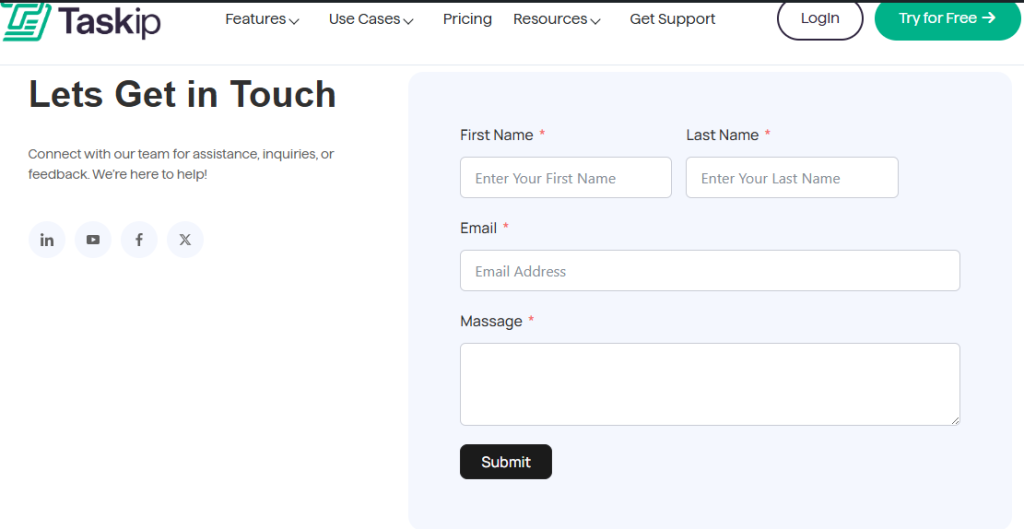
You can also reach the Taskip team through the Contact Us page.
- Go to the Taskip Contact Us page.
- Fill out the contact form.
- Enter your email address.
- Write your message or inquiry.
- Submit the form.
Our team will review your message and respond to your email as soon as possible.
Priority Support Via Discord #
Taskip also offers Priority Support through Discord for faster assistance and direct communication with the team.
- Join the Taskip Discord community using the invite link.
- Navigate to the support or priority support channel.
- Share your question or issue with relevant details.
- The Taskip team will review your request and respond as quickly as possible.


